DNB COLLEGE

Drum & Bass Ableton Live 12 Tutorials

LESSON DETAIL

Warp an Amen-style switch-up with crunchy sampler texture in Ableton Live 12 (Beginner)

An AI-generated beginner Ableton lesson focused on Warp an Amen-style switch-up with crunchy sampler texture in Ableton Live 12 in the Arrangement area of drum and bass production.

Back to lessons
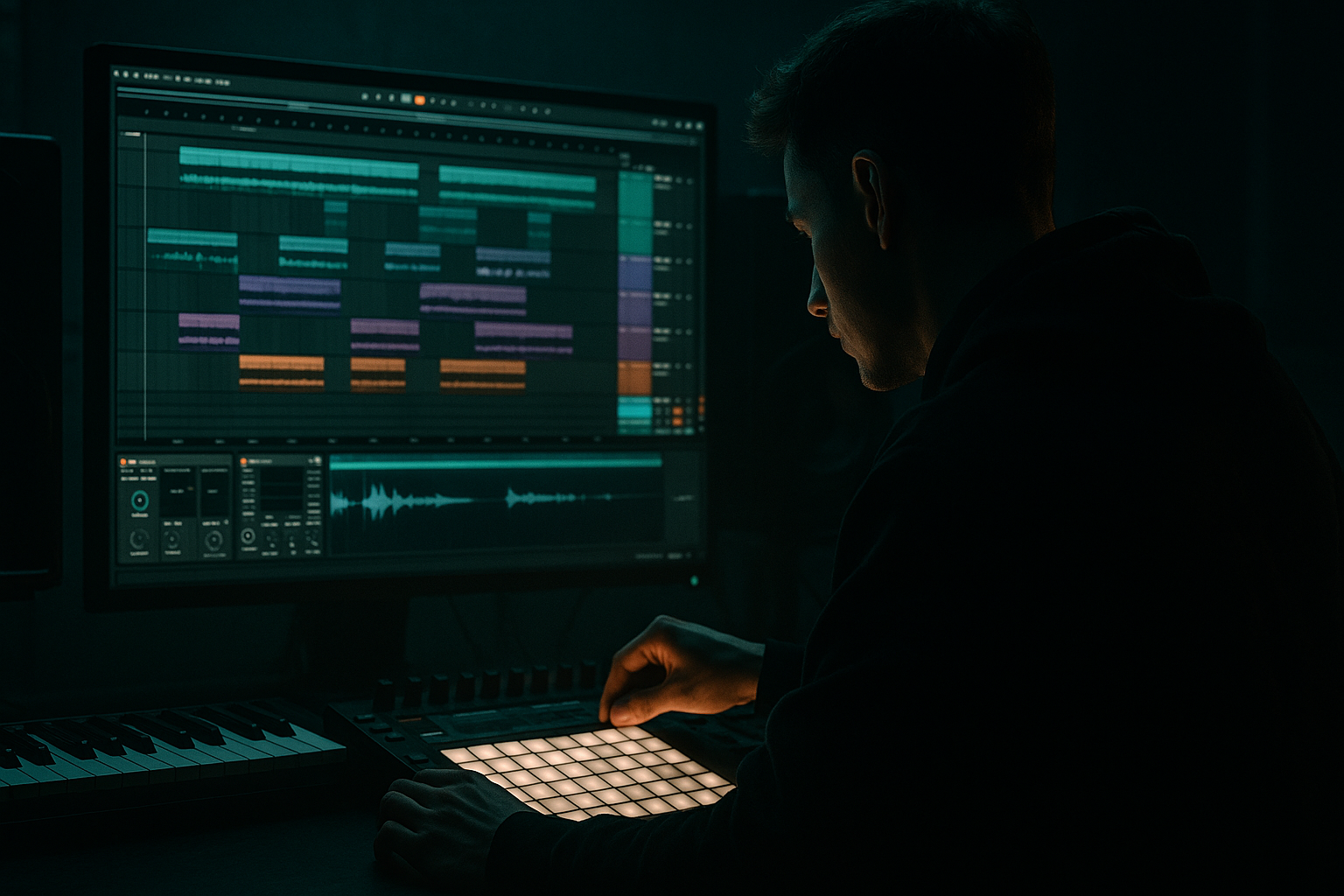
Warp an Amen-style switch-up with crunchy sampler texture in Ableton Live 12 (Beginner) cover image

Narrated lesson audio

The voice track includes the tutorial plus extra teacher commentary.

Open audio file

Main tutorial

Warp an Amen-Style Switch‑Up with Crunchy Sampler Texture in Ableton Live 12 (Beginner DnB Arrangement) 🥁⚡

1) Lesson overview

In this lesson you’ll take an Amen-style break (or any classic jungle break), warp it cleanly, then create a switch‑up fill that sounds like it was resampled off an old sampler: crunchy, fast, and intentional. The focus is arrangement—how to make your break flip energy going into a drop, 2nd phrase, or turnaround.

You’ll learn:

  • How to choose the right Warp mode for breaks
  • How to create a switch‑up (1–2 bars) that still feels like it belongs
  • How to add crunch + sampler vibe using stock devices
  • How to place it in a DnB arrangement so it hits hard 🎯
  • ---

    2) What you will build

    A 16-bar rolling drum section (typical DnB phrasing) with:

  • A tight, warped Amen loop (main groove)
  • A 1-bar switch‑up at the end of bar 16 (or bar 8) using stutters, pitch hits, and resample-style crunch
  • A device chain that creates “old sampler / crunchy” texture without killing punch
  • ---

    3) Step-by-step walkthrough

    A) Session setup (DnB-friendly)

    1. Set tempo: `170–175 BPM` (try 174 BPM).

    2. In Arrangement View, create:

    - Audio Track 1: `BREAK MAIN`

    - Audio Track 2: `BREAK SWITCH-UP` (you’ll build the fill here)

    3. Turn on the metronome, set 1 Bar count-in if you like.

    ---

    B) Import and warp your Amen-style break correctly

    1. Drag your Amen loop (or any break) into BREAK MAIN.

    2. In Clip View:

    - Enable Warp

    - Set Seg. BPM (Ableton estimates it). Don’t trust it blindly—confirm with your ears.

    3. Find the true downbeat:

    - Zoom in to the first transient (usually the first kick).

    - Right-click that transient → “Set 1.1.1 Here”

    4. Fix bar length:

    - If it’s a 1-bar break: make sure it ends exactly at `2.1.1`

    - If it’s a 2-bar break: ends at `3.1.1`

    - Drag the clip end or check the loop brace.

    5. Choose a Warp Mode (important):

    - Start with Beats mode

    - Settings:

    - Preserve: `Transients`

    - Envelope: `10–25 ms` (lower = tighter/crunchier, higher = smoother)

    - If it starts sounding “clicky” or thin, try:

    - Complex Pro for smoother time stretch (less punchy, but safe)

    - Or keep Beats and adjust envelope

    DnB rule of thumb:

    Beats mode = punch & snap (often best for breaks)

    Complex Pro = smoother but can soften transients

    ---

    C) Lock the groove: micro-warp only if needed

    If the break drifts or feels late:

    1. Turn on Warp Markers only where necessary:

    - Put a marker on major hits (kick/snare), not every hat.

    2. Nudge the snare to land nicely on 2 and 4 (in 4/4 DnB counting):

    - Snare often lands around `1.2` and `1.4` in a 1-bar loop (depending on the break)

    3. Keep edits minimal—too many markers = “over-warped” phasey break.

    ---

    D) Duplicate to create your switch-up lane

    1. Duplicate the main break clip from `BREAK MAIN` onto `BREAK SWITCH-UP`.

    2. Decide where the switch-up happens:

    - Classic: last bar before a drop or bar 16 in a 16-bar phrase.

    3. In Arrangement, keep `BREAK MAIN` running, and place your `BREAK SWITCH-UP` clip only on the switch-up bar (mute the main break there).

    Arrangement move (very DnB):

  • Bars 1–15: main loop
  • Bar 16: switch-up fill
  • Bar 17: drop/phrase restart
  • ---

    E) Build the Amen-style switch-up (1 bar) with fast edits ✂️

    We’ll do 3 quick techniques that scream jungle/DnB:

    #### Technique 1: Slice and reorder (fast classic)

    1. Click the switch-up clip, zoom into bar 16.

    2. Use Split (`Cmd/Ctrl + E`) on key transients:

    - Split around a snare, a kick, and a hat run

    - Make ~6–10 slices (don’t go crazy yet)

    3. Rearrange slices:

    - Move a snare earlier for a “rush”

    - Repeat a hat slice 2–4 times for a stutter

    4. Add a tiny gap before the final hit:

    - Leave 1/16 or 1/32 silence before the last snare/kick → creates tension.

    #### Technique 2: Stutter the last 1/2 bar (roll-up energy)

    1. Take the last half-bar (`16.3.1 to 17.1.1`) and split into 1/16 chunks.

    2. Repeat 2–3 chunks rapidly.

    3. Optional: fade each tiny slice:

    - Add quick fades to avoid clicks (drag clip fade handles).

    #### Technique 3: Pitch “tape hit” moments (sampler vibe)

    1. Select one snare slice (or a whole 1/8 section).

    2. In Clip View, enable Pitch changes:

    - Try -3 to -7 semitones on one hit for weight

    - Try +3 to +7 semitones on a tiny hat slice for tension

    3. Keep it tasteful: 1–3 pitch moments per bar is enough.

    ---

    F) Add crunchy sampler texture (stock device chain) 🧱

    Put this chain on BREAK SWITCH-UP (or on a Drum Buss return if you want it shared).

    #### Device Chain (in order)

    1. Redux (bit depth + sample rate crunch)

    - Downsample: `2.0–6.0` (start at 3.0)

    - Bit Reduction: `10–14 bits` (start at 12)

    - Dry/Wet: `20–40%` (start at 30%)

    - Goal: audible grit without turning to white noise.

    2. Saturator (weight + harmonics)

    - Drive: `2–6 dB` (start at 4 dB)

    - Turn on Soft Clip

    - Optional: Analog Clip mode for bite

    - If it gets harsh, reduce Drive and let Redux do less.

    3. Drum Buss (punch + smack)

    - Drive: `5–15%`

    - Crunch: `10–25%`

    - Boom: off or subtle (`0–10%`)—breaks can get woofy fast

    - Transients: `+5 to +20` if you lost attack from warping/crunch

    4. EQ Eight (clean the mess)

    - High-pass: `30–45 Hz` (breaks don’t need sub)

    - Slight dip if muddy: `200–350 Hz` by `-2 to -4 dB`

    - Small tame if harsh: `6–9 kHz` by `-1 to -3 dB`

    Workflow tip: Map a Macro (or just automate) Redux Dry/Wet and Drum Buss Crunch—turn it up only during the fill. That’s the “switch-up gets nasty” moment 😈

    ---

    G) Make it arrangement-ready with automation (this is the secret sauce)

    Switch-ups feel big because the bar before the drop changes the rules.

    Automate these on bar 16:

    1. Filter sweep (Auto Filter on the drum bus)

    - Add Auto Filter on your drum group (or just the break).

    - Mode: Low-Pass

    - Start bar 16 at around 12–18 kHz, sweep down to 3–6 kHz by the end of the bar.

    - Add a little Resonance: `10–20%` (don’t whistle).

    2. Reverb “throw” on the last snare

    - Create a Return Track with Reverb:

    - Decay: `1.2–2.5s`

    - Pre-Delay: `10–25 ms`

    - High-pass inside reverb (or EQ after): cut below `200 Hz`

    - Send ONLY the final snare slice (automation spike).

    3. Tiny gap before the drop

    - Remove the last 1/16 before bar 17.

    - Or fade out the last hit quickly.

    - The silence makes the drop feel louder than it actually is.

    ---

    H) Optional: The “Sampler Resample” method (extra authentic) 📼

    If you want that proper crunchy resampled feel:

    1. Create a new Audio Track: `RESAMPLE PRINT`

    2. Set its input to Resampling (Audio From → Resampling).

    3. Solo `BREAK SWITCH-UP` and record 1–2 bars.

    4. Now process the recorded audio:

    - Use Simpler (drag the recording into Simpler)

    - Mode: Slice

    - Slice by: `Transient`

    - Now you can play/retrigger slices like an old-school chopped break.

    This is how you get that “it’s been through a box” vibe.

    ---

    4) Common mistakes (and quick fixes)

  • Over-warping the break → it sounds phasey or watery
  • ✅ Use fewer warp markers. Warp only the main hits.

  • Crushing too hard with Redux → hats turn into sand
  • ✅ Lower Downsample, or reduce Dry/Wet to ~20–30%.

  • Switch-up doesn’t feel like the same drummer
  • ✅ Reuse slices from the same break; keep ghost notes/hats consistent.

  • Fill is busy but not impactful
  • ✅ Add a micro-silence before the drop, and automate one strong effect (filter or verb throw).

  • Low end gets messy
  • ✅ High-pass the break at 30–45 Hz and avoid heavy “Boom” on Drum Buss.

    ---

    5) Pro tips for darker/heavier DnB 🖤

  • Layer a tight modern snare under the Amen snare (very common in neuro/techy rollers):
  • Use a Drum Rack one-shot snare, low-pass it around `8–10 kHz`, and blend quietly.

  • Make the switch-up “pitch down” into the drop:
  • Automate clip pitch down -2 semitones across bar 16 for a sinking feeling.

  • Add distortion in parallel, not fully inline:
  • Put Saturator/Overdrive on a Return track and send the switch-up into it.

  • Gate the reverb for that tight dungeon vibe:
  • Reverb → Gate (or Auto Filter + sidechain-style shaping) so it doesn’t wash out.

  • Use darker cymbal texture:
  • After crunching, dip `10–12 kHz` slightly to avoid “shiny” tops.

    ---

    6) Mini practice exercise (10 minutes) ⏱️

    1. Pick any Amen-style loop.

    2. Warp it using Beats / Transients / Envelope 15 ms.

    3. Create a 1-bar switch-up:

    - Must include one stutter (1/16 repeats)

    - Must include one pitch edit (-5 semitones on a snare slice)

    - Must include one silence gap (1/16 before the downbeat)

    4. Add Redux at 30% wet + Drum Buss Crunch 15% on switch-up only.

    5. Arrange it as: 15 bars main + 1 bar switch-up + drop restart.

    Bounce a quick loop and listen: does bar 16 feel like a “warning shot” before the next phrase?

    ---

    7) Recap ✅

  • Warp breaks for DnB with Beats mode first, keep warp markers minimal.
  • Build a switch-up by slicing, repeating, and reordering—then add one or two pitch moments.
  • Get crunchy sampler texture using stock devices: Redux → Saturator → Drum Buss → EQ Eight.
  • Make it land in the arrangement with automation (filter sweep, reverb throw, and a tiny gap).
  • If you want maximum authenticity: resample the switch-up and slice it in Simpler.

If you want, tell me what style you’re aiming for (jungle 94, modern rollers, neuro, dancefloor) and I’ll suggest a switch-up pattern that fits that sub-genre and a 16-bar arrangement template.


Ask GPT about this lesson

Chat with the lesson tutor, get follow-up help, or use quick actions.

Bigup 👽 Ask me anything about this lesson and I’ll answer in context.

Narration script

Show spoken script
Welcome back. In this lesson we’re going to take an Amen-style break, warp it so it locks to tempo, then build a one-bar switch-up that feels like proper drum and bass arrangement: fast, intentional, and slightly feral right before the next phrase. And we’re going to give it that crunchy, old-sampler texture using only Ableton Live 12 stock tools.

The big goal here isn’t just “make a cool fill.” It’s to make bar 16 feel like a warning shot… so bar 17 feels like a drop, even if you didn’t change anything else.

Alright, let’s set up.

First, set your tempo to something DnB-friendly: 170 to 175 BPM. I like 174 as a starting point.

Now go to Arrangement View. Make two audio tracks.
Name the first one BREAK MAIN.
Name the second one BREAK SWITCH-UP.

Turn on the metronome. If you like a bit of breathing room when you hit play, set a one-bar count-in.

Now drag your Amen loop or any classic jungle break onto BREAK MAIN.

Down at the bottom in Clip View, turn Warp on.

Ableton will guess the Seg BPM. Quick reminder: that number is a suggestion, not the truth. In breakbeat music, your ears are the truth.

Now we find the real downbeat. Zoom into the very start of the clip and look for the first clear kick transient. When you find it, right-click right on that transient and choose Set 1.1.1 Here.

This step is huge. If 1.1.1 is wrong, everything you do later will feel like it’s fighting the track.

Next, make sure the loop length is correct.
If it’s a one-bar break, it should loop from 1.1.1 to exactly 2.1.1.
If it’s a two-bar break, it should end at 3.1.1.

Adjust the clip’s loop brace or the clip end so it’s exact. Then play it against the metronome. You’re listening for whether the main hits feel like they land where your head expects.

Now choose a Warp Mode. For breaks, start with Beats mode.
Set Preserve to Transients.
Then adjust the Envelope. Try somewhere around 10 to 25 milliseconds. If you go lower, it gets tighter and crunchier, but you may get clicks. Higher gets smoother but can smear the energy.

Here’s the rule of thumb: Beats mode usually keeps that punch and snap you want for drum and bass. Complex Pro can be smoother, but it can soften the transients. So only jump to Complex Pro if Beats mode is giving you nasty artifacts you can’t tame.

Next: groove locking, but with a light touch.

If the break drifts or the snare feels late or early, add warp markers only where you need them. Think major anchors: kicks and snares. Not every hi-hat. If you warp every little transient, you can end up with that watery, phasey “over-warped” sound.

A good target is making the main snare anchors feel solid. And a coach note here: warp feel is more important than warp perfection. Breaks have character because they push and pull a little. Don’t grid-police the life out of it.

Once it loops tight, we’re ready to build our switch-up lane.

Duplicate that same clip from BREAK MAIN onto BREAK SWITCH-UP. You can just copy and paste it, or option-drag it.

Now decide where the switch-up happens. The classic move is the last bar of a 16-bar phrase.
So in your arrangement, let BREAK MAIN play from bar 1 through bar 15.
Then on bar 16, place the BREAK SWITCH-UP clip.
And make sure the main break is muted during bar 16 so you’re not hearing both at once.

The arrangement should feel like:
Bars 1 to 15: stable groove, teach the listener what “normal” is.
Bar 16: break the rules.
Bar 17: reset, and it hits harder because of the contrast.

Now we build the actual switch-up. Keep it one bar. That limitation is your friend.

Click the clip on BREAK SWITCH-UP and zoom into bar 16.

We’ll use three techniques: slicing and reordering, stuttering, and a couple of pitch “tape hit” moments.

Technique one: slice and reorder.

Turn your grid on. Start splitting the audio on key transients. Use the Split shortcut, Command E on Mac, Control E on Windows.

Make maybe six to ten slices. You’re looking for useful pieces: a snare hit, a kick hit, a little hat run, a ghost note moment. Don’t go crazy yet, because too many cuts too early gets messy.

Now rearrange just a few slices.
Try moving one snare earlier to create a “rush” into the end of the bar.
Try repeating a small hat slice two to four times to make a stutter.
And here’s a super effective move: create a tiny gap before the final hit. Literally leave a 1/16 or even a 1/32 of silence right before bar 17. That micro-silence makes the next downbeat sound bigger without you touching the volume.

While you’re doing this, listen for clicks. If you hear clicks, add tiny fades on the slices. In Ableton, you can drag the fade handles on the clip edges. Quick micro-fades solve like 90% of annoying click problems.

Also, after you do heavy slicing, do a punch check. If the kick suddenly loses weight, you might be repeating a slice that includes a kick tail and it’s causing little phase weirdness. Swap the slice, add fades, or avoid repeating low-end tails.

Technique two: stutter the last half-bar.

Find the last half of bar 16, from 16.3.1 to 17.1.1. Split it into smaller chunks, like 1/16 notes. Then pick two or three chunks and repeat them rapidly.

This is that classic roll-up energy. It’s like you’re grabbing the break and shaking it for a second.

Again, if it gets clicky, add quick fades. Don’t be afraid to make the slices slightly different lengths, too. Sometimes the imperfect stutter sounds more human and less like a copy-paste machine gun.

Technique three: pitch hits for that sampler vibe.

Pick one snare slice, or maybe a short 1/8 chunk with a snare in it. In Clip View, adjust pitch.

Try pitching a snare down by three to seven semitones. That gives you weight, like the break fell through the floor for a second.
Then try pitching a tiny hat or texture slice up by three to seven semitones to add tension.

Keep it tasteful. One to three pitch moments in the bar is plenty. The switch-up should still feel like the same drummer. A good way to keep it connected is to keep one identity element constant, like a steady hat texture or ghost note bed underneath, while the main hits do the fancy stuff.

Now we’ve got the edit. Let’s make it crunchy.

We’ll put a stock device chain on BREAK SWITCH-UP that gives “old sampler” energy without destroying the punch.

First, add Redux.
Set Downsample around 3.0 as a starting point, somewhere in the 2 to 6 range depending on how savage you want it.
Set Bit Reduction around 12 bits, anywhere from 10 to 14.
Then set Dry/Wet around 30%, somewhere in the 20 to 40 range.

You’re aiming for audible grit, not “sandstorm hi-hats.” If the hats turn into white noise, reduce Downsample, or pull Dry/Wet down.

Next, add Saturator.
Set Drive to around 4 dB, anywhere from 2 to 6.
Turn on Soft Clip.
If you want extra bite, try Analog Clip mode.

Saturator after Redux is great because it glues the digital crunch into something that feels printed.

Next, add Drum Buss.
Add a little Drive, something like 5 to 15%.
Add Crunch around 10 to 25%.
Be careful with Boom on breaks. Either keep it off, or super subtle, like 0 to 10%, because it can get woofy fast.
If your transients got dulled by warping or the crunch, push the Transients control up a bit, like plus 5 to plus 20. Subtle is the key. Too much and it becomes spitty.

Then add EQ Eight.
High-pass around 30 to 45 Hz, because breaks don’t need sub.
If it’s muddy, dip a bit around 200 to 350 Hz, maybe two to four dB.
If it’s harsh, do a small cut around 6 to 9 kHz.

Now here’s a teacher move: don’t leave the crunch on all the time. Make the fill special.

Automate the Redux Dry/Wet and/or the Drum Buss Crunch so it rises into bar 16, or only hits during bar 16. That way the switch-up gets nasty, but your main groove stays clean and punchy.

Next, we make it land with arrangement automation. This is the secret sauce.

First automation idea: a filter sweep.
Add Auto Filter on your drum group or directly on the break bus.
Set it to Low-Pass.
At the start of bar 16, set the cutoff fairly open, like 12 to 18 kHz.
Then sweep it down so by the end of the bar you’re closer to 3 to 6 kHz.

Add a bit of resonance, like 10 to 20%, but don’t let it whistle. You want tension, not a sci-fi laser.

Second automation idea: a reverb throw on the last snare.

Create a Return track with Reverb.
Set decay around 1.2 to 2.5 seconds.
Set pre-delay around 10 to 25 milliseconds.
Then EQ the reverb so it doesn’t get boomy. High-pass around 200 Hz, either inside the reverb if available, or with an EQ after it.

Now automate the send so only the last snare slice gets a quick spike of reverb. The rest stays dry. That’s what makes it sound intentional and pro, instead of washed out.

Third idea: commit to the tiny gap.
Remove the last 1/16 before bar 17, or fade out the last hit quickly.
Silence is a mix trick and an arrangement trick at the same time. It makes the drop feel louder without actually increasing loudness.

Now, optional but extremely authentic: the resample method.

If you want it to sound like it went through a box, print it.

Create a new audio track and name it RESAMPLE PRINT.
Set its input to Resampling.
Solo BREAK SWITCH-UP and record one or two bars.

Now take that recorded audio and drag it into Simpler.
Set Simpler to Slice mode.
Slice by Transient.

Now you can retrigger slices like an old-school chopped break workflow. Even if you don’t “play” it live, this step alone often gives a psychological shift: it feels like a printed, handled piece of audio instead of a clip you’re still editing.

Before we wrap, let’s hit common problems quickly.

If your break sounds phasey or watery, you probably over-warped it. Use fewer warp markers. Warp only the main hits.

If Redux turns your hats into sand, lower Downsample or reduce Dry/Wet.

If your switch-up doesn’t feel like the same drummer, reuse slices from the same break and keep a consistent underlying element, like the hat pulse or ghost notes.

If the fill is busy but not impactful, add the micro-silence and automate one strong effect, like the filter sweep or the reverb throw. Impact is contrast, not just density.

If the low end gets messy, high-pass the break at 30 to 45 Hz, and avoid heavy Boom in Drum Buss.

One last beginner timing hack: if your fill feels like it leans forward in a bad way, try nudging the whole switch-up back by 5 to 15 milliseconds using Track Delay. It can keep the aggression while making it sit properly.

Now here’s your 10-minute practice challenge.

Pick any Amen-style loop.
Warp it using Beats mode, Preserve Transients, Envelope around 15 milliseconds.
Create a one-bar switch-up that includes one stutter using 1/16 repeats, one pitch edit like minus 5 semitones on a snare slice, and one silence gap of 1/16 right before the next downbeat.
Add Redux at about 30% wet and Drum Buss Crunch around 15% on the switch-up only.
Arrange it as 15 bars main, 1 bar switch-up, then restart on bar 17.

Then bounce a quick loop and listen. The question is: does bar 16 feel like a warning shot before the next phrase?

Quick recap to lock it in.
Warp breaks for DnB with Beats mode first, and keep warp markers minimal.
Build switch-ups by slicing, repeating, and reordering, then add one or two pitch moments.
Get crunchy sampler texture with Redux into Saturator into Drum Buss into EQ Eight.
Make it hit in the arrangement with automation: a filter sweep, a reverb throw, and a tiny gap.
And for maximum authenticity, resample and slice in Simpler.

If you tell me what sub-style you’re aiming for, like 94 jungle, modern rollers, neuro, or dancefloor, I can suggest an exact one-bar switch-up pattern and where to place a second “version B” later in the arrangement so the track evolves without sounding random.

mickeybeam

Go to drumbasscd.com for +100 drum and bass YouTube channels all in one place - tune in!

Generating PDF preview…