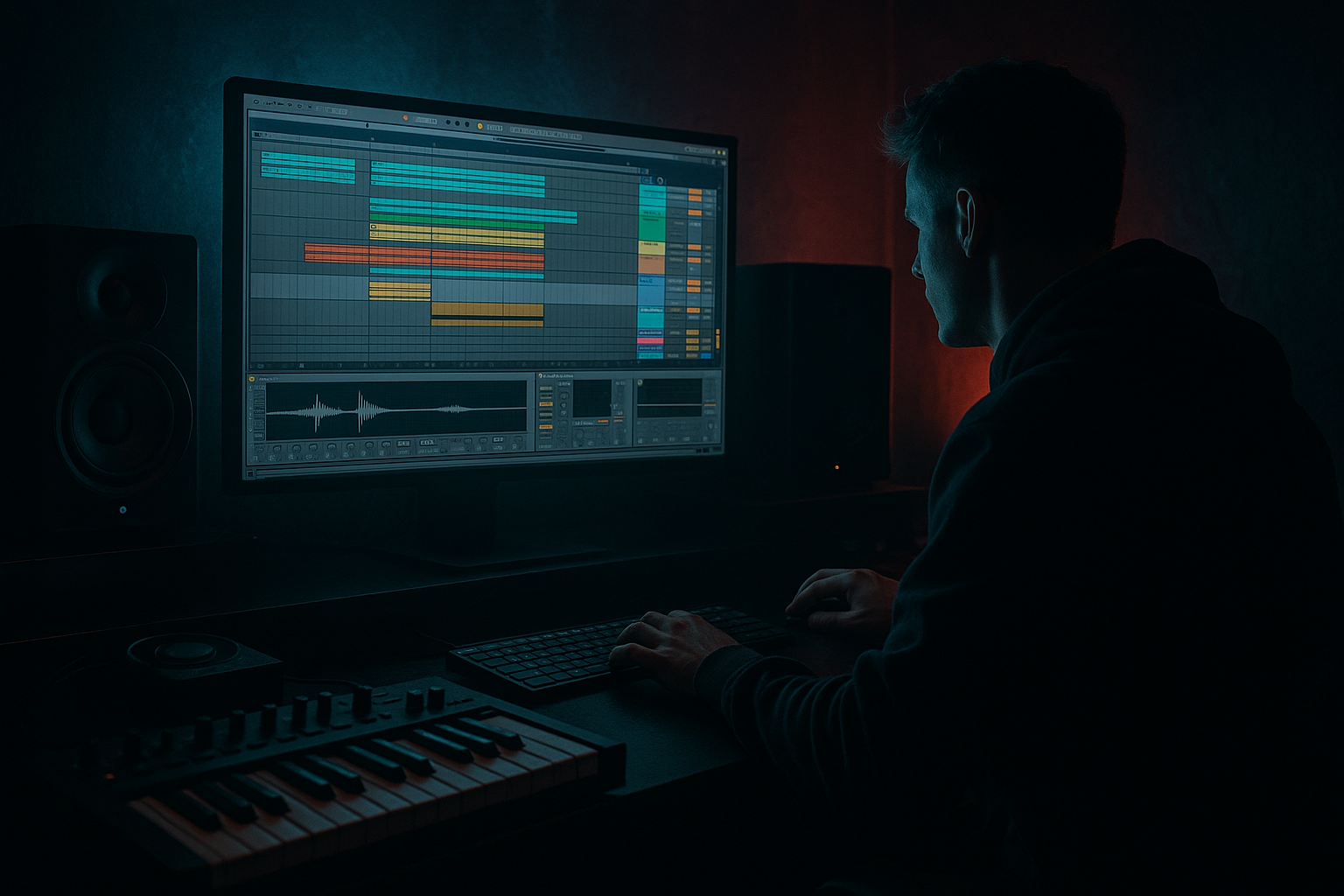
Main tutorial
Lesson Overview
This lesson shows you how to take a VHS-rave stab, warp it cleanly in Ableton Live 12, and turn it into a DJ-friendly DnB phrase that actually works in a track. The goal is not just to “sample a stab” — it’s to make it lock to tempo, feel intentional, and function like a proper arrangement device: a hook, a transition marker, or a drop-supporting call-and-response stab.
This technique lives in the parts of a Drum & Bass track where energy needs to change quickly without losing control: intro build, pre-drop tension, first-drop statement, breakdown punctuation, and second-drop variation. In jungle, rollers, darker liquid, neuro-adjacent halftime switches, and rave-inflected club tracks, a warped stab can carry huge identity with very little material.
Why it matters musically: a VHS-rave stab already has attitude — detuned harmony, crunchy texture, and old-school rave memory baked in. Why it matters technically: if it’s warped badly, it smears the groove, fights the drums, or collapses in mono. If it’s warped well, it becomes one of the fastest ways to create a memorable DnB section with very little sound design effort.
By the end, you should be able to hear a stab that lands on the grid, breathes with the drums, stays punchy, and feels like it belongs in a real club arrangement — not just a looped sample idea.
What You Will Build
You will build a warped VHS-rave stab phrase in Ableton Live 12 that sounds sharp, gritty, and DJ-usable inside a DnB arrangement.
The finished result should have:
- a bright, slightly trashed rave character
- tight rhythmic placement against breaks and bass
- enough movement to feel alive, but not so much warble that it loses impact
- a role as a hook stab, transition accent, or call-and-response answer to the drums
- mix readiness: clear mids, controlled low end, and mono-safe weight where needed
- Use only one stab sample
- Use only stock Ableton devices
- Limit yourself to one main automation move
- Make the phrase work at 174 BPM or your usual DnB tempo
- one 8-bar loop with the warped stab placed against drums and bass
- one processed version and one more stripped-back version
- Does the stab hit in time with the groove?
- Can you still hear the snare clearly?
- Does the loop feel like a real section of a track, not just a sample playing on top?
A successful result should feel like this: when the drums and bass are playing, the stab cuts through in short, confident hits that hype the section without masking the snare, cluttering the low end, or making the drop feel messy.
Step-by-Step Walkthrough
1. Find the right stab and trim it like a DJ would
Start with a VHS-rave stab that has a clear attack and a strong tonal identity. In DnB, you want something with enough edge to survive fast drums — not a washed-out chord pad. Drag it into a MIDI or audio track and trim the clip so the useful part starts right at the transient.
If the sample has a loose intro or tape hiss before the hit, cut that off unless you want it for texture. Keep the tail for now, because the decay often contains the “rave memory” that makes the sound exciting.
What to listen for:
- The transient should hit immediately, not sag into the bar
- The tail should feel musical, not like it is smearing into the next snare
If the sample feels too long already, shorten it before warping. Long samples are where beginner DnB stabs become cluttered fast.
2. Set the warp mode for the job
Turn Warp on and choose the mode based on the stab’s character:
- Be very safe with percussive, punchy stabs: try Complex Pro only if the sample is more tonal and you need to preserve a chord feel
- If the stab is sharper and more rhythmic, Beats or Complex often works better depending on how tonal it is
- If the sample has obvious pitched harmony and you want it to hold together, Complex Pro is usually the cleaner starting point
For a VHS-rave stab, the trade-off is important:
- Cleaner warp = more stable pitch and better for melodic sections
- Rougher warp = more grit and more old-school energy, but more chance of artefacts
In beginner terms: if the stab starts sounding lumpy, metallic, or “chewed,” you’ve pushed the warp mode too hard for that sample.
A good starting point is to set the first clear transient to the grid at the start of bar 1. Then adjust the clip’s warp markers so the next strong hit lands in time with your DnB phrase.
3. Lock the stab to a DJ-friendly 4- or 8-bar phrase
DnB arrangments need phrases that a DJ can mix from and into without surprises. Place the stab so it works as a repeating 2-bar, 4-bar, or 8-bar idea.
A very usable structure is:
- bar 1: main stab hit
- bar 2: response or variation
- bar 3: repeated stab with a slightly different cut
- bar 4: leave space or add a fill
This gives the loop a sense of direction instead of sounding like a random sample chop.
Decision point — A versus B:
- A: Keep the stab very tight and repetitive for a minimal roller feel
- B: Add small variations in bars 3 and 4 for a more rave-forward, breakdown-ready feel
If you are making darker rollers or neuro-leaning DnB, choose A first. If you are making jungle, rave, or high-energy drop music, B often lands harder.
4. Chop the stab into usable hits with the Clip View or MIDI triggering
Once the sample is warped and aligned, slice it into short hits. You can do this by duplicating the audio clip and editing start/end points, or by placing the sample in Simpler and triggering it from MIDI. For a beginner workflow, Simpler is often the easiest way to control the stab as an instrument.
In Simpler:
- use One-Shot mode for a clean, reliable trigger
- shorten the sample start slightly if the hit feels late
- trim release so the hit doesn’t smear into the next note
Useful starting points:
- attack: 0–5 ms
- release: short, often under 200 ms for tight DnB phrasing
- start position: move just enough to remove dead air, not enough to kill the transient
What to listen for:
- The hit should feel immediate against the snare
- The tail should stop before it covers the next kick or sub movement
5. Shape the stab with a simple stock-device chain
Use a clean, practical Ableton chain that fixes the common problems fast.
Chain example 1:
- EQ Eight
- Saturator
- Auto Filter
- Utility
Start with EQ Eight:
- high-pass gently around 120–200 Hz if the sample has unwanted low rumble
- cut any muddy buildup around 250–500 Hz if the stab sounds boxy
- if the stab is harsh, try a small dip around 2.5–5 kHz rather than over-brightening it
Then Saturator:
- Drive around 2–6 dB is often enough
- use Soft Clip if the stab needs a firmer edge without spikes
- keep an eye on gain staging so you are adding character, not just volume
Then Auto Filter:
- use a low-pass sweep for transitions
- or a gentle high-pass if you want the stab to sit lighter in the drop
Then Utility:
- use Width carefully; if the sample is wide and important to the hook, keep it controlled
- if the low-mid portion feels unstable, narrow it slightly or collapse it to mono at the source and add width elsewhere in the arrangement
Chain example 2 for grittier darker DnB:
- Drum Buss
- EQ Eight
- Utility
Drum Buss can add bite and weight quickly, but be careful: too much Boom or Drive can make a rave stab feel huge in solo and messy in context. For beginners, keep it restrained and always compare it with drums.
6. Place the stab against the drum groove, not just on the grid
This is where it becomes DnB instead of a random sample loop. Put the stab in context with the kick, snare, and break. In a roller, the stab can answer the snare on the off-beat. In jungle, it can sit between break hits to create call-and-response. In a dark drop, it might punctuate the end of a bar rather than fill the whole space.
Try this check:
- mute the bass
- loop 4 or 8 bars of drums
- drop the stab in and listen to whether it supports the groove or fights it
Then bring the bass back and check again. A stab that sounds exciting alone can completely cloud the midrange once the bass enters.
What to listen for:
- The stab should make the drum groove feel bigger, not flatter
- The snare must still feel like the main backbeat if the track is snare-led
If the stab masks the snare, shorten the tail by trimming the sample end or reducing release. If it masks the kick, remove some low-mid weight around 150–300 Hz.
7. Automate for tension, but keep the move readable
Use automation to turn a static stab into a section tool. In DnB, a warped stab often works best when its filter or level changes across the phrase.
Good automation moves:
- Auto Filter cutoff rising from around 400 Hz to 8–12 kHz before a drop
- short volume dips before the snare hit to create space
- subtle reverb send increase in the last 1–2 beats of a phrase, then hard cut into the drop
Keep the motion clear. A rave stab does not need hyperactive automation every beat; it needs one or two strong gestures that tell the listener where the energy is going.
A useful phrasing example:
- bars 1–4: sparse stab hits
- bars 5–8: more frequent hits and a filter opening
- bar 8 beat 4: mute or reverse the tail
- bar 9: full drop with the stab returning more aggressively
8. Commit the best version to audio if the sound is fighting the arrangement
Stop here if the stab is starting to sound good but is still too “fragile” as a live clip. Commit it to audio if you’ve already made the key warp and timing decisions and now want to process it like a real track element.
In DnB, printing the stab helps because:
- you avoid accidentally changing warp behavior later
- you can chop the audio more confidently
- you can reverse, fade, and automate it faster
This is especially useful if the stab becomes part of a transition or a drop-call that must stay consistent across sections.
9. Refine it in the arrangement, not in isolation
Drop the stab into a full 16-bar section with drums and bass. Check whether it performs one of three jobs:
- hook: memorable statement
- punctuation: short burst before a snare or fill
- tension device: filtered repeat that drives into the next section
A good DnB stab should not occupy the whole track. It should appear where the arrangement needs identity. For example:
- intro: filtered stab every 4 bars to signal the theme
- first drop: full-level stab every 2 bars
- second drop: same stab but with different chopping or octave treatment
- outro: thinner stab, more filtered, for DJ mixing space
This is where DJ-friendliness matters: leave enough empty bars for mixing, especially before and after the main statement. If every bar is full, the track becomes harder to blend.
10. Check mix clarity and mono compatibility
VHS-rave material often sounds wide and exciting in headphones, but DnB clubs punish messy width. Check the stab in mono with Utility. If the body disappears or the tone shifts dramatically, the stereo image is too dependent on phase.
Fixes:
- narrow the sample slightly with Utility
- keep the core of the stab centered
- if you want width, create it with short reverb, delay, or a higher layer rather than making the main hit huge and unstable
A safe rule: the strongest part of the stab should still feel solid when mono-checked. The wide edges can move; the core must stay readable.
Workflow efficiency tip: make a duplicate track called “stab mono check” and keep it collapsed or muted unless you need to test quickly. This saves time when building multiple sections.
Common Mistakes
1. Warping the sample without aligning the main transient
Why it hurts: the stab drifts against the drums, which makes the whole phrase feel amateurish.
Fix: zoom in, place the first clear hit on the grid, and only then add secondary warp markers if needed.
2. Leaving too much low end in the stab
Why it hurts: it competes with the sub and kick, making the drop feel smaller and less clean.
Fix: use EQ Eight and high-pass around 120–200 Hz, then remove any muddy buildup around 250–500 Hz if needed.
3. Making the stab too long for the groove
Why it hurts: the tail overlaps snares and bass movement, which blurs the rhythm.
Fix: trim the clip end, shorten release in Simpler, or fade the tail so it stops before the next strong drum hit.
4. Overusing saturation until the stab loses its attack
Why it hurts: the sample becomes thick but less readable, especially in fast DnB sections.
Fix: lower Saturator Drive, use Soft Clip moderately, and compare the processed version with the bypassed version in the full mix.
5. Making the stab too wide
Why it hurts: wide low-mid content can phase out in mono and weaken the center of the track.
Fix: keep the body centered with Utility, and create width with higher-frequency ambience or a separate effect layer instead.
6. Automating too many things at once
Why it hurts: the stab stops feeling like a motif and starts sounding random.
Fix: choose one main motion per section — usually filter or level — and keep it readable.
7. Forgetting to test it with drums and bass
Why it hurts: a soloed stab can sound huge while destroying the track’s pocket.
Fix: always audition it in a loop with kick, snare, break, and bass before you commit to the sound.
Pro Tips for Darker / Heavier DnB
1. Make the stab answer the snare, not compete with it
In darker DnB, the snare is often the anchor. Let the stab land after the snare or in the space between drum accents so the groove feels disciplined and threatening, not cluttered.
2. Use controlled detune by layer, not by wrecking the main hit
If you want menace, duplicate the stab and detune one layer slightly up or down, but keep that layer quieter and filtered. The main hit stays strong; the detuned layer adds unease.
3. Carve a pocket for the bass before you add movement
If your bass line has midrange growl, keep the stab’s strongest energy either above it or at a different rhythmic moment. This keeps the low-mid from turning to mud.
4. Use a short reverse or pre-hit for tension, then cut it hard
A reversed stab tail into the main hit can create a proper pre-drop pull. The key is to stop the tail cleanly at the downbeat so the drop lands with authority.
5. Resample once the phrase is working
For heavier DnB, printing the stab lets you chop the strongest moments and remove the weaker ones. This often sounds more intentional than leaving the full sample playing through every hit.
6. Make the second drop nastier by changing the same stab, not adding a new one
Try a darker filter, a slightly more aggressive Saturator setting, or a shorter chopped rhythm on the second drop. This keeps the identity while increasing pressure.
7. Keep the sub and the stab emotionally separate
The stab can be wide, gritty, and theatrical, but the sub should stay focused and centered. That separation is a big part of why heavy DnB feels powerful instead of bloated.
Mini Practice Exercise
Goal: build one 8-bar DnB-ready VHS-rave stab phrase that sits cleanly with drums and bass.
Time box: 15 minutes.
Constraints:
Deliverable:
Quick self-check:
Recap
Warp the stab so the transient lands cleanly, then shape it into a short DnB phrase that supports the drums instead of fighting them. Keep the low end out, keep the center solid, and use simple automation to create tension and payoff. If the stab feels exciting in the full track, stays readable in mono, and helps the arrangement move forward, you’ve done the job right.

