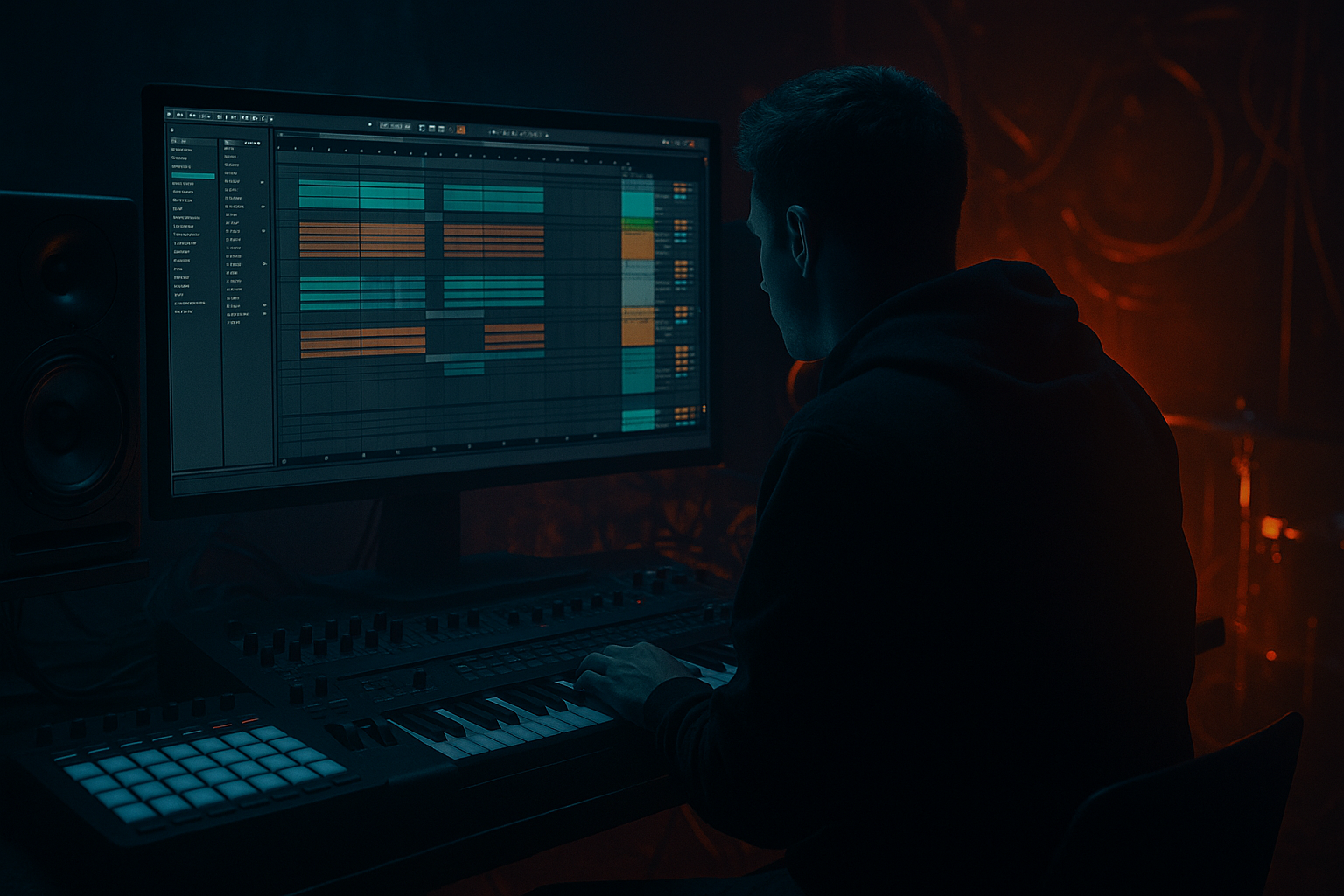
Main tutorial
Lesson Overview
This lesson is about building a Warehouse Code-style VHS-rave stab stretch from scratch in Ableton Live 12, then shaping it with automation so it behaves like a proper Drum & Bass tension tool rather than a static loop. Think of it as that foggy, tape-worn rave chord that gets pulled, filtered, and warped across a 4/4 grid to create pressure before a drop, during a mid-section switch, or as a call-and-response hook in darker rollers and neuro-influenced DnB.
In authentic DnB production, this kind of sound matters because it gives you a fast way to inject:
- nostalgia without sounding cheesy
- movement without cluttering the bass
- tension without relying only on risers
- arrangement identity in a track that may otherwise be driven by drums and sub
- starts as a short, punchy chord stab
- gets turned into a degraded, tape-like texture
- is stretched with automation so its rhythm evolves over time
- sits above the drums and bass without masking the low end
- can function as a pre-drop tension element, a drop switch-up, or a breakdown hook
- a detuned rave chord
- filtered and slightly unstable
- with slow pitch drift, tape wobble, and grit
- automating from tight and percussive into smeared and atmospheric
- capable of supporting a warehouse roller, dark jungle passage, or neuro-style intro
- 16-bar intro: stab appears lightly filtered and distant
- 8-bar tension build: automation opens the filter and widens the texture
- 2-bar pre-drop: the stab stretches hard with delay and reverb throws
- drop: the stab returns chopped and tighter, answering the drums
- Making it too bright too early
- Letting the effect chain eat the low mids
- Over-widening the stab
- Using too much reverb all the time
- Forgetting the drums and bass relationship
- Making the “stretch” feel random instead of musical
- Keep the core in mono, widen only the degraded top
- Automate saturation before the drop, not after
- Try a second copy an octave up, very low in the mix
- Use a short dark room reverb instead of a glossy hall
- Pair the stab with ghost snares or break edits
- Resample the stretched automation pass
- Tame the harsh zone before adding final width
The goal is to design a short rave stab, make it feel like it has been sampled off an old VHS or cassette source, and then “stretch” it using automation in a way that feels musical and physical. In DnB, that stretching gesture works especially well because the genre already lives in contrast: tight drums against smeared ambience, rigid grid against unstable texture, and heavy low-end against melted top-end.
You’ll use Ableton stock devices and a practical automation workflow that can be dropped into a tune immediately. The result should feel like a warehouse flashback with modern mix control. 🔊
What You Will Build
By the end of this lesson, you’ll have a one-bar to two-bar VHS-rave stab phrase that:
Musically, it should feel like:
A good final result might be used in an arrangement like this:
Step-by-Step Walkthrough
1. Create the source stab from a simple rave chord
Start with a MIDI track and load Wavetable, Operator, or Simpler if you want to sample a chord from your own synth layer later. For a fast in-the-box build, Wavetable is a strong choice.
Program a short chord stab in a minor key. Keep it simple and functional for DnB:
- try D minor, F minor, or G minor
- use a voicing with the root, minor third, and fifth
- add a sharp 7th or 9th if you want more warehouse tension
Suggested Wavetable setup:
- Osc 1: saw wave
- Osc 2: saw or square, detuned slightly
- Unison: 2–4 voices
- Detune: around 8–18%
- Amp envelope: fast attack, short decay, low sustain, short release
Keep the MIDI note length short at first, around 1/8 note or less. The point is to create a stab that can later be stretched by effects and automation, not a pad that already does the job for you.
2. Shape the sound so it feels like a rave sample, not a clean synth
Add a stock processing chain after the synth:
- Auto Filter
- Saturator
- Redux or Erosion
- Chorus-Ensemble
- EQ Eight
Start with Auto Filter:
- Filter type: Low-pass 12 or 24 dB
- Cutoff: around 500 Hz to 2.5 kHz depending on brightness
- Resonance: 10–25%
- Drive: if available, lightly raise it for bite
Then use Saturator:
- Drive: +2 to +6 dB
- Soft Clip: ON
- Output: trim so the level matches bypassed volume
Add Redux carefully for grit:
- Downsample: subtle, around 1.2x to 2.5x
- Bit reduction: keep light, just enough for texture
If you want VHS haze, use Chorus-Ensemble:
- Rate: very slow
- Amount: low to moderate
- Mix: 10–25%
The goal is not over-processing. You want a stab that feels like it was pulled from a worn sample library or a battered tape loop, but still has enough core pitch definition to cut through a DnB mix.
3. Resample the stab into audio for better control
In DnB, resampling is often the fastest route to character. Once you like the synth tone, route the track to a new audio track and record the stab as audio.
Why this matters:
- audio lets you warp, stretch, reverse, and automate more surgically
- it makes the sound easier to slice into rhythmic fragments
- it gives the “sampled off VHS” identity more credibility
After recording, consolidate the stab into a clean clip and enable Warp if needed. For this style, try:
- Warp Mode: Complex Pro for smeared, tonal material
- or Texture if you want grainier movement
If the clip feels too perfect, add a tiny bit of start offset or crop into a non-zero crossing. That imperfection helps the stab feel more like a found sample and less like a pristine synth hit.
4. Build the “stretch” with clip envelope and time-based automation
This is the core of the lesson. The “Warehouse Code edit” feel comes from making the stab seem like it’s being dragged out of time.
In Ableton Live 12, open the audio clip and use:
- Clip Gain Envelope for controlled level swells
- Automation on filter cutoff, reverb send, and delay send
- Warp markers to slightly exaggerate the tail
Practical stretch workflow:
- Duplicate the audio clip across 2 or 4 bars
- Automate Auto Filter cutoff from around 600 Hz up to 6–10 kHz
- Automate reverb send from almost dry to a noticeable wash
- Increase delay feedback only at the end of the phrase
- Slightly lengthen the clip by stretching the tail, but keep the attack snappy
A strong automation move is:
- Bar 1: dry, filtered, punchy stab
- Bar 2: cutoff opens and stereo widens slightly
- Bar 3: reverb send rises, saturation increases
- Bar 4: delay feedback jumps for the last hit only
Use automation curves rather than hard jumps whenever you want the sound to feel like tape is being pulled or time is bending. In darker DnB, that slow morphing effect is often more effective than aggressive modulation.
5. Add rhythmic motion using Gate, Delay, and transient shaping
The stretch should still feel musical against the breakbeat. Add controlled rhythmic movement using stock tools.
Insert Gate before or after the reverb depending on the effect you want:
- If before reverb, it can tighten the stab
- If after, it can create chopped, pumping-like movement
Settings to try:
- Threshold: adjust so the stab opens cleanly
- Return: moderate if you want hold/release behaviour
- Attack: very fast
- Release: short to medium
Add Echo or Delay:
- Time: try 1/8D or 1/4
- Feedback: 15–35% for general use, higher only for throws
- Filter the delay so it doesn’t crowd the sub
- Use stereo ping-pong cautiously; too wide can blur the groove
For sharper impact, place Drum Buss or Transient Shaper-style control via Drum Buss if appropriate:
- Drive: light
- Transients: slightly up if the stab needs more bite
- Boom: usually avoid or keep minimal unless you’ve high-passed the sound
Why this works in DnB: the drums move quickly and the bass often occupies the center of the spectrum. Rhythmically chopped stabs create syncopation without fighting the kick/snare, and the automation makes them feel alive over repeated 16-bar cycles.
6. Design the VHS-rave degradation using modulation and tonal instability
To make the sound feel like a worn warehouse sample, introduce subtle instability.
Try LFO-style motion using Auto Pan:
- Phase: lower if you want more mono-compatible movement
- Rate: very slow, or synced to 1/2 or 1 bar
- Amount: subtle, just enough to create drift
Use Frequency Shifter lightly if you want an unstable cassette edge:
- Fine amount only
- Mix low
- Keep the shift subtle so it reads as movement, not alien FX
Use Corpus or Resonators only if you want a metallic warehouse tone, but keep them restrained. For most DnB applications, a lighter chain is better:
- a little detune
- a little wobble
- some filtering
- a touch of degraded top end
A useful automation idea is to automate a slow rise in detune amount or chorus mix over 8 bars. That creates the feeling that the sample is degrading as tension rises, which is very effective in intros and pre-drops.
7. Make space for the drums and bass with surgical EQ and routing
The stab should be huge in character but disciplined in the mix. Put EQ Eight at the end of the chain.
Start with these ranges:
- High-pass around 120–250 Hz depending on how much body it has
- Cut harshness around 2.5–5 kHz if it gets brittle
- If it clouds the snare, notch a little around the snare’s main bite zone
- If it needs air, a gentle high shelf above 8 kHz can help, but only if the texture stays smooth
In a DnB mix, the low end is sacred:
- let the kick and sub own the bottom
- keep the stab lean below the low-mid area
- check mono compatibility, especially if you used chorus or widening
Route the stab to a return track for reverb or delay throws instead of printing huge ambience on the channel. That gives you automation control without permanently washing out the sound.
A very usable routing setup:
- Track 1: dry stab
- Return A: short dark room reverb
- Return B: tempo delay with filtered feedback
- Return C: big transition wash, used only for the last hit of a phrase
8. Place it in the arrangement like a real DnB edit
This sound is most effective when it has a job in the arrangement, not just when it exists as a loop.
Example arrangement context:
- Bars 1–8: intro with filtered stab fragments and distant atmosphere
- Bars 9–16: drums enter, stab answers the snare every 2 bars
- Bars 17–24: automation opens the stab and adds delay throws
- Bars 25–32: drop arrives, stab becomes shorter and more percussive
- Breakdown: full stretched version returns as a memory-like hook
For rollers, use the stab sparingly so it punctuates the groove.
For darker neuro-leaning DnB, use it as a contrast layer before a mechanical drop.
For jungle, you can pair it with chopped breaks and let the stab sit behind the break energy rather than on top of everything.
The key is phrasing: let the stab bloom when the drums leave space, and tighten it when the break is busy.
9. Automate the transition moments, not just the sound
This is where the lesson becomes arrangement-driven rather than just sound-design-driven.
Automate:
- filter cutoff
- reverb send
- delay feedback
- width
- drive
- clip gain
- dry/wet of chorus or echo
Strong automation targets:
- Pre-drop: cutoff opens from 1 kHz to 8 kHz
- Final hit: delay feedback rises to 40–60% for one phrase end
- Breakdown: reverb send increases, then cuts suddenly before the drop
- Drop switch-up: width narrows as the drums hit, then expands again on the turnaround
A good trick is to automate the stab so it starts more mono and percussive, then becomes wider and washier right before the drop. That contrast feels massive when the drop lands full mono-center with kick, snare, and sub locked in.
Common Mistakes
Fix: start with the stab dark and open it through automation. In DnB, tension is stronger when brightness is earned.
Fix: high-pass more aggressively and trim around the muddy 200–500 Hz zone if needed.
Fix: keep the core relatively centered. Use width for character, not for the main energy of the mix.
Fix: automate reverb throws only on key hits or phrase endings. Constant wash kills punch.
Fix: mute the stab and check if the groove still works. Then bring it back as a tension layer, not the main event.
Fix: tie automation to 4-bar or 8-bar phrasing. DnB arrangement rewards structure, even in chaotic music.
Pro Tips for Darker / Heavier DnB
This preserves impact while still giving you that VHS smear.
A small rise in drive makes the stab feel like it’s straining, which is perfect for warehouse energy.
High-passed and heavily filtered, it can add ghostly attack without clutter.
Warehouse music usually feels better with concrete and air than with lush cinematic space.
The stab can answer the snare every 2 or 4 bars, creating a call-and-response feel that keeps the track moving.
Once it sounds right, bounce it to audio and slice it. That gives you more arrangement options and less CPU load.
If the stab hurts around 3–5 kHz, fix that first. Width exaggerates pain if the tone is already sharp.
Mini Practice Exercise
Spend 10–20 minutes making a 4-bar VHS-rave stab edit in Ableton Live 12.
1. Create a simple minor-key stab with Wavetable or Simpler.
2. Resample it to audio.
3. Add Auto Filter, Saturator, Redux, and EQ Eight.
4. Automate cutoff so the stab opens across the 4 bars.
5. Add one delay throw on the last hit only.
6. High-pass it and make sure it doesn’t fight the kick or sub.
7. Duplicate the clip and make a second version that is more washed out and wider.
8. Compare both versions in context with your drums and bass.
Goal: by the end, you should have one tight version for the drop and one stretched version for the transition.
Recap
The core idea is simple: build a short rave stab, degrade it into VHS-like texture, then use automation to stretch it into a tension device that feels at home in Drum & Bass. Keep the low end clean, automate the filter and ambience with intention, and phrase the movement around your arrangement. If it feels like an old warehouse sample waking up inside a modern DnB tune, you’re on the right track.

