Main tutorial
Lesson Overview
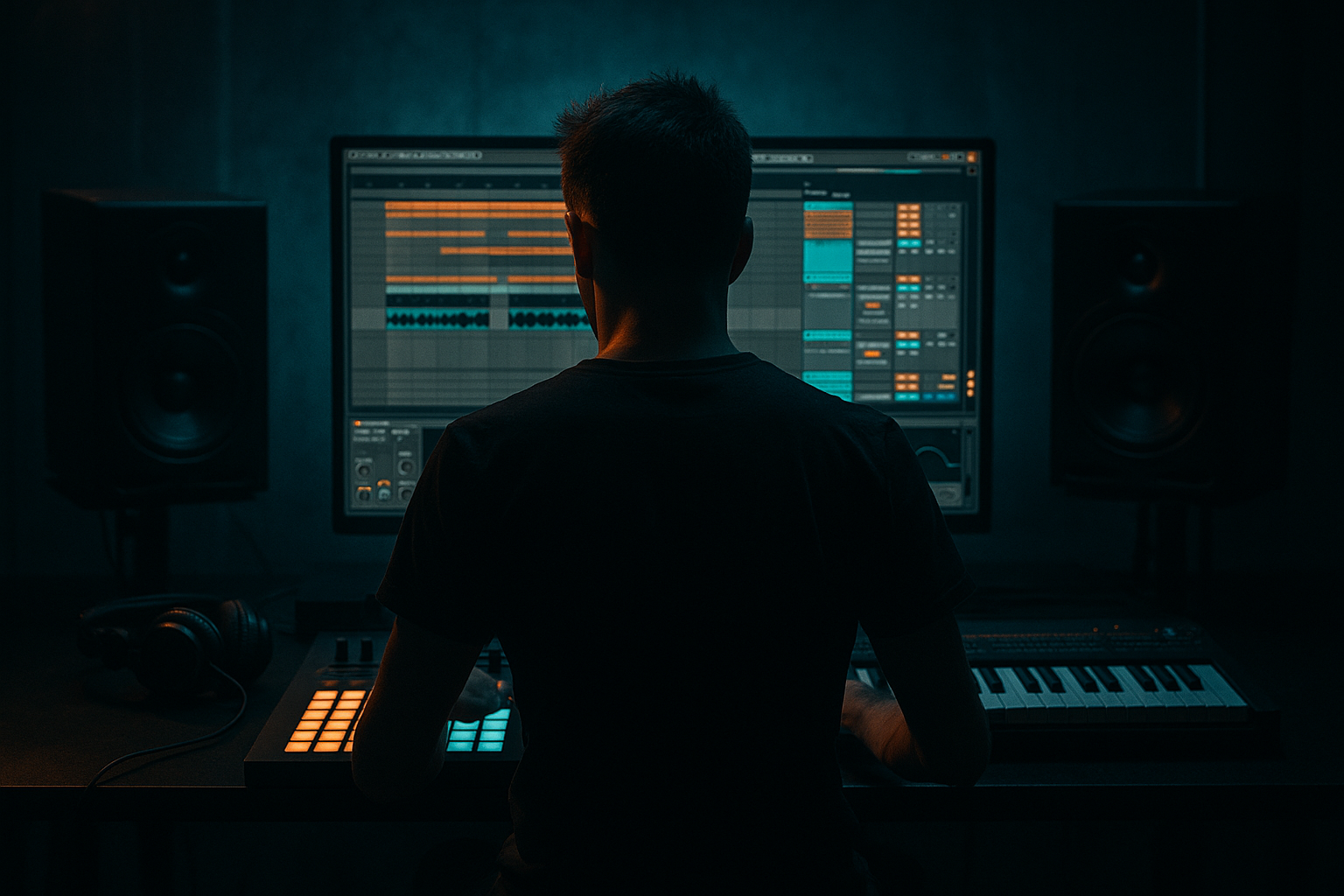
In this lesson, you’ll build a Warehouse Code-style chopped-vinyl texture blend in Ableton Live 12: a gritty, rolling FX layer that feels like it came from a dusty record bin, then got sliced, resequenced, and locked into a modern DnB arrangement.
This is not about making a full sample-pack loop. It’s about creating a controlled texture system you can drop into intros, breakdowns, fills, 8-bar turnarounds, and restrained drop sections. In dark DnB, jungle, rollers, and neuro-adjacent hybrids, this kind of texture does a lot of heavy lifting: it adds time, memory, and movement without crowding the kick, snare, and bass.
Why it matters: stripped-back DnB can feel too clean if every element is synthetic and perfectly quantized. A chopped-vinyl texture blend gives you that “warehouse fog” energy — a layer that glues breaks, bass stabs, and atmospheres together while still leaving space for the groove. 🎛️
You’ll use Ableton stock tools to:
- slice and resequence a vinyl-style source
- build a texture chain with EQ, saturation, warping, filtering, and modulation
- resample into a playable FX layer
- automate it into a DnB arrangement without destroying mix clarity
- dusty midrange crackle and transient fragments
- pitched micro-chops that feel like broken record phrases
- controlled stereo width on the top layer, with mono-safe low end removed
- filter movement that opens into fills and transitions
- optional reverse tails and one-shot impacts for drop punctuation
- Intro: 16 bars of vinyl chop atmosphere with filtered drums and sub hints
- Build: automate the chopping texture to become more rhythmic every 4 bars
- Drop transition: one bar of reversed crackle + resampled stab before the snare lands
- Breakdown: a textured pause that makes the next return feel larger
- Making the texture too full-range
- Using too much reverb
- Over-quantizing the chops
- Making every chop equally loud
- Letting the texture fight the snare
- Forgetting to resample
- Use sidechain compression keyed from the drum bus on the texture layer so it dips with the kick/snare energy. Keep it subtle: fast attack, medium release, just enough to create room.
- Automate a narrow band-pass in intro sections, then widen it before a drop. That creates tension without needing a big riser.
- Layer a tiny amount of noise or room tone with the chopped vinyl so the background feels continuous. Keep it quiet and high-passed.
- Use Saturator or Roar before Echo if you want repeats that sound worn-in instead of clean and glassy.
- Print one version with more top-end dust and one with darker midrange. Use them for different sections: bright for transitions, dark for drop beds.
- Mute the texture for 1/2 bar before the snare drop. Silence can hit harder than extra FX.
- Try reverse resampled tails leading into a snare fill or bass switch-up. This is especially effective in darker rollers and neuro-influenced arrangements.
- Keep the sub mono and untouched. The texture can be wide and animated, but the low end should stay disciplined.
- keep the source dusty, short, and characterful
- chop it into playable fragments, then resample
- shape it with stock Ableton FX: EQ Eight, Saturator, Drum Buss, Auto Filter, Echo, Reverb
- keep low end out of the texture and protect the snare zone
- automate movement so the texture supports DnB phrasing
- use it sparingly in intros, turnarounds, breakdowns, and switch-ups
What You Will Build
By the end, you’ll have a short, loopable chopped-vinyl FX texture with:
Musically, the result should sit behind a half-time intro, 2-step roller groove, or jungle-style break section as a subtle “character bed.” Think of it as a background texture that can briefly step forward during transitions, then duck behind the drums and bass again.
A good use case:
Step-by-Step Walkthrough
1. Choose a source that behaves like vinyl, not just sounds like it
Start with any short audio source that has texture: an old soul/vocal phrase, a dusty chord stab, a fragment of break material, or even a field-recording-style ambience with noise and transient detail. Drag it into an Audio Track and immediately loop a 1–4 bar section that has a few interesting attacks.
In Ableton Live 12, switch the clip to Warp and try:
- Complex Pro for tonal material you want to stretch
- Texture for noisier fragments and dusty tonal smear
- Re-Pitch if you want that old-record pitch drift feeling when you change clip speed
Keep it short and imperfect. The Warehouse Code approach works best when the source has grain, scrape, and awkward micro-transients rather than a polished loop.
2. Cut the sample into playable fragments
Open the clip in Clip View and create a set of tight slices manually. You can do this with:
- the Slice to New MIDI Track command if you want immediate pad-style playability
- or direct clip cutting if you want more arrangement control
For an intermediate workflow, I recommend slicing to a new MIDI track and then refining the hits. In the slice track, use an Instrument Rack with Simpler slices or individual audio clips depending on how hands-on you want to be.
Practical target:
- 8–16 slices total
- 2–4 “strong” slices with obvious transients
- several thin texture slices
- 1–2 reverse-ish or breathy pieces
This gives you enough variation for a chopped-vinyl feel without turning it into a random collage.
3. Build the texture tone with stock Ableton devices
Put the chopped material through a simple FX chain on the texture bus. A strong starting chain is:
- EQ Eight
- Saturator
- Drum Buss or Roar for grit and density
- Auto Filter
- Utility
Suggested settings:
- EQ Eight: high-pass around 120–200 Hz to keep the texture away from sub and kick body; cut any harsh spike around 2.5–5 kHz if needed
- Saturator: Drive around 2–6 dB, Soft Clip ON for controlled grit
- Drum Buss: Drive around 5–15, Transients slightly negative if the chops are too clicky, Boom OFF unless you want extra low-mid bloom
- Auto Filter: band-pass or low-pass with resonance around 10–25%, automate cutoff movement later
- Utility: narrow bass-heavy content with Bass Mono OFF here, but keep the whole texture mostly narrow if it starts to spread too much
Why this works in DnB: the drums and sub usually own the floor. Your FX layer should live in the upper mids and highs, where it can add grit and motion without masking the 1–3 kHz snare crack or the 40–90 Hz bass weight.
4. Turn the chops into a groove, not a loop
Program the slices in MIDI so they don’t feel grid-static. Use syncopation that supports DnB phrasing: little push-pulls before the snare, micro-pauses, and off-grid accents. A useful pattern is:
- slice on beat 1
- a quieter fragment on the “and” of 2
- a reverse or sustained texture into beat 3
- a short cut just before the snare on 4
For groove, use Ableton’s Groove Pool with a light MPC-style or swing feel. Keep it subtle:
- Swing: around 54–58%
- Timing: gentle, not extreme
- Random: minimal, only if the pattern feels too rigid
If you’re making roller or halftime DnB, leave more space. If it’s jungle-inspired, let the chops chatter more densely, but avoid covering the break.
5. Resample the texture into a new audio layer
Once the chop pattern works, resample it. Create a new Audio Track, set input to Resampling, and print a few bars of the texture while you ride filters and level. This is a huge part of the Warehouse Code approach: the character comes from commitment.
During resampling, automate:
- Auto Filter cutoff opening over 4 or 8 bars
- Saturator Drive moving by 1–3 dB at key moments
- Reverb Dry/Wet on a send for brief space blooms
- occasional reverse clip segments before drops
Resampling gives you a single audio file you can chop again. That second generation usually sounds more authentic and less “preset-clean.”
6. Add movement with modulation and time-based FX
Now make the texture breathe. Keep this on the resampled audio track or a return track if you want shared processing.
Good stock options:
- Phaser-Flanger for subtle comb movement
- Redux for lo-fi digital edge
- Echo for delayed ghost trails
- Hybrid Reverb or Reverb for dubby warehouse space
Suggested ranges:
- Phaser-Flanger: Rate very low, around 0.05–0.20 Hz, Feedback low, Dry/Wet 5–15%
- Redux: bit depth reduction only slightly; don’t crush it unless you want harsh breakup
- Echo: delay time synced to 1/8 or 1/16, Feedback 10–25%, High Cut fairly low to avoid splashy clutter
- Reverb: short decay for room-like texture, or longer pre-delay if you want the texture to feel behind the beat
Use automation to make the FX appear and disappear. The texture should feel like it’s drifting in and out of the room, not constantly screaming for attention.
7. Shape the arrangement like a DnB record
Place the chop texture where it actually helps the tune. Don’t keep it on all the time. Think in classic DnB phrasing:
- 8 or 16-bar intro: filtered vinyl texture + kickless atmosphere
- first 8 bars of drop: texture stays narrow and restrained
- last 2 bars before a switch-up: open filter, add delay throws, then cut hard
- breakdown: bring the texture forward and let the drums fall away
- outro: strip back to filtered chop fragments and ambience for DJ utility
A strong arrangement move is to make the texture answer the bass. For example:
- bass phrase on bars 1–2
- vinyl chop answer on bars 3–4
- snare fill and riser into bar 5
- texture opens on bar 7, then hard mutes at bar 8
This call-and-response keeps the FX layer musical, not decorative.
8. Control space so it survives in a loud DnB mix
This is where the approach becomes professional. Put EQ Eight on the texture bus and carve it so it doesn’t fight the drums or bass.
Useful starting points:
- high-pass: 150–250 Hz
- small dip around 300–600 Hz if the texture clouds the snare body
- narrow cut around 2–4 kHz if it competes with snare crack or reese bite
- a slight shelf boost above 8–10 kHz if you want air and dust
Then use Utility to manage width:
- keep the core texture fairly narrow
- widen only the airy top layer if needed
- check mono compatibility regularly, especially if you’ve used chorus, delay, or phasing
If the texture sounds huge soloed but disappears in context, that’s normal. In DnB, what matters is whether it supports the groove and atmosphere without stealing headroom.
Common Mistakes
If it has too much low-mid or sub content, it will blur the kick and bass. Fix: high-pass more aggressively and remove unnecessary body.
Large reverb can smear the groove and hide the chopped rhythm. Fix: shorten decay, use send automation, or gate the texture with volume shaping.
Perfectly aligned chops can feel fake and sterile. Fix: add groove, shift some slices slightly early/late, or vary note lengths.
That kills the vinyl illusion. Fix: automate velocity or clip gain so a few hits are dominant and others are barely there.
The snare needs space around 2–5 kHz. Fix: cut the texture in that zone or duck it slightly with sidechain compression keyed from the snare.
If you only live inside endless real-time FX chains, it can sound generic. Fix: print the result and re-edit it like audio.
Pro Tips for Darker / Heavier DnB
Mini Practice Exercise
Set a timer for 15 minutes and do this:
1. Find one short audio source: vocal phrase, dusty chord, break fragment, or vinyl-style ambience.
2. Slice it into 8 pieces in Ableton Live.
3. Build a 2-bar MIDI pattern using only 4 slices.
4. Put EQ Eight + Saturator + Auto Filter on it.
5. Automate the filter cutoff across 4 bars.
6. Resample one pass.
7. Chop the resampled file into 4 new hits.
8. Place the texture in an 8-bar DnB loop with:
- 4 bars intro
- 4 bars drop support
9. Make one version bright and one version darker.
10. Decide which one works better for the tune and why.
Goal: end with a texture that can sit behind drums and bass without stealing attention, but still adds enough grit to make the section feel more alive.
Recap
The Warehouse Code chopped-vinyl texture blend is about controlled grit, rhythmic fragments, and arrangement-aware FX.
Key takeaways:
If you get this right, the texture won’t just sit behind the tune — it will make the whole track feel like it was built inside a real warehouse system.

