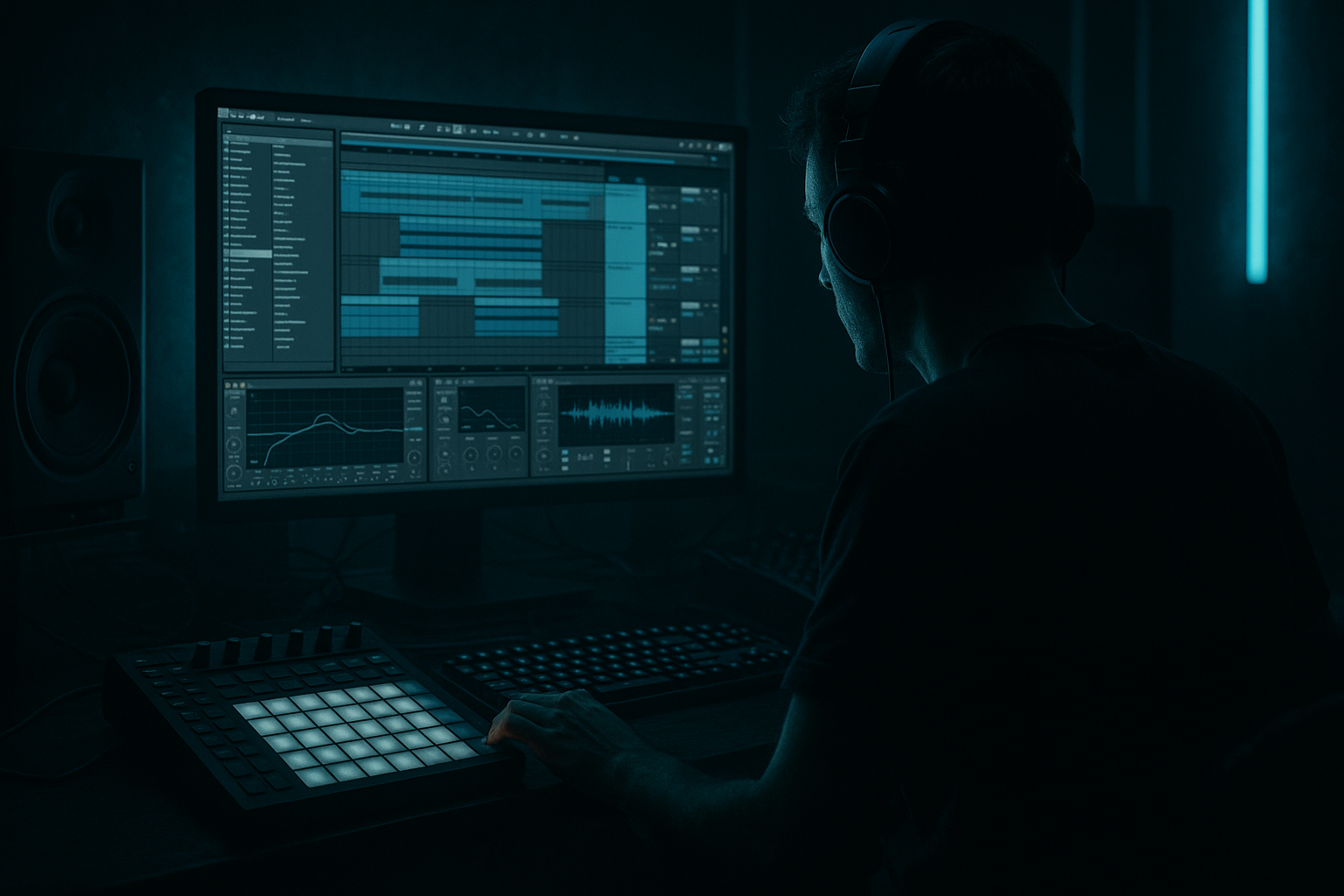
Main tutorial
```markdown
VIP Arrangement Workflows Masterclass (Ableton Live 12 Stock Packs) 🧪🔥
Skill level: Advanced
Category: Arrangement (Drum & Bass / Jungle / Rolling bass)
---
1. Lesson overview 🚀
A VIP (Variation In Production) isn’t just “the same tune with a new drop.” It’s a strategic rearrangement that refreshes impact, DJ usefulness, and replay value—without rebuilding from scratch.
In this masterclass you’ll learn repeatable VIP workflows in Ableton Live 12 using stock packs + stock devices:
- How to duplicate a finished arrangement and create a VIP fast
- How to build A/B drop systems (Drop 1 vs Drop 2) with controlled contrast
- How to use Live 12’s browser + tags, Drum Rack, Audio Effects Racks, Auto Filter, Roar, Saturator, Echo, Hybrid Reverb, Redux, Utility, Limiter, and Glue Compressor
- How to create VIP moments: switchups, fakeouts, halftime flips, jungle edit sections, and “DJ-friendly” structures
- Intro (DJ friendly): 16–32 bars
- Build: 16 bars with tension automation
- Drop 1 (Original-ish): 32 bars
- Midsection / Switch: 8–16 bars
- Drop 2 (VIP): 32–64 bars with a clear twist
- Outro (DJ friendly): 16–32 bars
- Drum switch (break/ride pattern, snare swap, ghost rewrite)
- Bass variation (reese → stab, or vowel resample, or new call/response)
- Half-time insert (4–8 bars) then snap back
- Jungle edit (break chop fill + time-stretch texture)
- New hook (one-shot vocal stab / synth motif) that appears only in Drop 2
- Auto Filter (HP 24 dB)
- Utility (gain staging)
- Glue Compressor (gentle)
- Limiter (safety only, not loudness war)
- Same: key center, core bass timbre family, drum kit palette
- Different: one of these dominates:
- EQ Eight:
- Glue Compressor: 2:1, Attack 3 ms, Release Auto, ~2–4 dB GR
- Roar (or Saturator if you prefer):
- EQ Eight after to tame 3–6 kHz if harsh
- Blend chain volume -10 to -20 dB under clean
- Redux: Light downsample for texture
- Auto Filter: bandpass for “radio break” moments
- `PUNCH`, `CRUNCH`, `BREAK SMASH`, `AIR` (use high shelf)
- Bar 8: micro snare flam + hat choke
- Bar 16: break chop + tape stop illusion
- Bar 32: fakeout or halftime bar
- On a fill audio clip: enable Warp, set Complex Pro, automate Seg. BPM down quickly (or automate Transposition down 12 with short fade)
- Add Echo (1/8 or 1/16, low feedback) + Auto Filter HP sweep
- Duplicate the bass audio to a new lane for Drop 2
- Delete bass hits on beats where the snare needs space
- Add short “answers” using Simpler:
- On bass resample audio:
- Warp bass audio: try Texture mode
- Adjust Grain Size (smaller = more buzz)
- Add Hybrid Reverb (small/short, low mix) for glue
- Automate a Utility Width change in Drop 2 (keep sub mono!)
- Sub track: Operator or Analog sine
- Utility: Width 0%
- EQ Eight: lowpass ~80–120 Hz (depending on your crossover)
- Sidechain with Compressor from kick (2–4 dB GR typical)
- Strip to kick + hat + atmos for 4 bars
- Bring in a break teaser for 2 bars
- Final 2 bars: snare roll + riser + filter sweep
- Hybrid Reverb (Hall, long decay, low mix)
- Auto Filter (slow movement)
- Echo (ping-pong, low mix)
- At Drop 2 start: give 1 bar of full drop
- Immediately cut to silence/atmos for 1/2–1 bar
- Then slam into the real Drop 2 with an impact
- Use Automation on the DRUMS group Utility (gain to -inf) for the cut
- Add a short reverb tail using a return track: automate send high at the cut
- Keep kick on 1, snare on 3 (halftime feel)
- Bass becomes longer notes / fewer hits
- After 4–8 bars, return to full-time with a crash + snare flam
- For 8 bars, let break take over: Amen-style edits
- Layer your main snare transient lightly so it still “belongs”
- Put a break in Simpler → Slice mode
- Slice by transients
- Program new edits with MIDI
- Add Glue Compressor + light Saturator for cohesion
- Optional: Redux on a parallel chain for grit
- 1/2 bar before Drop 2: reduce low end with Auto Filter HP on Master to ~120 Hz
- At drop: snap back to full range
- Before drop: widen atmos (Utility Width 130–160%)
- At drop: narrow key elements:
- Keep master peaking around -6 dB during production
- Use Utility for trim, not faders everywhere
- Intro: 16 bars (tops + atmos + minimal bass hints)
- Intro part 2: 16 bars (add full drums, no heavy bass yet)
- Build: 16 bars (snare roll last 4)
- Drop 1: 32 bars (your original main idea)
- Mid-break: 16 bars (pad/vox hook, remove kick)
- Switch: 8 bars (break teaser + filter)
- Drop 2 (VIP): 48 bars
- Outro: 16–32 bars (strip bass, keep drums/tops for mixing)
- Roar as a “darkness generator”:
- Make space with rhythmic filtering:
- Add menace with short, distorted room:
- Break texture as shadow layer:
- Controlled noise + impacts:
- VIPs are arrangement weapons: contrast + identity.
- Fastest workflow: Save As → duplicate Drop 1 elements → commit resamples → A/B rules.
- VIP impact comes from drum rhythm changes, bass phrasing variations, and intentional transitions.
- Ableton Live 12 stock devices are enough: Drum Rack, Simpler (Slice), Roar, Saturator, Auto Filter, Echo, Hybrid Reverb, Utility, Glue Compressor.
- Keep the sub stable and let mids/drums carry the VIP twist.
---
2. What you will build 🧱
A VIP version of a rolling DnB tune (170–176 BPM) with:
VIP twist options you’ll implement (choose 1–2):
---
3. Step-by-step walkthrough 🛠️
Step 0 — Prep the project for VIP speed
Goal: Make a “VIP sandbox” without breaking your original mix.
1. Save As…
- `TrackName_VIP_01.als`
2. Freeze + Flatten (selectively) heavy synth/bass groups only if needed
- Keep your drum MIDI editable if your VIP revolves around drum changes
3. Create these Groups (if not already):
- DRUMS (Kick/Snare/Hats/Breaks/Fills)
- BASS (Sub + Mid)
- MUSIC (Pads/Stabs/Atmos)
- FX (Impacts/Risers/Downlifters)
- VOCAL/HOOK (if any)
Workflow tip: Color-code and name clips with bar counts (e.g., `DROP1_32`, `SWITCH_8`). You’re about to do arrangement surgery.
---
Step 1 — Build a VIP “control lane” for macro automation 🎛️
Goal: One place to automate global energy.
1. Create a MIDI track called `VIP CTRL`
2. Drop Shaper (Live 12 MIDI tool if available) or use clip envelopes.
3. Add dummy clips in Arrangement for sections: `INTRO`, `BUILD`, `DROP1`, `SWITCH`, `DROP2`, `OUTRO`.
4. Put clip envelopes (or automation) controlling:
- Master Auto Filter (more below)
- Reverb send amount (Build up)
- Drum bus drive (Drop 2 hits harder)
Stock device suggestion (Master chain idea):
- Intro: ~150–250 Hz cutoff
- Build: sweep down to ~30–60 Hz before drop
- Attack 10 ms, Release Auto, Ratio 2:1, ~1–2 dB GR
---
Step 2 — Establish your “VIP contrast rules” (A/B map) 🧠
Goal: Drop 2 must feel clearly different without losing identity.
Create a quick checklist:
1) Rhythm grid (syncopation, ghost density, hat pattern)
2) Bass phrasing (call/response, new gap placement)
3) Texture (break layer, distortion, reverb space)
4) Structure (fake drop, halftime insert, extra 8)
Practical rule: Change 2–3 big elements, not 12 small ones.
---
Step 3 — VIP drum workflow (fastest win) 🥁⚡
DnB VIPs often live/die on drums. We’ll do an advanced but quick method.
#### 3A) Duplicate Drum Rack chain into “Drop 2 kit”
1. On your main Drum Rack (or drum group), duplicate the track:
- `DRUMS_DROP1` → `DRUMS_DROP2`
2. In `DRUMS_DROP2`, make one major change:
- Swap snare to a sharper one (or add a layered clap transient)
- Add ride pattern for propulsion
- Add a break layer for grit
Stock packs usage: Use Live’s Core Library drum hits and breaks (search tags: Break, Amen, Funk, Snare, Ride, Top Loop).
#### 3B) Create a Drum Bus Rack (stock devices only)
On each DRUMS group add an Audio Effects Rack named `DRUM BUS VIP` with 3 chains:
Chain 1: Clean Punch
- HP at 25–30 Hz
- tiny dip at 250–400 Hz if boxy
Chain 2: Crunch (parallel)
- Drive low/moderate
- Focus on mids (use Roar filter)
Chain 3: Smash Break (optional)
Map rack macros:
#### 3C) VIP fills that actually feel DnB
Instead of random fills, do 8-bar punctuation:
Stock method for tape stop illusion:
---
Step 4 — VIP bass workflow (resample-first, arrange-second) 🔊
Goal: Create a Drop 2 bass that’s clearly new but still “the tune.”
#### 4A) Commit a mid-bass stem for manipulation
1. In the BASS group, create a new audio track: `MIDBASS_RESAMPLE`
2. Set `Audio From` → `BASS` (or specifically your mid-bass track), `Post-FX`
3. Record 16–32 bars of your Drop 1 bass phrase
4. Consolidate into clean chunks (4 or 8 bars)
Now you can VIP with audio like a jungle editor.
#### 4B) Three VIP bass variation techniques (stock-only)
Technique 1: Call/Response by silence
- Put one bass stab into Simpler (One-Shot)
- Adjust Start/End and Fade for click-free hits
- Add Saturator + Auto Filter envelope
Technique 2: Vowel/metal shift using Roar + filter automation
- Roar: pick a character mode that emphasizes mid harmonics
- Auto Filter: bandpass automation sweeping 300 Hz → 2.5 kHz rhythmically
- Add Corpus (subtle) for metallic throat resonances (very low mix)
Technique 3: “VIP Reese stretch” (jungle-tech hybrid)
#### 4C) Sub discipline (don’t VIP the sub too hard)
Keep sub stable:
Let the mid do the VIP talking.
---
Step 5 — VIP arrangement moves that scream “second drop” 🧨
Pick 2–3 of these and commit.
#### Move A: 8-bar “Switch” section before Drop 2
Stock chain on atmos:
#### Move B: Fake drop (classic dancefloor weapon) 😈
How in Ableton:
#### Move C: Half-time insert (4–8 bars) then snap back
Tip: Automate hat density: halftime = reduce 1/16 hats, use sparse rides.
#### Move D: Jungle edit moment (break chop spotlight) 🌿
Break workflow:
---
Step 6 — Transition engineering (VIP polish) 🧯
VIPs often fail in transitions. Here’s how to make them “label-ready.”
#### 6A) Pre-drop “air gap” management
This creates the illusion of the drop being louder without actually turning up.
#### 6B) Stereo discipline for impact
- Sub 0%
- Drums mostly center (tops can be wider)
- Bass mids controlled (try 70–110% max)
#### 6C) Clip gain / headroom check
VIP Drop 2 often has more layers. Don’t just “add.”
---
Step 7 — DJ-friendly VIP arrangement template (bars) 🎚️
Here’s a proven rolling DnB VIP map:
- First 16: new drum pattern
- Second 16: bass call/response twist
- Third 16: jungle edit / halftime insert for 8 then return
---
4. Common mistakes ⚠️
1. VIP = more layers (and it collapses your mix)
- Fix: Swap and contrast, don’t stack endlessly.
2. Changing the wrong thing (new pad, same drop)
- Fix: VIP the drums rhythm or bass phrasing first.
3. No transition story into Drop 2
- Fix: Add a switch section, fakeout, or halftime insert.
4. Over-widened bass
- Fix: Utility Width 0% on sub; keep mids controlled.
5. Energy plateau (Drop 2 feels same loudness/emotion)
- Fix: Use pre-drop low cut + post-drop transient focus (parallel crunch).
---
5. Pro tips for darker/heavier DnB 🖤
Use it subtly on drum bus and mid-bass resamples. Automate Drive up only in Drop 2 last 16 bars.
Use Auto Filter on bass mids with envelope or LFO-like automation so the snare punches through.
Put Hybrid Reverb on a return: small room, short decay, then Saturator after it. Send snares slightly in Drop 2 for “warehouse” vibe.
Keep a low-level break loop under Drop 2 with EQ Eight bandpass (200–6k) + Glue Compressor.
Use Operator noise (or a noise sample) into Auto Filter + Echo for gritty uplifters.
---
6. Mini practice exercise (30–45 mins) ⏱️
Take an existing 32-bar drop and create a VIP Drop 2 using stock-only tools.
Rules:
1. Drums: Change snare + hat rhythm (must be obvious in 10 seconds)
2. Bass: Resample mid-bass and create call/response using silence + stabs
3. Structure: Add a fake drop or halftime insert (minimum 4 bars)
4. Transition: Use master HP filter pre-drop and snap back at impact
Deliverable: Export a 90-second clip: last 8 bars of Drop 1 → switch → first 16 bars of VIP Drop 2.
---
7. Recap ✅
If you want, tell me your tune’s vibe (roller, dancefloor, neuro, jungle) and what your Drop 1 is doing (drum style + bass type), and I’ll suggest a specific Drop 2 VIP blueprint with bar-by-bar moves and device macros.
```

