DNB COLLEGE

Drum & Bass Ableton Live 12 Tutorials

LESSON DETAIL

Vinyl Heat session: switch-up rebuild in Ableton Live 12 for jungle oldskool DnB vibes (Intermediate)

An AI-generated intermediate Ableton lesson focused on Vinyl Heat session: switch-up rebuild in Ableton Live 12 for jungle oldskool DnB vibes in the Drums area of drum and bass production.

Back to lessons
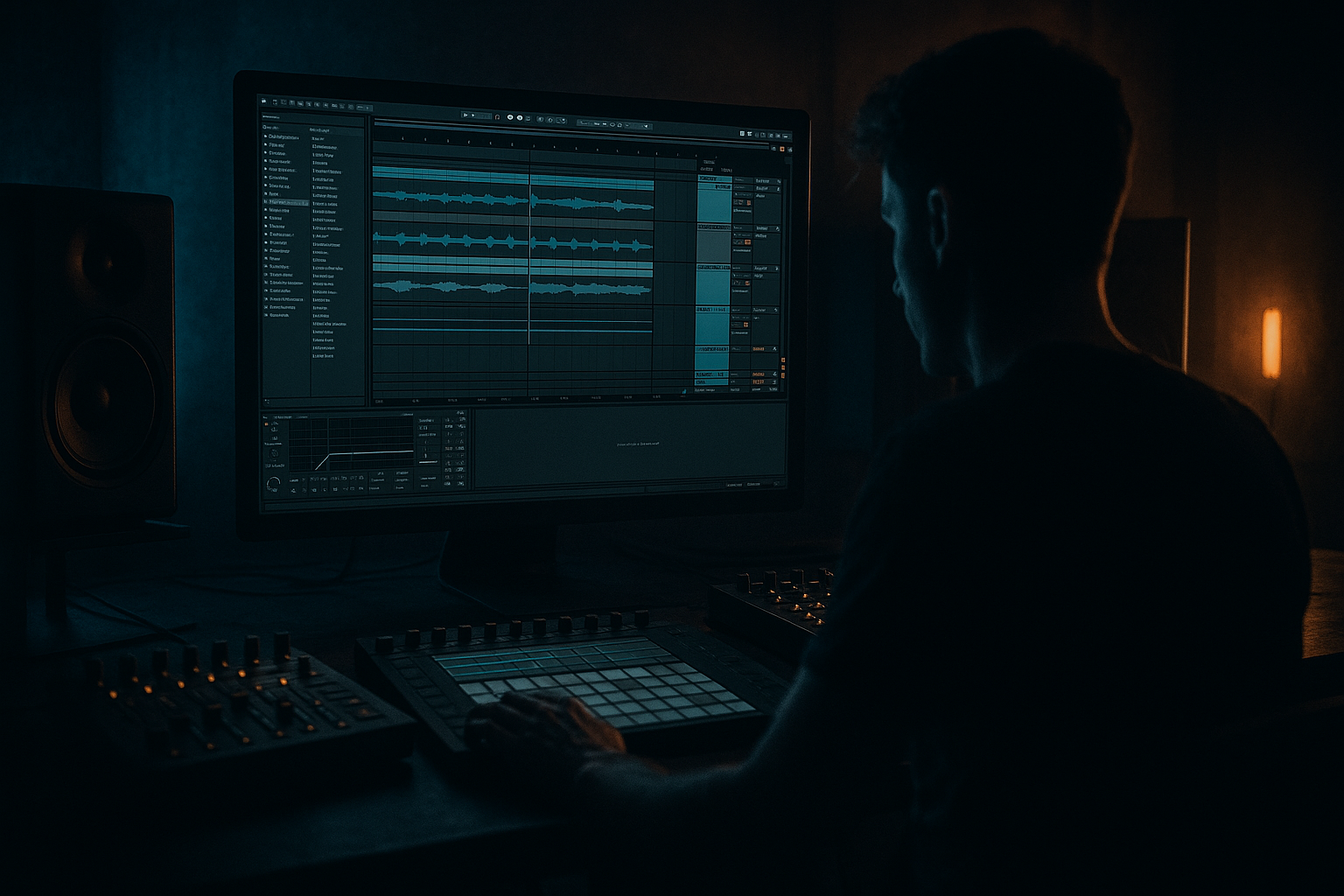
Vinyl Heat session: switch-up rebuild in Ableton Live 12 for jungle oldskool DnB vibes (Intermediate) cover image

Narrated lesson audio

The voice track includes the tutorial plus extra teacher commentary.

Open audio file

Main tutorial

Vinyl Heat Session: Switch‑Up Rebuild in Ableton Live 12 (Jungle / Oldskool DnB Drums) 🔥🧨

1. Lesson overview

In jungle and oldskool DnB, the switch‑up is where the track “rebuilds” after a drop or breakdown: drums get reintroduced in stages, edits get tighter, and tension ramps until the full groove returns.

This lesson shows a practical, Ableton‑native way to rebuild a classic switch‑up using break edits, fills, vinyl heat, resampling, and arrangement tricks—all inside Ableton Live 12.

You’ll work like a real session: quick decisions, tight edits, and intentional “grime” (without ruining punch). 🎛️

---

2. What you will build

A 16‑bar switch‑up rebuild (adaptable to 8/32) for jungle/oldskool DnB at 165–174 BPM, featuring:

  • A main chopped break (Amen / Think / Hot Pants vibes)
  • A rebuild version with:
  • - filtered + saturated “vinyl heat” layer

    - staged drum re‑entry (tops → ghost snare → full break)

    - tension fills (1‑bar + 2‑beat edits)

    - a final “slap back in” moment on bar 17 (or wherever your drop lands)

    All with stock Ableton devices: Drum Rack, Simpler, EQ Eight, Saturator, Auto Filter, Roar (if you have it), Glue Compressor, Drum Buss, Redux, Utility, Auto Pan, Reverb, Delay, Limiter.

    ---

    3. Step‑by‑step walkthrough

    A) Session setup (fast + correct)

    1. Set tempo: `170 BPM` (classic jungle sweet spot).

    2. Warp mode: For break samples, use:

    - In Clip View → Warp: start with Beats mode

    - Preserve: Transients

    - Transient Loop Mode: Forward

    - Envelope: ~70–90

    3. Create groups:

    - DRUMS (Group)

    - Break Main

    - Break Rebuild (heat layer)

    - Tops (hats/shaker)

    - Perc FX (optional)

    - DRUM BUS (Return or Group chain)

    Workflow tip: keep your main drop drums intact, and build the rebuild on duplicate tracks so you can A/B instantly.

    ---

    B) Build your main break (the “destination” groove)

    Goal: a solid 2‑bar loop that the rebuild returns to.

    1. Load a break onto an audio track: Amen, Think, Hot Pants, or any crisp break.

    2. Right‑click clip → Slice to New MIDI Track

    - Slicing preset: Built‑In → Slicing

    - Slice by: Transient

    3. You’ll get a Drum Rack with slices. Now program a classic jungle pattern:

    - Start by placing the original 1–2 bars as a reference (drag the original break to another audio track and mute it).

    - In the MIDI clip, aim for:

    - Kick on 1

    - Snare on 2 and 4 (or classic Amen-style push/pull)

    - Add a few ghost snare hits (low velocity) before main snares

    Drum Rack quick cleanup (recommended):

  • On the main snare slice: add EQ Eight
  • - HP filter: `24 dB/oct @ 90–120 Hz`

    - small dip: `-2 to -4 dB @ 350–500 Hz` if boxy

  • On the kick slice: add Saturator
  • - Drive: `2–5 dB`

    - Soft Clip: On

    ---

    C) Create the “Vinyl Heat” rebuild layer (the secret sauce) 🎚️

    This is the character layer that makes the rebuild feel like it’s coming off tape/vinyl and then “snapping” clean at the drop.

    1. Duplicate your break rack track: `Break Main → Break Rebuild`.

    2. On Break Rebuild, insert this device chain (top to bottom):

    #### Device Chain: “Vinyl Heat Rebuild”

    1. EQ Eight (pre-clean)

    - HP: `24 dB/oct @ 120–170 Hz` (keep low end out)

    - gentle shelf down: `-1 to -3 dB @ 8–12 kHz` (older feel)

    2. Saturator

    - Drive: `6–10 dB`

    - Soft Clip: On

    - Color: Analog Clip (if available) or leave default

    3. Redux (tiny, just for grit)

    - Downsample: `2.0–6.0` (subtle)

    - Bit Reduction: `0–2` (don’t overdo)

    - Dry/Wet: `10–25%`

    4. Auto Filter

    - Filter type: LP24

    - Start cutoff: `~400–1.2kHz` for rebuild

    - Resonance: `10–20%`

    - Envelope: off (manual automation is cleaner)

    5. Drum Buss (glue + smack)

    - Drive: `5–15%`

    - Crunch: `5–10%`

    - Damp: to taste (often `10–30%`)

    - Boom: Off (you already high‑passed)

    6. Utility

    - Width: `70–90%` (slightly narrower feels older/mono-ish)

    - Gain: trim so it sits under main break when both play

    ✅ Now you have: Main = clean/punchy, Rebuild layer = hot/filtered/grimy.

    ---

    D) Arrange the switch‑up rebuild (16 bars that work)

    We’ll build tension in stages. Assume your drop hits at bar 17.

    #### Bars 1–4: “Tease the groove”

  • Play only tops + vinyl heat layer, no full break yet.
  • Tops track idea:
  • - Closed hat 1/8 notes + tiny swing

    - Add Auto Pan on hats (subtle movement):

    - Rate: `1/2` or `1/4`

    - Amount: `10–20%`

  • Automation on Break Rebuild Auto Filter cutoff:
  • - Start: `~400 Hz`

    - End bar 4: `~1.2–2 kHz`

  • Add short room on hats (Return track):
  • - Reverb: Decay `0.4–0.8s`, HP in reverb `>300 Hz`

    #### Bars 5–8: “Introduce ghost snares + push”

  • Add a ghost snare slice (very low velocity) on the rebuild layer MIDI.
  • Bring in partial break hits (1–2 key snare accents), but keep the filter still relatively low.
  • Add Delay (Ping Pong off; keep it mono-ish) on a return for little “dub taps”:
  • - Delay time: `1/8` or `3/16`

    - Feedback: `10–20%`

    - Filter the delay return: HP `>400 Hz`, LP `<6–8 kHz`

    #### Bars 9–12: “Tension ramp + micro edits”

  • Start stuttering a 1/16 or 1/32 slice briefly at the end of every 2 bars.
  • - Easiest method: duplicate a snare slice and repeat it quickly in MIDI for the last 1/2 beat.

  • Automation:
  • - Filter cutoff rises more aggressively: `~1.5k → 4–6k`

    - Slightly increase Redux Dry/Wet (e.g., `15% → 25%`) for intensity

  • Add a reverse cymbal or reversed hat (Audio clip reversed) into bar 12.
  • #### Bars 13–16: “Pre‑drop fill + strip the lows”

    This is where jungle rebuilds shine—energy is high but you’re withholding the full punch.

  • Mute your Main break still (or keep it minimal).
  • Create a 1‑bar fill on bar 16:
  • - Use 4–8 slices in a call/response

    - End with a classic snare roll (1/16 → 1/32 for last beat)

  • Add master or drum-group high‑pass automation for the last 2 bars:
  • - On DRUMS group: Auto Filter HP12 or HP24

    - Move cutoff from `~60 Hz → 180–300 Hz` by the last beat

    - This makes the drop feel huge when lows return

    #### Bar 17 (drop return): “Snap back clean” 💥

  • Turn OFF (or sharply reduce) the rebuild layer processing:
  • - Auto Filter opens fully or the track mutes

    - Redux to 0% / bypass

    - Utility width back to 100% if you narrowed

  • Bring in Break Main full, unfiltered.
  • Optional: add a single crash and a sub hit (if your tune has bass) but keep the drums leading the moment.
  • ---

    E) Resampling trick (makes it feel “performed”)

    This is a classic: print your rebuild edits as audio and re-cut.

    1. Create a new audio track: “Rebuild Print”

    2. Set Audio From: `DRUMS Group` (or just Break Rebuild)

    3. Arm and record 16 bars of the rebuild.

    4. Now chop the printed audio:

    - Turn Warp on

    - Slice a few tiny moments (last beat fills, stutters)

    - Create quick tape stops using clip Transpose Envelope or Beat Repeat:

    - Beat Repeat (stock):

    - Interval: `1 Bar`

    - Grid: `1/8` or `1/16`

    - Chance: `20–40%` (automate to 100% only for the fill)

    - Filter: On, keep it mid/high

    This resample pass usually adds that “vinyl session” unpredictability without messing your main racks.

    ---

    4. Common mistakes

  • Over-saturating the main break: keep heat/grit mainly on the rebuild layer, not the drop layer.
  • Too much low end during rebuild: if the rebuild has full lows, your drop won’t feel like it “arrives.”
  • Random edits with no phrasing: jungle edits still respect structure—think 2, 4, 8, 16 bar logic.
  • No velocity variation: ghost hits should be quiet; otherwise everything sounds like a drum machine demo.
  • Over-wide noisy layers: super-wide vinyl/noise can smear transients. Narrow it a bit, then open up at drop.
  • ---

    5. Pro tips for darker/heavier DnB 🕶️

  • Parallel crush, not full-time crush:
  • Make a return track with Saturator + Drum Buss + EQ Eight and send snares to it. Keep return level low for weight.

  • Snare weight without mud:
  • On snare channel, use EQ Eight:

    - boost a touch at `180–240 Hz` (wide)

    - cut `350–600 Hz` if cardboard

    - add snap at `3–6 kHz` if needed

  • Make the rebuild “old,” make the drop “modern”:
  • Rebuild layer = filtered, narrower, noisier.

    Drop = cleaner, more transient, slightly wider tops.

  • Transient control with Glue Compressor (on DRUMS group):
  • - Attack: `3–10 ms`

    - Release: `Auto` or `0.1–0.3 s`

    - Ratio: `2:1`

    - Aim for `1–2 dB` GR on drop, a bit less during rebuild.

  • Dark tension with subtle pitch:
  • Automate Simpler slice transpose on a fill (like `-2 to -5 semitones` on last hit) for menace.

    ---

    6. Mini practice exercise (20 minutes) ⏱️

    1. Pick one break and slice to Drum Rack.

    2. Program a 2‑bar main loop (your “drop” groove).

    3. Duplicate the track and build the Vinyl Heat Rebuild device chain.

    4. Arrange a 8‑bar rebuild:

    - Bars 1–4: tops + filtered heat break

    - Bars 5–8: add ghost snare + one fill in bar 8

    5. Print/resample the rebuild and replace one fill with a chopped audio edit.

    Deliverable: export 16 bars (8 rebuild + 8 drop) and listen on repeat—your drop should feel inevitable.

    ---

    7. Recap

  • You built a two-layer drum system: clean main break + dirty filtered rebuild layer.
  • You arranged a staged switch‑up rebuild using automation, ghost hits, and phrased edits.
  • You used stock Ableton tools to get authentic oldskool jungle tension without sacrificing drop impact.
  • You printed/resampled to add that “session” feel and commit to edits. 🔥

If you want, tell me your tempo + which break you’re using (Amen/Think/etc.), and I’ll suggest a specific 16‑bar rebuild map with exact edit points and fill ideas.


Ask GPT about this lesson

Chat with the lesson tutor, get follow-up help, or use quick actions.

Bigup 👽 Ask me anything about this lesson and I’ll answer in context.

Narration script

Show spoken script
Vinyl Heat session. Today we’re building a proper jungle, oldskool drum and bass switch-up rebuild in Ableton Live 12. Intermediate level, so I’m assuming you already know your way around warping, slicing breaks, and basic routing. The goal here is not just “add a riser and a snare roll.” We’re going to do it the old way: staged drum re-entry, break edits that respect phrasing, and that slightly cooked, off-the-record vibe in the rebuild… that snaps back clean on the drop.

Set the mindset first. In a classic jungle switch-up, the rebuild is allowed to be a little wrong. A little grimy, a little unstable, a little less perfect. But the bar lines stay rock solid. That contrast is the magic. The drop feels inevitable because the rebuild was withholding punch and clarity on purpose.

Alright, let’s set the session up fast.

Set your tempo to 170 BPM. That’s a sweet spot: fast enough to feel like jungle, but still roomy for edits.

Now grab a break sample. Amen, Think, Hot Pants, anything crisp. In the clip view, turn Warp on and start in Beats mode. Set Preserve to Transients, Transient Loop Mode to Forward, and push the envelope somewhere around 70 to 90. You’re aiming for tight transients without turning the tail into a fluttery mess.

Next, make some structure. Create a DRUMS group. Inside it, you want a track for your main break, a track for the rebuild “heat” layer, a tops track for hats or shakers, and optionally a perc FX track if you like. The workflow rule: protect the drop. Keep your main drop drums intact, and build the rebuild on duplicates so you can A/B instantly without losing your mind.

Now we build the destination groove. The rebuild only works if the groove we return to is actually strong.

Load your break on an audio track, then right-click and Slice to New MIDI Track. Slice by Transient, using the built-in slicing preset. Ableton creates a Drum Rack with all your slices mapped out.

Make a two-bar loop that feels like home base. If you’re unsure, start simple: kick emphasis on the one, snare on two and four, then add that classic push-and-pull by placing a couple ghost snares before the main snares. Keep ghost snares low velocity. If the ghosts are loud, it stops feeling like jungle and starts feeling like a stiff drum demo.

Quick cleanup inside the Drum Rack: on your main snare slice, add EQ Eight. High-pass around 90 to 120 Hz with a steep slope so you don’t carry rumble. If it’s boxy, dip 350 to 500 Hz by a couple dB. On the kick slice, add Saturator. Drive it 2 to 5 dB and turn Soft Clip on. That gives you a bit of density without flattening the transient.

At this point, you should have a solid two-bar main break loop. This is the drop break. Don’t overcook it. Save the grime for the rebuild.

Now the secret sauce: the Vinyl Heat rebuild layer.

Duplicate your break rack track. Name the original Break Main, and the duplicate Break Rebuild.

On Break Rebuild, we’re building a chain that feels like it’s coming off old hardware. Filtered, saturated, slightly degraded, and controlled in the stereo so it feels older. Here’s the order.

First device: EQ Eight as a pre-clean. High-pass fairly high, around 120 to 170 Hz. This is important. If the rebuild has real low end, your drop won’t feel like it arrives. Also add a gentle shelf down in the top end, maybe minus one to three dB around 8 to 12k. That takes it away from “modern crisp” and toward “worn record.”

Next: Saturator. Drive it harder than you’d dare on the drop. Six to ten dB, Soft Clip on. If you have an analog-style mode like Analog Clip, try it. The point is midrange heat, not fizzy pain. If it gets harsh, do not just pull the track fader down. Reduce the level before the Saturator instead, using clip gain or a Utility at the top. That changes the distortion character, not just the volume.

After that: Redux, but tiny. Downsample around 2 to 6 for subtle grit. Bit reduction 0 to 2, very restrained. Dry/Wet 10 to 25 percent. Think “dusty edges,” not “8-bit video game.”

Then: Auto Filter. Use a low-pass 24 dB slope. Start the cutoff somewhere like 400 Hz to maybe 1.2 kHz depending on how muffled you want the tease. Keep envelope off; we want manual automation that feels like hands on a mixer.

Next: Drum Buss. This is for glue and smack. Drive around 5 to 15 percent, Crunch 5 to 10, Damp to taste. Keep Boom off because we already high-passed. Boom will fight the whole “withhold the lows” concept.

Last: Utility. Narrow the width a bit, like 70 to 90 percent. That slight mono-ish feel reads as old, and it sets up a width “opening” at the drop. Trim gain so the rebuild layer sits underneath the main break when both are on. The rebuild layer is not supposed to be the hero. It’s supposed to be the atmosphere and pressure.

Now we arrange the actual 16-bar switch-up rebuild. We’re going to assume the drop hits at bar 17.

Bars 1 through 4: tease the groove.
In this section, play only tops plus the vinyl heat layer. No full clean break yet. For tops, run a simple closed hat pattern, like eighth notes, with a little swing if your groove wants it. Add Auto Pan subtly on the hats for movement: rate around a half note or quarter note, amount 10 to 20 percent. Keep it subtle; you want life, not a helicopter.

Now automate the low-pass cutoff on the Break Rebuild. Start around 400 Hz, and by the end of bar 4 bring it up to maybe 1.2 to 2k. Don’t make it a perfect straight line. Make it stepped. Hold, then quick rise, then hold, then quick rise. That feels like someone riding a mixer, not like a math curve.

Add a small room reverb to hats on a return. Decay around 0.4 to 0.8 seconds, and high-pass the reverb above 300 Hz so it doesn’t cloud the groove.

Bars 5 through 8: introduce ghost snares and push.
Now we start telling the listener, “the break is coming back.” Add a ghost snare slice into the rebuild MIDI, very low velocity. Then add just a couple key accents from the break. Not everything. Think of it like revealing the face in shadows.

This is a good time for a little dub tap. Create a delay return, keep it mono-ish, and use a time like 1/8 or 3/16 with low feedback, 10 to 20 percent. Filter that return: high-pass above 400 Hz, low-pass below 6 to 8k. You want vibes, not a competing drum track.

Coach note here: pick a control slice. Choose one snare slice that feels iconic in your break and one kick slice that speaks clearly. Use those for most stutters and rolls later. If you use ten different snare slices in fast edits, it gets messy and random instead of classic.

Bars 9 through 12: tension ramp and micro edits.
Now we tighten the edits. Every two bars, add a small stutter moment at the end. Easy method: take your control snare slice and repeat it quickly for the last half beat. Try 1/16 or even 1/32, but keep it short. Jungle edits hit hardest when they’re quick and confident, not when they overstay.

Automation-wise, start opening the filter more aggressively. Move from around 1.5k up to 4k or even 6k by the end of this section. You can also nudge the Redux Dry/Wet up a little, like 15 percent to 25, just to increase urgency.

Add a reverse cymbal or reverse hat leading into bar 12. Old trick, still works, especially if everything else is percussive.

Bars 13 through 16: pre-drop fill and strip the lows.
This is where jungle rebuilds shine. Energy is high, but we’re still withholding the real punch.

Keep the main break muted, or minimal at most. Build a one-bar fill on bar 16 using 4 to 8 slices in a call and response. Then end with a classic snare roll: start at 1/16, and for the last beat tighten to 1/32.

Now do a key contrast move: remove low end across the drum group in the last two bars. Put an Auto Filter on the DRUMS group, set it to high-pass 12 or 24 dB, and automate the cutoff from around 60 Hz up to somewhere between 180 and 300 Hz by the last beat. This is your “withholding.” When the drop hits and the low end returns, it feels massive even if you didn’t raise the volume.

And here’s a super effective dancefloor move: a pre-drop silence pocket. Right before bar 17, mute the rebuild layer for a tiny gap, like an eighth note or sixteenth note. The body notices absence more than another fill. That micro-gap makes the next transient feel like a door opening.

Bar 17: snap back clean.
This is the payoff. Bring in Break Main, full and unfiltered. On the rebuild layer, either mute it, or instantly open the filter and kill the extra dirt. Pull Redux to zero or bypass it. Restore width if you narrowed it. The point is contrast: rebuild equals old, cooked, narrow, filtered. Drop equals clean, punchy, wider, and confident.

If you want, add a single crash at the drop. But keep the drums as the main event.

Now a quick professional test that saves you tons of time.

Loop the last two beats of bar 16 into bar 17. Just that transition. If bar 17 doesn’t feel like it widens and hits, you probably have one of three issues: too much low-mid buildup in the rebuild around 200 to 500 Hz, not enough contrast at the moment of return, or too much limiting or bus processing flattening the rebuild so the drop can’t jump. Fix the contrast first before you add more layers.

Let’s add the resampling trick that makes this feel performed.

Create a new audio track called Rebuild Print. Set Audio From to the DRUMS group, or just the Break Rebuild if you want it isolated. Arm it, record the full 16 bars of your rebuild.

Now you’ve got audio you can treat like a real session take. Warp it, then chop a few moments: last beat fills, tiny stutters, quick mutes. If you want a tape-ish glitch, use Beat Repeat. Set interval to one bar, grid to 1/8 or 1/16, chance around 20 to 40 percent normally, but automate chance to 100 percent only for that fill moment. Keep Beat Repeat’s filter on and focused on mids and highs. This makes the rebuild feel unpredictable without destroying your main racks.

A couple advanced variations if you want to level it up.

Try a call and response rebuild: odd bars are hats plus filtered heat break, even bars answer with ghost snare and a tiny late drag, like one hit nudged by a 1/32 feel. It sounds like the drums are talking.

Or do a half-time fake-out for one bar, like bar 15 or 16. Drop most hats, place a heavier snare on beat 3, then snap back to full-time at the drop. At 170, it creates perceived weight without adding bass.

Or the “wrong record speed” micro-pitch: only once, last beat of bar 16, automate a quick dip in transpose, like down 2 to 4 semitones over a quarter beat, then back. Fast and rare. If you do it for long, it becomes an effect. If it’s quick, it reads as turntable behavior.

One more sound design add-on if you like: a dedicated dust or needle layer. Put vinyl noise on its own audio track, EQ it with a high-pass around 200 to 400 Hz, add slow Auto Pan over four to eight bars at a low amount, and sidechain-compress it gently from the snare so the noise ducks when hits land. Then automate the noise up during the rebuild and dip it right at the drop for contrast.

Before we wrap, the common mistakes to avoid.
Don’t over-saturate the main break. Keep the heat on the rebuild layer.
Don’t let full low end exist during the rebuild, or the drop won’t arrive.
Don’t do random edits with no phrasing. Jungle still respects 2, 4, 8, 16-bar logic.
Don’t forget velocity variation. Ghost hits must be ghosts.
And don’t go super wide with noisy layers. It smears transients. Narrow in the rebuild, open at the drop.

Homework challenge if you want to train this properly. Make three different 16-bar rebuilds using the same main drop loop.
First one is minimal: only two elements at any time, one fill total.
Second is edit-heavy: at least four micro-edits, but you must reuse the same key snare slice for every stutter and roll.
Third is contrast-first: put the silence pocket before the drop, remove low end in the final bar, and make width noticeably change at bar 17.

Bounce each one as rebuild plus eight bars of drop after it. Then listen without looking. You should be able to tell which rebuild is which from the first four bars, and bar 17 should feel like a door opening every time.

That’s the Vinyl Heat session. Two-layer drum system: clean main break for the drop, dirty filtered heat layer for the rebuild. Staged re-entry, stepped automation, intentional grime, then snap back clean. If you tell me your tempo and which break you’re using, I can map out a specific 16-bar rebuild with exact edit points and fill ideas.

mickeybeam

Go to drumbasscd.com for +100 drum and bass YouTube channels all in one place - tune in!

Generating PDF preview…