DNB COLLEGE

Drum & Bass Ableton Live 12 Tutorials

LESSON DETAIL

Vinyl Heat Ableton Live 12 fill workflow with modern punch and vintage soul for jungle oldskool DnB vibes (Beginner)

An AI-generated beginner Ableton lesson focused on Vinyl Heat Ableton Live 12 fill workflow with modern punch and vintage soul for jungle oldskool DnB vibes in the Resampling area of drum and bass production.

Back to lessons
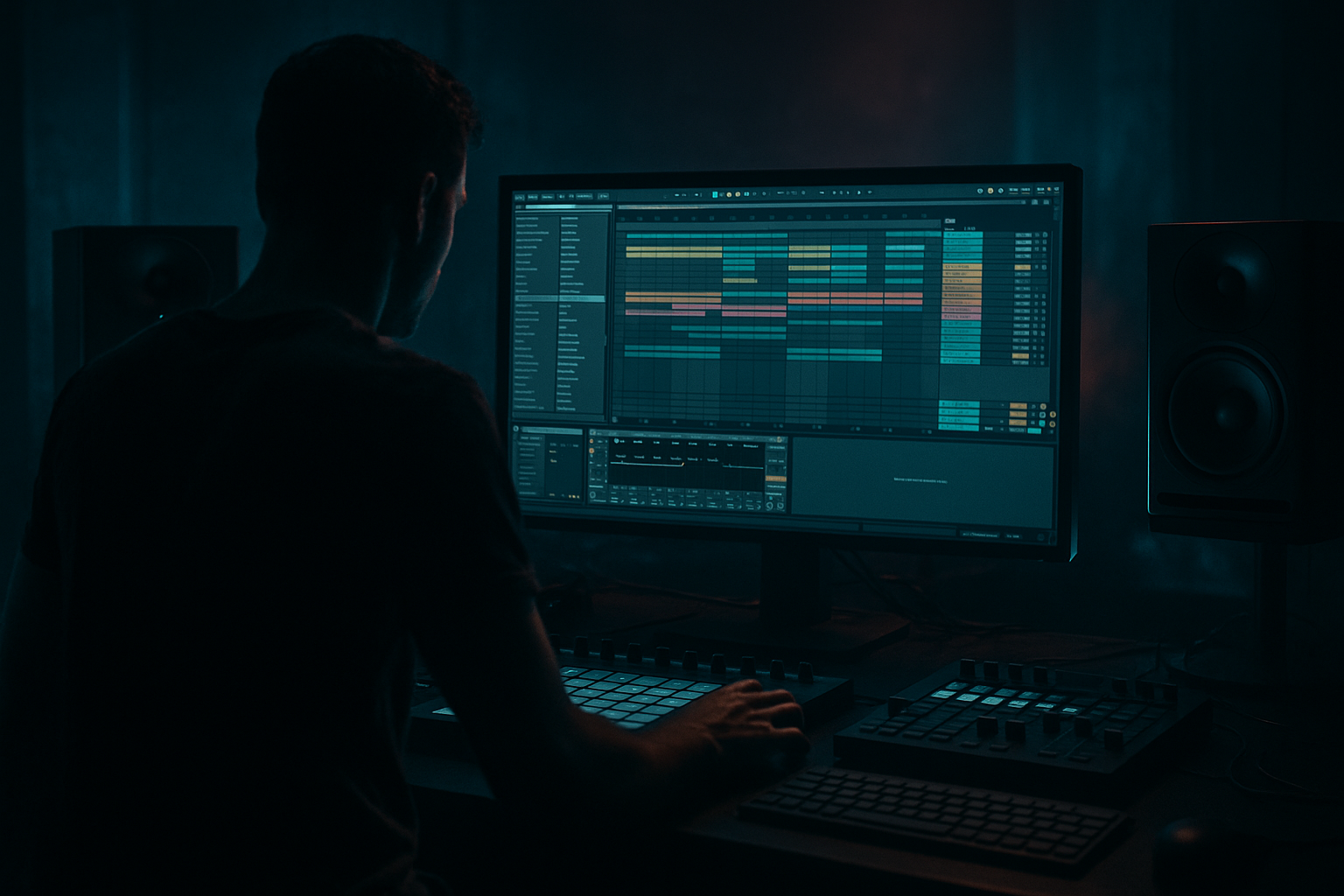
Vinyl Heat Ableton Live 12 fill workflow with modern punch and vintage soul for jungle oldskool DnB vibes (Beginner) cover image

Narrated lesson audio

The voice track includes the tutorial plus extra teacher commentary.

Open audio file

Main tutorial

Vinyl Heat Fill Workflow in Ableton Live 12 (Resampling)

Modern punch + vintage soul for jungle / oldskool DnB vibes 🔥🎛️

---

1. Lesson overview

This lesson shows you a repeatable “Vinyl Heat Fill” workflow in Ableton Live 12, aimed at jungle / oldskool drum & bass: think crunchy breaks, dusty turnaround fills, tape-ish saturation, and tight modern punch.

You’ll learn to:

  • Make a 1-bar fill that feels sampled-from-vinyl
  • Resample it into audio (for control + grit)
  • Add modern transient punch while keeping vintage soul
  • Drop it into an 8/16-bar DnB arrangement like a pro 🥁
  • ---

    2. What you will build

    You’ll build a single “Vinyl Heat Fill” track that you can reuse:

  • Source: a breakbeat (Amen-style / Funky Drummer style) or your own chopped drums
  • Fill recipe: micro-chops + stutter + pitch dip + noise + reverb tail
  • Processing: Drum Buss + Saturator + EQ Eight + Glue Compressor
  • Output: resampled audio fill you can drag into arrangement and trigger before drops
  • Result: a fill that says “oldskool jungle” but hits with 2026-level punch. ⚡

    ---

    3. Step-by-step walkthrough

    Step 0 — Session setup (fast + DnB-friendly)

    1. Set tempo: 165–174 BPM (try 170).

    2. Turn on the metronome.

    3. In Arrangement View, plan an 8-bar loop:

    - Bars 1–7: main groove

    - Bar 8: your fill

    ---

    Step 1 — Pick/prepare your drum source

    You’ve got two beginner-friendly options:

    Option A: Use a break loop (classic jungle move)

    1. Drag a breakbeat loop onto an audio track (e.g., “Amen-ish”).

    2. In Clip View:

    - Enable Warp

    - Warp mode: Beats

    - Preserve: Transients

    - Set Transient Loop Mode to Forward

    - Adjust Envelope to tighten (start around 70–90)

    Option B: Use a Drum Rack (cleaner, modern)

  • Load a Drum Rack with kick/snare/hats.
  • Program a basic 2-step DnB groove, then we’ll “vinyl-ize” the fill.
  • For jungle vibes, Option A is easiest.

    ---

    Step 2 — Create the fill rhythm (1 bar)

    Duplicate your drum clip and isolate bar 8.

    Goal: Keep the listener oriented (snare still “speaks”), but add chaos in the last half-beat.

    1. Duplicate your break clip.

    2. Trim so it’s exactly 1 bar.

    3. Do micro-chops:

    - Split the audio at transient hits (Cmd/Ctrl+E in Arrangement)

    - Rearrange 1–3 small slices near the end of the bar

    4. Add a stutter right before the drop:

    - Take a snare slice and repeat it 1/8 → 1/16 note rate in the last beat

    - Keep it short: last 1/2 bar maximum

    DnB arrangement suggestion:

  • Fill on bar 8, then slam back to bar 1 with full drums + bass.
  • ---

    Step 3 — Add “Vinyl Heat” character (device chain)

    Put this chain on your Fill track (or on the break track, then resample only the fill region).

    #### Recommended device chain (stock Ableton)

    1. EQ Eight

    2. Saturator

    3. Drum Buss

    4. Glue Compressor

    5. Utility (gain staging)

    ##### 1) EQ Eight (clean the mud, shape the nostalgia)

  • High-pass: 24 dB/oct at ~30–45 Hz
  • Gentle dip: 200–350 Hz (if boxy)
  • Optional: slight shelf up at 8–10 kHz if your break is too dull (but keep it subtle)
  • ##### 2) Saturator (warmth + harmonics)

  • Mode: Analog Clip
  • Drive: 2–6 dB
  • Soft Clip: On
  • Output: reduce so you’re not just “getting louder”
  • ##### 3) Drum Buss (modern punch + controlled grit)

  • Drive: 5–15% (taste)
  • Crunch: 5–25% (jungle likes some crackle)
  • Boom: 0–20% (careful with fills—don’t swamp your drop)
  • Transients: +5 to +20 for snap
  • Damp: adjust if it gets fizzy
  • ##### 4) Glue Compressor (classic “break glue”)

  • Attack: 3 ms (lets some snap through)
  • Release: Auto
  • Ratio: 2:1 or 4:1
  • Aim for 1–3 dB gain reduction on peaks
  • Soft Clip: On (if available)
  • ##### 5) Utility (level match)

  • Adjust Gain so your fill is similar loudness to main drums, not 6 dB louder.
  • ---

    Step 4 — Add vinyl soul: noise, wobble, and space (but controlled)

    This is where it becomes “from the crate” 🧱🎚️

    #### A) Vinyl noise layer (simple + effective)

    1. Create a new audio track: “Vinyl Noise”

    2. Drop a vinyl crackle sample (or a field recording hiss).

    3. EQ it:

    - HP at 200–400 Hz

    - LP at 8–12 kHz (optional)

    4. Sidechain it slightly to your drums using Compressor:

    - Sidechain Input: Fill/Drums

    - Ratio: 2:1

    - Fast attack, medium release

    - Only 1–2 dB ducking

    #### B) Subtle pitch wobble (old tape vibe)

    On the Fill track, try one:

  • Shifter (subtle):
  • - Mode: Pitch

    - Fine: automate ±5 to ±15 cents in the last half-bar

  • Or Clip Transpose automation:
  • - Drop -1 to -3 semitones for the last 1/8 note (classic pitch dip)

    Keep it quick—this is a gesture, not a detune disaster.

    #### C) Reverb tail only at the end

    1. Add Hybrid Reverb on a Return track (or directly on fill).

    2. Settings for jungle tail:

    - Predelay: 10–25 ms

    - Decay: 0.6–1.2 s

    - High Cut: 6–10 kHz

    3. Automate send so only the last snare hit blooms.

    ---

    Step 5 — Resample the fill (the core “resampling” move) 🎧

    Resampling is where the magic becomes “one piece of audio” you can slam, reverse, and re-chop.

    Method: Resample to a new audio track

    1. Create a new audio track called “FILL RESAMPLED”

    2. Set its input to:

    - Audio From: Resampling

    3. Arm the track.

    4. Solo your fill (or loop just the fill bar).

    5. Hit record and capture 1 bar (or 2 bars if you want tail).

    6. Consolidate (Cmd/Ctrl+J) to clean it into one clip.

    Now you can:

  • Warp it in Beats mode for stutters
  • Reverse tiny bits
  • Fade edges for clean edits
  • Use it like a “one-shot fill” in multiple places
  • ---

    Step 6 — Make it hit hard like modern DnB (post-resample punch)

    On the resampled fill clip, do final shaping:

    1. EQ Eight

    - HP at 30–45 Hz

    - Slight cut at 250 Hz if it’s cloudy

    2. Saturator (light)

    - Drive 1–3 dB, Soft Clip on

    3. Limiter

    - Ceiling: -0.3 dB

    - Keep it honest—don’t crush; just prevent spikes.

    Placement tip: Put the fill slightly quieter than the drop, so the drop feels huge. A good starting point is -1 to -3 dB vs your main drum bus.

    ---

    Step 7 — Arrangement ideas (DnB/jungle rooted)

    Use fills as punctuation, not constant fireworks:

  • Every 8 bars: quick 1-bar fill (classic)
  • Every 16 bars: bigger fill with reverb tail + pitch dip
  • Before a breakdown: longer fill + filter sweep
  • Before drop: short, tight, stuttery fill (keep sub clean)
  • Classic jungle move: last snare + reverb tail → hard cut → drop.

    ---

    4. Common mistakes

    1. Fill is louder than the drop

    Fills should lead into impact, not replace it.

    2. Too much low end in the fill

    Break fills with heavy sub rumble can smear your drop. High-pass responsibly.

    3. Over-warping the break

    If Beats mode envelope is too tight, it gets clicky/robotic. Back off Envelope or add tiny fades.

    4. Too much vinyl noise

    Noise should be felt, not “announced.” Duck it slightly or automate it only in the fill.

    5. Reverb everywhere

    Jungle is about contrast—keep reverb as a moment, not a bath.

    ---

    5. Pro tips for darker/heavier DnB 🖤

  • Parallel dirt:
  • Send the fill to a return track with Saturator (Hard Curve) → EQ Eight (band-limit) → Drum Buss (Crunch), then blend low.

  • Psycho “suck-in” before the drop:
  • Automate Auto Filter on the fill (HP rising to ~300–600 Hz) in the last 1/2 bar, then full-spectrum returns on the drop.

  • Transient control after resample:
  • If it’s too spiky, use Glue Compressor with slower attack (10 ms) and small GR. If it’s too soft, add Drum Buss Transients.

  • Darkness via top control:
  • Use EQ Eight to gently shelf down 10–16 kHz on the fill so the drop’s hats feel brighter by comparison.

  • Call-and-response with bass:
  • Mute bass on the fill (or filter it), then let the bass slam back on bar 1. That “gap” creates weight.

    ---

    6. Mini practice exercise (15 minutes) ⏱️

    1. Load a breakbeat loop and make a basic 8-bar drum loop.

    2. Build two different fills for bar 8:

    - Fill A: stutter + pitch dip

    - Fill B: reverse slice + reverb tail

    3. Resample both fills to audio.

    4. Place Fill A before your first drop, Fill B before a breakdown.

    5. Level match so the fills are 1–3 dB quieter than the drop.

    Challenge: Make one fill “dusty” (more noise/saturation) and the other “clean but punchy” (more transients, less noise).

    ---

    7. Recap

  • You made a 1-bar jungle/DnB fill using micro-chops + stutters.
  • You shaped it with a modern punch chain: EQ Eight → Saturator → Drum Buss → Glue.
  • You added vintage soul with controlled noise, pitch gestures, and a reverb tail.
  • You resampled the fill into audio so it’s easy to place, edit, and reuse.
  • You learned arrangement placement so fills enhance impact, not clutter it. ✅

If you want, tell me your BPM and whether you’re using a break loop or Drum Rack, and I’ll suggest a specific 1-bar MIDI/audio fill pattern tailored to your vibe (dark roller vs jump-up vs jungle).


Ask GPT about this lesson

Chat with the lesson tutor, get follow-up help, or use quick actions.

Bigup 👽 Ask me anything about this lesson and I’ll answer in context.

Narration script

Show spoken script
Welcome in. Today we’re building a repeatable little weapon for jungle and oldskool drum and bass in Ableton Live 12: the Vinyl Heat Fill workflow.

The goal is simple. You’re going to make a one-bar fill that feels like it was snatched off a dusty record, but it still hits with modern punch. Then we’ll resample it, so it becomes one piece of audio you can drop anywhere in an arrangement, chop again, reverse, warp, whatever you want, with that “printed” character baked in.

Settle in, open Live 12, and let’s get you a fill that makes the drop feel bigger.

First, session setup. Put your tempo somewhere between 165 and 174 BPM. If you’re not sure, pick 170. Turn on the metronome just for a minute while you lay things out.

In Arrangement View, think in phrases. We’re going to do an 8-bar loop where bars 1 through 7 are your main groove, and bar 8 is your fill. This is classic DnB phrasing, and it’s going to help your music sound “spoken” and intentional instead of random.

Now choose your drum source. You’ve got two beginner-friendly paths.

Option A is the classic jungle move: grab a break loop. Amen-ish, Think-ish, Funky Drummer-ish, whatever you’ve got. Drag it onto an audio track.

In the clip settings, turn Warp on. Set warp mode to Beats. Set Preserve to Transients. Set the transient loop mode to Forward. Then adjust the Envelope. Start around 70 to 90. Higher values clamp the transients harder, which can get clicky. Lower values let more natural tail through. For jungle, you usually want it tight, but not robot tight. If you hear little ticks after slicing later, you’ll back this off a touch or use tiny fades.

Option B is a Drum Rack: kick, snare, hats, clean and modern. It works great, but if you want instant oldskool energy, the break loop is the easiest on-ramp. For this lesson, I’m assuming you’re using a break, but the workflow applies either way.

Now we build the fill rhythm. Duplicate your main drum clip so you’ve got a copy dedicated to the fill. Then isolate bar 8.

Here’s a teacher tip that will save you from the most common beginner problem: pick a “hero transient” and protect it. In jungle fills, it’s usually the last snare, or the snare on beat four. The listener needs at least one clear snare that says, “We’re still in the bar, we’re still counting.” So we can get chaotic, but we keep one snare hit mostly un-mangled as an anchor.

Trim your fill clip so it’s exactly one bar. Then start micro-chopping.

In Arrangement View, zoom in enough to see transients clearly. Use split on transients—Cmd or Ctrl plus E—to cut a few slices near the end of the bar. You don’t need to slice the whole thing. Beginners tend to over-chop. You only need a handful of slices, especially in the last beat or the last half-bar.

Rearrange one to three small slices near the end of the bar. The trick is: make it feel like a human grabbed the record and did something sneaky for a moment, then the groove snaps back.

Now add the stutter right before the drop. Take a snare slice and repeat it. Start with an eighth-note feel, then go faster to sixteenths right at the very end. Keep it short. Half a bar maximum. Often, one beat is enough.

If you want a super easy classic shape, do this “question and answer” fill:
On beat three, do a small stutter. That’s the question.
On beat four, do one clean snare with a tail. That’s the answer.
It sounds intentional, it sounds classic, and it’s way easier than trying to be complex for the whole bar.

Quick click-prevention note: after slicing audio, use fades like a surgeon. Tiny fades, just a few milliseconds, on slice edges can remove those annoying clicks. In Live, you can drag the fade handles on the clip. If you consolidate later, it often behaves even better.

Cool. Now we’re going to add the “Vinyl Heat” character with a simple stock Ableton chain. And I want you thinking in stages, not just “throw devices on and hope.”
Stage one is timing and chops.
Stage two is character, like dirt and wobble.
Stage three is punch control.
Stage four is resample.
Stage five is final polish.

So on your fill track, add this device chain in this order:
EQ Eight, then Saturator, then Drum Buss, then Glue Compressor, then Utility.

Let’s set them up.

EQ Eight first. We’re cleaning and shaping before we distort, so the distortion reacts to the sound we actually want.

Add a high-pass filter at around 30 to 45 Hz. Use a steep slope, like 24 dB per octave. This is big: you do not want your fill dragging low-end rumble into the drop. High-passing responsibly is one of the most “pro-sounding” habits you can build.

If the break sounds boxy, do a gentle dip around 200 to 350 Hz. Don’t carve it to death. Just a small reduction if you hear mud.

If the break is too dull, you can add a very subtle shelf up around 8 to 10 kHz. But keep it tasteful. Jungle breaks can get harsh fast once we start adding crunch.

Now Saturator. Set it to Analog Clip. Turn Soft Clip on. Drive somewhere between 2 and 6 dB. Then compensate the output so you’re not just getting louder. That’s a key discipline: match the loudness so you can actually hear the change in character.

Next Drum Buss. This is where we blend modern punch with that gritty edge.

Set Drive between 5 and 15 percent depending on taste. Crunch between 5 and 25 percent for that crackly, worn texture. Boom can stay low—0 to 20 percent—but be careful on fills. Too much boom makes the fill feel like it’s stepping on your drop.

Now the money knob: Transients. Push it somewhere between plus 5 and plus 20 to get that snap back after saturation. If it gets fizzy, use the Damp control to tame the top.

Next Glue Compressor. This is that classic break glue, the thing that makes it feel like one piece.

Try an attack around 3 milliseconds, release on Auto, ratio 2 to 1 or 4 to 1. Aim for about 1 to 3 dB of gain reduction on the peaks. You’re not trying to smash it; you’re trying to pull the slices into the same world. If you’ve got soft clip available here, you can turn it on for extra safety on peaks.

Then Utility for gain staging. Level match the fill so it’s not wildly louder than your main drums. And here’s a crucial coaching point: before we resample, aim for peaks around minus 6 dB on the fill track. That gives you headroom so you don’t accidentally print clipping, and your saturation decisions are clearer. You can always make it louder after it’s printed.

Now we add the vinyl soul: noise, wobble, and space. But controlled. Jungle is contrast. If you bathe everything in effects, it stops feeling special.

First, vinyl noise layer. Make a new audio track called Vinyl Noise. Drop in a vinyl crackle sample, or a hiss recording, or any noise source you’ve got.

EQ it so it doesn’t mess with your low end. High-pass it around 200 to 400 Hz. Optionally low-pass around 8 to 12 kHz if it’s too bright.

Now sidechain it slightly to your drums so it breathes. Add a Compressor on the noise track, turn on sidechain, choose your fill or drum track as the input. Ratio around 2 to 1, fast attack, medium release, and only 1 to 2 dB of ducking. The point is: the noise sits behind the drums instead of sitting on top of them.

You can also automate the noise volume so it ramps up during the fill and disappears on the drop. That’s a really clean way to make the fill feel “dusty” without making the whole track sound like a lo-fi filter.

Next, subtle pitch wobble. This is a gesture. Not a detune disaster.

You can do it with Shifter in pitch mode, and automate the fine amount by plus or minus 5 to 15 cents in the last half-bar.

Or, for the classic jungle pitch dip, automate the clip transpose down one to three semitones for just the last eighth note. Quick and cheeky. If you want an “even safer” version, do it only on the last eighth note and pair it with a tiny volume dip. It hints at a tape-stop vibe without wrecking your groove.

Now, reverb tail. This is the moment where the fill breathes, and the drop slams back in.

Set up Hybrid Reverb on a return track, or directly on the fill if you prefer. For a jungle-friendly tail, try a pre-delay of 10 to 25 milliseconds, decay around 0.6 to 1.2 seconds, and high-cut around 6 to 10 kHz.

Then automate the reverb send so only the last snare blooms. Not the whole bar. Just the last hit. Teacher note: reverb tails feel longer at fast tempos than you think. If it feels messy, shorten it or high-cut it harder. Make the tail musical, not random.

Alright. Now we do the core move: resampling.

Create a new audio track called FILL RESAMPLED. Set its input to Resampling. Arm the track.

Now solo your fill, or loop just that one bar. Hit record and capture one bar, or two bars if you want the reverb tail printed. Then consolidate, Cmd or Ctrl plus J, so it becomes one clean audio clip.

This is the magic. You just committed the vibe. Now your fill is a single piece of audio you can drag around your arrangement, reuse every 8 or 16 bars, and it’ll sound consistent. You can warp it in Beats mode for extra stutters, reverse tiny bits, fade edges, all of that, but now it’s “one object” you can control.

Now post-resample punch. This is where you get that modern hit without losing the vintage soul you just printed.

On the resampled fill clip, add EQ Eight. High-pass again around 30 to 45 Hz. If it’s cloudy, a small cut around 250 Hz.

Then add a light Saturator. Drive just 1 to 3 dB, Soft Clip on. This is more like polish than character-building.

Then a Limiter to catch spikes. Set the ceiling around minus 0.3 dB. Don’t crush it. Just keep it controlled.

Placement and leveling tip: your fill should usually be a little quieter than the drop. A good starting point is one to three dB quieter than your main drum bus. The fill is the ramp. The drop is the impact.

Now let’s talk arrangement strategy so you actually use this like a producer.

Classic: one-bar fill every 8 bars. Bigger fill every 16 bars, maybe with the reverb tail and pitch dip.

Before a breakdown, you can go longer, add a filter sweep, maybe print a two-bar version with tail.

Before a drop, keep it tight and stuttery and keep the sub clean. A really classic jungle move is: last snare with reverb tail, then a hard cut, then the drop. That hard cut is part of the drama.

And here’s an easy “pro” energy automation idea: from bar 5 to bar 8, slowly increase just one thing. Hat density, or your noise layer, or a little reverb send on tiny ghost hits. Then the fill feels like the peak of a ramp, not a random interruption.

Quick common mistakes to avoid.

Don’t let the fill get louder than the drop. If the fill out-shouts the drop, your track feels backwards.

Don’t leave too much low end in the fill. It will smear your first kick on the drop. High-pass is your friend.

Don’t over-warp the break. If the envelope is too tight in Beats mode, it gets clicky and robotic. Back off the envelope or use fades.

Don’t overdo vinyl noise. Noise should be felt, not announced. Duck it, automate it, and keep it in its lane.

And don’t put reverb everywhere. Jungle is contrast. Reverb is a moment.

If you want to push into darker or heavier DnB, here are a couple quick upgrades.

Parallel dirt: send the fill to a return with a harder Saturator curve, then EQ to band-limit it, then add a little Drum Buss crunch, and blend it quietly underneath. It creates urgency without destroying your main transient.

Auto Filter “suck-in”: in the last half-bar, automate a high-pass filter rising to somewhere around 300 to 600 Hz, then snap back full spectrum on the drop. That contrast is basically free impact.

And if your resampled fill feels dull, don’t automatically crank drive. Try a small high-shelf boost around 7 to 10 kHz, then gentle clipping or limiting. That often restores snap more naturally.

Let’s close with a quick 15-minute practice routine.

Load one break and build a basic 8-bar loop.
Make two different fills for bar 8.
Fill A is stutter plus pitch dip.
Fill B is reverse slice plus reverb tail.
Resample both fills to audio.
Place Fill A before your first drop, Fill B before a breakdown.
Then level match so both fills are one to three dB quieter than the drop.

And a final challenge: resample two versions of the same fill. One clean and punchy, one dirty with more crunch and noise. Then you can choose the vibe per section without rebuilding anything.

That’s the Vinyl Heat Fill workflow: chops for motion, character for soul, punch for modern impact, and resampling so it becomes a reusable, editable audio tool.

If you tell me your BPM and whether you’re using an Amen-style break, Think break, Funky Drummer-style, or a Drum Rack, I can suggest a specific one-bar chop map: exactly what to slice, where to stutter, and which snare to protect so it lands perfectly into your drop.

mickeybeam

Go to drumbasscd.com for +100 drum and bass YouTube channels all in one place - tune in!

Generating PDF preview…