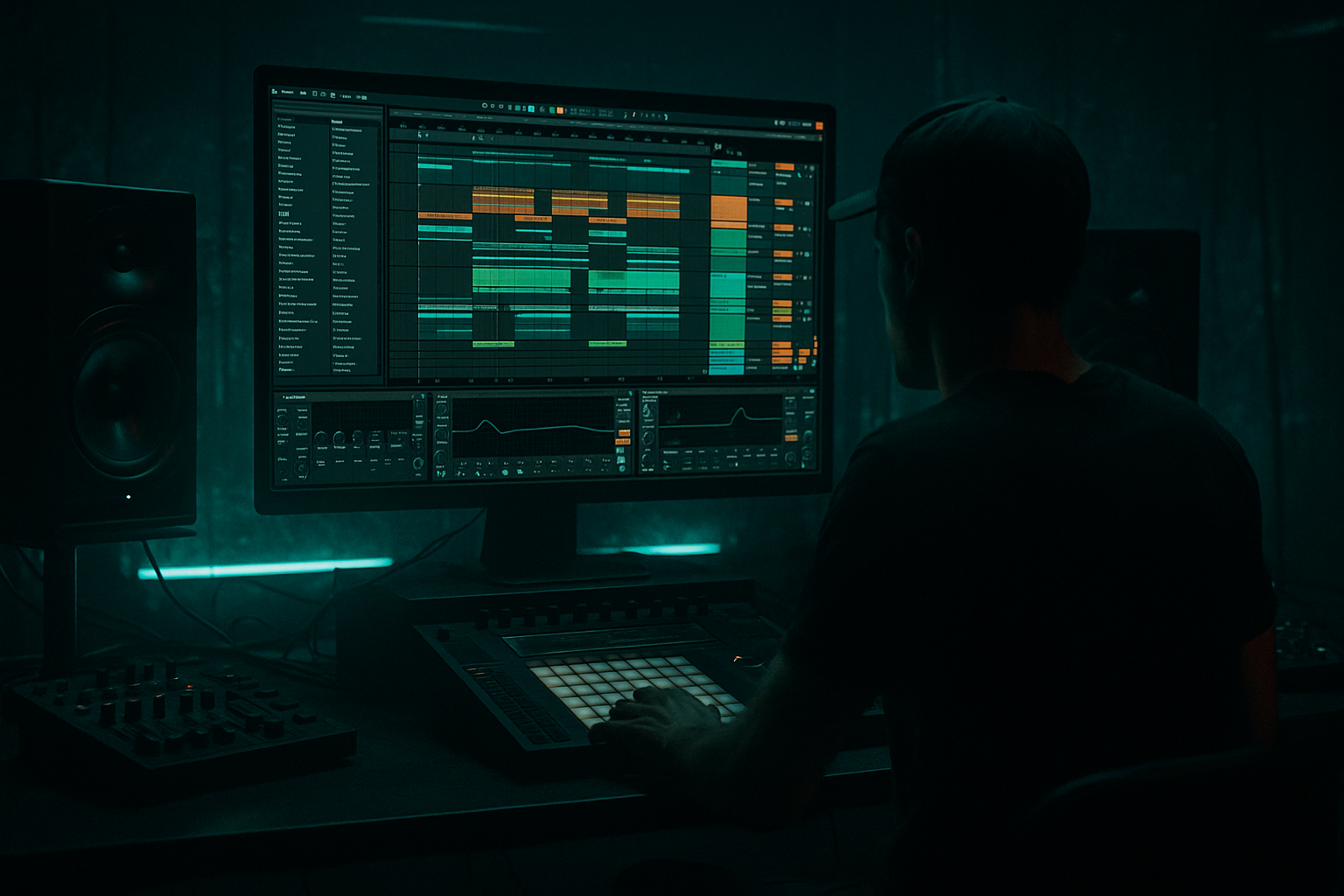
Main tutorial
Urban Echo Lab: DJ Intro Color in Ableton Live 12 for Jungle / Oldskool DnB Vibes
1. Lesson overview
In this lesson, you’ll build a dark, atmospheric DJ intro for a jungle / oldskool drum and bass track in Ableton Live 12. The goal is to create that classic club-intro energy: mysterious pads, distant echoes, vinyl-style texture, and a bit of tension before the drums and bass hit hard. 🎛️
This kind of intro is super useful in DnB because:
- DJs need space to mix
- The intro should set the mood without revealing too much
- Oldskool jungle vibes often use dark atmospheres, dub-style delay, and lo-fi texture
- A strong intro makes the drop feel bigger when the amen, breakbeats, or bassline arrive
- A dark atmospheric pad
- A radio/vinyl-style texture bed
- A dub echo hit or two for movement
- A filtered noise sweep
- A simple arrangement that leaves room for DJ mixing
- “something is approaching in the distance”
- moody, gritty, and wide
- ready to lead into a jungle break or rolling DnB drop
- 160–174 BPM for classic jungle / oldskool
- A safe starting point: 170 BPM
- Wavetable
- or Analog
- or Operator if you want something simpler
- Choose a soft waveform or a more complex analog-style wavetable
- Lower the Cutoff to keep it dark
- Add a little Resonance for tension
- Use a slow Envelope on filter if you want movement
- Attack: 200 ms to 2 s
- Decay: medium
- Sustain: around 60–80%
- Release: 1–4 s
- Use minor chords
- Keep voicings spread out
- Avoid busy harmony
- Am
- Dm
- Cm
- Fm
- Am → G
- Cm → Bb
- Dm → Am
- Operator with noise mode
- or any imported vinyl crackle / field recording
- or a sampled ambient city sound, radio hiss, train station ambience, etc.
- Turn on the noise oscillator
- Keep it low in volume
- Shape it with a filter
- Fill empty space
- Add grit and atmosphere
- Stay in the background
- Never distract from the intro’s main vibe
- a short rim shot
- a snare ghost
- a metallic hit
- a chopped vocal one-shot
- or even a filtered kick click
- Hit on bar 1
- Echo trails into bar 2
- Another hit at bar 5 or bar 9 for structure
- Wavetable
- Operator
- white noise from Operator
- or an audio sample
- Start cutoff low, around 200–500 Hz
- Open it gradually to 4–8 kHz
- Resonance: low to moderate
- Use long automation curves for smooth movement
- Bars 1–2: pad + texture only
- Bars 3–4: add echo hit
- Bars 5–6: add sweep or extra noise layer
- Bars 7–8: hint at the break or bass with a filtered drum entrance
- Bars 1–4: atmosphere only
- Bars 5–8: add dub echo hit and moving texture
- Bars 9–12: introduce filtered break elements
- Bars 13–16: open up slightly before the drop
- sparse
- moody
- mix-friendly
- percussion
- subtle break fragments
- tension FX
- high-passed
- low in volume
- delayed lightly
- Return A: Reverb
- Return B: Echo
- Use Hybrid Reverb
- Darker decay
- Keep low end out of the reverb with EQ
- Use Echo
- Feedback moderate
- Dark filter on repeats
- Optional saturation for grime
- Is the low end cleared out of atmospheric layers?
- Does the intro feel wide but not washed out?
- Can you still imagine a bassline entering later?
- Does the intro leave enough space for the drums to land hard?
- High-pass almost everything atmospheric
- Keep the sub region clean for later
- Darken the reverb
- Reduce high frequencies
- Use shorter spaces if needed
- Use 2–4 strong atmospheric layers max
- Let silence and space do part of the work
- Automate filter cutoff
- Move echo feedback slightly
- Change volume over time
- Add small phrase-based changes every 4 or 8 bars
- Keep echo subtle
- Darken repeats
- Use automation for emphasis rather than constant loudness
- minor keys
- simple two-note tension
- suspended or ambiguous chords
- Saturator
- or Drum Buss very gently
- midrange presence
- tape-like roughness
- oldskool weight
- pad cutoff
- texture band-pass
- echo feedback
- reverb dry/wet
- less reverb tail at transition
- less clutter in the mids
- no lingering sub frequencies
- intro = misty, echoing, distant
- drop = punchy, dry, solid, controlled
- 1 pad
- 1 texture layer
- 1 echo hit
- 1 automation move
- no full drum loop yet
- Does it feel like a DJ intro?
- Is it moody enough for jungle / oldskool DnB?
- Can you imagine a breakbeat entering after it?
- Is the bass space still clear?
- Start with a dark pad
- Add vinyl, noise, or urban texture
- Use Echo and Reverb for space and movement
- Keep the low end clean for future DnB bass and breaks
- Arrange the intro in 8 or 16 bars for DJ usability
- Use automation to make the atmosphere evolve
- Wavetable
- Analog
- Operator
- EQ Eight
- Auto Filter
- Echo
- Hybrid Reverb
- Saturator
- Drum Buss
- Utility
We’ll keep this beginner-friendly and use mostly stock Ableton devices.
---
2. What you will build
You’ll create a short 8–16 bar intro with:
By the end, your intro should feel like:
---
3. Step-by-step walkthrough
Step 1: Set up your project
Start a new Live set and set your tempo to a DnB-friendly range:
Create these tracks:
1. Atmos Pad
2. Noise / Texture
3. Echo Hit
4. Drum/Break Intro later, if you want to extend the idea
Keep the project simple at first. In DnB, less is often more in the intro.
---
Step 2: Build the atmospheric pad
On your Atmos Pad track, load a stock instrument:
#### Suggested sound design for a dark DnB pad
If using Wavetable:
#### Useful settings
You want a pad that swells in, not a stabby sound.
#### Add effects on the pad
Build this chain:
1. EQ Eight
- Cut some low end below 150–250 Hz
- Slightly reduce harshness around 2–5 kHz if needed
2. Chorus-Ensemble
- Low depth, wide stereo spread
- Great for oldskool haze
3. Hybrid Reverb
- Use a small-to-medium hall or dark space
- Low Dry/Wet: around 10–20%
- Roll off some highs in the reverb if it feels too shiny
4. Auto Filter
- Put this at the end or before reverb
- Animate the cutoff slowly over time
#### MIDI tip
Write a very simple chord or note bed:
Good jungle-friendly mood examples:
Try long notes or a slow two-chord movement like:
---
Step 3: Add vinyl / urban texture
This is where the intro starts feeling like a real urban echo lab.
On a new track, create a Noise / Texture layer using:
#### If using stock devices:
Use Operator:
#### Effects chain for texture
1. EQ Eight
- High-pass around 200–400 Hz
- Remove low rumble
2. Auto Filter
- Band-pass or high-pass
- Add slow automation for movement
3. Saturator
- Very subtle drive
- Helps the texture sit in the track
4. Reverb or Hybrid Reverb
- Small amount, just enough to make it feel spacious
#### What this layer should do
A good trick: automate the volume so the texture appears and disappears in waves.
---
Step 4: Create a dub-style echo hit
Oldskool jungle and DnB intros love echo. A single hit with delay can instantly create that “urban tunnel” feel. 🌀
You can use:
Put it on its own track and keep it very sparse.
#### Suggested device chain
1. EQ Eight
- Cut low frequencies
- Focus the sound in the mids/highs
2. Echo
- This is one of your best friends for DnB intro design
- Try:
- Time: 1/4 or 1/8 dotted
- Feedback: 30–60%
- Filter: darken the repeats
- Noise / modulation: subtle for character
3. Reverb
- Small to medium space
- Not too bright
4. Utility
- Narrow the dry signal if needed
- Or widen only the echo layer
#### Workflow tip
Place the hit on the offbeat or just before the phrase change.
That creates motion without sounding busy.
For example:
This gives the DJ intro a sense of call and response.
---
Step 5: Add a filtered sweep or riser
This helps your intro evolve instead of looping flatly.
You can make one with:
#### Easy noise sweep method
On a new track:
1. Load Operator
2. Use the noise oscillator
3. Add Auto Filter
4. Automate the filter cutoff opening slowly over 8 bars
5. Add Reverb for depth
#### Settings to try
This creates the feeling that the track is building through the fog.
---
Step 6: Arrange the intro like a DJ-friendly opening
A good intro for jungle / oldskool DnB should leave room for mixing and tension. A simple 8-bar or 16-bar intro works great.
#### Example 8-bar structure
#### Example 16-bar structure
#### DJ intro principle
Keep the first half:
Then gradually add:
This lets the intro work for both listening and DJ mixing.
---
Step 7: Add a jungle-style break tease
Even though this lesson is about atmosphere, a tiny break tease can make the intro feel more like authentic DnB.
Use a chopped Amen or a simple break fragment:
#### Processing chain
1. EQ Eight
- High-pass around 250–400 Hz
- Reduce mud
2. Drum Buss
- Very gentle drive
- Use a little transient if needed
3. Echo
- Short delay, subtle feedback
4. Auto Filter
- Automate for movement
This should sound like a ghost of the break, not the full groove yet.
---
Step 8: Glue the atmosphere together
Now make sure the intro sounds like one world.
#### On the return tracks, create:
Send your pad and texture slightly into both.
##### Reverb return settings
##### Echo return settings
This approach is very DnB-friendly because it gives you space without making each track too wet on its own.
---
Step 9: Final mix checks
Before moving on, do a quick check:
For jungle / DnB, your intro should create tension, not compete with the drop.
---
4. Common mistakes
1. Too much low end in the atmospheres
Pads and textures often sound huge soloed, but in DnB they can destroy the bass space.
Fix:
---
2. Overly bright reverb
A shiny reverb can make the intro sound modern in the wrong way and lose that oldskool grit.
Fix:
---
3. Too many layers
Beginners often stack too many sounds and lose the mood.
Fix:
---
4. No movement
A static pad loop gets boring fast.
Fix:
---
5. Echo too loud
A loud delay can clutter the intro and make it feel messy instead of cinematic.
Fix:
---
5. Pro tips for darker/heavier DnB
Tip 1: Use minor tonal centers
For darker jungle vibes, lean into:
That creates mystery without sounding over-composed.
---
Tip 2: Saturate the atmosphere lightly
A touch of saturation helps the intro feel grittier and more “urban.”
Use:
This can add:
---
Tip 3: Automate filter motion on everything
Even subtle changes make a huge difference in DnB intros.
Try automating:
Small automation = big vibe.
---
Tip 4: Leave a clean lane for the bass
If your intro is supposed to lead into a heavy drop, make sure the atmospheric layers are trimmed back by the time the bass enters.
That means:
---
Tip 5: Use contrast
A dark intro hits harder if the drop is even more focused.
Think:
Contrast is everything in DnB arrangement.
---
6. Mini practice exercise
Build your own 8-bar jungle intro
Use only stock Ableton devices and follow this challenge:
#### Requirements
#### Steps
1. Create a pad in Wavetable or Analog
2. High-pass it with EQ Eight
3. Add Hybrid Reverb
4. Add a noise layer with Operator
5. Program one rimshot or snare hit and process it with Echo
6. Automate at least one filter cutoff over 8 bars
7. Bounce the result and listen back at club volume if possible
#### Self-check questions
If the answer is yes, you nailed it. ✅
---
7. Recap
In this lesson, you built a dark, atmospheric DJ intro for jungle / oldskool drum and bass in Ableton Live 12.
Key takeaways:
Most useful Ableton stock devices from this lesson:
If you want, I can also turn this into:
1. a screen-by-screen Ableton Live 12 walkthrough, or
2. a full 16-bar intro template with MIDI note ideas and exact device settings.

