DNB COLLEGE

Drum & Bass Ableton Live 12 Tutorials

LESSON DETAIL

Tighten an Amen-style pad with modern punch and vintage soul in Ableton Live 12 (Beginner)

An AI-generated beginner Ableton lesson focused on Tighten an Amen-style pad with modern punch and vintage soul in Ableton Live 12 in the Edits area of drum and bass production.

Back to lessons
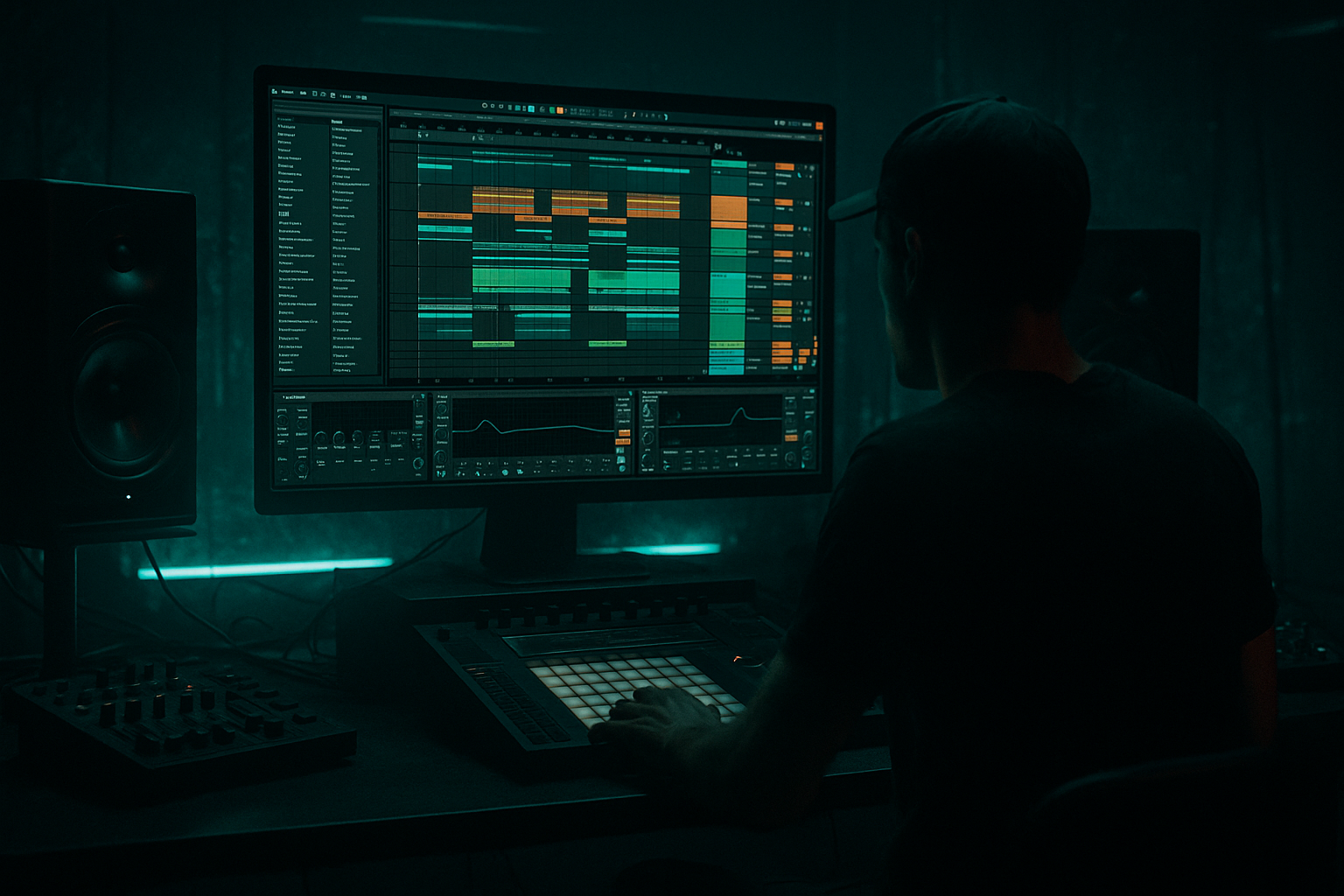
Tighten an Amen-style pad with modern punch and vintage soul in Ableton Live 12 (Beginner) cover image

Narrated lesson audio

The voice track includes the tutorial plus extra teacher commentary.

Open audio file

Main tutorial

```markdown

Tighten an Amen‑style pad with modern punch + vintage soul (Ableton Live 12) 🥁🔥

Skill level: Beginner

Category: Edits (Drum & Bass / Jungle)

---

1) Lesson overview

In drum & bass, an “Amen-style pad” is that classic busy break loop (often Amen-inspired) that’s been looped, layered, and glued into a rolling foundation. The goal is a loop that feels tight and modern (punchy, consistent, controlled) while keeping the vintage soul (swing, grit, air, imperfect groove).

In this lesson you’ll:

  • Warp and stabilize a break so it locks to your grid without killing the vibe
  • Add punch and clarity with stock Ableton devices
  • Preserve the old-school feel using micro-timing, saturation, and parallel processing
  • Build an Amen-style pad loop that rolls in a modern DnB mix
  • ---

    2) What you will build

    By the end you’ll have:

  • A 4-bar Amen-style pad (170–175 BPM) that loops cleanly
  • A two-layer drum setup:
  • - Break Pad Layer (character + movement)

    - Punch Layer (clean kick/snare reinforcement)

  • A practical device chain that gives:
  • - Modern punch (transient shape, controlled low end)

    - Vintage soul (texture, subtle warble, groove)

    ---

    3) Step-by-step walkthrough

    Step 0 — Session setup (DnB defaults)

    1. Set tempo to 172 BPM (good middle ground for rollers).

    2. Create two audio tracks:

    - Track 1: `BREAK PAD`

    - Track 2: `PUNCH LAYER`

    3. Optional but recommended: create a Drum Bus group later (glue + final tone).

    ---

    Step 1 — Choose a break and prep it

    1. Drop your Amen-ish loop onto BREAK PAD (a full break, 1–4 bars).

    2. Double-click the clip to open Clip View.

    3. Turn Warp ON.

    Warp mode choice (beginner-safe):

  • Start with Beats mode
  • - Preserve transients while keeping timing tight.

    - Set:

    - Preserve: `Transients`

    - Transient Loop Mode: `Forward`

    - Envelope: `~70–90` (higher = tighter/shorter tails)

    ✅ This keeps the “crack” while stopping the break from smearing.

    ---

    Step 2 — Get the loop perfectly cycling (tight but not sterile)

    1. In Clip View, enable Loop.

    2. Set loop to 4 bars (classic for DnB phrasing).

    3. Find the true downbeat:

    - Zoom in to the first kick transient.

    - Right-click near it → Set 1.1.1 Here.

    4. Use Warp Markers sparingly:

    - Add a marker at the start of bar 1.

    - Add one around bar 3 if drift happens.

    - Avoid placing markers on every hit (that’s how breaks get robotic).

    Micro-tightening tip:

    If the break feels late/early overall, nudge the clip start by a few milliseconds rather than over-warping.

    ---

    Step 3 — Slice the break into an “Amen pad” workflow (easy edit power) ✂️

    This is where you get that classic chopped feel while staying beginner-friendly.

    Option A (recommended): Slice to Drum Rack

    1. Right-click the audio clip → Slice to New MIDI Track.

    2. Slicing preset:

    - Slice by: `Transients`

    - Preset: `Built-in` (default is fine)

    3. You now have a Drum Rack with each hit mapped to pads.

    Why this helps:

    You can now reprogram the rhythm, fix messy timing, and create variations without fighting Warp Markers.

    ---

    Step 4 — Program a tight rolling 2-step-ish backbone (but keep Amen movement)

    1. Create a 1–2 bar MIDI clip on the sliced drum rack track.

    2. Lay a simple DnB backbone:

    - Kick-ish slices roughly on 1 and (sometimes) the “&” of 2

    - Snare-ish slices on 2 and 4

    3. Add extra Amen slices (ghost notes):

    - Little hat/shuffle hits between snares

    - Short “drag” before snare occasionally (classic jungle energy)

    Beginner groove rule:

  • Keep the snare hits consistent
  • Let the ghost notes be messy (that’s the soul)
  • ---

    Step 5 — Tighten transients + body on the BREAK PAD (modern punch)

    On the break pad track (or the sliced rack’s return/group), add this chain:

    #### Device chain (stock-only)

    1. EQ Eight

    - HP filter: 24 dB/oct at ~30–40 Hz (removes sub-rumble)

    - Gentle cut if boxy: -2 to -4 dB around 200–350 Hz

    - Add bite if needed: +1 to +3 dB around 3–6 kHz (watch harshness)

    2. Drum Buss 🥊

    - Drive: 5–15% (taste)

    - Crunch: 0–10% (keep it subtle for “vintage”)

    - Boom: 0–10%

    - If you use Boom, set Frequency around 50–80 Hz (but don’t fight the bassline)

    - Transients: +5 to +20 (adds punch)

    - Damp: adjust if it gets too bright

    3. Glue Compressor

    - Attack: 3 ms (lets transients through)

    - Release: Auto or 0.1–0.3 s

    - Ratio: 2:1

    - Aim for 1–3 dB gain reduction on peaks

    - Makeup Gain: match level, don’t just make it louder

    4. Saturator (vintage soul)

    - Mode: `Analog Clip` (great for breaks)

    - Drive: 2–6 dB

    - Soft Clip: On

    - Output: reduce to match volume

    🎯 Goal: the break should feel forward and controlled, but still “hairy” and alive.

    ---

    Step 6 — Add a clean punch layer (kick/snare reinforcement)

    The break pad is character. The punch layer is consistency.

    1. On `PUNCH LAYER`, load a Drum Rack.

    2. Choose:

    - A tight DnB kick (short, punchy)

    - A snare with a strong fundamental around 180–220 Hz + crack around 4–7 kHz

    3. Program a basic DnB pattern:

    - Kick on 1

    - Snare on 2 and 4

    - Optional extra kick before second snare for rolling energy

    Process PUNCH LAYER lightly:

  • EQ Eight: high-pass around 30 Hz, tame harsh highs if needed
  • Compressor: just to keep it stable (1–2 dB GR)
  • Keep it cleaner than the break
  • ✅ Now your break can be gritty and dynamic, while your drop stays punchy.

    ---

    Step 7 — Blend and “pad-ify” the break (movement + glue) 🌫️

    To make it feel like a pad (continuous energy), use subtle ambience in parallel.

    Create a Return Track: `BREAK AIR`

    1. On the return, add:

    - Hybrid Reverb

    - Algorithmic, small/medium room

    - Decay: 0.4–1.2 s

    - Pre-delay: 10–25 ms

    - High-pass inside reverb (or EQ after): ~200–400 Hz

    - EQ Eight after reverb:

    - High-pass 250–500 Hz

    - Optional dip at 3–6 kHz if splashy

    2. Send `BREAK PAD` to `BREAK AIR` at -18 to -10 dB (subtle).

    This gives that classic “washed loop energy” without drowning the punch.

    ---

    Step 8 — Keep vintage groove with timing (without losing tightness) 🕺

    You want grid-locked big hits, human micro-feel in the small stuff.

    If using sliced MIDI:

    1. Select only ghost notes (small hat/slices).

    2. Use Groove Pool:

    - Try an MPC-style groove (or any swing groove)

    - Start with Groove Amount 10–25%

    3. Leave snares mostly straight.

    If using audio loop (no slicing):

  • Nudge certain regions using warp markers, but keep some “late hats” intact.
  • ---

    Step 9 — Arrange like real DnB (so it rolls in a track)

    Build a quick 32-bar sketch:

  • Bars 1–8 (Intro):
  • - Filtered break pad (EQ Eight low-pass around 8–12 kHz)

    - Light reverb send

  • Bars 9–16 (Build):
  • - Gradually open highs

    - Add small fills every 4 bars

  • Bars 17–32 (Drop):
  • - Full break pad + punch layer

    - Add 1–2 variations (swap a slice, add a snare drag, add a quick stop)

    Classic jungle/DnB trick: mute the break for 1/2 beat before bar 17 for impact.

    ---

    4) Common mistakes

  • Over-warping every transient: kills swing and makes the break feel plastic.
  • Too much Drum Buss Boom: clashes with your sub/bassline and muddies the low end.
  • Reverb on the whole break directly: makes snares wash out—use a return and filter the reverb.
  • No punch layer: the break alone often won’t hit hard enough in modern DnB.
  • Over-saturation: cool for vibe, but easy to turn hats into harsh fizz.
  • ---

    5) Pro tips for darker/heavier DnB 🖤

  • Make the break darker without losing punch:
  • - EQ Eight: gentle high shelf down -1 to -3 dB above 10 kHz

    - Keep transient punch via Drum Buss Transients instead of boosting highs

  • Add controlled menace with distortion in parallel:
  • - Create a return `BREAK GRIT`:

    - Saturator (Analog Clip, Drive 6–12 dB)

    - EQ Eight (band-limit: HP 200 Hz, LP 6–8 kHz)

    - Blend quietly under the main break

  • Mono the lows, keep highs wide:
  • - Use Utility on the break group:

    - Bass Mono: set width low via mid/side EQ (or simply avoid wide low end)

  • Cut a pocket for the snare crack:
  • - If the break masks your snare: dip 2–4 dB around 4–6 kHz on the break only

    ---

    6) Mini practice exercise (15 minutes) ⏱️

    1. Pick one break and set to 172 BPM.

    2. Slice to Drum Rack and program:

    - 2 bars, with consistent snare on 2/4

    - Add at least 6 ghost notes per bar

    3. Add the chain:

    - EQ Eight → Drum Buss → Glue Compressor → Saturator

    4. Create one return reverb (`BREAK AIR`) and send subtly.

    5. Export a 16-bar loop:

    - 8 bars “intro filtered”

    - 8 bars “drop full”

    Success criteria:

  • Snare feels steady and hits every time ✅
  • Ghost notes move and shuffle without sounding random ✅
  • The loop feels energetic even with no bassline ✅
  • ---

    7) Recap

  • Warp lightly: tighten the grid, preserve the soul
  • Slice to Drum Rack for quick Amen-style edits and variations ✂️
  • Modern punch = Drum Buss transients + light glue compression
  • Vintage vibe = saturation + filtered parallel reverb + micro-groove
  • Arrange in 4/8/16-bar phrases so it behaves like real DnB music 🎛️

If you want, tell me your break tempo/source and whether you’re going for liquid rollers or dark jungle, and I’ll suggest a specific groove approach + device settings to match.

```

Ask GPT about this lesson

Chat with the lesson tutor, get follow-up help, or use quick actions.

Bigup 👽 Ask me anything about this lesson and I’ll answer in context.

Narration script

Show spoken script
Welcome back. In this lesson we’re going to take an Amen-style break loop and turn it into what I call an Amen-style pad: a busy, rolling foundation that feels tight and modern, but still has that vintage soul and movement.

We’ll do this in Ableton Live 12 using beginner-friendly moves and stock devices only. By the end, you’ll have a clean 4-bar loop around 172 BPM, plus a simple two-layer setup: one layer for character and motion, and one layer for punch and consistency.

Alright, let’s set the scene.

First, set your project tempo to 172 BPM. That’s a sweet spot for drum and bass rollers, and it’ll help you hear timing problems quickly.

Now create two audio tracks. Name the first one BREAK PAD. Name the second one PUNCH LAYER. Even if you’re not sure what to do yet, labeling early keeps your brain organized later.

Before we touch any effects, quick coaching note: the goal is not “perfect.” The goal is controlled. In drum and bass, you want the big hits to land confidently, while the little ghost notes stay a bit human and messy. That contrast is literally the vibe.

Step one: choose a break and prep it.

Drop an Amen-ish loop onto the BREAK PAD track. It can be one bar, two bars, or four bars. If you have a four-bar break, great. If not, we’ll still build a four-bar musical loop out of it.

Double-click the clip so you see Clip View. Turn Warp on.

For Warp mode, choose Beats. This is beginner-safe because it keeps transients punchy instead of smearing everything like a time-stretched ambient pad.

Inside Beats mode, set Preserve to Transients. Set the transient loop mode to Forward. Then bring the Envelope up to somewhere around 70 to 90. Higher envelope generally tightens and shortens tails, which helps at 172 BPM where everything is moving fast.

Now let’s make the loop cycle cleanly without killing the groove.

Turn Loop on, and set the loop length to four bars. Four bars is classic DnB phrasing, and it’s long enough to feel like a “bed” rather than a one-bar repeat.

Now find the true downbeat. Zoom into the very first strong kick transient. When you’re close enough to see the waveform clearly, right-click near that transient and choose Set 1.1.1 Here.

This is a big deal. If your 1.1.1 is wrong, everything you do later feels weird, even if it’s technically on the grid.

Now, use warp markers sparingly. If the break drifts, add a marker at the start of bar one, and maybe another around bar three. That’s it for now. Don’t place warp markers on every hit. That’s how you get that robotic, plastic break sound where all the swing disappears.

Micro-tightening tip: if the break feels a tiny bit late or early as a whole, nudge the clip start by a few milliseconds instead of over-warping. Think of warp markers like surgery, not makeup.

Now we’re going to switch into the workflow that makes Amen-style editing easy.

Slice the break to a Drum Rack.

Right-click the audio clip and choose Slice to New MIDI Track. For slicing, choose Transients. Preset can be the built-in default.

Now you’ve got a Drum Rack where each slice of the break is mapped to a pad, and this is where the edit power really begins. Instead of fighting warp markers, you can program the groove like drums.

Next, let’s program the backbone: a tight, rolling, two-step-ish pattern that still has Amen movement.

Create a MIDI clip on the sliced track. Make it one or two bars to start. Two bars gives you space for variation, but one bar is fine if you’re keeping it simple.

Start with the anchors:
Put snare-like slices on beats two and four. Those are your “do not mess with me” hits. Keep them consistent.
Then place a kick-ish slice on beat one. If you want more drive, add an extra kick-ish hit around the “and” of two, or somewhere leading into the second snare. But don’t overdo it yet. We’re building a foundation.

Now add the soul: ghost notes.
Sprinkle small hat and shuffle slices between the snares. Add a little drag before a snare sometimes, but do it the smart way: don’t shift the main snare. Keep the snare stable and add a quiet pre-snare slice a sixteenth or a thirty-second before it.

Beginner groove rule to live by: keep the snares consistent, and let the ghost notes be messy. That’s how you get vintage attitude without losing modern control.

And here’s a huge detail that beginners often skip: micro-contrast is not only timing, it’s velocity.

Open the MIDI velocities. Pull ghost notes down until they barely speak, often somewhere around 20 to 50 velocity. Keep the main snare slices more consistent and stronger. This alone can make your break feel “mixed” even before effects.

Now, before we slam on processing, do a quick level check.

Get your levels right before you process. Aim for your break, or your break group if you’re grouping, peaking roughly around minus 10 to minus 6 dBFS before your glue stage. If it’s too quiet, you’ll end up compressing and saturating too hard just to hear it, and that’s where harsh hats and crunchy fatigue comes from.

Now let’s add modern punch to the BREAK PAD sound.

Whether you’re processing the original BREAK PAD audio track or the sliced rack output, the chain is the same vibe. We’ll go: EQ Eight, Drum Buss, Glue Compressor, Saturator.

First, EQ Eight.
Add a high-pass filter, 24 dB per octave, around 30 to 40 Hz to remove sub-rumble. And here’s a coach move: consider pushing that even higher, like 50 to 90 Hz, if your break is fighting your bassline or your punch kick. Treat the break like tops and mid, not full drums.

If the break feels boxy, gently cut 200 to 350 Hz, maybe two to four dB.
If it needs bite, add a small boost around 3 to 6 kHz, but be careful. That’s also where harshness lives.

Next, Drum Buss.
This is your modern punch tool.
Set Drive around 5 to 15 percent, to taste. Crunch stays subtle, maybe zero to 10 percent, because we want vintage grit, not fizzy sandpaper.
Boom: use it carefully, zero to 10 percent. If you do use it, set the frequency around 50 to 80 Hz, and make sure you’re not stepping on your sub. In most modern DnB, the bass owns the real sub territory.
Now, Transients: set this somewhere like plus 5 to plus 20. This is the “forward” knob. If suddenly your hats feel too pokey, use Damp to calm the top down.

Next, Glue Compressor.
Set Attack to 3 milliseconds so transients can punch through. Release can be Auto, or somewhere around 0.1 to 0.3 seconds.
Ratio at 2:1.
You’re aiming for one to three dB of gain reduction on peaks. Not ten. Not “squashed.” Just glued.
And when you use makeup gain, match loudness. Don’t let it trick you into thinking louder equals better.

Now, Saturator for vintage soul.
Set it to Analog Clip. Drive around 2 to 6 dB. Turn Soft Clip on. Then reduce the output so it’s roughly the same loudness as bypassed. Again: A and B checks only work if levels are matched.

At this point your break should feel tighter and more controlled, but still alive. If it feels dead, you probably over-tightened with warping, or you’re crushing the transient and tails too much.

Now we’re going to build the second layer: PUNCH LAYER.

On the PUNCH LAYER track, load a Drum Rack.
Pick a tight, short DnB kick. Then pick a snare that has a solid body around 180 to 220 Hz, plus crack around 4 to 7 kHz.

Program a basic DnB pattern.
Kick on one. Snare on two and four. Optionally add a little extra kick before the second snare for rolling energy, but keep it tasteful.

Process this layer lightly. This layer is the suit and tie.
Add EQ Eight: high-pass around 30 Hz. Tame harsh highs if needed.
Add a compressor only if it’s inconsistent, and keep it subtle, one to two dB of gain reduction.

Now blend BREAK PAD and PUNCH LAYER together.

Important expansion note: do a quick phase and timing reality check when layering.
Zoom into a snare hit in Arrangement View and look at the waveforms of both layers. If the peaks don’t line up, the snare can actually lose impact even if both tracks are loud.

Instead of warping the break again, use Track Delay on the PUNCH LAYER to nudge it by a few samples or a tiny number of milliseconds until the snare hits together. This is one of those “invisible” fixes that makes everything suddenly sound pro.

Now, let’s “pad-ify” the break. The goal is continuous energy, like a moving bed, without washing out your transients.

Create a return track called BREAK AIR.
On that return, add Hybrid Reverb. Choose an algorithmic small or medium room. Set decay around 0.4 to 1.2 seconds. Set pre-delay around 10 to 25 milliseconds so the reverb doesn’t instantly smear the transient.

Then filter the reverb. Either inside the reverb or with EQ after it.
Add EQ Eight after the reverb and high-pass the reverb around 250 to 500 Hz. That keeps low-end tight. If the reverb gets splashy, dip a bit around 3 to 6 kHz.

Now send the BREAK PAD to BREAK AIR subtly, like minus 18 to minus 10 dB. You should miss it when it’s gone, but not notice it shouting when it’s on.

Optional but super useful: sidechain the ambience so it ducks out of the way of the snare.
Put a compressor after the reverb on the return. Enable sidechain and listen to the PUNCH LAYER snare, or your drum group. Set a medium-fast attack and medium release, and aim for a few dB of reduction when the snare hits. Now the room steps back on impact, and your drums stay clear while still feeling washy.

Now let’s keep the groove vintage without losing tightness.

If you’re using sliced MIDI, select only the ghost notes, not the main snares. Open the Groove Pool, choose an MPC-style groove or any swing groove, and apply it lightly, around 10 to 25 percent.
Leave the snares mostly straight. That’s your anchor.
This is how you get that “late hat, early ghost” vibe while the track still hits like modern DnB.

Quick checks that actually reveal problems:
Do a mono check. Put Utility on your drum group and set Width to 0 percent. If your groove collapses or the hats disappear, your ambience is too wide or phasey.
Then do a low-volume check. Monitor quietly. If the groove stops feeling forward, either your punch layer is too soft, or your transient shaping is too aggressive and you’ve shaved off the life.

Now arrange it like real DnB so it rolls in a track.

Make a quick 32-bar sketch.
Bars 1 to 8: intro. Filter the break pad with a low-pass around 8 to 12 kHz. Let the BREAK AIR reverb be a bit more present here.
Bars 9 to 16: build. Gradually open the highs. Add a small fill every four bars.
Bars 17 to 32: drop. Full break pad plus punch layer. Add one or two variations.

Here are a few easy variation ideas that give jungle energy without rewriting everything:
Duplicate your 4-bar loop and only change bar four. Swap one snare slice for a different snare slice, or replace a hat run with a tom or ride fragment.
Add an Amen-style turnaround fill in the last half-bar: in bar four beat four, squeeze in two to four quick slices, keep them short and maybe slightly filtered.
And one subtle signature move: pick one stabby slice and pitch it down one to three semitones in Simpler, then use it once per four bars.

Classic impact trick: right before bar 17, do a tiny choke. Cut the break for an eighth or a quarter beat, but let the reverb return keep ringing. It hits hard and still feels continuous.

If you want a darker, heavier DnB tone without losing punch, do this:
Instead of boosting highs, gently pull a high shelf down one to three dB above 10 kHz, and keep the perceived punch using Drum Buss Transients. Dark doesn’t have to mean dull.

And if you want that old hardware bite, set up another return called BREAK PHONE.
On it, EQ Eight with a high-pass around 300 to 500 Hz and a low-pass around 4 to 7 kHz, then Saturator with heavier drive, soft clip on, and a tiny touch of Redux. Send it quietly. You’re aiming for nostalgia under the skin, not obvious destruction.

Let’s wrap with a quick 15-minute practice run you can do right now.

Pick one break, set tempo to 172.
Slice to Drum Rack.
Program two bars with the snare on two and four, and at least six ghost notes per bar.
Add your chain: EQ Eight, Drum Buss, Glue Compressor, Saturator.
Create the BREAK AIR return and send subtly.
Then export a 16-bar loop: eight bars filtered intro, eight bars full drop.

Success sounds like this:
The snare feels steady every time.
The ghost notes shuffle and move without sounding random.
And the loop feels energetic even with no bassline.

Final recap to lock it in:
Warp lightly. Tighten the grid, preserve the soul.
Slice to Drum Rack for easy Amen-style edits and variations.
Modern punch comes from Drum Buss transients and light glue compression.
Vintage vibe comes from saturation, filtered parallel reverb, and micro-groove.
And arrange in 4, 8, and 16-bar phrases so it behaves like real drum and bass.

If you tell me what break you’re using and whether you’re aiming for liquid rollers or dark jungle, I can suggest a specific groove choice and a tighter starting point for your Drum Buss and saturation settings.

mickeybeam

Go to drumbasscd.com for +100 drum and bass YouTube channels all in one place - tune in!

Generating PDF preview…
