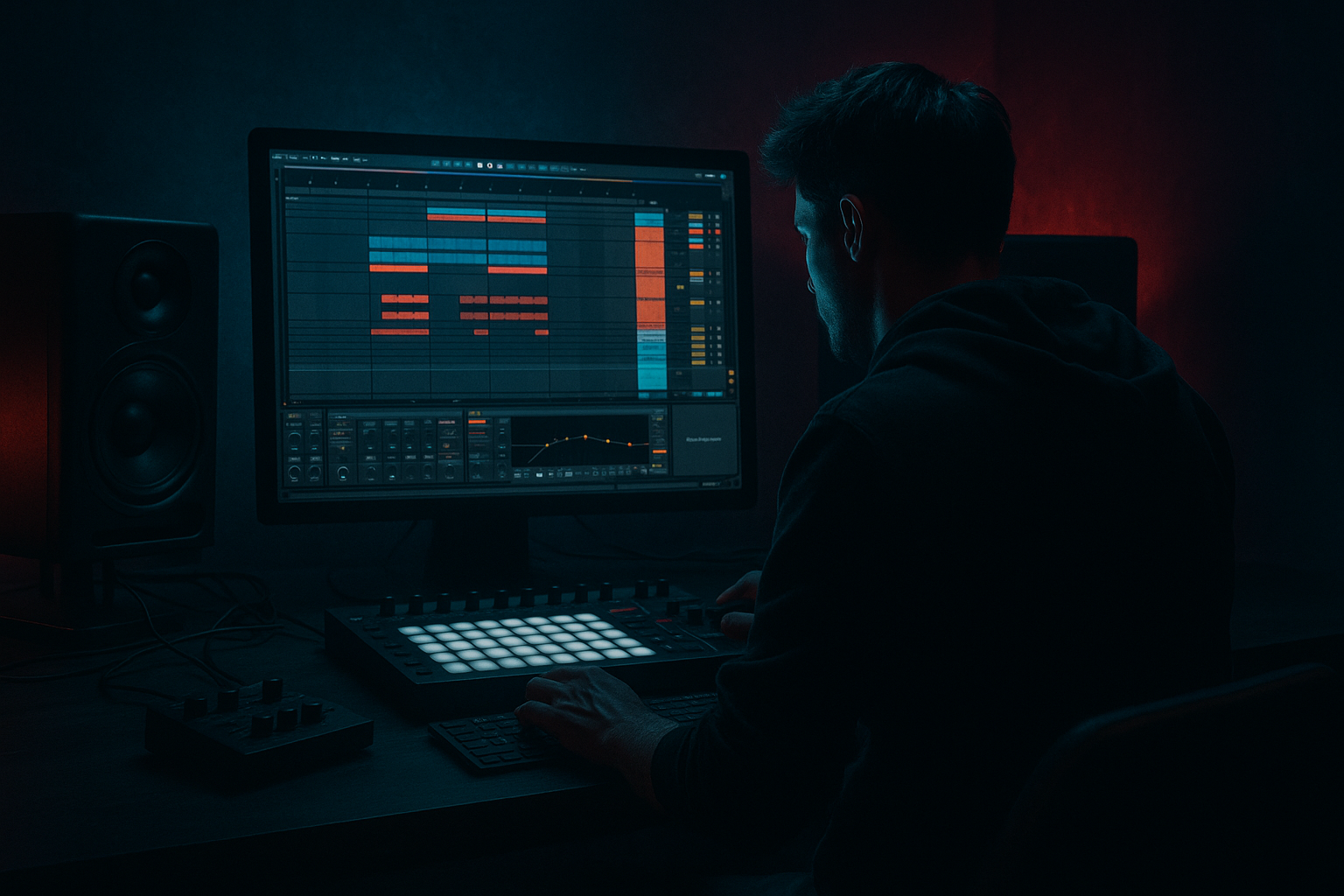
Main tutorial
Lesson Overview
This lesson is about building an oldskool DnB breakbeat drive using a think-system, resampling-first workflow in Ableton Live 12: not just chopping a break, but turning it into a reusable engine that can carry a full roller, jungle-leaning, or darker dancefloor section.
The goal is to make a break feel like it is thinking ahead of the grid: the groove pushes, breathes, and mutates in small controlled ways, while still locking to the kick, sub, and arrangement. In a real DnB track, this kind of breakbeat drive usually lives in the main drop, second-drop variation, or a tension section leading into the drop, where it has to do more than just loop. It needs to create momentum, provide identity, and leave room for the bass to speak.
Why it matters musically and technically: oldskool break-driven DnB lives or dies by micro-edits, resampled texture, and phrase-level development. If you keep everything as a static loop, it quickly sounds like a demo. If you resample intelligently, you can sculpt the break into a layered rhythmic system that has weight, grit, and variation without losing punch or low-end clarity.
This technique suits jungle, classic-influenced rollers, hardcore-leaning modern DnB, darker atmospheric breaks, and aggressive mid-tempo-to-fast hybrid sections. By the end, you should be able to hear a break that feels like a finished component of a track: tight in the low mids, animated in the tops, strong against bass, and ready to evolve across 8- or 16-bar phrasing.
What You Will Build
You will build a resampled oldskool breakbeat drive system in Ableton Live 12: a break that has been cut, processed, printed, and reassembled into a more intentional DnB groove.
The finished result should feel:
- Sonic character: dusty, punchy, slightly torn-up, with controlled grit and a touch of analogue-style compression and saturation
- Rhythmic feel: forward-moving, syncopated, with ghost notes and tiny timing offsets that make the groove push without rushing
- Role in the track: the rhythmic engine under a bassline or the main groove feature in a stripped-back drop
- Mix readiness: clean enough to sit under sub and bass without masking the kick, with mono-safe low end and controlled top-end bite
- Success criteria: it should sound like a deliberate DnB break system, not just a loop with effects. You should hear movement across 4, 8, and 16 bars, and the break should remain readable when the sub comes in.
- Use contrast, not constant aggression. A darker break feels heavier when the groove has tiny pockets of space. Pull a few ghost notes out before the snare and the hit feels bigger.
- Split texture from body. Resample the break twice: once for the core drum body, once for dirty top artifacts. Process them separately so the mix stays readable.
- Let the snare breathe. In heavier DnB, a snare that is slightly less processed often cuts better than one that has been crushed into a rectangle.
- Use filtered repeats as tension, not decoration. A band-passed 1/2-bar repeat leading into a snare can create serious menace if it is brief and purposeful.
- Keep sub movement simpler than the break. If the break is active, the bass can be more restrained. That separation gives the section more authority on a club system.
- Print transient-heavy fills. A sharp fill hit, resampled and placed before a drop, often works better than trying to automate a lot of separate MIDI pieces.
- Treat top-end grit as arrangement, not just tone. Open the hats or break texture in later sections so the second drop feels brighter without needing a totally new sound.
- Use only one break source
- Use only Ableton stock devices
- Make one clean version and one dirtier resampled version
- Keep the core snare centered and mono-safe
- No more than two automated moves
- a 4-bar loop with one turnaround
- a second printed variation for a later section
- a quick low-end check against a simple sub or bass note
- Start with a break that has real internal motion.
- Chop for musical function, not just convenience.
- Resample early so you can commit and shape the groove like a performance.
- Keep the core kick/snare stable, and let texture layers evolve.
- Decide clearly whether the break or the kick owns the low end.
- Build phrase-level variation so the loop becomes part of the arrangement.
- Check everything in context with bass and mono before you call it finished.
Step-by-Step Walkthrough
1. Choose a break with strong internal motion, then decide what job it will do
Start with a break that already has character: Amen, Think, a dusty funk break, or a similar oldskool source with clear ghost-note detail and a solid snare accent. In Ableton, drag it into an audio track and set the clip to warp only if you need tempo sync. If the break already feels good at your project tempo, avoid over-warping it into submission; you want the natural drag and push to remain part of the feel.
Decide early what role the break has:
- A: backbone break — it carries the main groove almost alone
- B: support break — it sits under a kick/snare or bass-led section and adds motion
For a backbone break, keep more of the original transient shape and let the break breathe. For support, you can be more aggressive with filtering, gating, and resampling because another layer will provide weight.
What to listen for: the break should already have at least one strong snare hit and enough ghosted texture to survive chopping. If it feels flat in the first 2 seconds, it will usually stay flat after processing.
2. Slice the break into usable performance chunks
Use Ableton’s transient-based slicing workflow to turn the break into manageable pieces. Slice by transients or manually place warp markers and cut the key hits into separate clips. Think in musical roles, not just hits:
- kick-heavy downbeat
- snare backbeat
- ghost hats and tail fragments
- fill or turnaround pieces
- “junk texture” tails that can become transitions
Don’t over-fragment it. Advanced break programming is often about preserving the shape of the original groove while making the important events editable. A useful rule: if a slice does not change the feel when muted, it probably does not need to be its own lane yet.
Put the slices on a drum rack or keep them on the timeline, depending on how fast you want to perform variations. If you need speed, Drum Rack is efficient. If you want phrase-level editing and comping, keep it linear for now.
Workflow tip: color-code kicks, snares, hats, and fills immediately. In long DnB sessions, this saves you from committing a stupid routing mistake at 2 a.m.
3. Build the first groove pass with deliberate timing, not quantize-to-death
Program a 1- or 2-bar core pattern from the slices. Keep the big backbeat clear, then place ghost notes around it to create forward motion. For oldskool DnB, the groove often works best when the main snare lands confidently, but the surrounding slices are slightly humanized.
Try these timing ideas:
- nudge select ghost hits 5–15 ms late for drag and swagger
- push certain hats 2–8 ms early to create urgency
- leave the main snare more stable than the surrounding texture
- use small velocity differences, especially on repeated hats or shuffles
In Ableton, use the clip envelope or note velocity to shape this. If you are working in MIDI with slices, don’t quantize everything at 100%. A slightly imperfect break often sounds more like real DnB than a rigidly “correct” one.
What to listen for: the groove should feel like it is leaning forward without hurrying. If it sounds nervous, you’ve pushed the timing too far. If it sounds machine-flat, you’ve removed the break’s personality.
4. Resample the groove once the basic pocket works
This is the “think system” moment: stop treating the break as the final source and start treating it as an input to be printed.
Route the break to a new audio track and record a pass of:
- the raw chopped break
- the break with a first processing chain
- or the break plus a light pre-bus
Once printed, you can edit the audio in a much more decisive way. This is where oldskool drive becomes a modern production asset: you are no longer just looping a break, you are capturing a performance that can be re-edited into new shapes.
Commit this to audio if the groove feels good but the clips are still too flexible to make hard decisions. Printing forces commitment and makes later editing faster.
Why this works in DnB: resampling locks in transient behavior and texture in a way that MIDI-only editing often cannot. It also makes layered break systems easier to manage with bass because you can control exactly what frequency and transient material survives.
5. Process the printed break with one of two stock-device chains
Now choose the flavour based on the track direction.
Chain A: cleaner pressure with controlled grit
- Drum Buss: Drive around 5–15%, Crunch low to moderate, Boom off or very subtle unless you are carving it carefully
- Saturator: Soft Clip on, Drive around 2–6 dB
- EQ Eight: high-pass gently around 25–35 Hz if needed, tame any harsh 3–6 kHz spikes, and trim mud around 200–400 Hz if the break is crowding the bass
This version suits rollers, tighter dancefloor DnB, and any mix where the break must sit under a strong sub.
Chain B: darker, dirtier, more torn
- Drum Buss: Drive 10–25%, Crunch higher, Transients slightly reduced if the snare is too spiky
- Saturator or Pedal: add harmonics and hair, but do not obliterate the snare edge
- Auto Filter: automate a gentle band-pass or low-pass motion for tension sections
- EQ Eight after saturation: correct the new low-mid congestion and tame fizzy top-end if the grit got too bright
This version suits jungle-inspired drops, dark halftime-to-DnB hybrids, and sections that need menace.
A useful parameter check: if the break loses all stick definition after saturation, back off the drive and keep the transient shape in the front end. If the snare still hits but the body gets denser, you are in the right zone.
6. Layer the break with a low-end-aware support drum strategy
Do not assume the break alone can carry the entire bottom octave. In DnB, the break often provides rhythmic identity, while the kick/sub relationship carries the weight.
Build a support layer using one of two approaches:
- Option A: preserve the break’s kick content and design the bass around it
- Option B: thin the break’s low end and let a separate kick or sub-kick define the punch
For Option B, high-pass the break more aggressively, often somewhere around 80–140 Hz depending on source and arrangement. That lets the kick and sub occupy the foundation without the break turning cloudy.
If you are using a separate kick, compare the two together in context. The break snare should not swallow the kick transient, and the kick should not flatten the break’s rhythmic character. If the whole pattern feels heavy but slow, you probably have too much low-mid overlap around 120–250 Hz.
What to listen for: the groove should still feel like the break is driving, even when the sub comes in. If the bass makes the break disappear, your frequency hierarchy is wrong, not your break choice.
7. Create a 4-bar phrase with call-and-response and a deliberate turnaround
A strong oldskool DnB break system is rarely a 1-bar loop. Make a 4-bar statement:
- Bars 1–2: core groove
- Bar 3: slight variation, maybe a ghost-note displacement or extra snare pickup
- Bar 4: turnaround fill or a printed break fragment leading back to bar 1
Use resampled fragments for the turnaround instead of just dropping a generic fill. A reversed cymbal tail, a stretched snare smear, or a chopped hat burst can all work if they feel like they came from the same source.
Place a short call-and-response between break and bass:
- break hits create the question
- bass answers on the offbeat or after the snare
This is especially effective in rollers and darker DnB where the groove has to stay lean. The break should not be busy for the sake of it; it should create space for the bassline to feel intentional.
Arrangement example: use the 4-bar break phrase through the first 8 bars of the drop, then on bars 9–16 increase density with a second resampled pass, more top-end fragments, or a slightly altered snare tail.
8. Automate movement, but only on the right layers
Resampling gives you a lot of options, but not every element should move equally. In a DnB break system, the low-mid body should often stay relatively stable while the top fragments and texture layers evolve.
Use automation on:
- Auto Filter cutoff for tension sections
- Reverb amount only on tails or fills, not on the main snare body
- Delay on isolated fragments for quick momentum bumps
- Volume rides on hats or ghost layers to create “lift” into phrase changes
Keep automation subtle on the main break stem. Big filter sweeps on the entire groove can wreck the dancefloor function. Instead, automate only the resampled top layer or a fill bus so the core pulse remains stable.
A smart DnB move is to automate a slight high-cut opening over 8 bars, then snap it back down at the drop. That gives the ear a sense of lift without destroying clarity.
9. Check the break in full track context before polishing
Stop thinking in solo. Put the break against:
- sub
- bass mid layer
- a simple top loop or hat layer
- the first 8 bars of the arrangement
This is where you find out if the break is actually doing the job. In context, the break should:
- keep its snare identity
- leave room for the sub to feel deep
- avoid smearing the kick attack
- maintain energy when the bass repeats
If the groove loses impact when the bass comes in, reduce the break’s low mids first before boosting anything. If the break disappears in the mix, check whether the bass layer has too much presence around 200–500 Hz or if the break needs more transient contrast rather than more volume.
Mono-compatibility note: if you have widened any break fragments, keep the foundational kick/snare content effectively mono. Widen only the top texture or transient wash. Oldskool drive dies fast when the center loses authority.
10. Final polish: print the best version and build a second-drop evolution
Once the groove is working, print your best resampled pass and make a second version. The second drop should not be a copy. It can be:
- a more stripped break with more bass
- a dirtier resample with more crunch
- a broken-up fill version with extra edits
- a filtered intro-like variation that then opens up
This is where resampling pays off hardest: you can move from a simple loop to a track-level narrative. Use the printed audio to create a one-bar variation, a half-bar pickup, and a longer 8-bar evolved section.
Success here sounds like this: the break is recognizable, but the listener feels motion across sections. It still hits like DnB, but it has enough change to keep DJs and dancers engaged beyond the first loop.
Common Mistakes
1. Over-quantizing the break
- Why it hurts: the groove loses its push-pull and starts sounding like a copied MIDI pattern instead of a living break
- Fix: back off grid correction, leave ghost hits slightly late or early, and keep only the main snare tightly anchored
2. Letting the break and sub fight in the low end
- Why it hurts: the mix becomes cloudy, the kick loses definition, and the drop feels heavy but smaller
- Fix: high-pass the break more aggressively, trim 120–250 Hz if needed, and decide whether the break or kick owns the low end
3. Saturating the entire break stem too hard
- Why it hurts: the snare flattens, hats turn fizzy, and the loop loses dynamic contrast
- Fix: use lighter drive on the main stem, or split the break into body and texture layers so only the upper layer gets smashed
4. Building a loop that never develops
- Why it hurts: it works for 4 bars and then dies
- Fix: create a 4-bar phrase with a turnaround, then print a second resampled version with one or two deliberate changes
5. Widening the whole break
- Why it hurts: the center collapses in mono and the groove stops feeling solid on club systems
- Fix: keep kick/snare and core transient content centered; only widen top texture, ambience, or one-shot fills
6. Adding too much reverb to the main break
- Why it hurts: transients blur, the snare loses weight, and the rhythm gets smeared
- Fix: use reverb on isolated fill fragments or send return hits, not on the full break body
7. Ignoring the bassline when polishing the break
- Why it hurts: a break that sounds great solo can still fail in the track
- Fix: always check the break against bass and arrangement before calling it finished
Pro Tips for Darker / Heavier DnB
Mini Practice Exercise
Goal: build one 4-bar resampled oldskool break phrase that can sit under a DnB bassline without collapsing the low end.
Time box: 15 minutes
Constraints:
Deliverable:
Quick self-check:
Play the loop with bass. If the groove still feels urgent when the bass enters, the snare remains clear, and the low end does not blur around the kick, you’ve got a usable DnB break system. If the loop only works solo, go back and reduce low-mid clutter and simplify the processing.

