DNB COLLEGE

Drum & Bass Ableton Live 12 Tutorials

LESSON DETAIL

Think: rewind moment route using Session View to Arrangement View in Ableton Live 12 for jungle oldskool DnB vibes (Beginner)

An AI-generated beginner Ableton lesson focused on Think: rewind moment route using Session View to Arrangement View in Ableton Live 12 for jungle oldskool DnB vibes in the Composition area of drum and bass production.

Back to lessons
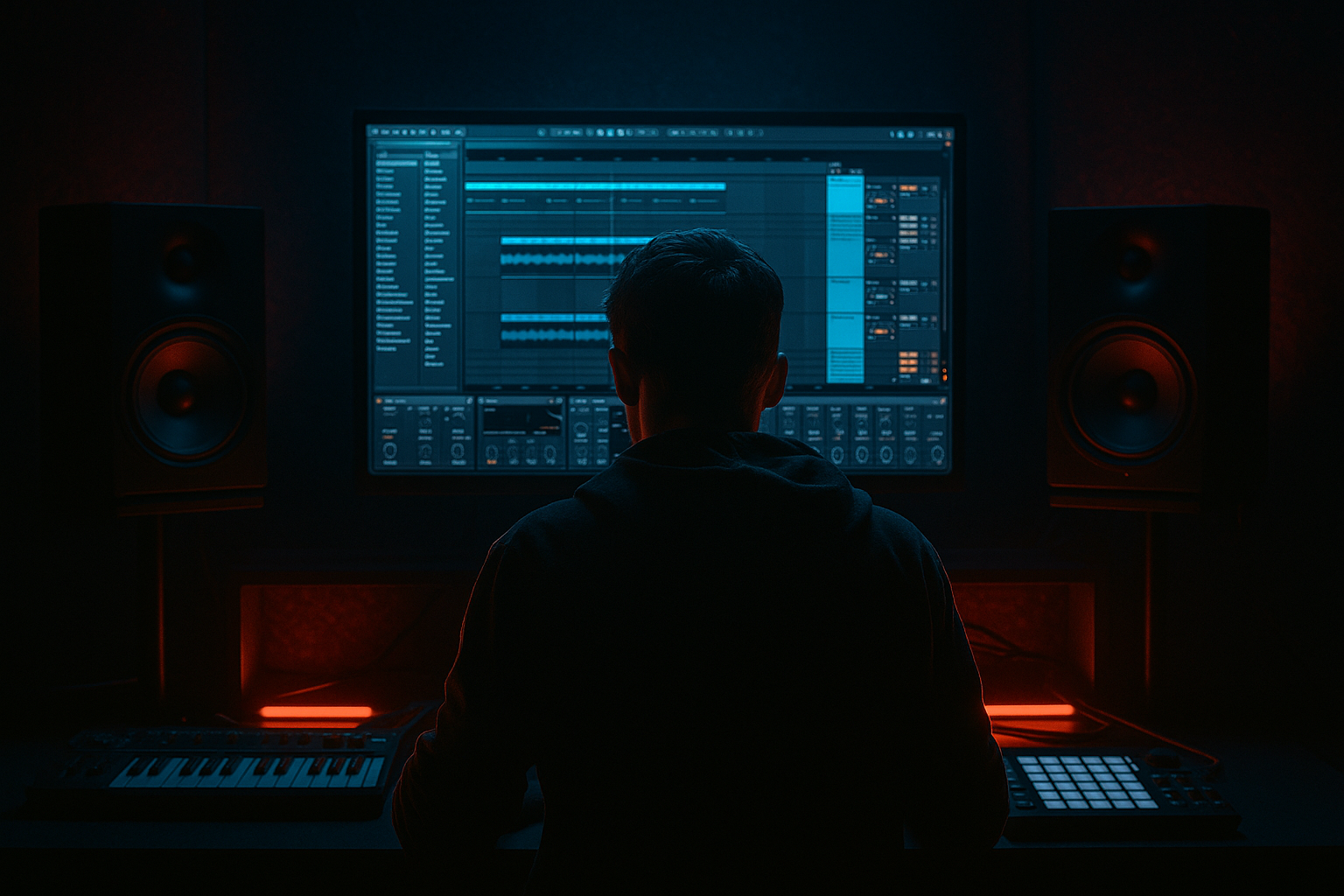
Think: rewind moment route using Session View to Arrangement View in Ableton Live 12 for jungle oldskool DnB vibes (Beginner) cover image

Narrated lesson audio

The voice track includes the tutorial plus extra teacher commentary.

Open audio file

Main tutorial

1) Lesson overview 🎛️

In classic jungle and oldskool DnB, that “think… rewind!” moment is a hype control tool: you slam the brakes, tease the drop, and pull the crowd back into the groove. In Ableton Live 12, the fastest way to build it is to jam variations in Session View, then print them into Arrangement View and do a clean, DJ-style rewind edit.

This lesson shows a beginner-friendly route that still feels authentic: Think break energy, short dubby vocal, tape-stop style rewind, and a punchy restart.

---

2) What you will build 🔥

You’ll create a short DnB section that goes:

1. Rolling groove (8 bars)

2. Hype call / “rewind” cue (1 bar)

3. Rewind moment (1–2 bars): stutter + tape slowdown + spinback feel

4. Drop restart (8 bars): same groove, but with extra weight + crash

You’ll end with a Session View set of clips (your “performance”), and a finished Arrangement containing a tight rewind edit.

---

3) Step-by-step walkthrough ✅

A) Project setup (tempo, grid, basic routing)

1. New Live Set

2. Set tempo to 170 BPM (classic jungle/DnB zone).

3. In the top bar, enable:

- Metronome (for building)

- Global Quantization: 1 Bar (important for clean clip launching)

Track layout suggestion

  • Track 1: Drums – Break
  • Track 2: Drums – Kick/Snare reinforcement
  • Track 3: Bass
  • Track 4: Vocal/FX (“rewind!”)
  • Track 5: Master FX (optional bus)
  • ---

    B) Build the core groove in Session View (your “jam blocks”)

    #### 1) Breakbeat clip (Think-style vibe)

    Option 1: Use a break sample

  • Drag a break (Think/amen-type) into Track 1 as an audio clip.
  • In the Clip View:
  • - Turn Warp ON

    - Warp Mode: Beats

    - Preserve: Transients

    - Set Loop to 1 or 2 bars to start

  • Right-click the sample → Slice to New MIDI Track
  • - Slicing preset: Built-in (or Transient)

    - This gives you a Drum Rack you can reprogram quickly.

    Quick “oldskool bounce” MIDI idea (1 bar)

  • Program a pattern emphasizing:
  • - Snare on 2 and 4

    - Ghost notes on hats and little kicks around the snare

    Add stock processing on the break track

  • EQ Eight
  • - HP filter around 30–40 Hz (clean rumble)

    - Small dip around 300–500 Hz if boxy

  • Drum Buss
  • - Drive: 5–15%

    - Boom: low, tune ~50–70 Hz (subtle)

    - Transients: slightly up if it needs snap

    #### 2) Reinforcement (kick/snare layer)

    On Track 2, add a Drum Rack with:

  • A tight kick (short)
  • A crisp snare (or snare + clap)
  • Processing

  • Saturator (Soft Clip ON)
  • EQ Eight: carve lows from snare layer (HP ~150 Hz), and carve highs if harsh.
  • Goal: keep the break “real,” but make it club-stable.

    ---

    C) Make Session View scenes for arrangement-ready structure

    In Session View, create Scenes (rows) like this:

    1. Scene 1: Roll 1 (8 bars)

    2. Scene 2: Roll 2 (8 bars) (variation)

    3. Scene 3: Hype (1 bar) (vocal/FX)

    4. Scene 4: Rewind (1–2 bars)

    5. Scene 5: Drop Restart (8 bars)

    Set clip lengths

  • For Roll scenes: set clips to 8 bars (or 4 if you prefer)
  • Hype: 1 bar
  • Rewind: 1–2 bars (your choice)
  • Tip: Rename clips clearly: `ROLL_A`, `ROLL_B`, `HYPE`, `REWIND`, `DROP`.

    ---

    D) Create the “rewind moment” in Session View (practical + controllable)

    You’ll use three layers: (1) stutter, (2) tape slowdown, (3) DJ spinback vibe.

    #### Layer 1: Stutter/Repeat (fast and musical)

    On your Drums – Break track, duplicate your rolling clip into a new clip called REWIND_STUTTER.

    Inside the clip:

  • Edit the last 1 beat (or last 1/2 bar) into repeated hits.
  • Easiest method:
  • - Switch to Arrangement temporarily if you prefer editing audio visually, OR

    - If sliced to Drum Rack: repeat a snare/kick fragment in MIDI (16ths/32nds)

    DnB-friendly stutter rhythm

  • Last 1/2 bar: 1/8 notes → then 1/16 notes → then 1/32 burst right before stop.
  • #### Layer 2: Tape slow-down feel (simple stock device method)

    On the Drums – Break track, add:

  • Redux (yes, it can fake crunchy slowdown energy)
  • Auto Filter
  • Optional: Reverb (very short)
  • For the rewind clip only, automate (later in Arrangement) a quick “downshift”:

  • Auto Filter: automate cutoff from ~12 kHz down to ~500 Hz
  • Redux: automate Downsample slightly (adds “degrading tape” vibe)
  • Reverb: automate Dry/Wet from 0 to 10–20% (just a smear)
  • We’ll record this automation by performing it in Session → Arrangement soon.

    #### Layer 3: The “spinback” cue (FX + vocal)

    On Track 4 (Vocal/FX):

  • Drop a short vocal like “rewind!” or “pull it up!”
  • Add Echo
  • - Time: 1/8 or 1/4

    - Feedback: 20–35%

    - Filter: darken it (HP ~200 Hz, LP ~6–8 kHz)

  • Add Reverb
  • - Decay: 1.2–2.5s

    - Dry/Wet: 10–25%

    Make a 1-bar clip called HYPE that hits right before the rewind.

    ---

    E) Jam it in Session View like a DJ 🎚️

    1. Turn on Session Record (top bar, circle icon).

    2. Launch scenes in order:

    - Roll 1 → Roll 2 → Hype → Rewind → Drop Restart

    3. While “Rewind” plays:

    - Move Auto Filter cutoff down quickly

    - Increase Echo feedback briefly on the vocal track

    - Optionally, hit Mute on bass for 1 moment to make the rewind feel dramatic

    You are performing your rewind. Live records it.

    ---

    F) Print to Arrangement View (Session → Arrangement workflow)

    Now you’ll commit the performance into a song timeline.

    1. Press Tab to go to Arrangement View.

    2. You should see your clips laid out in time.

    3. Press Space to play and confirm the flow.

    4. Clean it up:

    - Delete extra takes/accidental launches

    - Consolidate sections:

    - Select the rewind region → Cmd/Ctrl + J (Consolidate) for tidy editing

    ---

    G) Make the rewind hit like oldskool jungle (tight edit moves)

    Here’s a beginner-friendly, high-impact arrangement trick:

    #### 1) Hard stop + restart

    At the end of the “Hype” bar:

  • Add a short silence (like 1/8–1/4 beat) before the rewind begins.
  • Do this by cutting the audio and removing a tiny chunk.
  • This micro-gap screams “rewind incoming” without needing fancy FX.

    #### 2) Rewind “ramp”

    In the rewind bar(s), automate:

  • Track Volume: slight dip (crowd pullback)
  • Auto Filter cutoff: sweep down fast
  • Drum Buss Drive: brief push (adds aggression) then back
  • #### 3) Drop restart impact

    On the first beat of the restart:

  • Add a crash or ride hit
  • Add a sub drop (short sine sweep) if you have one
  • Add a 1-bar noise riser into the restart
  • Stock devices for impact:

  • Drum Buss on drum bus (punch)
  • Limiter (only to catch peaks, don’t crush)
  • Saturator on bass for presence
  • ---

    H) Quick bass idea (so it feels like real DnB)

    On Track 3, add Wavetable:

  • Osc 1: Basic Shapes (sine-ish or triangle-ish)
  • Filter: LP24
  • Envelope: short decay for movement
  • Simple rolling pattern:

  • Notes around F or G (try F1/G1)
  • Rhythm: 1/8 notes with occasional syncopation
  • Sidechain with Compressor (Sidechain from drum track / kick layer)
  • - Ratio ~4:1

    - Attack 2–10 ms

    - Release 60–120 ms

    Mute bass during the rewind, then slam it back on restart. That’s the “pull-up” drama.

    ---

    4) Common mistakes 🚫

  • Launching clips with wrong quantization: If Global Quantization isn’t set (try 1 Bar), your rewind will feel messy/off-grid.
  • Over-warping break samples: Warping can kill groove. Use Beats mode and avoid extreme stretching.
  • Too long rewind: In DnB, rewinds are usually quick. 1–2 bars is plenty.
  • No contrast before restart: If everything stays loud, the restart won’t feel big. Create a dip (mute bass, filter down drums, short gap).
  • Clipping on the rewind FX: Echo feedback + saturation can spike. Watch meters; use a Limiter gently if needed.
  • ---

    5) Pro tips for darker/heavier DnB 🌑

  • Resample the rewind: Route drums to an audio track and Resample the rewind moment, then re-edit it tighter. This gives “printed” grit.
  • Add metallic texture: Very subtle Corpus on a drum bus (low mix) can add cold, industrial edge.
  • Parallel dirt bus:
  • - Create a Return track with Saturator → EQ Eight (band-limit) → Compressor

    - Send breaks/snare to it lightly for nastier crunch.

  • Sub discipline: Keep sub clean and consistent; let the rewind remove sub entirely, then bring it back hard on restart.
  • Short, dark space: Use Reverb with short decay and lowpass the reverb return (EQ Eight) to keep it ominous, not washy.
  • ---

    6) Mini practice exercise 🧩

    Do this in 15–20 minutes:

    1. Create 3 Session scenes only:

    - `ROLL (8 bars)`

    - `REWIND (1 bar)`

    - `RESTART (8 bars)`

    2. In `REWIND`, do:

    - 1/2 bar stutter (16ths → 32nds)

    - Auto Filter sweep down to ~500 Hz

    - Bass muted for the entire bar

    3. Record your scene launches into Arrangement.

    4. In Arrangement, add:

    - 1/8 beat silence right before rewind

    - Crash on restart

    Export a 20–30 second WAV and listen on headphones: does the restart feel bigger than the roll?

    ---

    7) Recap 🏁

  • Session View is your performance lab: build roll/hype/rewind/restart as separate clips and scenes.
  • Record that performance into Arrangement using Session Record.
  • The rewind impact comes from contrast: stutter → filter down → brief gap → restart with full drums + bass.
  • Stock devices (EQ Eight, Drum Buss, Auto Filter, Echo, Saturator, Compressor) are more than enough to nail the vibe.

If you want, tell me what drum source you’re using (clean break sample vs sliced Drum Rack vs built-in packs) and I’ll suggest a specific rewind stutter pattern and a tight 16-bar arrangement template.


Ask GPT about this lesson

Chat with the lesson tutor, get follow-up help, or use quick actions.

Bigup 👽 Ask me anything about this lesson and I’ll answer in context.

Narration script

Show spoken script
Welcome in. Today we’re doing a classic jungle and oldskool drum and bass move: the “think… rewind!” moment.

This is that hype control trick where the music slams the brakes, the crowd gets teased for a second, and then the drop restarts with even more weight. And the quickest way to build it in Ableton Live 12, especially as a beginner, is to jam it in Session View like a DJ, then record that performance into Arrangement View and tighten the edit.

By the end, you’ll have two things:
First, a Session View setup with clips and scenes you can launch like a mini performance.
Second, a finished Arrangement with a clean rewind moment that feels authentic, not cheesy.

Alright, let’s set the room up.

Start with a new Live Set. Set your tempo to 170 BPM. That’s the sweet spot for jungle and oldskool DnB energy.

Up in the top bar, turn on the metronome for now, just while we build. And set Global Quantization to 1 Bar. This matters a lot. If quantization is wrong, your clip launches will feel messy and the rewind moment won’t land clean.

Now make a simple track layout so you’re not hunting around later.
Track 1 is Drums – Break.
Track 2 is Drums – Kick and Snare reinforcement.
Track 3 is Bass.
Track 4 is Vocal or FX, like your “rewind!” cue.
And optionally Track 5 can be a master FX or bus track, but we can keep it simple for now.

Now we’re going to build the core groove in Session View. Think of Session View like a DJ control panel, not just a loop grid. We’re going to keep the clips straightforward, and we’ll put the drama into how we perform it: mutes, filter sweeps, echo throws.

On Track 1, bring in a break sample. Think break, Amen-ish, anything in that family works. Drag it into an empty clip slot.

Click the clip so you see it in the Clip View. Turn Warp on. Set Warp Mode to Beats. And set Preserve to Transients. This usually keeps the groove punchy.

Set the loop to one or two bars to start. You can go longer later, but one or two bars is perfect for building.

Now here’s a super beginner-friendly way to get that oldskool bounce fast: right-click the sample and choose Slice to New MIDI Track. Use the built-in slicing or Transient preset.

Now you’ve got a Drum Rack with slices of the break. This is great because you can reprogram stutters and little edits without doing complicated audio chopping.

Make a simple one-bar pattern. Keep it classic: snare on 2 and 4, and then sprinkle a few ghost notes and little kicks around it. The goal is not perfection, it’s attitude. If it makes you nod your head, it’s working.

Now process the break just enough to feel solid.

Add EQ Eight on the break track. High-pass around 30 to 40 Hz to clear rumble that will fight your sub later. If it sounds boxy, try a small dip around 300 to 500 Hz.

Add Drum Buss. Drive somewhere around 5 to 15 percent. Keep Boom subtle, tuned around 50 to 70 Hz if you use it at all. And if the break feels soft, push Transients up a touch. We’re aiming for punch without murdering the groove.

Now Track 2: reinforcement. This is the modern trick that still keeps the break feeling real. Add a Drum Rack with a tight short kick and a crisp snare, or a snare plus clap layer.

Put a Saturator on it with Soft Clip turned on. Then EQ Eight: high-pass the snare layer around 150 Hz so the lows don’t get messy. And if anything’s painfully sharp, shave a little top end.

The mindset here is: the break provides character, the reinforcement provides stability.

Now let’s create structure using scenes. In Session View, we’ll make rows that represent the sections of the moment.

Create five scenes and name them clearly.
Scene 1: Roll 1, 8 bars.
Scene 2: Roll 2, 8 bars, a variation.
Scene 3: Hype, 1 bar.
Scene 4: Rewind, 1 to 2 bars.
Scene 5: Drop Restart, 8 bars.

If your roll clips are currently one bar loops, that’s okay. You can still record an 8 bar section by letting it repeat, but it’s often nicer to set clip length to 8 bars and add a tiny variation or fill near the end. Even one small change helps it feel like a real arrangement, not a loop.

Rename the clips too. Roll A, Roll B, Hype, Rewind, Drop. When you’re performing and recording, clear names keep you from panicking.

Now the main event: building the rewind moment in Session View in a practical, controllable way.

We’re going to think of it as three layers.
Layer one is stutter or repeat.
Layer two is tape slowdown vibe.
Layer three is the spinback cue, meaning vocal and FX that tell the listener what’s about to happen.

Layer one: stutter.
On the break track, duplicate your rolling clip into a new clip slot and call it REWIND_STUTTER.

In that clip, we want the ending to get more frantic. A DnB-friendly pattern is: last half bar goes eighth notes, then sixteenth notes, then a quick thirty-second burst right before the stop.

If you sliced the break to a Drum Rack, this is easy: just repeat a slice, often a snare or a crunchy hit, and speed up the rhythm. If you’re working with raw audio, you can also temporarily jump to Arrangement View to cut and repeat visually, then come back. Either way is fine.

Layer two: tape slowdown feel.
On the break track, add Auto Filter and Redux. Yes, Redux. We’re not using it like “8-bit chiptune,” we’re using it to help sell that degrading, downshifting energy.

For now, don’t automate yet. Just get ready to perform it.
Auto Filter will sweep down from bright to dark, like 12 kHz down to around 500 Hz.
Redux can have its Downsample nudged a bit during the rewind to make things feel like they’re falling apart in a satisfying way.
Optional: add a tiny short reverb. Just a smear, not a wash.

Layer three: the spinback cue.
On Track 4, bring in a short vocal like “rewind!” or “pull it up!” Put it into a one-bar clip. Name it HYPE.

Add Echo. Set the time to one-eighth or one-quarter. Feedback around 20 to 35 percent. Darken the echo with the built-in filter so it’s not too bright: high-pass around 200 Hz, low-pass around 6 to 8 kHz.

Add a Reverb after it. Decay around 1.2 to 2.5 seconds, and keep the mix modest, like 10 to 25 percent. You want space and hype, but you still want it to punch.

Now we’re going to jam it like a DJ, and this is where it becomes fun.

Before you record, quick coach tip: do two passes if you want a cleaner result.
Pass one is just structure: launch scenes cleanly in order, no knob moves.
Pass two is performance: same scene order, but now you do the filter sweep, echo throw, and mutes.
You can keep whichever pass is better, or even steal the automation from one and the clip placement from the other.

Let’s do it.

Turn on Session Record. That’s the circle up in the top bar.

Launch Roll 1. Let it ride for 8 bars.
Then launch Roll 2.
Then launch Hype for one bar.

Right after the hype bar, launch Rewind.

While Rewind is playing, perform the slowdown:
Pull the Auto Filter cutoff down fast so the drums go from bright to underwater.
Increase Echo feedback briefly on the vocal if you want that “call hanging in the air” feeling.
And here’s the physical part: mute the bass during the rewind. Removing weight is what makes the pull-up feel real. The restart hits harder because the low end disappears, then snaps back.

Then launch Drop Restart and bring everything back at full power.

Nice. Now we print it to Arrangement.

Press Tab to go to Arrangement View. You should see your performance laid out on the timeline. Press Space to play and check the flow.

Now clean it.
If you accidentally launched a wrong clip or doubled something, delete those bits.
Select the rewind region and consolidate it with Command J on Mac or Control J on Windows. That makes it easier to edit as a clean chunk.

Now we do a few tight arrangement moves to make it hit like oldskool.

First: the hard stop micro-gap.
Right at the end of the hype bar, cut out a tiny slice of time. Think one-eighth beat to one-quarter beat. Just a tiny silence.
That little vacuum is the “everyone leans forward” moment. It screams rewind incoming without needing fancy plugins.

Second: the rewind ramp.
During the rewind bar, automate three things.
Automate track volume to dip slightly, like the room is pulling back.
Automate Auto Filter cutoff to sweep down quickly.
And if you want extra aggression, automate Drum Buss Drive up briefly then back down. It should feel like strain, then release.

Third: the restart impact.
On the first beat of the restart, add one strong marker: a crash, or a ride hit. If you have a sub drop, you can add it, but keep it short. You’re trying to frame the downbeat, not overwhelm it.

Also, this is a good moment to add tiny clip fades around your cuts. Not long fades, just enough to avoid clicks while keeping it sharp.

Now, quick bass so it feels like real DnB.

On Track 3, add Wavetable. Choose a basic shape that’s sine-ish or triangle-ish. Put a low-pass filter, like LP24, and give the filter envelope a short decay so it has a bit of movement.

Program a simple rolling pattern around F1 or G1. Mostly eighth notes with a little syncopation is enough.

Add a Compressor with sidechain from your kick or drum reinforcement. Ratio around 4 to 1, attack 2 to 10 milliseconds, release 60 to 120 milliseconds. You’re going for bounce and space, not extreme pumping.

And again, mute bass during the rewind, then slam it back right on the restart. That’s the drama.

Before we wrap, let’s dodge the common beginner mistakes.

Make sure Global Quantization is set to 1 Bar, or your scene launches won’t land right.
Don’t over-warp the break. Beats mode is your friend, and avoid extreme stretching that kills groove.
Keep the rewind short. One to two bars is plenty.
Make sure there’s contrast before the restart: a bass mute, a filter-down, a micro-gap. If everything stays loud, the restart won’t feel big.
And watch clipping. Echo feedback plus saturation can spike fast. Keep an eye on meters, and if needed, use a limiter gently to catch peaks, not to crush.

Now, a quick optional upgrade that makes editing way easier: commit the rewind as audio.
Once you’ve got a take you like, resample it, or freeze and flatten that section. Editing one waveform makes it much easier to place micro-gaps, reverse tiny hits, and do clean fades. This is one of those workflow moves that makes you feel way more in control.

Mini practice exercise to lock it in, 15 to 20 minutes.
Make just three scenes: Roll for 8 bars, Rewind for 1 bar, Restart for 8 bars.
In the rewind scene, do half a bar stutter that speeds up from sixteenths to thirty-seconds, sweep Auto Filter down to about 500 Hz, and mute bass for the whole bar.
Record your scene launches into Arrangement.
Then add a one-eighth beat silence right before the rewind, and a crash on the restart.
Export a 20 to 30 second WAV and listen on headphones. The key question is: does the restart feel bigger than the roll?

And that’s the whole route.
Session View is your performance lab: roll, hype, rewind, restart as scenes.
You record that performance into Arrangement with Session Record.
And the rewind impact comes from contrast: stutter, filter down, tiny gap, then full drums and bass back in.

If you tell me what you’re using for drums, a single warped audio loop or a sliced Drum Rack, I can suggest the quickest stutter pattern for three different rewind flavors: one stutter-heavy, one pitch and slowdown-heavy, and one that’s mostly silence and a single impact.

mickeybeam

Go to drumbasscd.com for +100 drum and bass YouTube channels all in one place - tune in!

Generating PDF preview…