Main tutorial
Lesson Overview
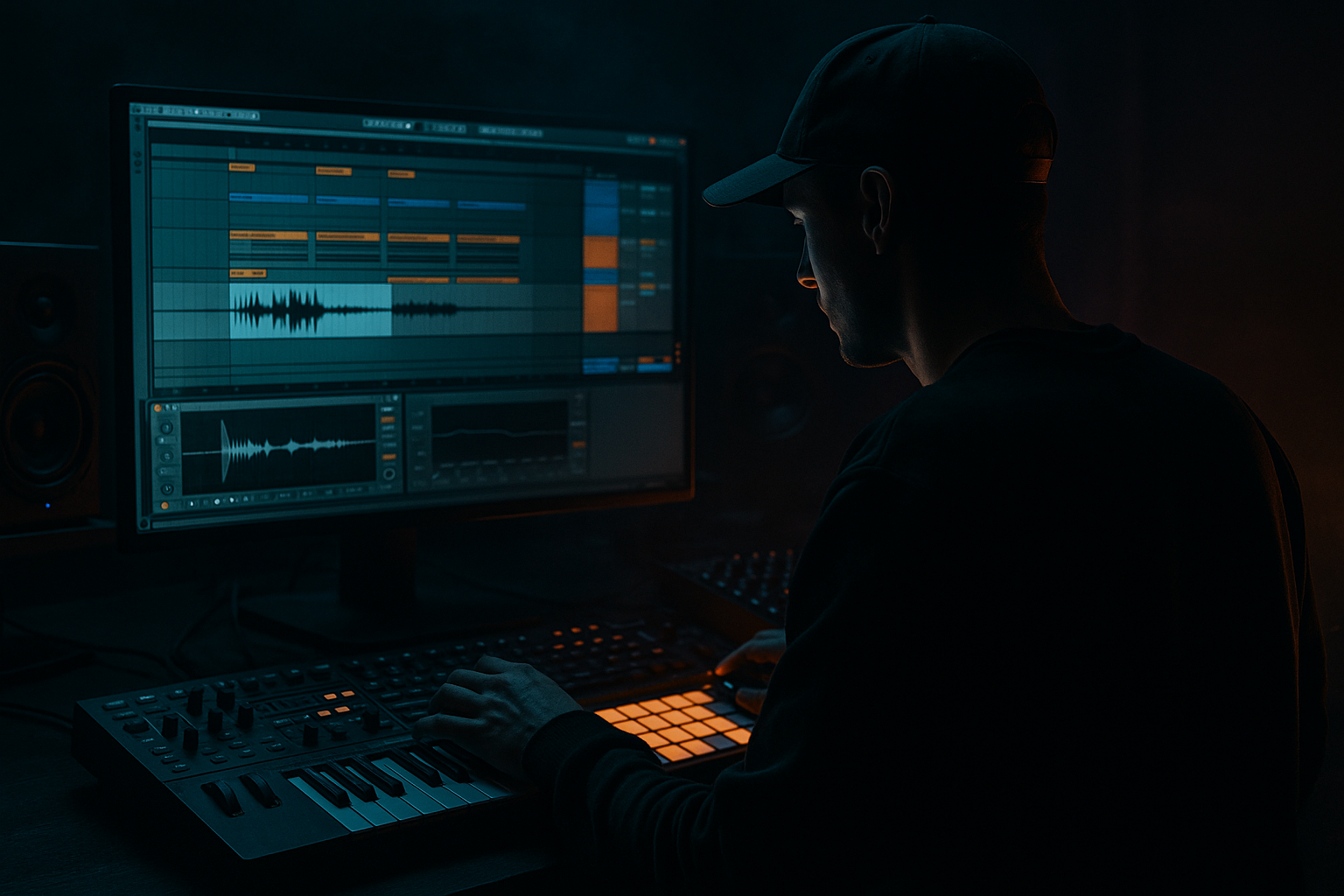
In this lesson, you’ll learn how to think jungle mid bass in Ableton Live 12: how to build a bass part that sits between the sub and the drums, supports a DnB / jungle roller, and makes your drop feel alive without overcrowding the mix. This is the kind of bass writing that gives a track its movement, identity, and bounce.
In Drum & Bass, the mid bass is often the thing that tells the listener “this is the vibe” after the sub and drums establish the foundation. It can be a rewind-style growl, a rolling reese, a warped jungle stab bass, or a dark, filtered movement line that answers the drums. If the sub is the floor and the drums are the engine, the mid bass is the character in the car 🚗
For a beginner, the biggest win is not learning a complicated sound design trick — it’s learning how to balance the bass against the drums and arrange the bass so it feels intentional. That means:
- leaving room for the kick and snare
- making the bass phrase in 2, 4, or 8-bar ideas
- using call-and-response with the break
- keeping the low end clean
- letting automation do the movement instead of stacking too many sounds
- a mono-compatible sub lane
- a mid bass reese or growl layer
- a basic drum-and-bass phrase that leaves space for the snare
- a simple automation movement using stock Ableton devices
- an arrangement idea for turning the loop into a drop section
- sub holds the low root notes
- mid bass answers the snare and break hits
- drums keep the forward push
- a small variation every 2 or 4 bars keeps it from looping like a demo
- Making the mid bass too low
- Writing bass notes over the snare
- Using too much stereo width on the bass
- Looping the same 1-bar pattern forever
- Overloading the drop with too many layers
- Ignoring headroom
- Use Saturator on the mid bass with a small Drive boost to bring out harmonics that help it cut through club systems.
- Try Auto Filter band-pass movement for a darker, more underground reese feel. Band-pass can make the bass feel focused and sinister.
- Resample a 4-bar bass loop to audio, then chop it and reverse one hit for a cheap but effective switch-up.
- Put Drum Buss lightly on a drum group to make the break feel denser and more glued.
- For a heavier roller feel, keep the bass rhythm short and repetitive, then change the last note of the phrase every 4 bars.
- If the bass feels flat, automate the filter open slightly only on the last beat of each 2-bar phrase. Small movement goes a long way.
- Use Echo very sparingly on transition hits to create depth without washing out the groove.
- For a darker edge, layer a very quiet noisy texture from Wavetable or a sampled ambience under the mid bass, then high-pass it so it stays out of the sub range.
- In DnB, the mid bass must support the drums and sub, not fight them.
- Build from simple sounds in Ableton Live 12: Operator, Wavetable, Utility, EQ Eight, Saturator, Auto Filter, Drum Buss.
- Write bass phrases that answer the break with call-and-response.
- Keep the sub mono, protect the snare space, and control the mid bass level.
- Use automation and arrangement changes every 2 or 4 bars so the loop feels like a track.
- Heavy DnB impact comes from clarity, movement, and phrasing — not just louder bass.
This matters because a lot of beginner DnB drops fail for one reason: the bass is there, but it doesn’t work with the drums. Great jungle and DnB bass writing is usually simple in note choice, but smart in rhythm, tone, and arrangement.
What You Will Build
You’ll build a 4- to 8-bar jungle mid bass loop in Ableton Live 12 that can sit over a breakbeat and sub.
By the end, you’ll have:
Musically, think of this as a dark roller / jungle hybrid:
The final result should feel like a section from a real DnB tune: not overdesigned, but tight, weighty, and ready for arrangement.
Step-by-Step Walkthrough
1. Set up a clean starter session
Create a new Ableton Live 12 set and set the tempo to 172–174 BPM. That’s a classic lane for jungle and modern DnB. If you want a slightly darker, heavier feel, 172 BPM is a great starting point.
Add these tracks:
- Drums track for your break and one-shot layers
- Sub track
- Mid Bass track
- optional FX / Atmos track
Keep the project organized from the start. Rename tracks and color-code them. For a beginner, this saves time later and helps you think like an arranger instead of just a loop-maker.
On your Master, leave headroom. Avoid pushing the master into clipping. A good beginner target is to keep the mix peaking around -6 dB to -3 dB while building the idea.
2. Lay down a simple jungle drum foundation
Start with a breakbeat. Drag a break into an audio track or use Simpler on a slice mode if you want to chop it yourself. If you’re using an audio break, keep it aligned to the grid loosely enough to preserve swing.
A practical beginner drum setup:
- breakbeat loop at the core
- extra kick one-shots under strong downbeats if needed
- snare reinforcement on 2 and 4, or on the classic DnB backbeat feel
- ghost hits or tiny percussion hits before the snare
Use Beat Repeat lightly if you want a quick jungle texture, but don’t overdo it. A subtle setting like:
- Interval: 1 Bar
- Grid: 1/16
- Chance: 10–20%
- Mix: low, around 10–25%
Why this works in DnB: the drum break creates the urgency, while the mid bass can sit around the snare gaps. Jungle and DnB both depend on the rhythmic relationship between drums and bass more than on big chord progressions.
3. Build the sub first, then protect it
On your Sub track, load Operator or Wavetable and create a clean sine or near-sine tone. For beginners, Operator is excellent because it’s simple and precise.
Good starter settings:
- Oscillator: sine
- Mono: on
- Glide/Portamento: very subtle or off
- Filter: off or open
- Envelope: short, clean decay
Write a bassline that follows the root notes of your jungle phrase. Keep it simple: one or two notes per bar is enough at first.
Practical sub rules:
- keep notes mostly below 100 Hz
- avoid wide stereo on the sub
- make sure the sub is not fighting the kick drum
- if the kick and sub hit together, keep one of them shorter or lighter
Add Utility at the end of the sub chain and turn Bass Mono on if needed, or simply keep the sub channel mono with Utility. If you want the sub to disappear slightly under the kick, automate volume or note lengths rather than EQing aggressively.
4. Create a mid bass sound with stock devices
On your Mid Bass track, use Wavetable or Operator. For a beginner-friendly jungle mid bass, a good starting point is a detuned saw/reese-style sound.
Try this approach in Wavetable:
- Oscillator A: saw or basic reese-style wavetable
- Oscillator B: same or slightly detuned wave
- Detune: small amount, around 5–15 cents
- Filter: low-pass or band-pass, depending on how dark you want it
- Filter Drive: moderate, around 10–25%
- Amp envelope: short to medium decay if you want a punchy stab; longer if you want a rolling note
Add Saturator after the synth:
- Drive: 2–6 dB
- Soft Clip: on if needed
- Output: trim down to keep level controlled
Then add Auto Filter for movement:
- Filter type: low-pass or band-pass
- Frequency automation range: roughly 300 Hz to 2.5 kHz depending on tone
- Resonance: light to moderate
Keep the sound slightly aggressive, but don’t make it too wide. Mid bass should feel powerful in the center of the mix, not smeared across the whole stereo field.
5. Write a bass phrase that answers the drums
Now make the mid bass actually compose with the break. This is the key part.
In a jungle / DnB context, the bass often works best when it:
- hits after the kick
- leaves space for the snare
- repeats with slight variation every 2 bars
- uses short notes, not too many long overlapping ones
Start with a 2-bar phrase:
- Bar 1: one bass hit after the first kick
- Bar 1 late: a second shorter response note
- Bar 2: leave more space around the snare
- Bar 2 end: add a pickup note into bar 3
A practical note pattern might be:
- root note on beat 1.2
- a short response on the “and” of 2
- a longer note before the snare, but not overlapping it
- a pickup at the end of the bar
Think of the drums as speaking first and the bass replying. This call-and-response is one of the most reliable ways to make beginner DnB feel musical instead of empty or muddy.
6. Balance the drum and bass relationship
This is where the track starts sounding real.
Turn the bass and drums on together and listen to three things:
- does the snare still punch through?
- does the kick still have space?
- can you clearly tell where the bass phrase begins and ends?
Use Utility on the bass and drums if you need quick level control. Start by lowering the mid bass until the drum groove feels solid. In DnB, the bass can be loud, but it should not swallow the transient impact of the drums.
On the Drum Bus, add Drum Buss lightly:
- Drive: small amounts, maybe 5–15%
- Crunch: very subtle
- Boom: usually avoid too much unless you know what you’re doing
- Transients: a little positive if the drums need more snap
On the Bass Bus or mid bass track, use EQ Eight to carve space:
- high-pass the mid bass around 80–120 Hz if the sub is separate
- gently reduce any muddy area around 200–400 Hz
- if the sound is harsh, tame 2–5 kHz carefully
Keep checking the loop at low volume. If the groove still works quietly, it usually works louder too.
7. Add movement with automation, not extra layers
One of the easiest beginner mistakes is adding too many sounds when the answer is actually automation.
In Ableton Live 12, automate:
- Filter frequency on the mid bass
- Saturator drive
- Reverb send on only a few transition hits
- Auto Filter resonance for tension moments
- Utility gain for quick rises or drops
Try this:
- Bar 1: keep the bass darker
- Bar 2: open the filter slightly on the last two notes
- Last beat before the next section: boost saturation a little and then cut it back
A tiny automation move can make a loop feel like it’s developing instead of repeating.
If you want a more jungle-flavored movement, add a very short Delay or Echo send on one bass hit only, not the whole line. Set the delay low in the mix so it becomes a texture, not a muddy repeat.
8. Arrange the idea like a real DnB drop
Once the loop works, turn it into a simple arrangement. DnB arrangement usually benefits from clear 8-bar phrases and a strong sense of release.
Beginner-friendly arrangement map:
- Intro: 8 bars — drums, atmos, teaser bass
- Build: 8 bars — add snare rolls or rising filter
- Drop 1: 16 bars — full drums, sub, mid bass
- Switch-up: 8 bars — remove one drum layer or change the bass rhythm
- Drop 2: 16 bars — return with variation
- Outro: 8 bars — strip elements for DJ-friendly exit
A good arrangement idea for this lesson:
- first 8 bars of the drop: the bass phrase is simple and heavy
- next 8 bars: change the last note of every 2-bar loop
- final 8 bars: remove one bass hit on bar 7 or 8 to create tension
This is where “think jungle mid bass” really matters: the bass should feel like it is moving with the break, not just holding a note under it.
Common Mistakes
- Fix: high-pass the mid bass if you have a separate sub. Let the sub own the deepest frequencies.
- Fix: leave more space around snare hits. In DnB, the snare needs room to hit hard.
- Fix: keep the sub mono and keep the mid bass controlled. Use width only on higher texture, not the low end.
- Fix: make at least a 2-bar idea, and change one detail every 4 or 8 bars.
- Fix: prioritize drum impact, sub clarity, and one strong mid bass character. Simplicity often sounds more professional.
- Fix: keep the master clean while you write. A clipping loop can trick you into thinking it sounds bigger than it does.
Pro Tips for Darker / Heavier DnB
Mini Practice Exercise
Spend 10–20 minutes making a 2-bar jungle mid bass loop in Ableton Live.
1. Set the tempo to 174 BPM.
2. Load a breakbeat and a simple sub.
3. Build a mid bass using Wavetable or Operator.
4. Write a 2-bar bass phrase with at least three bass hits and at least one rest before a snare.
5. Add Saturator and Auto Filter.
6. Automate the filter so the second bar feels slightly more open.
7. Duplicate the loop into 8 bars and change one bass note or rhythm detail every 2 bars.
8. Check the mix at low volume and make sure the drums still punch through.
Goal: by the end, you should have a loop that sounds like the start of a real drop, not just a bass preset under drums.

