DNB COLLEGE

AI Drum & Bass Ableton Tutorials

LESSON DETAIL

Think Ableton Live 12 subsine breakdown for oldskool rave pressure (Intermediate)

An AI-generated intermediate Ableton lesson focused on Think Ableton Live 12 subsine breakdown for oldskool rave pressure in the Workflow area of drum and bass production.

Free plan: 0 of 1 lesson views left today. Premium unlocks unlimited access.

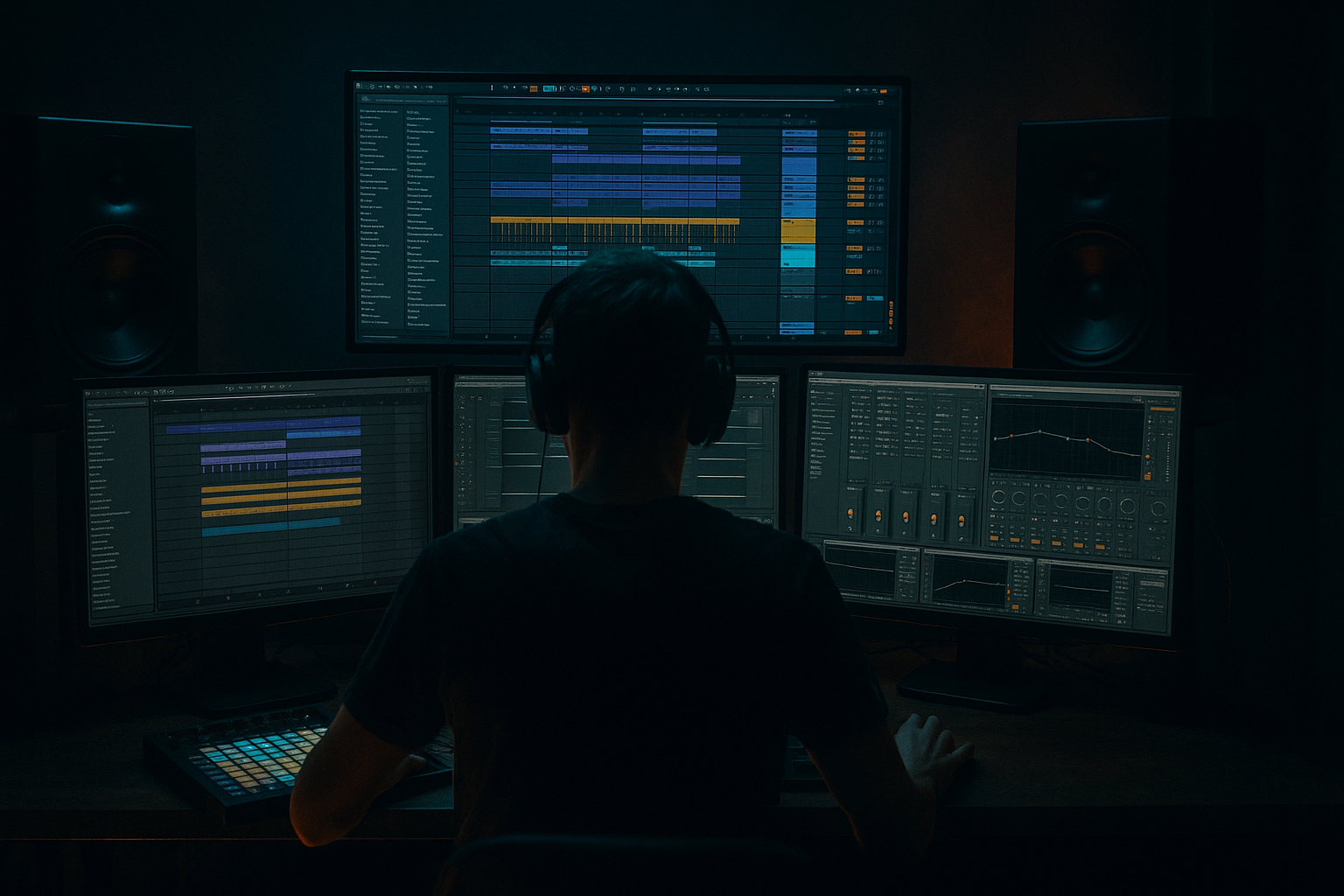
Think Ableton Live 12 subsine breakdown for oldskool rave pressure (Intermediate) cover image

Narrated lesson audio

The voice track includes the tutorial plus extra teacher commentary.

Open audio file

Main tutorial

```markdown

Think Ableton Live 12 Subsine Breakdown for Oldskool Rave Pressure 🔊🌀

1. Lesson overview

In drum & bass, the breakdown is where you tease the bass pressure without dropping the full drum groove. An “oldskool rave pressure” breakdown usually means:

  • A pure, physical sub note (often sine-based) that feels like it’s leaning on the room
  • Classic jungle/rave signifiers: dubby space, tape-ish saturation, stabs/vox hits, risers
  • Controlled tension: less drums, more low-end weight and atmosphere
  • This lesson shows a practical Ableton Live 12 workflow to build a subsine-driven breakdown that sets up a nasty drop—without muddying your low end.

    ---

    2. What you will build

    A 16–32 bar breakdown for a rolling DnB track with:

  • A subsine “pressure” bass (mono, clean fundamental, controlled harmonics)
  • Automated low-end movement (filter, saturation, subtle pitch, volume shaping)
  • A rave atmosphere bed (pads/noise/air + dub space)
  • A tension ramp into the drop (snare builds, FX, silence, pre-drop punch)
  • You’ll end with a breakdown that feels like the sub is already dropping, even before the drums return. 😈

    ---

    3. Step-by-step walkthrough

    Step 0 — Session setup (fast but important)

    1. Tempo: 170–174 BPM (pick 172 BPM as a standard).

    2. Key: Choose a bass-friendly key like F, F# or G (easy club translation).

    3. Master headroom: keep your master peaking around -6 dB while building.

    Ableton tips:

  • Turn on View → In/Out to manage routing easily.
  • Use Spectrum (stock) early to see your sub fundamental.
  • ---

    Step 1 — Build the Subsine “Pressure” instrument (stock only)

    Create a MIDI track: Sub Pressure (Mono)

    #### Option A: Operator (classic + clean)

    1. Drop Operator on the track.

    2. Set:

    - Oscillator A: Sine

    - Level: 0 dB

    - Voices: 1

    - Glide/Portamento: On, Time ~60–120 ms (taste)

    3. Envelope (Amp):

    - Attack: 0–5 ms

    - Decay: ~200–400 ms (optional)

    - Sustain: -inf if you want plucks, or 0 dB for sustained notes

    - Release: 80–150 ms (tight but not clicky)

    #### Add a “pressure chain” after Operator

    Add devices in this order:

    1. EQ Eight

    - HP filter OFF (don’t cut the sub yet)

    - Add a gentle dip if needed around 200–350 Hz (mud zone)

    2. Saturator

    - Mode: Soft Sine or Analog Clip

    - Drive: 1–4 dB

    - Turn on Soft Clip

    - Goal: give the sine just enough harmonics to translate on smaller systems

    3. Auto Filter

    - Filter type: LP 24 dB

    - Cutoff: start around 150–250 Hz

    - Resonance: 10–20%

    - (We’ll automate this for tension)

    4. Utility

    - Mono: ON

    - Width: 0%

    - Gain: set so sub peaks are controlled (don’t slam it yet)

    DnB standard: Sub is mono, stable, and centered.

    ---

    Step 2 — Write the breakdown sub pattern (minimal but intentional)

    In the breakdown, the sub should feel simple and inevitable.

    1. Create a 16-bar MIDI clip.

    2. Start with long notes (half notes / whole notes) following your drop’s root movement.

    - Example in F: F – Eb – F – C (oldskool vibe)

    3. Add one or two tasteful slides:

    - Use overlapping notes (if Glide is enabled) to slide into key notes.

    - Keep slides rare, like a tease.

    Pressure trick: sustain a note for 2 bars, then mute everything for 1/4 bar right before a fill. That tiny vacuum makes the crowd lean in.

    ---

    Step 3 — Make the sub “breathe” without a full kick pattern

    You want movement, but not messy pumping.

    #### Create a ghost sidechain (no audible kick)

    1. Create a new MIDI track: SC Ghost

    2. Load Drum Rack with a short clicky kick (any kick sample).

    3. Program a simple 4x4 or halftime pulse in the breakdown (choose one):

    - Half-time: kick every 1/2 bar (less obvious)

    - 4x4: every beat (classic rave tease)

    4. Route sidechain:

    - On the Sub track, add Compressor

    - Enable Sidechain

    - Audio From: SC Ghost

    - Settings:

    - Ratio 4:1

    - Attack 5–15 ms

    - Release 80–140 ms

    - Threshold: adjust for 2–5 dB gain reduction

    Now your sub has controlled bounce—no drums required. 🔥

    ---

    Step 4 — Add “oldskool air”: atmos, noise, dub space

    Create an Audio or MIDI track group: Rave Atmos

    #### A) Noise bed (very low in level)

  • Use Operator or Wavetable for noise:
  • - Operator: turn up Noise oscillator

  • Process chain:
  • 1. Auto Filter (HP 12 dB) around 300–600 Hz

    2. Echo

    - Time: 1/8 or 1/4

    - Feedback: 20–35%

    - Filter inside Echo: keep it dark (LP around 2–5 kHz)

    3. Reverb

    - Decay: 3–6 s

    - Low Cut: 250–400 Hz

    - High Cut: 6–10 kHz

    #### B) Rave stab / vocal one-shot (classic tension tool)

  • Add a stab or vox hit every 2–4 bars.
  • Put it through:
  • - Redux (subtle) OR Saturator (2–6 dB)

    - Echo (ping-pong OFF for stability; oldskool tends to be more centered)

    - Auto Pan very subtle (Amount 10–20%) for motion

    Keep these quiet—the sub is the star.

    ---

    Step 5 — Automate tension like a pro (the “pressure rise”)

    This is where Ableton Live 12 shines: automation lanes, macro control, and fast editing.

    #### Key automations (choose 2–4, not all at once)

    1. Auto Filter Cutoff (Sub track)

    - Start: ~120–180 Hz

    - Slowly open to: ~250–500 Hz by the end of the breakdown

    - This reveals harmonics and “threatens” the drop

    2. Saturator Drive (Sub track)

    - Ramp from 1 dB → 4–6 dB near the end

    - Don’t overcook: too much harmonic = low-end loses authority

    3. Reverb Send (Atmos group)

    - Increase reverb into the last 4 bars

    - Then hard cut reverb 1/2 bar before drop for impact

    4. Utility Gain (Sub track)

    - Tiny rise of +0.5 to +1.5 dB across 16 bars (subtle but effective)

    Classic rave move: in the final bar, do a 1-beat low-pass sweep down (closing filter) right before the drop—like pulling the air out of the room.

    ---

    Step 6 — Breakdown drums: keep it skeletal, jungle-coded 🥁

    You don’t need full drums. Use signifiers:

  • A distant break ghost
  • A snare build
  • Ride/hat air
  • #### Minimal drum layer idea

    1. Create a Drum Group: Breakdown Drums

    2. Add:

    - Closed hat (very low)

    - Snare build (riser or repeated snare every 1/2 → 1/4 → 1/8)

    - Break slice ghost (filtered and quiet)

    Processing chain (Drum Group):

  • EQ Eight: HP at 150–250 Hz
  • Drum Buss: Drive 5–15%, Boom OFF (or very low)
  • Auto Filter: automate LP cutoff to open slightly over time
  • Optional: Roar (if you use it) lightly for texture—keep low end protected
  • ---

    Step 7 — Arrangement blueprint (16 bars that work)

    Here’s a practical 16-bar breakdown map (DnB club-friendly):

    Bars 1–4

  • Sub note enters (simple)
  • Atmos bed + distant echo hits
  • Very light hats (optional)
  • Bars 5–8

  • Add ghost sidechain pulse
  • Introduce a filtered break ghost (HP + LP so it’s “behind the wall”)
  • Start opening sub filter slightly
  • Bars 9–12

  • Stab/vox call every 2 bars
  • Snare build begins (sparse)
  • Saturator drive slowly up
  • Bars 13–15

  • Snare build faster + FX risers
  • Reverb up on atmos
  • Sub filter opens more (but keep sub fundamental intact)
  • Bar 16 (pre-drop moment)

  • 1/2 bar silence or near-silence (kill drums + cut reverb return)
  • Sub dips or stops for 1/4–1/2 bar
  • Micro fill / vocal “HEY!” / tape stop style moment
  • Then DROP
  • This structure delivers oldskool tension while staying modern and clean.

    ---

    4. Common mistakes

    1. Stereo sub

    If your sub is wide, it’ll vanish on big systems. Use Utility → Mono.

    2. Too much saturation too early

    Over-harmonic sub feels smaller and less “floor-shaking.”

    3. No headroom

    If the breakdown is already clipping, the drop can’t feel bigger.

    4. Reverb in the low end

    Always low-cut reverb returns (250–400 Hz is a good start).

    5. Overcomplicated sub pattern

    Breakdown pressure comes from weight + restraint, not 32nd-note bass gymnastics.

    ---

    5. Pro tips for darker/heavier DnB 😈

  • Add a “harmonic shadow” layer above the sine:
  • Duplicate the sub track, high-pass at 120–180 Hz, distort more aggressively, keep it quiet. This gives “presence” without messing the true sub.

  • Use subtle pitch automation (tiny):
  • Automate Operator’s Pitch Env Amount or add a tiny clip envelope pitch dip (-5 to -15 cents) at phrase ends for unease.

  • Low-end discipline with Spectrum + EQ Eight:
  • Watch your fundamental (often 40–60 Hz). If it’s wobbling wildly, fix the MIDI notes/velocity/glide.

  • Pre-drop “brown note” moment:
  • Hold the root note, then quickly step down 1 semitone for 1/8–1/4 bar before drop. Oldskool menace.

  • Short room reverb on stabs only:
  • Keep sub dry; let stabs live in space. Contrast = perceived size.

    ---

    6. Mini practice exercise (20 minutes) ⏱️

    1. Build the Operator subsine chain exactly as above.

    2. Write 8 bars of sustained notes (two-chord loop).

    3. Add ghost sidechain and tune it to pump ~3 dB.

    4. Add one stab or vox hit every 2 bars with Echo + Reverb (low-cut).

    5. Automate:

    - Sub Auto Filter cutoff opening across 8 bars

    - Reverb send up in bars 7–8, then hard cut at the end

    6. Export a quick bounce and check on headphones + small speaker if possible.

    Goal: when the sub plays alone, it should still feel like the system is already working. 🔊

    ---

    7. Recap

  • You built a subsine breakdown designed for oldskool rave pressure: clean mono low end, controlled movement, dubby atmos, and smart automation.
  • The breakdown works because it’s simple, heavy, and arranged for impact—not because it’s busy.
  • Your key tools in Ableton Live 12 were: Operator, EQ Eight, Saturator, Auto Filter, Compressor sidechain, Utility, Echo, Reverb, Spectrum.

If you want, tell me your track tempo + key and whether you’re going for classic jungle, rollers, or neuro-leaning, and I’ll suggest an exact 16-bar MIDI note plan + automation curve values to match that vibe.

```

Ask GPT about this lesson

Chat with the lesson tutor, get follow-up help, or use quick actions.

Bigup 👽 Ask me anything about this lesson and I’ll answer in context.

Narration script

Show spoken script
Title: Think Ableton Live 12 subsine breakdown for oldskool rave pressure (Intermediate)

Alright, let’s build one of the most dangerous feelings in drum and bass: that breakdown moment where the drums back off, but the room still feels like it’s under pressure.

The goal today is oldskool rave pressure. That means a sub that’s simple, physical, and confident, with just enough classic rave atmosphere around it to make the crowd lean forward… without muddying your low end or stealing impact from the drop.

We’re working in Ableton Live 12, intermediate workflow level. Stock devices only. And by the end, you’ll have a 16 to 32 bar breakdown where the sub feels like it’s already “dropping”… even before the drums return.

First, quick setup, because this part actually affects your decisions later.

Set your tempo between 170 and 174. I’ll sit at 172 BPM. Pick a bass-friendly key like F, F-sharp, or G. I’ll use F for examples.

Now, headroom: while building, keep your master peaking around minus 6 dB. Not because it’s a rule for life, but because it keeps you honest. If you’re clipping in the breakdown, the drop has nowhere to go.

Also, do this now: enable View, then In/Out so routing is easy. And drop a Spectrum on the master early. You want to see where your fundamental is living and whether it’s stable.

Cool. Now let’s build the sub instrument.

Create a MIDI track and name it Sub Pressure Mono. Load Operator.

In Operator, Oscillator A is a sine wave. Keep it clean. Set voices to one. Turn glide on, and set portamento time somewhere around 60 to 120 milliseconds. This is one of those “feel” controls: too fast and you don’t notice it, too slow and it turns into a cartoon slide. We want a tease, not a gimmick.

Now the amp envelope. Attack at 0 to 5 milliseconds. Here’s a coach note: the first 50 milliseconds is where pressure reads. A sine can feel polite if it doesn’t “grab” quickly, so don’t be afraid of a very fast attack like 0 to 2 milliseconds, as long as you don’t get a click.

Release: around 80 to 150 milliseconds. If you want it tighter and club-clean, even 60 to 120 can be perfect. The point is: when the note ends, it ends. No flabby tail.

Sustain depends on the role. For a breakdown pressure bed, I usually keep sustain up for held notes. If you’re going for more plucky sub punctuation, bring sustain down and use decay, but today let’s start with sustained notes.

Now build the pressure chain after Operator, in this exact vibe-friendly order.

First: EQ Eight. Don’t high-pass your sub out of existence. Leave the low end intact. But if the sub starts sounding like it has a cardboard box around it, dip gently in the mud zone, around 200 to 350 Hz. Gentle is the word. One to three dB, wide Q.

Next: Saturator. Choose Soft Sine or Analog Clip. Drive around 1 to 4 dB. Turn on Soft Clip.

Teacher note: this saturation isn’t for “distortion.” It’s for translation. A pure sine can disappear on smaller speakers, so we add a little harmonic content so your brain can still track the note. If you push too much saturation too early, the sub actually feels smaller, because you’ve traded weight for fuzz.

After that: Auto Filter. Use a low-pass, 24 dB slope. Start your cutoff around 150 to 250 Hz, resonance about 10 to 20 percent. This filter is one of our main tension tools later.

Then: Utility. Turn Mono on. Width at zero. This is not optional in drum and bass. A wide sub is a sub that disappears on big systems.

Set gain so it’s controlled. You’re not trying to slam it yet.

Okay. Now write the breakdown sub pattern.

Make a 16-bar MIDI clip. Keep it minimal but intentional. In breakdowns, the sub is like a character walking into the room slowly. If it talks too much, it loses authority.

Start with long notes. Half notes or whole notes. Even two bars per note can feel insanely strong in a club because the system has time to “pressurize.”

In F, a classic movement could be F, E-flat, F, C. That already has oldskool DNA.

Now add one or two slides. Only one or two. Use overlapping notes so glide actually engages. Slide into a key note like the root, but keep it rare. If everything slides, nothing feels special.

Here’s a nasty pressure trick: hold a note for two bars, then mute everything for a quarter bar right before a fill or a stab. That tiny vacuum makes people lean in because the room literally “lets go” and then refills.

Now we need movement without bringing full drums back. This is where ghost sidechain is your best friend.

Create a new MIDI track named SC Ghost. Load a Drum Rack, pick a short, clicky kick sample. We do not want to hear it. It’s just a trigger.

Program either a halftime pulse, like one hit every half bar, or a 4x4 pulse on every beat. If you want classic rave tease, 4x4 is the language. If you want it subtler and more DnB breakdown-coded, halftime is cleaner.

Now go to your Sub Pressure Mono track and add a Compressor. Turn on Sidechain. Set Audio From to SC Ghost.

Settings: ratio around 4 to 1. Attack 5 to 15 milliseconds. Release 80 to 140 milliseconds. Then lower the threshold until you see about 2 to 5 dB of gain reduction.

Listen for “bounce,” not “choking.” If the sub feels like it’s being punched in the face, ease off the threshold or lengthen release a bit. If it feels like nothing is happening, shorten release slightly or add a little more reduction.

And here’s a variation you can try once the basic one is working: a two-ghost sidechain method. Keep your gentle ghost pump, but add a second ghost trigger that only hits at phrase ends, like the last beat of every two bars. Sidechain that one a little harder. The result is the breakdown breathes normally, but it “gulps” into transitions. That gulp is very rave.

Now let’s add the oldskool air. The sub is the star, but air and space make it feel bigger.

Create a group called Rave Atmos. In there, make a noise bed. Use Operator noise oscillator, or Wavetable noise if you prefer, but Operator is fine.

Filter it with Auto Filter, high-pass around 300 to 600 Hz. Keep it out of the low mids.

Then add Echo. Set time to an eighth or a quarter. Feedback 20 to 35 percent. Use the filters inside Echo to keep it dark, like low-pass around 2 to 5 kHz.

Then add Reverb. Decay 3 to 6 seconds. Low cut around 250 to 400 Hz. High cut around 6 to 10 kHz.

Teacher warning: reverb in the low end is one of the fastest ways to destroy sub authority. Always low-cut the reverb return.

Now add one classic rave signifier: a stab or a vocal one-shot. Place it every 2 to 4 bars. Keep it sparse.

Process it with a little Redux or Saturator, then Echo, and keep ping-pong off if you want that stable, centered oldskool feel. Add Auto Pan very subtly, like 10 to 20 percent, just for motion.

But keep these elements quiet. If your stab is louder than your sub in the breakdown, you’re not building pressure, you’re starting a different track.

Now we automate tension. This is where Ableton Live 12 workflow shines, but the key is restraint. Pick two to four automations, not ten. And think in phrases, like four-bar sentences.

Here are your best options.

Option one: Auto Filter cutoff on the sub. Start around 120 to 180 Hz. Slowly open it to maybe 250 to 500 by the end. What you’re doing is revealing harmonics. It’s like the sub is stepping closer to your face.

Option two: Saturator drive on the sub. Ramp from 1 dB up toward 4 to 6 dB near the end. But be careful. Too much harmonic content and the sub loses that pure “floor-shake” authority.

Option three: Reverb send on the atmos group. Increase it into the last four bars, then hard cut the reverb half a bar before the drop. That cut is impact. That’s you pulling the air out of the room.

Option four: Utility gain on the sub. Tiny rise, like half a dB to one and a half dB over the whole breakdown. Subtle, but psychoacoustically it works.

Classic rave move: in the final bar, do a one-beat low-pass sweep down, closing the filter right before the drop. It feels like the system is inhaling.

And here’s an alternate tension method if you don’t want the obvious filter-open sweep. Keep the filter mostly fixed, and automate sidechain release time shorter toward the end. Shorter release reads as more urgent, more “fast breathing.” You can also shorten note lengths slightly later in the phrase, so the bass feels more impatient without adding notes.

Now, breakdown drums. Skeletal. Jungle-coded. We’re not bringing back the full groove.

Create a group called Breakdown Drums. Add a very low closed hat for a little grid. Add a snare build that speeds up, like half notes to quarter to eighth. Add a filtered break slice ghost if you want that “behind the wall” jungle memory.

Process the drum group with EQ Eight high-pass at 150 to 250 Hz. Keep the low end protected. Add Drum Buss with drive around 5 to 15 percent, boom off or extremely low. You can automate a low-pass on the drum group opening slightly over time.

If you have Roar and you like it, you can add it lightly for texture, but keep it away from the sub. The breakdown low end should still feel clean and deliberate.

Now let’s do a practical 16-bar arrangement map that just works in a club.

Bars 1 to 4: sub enters, simple sustained notes. Atmos bed is there, but subtle. Maybe tiny hats, optional.

Bars 5 to 8: bring in the ghost sidechain pulse. Introduce a filtered break ghost if you want. Start opening the sub filter slightly.

Bars 9 to 12: add the stab or vox call every two bars. Start a sparse snare build. Ease the saturator drive up a bit.

Bars 13 to 15: snare build gets faster, add risers, increase reverb on atmos, open the sub filter a bit more but keep the fundamental intact. Watch Spectrum and make sure you’re not smearing your low end.

Bar 16: the pre-drop moment. Either half a bar of silence or near-silence. Kill the drums, cut the reverb return, and dip or stop the sub for a quarter to half bar. Add a tiny vocal pickup or micro fill. Then drop.

If you want an arrangement upgrade that’s super effective: instead of full silence, do a last-bar bandwidth choke on your entire breakdown group. Put an Auto Filter on the breakdown group, not the master. Automate high-pass up and low-pass down during bar 16 so everything feels narrow and band-limited. Then the drop hits and suddenly the spectrum returns wide and tall. That contrast is perceived as power.

Now, quick common mistakes to avoid while you’re doing all this.

Don’t let the sub be stereo. Mono it.

Don’t saturate too hard too early. Keep authority.

Don’t run out of headroom in the breakdown. The drop needs to feel bigger.

Don’t let reverb carry low frequencies. Low cut it.

And don’t overcomplicate the sub pattern. Pressure comes from weight and restraint.

Before we wrap, here’s a super practical monitoring trick so you don’t overcook.

Temporarily on the master, add Utility and hit mono to check compatibility. Add EQ Eight with a steep low cut at 25 to 30 Hz, just temporarily, to reveal if you’re relying on subsonic energy you can’t really hear. Then put Spectrum after it and watch whether your fundamental is stable. Disable this chain before exporting; it’s just for checking.

And one more sound design extra for translation, especially if you want it to read on a phone speaker without turning into a mid-bass.

Make a parallel track called Sub Definition. Duplicate your sub MIDI to it. On this duplicate, high-pass at 120 to 180 Hz with EQ Eight. Add heavier Saturator drive, like 5 to 10 dB with Soft Clip. Then low-pass it around 1 to 2.5 kHz so it doesn’t become a full mid-bass. Keep it mono. Blend it in quietly until you can follow the bass notes on small speakers, but it still feels like one bassline.

Now your mini practice for today.

Build the Operator sub chain exactly like we did. Write 8 bars of sustained notes. Add ghost sidechain so it pumps around 3 dB. Add one stab or vox hit every two bars with Echo and Reverb, low-cut. Automate the sub filter opening across 8 bars. Automate reverb send up in bars 7 and 8, then hard cut at the end. Export a bounce and check on headphones and a small speaker, and do a quick mono check.

Your goal is simple: when the sub plays alone, it should still feel like the system is already working.

And if you want the full homework challenge vibe, do it as a 16-bar breakdown with two sub lanes, only four note changes, at least two micro gaps, and only three automations total. One of those automations must not be filter-related. Then export two versions: one normal, and one with that bar 16 bandwidth choke. Compare which drop feels larger, and figure out whether it’s because of transients, width, brightness, or just perceived loudness.

Recap: you built a subsine breakdown designed for oldskool rave pressure. Clean mono low end, controlled movement, dubby atmos, and smart automation. Operator, EQ Eight, Saturator, Auto Filter, Compressor sidechain, Utility, Echo, Reverb, and Spectrum. Simple, heavy, and arranged for impact.

If you tell me your exact tempo and key, and whether you’re aiming classic jungle, rollers, or neuro-leaning, I can map you a specific 16-bar MIDI note plan and give you exact automation curve targets that fit your vibe.

Mickeybeam

Go to drumbasscd.com for +100 drum and bass YouTube channels all in one place - tune in!

Any 1 Tutorial FREE Everyday
Tutorial Explain
Generating PDF preview…
