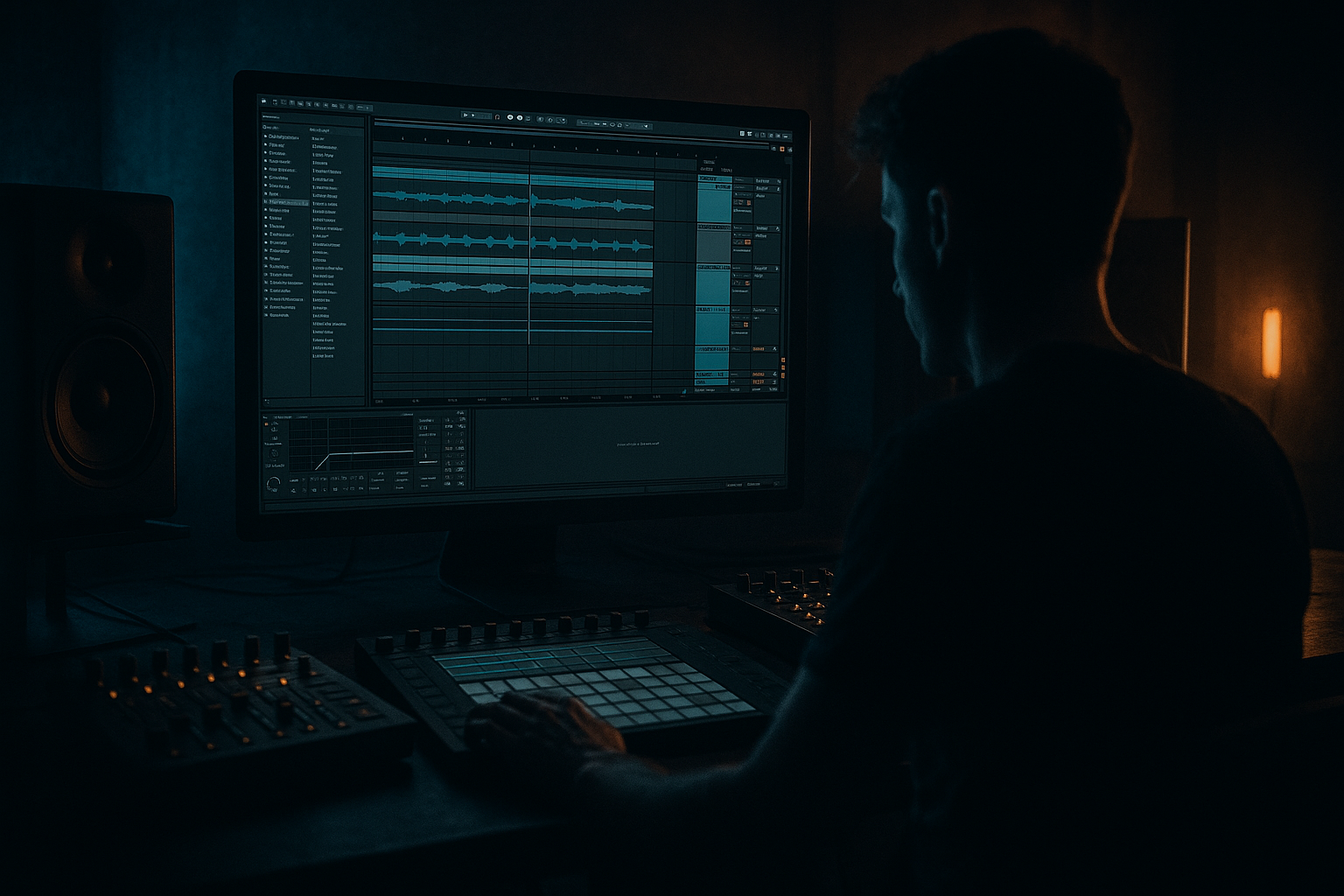
Main tutorial
Tape Dust Breakdown: Drop Ghost in Ableton Live 12 for Jungle / Oldskool DnB Vibes
> Goal: create a “drop ghost” — a short, convincing fake-drop or breakdown tease that feels like it’s about to explode into a proper jungle / oldskool DnB drop, but instead leaves a dust trail of tape-worn atmosphere, tension, and groove. 🎛️🥁
---
1. Lesson overview
In drum and bass, especially jungle, oldskool, rollers, and darker DnB, a breakdown is not just “the quiet bit.” It’s a setup device. A great breakdown can:
- reset the energy without killing momentum,
- hint at the drop without giving it away,
- create contrast through tape dust, filtering, space, and ghostly drums,
- make the next drop feel bigger because the listener is left hanging.
- drum and bass arrangement
- ghosted drums and chopped breaks
- tape-like degradation
- simple mastering-style finishing
- how to make the breakdown feel like it belongs in a real jungle tune
- a filtered breakbeat that feels like it’s fading through tape hiss,
- a ghost kick/snare pattern that hints at the coming drop,
- a sub/bass tease that only appears in fragments,
- a tape dust texture layer for grit and air,
- a drop ghost moment where the full energy is implied but not fully delivered.
- old VHS / cassette memory
- dusty jungle warehouse energy
- half-heard amen ghosts
- a dark room just before the bass hits
- subtle, rolling, suspenseful tension
- Drum Rack
- Simpler
- EQ Eight
- Auto Filter
- Saturator
- Redux
- Roar (Live 12)
- Hybrid Reverb
- Echo
- Utility
- Compressor
- Glue Compressor
- Limiter
- Spectrum
- Tempo: `170 BPM` to `174 BPM`
- Time signature: `4/4`
- Create these tracks:
- kick
- snare
- closed hat
- a few ghost hits
- strong snare on 2 and 4
- ghost kicks around the snare
- quick hat stabs between hits
- Kick on 1
- Ghost kick just before 2
- Snare on 2
- Hat offbeat
- Snare ghost or rim on the “&” before 4
- Leave gaps
- slightly behind the beat = lazy, foggy, oldskool
- slightly ahead = urgent, nervous
- no full 8-bar bassline
- no massive growl
- no full sub sustain
- a low sine sub layered with
- a muted mid bass or reese
- a single low note every 2 bars
- a pitch drop into silence
- a reversed bass stab
- a filtered bass hit with delay tail
- hiss
- crackle
- flutter
- degraded high-end
- tiny distortion artifacts
- filtered ambience
- automating Utility gain slightly
- automating filter cutoff
- using very subtle LFO-like movement through clip automation or envelopes
- full drums cut out
- tape dust ambience enters
- filtered break or chopped ghost break starts
- ghost drums appear
- small bass tease hit at the end of bar 4
- filter gradually opens a little
- break becomes slightly more active
- snare ghost hits increase
- maybe one reverse cymbal or impact
- tension rises
- bass tease stops
- add a snare roll or a filtered fill
- end with a fake-drop pause or a tape-stop style dip
- fill every bar
- keep full low end running
- use too many layers at once
- overdo the impact right before the drop
- Utility for quick mute / gain automation
- Auto Filter for the sweep
- Echo for a short feedback tail
- Reverb / Hybrid Reverb for the trailing space
- Warp in audio clips if you want a tape-style slowdown feel
- a 1/4 beat silence
- or a 1 beat silence
- or a very short FX swell that does not fully resolve
- Don’t over-compress the breakdown
- Keep the low end controlled, not huge
- Preserve space so the drop has somewhere to go
- Compare with your drop level — the breakdown should usually feel smaller and wider/airier, not just quieter
- 1/8 beat silence
- 1 beat silence
- a very short pre-drop vacuum
- slightly off-grid drums
- dusty samples
- filtered high end
- small room ambience
- mild saturation
- Utility on the sub layer
- Width at 0%
- Keep everything below ~100 Hz centered
- cutoff
- resonance
- send level to reverb/delay
- Utility gain
- reverb size or wet amount
- full drums → filtered ghost drums
- heavy bass → bass fragments
- solid groove → broken memory of the groove
- short breakdowns
- aggressive returns
- chopped break rolls
- tension through rhythm, not just pads
- 1 chopped break loop
- 1 ghost drum pattern
- 1 bass tease hit
- 1 tape dust texture
- 1 filter automation movement
- 1 moment of silence or near-silence before the return
- Does it feel like a real DnB transition?
- Can I still “hear” the drop even though it isn’t playing?
- Is there enough space and mystery?
- Does the return feel bigger because of the breakdown?
- A breakdown in DnB should create tension, not just reduce volume.
- Use ghost drums, filtered breaks, and bass teases to imply the drop.
- Add tape dust textures with subtle saturation, Redux, filters, and reverb.
- Keep the arrangement sparse and intentional.
- Use mastering tools lightly to glue the section without flattening it.
- The magic is in contrast, space, and imperfect movement.
- Simpler
- Drum Rack
- EQ Eight
- Auto Filter
- Saturator
- Redux
- Roar
- Hybrid Reverb
- Echo
- Compressor
- Glue Compressor
- Limiter
- Utility
In this lesson, you’ll build a Tape Dust breakdown / drop ghost in Ableton Live 12 using stock devices. We’ll focus on:
This is beginner-friendly, but it will still sound proper if you follow the steps carefully.
---
2. What you will build
You’re going to create a short 8-bar breakdown section with:
Final vibe target
Think:
Devices you’ll use in Ableton Live 12
Useful stock devices for this lesson:
---
3. Step-by-step walkthrough
Step 1: Set up the project
Open Ableton Live 12 and set:
For this example, use 172 BPM for classic jungle/DnB feel.
1. Drums
2. Ghost Drums
3. Bass Tease
4. Tape Dust FX
5. Master / processing check
If you already have a drop in your track, copy a few elements from it into the breakdown so the transition feels connected.
---
Step 2: Build a simple jungle break foundation
The breakdown still needs rhythm. Even if it gets dreamy and ghostly, it should keep the listener locked in.
#### Option A: Use an amen break
1. Drag an amen break sample into Simpler on the Drums track.
2. Set Warp on.
3. Use Slice mode if you want more chop control.
4. If the loop is too busy, cut it down to a 1-bar or 2-bar phrase.
#### Option B: Make your own break loop
If you don’t have an amen, use:
Then arrange the break in a jungle-style pattern:
#### Processing chain for the break
On the break track, try this chain:
1. EQ Eight
- High-pass at 30–40 Hz
- Small cut around 250–400 Hz if muddy
- Gentle high shelf lift around 8–10 kHz if needed
2. Saturator
- Drive: 2–5 dB
- Soft Clip: On
- Goal: slight grime, not distortion overload
3. Redux
- Downsample slightly if you want dirt
- Start subtle: 10–20% mix or reduced bit depth
- This gives a worn, tape-dust feel
4. Auto Filter
- Use a low-pass filter
- Start cutoff around 8–12 kHz
- Automate it down during the breakdown
This gives you a break that feels aged and slightly degraded, which is perfect for the “dust” mood.
---
Step 3: Create the ghost drum layer
This is the fun part. The “drop ghost” effect comes from suggesting the drop rhythmically without fully landing it.
#### Make a ghost drum rack
1. Create a new MIDI track called Ghost Drums
2. Add Drum Rack
3. Load:
- a muted kick
- a tight snare
- a short rim or ghost clap
- a closed hat
#### Write a sparse pattern
Use 1-bar or 2-bar loops. Keep it minimal.
Example:
The important thing is to avoid sounding like a full drop. You want the listener to think:
> “Oh, it’s coming…”
but not give the full payoff yet.
#### Process the ghost drums
On the ghost drum track:
1. EQ Eight
- High-pass around 120–180 Hz
- Reduce low mids if clunky
2. Compressor
- Gentle compression
- Ratio: 2:1 to 4:1
- Fast attack, medium release
- Just enough to tuck the hits together
3. Auto Filter
- Band-pass or low-pass for a haunted feel
- Automate movement slowly
4. Reverb or Hybrid Reverb
- Short decay, small room or plate
- Keep wet mix low, around 8–15%
- You want ambience, not wash
#### Extra trick: make hits “arrive late”
Use clip envelopes or nudge some ghost hits slightly off-grid:
A tiny timing shift helps the breakdown feel human and unstable, like old tape playback.
---
Step 4: Add a bass tease without giving away the drop
In DnB, bass is everything. But in a breakdown, you don’t want to reveal the full bass patch.
#### Create a bass tease track
1. Add a MIDI track called Bass Tease
2. Use Wavetable, Operator, or any existing bass synth
3. Program a very short phrase:
- one note hit
- one pitch movement
- a short call-and-response pattern
Keep it minimal:
#### Suggested sound design
For a dark oldskool tease, try:
##### Simple stock device chain:
1. Operator
- Sine wave for sub
- Short decay
- Mono mode on
2. Wavetable or Analog
- Slight detune for reese texture
- Filter closed down
- Keep the sound restrained
3. Saturator
- Add a touch of warmth and harmonics
4. EQ Eight
- Cut muddy low mids
- High-pass the mid layer if needed
5. Utility
- Make sub mono
- Width: 0% on low end layer
#### Breakdown movement idea
Instead of playing the full bassline, use:
The idea is to haunt the listener with bass, not blast them with it.
---
Step 5: Build the tape dust texture
This is where the breakdown gets its character. Tape dust is the combination of:
#### Layer a noise texture
1. Create a new audio track called Tape Dust FX
2. Add a hiss, room noise, vinyl crackle, or even your own recorded noise
3. Loop it quietly under the breakdown
#### Process the texture
Use this chain:
1. EQ Eight
- High-pass around 200–400 Hz
- Roll off harsh highs above 12–15 kHz if needed
2. Redux
- Subtle bit reduction/downsampling
- Just enough to make it feel broken in a musical way
3. Auto Filter
- Gentle movement with automation
- Try a slow low-pass sweep
4. Roar
- Very light drive
- Use it to add harmonic dirt and make the dust feel alive
- Keep it subtle; this is texture, not a lead sound
5. Hybrid Reverb
- Small room or noisy ambience
- Very low wet level
#### Optional tape-wobble style feel
You can fake tape wobble by:
Keep movement slow and imperfect. That imperfection is the vibe.
---
Step 6: Arrange the breakdown like a real DnB transition
Now place everything into a real breakdown structure.
#### Example 8-bar breakdown layout
Bars 1–2
Bars 3–4
Bars 5–6
Bars 7–8
#### Important arrangement principle
A good drop ghost is about withholding energy.
So don’t:
Let the listener lean in.
---
Step 7: Add the “ghost drop” moment
This is the signature move.
A ghost drop is the point where you almost reveal the full drop, but instead you create a brief vacuum.
#### Easy ghost drop recipe
On the last beat or last half-bar before the drop:
1. Cut the bass
2. Cut the drums
3. Leave only:
- a tiny reverb tail
- a tape hiss
- a delayed snare whisper
4. Add a downward filter sweep or tape stop-like dip
#### Ableton tools you can use
#### Arrangement trick
Right before the drop, insert:
That tiny gap makes the drop hit harder.
---
Step 8: Mastering-style finishing for the breakdown
Since this lesson is in Mastering, we’ll finish the breakdown so it feels polished without flattening the dynamics.
You are not doing full mastering here — you’re doing smart final control on the breakdown buss or master.
#### Suggested master chain for checking
Keep it light:
1. EQ Eight
- Corrective only
- Small low cut below 25–30 Hz
- Tiny harshness cut if needed
2. Glue Compressor
- Ratio: 2:1
- Attack: 10 ms
- Release: Auto or medium
- Gain reduction: only 1–2 dB
- This helps the breakdown feel glued together
3. Saturator
- Very subtle drive
- Adds density and perceived loudness
4. Limiter
- Ceiling around -1 dB
- Avoid smashing the breakdown flat
#### Important mastering advice for DnB breakdowns
---
4. Common mistakes
1. Making the breakdown too busy
Beginner producers often fill every second with FX, fills, and noise.
Result: no suspense.
Fix: leave space. In DnB, space creates pressure.
---
2. Leaving too much low end in the breakdown
If the sub stays strong, the drop loses impact.
Fix: high-pass bass tease layers and keep sub hints very short.
---
3. Using too much reverb
Big reverb can make jungle vibes blurry instead of eerie.
Fix: use short, controlled reverbs and automate them.
---
4. Over-distorting the tape dust layer
Dust should sound worn, not broken.
Fix: use saturation and Redux lightly. You want character, not digital chaos.
---
5. Making the ghost drums sound like a full drop
If your ghost drums are too full, the breakdown stops feeling mysterious.
Fix: reduce layers, thin the low end, and use negative space.
---
6. Bad transitions into the drop
If the breakdown just ends with no tension release, the drop won’t land properly.
Fix: use silence, reverse effects, risers, or a filtered snare roll to frame the transition.
---
5. Pro tips for darker/heavier DnB
Tip 1: Use micro-silences
A tiny gap before the drop can feel heavier than another cymbal crash.
Try:
---
Tip 2: Make your ghosts feel “old”
For darker jungle:
That oldskool instability is part of the vibe.
---
Tip 3: Keep the sub mono
In heavy DnB, the sub must stay tight.
Use:
---
Tip 4: Automate filters like you mean it
A breakdown without automation feels static.
Automate:
Slow automation often sounds more professional than aggressive sweeps.
---
Tip 5: Use contrast, not just effect
The darkest breakdowns work because the drop is implied by contrast:
That contrast is the “tape dust” magic.
---
Tip 6: Reference real jungle structure
Listen to old jungle and DnB breakdowns:
Don’t over-modernize it. Keep it functional and raw.
---
6. Mini practice exercise
Exercise: Build a 4-bar ghost breakdown
Make a 4-bar section at 172 BPM using only stock Ableton devices.
#### Requirements
Your breakdown must include:
#### Workflow
1. Load a break into Simpler
2. Create a ghost drum rack with just kick, snare, hat
3. Add one bass note or short bass stab
4. Add a noise layer with subtle saturation and filtering
5. Automate a low-pass filter over 4 bars
6. Muted last beat or last half-bar before the drop
#### Self-check
Ask yourself:
If yes, you’re on the right track ✅
---
7. Recap
You just built a Tape Dust breakdown / drop ghost in Ableton Live 12 for jungle / oldskool DnB vibes.
Key ideas to remember:
The main Ableton devices from this lesson
If you want, I can also turn this into:
1. a sample-by-sample Ableton project recipe, or
2. a full 8-bar MIDI/arrangement template for jungle DnB.

