Main tutorial
Lesson Overview
Swing is one of the fastest ways to make Drum & Bass feel alive, human, and unmistakably underground. In this lesson, you’ll build a swingy jungle-inspired DnB loop in Ableton Live 12 using an automation-first workflow — meaning you’ll shape the groove, energy, and movement mostly with clip and track automation before worrying about endless sound tweaking.
That matters because in DnB, especially jungle, rollers, darker bass music, and neuro-leaning styles, the track often wins or loses on movement. The drums need to shuffle without sounding sloppy. The bass needs to answer the drums without fighting them. The arrangement needs to breathe so the drop feels bigger than the intro. If you can build that feeling early, your ideas become much easier to finish.
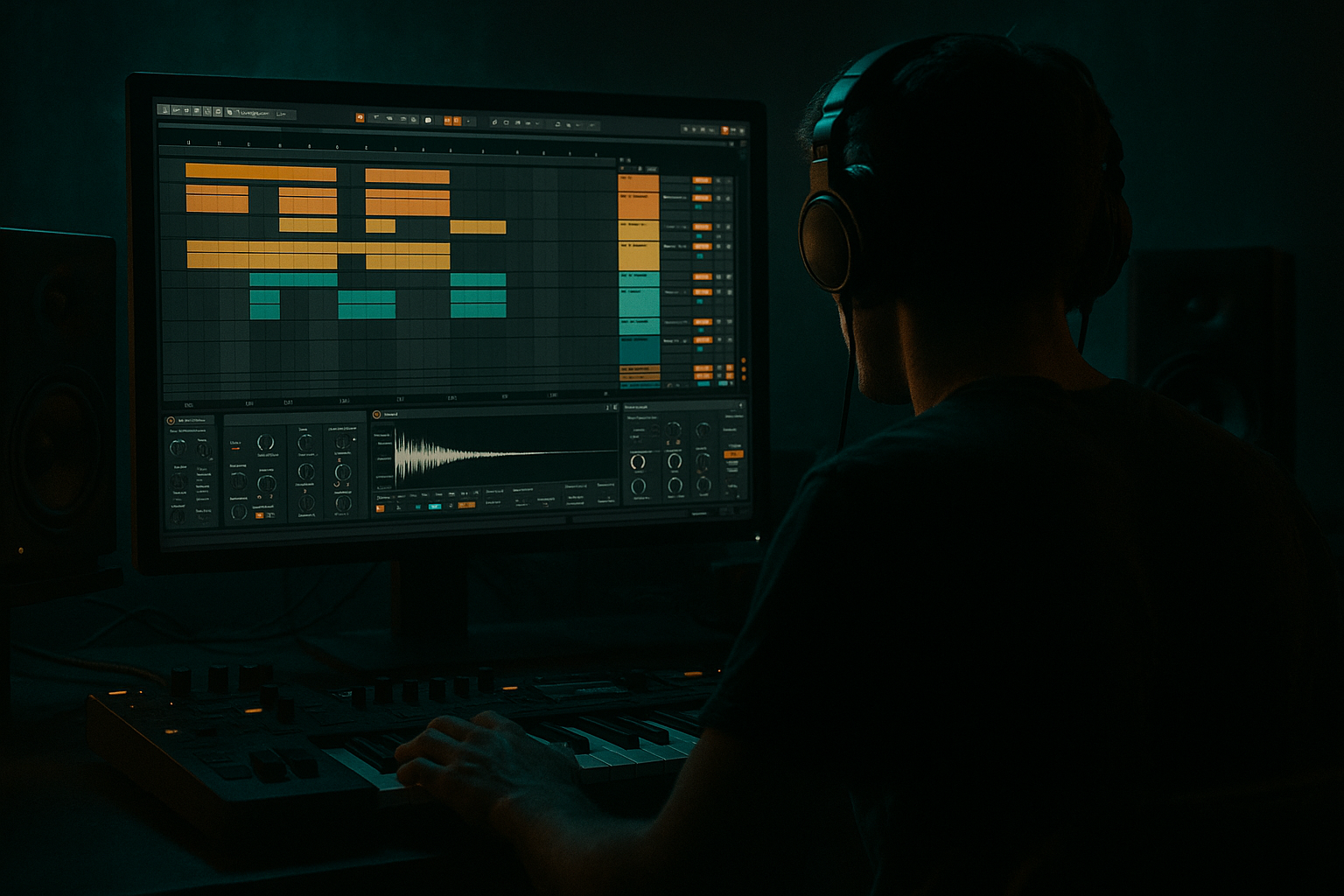
This lesson fits right in the composition stage of a track: you’re not trying to mix a final record yet. You’re building the core loop, giving it swing, and shaping the transitions so it already feels like a real tune. We’ll use Ableton stock tools like Drum Rack, Simpler, Auto Filter, Utility, Saturator, EQ Eight, Compressor, and automation lanes to create a tight, musical DnB sketch that you can later expand into a full arrangement.
Why this works in DnB: the genre lives on controlled tension. Swing gives the drums a loose pocket, while automation gives the bass and FX a sense of motion. That combination creates the “head-nod” feeling in rollers and the “shuffling menace” in jungle and darker styles. 👊
What You Will Build
By the end of this lesson, you’ll have a short but powerful DnB composition made of:
- A swingy drum loop with break-inspired ghost notes and a crisp kick/snare foundation
- A simple sub + reese-style bass pattern that answers the drums
- Automation on filter, volume, and effect sends to create buildup and drop movement
- A 16-bar idea that already feels arranged like a real tune:
- Drums
- Bass
- FX / Atmos
- Kick on beat 1
- Snare on beat 2 and beat 4
- Add a second kick or pickup before the snare if needed
- Place hi-hats on off-beats or 16ths with a few gaps
- Open the MIDI clip
- Move selected hi-hats or ghost hits a few milliseconds behind the grid
- Leave the snare mostly straight so the backbone stays strong
- Light snare ghost
- Closed hat tick
- Rim or break crack
- Very short cymbal or hat tail
- Just before the main snare
- Between kick hits
- Occasionally after the snare to “trail” the groove
- Main snare slice
- Ghost hit slice
- Hat slice
- Accent slice
- Oscillator A: sine wave
- Envelope: short decay, medium sustain
- Filter: optional low-pass if needed
- Add Saturator lightly after Operator for harmonics
- Long note under the first half of the bar
- Short note after the snare
- Small pickup leading into bar 2 or bar 4
- Drums ask a question
- Bass answers
- Then leaves a gap
- Keep sub notes mostly in the low register, around one octave or less of movement
- Use note lengths of 1/8 to 1/2 note depending on the groove
- Leave at least one clear pocket around the snare so the mix breathes
- Auto Filter cutoff
- Saturator drive
- Utility gain
- Optional Wavetable position or Operator filter frequency
- Auto Filter cutoff: move between roughly 120 Hz and 1.2 kHz depending on the layer
- Saturator drive: keep subtle at first, around 1–4 dB of drive
- Utility gain: automate small moves of ±1 to 3 dB for phrase shaping
- In bars 1–2 of your 4-bar loop, keep the bass relatively filtered and restrained
- In bar 3, open the filter slightly
- In bar 4, increase drive or open the cutoff for a small push before the loop restarts
- Hi-hat volume
- Filter cutoff on a percussion group
- Reverb send for occasional transitions
- Delay send on one-off hits
- Utility gain on a whole drum bus for little lift moments
- Remove the kick on the “and” of 4
- Add a short snare pickup
- Let a ghost hit or reverse cymbal pull into the downbeat
- Bars 1–4: Intro
- Bars 5–12: Main groove
- Bars 13–16: Switch-up / turnaround
- Intro gives the selector clean phrasing
- Drop section delivers the pocket
- Switch-up keeps dancers alert without losing momentum
- Make sure the sub isn’t masking the kick
- Keep the bass mono with Utility if needed
- Use EQ Eight to remove unnecessary low rumble from non-bass tracks
- Avoid stacking too many low percussion hits
- On atmosphere and FX tracks, high-pass above 150–250 Hz
- On bass, keep the sub clean and centered
- On drums, let the kick own its space and don’t overload the low end with extra layers
- Swinging everything too much
- Making the bass too busy
- Over-automating too early
- Using too much reverb on drums
- Forgetting mono compatibility on the low end
- No phrase structure
- Use Saturator gently on the bass to make the sub speak on smaller speakers. A small drive boost can add presence without losing weight.
- Try Drum Buss on a drum group with light drive and transient shaping if you want more grit and punch. Keep the Drive modest so the snare doesn’t crumble.
- For a darker reese layer, use Wavetable with a detuned saw or unison-style movement, then filter it so it sits above the sub instead of replacing it.
- Automate Auto Filter resonance carefully on a bass or FX layer to create tension before a drop. Small resonance changes can add menace fast.
- Put short ambience or noise in the intro, then automate it out when the drums drop. Contrast is powerful in neuro and dark rollers.
- If your groove feels too clean, add tiny break fragments or ghost hits instead of turning up swing more and more.
- Use Utility to automate subtle level dips before a snare return or fill. A tiny drop in energy can make the next hit feel bigger.
- Keep a “less is more” mindset with bass notes. In darker DnB, space feels heavy when the sound design is strong.
- In DnB, swing works best when the core backbeat stays solid and the details shuffle around it.
- An automation-first workflow makes simple ideas feel arranged, musical, and release-ready much faster.
- Use Drum Rack, Operator, Wavetable, Auto Filter, Saturator, EQ Eight, and Utility to keep the process inside Ableton stock tools.
- Build from a 4-bar loop, then expand into a clear intro, drop, and switch-up.
- Keep the sub clean, the drums punchy, and the automation intentional.
- 4 bars intro
- 8 bars groove/drop
- 4 bars variation or switch-up
Musically, the result should feel like a dark jungle roller or minimal halftime-adjacent DnB pocket, depending on how you voice the bass. The drums will swing subtly rather than bounce too hard, and the bass will leave space for the snare and ghost notes. The groove should feel like it’s leaning forward without rushing.
You’ll also have a reusable template for future tracks: a composition-first loop where automation does the heavy lifting, so you can quickly build tension, release, and energy changes without stopping to overproduce every detail.
Step-by-Step Walkthrough
1) Set up a clean DnB sketch in Ableton Live
Start a new Live Set and set your tempo to 174 BPM. That’s a classic DnB starting point and works well for jungle, rollers, and darker bass music. If you want a slightly heavier, half-time-feel edge later, you can still write at 174 and let the groove do the work.
Create three tracks:
On the Drums track, load a Drum Rack. Use a kick, snare, and a few break hits or percussion one-shots. Don’t overfill the rack yet — keep it simple. For beginners, fewer parts = faster decisions.
On the Bass track, load Operator or Wavetable. If you want the simplest path, start with Operator for a solid sub and later layer in movement with effects.
On the FX track, place Simpler or an audio clip with noise, ambience, or vinyl crackle. This is optional, but atmospheres help DnB feel like a complete scene rather than just a loop.
Set your session to loop over 4 bars first. That keeps the workflow focused and helps you hear swing clearly.
2) Build the drum grid first, then swing it
Program a basic 2-step DnB skeleton:
Now make it feel like jungle rather than a stiff grid. In Ableton Live 12, you can use groove by dragging a groove from the Groove Pool onto the clip. Start with a subtle swing-style groove, or try one of the built-in MPC-style grooves if available in your set. Keep the groove amount moderate — around 54–58% feel is often enough to hear movement without destroying the DnB drive.
If you don’t want to use groove quantize yet, manually nudge a few percussion hits slightly late:
Useful beginner rule: swing the details, not the anchor points. The kick/snare should stay solid, while hats, ghost notes, and break ticks can lean and shuffle.
Why this works in DnB: the genre needs a strong rhythmic frame, but the feel comes from everything around that frame moving slightly off-center. That contrast is what makes jungle swing feel energetic instead of robotic.
3) Add break-style ghost notes for jungle motion
Now layer in a few ghost notes or chopped break hits around the snare. You’re not trying to build a full breakbeat collage yet — just enough detail to create forward motion.
Inside Drum Rack, add a few short percussion samples:
Place them:
A good beginner starting point is to keep ghost hits quiet — around -12 to -20 dB lower than the main snare in perceived level. If they become too loud, the groove loses focus.
For authenticity, think of the classic jungle idea: the break doesn’t just loop; it answers itself. Tiny in-between hits create that shuffle.
You can also use Simpler in Slice mode on a break loop if you want to chop a break into playable pieces. Keep the slices simple:
Then record a quick pattern and use swing from the clip or Groove Pool to push it into pocket.
4) Program a bassline that leaves space for the drums
For this beginner workflow, keep the bassline musical and simple. Load Operator and make a sub-focused patch:
Write a bassline that follows the kick/snare conversation rather than constantly filling the bar. Try notes that answer the drum accents, for example:
A strong DnB bassline often uses call-and-response:
Concrete starting point:
If you want a darker edge, duplicate the bass track and make a second layer with Wavetable or Operator using a slightly detuned saw or pulse-like tone, then low-pass it so it stays behind the sub. Keep the second layer quiet and focused on movement, not sub weight.
5) Shape bass movement with automation-first thinking
This is the core of the lesson. Instead of endlessly editing sound design, automate a few key controls so the bass feels alive from the start.
On the bass layer, automate:
Try these beginner-friendly ranges:
A practical move:
This creates tension without needing a new bass sound every two seconds.
You can also automate the Dry/Wet of a light Echo or Reverb send on only the last note of a phrase. In DnB, little bursts of space at the end of a bar make the next bar hit harder.
Why this works in DnB: the listener feels energy changes even if the actual notes are simple. Automation makes a minimal bassline feel arranged and intentional, which is crucial in rollers and darker sub-heavy music.
6) Use drum automation to create swing, lift, and variation
Automation isn’t just for bass. In Ableton, you can use it to make the drums feel more human and arranged.
On the Drum Rack or drum group, try automating:
A very usable beginner trick is to automate a 1–2 dB volume rise on hats over the last bar of a phrase, then drop them back down at the loop point. That tiny lift helps the groove feel like it’s moving somewhere.
You can also create a small fill by muting one drum element for half a bar:
For more jungle flavor, automate the filter cutoff down briefly on a break layer before the drop, then snap it open when the main groove returns. This gives you that classic “pulling the room back, then releasing it” feeling.
7) Arrange the loop into a DJ-friendly mini-section
Now turn your loop into a simple composition. Don’t think “full track” yet — think intro, drop, variation.
A practical beginner arrangement:
- Kickless atmos or filtered drums
- Bass teased quietly or filtered
- Automation slowly opening
- Full drums and bass
- Swing is most audible here
- Add one small variation in bar 8
- Remove a drum element
- Add a fill
- Filter the bass down, then open it for the loop restart
For DnB, this is enough to feel real. A DJ-friendly intro can be as simple as a filtered drum loop and atmosphere, while the main section brings the full low-end. Keep your arrangement clear so each 4-bar phrase has a job.
If you want a darker composition cue, imagine the track entering after a DJ mix:
8) Check low-end balance and simplify before adding more
Once the loop works, do a quick sanity check:
A simple approach:
Use a few seconds of the loop and listen at low volume. If the groove still reads clearly when quiet, it’s usually working.
Common Mistakes
- Fix: keep kick and snare stable; swing hats, ghost hits, and small percussion instead.
- Fix: simplify the bass rhythm and let silence work. DnB often feels heavier when the bass leaves space.
- Fix: start with just one or two automation moves per section. Too many changes can make the groove feel confused.
- Fix: keep reverb subtle and short. DnB needs impact and clarity, especially in the snare.
- Fix: keep sub frequencies centered with Utility and avoid stereo widening on bass.
- Fix: even a beginner loop should have 4-bar changes. Add one fill, one filter move, or one drop of energy each phrase.
Pro Tips for Darker / Heavier DnB
Mini Practice Exercise
Spend 10–20 minutes making a loop with this exact brief:
1. Set Live to 174 BPM.
2. Create a 4-bar drum loop with kick, snare, hats, and two ghost hits.
3. Apply a subtle groove or manually nudge hats late so the loop swings.
4. Program a simple bassline with no more than 4 notes per bar.
5. Automate one filter move on the bass over 4 bars.
6. Automate one drum lift: a hat volume rise or a reverb send on the last bar.
7. Mute one drum element for half a bar to create a fill.
8. Bounce or record the loop and listen back once at low volume.
Goal: make the loop feel like a real jungle roller sketch without adding extra layers. If it feels like it wants to repeat for another 16 bars, you’re on the right track.
Recap
If you can make a loop swing, breathe, and move with just a few automation lanes, you’re already building like a real DnB producer.

