DNB COLLEGE

Drum & Bass Ableton Live 12 Tutorials

LESSON DETAIL

Swing a kick weight for smoky warehouse vibes in Ableton Live 12 for jungle oldskool DnB vibes (Intermediate)

An AI-generated intermediate Ableton lesson focused on Swing a kick weight for smoky warehouse vibes in Ableton Live 12 for jungle oldskool DnB vibes in the Groove area of drum and bass production.

Back to lessons
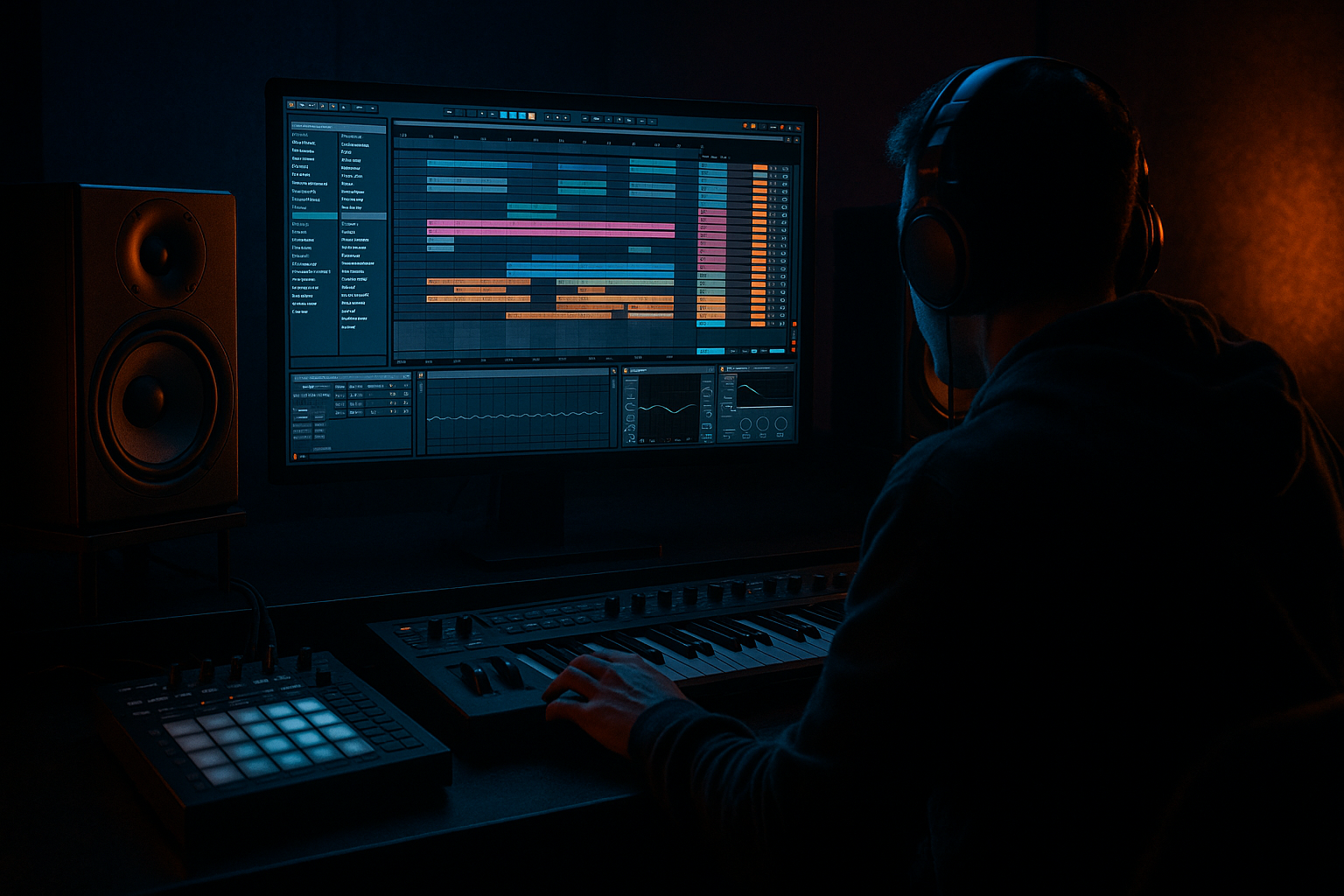
Swing a kick weight for smoky warehouse vibes in Ableton Live 12 for jungle oldskool DnB vibes (Intermediate) cover image

Narrated lesson audio

The voice track includes the tutorial plus extra teacher commentary.

Open audio file

Main tutorial

```markdown

Swing a Kick Weight for Smoky Warehouse Vibes (Ableton Live 12)

Intermediate • Groove • Jungle / Oldskool DnB 🏭🖤

---

1. Lesson overview

In jungle and oldskool DnB, the kick isn’t just “on 1 and 3.” The feel comes from micro-timing, accent patterns, and weight management (sub vs knock vs air) so the groove rolls like a smoky warehouse system.

In this lesson you’ll learn how to:

  • Add swing that actually feels DnB, not generic house shuffle
  • Push/pull kick timing without losing impact
  • Use Ableton Live 12 tools: Groove Pool, MIDI clip offsets, Track Delay, Drum Rack, Saturator, EQ Eight, Glue Compressor
  • Make the kick “lean” into the break so the whole loop breathes 🔥
  • ---

    2. What you will build

    A 4–8 bar jungle/DnB drum loop at 165–172 BPM where:

  • The kick has weighted swing (sub stays solid, mid-knock swings slightly)
  • The break drives the roll (classic Amen-style or similar)
  • The groove has that dusty, late-night warehouse push/pull
  • You’ll end with:

  • A kick layered in Drum Rack
  • A break with groove extracted + applied
  • A controlled timing workflow so your mix still hits hard
  • ---

    3. Step-by-step walkthrough

    Step 0 — Session setup (fast + intentional)

    1. Set tempo to 170 BPM (classic jungle comfort zone).

    2. Create three tracks:

    - Kick Rack (MIDI)

    - Break (Audio)

    - Bass (MIDI or Audio; optional for checking pocket)

    Why: If you only swing “everything,” you’ll lose punch. Separating kick + break lets you choose where swing lives.

    ---

    Step 1 — Build a weighted kick inside Drum Rack 🎛️

    1. On Kick Rack, load a Drum Rack.

    2. Create two kick layers:

    - Kick Sub (tight siney/low kick or filtered kick)

    - Kick Knock (mid punch / beater / click)

    Practical layering approach

  • Put Kick Sub on pad C1:
  • - Add EQ Eight

    - Low-pass around 120–180 Hz (steep-ish)

    - Optional small dip around 50–70 Hz if it’s too boomy

  • Put Kick Knock on pad C#1:
  • - Add EQ Eight

    - High-pass around 120–180 Hz

    - Small boost around 2–4 kHz for bite (careful)

    3. Group them:

    - Select both chains in Drum Rack → Group (so you can process together)

    4. Add Saturator on the group:

    - Mode: Soft Clip

    - Drive: 2–6 dB (start at 3 dB)

    - Output: trim so you’re not louder, just denser

    Goal: Your low end stays stable while your mid layer can swing and “talk.”

    ---

    Step 2 — Program the kick pattern (oldskool-friendly)

    In a 1-bar MIDI clip, start with a simple DnB-friendly anchor:

  • Place kicks on: 1.1.1 and 1.3.1 (the classic skeleton)
  • Add a ghost/lead-in kick occasionally:
  • - Try a light hit around 1.2.4 or 1.4.4 (quiet + short)

    Velocity suggestion

  • Main kicks: 100–127
  • Ghost kicks: 35–70
  • This gives you something to swing without losing the downbeat weight.

    ---

    Step 3 — Choose a break and extract its groove 🥁

    1. Drag an oldskool-style break (Amen, Think, Hot Pants-style—your choice) onto Break track.

    2. Make sure Warp is on:

    - Warp Mode: Complex or Complex Pro (safe for breaks)

    3. Right-click the clip → Extract Groove

    4. Open Groove Pool (left panel) and find the extracted groove.

    Key: This groove is the DNA of the shuffle. Jungle feel usually comes more from the break than from a “Swing 16” preset.

    ---

    Step 4 — Apply groove to the kick (but with control)

    1. Select your kick MIDI clip

    2. In Clip View → Groove dropdown: choose the extracted groove

    3. Start with:

    - Timing: 10–20%

    - Random: 0–4% (tiny!)

    - Velocity: 0% (for now)

    - Base: usually 1/16 or 1/8 depending on extracted groove

    4. Hit Commit only when you’re confident.

    - For experimentation, don’t commit yet. Adjust and listen first.

    Listening checkpoint:

    Your kick should start to “nod” with the break, but the downbeats must still feel planted.

    ---

    Step 5 — The secret sauce: swing the knock, not the sub 🧠

    This is where warehouse weight happens.

    Method A (cleanest): Split sub vs knock timing

    1. Duplicate your kick MIDI track:

    - Track 1: Kick Sub

    - Track 2: Kick Knock

    2. On Kick Sub, keep groove minimal:

    - Groove Timing: 0–8% (almost straight)

    3. On Kick Knock, increase groove:

    - Groove Timing: 18–35%

    - Optional Random: 2–6% (adds smoke)

    Now the transient “leans” while the sub stays dependable. That’s the vibe.

    Method B (quick): Track Delay

    If you don’t want to duplicate tracks:

  • Use Track Delay (bottom right in mixer section)
  • - Set Kick Knock track delay to +5 to +15 ms (late = laid back)

    - Or -5 to -10 ms (early = urgent/aggressive)

    Rule:

  • Late knock = smoky and heavy
  • Early knock = edgy and forward
  • ---

    Step 6 — Glue the groove with subtle bus processing

    Create a Drum Bus return/group:

    1. Group Kick + Break into a Drums Group

    2. On the group insert:

    - Glue Compressor

    - Attack: 3 ms

    - Release: Auto

    - Ratio: 2:1

    - Aim for 1–3 dB gain reduction

    - EQ Eight

    - Gentle low shelf dip if too thick (around 120 Hz)

    - Tiny presence lift if too dull (around 3–6 kHz)

    Optional (for warehouse grit):

  • Drum Buss device
  • - Drive: 2–8

    - Crunch: 0–10 (subtle)

    - Boom: 0–10 (careful—DnB subs can explode fast)

    ---

    Step 7 — Arrangement move: “swing the weight” across 8 bars

    To make it feel like a DJ-friendly roller, automate groove intensity:

    8-bar loop automation idea

  • Bars 1–2: Groove Timing on Knock 15%
  • Bars 3–4: 22%
  • Bars 5–6: 28%
  • Bars 7–8: drop back to 18% (reset tension)
  • Or automate Track Delay on the knock:

  • Verse/rolling section: +8 ms
  • Pre-drop tease: +12 ms
  • Drop: back to +6 ms (tighter punch)
  • This creates movement without changing the pattern.

    ---

    4. Common mistakes

    1. Swinging the sub layer

    Makes low end feel late/unstable. Keep sub timing straighter than the transient.

    2. Too much groove amount

    If Groove Timing is 50–100%, you’ll often get “drunk drums,” not jungle roll.

    3. Random set too high

    Random above ~10% can smear the pocket and ruin repeatability.

    4. Over-quantizing the break

    If you hard-quantize warp markers, you erase the human groove you wanted.

    5. Ignoring velocity

    Oldskool feel is timing and accents. A perfectly timed loop with flat velocity still sounds stiff.

    ---

    5. Pro tips for darker/heavier DnB 🖤

  • Parallel dirt on the knock only:
  • Create a Return track with Saturator → Amp → EQ Eight, send only the knock layer. Keep sub clean.

  • Roll the room with short ambience:
  • Use Hybrid Reverb (very subtle) on the break only:

    - Convolution: small room / warehouse-ish IR

    - Decay: 0.3–0.8s

    - High-pass reverb: 200–400 Hz

    This adds “smoke” without washing low end.

  • Use transient shaping carefully:
  • Ableton doesn’t have a dedicated transient shaper stock, but you can fake it:

    - Drum Buss: Transients knob (small moves)

    - Glue Compressor with slower attack to let click through

  • Sidechain the bass to the kick sub layer only:
  • Keeps low end clear without pumping the whole groove.

    - Compressor on bass, sidechain from Kick Sub

    - Attack: 1–5 ms, Release: 60–120 ms

    - 2–5 dB reduction is usually enough

  • Ghost kick accents to steer the swing:
  • A quiet hit just before a snare can make the next downbeat feel heavier.

    ---

    6. Mini practice exercise (15 minutes) ⏱️

    1. Load a break, Extract Groove.

    2. Make a two-layer kick (Sub + Knock).

    3. Apply extracted groove:

    - Sub: 0–8%

    - Knock: 20–30%

    4. Do three versions and A/B them:

    - Version A: Knock Track Delay +10 ms

    - Version B: Knock Track Delay 0 ms

    - Version C: Knock Track Delay -7 ms

    5. Pick the best pocket and commit it, then bounce a 8-bar drum loop.

    Goal: Train your ear to identify “laid back heavy” vs “aggressive forward” groove.

    ---

    7. Recap

  • Use the break as the groove reference (Extract Groove → Groove Pool) 🥁
  • Keep sub timing stable and swing the knock/transient for warehouse weight 🏭
  • Start subtle: 10–35% timing, low Random, then fine-tune with Track Delay
  • Glue it with Glue Compressor and tasteful saturation for smoky density 🔥
  • Add arrangement interest by automating groove intensity over 8 bars

If you want, tell me your BPM and which break you’re using, and I’ll suggest a specific groove amount + kick placement pattern that matches that break’s pocket.

```

Ask GPT about this lesson

Chat with the lesson tutor, get follow-up help, or use quick actions.

Bigup 👽 Ask me anything about this lesson and I’ll answer in context.

Narration script

Show spoken script
Alright, let’s build that smoky warehouse swing in Ableton Live 12, the kind of jungle and oldskool DnB pocket where the drums don’t just hit… they lean.

The big idea today is simple, but it changes everything: in proper jungle, the kick isn’t just “on one and three.” The feel comes from micro-timing, accent patterns, and how you manage weight. And weight means: what stays rock-solid in the sub, versus what’s allowed to move in the mid knock and transient.

By the end, you’ll have a four to eight bar loop around 170 BPM where the break drives the roll, the kick has swing that actually reads as DnB, and the whole thing breathes like a late-night system in a dusty room.

Let’s go.

First, set your tempo. Put it at 170 BPM. That’s the comfort zone where this style really makes sense.

Now create three tracks. One MIDI track called Kick Rack. One audio track called Break. And optionally a bass track, MIDI or audio, just so later you can sanity-check the pocket. You don’t need the bass to do the groove work, but it helps you confirm if the drums are leaving space.

Here’s why we’re separating tracks: if you swing everything equally, you usually lose punch. The art is choosing where the swing lives.

Now we build the kick. On your Kick Rack track, drop in a Drum Rack. We’re going to layer the kick into two jobs.

The first layer is Kick Sub. This is the weight. Tight, clean, centered. Think siney low, or a kick that’s mostly fundamental and not a lot of click.

Put that on a pad, like C1. Add EQ Eight. Low-pass it somewhere around 120 to 180 hertz, fairly steep. You’re basically telling it: “Your job is low-end stability, not character.” If it’s getting too boomy, try a small dip around 50 to 70 hertz, but don’t go crazy.

Second layer is Kick Knock. This is the chest and the talk. The beater, the mid punch, the presence.

Put that on a neighboring pad, like C-sharp 1. Add EQ Eight. High-pass around 120 to 180 hertz, so it’s not fighting the sub. Then, if you need bite, a small boost in the 2 to 4k range. Careful, though. Oldskool bite is more “knock” than “needle.”

Now group those two chains inside Drum Rack so you can process them together. And on that group, add Saturator. Set it to Soft Clip. Drive somewhere between 2 and 6 dB, and start around 3. Then trim the output so you’re not fooled by loudness. We want denser, not just louder.

Quick teacher note: if you crank saturation and suddenly the kick feels later or smaller, it’s not magic, it’s transient shape. Saturation changes the front edge, and that changes perceived timing. So keep it tasteful.

Next, program a kick pattern. Make a one-bar MIDI clip to start. Put kicks on 1.1.1 and 1.3.1. That’s the classic skeleton. Then add an occasional ghost or lead-in kick. Try a light hit around 1.2.4 or 1.4.4. Keep it quiet and short.

Velocity-wise, make your main kicks hit hard, like 100 up to 127. Ghost kicks somewhere like 35 to 70. That’s already half the groove, because oldskool feel is accents as much as timing.

Now choose a break. Drag an Amen-style, Think, Hot Pants type break onto the Break track. Turn Warp on. Use Complex or Complex Pro to keep it safe on the transients. We’re not trying to “fix” the break into a grid right now. We’re trying to learn its attitude.

Now right-click the break clip and choose Extract Groove. Then open the Groove Pool and find the extracted groove. This is key: that groove is basically the DNA of your shuffle. Jungle swing usually comes from the break’s internal push and pull, not from a generic Swing 16 preset.

Now apply that groove to your kick MIDI clip, but do it gently.

Select the kick clip. In clip view, choose the extracted groove in the Groove dropdown. Start with Timing around 10 to 20 percent. Random at zero to maybe four percent. Tiny. Leave Velocity at zero for now, just so you’re not changing too many things at once. And set Base to either 1/16 or 1/8 depending on what the break is doing.

A quick tip here: Base is a feel decision. If the shuffle lives in 16ths, Base at 1/16 usually locks better. If the break feels like a loping 8th swing, Base at 1/8 can give you that early rave push. Try both. Don’t assume.

And don’t hit Commit yet. Not yet. First we listen.

Here’s your listening checkpoint: your kick should start to nod with the break, but the downbeats must still feel planted. If the whole groove feels like it’s drifting, you’ve swung the wrong part.

Now we get to the secret sauce, the part that makes it warehouse. You swing the knock, not the sub.

Because the sub is your anchor. If the low end arrives late, the room feels unstable. But if the transient leans late while the sub stays centered, you get that heavy, smoky drag without losing impact.

Cleanest method: split them.

Duplicate the Kick Rack track so you have two tracks. One is Kick Sub. One is Kick Knock. On the sub track, keep groove timing minimal, like zero to eight percent. Almost straight. On the knock track, increase groove timing, like 18 to 35 percent. Optionally add a little Random, like two to six percent, to add “smoke” without turning it into sloppy timing.

Now, coach note: while you set this, do pocket-reference monitoring. Solo only the Break and the Kick Knock. Mute the sub and mute bass. Listen to whether the knock feels like it’s answering the break’s hats and ghosts. If it starts to feel conversational, you’re in the zone. Then bring the sub back in and check if the low end still feels centered.

If you don’t want to duplicate tracks, the quick method is track delay. Put the knock on its own track or chain that you can delay, and use the Track Delay control. Try plus five to plus fifteen milliseconds to lay it back. Or minus five to minus ten to push it forward.

Rule of thumb: late knock equals smoky and heavy. Early knock equals edgy and aggressive. Same pattern, different attitude.

Now, something people miss: micro-timing is not the same thing as Groove Amount. Sometimes you don’t need more groove overall. You just need one hit nudged.

A very common jungle move is leaving the main downbeat kick exactly on grid, but nudging only the lead-in ghost kick later by a few milliseconds. So if your groove feels good except one spot feels too eager, don’t blame the whole groove. Fix the one note.

Now let’s do a phase sanity check, because this can absolutely fool you. When you offset layers, you change how they sum. If you add swing and the kick suddenly loses chest impact, it might not be “wrong groove.” It might be layer alignment.

Quick test: on one layer, drop in Utility and invert polarity, left and right. If it gets louder or more solid when inverted, you’ve got phase fighting. Don’t leave it inverted as your “solution,” but use that as a clue. Then realign sample start times, adjust track delay, or shorten one layer so the transient relationship behaves again.

Next, glue the groove. Group your Kick and Break into a Drums Group. On that group, add Glue Compressor. Set attack to 3 milliseconds, release to Auto, ratio 2 to 1. Aim for one to three dB of gain reduction. This is not about squashing; it’s about making the kick and break breathe together.

Then add EQ Eight. If it’s too thick, a gentle low shelf dip around 120 hertz. If it’s too dull, a tiny lift around 3 to 6k. Tiny. You can always add character later.

Optional warehouse grit: Drum Buss on the group. Drive around 2 to 8, Crunch low, Boom very careful. In DnB, Boom can get out of hand fast, especially once bass enters.

Now, let’s make it feel like a real eight-bar roller, not a static loop. We’re going to automate the groove intensity.

On the knock, automate the Groove Timing or the Track Delay across eight bars. For example: bars one and two, timing at 15 percent. Bars three and four, 22 percent. Bars five and six, 28 percent. Bars seven and eight, drop it back to 18 percent to reset the tension.

If you’re using track delay instead: maybe plus eight milliseconds in the rolling section, plus twelve in a pre-drop tease, then back to plus six on the drop so it punches tighter. This is a classic trick: tighten, don’t just get louder.

Now some quick extra sound design that fits the vibe.

If you want the knock to talk without adding harsh top, try Saturator on the knock layer in Analog Clip mode, drive one to four dB. Then EQ Eight: a small wide bump around 700 hertz to 1.5k, that cardboard knock zone, and a gentle dip around 3 to 5k if it turns clicky.

Also, transient length is underrated as groove control. If your knock sample is too long, swing can feel messy because the tail overlaps hats and ghosts. Shorten it with Simpler by reducing decay, or use a tight gate. Short knock plus stable sub means you can swing harder without smearing the pocket.

For extra “smoke,” do a dust layer return. Create a return track with Vinyl Distortion or very light Redux, then Auto Filter high-pass around 250 to 400 hertz. Send a little break and a tiny bit of knock to it, not the sub. That gives you hazy air without washing the low end.

And keep your low end disciplined. Put Utility on the drum group and set Bass Mono around 120 to 180 hertz. Once you start doing timing offsets, mono low end helps you hear the pocket more clearly.

Now, a quick 15-minute practice run you can repeat until your ear gets sharp.

Load a break and extract groove. Make your two-layer kick. Apply groove so sub is zero to eight percent and knock is 20 to 30 percent. Then make three versions.

Version A: knock track delay plus 10 milliseconds. Version B: zero milliseconds. Version C: minus seven milliseconds.

Bounce or freeze those and do a blind A and B test. Don’t look at the numbers. Just ask: which one feels best at low volume, which feels best loud, and which leaves the most room for bass.

Before we wrap, common mistakes to avoid.

Don’t swing the sub layer too much. That makes the low end feel late and unstable. Don’t crank groove timing to 50 or 100 percent unless you want drunk drums. Keep random small; above ten percent you usually lose repeatability. Don’t over-quantize the break and delete the human feel you extracted. And don’t ignore velocity, because timing without accents still sounds stiff.

Recap: use the break as your groove reference by extracting groove into the Groove Pool. Keep sub timing stable, swing the knock for warehouse weight. Start subtle, 10 to 35 percent timing, low random, then fine-tune with track delay in milliseconds. Glue it with gentle compression and tasteful saturation. And create movement by automating groove intensity over eight bars.

If you tell me your BPM and which break you’re using, I can suggest a tighter timing range for sub and knock, and a kick placement that tends to lock with that break’s pocket.

mickeybeam

Go to drumbasscd.com for +100 drum and bass YouTube channels all in one place - tune in!

Generating PDF preview…
