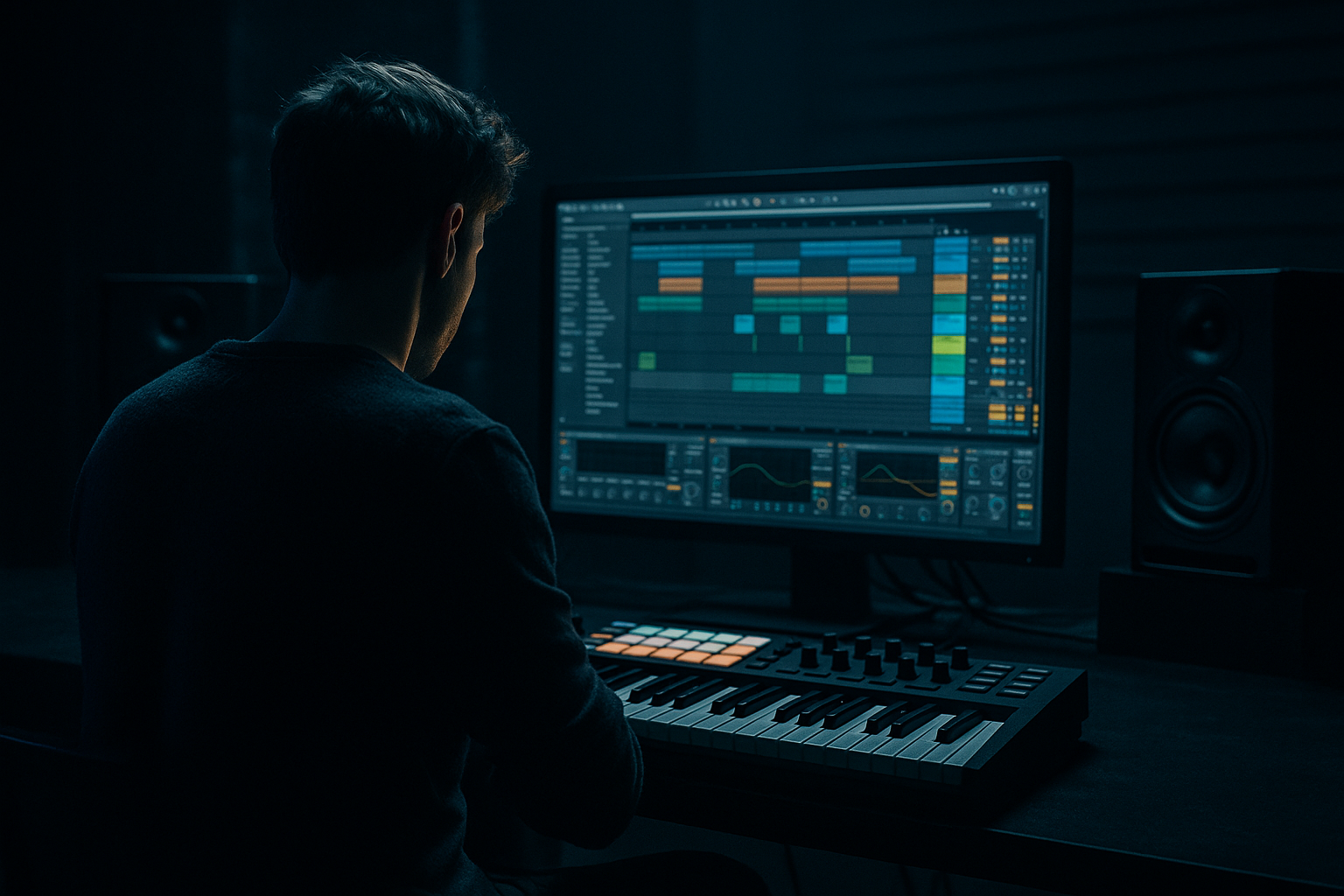
Main tutorial
Sub Pressure: Ride Groove Arrange with Modern Punch and Vintage Soul in Ableton Live 12
Advanced DnB / Jungle Tutorial — Category: Risers
If you want a ride groove that feels like it’s lifting the whole tune upward while still hitting with modern sub weight and oldskool jungle energy, this lesson is for you. We’re going to build a sub-pressure riser arrangement in Ableton Live 12 that sits between a breakdown and a drop, using ride cymbal motion, filtered tension, ghost percussion, and controlled low-end lift. 🔥
---
1. Lesson overview
In jungle and oldskool DnB, risers are not always giant white-noise sweeps. Often the most effective tension comes from:
- Rhythmic propulsion rather than FX spectacle
- Ride cymbal movement that implies speed and lift
- Sub pressure automation that feels physical
- Breakbeat fragments and edit stabs that signal incoming drop energy
- Vintage soul flavor through sampled texture, chords, or vocal ghosts
- Modern punch: tight transients, clean low-end control, strong arrangement contrast
- Vintage soul: dusty ride texture, chopped break layering, subtle pitch and tape-style movement
- Ableton Live 12 workflow: stock devices, practical automation, clip-based arrangement, and clean mixing decisions
- density
- velocity variation
- filter opening
- stereo width automation
- slight transient sharpening near the drop
- filtered bass note movement
- subtle pitch rise or note inversion
- automation of Utility / Auto Filter
- sidechain interaction with kickless tension
- chopped break hits
- reversed cymbals
- vinyl noise / ambience
- oldskool stab ghosts or chord fragments
- Bars 1–4: tension starts
- Bars 5–6: energy rises
- Bars 7–8: peak and drop prep
- Warp mode: Complex Pro for tonal material
- Warp mode: Beats for drum loops
- Adjust transient preservation so the break stays punchy
- Drum Rack with a ride sample
- or Simpler in one-shot mode
- a clear tip
- enough noise to cut through
- not too much built-in reverb
- 1/8 notes on every offbeat
- add 1/16 note doubles in the second half
- increase density in bars 5–8
- Bars 1–2: ride hits on offbeats only
- Bars 3–4: add occasional 16th pickup notes
- Bars 5–6: more consistent 8ths with velocity variation
- Bars 7–8: 16th roll energy, especially in the last bar
- earlier bars: 70–90
- middle bars: 85–105
- final bar: 100–127, but avoid robotic maxing on every note
- High-pass around 180–300 Hz
- Cut any harsh ring around 5–8 kHz if needed
- Small boost around 10–12 kHz if the ride needs air
- Drive: 5–15%
- Crunch: low to moderate
- Transient: +5 to +20 depending on sample softness
- Boom: off or very low for ride samples
- Drive: +2 to +6 dB
- Turn on Soft Clip
- If needed, use a light Analog Clip flavor by ear
- Start with a low-pass filter
- Frequency automation from roughly 2–3 kHz up to 12–16 kHz
- Resonance: 10–20% for a slight lift
- Start narrower in early bars
- Open slightly in the last 2 bars
- Don’t over-stereo a ride if the drop needs impact in mono
- muted ride taps
- rim clicks
- shuffled hats
- break fragments
- very low-volume 16th notes
- occasional off-grid notes
- micro-fills at bar ends
- something around 54–58% swing
- low timing influence if you want punch preserved
- maybe 20–40% random only if it helps the human feel
- a sustained bass note from your drop bassline
- a sine/sub from Operator
- a resampled bass tail in Simpler
- a filtered reese layer bounced to audio
- Oscillator A: sine
- Envelope: medium attack, long release
- Filter: low-pass or off, depending on source
- Keep it simple and pure
- Auto Filter cutoff up slightly
- Saturator drive up a touch near the peak
- Utility gain down if the low end gets too heavy before drop
- start with the sub filtered fairly closed
- slowly open it over 4–8 bars
- optionally add a very subtle pitch rise of 1–3 semitones only if it suits the track
- Build Bus
- Riser Pressure
- Drop Prep
- Use a sidechain input from the kick pattern if there’s a pulse
- If the section is kickless, sidechain from a ghost kick or low percussion hit
- Ratio: 2:1 or 4:1
- Attack: 10–30 ms
- Release: Auto or 0.3–0.6 s
- Aim for 1–3 dB of gain reduction
- a chopped vocal pad
- a minor-key organ stab
- a dusty Rhodes chord
- a reversed cymbal into a snare fill
- an atmospheric break sample
- Warp the sample to fit
- Auto Filter low-pass sweeping open
- Chorus-Ensemble for subtle width
- Echo for tail movement
- optional Redux for grit
- Ride enters sparsely
- Sub-pressure is filtered and low in volume
- One ghost break hit every 2 bars
- Texture is distant and filtered
- Ride becomes more active
- Add 16th pickups
- Open filter slightly
- Bring in a reversed cymbal or break slice
- Ride feels urgent
- Sub pressure rises more audibly
- Add a short snare or tom roll
- Open stereo width a bit on textures
- Highest ride density
- Final automation push
- Break fragments become more obvious
- Last bar: remove some low end, then hit the drop hard
- mute the sub briefly
- leave the ride tail or reverse
- then slam into the drop with full low end
- Auto Filter cutoff
- Reverb dry/wet
- Saturator drive
- Utility width
- Track volume
- Delay feedback on texture layers
- Pitch on sub or FX hits
- Slow rise, fast final push
- Curved exponential opening
- Tiny dips right before the drop to make impact feel bigger
- slightly reduce the ride volume in the last half-bar
- then let the drop hit full scale
- Saturator
- Redux
- high-pass EQ
- a break fill
- a ride roll variation
- a reversed hit
- a tiny delay throw
- pitch the sample down slightly
- low-pass it
- add a little Wow and Flutter feel using subtle modulation or resampling
- keep it eerie, not sentimental
- No third-party plugins
- No white-noise riser
- At least one Auto Filter automation
- At least one Drum Buss or Saturator on the ride
- At least one Utility width move
- Use at least one chopped break sample or ghost percussion hit
- the energy is accelerating
- the low end is gathering force
- the drop is obviously coming
- the build sounds like DnB/jungle, not generic EDM
- a ride pattern with increasing density
- filtered sub movement
- ghost percussion and break fragments
- soulful texture for vintage character
- automation and bussing for modern punch
- Use the ride as a rhythmic tension engine
- Automate low-pass opening and subtle gain changes
- Keep the sub present enough to feel physical
- Add oldskool texture with chopped breaks and dusty samples
- Use contrast before the drop for maximum impact
This tutorial shows you how to create a ride-driven riser arrangement that works in a rolling DnB context:
You’ll end up with a 4–8 bar build section that can lead into a heavy drop while still sounding rooted in classic jungle aesthetics.
---
2. What you will build
We’ll build a 3-layer riser system:
Layer 1: Ride groove
A driving ride pattern that increases intensity through:
Layer 2: Sub-pressure lift
A low-frequency swell underneath the ride using:
Layer 3: Jungle tension texture
A supporting layer made from:
Together, these layers create a ride groove arrange that feels like the energy is being pulled upward into the drop.
---
3. Step-by-step walkthrough
---
Step 1: Set up your project for a classic DnB build
Tempo:
Set the project to 170–174 BPM.
For oldskool jungle vibes, 172 BPM is a great sweet spot.
Arrange view:
Work in 8-bar sections:
Warping:
If you’re using sampled breaks or ride loops:
---
Step 2: Build the ride groove
Create a MIDI track for your ride.
#### Instrument choice
Use:
Pick a ride that has:
For jungle, a slightly dirty, metallic ride works better than a super-polished techno ride.
#### MIDI pattern
Start with a basic ride pulse, then shape it into a riser.
Example 1-bar pattern at 172 BPM:
A practical arrangement:
#### Velocity shaping
This matters a lot.
Use velocity like this:
You want the ride to feel like it is leaning forward, not just getting louder.
---
Step 3: Process the ride for punch and movement
Use a clean but characterful chain.
#### Suggested ride chain
1. EQ Eight
2. Drum Buss
3. Saturator
4. Auto Filter
5. Utility
##### EQ Eight
##### Drum Buss
Use this lightly:
This is useful for making the ride more aggressive without making it brittle.
##### Saturator
Use subtle harmonic enhancement:
##### Auto Filter
This is where the riser motion starts.
##### Utility
Automate width carefully:
---
Step 4: Add ride groove variation with ghost hits
This is where the oldskool feel comes alive.
Layer in tiny details:
#### Use a second track for ghost percussion
Place:
Keep these elements quieter than the main ride. Their job is to create movement illusion, not attention.
#### Groove Pool
Try applying a subtle swing groove from Ableton’s Groove Pool:
For jungle, too much quantization makes it sterile. Too much swing can wreck the push. Aim for that sloppy-but-controlled pocket.
---
Step 5: Create the sub-pressure layer
Now we create the “pressure” part of the riser.
This is not a huge EDM riser sub; it’s a musical low-end swell that feels like the track is inhaling before the drop.
#### Sound source options
Use one of these:
#### Operator setup for a clean sub swell
#### Automation idea
Take a sustained note or repeating note and automate:
A good approach:
For jungle, the sub should feel like weight rising, not a giant cinematic whoosh.
---
Step 6: Use a sidechained tension bus
If you want the riser to breathe and pulse, route your ride and sub-pressure layers to a bus.
#### Create a group track
Name it something like:
On the group insert:
1. Glue Compressor
2. EQ Eight
3. Utility
##### Glue Compressor
This gives the build a feeling of engine compression—a classic DnB move.
---
Step 7: Add vintage soul with chopped texture
To keep the build from sounding generic, add a small amount of soulful jungle atmosphere.
Use one of these:
#### Processing chain for soulful texture
Keep it understated. The texture should feel like a memory of the drop, not a full melodic statement.
---
Step 8: Arrange the build in 8 bars
Here’s a practical arrangement map:
#### Bars 1–2
#### Bars 3–4
#### Bars 5–6
#### Bars 7–8
#### Pre-drop trick
In the final half-bar or last beat:
That contrast is crucial in DnB.
---
Step 9: Use automation like a pro
For risers in DnB, automation is everything.
#### Automate these parameters:
#### Good automation shapes
A classic build trick:
This “air pocket” effect makes the drop feel much heavier.
---
Step 10: Make it punch harder with stock Ableton devices
Here are the most useful stock devices for this job:
#### EQ Eight
For carving low end and controlling harsh ride frequencies.
#### Auto Filter
Essential for riser motion and tension shaping.
#### Drum Buss
Great for transient punch and grit.
#### Saturator
Adds harmonic density and helps the ride cut through.
#### Glue Compressor
Useful for build bus pumping and cohesion.
#### Utility
For width control, gain staging, and mono checks.
#### Echo
For reverse-like tail movement and delayed atmosphere.
#### Chorus-Ensemble
For widening soulful layers.
#### Simpler
Perfect for chopped break fragments and one-shot riser layers.
#### Operator
Excellent for pure sub swells and tonal tension notes.
---
4. Common mistakes
1. Making the riser too noisy
Too much noise can flatten the impact of the drop. In DnB, the drop needs space to feel huge.
2. Overusing huge FX risers
A giant cinematic whoosh can clash with jungle drums. Keep it rhythmic and musical.
3. Letting the ride dominate the mix
If the ride is too loud or too bright, it will fatigue the ear before the drop lands.
4. Ignoring mono compatibility
If your build collapses in mono, the sub pressure will lose power. Always check mono on the build bus.
5. Over-filtering the sub
If you remove too much low end too early, the riser loses weight. Keep some fundamental presence until the last moment.
6. No contrast before the drop
If everything is loud all the time, nothing feels powerful. Pull elements back before impact.
7. Quantizing everything rigidly
Oldskool jungle energy needs a human swing and slight instability.
---
5. Pro tips for darker/heavier DnB
Tip 1: Use a distorted ride layer very quietly
Duplicate the ride and process the duplicate with:
Blend it in subtly for aggression. It gives you a darker edge without making the main ride harsh.
Tip 2: Layer a short reese tail under the riser
Take a short reese stab, low-pass it, and automate it under the build. This adds menace.
Tip 3: Use clip gain instead of just fader moves
Automating clip gain can preserve downstream compression behavior and feel more intentional.
Tip 4: Make the final bar slightly chaotic
In the last bar, introduce:
That controlled chaos is very jungle.
Tip 5: Darker soul sample processing
For vintage soul flavor in heavier DnB:
Tip 6: Resample your build
Bounce the riser arrangement to audio and re-edit it. This often gives the build a more cohesive, “already-printed-to-tape” jungle feel.
---
6. Mini practice exercise
Build a 4-bar riser arrangement at 172 BPM using only stock Ableton devices.
Exercise brief
Create:
1. a ride groove that increases density
2. a low sub-pressure swell
3. one soulful texture layer
4. a final-bar drop-prep moment
Constraints
Success check
By the end, your 4 bars should feel like:
---
7. Recap
A strong jungle/DnB riser does not need to scream. It needs to pull.
In this lesson, you built a sub-pressure ride groove arrange by combining:
Key takeaways
If you apply this method carefully, your risers will feel musical, heavy, and unmistakably DnB. 🚀
If you want, I can also turn this into:
1. a bar-by-bar Ableton arrangement template, or
2. a device chain preset guide for the ride and sub layers.

