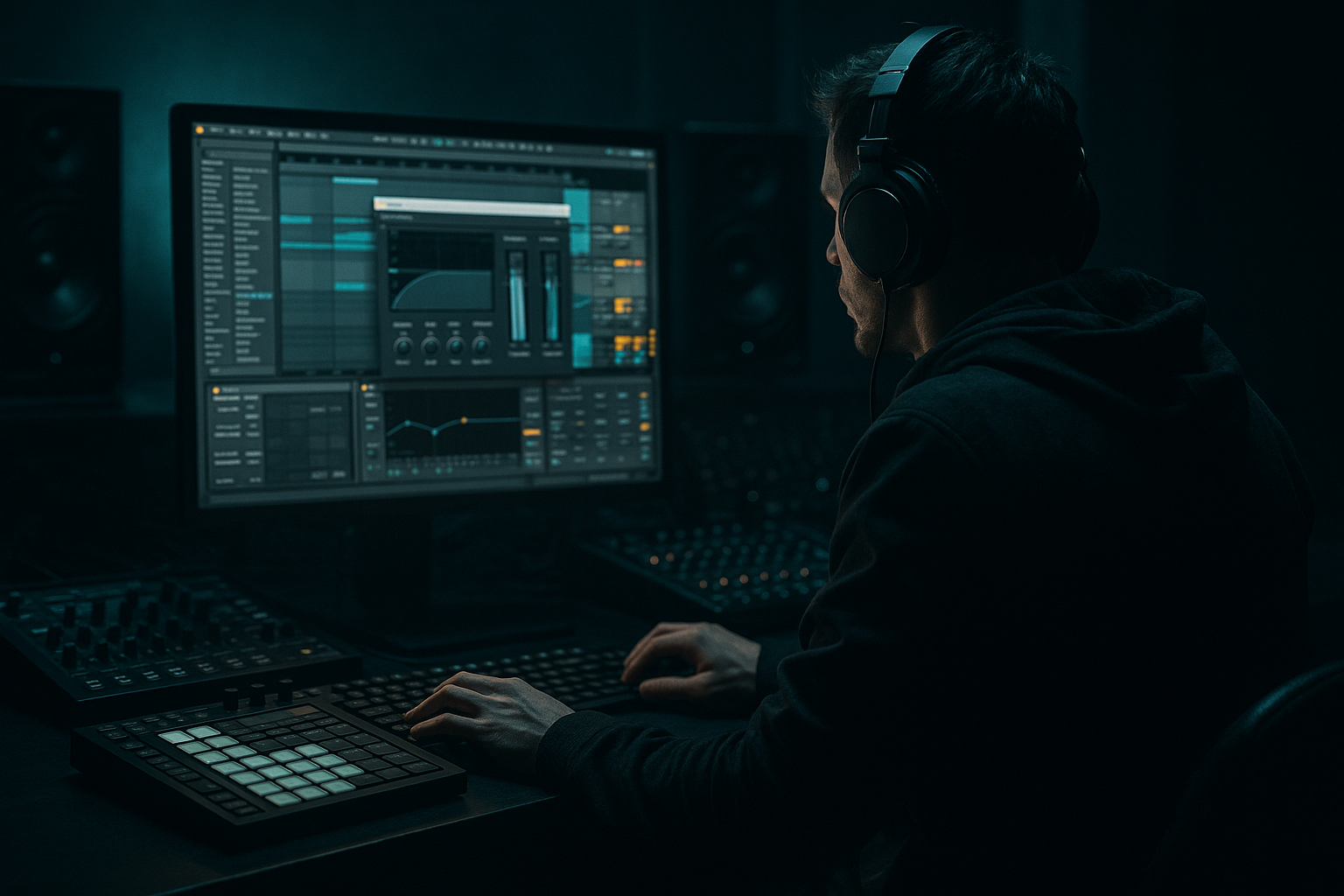
Main tutorial
Lesson Overview
This lesson is about building a sub-pressure transition in Ableton Live 12 that feels right for VHS-rave color, jungle oldskool energy, and darker DnB tension. The goal is not just “adding an FX sweep” — it’s making the low end feel like it’s breathing, warping, and pulling the listener into the drop.
In Drum & Bass, transitions are where the track gets its identity. A great drop can still feel weak if the build doesn’t create enough pressure. In jungle and rollers especially, the transition has to do more than fill space: it needs to preserve groove, hint at the bassline, and create contrast without washing out the sub. That’s why this technique matters. You’re designing an FX moment that sounds grimy, analog, and club-ready, while staying disciplined enough for the mix.
We’ll build a transition using Ableton stock devices only, combining:
- Sub movement
- Reese or low-mid bass texture
- Tape/VHS-style degradation
- Filtered noise and drum fills
- Automation that feels intentional rather than random
- Starts with a tight, mono sub pulse
- Adds a warped VHS-rave texture in the low mids and highs
- Uses filter motion, saturation, and delay tails to create tension
- Includes a break edit or ghosted drum fill for movement
- Resolves into a clean, heavy drop with the sub returning hard and focused
- Making the sub too wide
- Overfilling the transition with too many FX
- Using too much reverb on the low end
- Letting the bass texture fight the snare
- Automating everything at once
- Not checking the transition in mono
- Use a fake tape-stop moment sparingly
- Resample your own transition
- Layer sub and texture from different rhythmic ideas
- Use Drum Buss on the drum group, not the master
- Keep the drop sub cleaner than the build
- Add micro-edits with velocity variation
- Reference oldskool energy but keep modern low-end discipline
- one for an oldskool jungle-style switch
- one for a darker roller drop
- Build the transition around a clean mono sub anchor
- Add reese or low-mid texture for VHS-rave color
- Use Saturator, Redux, Auto Filter, Echo, and Reverb to create controlled grime and movement
- Keep the low end disciplined and the FX layer wider
- Use break edits and ghost drums to preserve DnB momentum
- Automate filter, width, and space to create tension and release
- Make the drop feel bigger by letting the transition get darker, narrower, and more unstable first
This is the kind of transition you can drop into a jungle intro, a dark roller switch-up, or the final bar before a second-drop variation. 🔥
What You Will Build
By the end, you’ll have a 4- to 8-bar transition section that does the following:
Musically, this will work like a classic DnB pre-drop tension builder:
bar 1–2: stripped and ominous,
bar 3–4: rising pressure and degradation,
bar 5: impact or fake-out,
bar 6–8: drop into the full bass phrase.
Think of it as a transition that could sit between an oldskool jungle section and a modern darker roller. The effect should feel like the track is being played from a warped tape machine in a warehouse rave — but still punch through a club system.
Step-by-Step Walkthrough
1. Set up a clean transition lane in Session or Arrangement
In Ableton Live 12, create a dedicated transition group with three tracks:
- Sub Bass
- Bass FX / Reese Texture
- Transition FX / Drums
This keeps your build organized and makes automation easier.
Start with a simple 4- or 8-bar section in Arrangement View. Place the transition right before your drop or switch-up. For DnB, a common structure is:
- 4 bars of tension
- 1 bar of fake-out or fill
- 1 bar impact
- return to full groove
Keep your main kick/snare or break pattern muted or simplified during the first half. The point is to create space for the pressure to develop.
2. Design the sub-pressure anchor first
Create a MIDI track with Operator or Wavetable for the sub. Keep it simple and stable.
Suggested settings:
- Oscillator: sine or very clean triangle
- Octave: keep it low, usually around C1–C2 range
- Filter: mostly open, with only gentle motion if needed
- Glide/portamento: subtle, around 20–60 ms for sliding transitions
- Volume: leave headroom; don’t overdrive yet
Program a short rhythmic motif rather than long notes. In DnB, sub pressure often works best when it feels like it’s pulsing against the drums, not just holding a drone. Try a phrase like:
- two short hits on beat 1
- a longer note into beat 3
- a pickup into the next bar
Use MIDI Note Length thoughtfully. Shorter notes create urgency; slightly longer notes let the sub bloom. For a VHS-rave tension feel, let the sub occasionally leave a tiny gap so the low end “breathes.”
3. Add a reese or low-mid bass layer for VHS-rave character
On a second MIDI track, build a low-mid texture using Wavetable, Analog, or Operator with a detuned saw/reese tone. This layer should not replace the sub — it should provide the color and motion above it.
Stock device chain suggestion:
- Wavetable
- Saturator
- EQ Eight
- Chorus-Ensemble or Phaser-Flanger very subtly
- optional Auto Filter
Parameter ideas:
- Detune: modest, enough to thicken without smearing
- Unison: keep restrained; avoid wide stereo in the low end
- Saturator Drive: around 2–6 dB
- EQ Eight: cut below 90–120 Hz to protect the sub
- Auto Filter: low-pass automation sweeping from around 200 Hz up to 1–2 kHz during the build
This layer is where the VHS-rave flavor starts showing up. Slight pitch instability, saturation, and filtered movement can feel like an old tape loop getting pushed harder and harder before the drop.
4. Process the bass texture with controlled degradation
The magic comes from making the bass sound slightly worn, not destroyed. Add Redux or Overdrive carefully after the bass layer, then control the result with EQ.
A strong chain for the bass texture:
- Saturator
- Redux
- EQ Eight
- Utility
Useful starting points:
- Redux Bit Reduction: subtle, around 10–14 bits equivalent feel
- Sample Rate reduction: only a little, enough to add grain
- Saturator Soft Clip: on
- Utility Width: reduce stereo width in the low end, often to 0–50% depending on the part
Why this works in DnB: the genre thrives on contrast between clean sub foundation and dirty midrange movement. If the bass is too polished, it won’t feel oldskool or threatening. If it’s too crushed, the groove disappears. Controlled degradation gives you that VHS-rave haze while keeping the low end legible.
5. Build the transition FX with noise, filters, and reverse movement
Now create your transition lane. Use Operator noise, a resampled noise hit, or even a broken break fragment. Put it on a separate audio track so you can shape it independently.
Good Ableton tools here:
- Auto Filter
- Reverb
- Echo
- Saturator
- Gate for tight rhythmic shaping
Build a 2-layer FX idea:
- Layer A: noise rise
- High-pass it first, then automate the filter opening
- Add reverb and gradually increase dry/wet
- Layer B: reverse or stretched texture
- Reverse a crash, cymbal, or break fragment
- Stretch it to 1–2 bars if needed
- Use Echo for smeared pre-drop tail
Suggested move:
- Start with the noise layer filtered very low and dull
- Open the filter across 4 bars
- Add a quick volume fade on the last half-bar before the drop
- Cut the tail sharply on impact so the drop feels more sudden
This gives that classic “something is charging up in the tunnel” feeling without stealing focus from the drums.
6. Inject jungle-style drum pressure with break edits and ghost hits
A proper DnB transition usually needs drum motion. Even if the main drums pull back, keep the rhythm alive with break edits, ghost snare ghosts, rim taps, or chopped hat stutters.
In Ableton Live:
- Slice a break to a Drum Rack
- Use Simpler in Slice mode if you want fast rearranging
- Duplicate 1–2 hits and pitch them slightly for texture
- Use Transient shaping with Drum Buss or Envelope controls in Sampler/Simpler where applicable
Practical pattern ideas:
- Half-time snare ghosts before the drop
- A chopped Amen-style fill in the last 2 bars
- One or two delayed rim shots to create forward motion
- Small velocity changes so the groove doesn’t sound robotic
Keep these edits tucked under the bass transition. You want the listener to feel movement without turning the section into a drum solo. In oldskool jungle, the break is part of the tension. In darker rollers, the ghost rhythm helps the drop feel inevitable.
7. Automate the filter, stereo width, and reverb space for the VHS-rave feel
This is where the section starts sounding cinematic and unstable. Use automation lanes on your bass texture, FX, and even drums.
Focus on these automations:
- Auto Filter cutoff on bass texture: gradually open, then snap shut before drop
- Utility Width: narrow during the build, then open slightly on the impact if needed
- Reverb dry/wet: increase in the last 1–2 bars, then cut hard
- Delay feedback: ride up briefly for a psychedelic tail, then stop it
- EQ Eight high shelf: tiny boosts or cuts for “glare” or darkness
A useful trick is to automate the transition from dark and narrow to slightly wider and brighter, then cut back to full mono sub impact on the drop. That contrast makes the drop feel bigger.
Keep the low-end itself mostly mono. Only let the texture layer go wide. That separation is what keeps the transition powerful instead of muddy.
8. Shape the impact bar so the drop lands with authority
The last bar before the drop is where many transitions fail. Don’t overfill it. Make it feel like a vacuum before the hit.
Try this:
- Remove the kick for half a bar
- Let the snare or break hit once, then leave space
- Automate the bass texture to thin out or mute briefly
- Add a short impact sample or sub drop
- Bring the main bass back on the downbeat with full groove
Good Ableton stock choices:
- Drum Buss on the drum group for punch and harmonics
- Saturator on the impact
- Utility for a clean mono impact if needed
- Reverb with a short tail on the fake-out hit
If the drop is a modern neuro-style switch, let the transition end more abruptly. If it’s an oldskool jungle roll-in, give it a bit more swing and tail so it feels like a tape splice into the next section.
9. Balance the whole transition in context, not in solo
Turn off solo and listen to the transition with the full track. In DnB, the bass can seem huge in solo but vanish once the drums return.
Check:
- Does the sub still read when the break comes in?
- Is the bass texture competing with the snare crack?
- Does the transition create anticipation without masking the drop?
Use EQ Eight to carve space:
- Cut muddy low mids around 200–400 Hz if the transition feels boxy
- Tame harshness around 2–5 kHz if the FX bite too hard
- Keep the sub clean below 80–100 Hz
This is where your judgment matters most. The best transition is not the one with the most sound design — it’s the one that makes the next section feel heavier, clearer, and more dangerous.
Common Mistakes
Fix: keep the true sub mono with Utility or careful track routing. Let only the texture layer spread.
Fix: choose 2–3 strong elements: sub movement, one texture layer, one drum edit. More than that often blurs the impact.
Fix: high-pass your reverbs or use them only on upper percussion, noise, and atmospheres.
Fix: carve space around the snare crack with EQ, or duck the bass texture slightly on snare hits.
Fix: pick one primary motion, usually filter cutoff, and let other changes support it. Too many simultaneous moves feel chaotic.
Fix: especially for DnB, mono-check the low end to make sure the sub and kick don’t disappear or phase out.
Pro Tips for Darker / Heavier DnB
A tiny pitch or filter collapse right before the drop can create VHS-rave drama. Keep it short so the groove doesn’t stall.
Bounce the FX pass, then chop it like audio. This often sounds more cohesive than stacking too many live devices.
For example: the sub plays on strong beats, while the reese texture answers with offbeat stabs. That call-and-response keeps tension alive.
A little Drive and Crunch can make the transition drums punch harder without flattening the whole track.
Let the transition be grimier than the drop. That contrast makes the drop feel more massive.
Tiny ghost snares, reversed hat stabs, or staggered break slices create the classic jungle “alive” feeling.
The best VHS-rave DnB sounds nostalgic in texture but controlled in mix.
Mini Practice Exercise
Spend 10–20 minutes building a 4-bar sub-pressure transition in Ableton Live:
1. Create a mono sub on Operator with a short rhythmic phrase.
2. Add a detuned bass texture on Wavetable with Saturator and EQ Eight.
3. Build one noise rise using Auto Filter and Reverb.
4. Slice one break and place 3–5 ghost hits in the last two bars.
5. Automate filter cutoff, width, and reverb return so the section grows in tension.
6. Render the 4 bars to audio and compare it against the unrendered version.
7. Ask yourself: does the transition feel darker, heavier, and more convincing in context?
If you want to level up the exercise, make two versions:
Compare how much space each one needs.
Recap
If the transition feels like the room is pressure-building before the drop hits, you’ve nailed it.

