DNB COLLEGE

Drum & Bass Ableton Live 12 Tutorials

LESSON DETAIL

Sub Focus masterclass: tighten the hoover stab in Ableton Live 12 for 90s-inspired darkness (Beginner · Edits · tutorial)

An AI-generated beginner Ableton lesson focused on Sub Focus masterclass: tighten the hoover stab in Ableton Live 12 for 90s-inspired darkness in the Edits area of drum and bass production.

Back to lessons
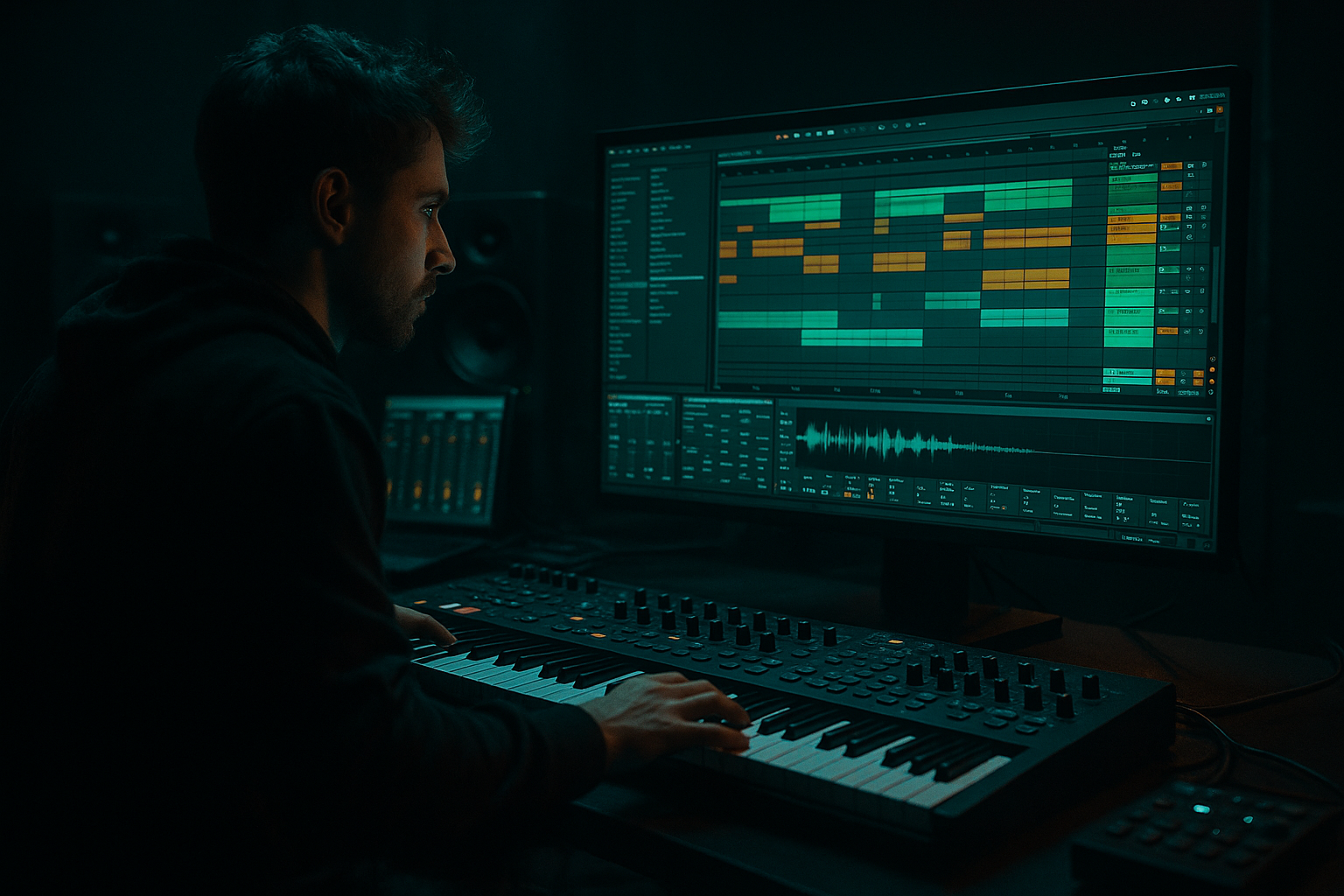
Sub Focus masterclass: tighten the hoover stab in Ableton Live 12 for 90s-inspired darkness (Beginner · Edits · tutorial) cover image

Narrated lesson audio

The voice track includes the tutorial plus extra teacher commentary.

Open audio file

Main tutorial

1. Lesson Overview

This is a Sub Focus masterclass: tighten the hoover stab in Ableton Live 12 for 90s-inspired darkness — a beginner-friendly, hands-on walkthrough showing how to build and process a short, punchy “hoover” stab that sits tight in a Drum & Bass mix and keeps that gritty 90s vibe. You’ll use Live 12 stock devices (Wavetable/Operator/Simpler, EQ Eight, Saturator, Utility, Compressor/Glue, Transient Shaper, Auto Filter and Sends) and a simple sidechain to the kick to lock everything in.

2. What You Will Build

  • A single, one-bar hoover stab patch (MIDI or audio) that’s:
  • - short and tight (snappy attack and controlled release)

    - dark and gritty (saturated mids, narrow low end)

    - mix-ready (mono sub, stereo upper harmonics, subtle space)

  • A simple processing chain in Live 12 that you can drop into a DnB session and immediately sidechain to your kick.
  • 3. Step-by-Step Walkthrough

    Note: The exact phrase appears here as required — we’re doing a Sub Focus masterclass: tighten the hoover stab in Ableton Live 12 for 90s-inspired darkness. Follow these numbered steps in Live 12.

    Setup

    1. Create a new MIDI track and load Wavetable (preferred) or Operator if you don’t have Wavetable.

    - Wavetable is ideal for hoovers because of its wavetable position morphing and unison.

    Patch: basic hoover

    2. Oscillators (Wavetable)

    - Osc A: Choose a saw-ish wavetable (Analog_BD_Saw or basic Saw). Set Unison to 4 voices, Detune ~6–12, Spread ~30–60.

    - Osc B: Choose a slightly different wavetable (Triangle → Saw-ish or PWM-like) and set Unison to 3 voices, Detune ~6, lower level to taste for movement.

    - Sub oscillator: add a subtle sub sine ~-6 to -10 dB under the main signal to anchor low end.

    3. Filter & Movement

    - Filter: Low-pass (24 dB) with resonance 0.6–1.2 for character. Set Filter Drive off initially.

    - Envelope: Use Env 1 for amp ADSR:

    - Attack 0 ms

    - Decay 80–200 ms (shorter for tighter stab — start 120 ms)

    - Sustain 0–10% (so it’s a proper stab)

    - Release 60–140 ms (short -> tight; longer if you want tail)

    - Filter Envelope (Env 2): Amount ~30–50% so the filter opens quickly then closes — short decay (80–160 ms). This creates the stab’s “pluck” motion.

    4. Pitch Envelope (tighten)

    - In Wavetable, use the Pitch Envelope (Pitch Env or Env 3). Give a small, fast downward pitch sweep:

    - Amount: -0.5 to -2 semitones (negative) or -12 to -24 cents if available — just enough to add a snap.

    - Attack 0 ms, Decay 40–120 ms.

    - This fast pitch drop tightens the perceived transient — classic trick for stabs.

    MIDI region

    5. Program a short MIDI stab

    - One note, 1/8 or 1/16 length depending on tempo; for DnB use a short 1/8 note or 1/16 note with the device envelopes doing the tail.

    - Play a minor 7 or root→5 interval for darkness, try notes: C2→G2 or C3 stab depending on your patch.

    Processing chain (device order matters)

    6. Insert EQ Eight (first)

    - High-pass below 28–40 Hz (remove inaudible rumble).

    - Slight dip 300–500 Hz if muddy.

    - Gentle boost 1.5–3 kHz for presence or 200–500 Hz cut to darken.

    7. Saturator (color)

    - Type: Analog Clip or Soft-Sine.

    - Drive: +3–6 dB (subtle). Use “Dry/Wet” 30–60% to taste.

    - Apply to add harmonic grit; don’t overdo.

    8. Utility (low-end control and gain staging)

    - Width: Reduce to 0% for frequencies below ~120 Hz (we’ll do this with an automated EQ later or using additional routing). For beginners: set Utility Width to 100% now and we’ll mono the sub with EQ/Multiband trick below.

    - Use track gain here to avoid clipping.

    9. Optional: Multiband Dynamics or EQ Eight split

    - If you have Multiband Dynamics, compress the low band slightly to control sub clicks. If not, duplicate the track, low-pass one copy at 120 Hz (EQ Eight), mono it (Utility Width 0%) and keep the high copy stereo — then group them. This is a common way to keep the sub tight and mono.

    10. Transient Shaper / Drum Buss

    - Add Transient Shaper (or Drum Buss) after Saturator:

    - Increase Attack slightly (+3 to +8) to punch more.

    - Reduce Sustain to tighten the tail.

    - Drum Buss “Drive” can add glue; use small amounts.

    11. Glue Compressor (bus glue)

    - Threshold: -6 to -12 dB (light gain reduction 1–3 dB)

    - Attack: fast (0.5–5 ms)

    - Release: auto or ~100 ms

    - Makeup gain to match level. This helps glue the unison voices together.

    12. Sidechain compression (duck to kick)

    - Insert a Compressor after Glue (or use an additional Compressor).

    - Enable Sidechain input and select the Kick bus/channel.

    - Ratio 3:1–6:1, Attack 0.5–5 ms, Release 80–150 ms — adjust so the stab ducks tightly on the kick transient. This yields the pumping Sub Focus-style tightness.

    Stereo movement and space

    13. Subtle modulation & width

    - Add Auto Filter as send or on the track with a slow LFO on cutoff for movement, low depth.

    - Add small Stereo spread only on the upper frequencies: use a Utility on an EQ-high-passed duplicate (or use Multiband technique above) and set Width 80–140% on top band while keeping sub mono.

    Reverb / Sends

    14. Short dark space

    - Create a return track with Reverb: Size small (0.2–0.4), Decay 0.6–1.2 s, HiCut ~2.5–4 kHz, LowCut ~200–400 Hz to keep tail dark and avoid mud.

    - Send very low (5–18%) so the stab remains tight but alive.

    Bounce & final tightening

    15. Resample and trim

    - Once happy, resample/Freeze + Flatten or export the stab to audio.

    - Trim start and add a tiny 5–10 ms fade in if needed (to avoid clicks). Use Warp OFF (or set warp to Beats with Transients off) so the sample remains one-shot.

    - Use Utility to normalize or gain stage.

    4. Common Mistakes

  • Too many unison voices at high detune: creates phase smear and clashing low end. If muddy, lower unison or reduce detune/spread.
  • Long release times: defeats ‘tighten’ goal — keep decay/release short and control tail with Transient Shaper/Envelope.
  • Widening the subs: wide low end kills low-end focus—mono sub below ~120 Hz.
  • Heavy reverb on the stab: makes it wash out; use very short dark reverb on send.
  • Over-saturation clipping: push saturation for character but compensate gain before Glue/Compressor to avoid hard clipping.
  • No sidechain: without sidechain the stab will fight the kick — use a short, aggressive sidechain.
  • 5. Pro Tips

  • Layer a short sampled stab (Simpler) under the synth for extra attack — choose a bright click or guitar pick sample, set to single-shot and short ADSR.
  • Parallel distortion: duplicate the track, heavily distort the duplicate and low-pass it around 3–5 kHz, then blend in to taste (keeps sub clean).
  • Use pitch automation (very small ±1–2 semitone moves on transient) for micro-interest between hits.
  • Freeze + flatten early, then edit the audio waveform (trim, clip gain) for perfect timing and repeated use.
  • For authentic 90s darkness, favor minor intervals (minor 6ths/7ths) and slightly detuned oscillator settings to create tension.
  • Use frequency-specific compression (Multiband Dynamics) to squash the midrange a bit without killing the attack.

6. Mini Practice Exercise

Goal: Make a tight hoover stab that ducks to a kick.

1. On a new Ableton Live 12 project, load Wavetable on a MIDI track.

2. Create a one-bar MIDI clip with a single note (C2, length 1/8 note).

3. Set Wavetable: Osc A saw, Unison 4 (Detune 8), Osc B saw-ish, Sub -6 dB.

4. Env1: Attack 0, Decay 120 ms, Sustain 0, Release 90 ms. Env2: Decay 100 ms, Amount 40% to Filter cutoff.

5. Pitch Env: fast decay 80 ms, Amount -0.5 to -1 semitone.

6. Add EQ Eight (HPF 30 Hz), Saturator (Drive 4 dB), Transient Shaper (Attack +5, Sustain -4).

7. Add Compressor, sidechain to a Kick track (3:1 ratio, attack 1 ms, release 100 ms); tweak threshold so each stab ducks briefly on the kick.

8. Render the track to audio. Listen: it should be dark, tight, duck to kick, and sit clean in the low end.

Compare: change Wavetable Unison to 8 voices and notice muddiness. Then reduce to 2–3 and re-balance for punch. This will teach you the balance between width and clarity.

7. Recap

This Sub Focus masterclass: tighten the hoover stab in Ableton Live 12 for 90s-inspired darkness gives you a complete, beginner-safe approach: build a hoover voice (Wavetable/Operator), use fast amp and filter envelopes plus a pitch envelope for snap, process with EQ → Saturator → Transient shaping → Glue Compressor, mono the sub, and use sidechain compression to the kick. Resample and trim for repeatable, mix-ready stabs. Practice the mini exercise and experiment with small parameter changes (decay, pitch envelope amount, saturation) to dial in your signature dark 90s DnB stab.


Ask GPT about this lesson

Chat with the lesson tutor, get follow-up help, or use quick actions.

Bigup 👽 Ask me anything about this lesson and I’ll answer in context.

Narration script

Show spoken script
Title: Sub Focus masterclass — tighten the hoover stab in Ableton Live 12 for 90s‑inspired darkness

Intro
Hi — welcome. In this lesson we’re doing a Sub Focus masterclass: tighten the hoover stab in Ableton Live 12 for 90s‑inspired darkness. This is a beginner-friendly, hands-on walkthrough that shows how to build one short, punchy hoover stab and process it so it sits tight in a Drum & Bass mix while keeping that gritty 90s vibe. We’ll only use Live 12 stock devices — Wavetable or Operator, Simpler, EQ Eight, Saturator, Utility, Compressor or Glue, a Transient Shaper, Auto Filter and Sends — plus a simple sidechain to the kick. Follow these numbered steps in Live 12.

What you will build
You’ll end up with a single one-bar hoover stab that is:
- short and tight, with a snappy attack and controlled release;
- dark and gritty, with saturated mids and a narrow low end;
- mix‑ready, with a mono sub and stereo upper harmonics and a touch of space.

Step-by-step walkthrough

Setup
Step 1 — create a new MIDI track and load Wavetable. If you don’t have Wavetable, use Operator. Wavetable is preferred because of its wavetable movement and unison features.

Patch: basic hoover
Step 2 — oscillators:
- Osc A: pick a saw-ish wavetable like Analog_BD_Saw or a basic Saw. Set Unison to 4 voices, Detune between about 6 and 12, and Spread around 30 to 60.
- Osc B: choose a slightly different wavetable — something more triangle-to-saw or PWM-like. Set Unison to 3 voices, Detune around 6, and lower its level for subtle movement.
- Add a sub oscillator — a sine under the main signal around -6 to -10 dB to anchor the low end.

Step 3 — filter and movement:
- Use a 24 dB low-pass filter with resonance around 0.6 to 1.2. Leave Filter Drive off to start.
- Amp envelope (Env 1): Attack 0 ms, Decay 80 to 200 ms — try 120 ms to start, Sustain around 0–10% so it’s a proper stab, Release 60 to 140 ms depending on how tight you want it.
- Filter envelope (Env 2): Amount 30–50% with a short decay of 80 to 160 ms so the filter opens quickly then closes — that creates the “pluck” motion.

Step 4 — pitch envelope to tighten:
- Use the Pitch Envelope (Pitch Env or Env 3). Give a small, fast downward pitch sweep: amount between -0.5 and -2 semitones or, for subtler snap, -12 to -30 cents. Attack 0 ms, Decay 40 to 120 ms. This fast pitch drop tightens the perceived transient — a classic stab trick.

MIDI region
Step 5 — program a short MIDI stab:
- One note, short length — 1/8 or 1/16 depending on tempo. For DnB try a short 1/8 or 1/16 and let the device envelopes provide the tail.
- Use a minor tonality for darkness — minor 7 or root→5 interval works well. Try C2→G2 or a single C3 stab depending on the patch.

Processing chain (order matters)
Step 6 — EQ Eight first:
- High-pass below 28–40 Hz to remove inaudible rumble.
- A slight dip around 300–500 Hz if it’s muddy.
- Gentle boost or cut around 1.5–3 kHz for presence or darkness as needed.

Step 7 — Saturator:
- Choose Analog Clip or Soft‑Sine. Drive around +3–6 dB, Dry/Wet 30–60% to add harmonic grit. Don’t overdo it — this is character, not full distortion.

Step 8 — Utility:
- Use Utility for gain staging. We’ll mono the sub later; for now keep Width at 100% and use gain to avoid clipping.

Step 9 — optional multiband or split:
- If you have Multiband Dynamics, compress the low band slightly to control sub clicks.
- If not, duplicate the track: low-pass one copy at ~120 Hz, set its Utility Width to 0% to mono the sub, and keep the other copy stereo. Group them — this is a simple low/high split.

Step 10 — Transient Shaper or Drum Buss:
- After Saturator add a Transient Shaper: boost Attack a little (+3 to +8) and reduce Sustain to tighten the tail.
- Or use Drum Buss for subtle drive and glue — small amounts.

Step 11 — Glue Compressor:
- Light glue helps the unison voices sit together. Threshold for 1–3 dB gain reduction, Attack fast 0.5–5 ms, Release around 100 ms. Apply makeup gain to match level.

Step 12 — sidechain compression to duck to the kick:
- Insert a Compressor after the Glue and enable sidechain, select the kick bus.
- Ratio 3:1 to 6:1, Attack 0.5–5 ms, Release 80–150 ms. Adjust threshold so the stab ducks tightly on each kick transient. This is key to tight Sub Focus-style placement.

Stereo movement and space
Step 13 — subtle modulation and width:
- Add Auto Filter with a slow LFO on cutoff for tiny movement, or use it as a low‑depth send.
- For width, keep the sub mono and widen only the upper frequencies. Use the split technique: low-pass mono sub chain, high-pass stereo top chain with slightly increased Width on the top.

Reverb / sends
Step 14 — short dark space:
- Create a return with Reverb: Size small, Decay 0.6 to 1.2 s, HiCut around 2.5–4 kHz, LowCut 200–400 Hz so the tail stays dark and doesn’t muddy the low end.
- Send very subtly, around 5–18%, so the stab keeps its bite but has life.

Bounce and final tightening
Step 15 — resample and trim:
- Once you’re happy, resample or Freeze + Flatten, or export the stab to audio.
- Trim the start, add a tiny 5–10 ms fade if necessary to remove clicks, and keep Warp off so the sample stays one-shot.
- Use Utility to normalize or set final gain.

Common mistakes to avoid
- Too many unison voices or too much detune — creates phase smear and a clashing low end. Reduce voices or detune if it gets muddy.
- Long release times — they defeat the tightness. Keep decay and release short and control tails with transient shaping.
- Widening the subs — keep energy below ~120 Hz mono.
- Heavy reverb — it will wash the stab out. Use very short, dark reverb on a send.
- Over-saturation that clips — use gain staging before your compressor.
- No sidechain — without it the stab will fight your kick. Use a short, aggressive sidechain.

Pro tips (quick hits)
- Layer a short sampled click or stab in Simpler beneath the synth for extra attack.
- Parallel distortion: duplicate the track, heavily distort the duplicate, low-pass around 3–5 kHz, and blend in.
- Small pitch automation on transients adds interest — ±1–2 semitones in tiny bursts.
- Freeze and flatten early to edit the audio waveform for perfect timing.
- For authentic 90s darkness favor minor intervals and slight detune between oscillators.
- Use Multiband Dynamics to tone down mids without killing attack.

Mini practice exercise
Now let’s do a short exercise to lock this in:
1. New Live 12 project. Load Wavetable on a MIDI track.
2. Create a one-bar clip with a single C2 note, length 1/8.
3. Set Wavetable: Osc A saw, Unison 4, Detune 8. Osc B saw-ish. Sub at -6 dB.
4. Env1: Attack 0, Decay 120 ms, Sustain 0, Release 90 ms. Env2 Decay 100 ms, Amount 40% to Filter cutoff.
5. Pitch Env: Decay 80 ms, Amount -0.5 to -1 semitone.
6. Add EQ Eight HPF 30 Hz, Saturator Drive 4 dB, Transient Shaper Attack +5 Sustain -4.
7. Add Compressor sidechained to a Kick track: ratio 3:1, attack 1 ms, release 100 ms; set threshold so the stab ducks on the kick.
8. Render the stab to audio. It should sound dark, tight, and duck cleanly to the kick.

Compare: then set Wavetable Unison to 8 voices and hear the muddiness. Reduce to 2–3 and re-balance to learn the tradeoff between width and clarity.

Recap and final thoughts
To recap: build a hoover voice in Wavetable or Operator, use fast amp and filter envelopes plus a small pitch envelope for snap, process with EQ → Saturator → Transient shaping → Glue Compressor, keep the sub mono, and sidechain to the kick. Resample and trim for a repeatable, mix‑ready stab. Practice the mini exercise and tweak small parameter changes — decay, pitch envelope amount, saturation — to find your signature dark 90s DnB stab.

Final coach notes — mindset and workflow
Think “controlled chaos.” The hoover’s detune and width give movement, and your job is to corral it so it doesn’t fight the kick or smear the low end. Small, deliberate changes win. Map macros for Decay, Pitch Snap, Sub Level, Top Width and Saturator Drive and save a template rack called “Hoover Tight DnB v1” so you can drop it into sessions quickly.

That’s it — follow the steps, do the exercise, and you’ll have a tight, dark hoover stab ready for your Drum & Bass mix.

mickeybeam

Go to drumbasscd.com for +100 drum and bass YouTube channels all in one place - tune in!

Generating PDF preview…