DNB COLLEGE

AI Drum & Bass Ableton Tutorials

LESSON DETAIL

Stretch jungle atmosphere for 90s-inspired darkness in Ableton Live 12 (Intermediate)

An AI-generated intermediate Ableton lesson focused on Stretch jungle atmosphere for 90s-inspired darkness in Ableton Live 12 in the Sampling area of drum and bass production.

Free plan: 0 of 1 lesson views left today. Premium unlocks unlimited access.

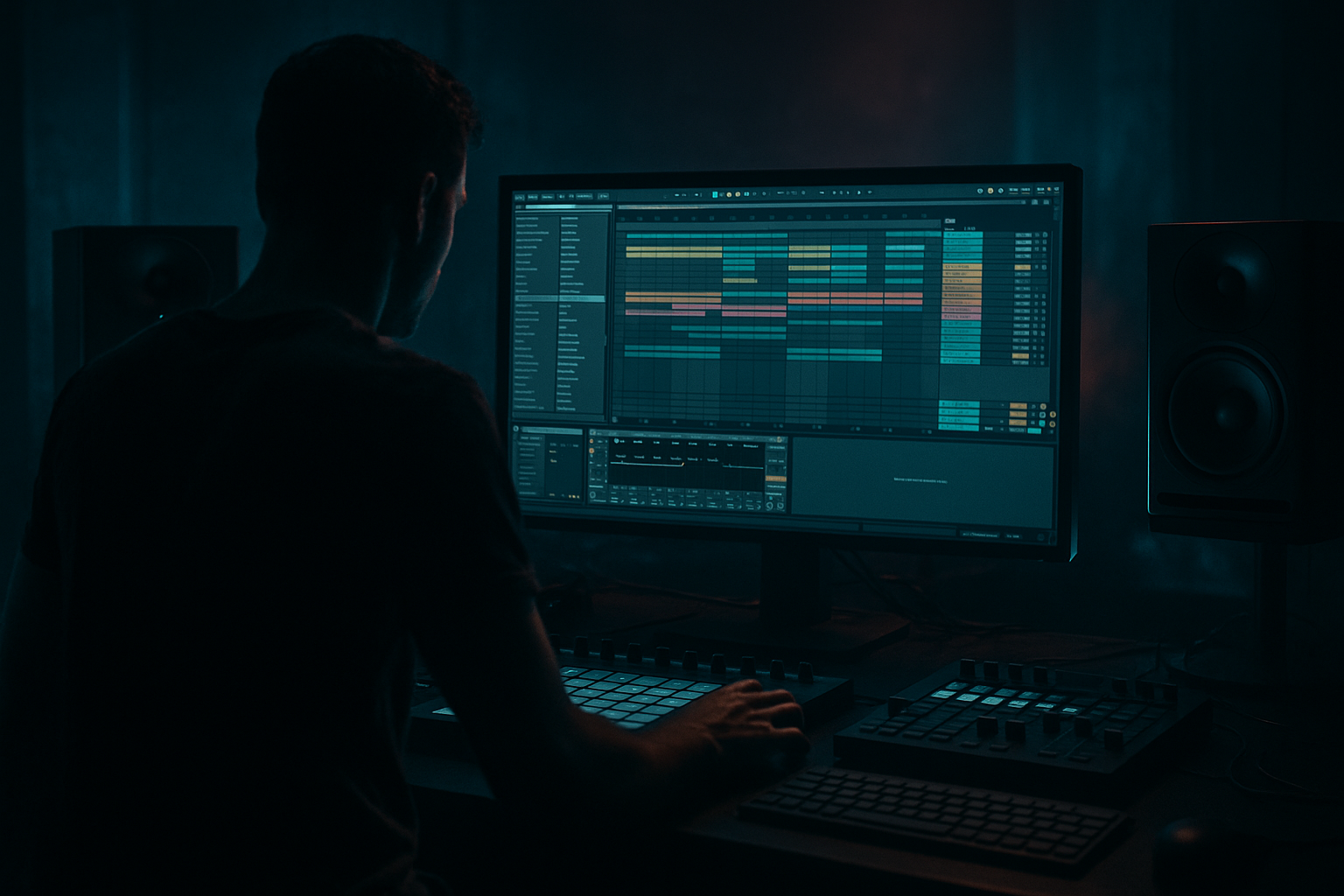
Stretch jungle atmosphere for 90s-inspired darkness in Ableton Live 12 (Intermediate) cover image

Narrated lesson audio

The voice track includes the tutorial plus extra teacher commentary.

Open audio file

Main tutorial

```markdown

Stretch Jungle Atmosphere for 90s-Inspired Darkness in Ableton Live 12 (Sampling) 🕳️🌫️

Intermediate | Drum & Bass / Jungle | Ableton Live 12

---

1. Lesson overview

In 90s jungle, the “air” around the drums is often just as important as the break itself—stretched pads, eerie room tones, timestretched vocals, vinyl noise, and detuned stabs glued together with gritty filtering and space. In this lesson you’ll learn a practical Ableton Live 12 workflow to turn small samples (pads, chords, movie dialogue, ambient recordings, break intros) into dark, stretched atmospheres that sit behind rolling drums without muddying the mix.

We’ll focus on:

  • Warping modes + grainy time-stretch for that classic artifact vibe
  • Resampling into longer textures (the “print it, then abuse it” method)
  • Device chains using mostly stock Ableton devices
  • Arrangement techniques that feel authentic to jungle/DnB
  • ---

    2. What you will build

    You’ll end up with:

  • A 2–4 bar “dark bed” atmosphere loop (stretched + filtered + wide)
  • A one-shot “atmo hit” (great for drop impact)
  • A background noise layer (vinyl/room tone) that follows your arrangement
  • A ready-to-use Atmos Rack you can reuse in future projects 🎛️
  • ---

    3. Step-by-step walkthrough

    Step 0 — Session setup (so your stretching behaves)

    1. Set tempo to a DnB-friendly range:

    - 165–174 BPM (try 170 BPM)

    2. Create 3 audio tracks:

    - ATMOS Source

    - ATMOS Resample

    - NOISE Bed

    Optional but recommended:

  • Add a Drum Buss / Break track in your project so you can judge the atmo against drums from the start.
  • ---

    Step 1 — Choose the right source material (what stretches well)

    Great sources for 90s darkness:

  • Break intros / cymbal wash tails
  • Old rave pads / minor chord samples
  • Movie/TV dialogue (single words = gold)
  • Field recordings: hallway hum, wind, subway, rain
  • Vinyl noise / cassette hiss layers
  • Drag a sample onto ATMOS Source.

    Rule of thumb: short + harmonically simple = stretches into texture easier. If the sample is already busy, you’ll get mush fast.

    ---

    Step 2 — Warp for “jungle artifact” time-stretch

    Click the clip → enable Warp.

    Now pick a warp mode depending on what you want:

    #### Option A: Texture (best for grainy dark beds)

  • Warp Mode: Texture
  • Grain Size: 60–120 ms (start at 80 ms)
  • Flux: 10–25% (start at 15%)
  • Then stretch the clip:

  • Grab the clip end and pull it out to 2x–8x longer.
  • Aim: a 1-bar sound becomes 4–16 bars.
  • Why this works: Texture mode creates that classic smeared/grainy ambience that sits behind breaks without sounding too “clean.”

    #### Option B: Complex Pro (for vocals/dialogue that must remain “readable”)

  • Warp Mode: Complex Pro
  • Formants: 70–110 (lower = darker; start 85)
  • Envelope: 90–130 (start 110)
  • Stretch it less aggressively (usually 2x–4x) to avoid “watery” artifacts.

    #### Option C: Re-Pitch (for authentic old-school pitch/time coupling)

  • Warp Mode: Re-Pitch
  • Now when you change tempo, pitch follows—very 90s.
  • Great if you’re building a whole track around a pitched-down atmosphere.
  • ---

    Step 3 — Make it dark and controlled (filtering + movement)

    On ATMOS Source, add this device chain:

    1. Auto Filter

    - Mode: Low-pass (24 dB)

    - Cutoff: 300–2,500 Hz (start 900 Hz)

    - Resonance: 0.20–0.45 (don’t over-whistle)

    - Add subtle movement:

    - LFO Amount: 5–15%

    - Rate: 0.05–0.15 Hz (slow drift)

    2. EQ Eight

    - High-pass at 25–40 Hz (remove sub junk)

    - Cut 200–450 Hz if it clouds your kick/bass (start -2 to -5 dB, wide Q)

    - Optional: gentle dip 2–5 kHz if it fights snares/hats

    3. Saturator

    - Mode: Soft Clip ON

    - Drive: 2–6 dB

    - Output: trim to match level

    - Optional: turn on Color for extra grit

    This gives you a moving, dark, controlled texture that won’t steal the mix.

    ---

    Step 4 — Create “big space” without washing out drums

    Add Hybrid Reverb after Saturator:

  • Algorithm: Hall or Plate
  • Reverb Time: 2.5–6.0s (start 3.8s)
  • Predelay: 15–35 ms (start 22 ms)
  • EQ inside Hybrid Reverb:
  • - Low Cut: 200–400 Hz

    - High Cut: 5–9 kHz

    Then add Echo (optional but very jungle):

  • Mode: Repitch or Noise character if available
  • Time: 1/8 dotted or 1/4
  • Feedback: 15–30%
  • Filter: HP around 300 Hz, LP around 5–7 kHz
  • Mix: 8–20%
  • DnB mix reality check: your drums need to stay forward—so keep the atmo reverb filtered and not too bright.

    ---

    Step 5 — Resample to “print” the atmosphere (classic workflow) 🎚️

    Now we commit it and get more control (and more vibe).

    1. Create ATMOS Resample track.

    2. Set its input to Resampling (or set Audio From = ATMOS Source).

    3. Arm ATMOS Resample and record 16–32 bars of your stretched atmo.

    4. Drag the newly recorded audio clip into Simpler (or keep as audio).

    Why resample?

  • You can warp it again, slice it, reverse sections, and avoid CPU-heavy chains.
  • It feels like old-school “printing to tape” decisions.
  • ---

    Step 6 — Second-stage abuse (reverse, micro-edits, pitching)

    Take your resampled clip and do one (or more) of these:

    #### A) Reverse swells for transitions

  • Duplicate the clip
  • Right-click → Reverse
  • Fade in with clip fade handles
  • Place it 1 bar before drops or before fills
  • #### B) Pitch down for instant darkness

    In clip view:

  • Transpose: -3 to -12 semitones
  • If it gets muddy, raise the Auto Filter cutoff slightly but keep HP/EQ clean.
  • #### C) Warp again for “stretched on stretched” texture

  • Warp Mode: Texture
  • Stretch an additional 2x
  • This is how you get that unreal, foggy jungle bed.

    ---

    Step 7 — Add a dedicated noise bed (the glue) 📼

    On NOISE Bed, use a vinyl/noise sample or record room tone.

    Device chain:

    1. Auto Filter

    - HP: 150–300 Hz

    - LP: 6–10 kHz

    2. Redux (tiny bit!)

    - Downsample: 1.2–2.5

    - Bit Reduction: keep subtle (or off)

    3. Utility

    - Width: 120–160%

    - Gain: keep it quiet (it should be felt)

    Automation idea:

  • Increase noise slightly in breakdowns
  • Pull it down a touch at drops so drums hit harder
  • ---

    Step 8 — Arrange it like a jungle record (practical placement)

    Here’s a proven 90s-inspired layout concept:

  • Intro (16–32 bars):
  • - Atmos bed filtered darker (LP ~700–1,200 Hz)

    - Occasional reversed atmo swells every 8 bars

  • Pre-drop (8 bars):
  • - Automate cutoff opening slightly

    - Add a short vocal-stretch phrase drenched in reverb

  • Drop (32–64 bars):
  • - Pull the atmo down 1–2 dB

    - High-pass slightly higher (e.g., HP 40 → 80 Hz) to keep bass clean

  • Breakdown:
  • - Bring the atmo forward, widen it, longer reverb

    - Add a single “atmo hit” on bar 1

  • Second drop:
  • - Same bed but with a different resampled variation (reverse sections, different pitch)

    DnB tip: Make two versions of your atmosphere:

  • Drop version (tighter, less low-mid)
  • Breakdown version (wetter, wider, more dramatic)
  • ---

    4. Common mistakes

    1. Too much low-mid (150–500 Hz)

    This kills rolling bass clarity and makes your break feel small. High-pass + gentle dips are your friend.

    2. Over-warping vocals in Texture mode

    Cool for ghosts, bad for intelligibility. Use Complex Pro if words matter.

    3. Reverb is full-range

    If your reverb has lots of lows, it will smear the groove. Always filter reverb return/chain.

    4. Atmos too loud at the drop

    The best jungle atmospheres feel like they’re inside the track, not sitting on top of it.

    5. No movement

    A static loop feels like a sample pasted in. Use slow LFO filter movement or subtle automation.

    ---

    5. Pro tips for darker/heavier DnB 🥁🖤

  • Sidechain the atmosphere to your drums (subtle):
  • Add Compressor on the atmo, Sidechain from your break/drum bus.

    - Ratio: 2:1–4:1

    - Attack: 5–20 ms

    - Release: 80–200 ms

    - Aim for 1–3 dB GR on hits

    This keeps the groove punching while the fog stays constant.

  • Use Mid/Side EQ for space:
  • On EQ Eight, switch to M/S mode:

    - Cut some 300 Hz in the Mid (tight center for bass/drums)

    - Let the Sides keep more airy content (2–8 kHz, but controlled)

  • Make “haunted” harmonics with Resonance + Saturation:
  • Auto Filter resonance into Saturator can create eerie tones. Keep resonance moderate to avoid whistles.

  • Resample at different pitches for variation:
  • Print a version at -5 semitones and another at -9. Alternate sections for “DJ-record” evolution.

  • Gate reverb for that classic chopped-space feel:
  • Put Gate after Hybrid Reverb:

    - Threshold: set so tail cuts sooner

    - Release: 150–400 ms

    Gives you darker punch without infinite wash.

    ---

    6. Mini practice exercise (15–25 minutes) ⏱️

    1. Pick a 1–2 second source (vocal fragment, pad hit, break intro wash).

    2. Warp to Texture, Grain Size 80 ms, Flux 15%.

    3. Stretch it to 16 bars.

    4. Add: Auto Filter (LP24) → EQ Eight → Saturator → Hybrid Reverb.

    5. Resample 16 bars to a new track.

    6. Create:

    - Version A: normal

    - Version B: reversed + pitched -7 semitones

    7. Arrange:

    - Version A under your drop (low level, tighter HP)

    - Version B as a pre-drop swell (fade in)

    Deliverable: One 32-bar loop that sounds like a dark jungle intro leading into a rolling drop.

    ---

    7. Recap

  • Use Texture warp for grainy, authentic stretched jungle atmospheres 🌫️
  • Filter + EQ first so the atmo doesn’t fight bass and breaks
  • Add Hybrid Reverb and optional Echo, but always filter the space
  • Resample to commit, then do second-stage edits (reverse, repitch, warp again)
  • Arrange with two atmosphere intensities: tighter for drops, wetter for breakdowns

If you want, tell me what kind of source you’re using (vocal / pad / field recording / break intro), and your BPM + key, and I’ll suggest a warp mode + exact device settings tailored to it.

```

Ask GPT about this lesson

Chat with the lesson tutor, get follow-up help, or use quick actions.

Bigup 👽 Ask me anything about this lesson and I’ll answer in context.

Narration script

Show spoken script
Welcome back. Today we’re going to build that 90s-inspired jungle darkness that lives behind the break. Not the obvious part. The air. The fog. The “where am I?” atmosphere that makes a drop feel like it’s happening in a tunnel at 3 a.m.

This is an intermediate Ableton Live 12 workflow focused on sampling. The big idea is simple: take a tiny sound, stretch it until it stops being a sound and starts being a place, then print it, and only then start doing the real damage.

By the end, you’ll have a two to four bar dark bed loop you can run under drums, a one-shot atmo hit for impact, a separate noise layer for glue, and a reusable Atmos Rack style setup you can drop into future projects.

Alright, let’s set up the session so the stretching behaves.

Set your tempo to a DnB-friendly range, somewhere around 165 to 174 BPM. I’ll sit at 170. Now create three audio tracks and name them: ATMOS Source, ATMOS Resample, and NOISE Bed.

And I really recommend having your drums in the project already. Even a placeholder break loop is fine. Because atmosphere is not a solo instrument in this genre. It only matters in context. You want to hear immediately if the atmo is making the break feel bigger… or smaller.

Now, Step one: choose source material that stretches well.

The classic choices are break intros and cymbal wash tails, old rave pads or minor chord stabs, tiny bits of movie dialogue, field recordings like hallway hum or rain, and vinyl noise or cassette hiss.

Here’s the rule of thumb: short and harmonically simple tends to stretch into texture beautifully. Busy audio turns into mush fast. So if you’ve got a two-second pad chord with a bunch of movement and reverb already on it, that can work, but you’ll have to be more careful. If you’ve got a one-second cymbal wash or a single spoken word, that’s usually pure gold.

Drag your sample onto ATMOS Source.

Now let’s warp it for that jungle artifact time-stretch.

Click the clip. Turn Warp on. And now you’re choosing a warp mode based on intention.

If you want that grainy dark bed, go straight to Texture. Texture is the classic “smeared air” sound.

Set Grain Size somewhere around 60 to 120 milliseconds. Start at 80. Set Flux around 10 to 25 percent. Start at 15.

Now, stretch the clip. Grab the end of it and pull it out so it becomes two times to eight times longer. The goal is: something that was one bar becomes four to sixteen bars. You’re basically forcing Ableton to invent space between the moments, and those artifacts are the vibe.

While it plays, do this coaching move: slowly sweep Grain Size and listen for the sweet spot. There’s usually a point where it suddenly stops sounding like random chirps and starts locking into a stable haze, almost like a dark chorus. When you hear that, stop. That’s your pocket.

If you’re working with vocals or dialogue and you need it to stay readable, Texture can be too savage. Switch to Complex Pro instead. Start with Formants around 85 to make it darker, and Envelope around 110. And stretch it less aggressively, more like two times to four times, because if you go too far it can go watery.

And if you want that truly old-school pitch and time linked together, use Re-Pitch. That’s the mode where tempo changes pull the pitch with it. It’s very 90s, especially if you like the idea of building the whole tune around a pitched-down atmosphere.

Cool. Now we’ve got time-stretch. Next: make it dark and controlled.

On ATMOS Source, build this chain: Auto Filter, then EQ Eight, then Saturator.

Start with Auto Filter. Set it to a low-pass at 24 dB. Bring the cutoff down into the darkness. Somewhere between 300 and 2500 hertz. Start around 900.

Set resonance modest, like 0.20 to 0.45. You want character, not a whistle.

Now the important part: movement. A static loop feels pasted in. Turn on the filter LFO and keep it subtle. Amount around 5 to 15 percent, and rate super slow, like 0.05 to 0.15 Hz. That’s drift, not wobble. You want the atmosphere to breathe like it’s alive, not like it’s being modulated.

Now EQ Eight. First, high-pass around 25 to 40 Hz to remove sub junk. Even if you can’t “hear” it, it’ll steal headroom.

Then listen to the low-mids. In jungle and DnB, the danger zone is usually 150 to 500 Hz. If the atmo makes your kick and bass feel smaller, dip around 200 to 450. Start with minus 2 to minus 5 dB, wide Q.

If it’s fighting your snare and hats, a gentle dip around 2 to 5 kHz can help, but don’t overdo that or it’ll feel like it’s behind a blanket in a bad way. We’re going for dark, not dull.

Then Saturator. Turn on Soft Clip. Drive around 2 to 6 dB, and trim the output so you’re not fooling yourself with loudness. If you want more grit, try the Color switch, but keep it tasteful. Think “used cassette,” not “destroyed speaker,” unless you’re specifically going for overcooked.

At this point, do a quick reality check: turn the track way down. Like, almost too quiet. A great jungle atmosphere is often felt in the gaps. If it disappears completely, you may need a little more mid detail around 800 Hz to 2 kHz. If you can still clearly hear it at low volume, it’s probably too loud or too wide.

Now let’s add big space without washing out the drums.

After Saturator, add Hybrid Reverb. Pick Hall or Plate. Set the decay to something like 2.5 to 6 seconds. Start at 3.8. Predelay 15 to 35 milliseconds; 22 is a great starting point.

Now filter the reverb. This is non-negotiable in DnB if you want punch. Inside Hybrid Reverb, set low cut around 200 to 400 Hz, and high cut around 5 to 9 kHz. That way the reverb becomes a dark cloud behind the beat rather than a bright wash on top of it.

Optionally, add Echo after that for extra jungle attitude. Use a dotted eighth or a quarter note. Keep feedback around 15 to 30 percent. Filter it: high-pass around 300 Hz, low-pass around 5 to 7 kHz. Mix low, like 8 to 20 percent. The point is to smear the edges and create depth, not to create a loud audible delay line.

Now we do the most important workflow step: resampling. Print it, then abuse it.

Go to your ATMOS Resample track. Set its input to resampling, or set Audio From to ATMOS Source. Arm it. And record 16 to 32 bars of your atmosphere.

This is the “commit early” mindset. Do your stretching in the clip, not in the mix. Once it feels right, print it. Now you’re mixing audio, not endlessly tweaking a chain.

When it’s recorded, you can keep it as audio or drag it into Simpler. Either way, now you’ve got a solid piece of material you can chop, reverse, and re-warp with way more control and less CPU.

Now for second-stage abuse. This is where it starts sounding unreal.

First option: reverse swells for transitions. Duplicate the resampled clip, reverse it, fade it in, and place it one bar before a drop or a big fill. That reverse inhale is basically jungle punctuation.

Second option: pitch it down. In clip view, transpose minus 3 to minus 12 semitones. That’s instant darkness. If it gets muddy, don’t panic. Just raise the low-pass cutoff slightly, and make sure your high-pass and low-mid dip are still doing their job.

Third option: warp again. Yes, stretched on stretched. Put the resampled audio into Texture mode and stretch it another two times. That’s how you get that foggy, impossible bed that doesn’t feel like any recognizable instrument anymore.

Quick timing discipline tip here: if your atmosphere has tiny clicks or micro-attacks, nudge the clip start so those don’t land directly on snare hits. Or fade them out. Tiny offsets can make space without touching EQ.

Now let’s build the noise bed, because noise is the glue in this world.

On NOISE Bed, load a vinyl noise sample, cassette hiss, or even record your room tone.

Add Auto Filter. High-pass around 150 to 300 Hz. Low-pass around 6 to 10 kHz.

Add Redux very lightly. Downsample around 1.2 to 2.5. Bit reduction, keep it subtle or even off. You’re aiming for texture, not obvious crunch.

Then Utility. Widen it, maybe 120 to 160 percent. And keep it quiet. It should be felt, not noticed.

To stop it feeling like a static overlay, add very slow Auto Pan if you want: rate around 0.03 to 0.10 Hz, tiny amount. That gives the illusion that the air is moving around the listener.

Now arrangement. Let’s place this like a jungle record.

For the intro, 16 to 32 bars, keep the bed darker. Low-pass maybe 700 to 1200 Hz. Drop in a reversed swell every 8 bars.

For the pre-drop, around 8 bars, automate the cutoff open slightly. This is where you can bring in a stretched vocal phrase drenched in reverb, just as a ghost moment.

At the drop, pull the atmosphere down 1 to 2 dB. This matters. The drop needs to feel like the drums stepped forward, not like the background got louder. You can also high-pass a touch higher, like moving HP from 40 up to 80 Hz, to keep the bass lane clean.

In the breakdown, do the opposite. Bring the atmo forward, widen it, lengthen the reverb, and maybe place a single “atmo hit” right on bar one so it feels cinematic.

Then second drop: same bed concept, but swap to a different resampled variation. Reverse a section, change the pitch, or use a different print pass. That’s how you get that long-form evolution like a 90s side, without adding new musical elements.

Here’s a pro habit: make two versions of your atmosphere. A drop version that’s tighter and less low-mid, and a breakdown version that’s wetter and wider.

Now, a couple pro tips to lock it into a real DnB mix.

Sidechain the atmosphere to your drums, subtly. Put a Compressor on the atmo, turn on sidechain, feed it from your break or drum bus. Ratio 2:1 to 4:1, attack 5 to 20 ms, release 80 to 200 ms. You’re aiming for one to three dB of gain reduction on hits. That keeps the groove punching while the fog stays present.

Try mid/side EQ. In EQ Eight, switch to M/S mode. Cut some 300 Hz in the Mid to keep the center clean for kick, snare, bass. Let the sides keep a bit more air, controlled around 2 to 8 kHz. This is how you get width without losing impact.

And if you want that haunted harmonic vibe, a little resonance into saturation can sing in a scary way. Just keep resonance moderate so you don’t get that whistling tone.

One more workflow trick: build a drop-safe version automatically. Put a Utility last on the chain and map Gain to a macro called Drop Trim, like minus 2 dB. You’ll use it constantly.

If you want to go further, do a dual-warp layer: duplicate your source. One track in Complex Pro for meaning, one track in Texture for fog. Blend them, pan or widen the Texture layer more. The ear catches the words, but the body hears the dirt.

Alright, quick practice run you can do in 20 minutes.

Pick a one to two second source. Warp it in Texture, grain size 80 ms, flux 15. Stretch it to 16 bars. Add Auto Filter, EQ Eight, Saturator, Hybrid Reverb. Resample 16 bars to a new track.

Make two versions: version A normal, version B reversed and pitched down minus 7 semitones.

Arrange a 32-bar loop: version A under the drop, tighter and quieter. Version B as a pre-drop swell fading in.

When you’re done, bounce a quick MP3 and do the quiet-volume test. If the kick and bass are clear, the snare stays forward, and you still feel the fog at low listening level, you nailed it.

That’s the whole mindset: Texture warp for artifacts, filter and EQ to protect the groove, reverb and echo but always filtered, resample to commit, then second-stage edits to make it eerie and unreal.

If you tell me what source you’re using, your BPM, and whether you want the darkness to be tonal in key or non-tonal pure texture, I can suggest the best warp mode and a tight set of exact settings to get you there fast.

Mickeybeam

Go to drumbasscd.com for +100 drum and bass YouTube channels all in one place - tune in!

Any 1 Tutorial FREE Everyday
Tutorial Explain
Generating PDF preview…
