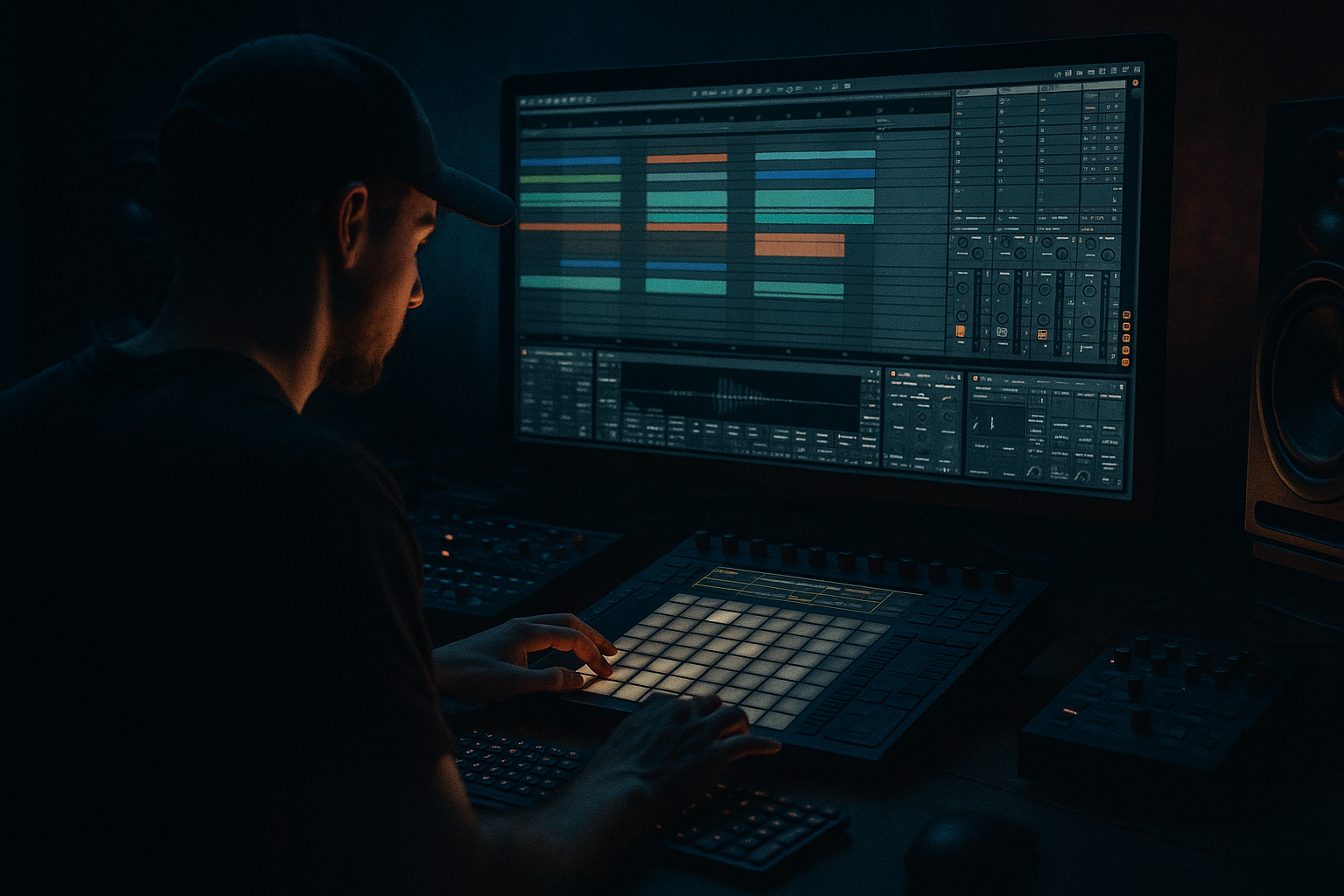
Main tutorial
Lesson Overview
A jungle pad drift is that slightly unstable, foggy, emotional pad movement you hear in oldskool jungle and early DnB intros, breakdowns, and breakdown-to-drop transitions. In Ableton Live 12, the goal is not just “a pad sound” — it’s to build a living atmospheric layer that feels sampled, aged, and in motion, then make it sit around your drums, sub, and vocal chops without cluttering the mix.
This matters in DnB because the genre thrives on contrast: hard drums against lush atmospheres, deep sub against midrange tension, and clean arrangement against dirty texture. A drifting jungle pad can do a lot of heavy lifting:
- create emotional context before the drop
- glue a vocal phrase or chant into the vibe
- fill space in intros and breakdowns without overpowering the break
- add movement between 16-bar phrases so the track feels alive
- a warm mid pad with filtered chord movement
- a wide high shimmer layer with slow drift and tape-like wobble
- a textural noise/air layer that adds grit and age
- an optional vocal ghost layer made from a short phrase or ad-lib, stretched and processed into a haunting atmospheric bed
- a 16-bar intro before the first drum break enters
- a breakdown between drops with a vocal tease
- a 4- or 8-bar switch-up after the drop, where the drums thin out and the pad rises
- an outro for DJ-friendly vibe and smooth energy release
- Intro: pad only, 8–16 bars
- Build: pad plus vocal tease and filtered drums
- Drop: pad reduced or sidechained lightly so the drums hit
- Break: pad returns with more motion
- minor 7th, minor 9th, suspended shapes, or modal voicings
- avoid thick piano-style chords that fight the sub
- use 2–4 notes per voicing and leave space
- Am9
- Fmaj7
- Gsus2
- Em7
- Oscillator 1: saw or triangle-saw blend
- Oscillator 2: slightly detuned saw
- Unison: 2–4 voices
- Detune: keep it moderate, around 5–15%
- Filter: low-pass 12 or 24 dB
- Filter cutoff: start around 300 Hz to 2 kHz, depending on how dark you want it
- Resonance: light, around 5–20%
- Amp attack: 20–80 ms
- Release: 1.5–4 seconds
- Filter envelope amount: small, just enough for gentle bloom
- assign an LFO to the filter cutoff
- rate: very slow, around 0.03–0.12 Hz or synced very loosely to a long division
- amount: small, enough to create motion without obvious wobble
- cutoff
- oscillator fine tune very slightly
- reverb send
- stereo width or chorus amount
- amount: 10–35%
- rate: 1/4 to 1/1 bars in synced mode
- phase: 180° for wide movement, or reduce it for a more centered drift
- shape: smooth, sine-like
- mode: Ensemble
- amount: low to medium
- rate: slow
- width: fairly wide, but not maxed
- open cutoff slightly before the drop
- increase reverb send in the breakdown
- reduce movement when drums return so the groove stays clear
- use a sine or triangle-based source
- high-pass it with EQ Eight around 250–500 Hz
- add a little saturation with Saturator at Drive 1–4 dB
- add Chorus-Ensemble or Phaser-Flanger for motion
- high-pass: 250–600 Hz
- shelf lift: gentle around 8–12 kHz if needed
- stereo width: wide, but check mono
- Collision for a metallic/organic haze
- Analog noise
- or a resampled audio clip from your chord layer processed into texture
- Redux: very subtle, bit reduction just enough for grain
- Grain Delay: low dry/wet, small pitch variation
- EQ Eight: high-pass around 400–800 Hz
- Reverb: large, dark, and long
- 1–2 words
- a whispered phrase
- a sustained “ah”
- a chopped breath or tail
- stretch it to fit the pad chord length
- use a long decay/release
- low-pass with Auto Filter
- add Echo with subtle feedback
- add Reverb with dark decay
- low-pass cutoff: 1.5–4 kHz
- Echo feedback: 10–25%
- Echo time: 1/8, 1/4, or dotted 1/8 depending on groove
- Reverb decay: 3–8 seconds
- Reverb low-cut: raise it so the vocal doesn’t cloud the sub
- answering the pad chord changes
- tucked under the same MIDI notes as the pad
- or triggered only on the last beat of every 4 or 8 bars for a teaser effect
- EQ Eight: high-pass around 120–250 Hz to protect the sub and kick
- a small cut around 250–450 Hz if it gets boxy
- a gentle dip around 2–4 kHz if it competes with snares or vocal presence
- Glue Compressor for light cohesion, if needed
- Saturator for very mild harmonic glue, Drive around 1–2 dB
- Width: 80–120% depending on the layer
- Use the mono button to check whether the pad collapses badly
- Bars 1–8: filtered pad plus vocal ghost
- Bars 9–16: open the filter slowly and bring in break texture
- Bars 17–24: introduce bass tease or drum fill
- Drop: reduce pad level or high-pass it harder so the drums and bass dominate
- 8-bar post-drop switch: bring the pad back with more reverb and less low-mid
- Outro: full pad drift with vocal tail for DJ-friendly mixdown
- filter cutoff
- reverb dry/wet
- echo feedback
- send to a return track
- group volume for phrase movement
- kick/snare break
- sub
- reese or mid bass
- attack: 1–10 ms
- release: 80–200 ms
- ratio: light to moderate
- Too much low end in the pad
- Pad is too bright and fights the hats
- Movement is too fast
- Vocal layer sounds like a lead vocal instead of texture
- Too much stereo width causes phase issues
- The pad muddies the drop
- Resample the pad through your own processing chain
- Use low-pass automation on the vocal ghost
- Add controlled grit
- Layer a short reverse vocal tail before the pad hit
- Use a return track for shared space
- Cut the pad in the 300–500 Hz zone if the mix feels cloudy
- Let the pad breathe around snares
- use Wavetable, Analog, Auto Pan, Chorus-Ensemble, Echo, Reverb, EQ Eight, Saturator, Utility, and Compressor
- keep the pad wide but controlled
- let the vocal layer feel haunted, not foregrounded
- automate for 8- and 16-bar phrasing
- always check how the pad interacts with the break, sub, and snare
In this lesson, you’ll build a stacked pad drift: one pad layer for body, one for width, one for grain and movement, and a light vocal layer to give it that ghostly oldskool character. We’ll use stock Ableton devices and DnB-friendly workflow choices so it’s practical in a real project, not just a sound-design exercise 🎛️
What You Will Build
By the end, you’ll have a three- to four-layer jungle pad stack that sounds like an old sample chopped through time, but with enough control to work in a modern Ableton Live 12 arrangement.
Specifically, you’ll build:
Musically, this will work well in:
The end result should feel like an old tape loop drifting under the tune, not a huge cinematic wash swallowing the whole track.
Step-by-Step Walkthrough
1) Start with a clean rack and set the arrangement target
Create a new MIDI track called Jungle Pad Stack. Before sound design, decide where it lives in the track. For this style, a strong starting point is:
Set your project tempo to something in the jungle/DnB zone, for example 160–174 BPM. If you’re aiming oldskool, a slightly looser feel around 160–168 BPM can make the pad and break breathe more naturally.
Add a MIDI clip of a simple chord loop, 2 or 4 bars long. Keep it emotionally simple:
A strong jungle-friendly starting example in A minor could be:
This gives you a classic melancholic pull that works under chopped breaks and vocal fragments.
2) Build the core pad with Wavetable or Analog
Open Wavetable for a controlled modern pad, or Analog if you want a simpler, softer source. For an oldskool drift, Wavetable gives you more motion while staying stock.
For the first layer:
Add subtle envelope movement:
Why this works in DnB: the pad needs to sit behind fast drums, so a slower attack and controlled low-pass help it avoid competing with the transient detail. DnB spaces are dense; the pad should support the groove, not blur it.
If you want a more sampled vibe, play the chords in a slightly imperfect rhythm, then use Groove Pool with a light MPC-style or swing groove. Keep it subtle — around 54–58% swing feel if you want the pad to sit in a more human jungle pocket.
3) Create the drift with LFO and automation
The “drift” is what makes the pad feel alive. In Ableton stock devices, the easiest route is a combination of slow LFO movement and manual automation.
In Wavetable:
If you use Analog, automate:
Add Auto Pan after the synth:
For a more tape-like feel, use Chorus-Ensemble:
Automate the pad over 8 or 16 bars:
4) Stack a second layer for width and sparkle
Duplicate the pad track or create a second instrument layer. This layer should not add much low-mid weight. Its job is to make the pad feel taller and wider.
Try Operator or another Wavetable instance:
Keep this layer brighter than the core pad, but not harsh. A useful range:
If the top layer starts fighting cymbals or break hats, pull down the 4–10 kHz range with EQ Eight instead of just turning it down. That keeps the sound lush without stealing air from the drums.
5) Add a textural noise or resampled layer
This is where the “jungle drift” starts to feel authentic. Create a third layer using:
A very practical method:
1. Freeze and flatten the core pad, or resample it to audio.
2. Slice a short section.
3. Put the audio clip in Simpler or keep it as audio.
4. Use Warp if needed to hold the texture.
5. Add Grain Delay lightly or Redux with caution.
Suggested settings:
This texture layer should feel like air, tape dust, or room bleed. In oldskool jungle, that “worn” character is a big part of the emotional identity.
6) Bring in a vocal ghost layer for the category focus
Because this lesson sits in Vocals, let’s give the pad stack a ghostly vocal element. This is a very DnB move: a chopped phrase, spoken fragment, or airy ad-lib turned into atmosphere rather than a lead vocal.
Choose a short vocal:
Drag it into Simpler or keep it in audio and process it:
Useful starting settings:
Then place the vocal layer either:
This is a great way to make the pad feel like it belongs to the tune, not just sitting on top of it.
7) Shape the stack with group processing
Route all pad layers to a Pad Group. This gives you control and lets you process the whole atmosphere like a single instrument.
On the group, try:
If the pad is for intro only, you can allow more low-mid warmth. If it plays under drums, keep the group tighter and cleaner.
Also check mono. In DnB, width is useful, but not at the cost of phase issues. Use Utility:
8) Automate the arrangement like a real DnB record
Now make it function inside a tune. Oldskool jungle arrangement is about tension, release, and quick impact.
Try this structure:
Automate:
A strong move is to make the pad swell into the last 2 bars before the drop, then pull it back immediately when the kick/snare pattern hits. That contrast makes the drop feel bigger without needing a huge sound.
9) Lock it against the drums and bass
This is where the pad becomes usable in an actual DnB mix.
Balance it against:
Use sidechain compression if needed, but keep it subtle on atmospheres. A little ducking helps the pad breathe around the break. On Compressor, set the sidechain from the drum bus or kick:
If the pad is only for atmosphere, you can also automate volume dips on snare hits rather than compressing hard. That preserves movement and sounds more musical.
Why this works in DnB: fast drum programming needs space in the transient zone. A pad with controlled lows, wide upper harmonics, and timed ducking can create depth without softening the punch.
Common Mistakes
- Fix: high-pass the group earlier, often around 120–250 Hz. Keep the sub lane clean.
- Fix: use EQ Eight to tame 4–10 kHz, or darken the synth filter before reaching for volume.
- Fix: slow the LFO, reduce Auto Pan depth, and make the drift feel like atmosphere, not wobble.
- Fix: shorten the clip, add more reverb, low-pass it more, and push it deeper in the mix.
- Fix: check mono regularly with Utility. Keep the core pad more centered than the sparkle layer.
- Fix: automate a filter or volume dip during the drop, or use sidechain ducking so the drums and bass remain dominant.
Pro Tips for Darker / Heavier DnB
- Print the stack, then chop it into audio and re-warp it. This makes it feel more “sampled” and less synthetic.
- Slowly close the filter over 4 or 8 bars for a haunted, descending energy.
- A small amount of Saturator or Redux can make the pad sit better with dirty breaks and reese basses. Keep it subtle so it doesn’t fizz.
- Great for intro turns, drop leads, and oldskool breakdown tension.
- One dark reverb return for the whole pad/vocal stack keeps the sound unified and more believable.
- That area often builds mud with breaks, bass harmonics, and vocal chest tone.
- On heavier rollers, timing the pad duck slightly on snare hits makes the groove feel intentional and bigger.
Mini Practice Exercise
Spend 10–20 minutes making one usable jungle pad drift from scratch.
1. Create a 2-bar chord loop at 170 BPM in A minor or D minor.
2. Build one Wavetable pad with slow attack and long release.
3. Duplicate it and make the second layer brighter and wider.
4. Add a third texture layer using audio resampling or noise-based processing.
5. Add a chopped vocal phrase and wash it with Echo and Reverb.
6. Group all layers and high-pass the group.
7. Automate the cutoff and reverb over 8 bars.
8. Drop in a basic break and sub bass, then check whether the pad supports the groove or fights it.
9. Make one final change only: either darken, widen, or duck the pad more effectively.
10. Export a 20-second loop and listen back on headphones and speakers.
Goal: by the end, the pad should feel emotional, drifting, and unmistakably jungle — but still leave room for drums and sub.
Recap
A strong jungle pad drift in Ableton Live 12 comes from layering, motion, and mix discipline. Build a solid pad core, add a wide top layer, add texture, and use a vocal ghost to give it personality. Keep the low end out of the way, automate the movement over phrases, and make sure the pad supports the DnB drums instead of softening them.
The big takeaways:
If you get this right, your jungle atmospheres will stop sounding like background filler and start sounding like part of the record.

