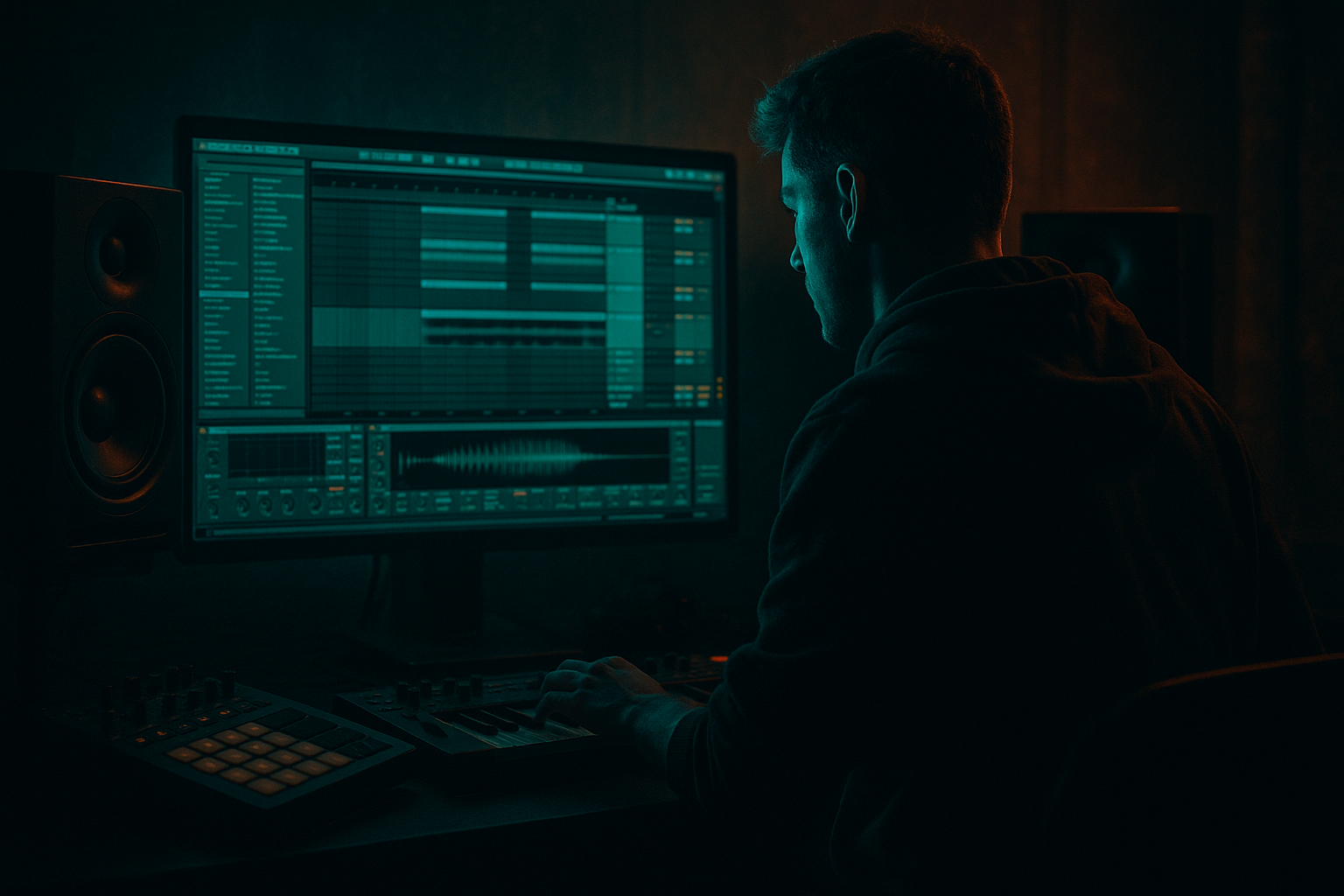
Main tutorial
Slice Oldskool DnB Edit for Smoky Warehouse Vibes in Ableton Live 12
1. Lesson overview
In this lesson, you’ll build a dark, atmospheric oldskool drum and bass edit in Ableton Live 12 by slicing a source sound into playable fragments and turning it into a gritty warehouse-style atmosphere. Think: faded rave memory, dusty tape texture, echoing industrial room, junglist edge 🔥
This is a great beginner-friendly approach because you don’t need to synthesize everything from scratch. Instead, you’ll:
- take a short sample, loop, or oldskool phrase
- slice it into playable pieces
- rearrange and process it into a smoky DnB atmosphere
- support it with rolling drums, sub weight, and space
- Simpler
- Drum Rack
- EQ Eight
- Drum Buss
- Redux
- Echo
- Reverb
- Auto Filter
- Utility
- Saturator
- a sliced oldskool source sample
- a dark ambient wash
- a ghostly chopped rhythm
- a warehouse-style reverb and delay space
- optional lo-fi grime and tape character
- a simple arrangement that can lead into a drop
- smoky warehouse
- grainy air
- rave memory
- dark, slightly broken, hypnotic movement
- an old synth stab
- a vocal phrase
- a pads-and-texture sample
- a rave chord hit
- a short jungle loop
- a tiny fragment from an old record, film, or sample pack
- a clear transient or phrase start
- interesting harmonic content
- some noise, wobble, or tape feel
- not too much low-end
- Set Mode to Slice
- Choose slicing by:
- Slice to: Transients
- Sensitivity: Adjust until you see useful slice points, not too many
- Playback: Trigger
- Envelope: Short decay if you want tighter hits
- one slice every bar as an atmospheric accent
- then fill in ghost notes
- then create call-and-response patterns
- Bar 1: slice on beat 1, then a delayed fragment on “&” of 2
- Bar 2: two quick slices, then silence
- Bar 3: long gap, then one eerie hit
- Bar 4: fragmented response phrase
- Attack: 0–5 ms
- Decay: short for stabby slices, longer for washed atmospheres
- Sustain: lower if you want a percussive feel
- Release: short to medium
- Voices: 1 if you want mono, or 2–4 for smoother layering
- -12 semitones for darker weight
- -7 semitones for a haunting feel
- +7 semitones for tension and lift
- High-pass at 120–200 Hz if the sample has muddy low-end
- Cut a little around 250–400 Hz if it feels boxy
- Boost lightly around 2–5 kHz if you want more presence
- Use a gentle high shelf cut if it’s too bright
- Drive: 2–6 dB
- Soft Clip: On
- Curve: Default or slightly warmer if needed
- Bit Reduction: light to medium
- Downsample: subtle, not extreme
- Dry/Wet: 10–35%
- Use Low-Pass or Band-Pass
- Add a little Resonance
- Automate cutoff slowly over 8 or 16 bars
- Time: 1/8, 1/4, or dotted 1/8
- Feedback: 20–45%
- Filter: roll off lows and highs
- Modulation: subtle
- Decay: 2.5–6 seconds
- Pre-delay: 10–30 ms
- Low Cut: 150–300 Hz
- High Cut: 6–10 kHz
- Dry/Wet: 10–25% on insert, or better as a return track
- Reverb
- EQ Eight
- Compressor or Glue Compressor if needed
- Decay: long
- Pre-delay: small to moderate
- Dry/Wet: 100% on return
- High-pass around 200 Hz
- Low-pass around 8–10 kHz
- field recording / vinyl noise
- pad drone
- reverse reverb swell
- low rumble hit
- ghost percussion
- small breakbeat fragments
- chopped melodic fragment in the midrange
- noisy top layer
- sub or low drone underneath
- drums and bass driving underneath the fog
- turn Warp on
- try Complex Pro for tonal material
- try Beats for rhythmic pieces
- experiment with start/end markers
- a classic breakbeat
- a tight kick/snare loop
- or a stripped-down rolling percussion pattern
- kick on 1 and the “&” of 2
- snare on 2 and 4, or break-derived snare placements
- light hats and ghost hits for movement
- sidechain the atmosphere lightly to the kick/snare if needed
- or carve space with EQ Eight
- enable Sidechain
- input from kick or drum bus
- set ratio low to medium
- fast attack, medium release
- just enough gain reduction to make room
- Bars 1–2: filtered atmosphere only
- Bars 3–4: add sliced sample fragments
- Bars 5–6: add distant drums or break loop
- Bars 7–8: open filter, increase reverb send, tease bass entrance
- First 4 bars: sparse slices + drone
- Next 4 bars: add echo repeats and rising filter
- Next 4 bars: bring in breakbeat ghost hits
- Final 4 bars: reduce low-pass and prepare drop energy
- automate the atmosphere to become narrower
- reduce reverb tail
- add a reverse hit or noise riser
- cut everything briefly for impact
- Wavetable
- Operator
- Analog
- Saturator
- Redux
- Drum Buss
- Drive: low to moderate
- Crunch: subtle
- Boom: off or very low
- Air: a little if needed
- one sliced oldskool sample
- one drum break or simple rolling drum pattern
- one dark return reverb
- dark
- spacious
- chopped
- rhythmically linked to the drums
- ready for a DnB intro or breakdown
- Use Simpler in Slice mode to turn a sample into playable fragments
- Keep the atmosphere dark and spacious
- Use EQ Eight to clear low-end mud
- Add grit with Saturator and Redux
- Create depth with Echo and Reverb
- Keep the atmosphere working with your drums and bass, not against them
- Resample when the sound starts feeling interesting
You’ll learn how to use stock Ableton devices like:
This is ideal for intro sections, breakdowns, tension layers, and atmospheric transitions in drum and bass / jungle / rolling bass music.
---
2. What you will build
By the end, you’ll have a short atmospheric loop or intro section that includes:
The vibe target
Aim for:
This is not about making the sample clean. It’s about making it feel haunted and atmospheric.
---
3. Step-by-step walkthrough
Step 1: Choose the right source material
For this technique, pick a sample that already has character. Good choices:
#### What to look for
Choose something with:
You want material that can sound good when chopped into fragments.
> Tip: If your sample is too clean, you can dirty it later with Redux, Saturator, or Vinyl Distortion-style character using stock devices.
---
Step 2: Load the sample into Simpler
Drag your sample into a new audio track or straight into Simpler.
#### In Simpler:
- Transients for drum-like or phrase-based material
- Warp markers if the sample already has useful timing
- 1/8 or 1/16 for rhythmic slicing if you want a more mechanical chop
#### Good starting settings
Now each slice becomes playable from your MIDI keyboard or pad controller.
---
Step 3: Make the slices musical and moody
Open a MIDI clip and place a few notes to trigger different slices.
#### Start simple
Try:
A classic DnB atmosphere trick is to use space between slices. Don’t overplay it.
#### Example pattern idea
This creates that half-broken rave memory feeling.
---
Step 4: Shape the slices with Simpler controls
Once the slices are triggering well, tighten the tone.
#### Recommended Simpler adjustments:
#### Pitching
Pitch slices around to create mood:
Try making a second copy of the Simpler track and pitch it differently to build a layered atmosphere.
---
Step 5: Build a darker device chain
Here’s a practical stock Ableton chain for smoky warehouse atmosphere:
Simpler → EQ Eight → Saturator → Redux → Auto Filter → Echo → Reverb
#### 1. EQ Eight
Use this first to clean up the sample.
Suggested starting points:
For DnB atmospheres, keeping the low-end clear is important because the sub and kick need space.
#### 2. Saturator
Add harmonics and density.
Suggested settings:
This helps the slices feel more like they belong in a gritty club system.
#### 3. Redux
Use Redux carefully to give oldskool digital crunch.
Suggested starting points:
This is great for making the sample feel worn and lo-fi, like a fragment pulled from a battered rave tape.
#### 4. Auto Filter
Shape movement and add tension.
Suggested settings:
This is huge for warehouse vibes because it makes the atmosphere breathe.
#### 5. Echo
Add space and rhythmic depth.
Suggested settings:
Use Echo to create ghost tails that drift behind the slices.
#### 6. Reverb
Put the source into a warehouse room.
Suggested settings:
For bigger control, send your slice track to a return track with Reverb instead of inserting it directly.
---
Step 6: Add a parallel return for space
Create a return track called Warehouse Verb.
Put this chain on the return:
#### Return settings
Reverb:
EQ Eight:
This keeps the reverb dark and prevents mud.
Send your sliced sample into this return in small amounts. That’s how you get a deep smoky atmosphere without washing out the whole mix.
---
Step 7: Turn slices into a proper DnB atmosphere
A raw chopped sample is good, but for DnB you want motion.
#### Layering ideas
Add one or more of these:
A good oldskool DnB atmosphere often works like this:
---
Step 8: Use warping and resampling for texture
This is where things get really tasty.
#### Option A: Warp in Audio Clip view
If you’re using an audio clip directly:
Stretching a sample slightly can create that unstable, worn club feel.
#### Option B: Resample the atmosphere
Once your sliced chain sounds good:
1. create a new audio track
2. set its input to Resampling
3. record the processed atmosphere
4. chop the resampled audio again
This is a classic sound design move. It gives you a more unified, baked-in texture.
---
Step 9: Add a rolling drum foundation underneath
Even though this lesson is about atmospheres, DnB needs a rhythmic bed.
Add:
#### Basic oldskool DnB drum idea
Keep the drums slightly separate from the atmosphere:
#### Simple sidechain setup
Use Compressor on the atmosphere track:
This helps the smoky layer pulse with the rhythm instead of sitting on top of it.
---
Step 10: Arrange it like a DnB intro or breakdown
Here’s a practical arrangement structure:
#### 8-bar intro
#### 16-bar breakdown
#### Drop transition idea
Before the drop:
That contrast makes the drop hit harder.
---
4. Common mistakes
1. Too many slices
If every slice is playing constantly, the atmosphere loses mystery.
Fix: Leave space. Use fewer notes and longer gaps.
2. Too much low-end in the sample
Atmospheres should not fight the kick and sub.
Fix: High-pass the sample with EQ Eight.
3. Overly bright reverb
A shiny reverb can kill the smoky warehouse vibe.
Fix: Darken the return with EQ, and cut high frequencies.
4. No rhythmic context
A chopped sample on its own may sound random.
Fix: Put it against a breakbeat or rolling percussion so it feels like part of the tune.
5. Too much effect dry/wet
If Redux, Echo, and Reverb are all too wet, the sound turns to mush.
Fix: Use one main effect as the star and keep the others subtle.
6. Forgetting to resample
Some atmospheres sound better once bounced and re-chopped.
Fix: Resample your processed chain and edit the new audio.
---
5. Pro tips for darker/heavier DnB
Tip 1: Layer a low drone under the slices
Use a synth or sampled note and hold it quietly underneath.
Good stock devices:
Set it to a low minor note, then filter it heavily. This creates tension beneath the atmosphere.
Tip 2: Use short reverse tails
Reverse a slice or a reverb print before key transitions.
This is very effective in jungle and oldskool-influenced DnB.
Tip 3: Automate filter movement slowly
Don’t overdo fast sweeps unless you want a rave FX moment.
For smoky warehouse energy, use long slow automation over 8 or 16 bars.
Tip 4: Distort in parallel
Instead of distorting the whole atmosphere, duplicate the track and dirty the copy.
On the duplicate:
Blend it underneath the clean version.
Tip 5: Use Drum Buss carefully on atmospheres
Drum Buss isn’t just for drums.
Try it on a slice layer with:
This can make the source feel tougher and more club-ready.
Tip 6: Create call-and-response between chop and drums
Let the atmospheric slice answer the snare or break fill.
That makes the arrangement feel musical, not just textural.
---
6. Mini practice exercise
Exercise: Build a 4-bar smoky warehouse loop
#### Your task
Create a 4-bar loop using:
#### Steps
1. Find a 1–2 second sample with character.
2. Load it into Simpler in Slice mode.
3. Program a MIDI clip with 4–8 slice triggers total.
4. Add EQ Eight, Saturator, and Echo.
5. Send a little signal to a Reverb return.
6. Add a basic breakbeat underneath.
7. Automate the filter cutoff across 4 bars.
8. Resample the result if it sounds good.
#### Goal
By the end, your loop should feel:
---
7. Recap
You’ve now got a practical workflow for creating a sliced oldskool DnB edit with smoky warehouse vibes in Ableton Live 12.
Key ideas to remember
This style is all about controlled chaos: enough space to feel eerie, enough grit to feel heavy, and enough rhythm to keep it moving 🚀
If you want, I can also turn this into:
1. a step-by-step Ableton project template,
2. a rack/device chain preset, or
3. a matching rolling DnB bassline lesson.

