DNB COLLEGE

Drum & Bass Ableton Live 12 Tutorials

LESSON DETAIL

Slice jungle ragga cut for heavyweight sub impact in Ableton Live 12 (Advanced)

An AI-generated advanced Ableton lesson focused on Slice jungle ragga cut for heavyweight sub impact in Ableton Live 12 in the Sound Design area of drum and bass production.

Back to lessons
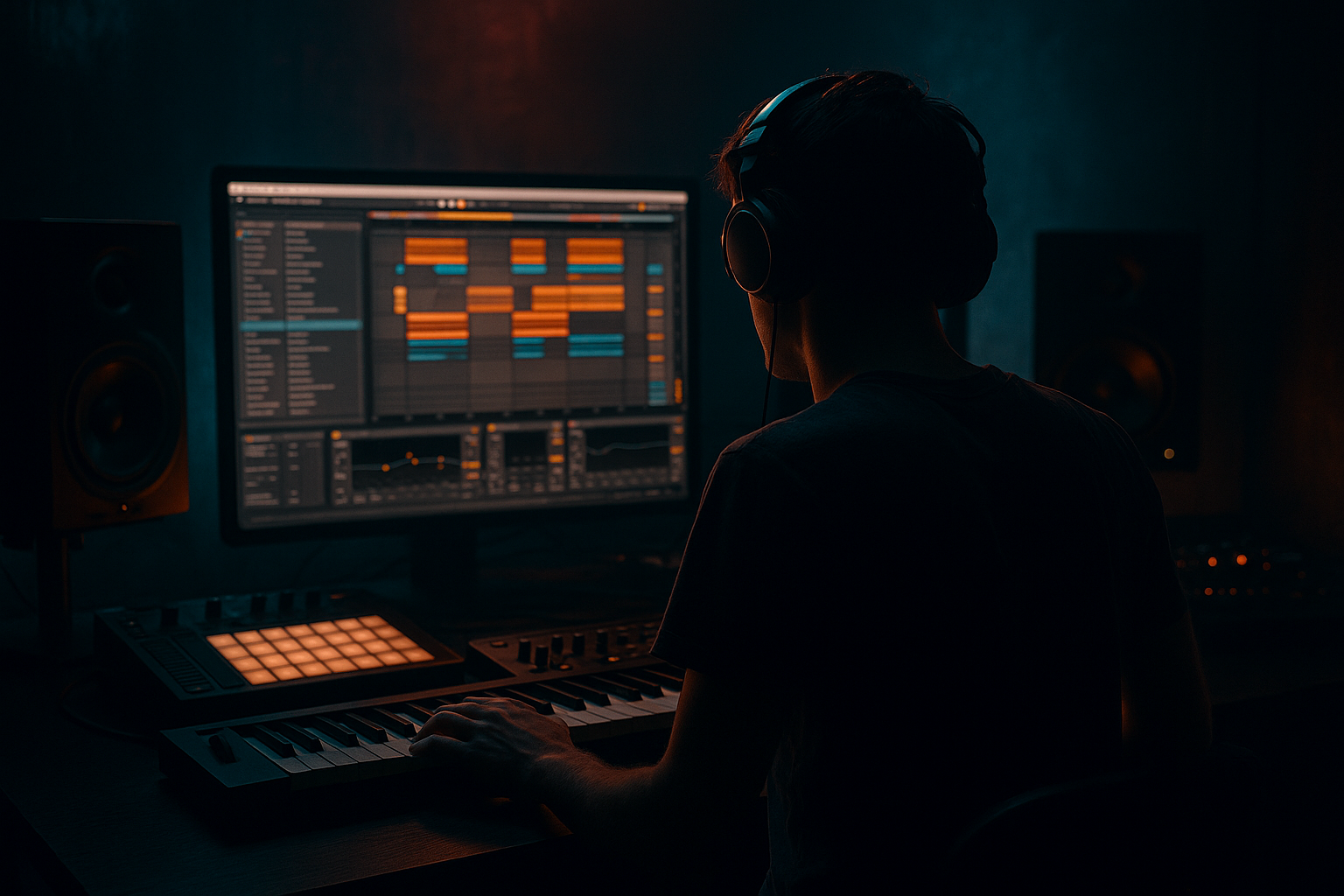
Slice jungle ragga cut for heavyweight sub impact in Ableton Live 12 (Advanced) cover image

Narrated lesson audio

The voice track includes the tutorial plus extra teacher commentary.

Open audio file

Main tutorial

Slice Jungle Ragga Cut for Heavyweight Sub Impact (Ableton Live 12) 🔪🔊

Skill level: Advanced

Category: Sound Design (DnB/Jungle)

---

1) Lesson overview

This lesson is about taking a ragga/jungle vocal or instrument cut, slicing it into playable pieces, and designing it so it hits like a weapon over a rolling DnB groove—without smearing your sub or killing headroom.

You’ll learn a pro slicing workflow in Ableton Live 12 and a sub-impact method that makes the cut feel physically heavier, while staying mix-safe.

---

2) What you will build

You’ll build a performance-ready Slice Rack (Simpler + Drum Rack workflow) that includes:

  • Tight slice timing (no flams, no lazy transients)
  • Controlled low end (your sub stays clean and consistent)
  • “Sub thunk” impact layer triggered with the slice (optional but deadly)
  • Movement + grit using stock devices (Roar, Saturator, Auto Filter, Glue Compressor)
  • Arrangement-ready macros for quick variations + call/response
  • The end result: classic jungle ragga energy with modern heavyweight sub discipline.

    ---

    3) Step-by-step walkthrough

    Step 0 — Session prep (don’t skip) ✅

    1. Set your project tempo to 170–176 BPM.

    2. In the Clip View, enable Warp on your ragga sample.

    3. Warp mode choice:

    - Beats for percussive shouts and tight chops (set Transients: Preserve).

    - Complex Pro if it’s melodic/longer phrases (but watch artifacts).

    4. Get the sample perfectly on-grid:

    - Place 1.1.1 at the phrase start.

    - Add warp markers only where it drifts (minimalism = fewer artifacts).

    Goal: a clean, tight phrase that slices predictably.

    ---

    Step 1 — Convert to a playable slicing instrument 🎛️

    Method (fast + flexible): Slice to New MIDI Track → Drum Rack

    1. Right-click the audio clip → Slice to New MIDI Track.

    2. Settings:

    - Slice by: Transient (or 1/8 if the phrase is very steady).

    - Create one slice per: Transient

    - Preset: Built-in > Slicing (we’ll edit after)

    Now you’ve got a Drum Rack with each slice on a pad.

    Why Drum Rack?

    Because we can process slices individually, group them, and build impact layers with sends/returns and macro control.

    ---

    Step 2 — Tighten each slice so it “speaks” like jungle 🥁

    Open one slice pad → Simpler settings:

    Simpler (Classic mode)

  • Trigger: Trigger (not Gate) for consistent hits
  • Voices: 1–2 (keep it controlled)
  • Start: adjust so it grabs the consonant/transient (especially “b”, “k”, “t” sounds)
  • Fade In: 0–2 ms (only if clicks)
  • Fade Out: 5–20 ms to avoid tails overlapping
  • Filter (per slice or global):

  • Enable Filter
  • HP around 120–250 Hz (this is key—don’t let ragga slices fight your sub)
  • Add a little resonance only if you want “telephone” bite
  • Pro workflow tip:

    Group “main slices” into a Chop Group and keep “fills/FX slices” separate. You’ll mix faster.

    ---

    Step 3 — Build the heavyweight sub impact layer (the secret sauce) 🔥

    A classic trick: the vocal chop feels heavier if a controlled sub “thunk” is triggered in sync, but lives in its own lane.

    #### Option A (cleanest): Sub thunk as a separate instrument triggered by the same MIDI

    1. Create a new MIDI track called SUB THUNK.

    2. Add Operator:

    - Osc A: Sine

    - Freq: around 45–60 Hz (pick your tune’s root; e.g., F = 43.65 Hz, G = 49 Hz)

    - Env A (Amp):

    - Attack: 0 ms

    - Decay: 80–160 ms

    - Sustain: -inf (0)

    - Release: 30–80 ms

    3. Add Saturator after Operator:

    - Mode: Soft Sine or Analog Clip

    - Drive: 2–6 dB

    - Output: compensate so you don’t gain-stage into red

    4. Copy the MIDI notes from your slice pattern to the SUB THUNK track, but remove notes where you don’t want weight (leave thunks on key callouts).

    Mixing rules for the thunk:

  • Keep it mono (Utility → Width 0%)
  • Low-pass it if needed (Auto Filter LP at 90–120 Hz)
  • Sidechain it to the kick if your kick is subby
  • This gives you impact without muddying the chop.

    #### Option B (fast performance): Put the thunk inside the Drum Rack

    Inside the Drum Rack:

  • Create a new pad with Operator sub thunk
  • Use Drum Rack pad chain routing and layer it with select slices (more work, more “instrument-like”)
  • ---

    Step 4 — Glue the chop and thunk to the groove (but keep sub clean) 🎚️

    #### On the Chop Group (or Drum Rack master chain):

    Device chain (stock):

    1. EQ Eight

    - HP at 120–200 Hz (24 dB/oct)

    - Notch harshness around 2.5–4.5 kHz if needed

    2. Roar (for modern weight)

    - Start with a mild preset like Warm Drive then reduce Drive

    - Aim for density, not fuzz

    - Use the Tone / filter to keep lows out of distortion

    3. Glue Compressor

    - Attack: 10–30 ms (let transients pop)

    - Release: Auto or 0.1–0.3 s

    - Ratio: 2:1

    - Gain reduction: 1–3 dB

    4. Utility

    - Width: 80–110% (only if it helps; many jungle cuts are best mostly mono-ish)

    #### On the SUB THUNK track:

    1. EQ Eight

    - LP around 90–120 Hz

    - Optional tiny dip at 50–70 Hz if it’s overbearing

    2. Compressor (sidechain from kick)

    - Sidechain: Kick

    - Ratio: 4:1

    - Attack: 0.5–3 ms

    - Release: 60–120 ms

    - Threshold: for 2–5 dB GR on kick hits

    Result: chop hits hard, sub stays consistent, kick still owns the transient.

    ---

    Step 5 — Make it jungle: swing, stutters, and edits 🧨

    Now write a pattern that feels like ragga jungle call/response.

    MIDI programming tips:

  • Place chops on offbeats and syncopations (e.g., 1.2.3 / 1.3.2 / 1.4.4 type placements).
  • Use Velocity creatively:
  • - Main callouts: 100–127

    - Ghost responses: 40–80

  • Add 1–2 note stutters before a snare or drop:
  • - 1/16 or 1/32 rolls (shorter Simpler decay helps)

    Groove Pool:

  • Try a subtle shuffle:
  • - Swing: 10–20%

    - Apply mostly to the chop MIDI, not your kick/snare anchor

    ---

    Step 6 — Build performance macros (Live 12 workflow boost) 🎚️✨

    Create Rack Macros (on the Chop Group or Drum Rack):

    Suggested macros:

    1. HP Cut (map EQ Eight HP frequency: 120 → 600 Hz)

    2. Drive (map Roar/Saturator drive: subtle range)

    3. Crunch Tone (map Roar filter freq or tone)

    4. Chop Decay (map Simpler decay or Release)

    5. Stutter Send (send to a return with Delay/Reverb)

    6. Width (Utility 0% → 120%)

    Return tracks (DnB-friendly):

  • Return A: Dub Delay
  • - Echo: 1/8 or dotted 1/8, low feedback (10–25%)

    - HP/LP inside Echo to keep it dark

  • Return B: Rinse Verb
  • - Hybrid Reverb: short plate/room

    - HP at 200–400 Hz, short decay (0.6–1.2s)

    Now you can “perform” fills and transitions like a proper jungle selector 🏴‍☠️.

    ---

    Step 7 — Arrangement ideas for rolling DnB sections 🧱

    Classic structure:

  • 16 bars intro: tease 1–2 chops, filtered, no thunk
  • 16 bars drop: full chop + thunk on key hits, minimal reverb
  • 8 bars variation: stutters + call/response + pitch moves
  • 8 bars breakdown: chop echoes + HP sweep
  • Second drop: same chops but different MIDI rhythm; alternate thunk pattern
  • Automation moves that feel pro:

  • HP Cut macro rising into a fill
  • Momentary mute of thunk for 1 bar → bring it back for impact
  • Short “tape stop” feel: automate Simpler pitch envelope for one hit (very subtle)
  • ---

    4) Common mistakes 🚫

  • Letting chops carry low end: vocal lows will smear your sub and make mastering impossible. High-pass the chop group.
  • Over-warping the sample: too many warp markers = phasey artifacts and weird transients.
  • Distorting sub frequencies: Roar/Saturator on the wrong chain can wreck mono compatibility. Distort upper harmonics, not the fundamental.
  • Too much reverb on chops: jungle needs space, but heavy verb kills punch. Use short verbs and dark delays.
  • Every slice at full velocity: no dynamics = no groove. Ghost notes matter.
  • ---

    5) Pro tips for darker/heavier DnB 🌑

  • Split your chop into bands:
  • - Chop Group → Audio Effect Rack with 2 chains:

    - Mid/High chain: HP at 200 Hz, add Roar

    - Low-mid chain: BP 200–800 Hz, slight saturation only

  • Use Roar as a “density” tool, not a fuzz box: keep Drive low, use filtering and mix control.
  • Make sub impact feel bigger without more level:
  • - Add tiny harmonics (Saturator 2–4 dB), then keep fundamental controlled.

  • Call/response with bass: leave gaps. A chop right on top of a reese stab can feel smaller than a chop in a pocket.
  • Mono discipline: Utility on low-end elements, check correlation if you widen anything.
  • ---

    6) Mini practice exercise 🧪

    Goal: Build a 16-bar drop with 2 variations.

    1. Pick a ragga phrase (1–2 bars). Warp tight at 174 BPM.

    2. Slice to Drum Rack (Transient).

    3. Create a main 2-bar chop pattern (8–12 hits).

    4. Add SUB THUNK (Operator) and place thunks on only 3–5 hits (the “statement” hits).

    5. Create Variation B:

    - Keep same slices but change rhythm (swap 2 hits, add 1 stutter)

    6. Automate:

    - Bar 15: HP Cut rises

    - Bar 16: delay throw on last hit

    7. Bounce a rough and check:

    - Does the sub stay consistent when chops fire?

    - Do the chops feel like they “punch” without being loud?

    ---

    7) Recap ✅

  • Slice your ragga/jungle cut into a Drum Rack for precise control.
  • High-pass the chop so it doesn’t fight the sub.
  • Build a dedicated SUB THUNK layer (Operator) triggered with key hits for heavyweight impact.
  • Use Roar/Saturator + Glue for density and cohesion—but keep sub clean and mono.
  • Program groove with velocity, swing, and stutters, then arrange with automation and variation.

If you want, share what kind of ragga material you’re slicing (vocals vs horns vs sound system FX) and your track key/root note—I can suggest exact thunk tuning and a rack macro map tailored to your drop.


Ask GPT about this lesson

Chat with the lesson tutor, get follow-up help, or use quick actions.

Bigup 👽 Ask me anything about this lesson and I’ll answer in context.

Narration script

Show spoken script
Title: Slice jungle ragga cut for heavyweight sub impact in Ableton Live 12 (Advanced)

Alright, let’s build a jungle ragga slice instrument that hits like a weapon in a modern DnB drop, without wrecking your sub, without eating headroom, and without turning your mix into a blurry mess.

The whole philosophy today is simple: the chop brings the attitude and the rhythm, and a separate, controlled sub impact layer brings the physical weight. They move together, but they do not live in the same frequency space. That’s how you get that “heavyweight” feeling while the low end stays disciplined.

First, session prep. Set your tempo to about 170 to 176 BPM. I’ll assume 174 because it’s a sweet spot for modern jungle and DnB crossover energy. Drop in your ragga phrase, and before you even think about slicing, you’re going to warp it properly.

Enable Warp in the clip view. If it’s shouty and percussive, choose Beats mode, and make sure it’s preserving transients. If it’s a longer melodic phrase, Complex Pro can work, but be honest with yourself: Complex Pro can get artifact-y fast, and artifacts can make slices feel weak. Here’s the rule: use the simplest warp mode that keeps transients tight.

Now line it up. Put 1.1.1 right at the start of the phrase. Then only add warp markers where it drifts. Minimal warp markers. This is one of those advanced habits that separates clean chops from phasey, stressed audio. Your goal is a tight, predictable phrase that sits on the grid and slices consistently.

Next, we turn it into a playable instrument. Right-click the clip and choose Slice to New MIDI Track. We’re going to slice by Transient in most cases. If the phrase is super steady rhythmically, you can slice by eighth notes, but transients usually gives you the most “jungle” result because it respects the natural consonants and hits.

Once you do that, Ableton will create a Drum Rack, and each slice lands on its own pad with Simpler inside. Perfect. Drum Rack is the power move here, because now you can process slices individually, group them, choke them, and build performance macros like it’s a real instrument.

Before we write any drop, quick coach move: commit your slice pool. Audition the pads and be ruthless. If there are weak slices—breathy tails, messy noise, weird pitch warbles—mute them or delete them. The smaller and sharper your rack is, the faster you’ll write, and the harder it will hit. Twelve good slices beats forty “maybe” slices every time.

Now let’s tighten the slices so they speak like jungle.

Open a pad and go into Simpler. Put it in Classic mode. Set Trigger to Trigger, not Gate. Trigger gives you consistent hit length, which is what you want for fast edits and predictable groove. Voices: keep it low, like 1 or 2. You don’t want a slice polyphony pile-up when you do stutters.

Then the big one: adjust the Start point. This is where the groove gets real. Aim to grab the consonant or the transient—those “b”, “k”, “t” starts. If your start point is late, the chop feels lazy. If it’s early with too much air, it feels soft and it eats space. Dial it so it speaks instantly.

If you get clicks, use a tiny Fade In, like 0 to 2 milliseconds. Don’t overdo it or you’ll blunt the transient. Then set a Fade Out anywhere from 5 to 20 milliseconds to stop tails overlapping and to keep fast edits clean.

Now, the most mix-saving move in this whole lesson: high-pass the chops. Either per slice or globally, but do it. Turn on Simpler’s filter, choose high-pass, and start somewhere around 120 to 250 Hz. This prevents vocal low end and rumble from smearing your sub and killing your headroom. If you’ve ever wondered why your sub feels smaller when your vocals come in, this is usually why.

Here’s another pro cleanliness trick: choke groups. In the Drum Rack, set related pads to the same choke group. For example, all your main shout slices go to Choke 1. That way, when you do a fast 1/16 run, the tails don’t stack. It feels like a single performer, not ten samples playing at once. This is how you keep that cut-up aggression without the headroom tax.

Now we build the heavyweight sub impact layer. This is the secret sauce, and I want you to think of it like this: your vocal chop is the blade, the thunk is the handle hitting you in the chest.

Option A is the cleanest: put the sub thunk on a separate MIDI track. Name it SUB THUNK so you don’t lose it later.

Drop Operator on that track. Oscillator A: sine wave. Set the frequency around 45 to 60 Hz, depending on your track key. Quick reference: F is around 43.65, G is around 49. If you’re not sure, pick something that sits with your bassline root. The whole point is that it feels anchored, not random.

Now shape it like a punch. Amp envelope: attack at zero, decay around 80 to 160 milliseconds, sustain all the way down, and release around 30 to 80 milliseconds. You want it to be a “thunk,” not a bass note. Short, controlled, gone.

Then add Saturator after Operator. Soft Sine or Analog Clip works great. Drive around 2 to 6 dB, and then compensate the output. And I mean actually compensate. Don’t trick yourself with loudness.

Now copy your chop MIDI pattern over to the SUB THUNK track… but here’s the discipline: delete most of those thunk notes. Only keep thunks on the statement hits. Three to five hits across a phrase can be plenty. If every chop has a thunk, the listener gets fatigue and the mix turns into a low-end argument.

Mix rules for the thunk: keep it mono. Put Utility on it and set width to zero. If you need to, low-pass it with Auto Filter around 90 to 120 Hz so it stays a pure impact layer. And if your kick has sub energy, sidechain the thunk to the kick, because the kick needs to own the transient in drum and bass. We want weight, not a kick that feels like it’s being sat on.

Now we glue everything so it hits like one unit, but we keep the sub clean.

On the Chop Group, or on the Drum Rack master, start with EQ Eight. High-pass around 120 to 200 Hz with a steeper slope, like 24 dB per octave if needed. If the chop is harsh, notch gently around 2.5 to 4.5 kHz. Don’t go hunting for problems that aren’t there—only notch if it’s actually biting your ear.

Next add Roar for modern density. Start mild. Warm drive style vibes, then back off the drive. The goal is density and forwardness, not fuzz. Also, filter the low end out of the distortion path. Distorting lows is how you lose mono stability and how you end up with a sub that sounds big on your system and disappears everywhere else.

Then add Glue Compressor. Ratio around 2:1, attack 10 to 30 milliseconds so the chop transients can punch, release on Auto or around 0.1 to 0.3 seconds, and aim for just 1 to 3 dB of gain reduction. This is glue, not flattening.

If you want width, do it carefully. Many classic jungle cuts are basically mono-ish and proud. If you widen, keep it subtle and keep anything below about 120 Hz out of stereo processing entirely.

On the SUB THUNK track, put EQ Eight and low-pass it around 90 to 120 Hz. If it’s too much in the room, a tiny dip in the 50 to 70 zone can help, but go easy. Then add a compressor sidechained from your kick. Ratio 4:1, fast attack like 0.5 to 3 milliseconds, release 60 to 120 milliseconds, and set the threshold so you get about 2 to 5 dB of gain reduction when the kick hits. That keeps the groove pumping and keeps the downbeat clean.

Now we make it jungle: swing, stutters, edits, and that call and response.

Write your chop pattern with syncopation. Think offbeats. Think answers. Place chops in those weird little pockets like just before the snare, or right after it, or on those 1.2.3, 1.3.2 type moments where it feels like the sample is talking to the drums.

Use velocity like it matters, because it does. Main callouts can sit in the 100 to 127 range. Ghost responses can be 40 to 80. This is how you get groove without adding more sounds.

For stutters, do one or two-note stutters before a snare or before a drop moment. 1/16 or 1/32. If it gets messy, shorten the Simpler release on those particular pads, and make sure choke groups are doing their job.

And here’s a high-level groove tip: micro-time the MIDI, not the audio. Keep your warping stable, then nudge a few key MIDI notes. Push a couple of statement chops 5 to 12 milliseconds early for urgency. Pull a couple responses slightly late. It keeps the transients intact but adds that live sound-system shove. It’s subtle, but it’s very real.

Now add a little swing using the Groove Pool. Keep it subtle, 10 to 20 percent swing, and apply it mostly to the chop MIDI. Don’t swing your kick and snare anchor unless you’re very intentionally going for a more broken, old-school lurch.

Next, performance macros. This is where Live 12 becomes an instrument.

On your Chop Group rack, create macros like these. One: HP Cut, mapped to the high-pass frequency, roughly 120 up to 600 Hz. Two: Drive, mapped to Roar or Saturator with a subtle range. Three: Crunch Tone, mapped to Roar tone or filter frequency so you can make it bite without adding volume. Four: Chop Decay, mapped to Simpler release or decay so you can tighten or loosen the edits. Five: Stutter Send, mapped to a send knob feeding a delay or reverb return. Six: Width, mapped to Utility, from zero to maybe 120, and remember: only use width when it helps the moment.

Set up two DnB-friendly returns. A dub delay return using Echo at one-eighth or dotted one-eighth, low feedback around 10 to 25 percent, and filter it dark so it doesn’t clutter the top end. And a rinse verb return using Hybrid Reverb with a short plate or room, high-passed around 200 to 400 Hz, decay around 0.6 to 1.2 seconds. Jungle needs space, but it cannot afford wash.

Now arrangement. Here’s a classic structure that works almost every time.

Give yourself a 16-bar intro where you tease one or two chops, filtered, and with no thunk. Then a 16-bar drop: full chop pattern, and thunks only on key statement hits, minimal reverb. Then 8 bars of variation: change the rhythm, add a stutter, maybe transpose a call response idea. Then 8 bars breakdown: chop echoes, high-pass sweep, negative space. Then second drop: same slice pool but different rhythm, and alternate the thunk pattern so it feels like a new section.

An advanced arrangement upgrade: impact economy. Make the thunk rarer so it feels bigger. One signature moment per four bars where the thunk is fully present. Everything else gets no thunk, or a shorter decay version. Contrast equals perceived weight.

Also try swapping who owns the downbeat every eight bars. First half: keep 1.1 mostly open, let chops answer. Second half: one bold chop lands on 1.1, then you go back to offbeats. That one structural flip feels like a whole new drop without adding any new samples.

Now, common mistakes to avoid while you’re building this.

Don’t let the chops carry low end. High-pass them. Always. Don’t over-warp the sample—too many warp markers makes it phasey and ruins transients. Don’t distort the sub fundamentals. Distort upper harmonics, not the core sine. Don’t drown chops in reverb. Use short verbs and dark delays. And don’t run every slice at full velocity. If everything is shouting, nothing is a statement.

Quick gain staging rule so you don’t paint yourself into a corner. Aim for your chop group peaks around minus 10 to minus 6 dBFS. The sub thunk, solo, should peak lower than you think. It should register more than it announces. If you want more impact, reach for transient shaping or a touch more harmonic audibility, not raw level.

And check the low end in two monitoring modes. Mono at quiet volume: does the thunk still read? Headphones: does anything feel like it’s pulling left right, or smearing? If yes, lock it down. Anything under about 120 Hz should be brutally mono and free of stereo effects.

Now let’s do a mini practice run so you actually leave with a result.

Pick a ragga phrase that’s one to two bars. Warp it tight at 174. Slice it to a Drum Rack by transient. Curate it down to a tight set of slices, ideally twelve or fewer. Write a two-bar chop pattern with about eight to twelve hits. Then make your SUB THUNK Operator track and place thunks on only three to five of those hits, the statement moments.

Then create Variation B: keep the same slices, but change the rhythm. Swap two hits, add one stutter, and change the velocity contour so the groove feels like a response, not a copy.

Automate two things near the end of a 16-bar phrase: in bar 15, sweep your HP Cut macro up slightly to create lift. In bar 16, do a delay throw on the last hit. Then bounce a rough and ask two questions: does the sub stay consistent when the chops fire, and do the chops feel like they punch without just being louder?

If you want to take it even further, try “velocity-to-thunk intelligence.” Instead of manually deleting thunk notes, map velocity so only high-velocity chops generate real weight. Below velocity 70, almost no thunk. Above 100, full thunk envelope. That turns your performance into a dynamic impact system.

And one last polish trick: if you need the thunk to be audible on small speakers without raising sub level, add a parallel harmonics chain. Keep the clean sub chain untouched, and blend in a second chain with saturation, then band-pass it around 150 to 600 Hz, mono. Very quiet. The goal is “I can hear the impact,” not “I hear distortion.”

Let’s recap what you just built. You sliced a ragga or jungle cut into Drum Rack for surgical control. You tightened starts and tails so the chops speak instantly. You high-passed the chop group so the sub stays clean. You created a dedicated Operator sub thunk that’s triggered in sync on key hits for heavyweight impact. You used saturation and glue for density, without trashing mono low end. And you programmed groove with velocity, swing, and stutters, then made it performance-ready with macros, returns, and arrangement contrast.

When you’re done, you should feel like your chops are dancing on top of the drums, and the sub impact is punching through the system in exactly the moments you chose. Controlled violence. That’s the vibe.

If you tell me what you’re slicing—vocals, horns, or sound system FX—and what key your track is in, I can suggest an exact thunk note choice, decay times, and a tight macro map for your drop.

mickeybeam

Go to drumbasscd.com for +100 drum and bass YouTube channels all in one place - tune in!

Generating PDF preview…