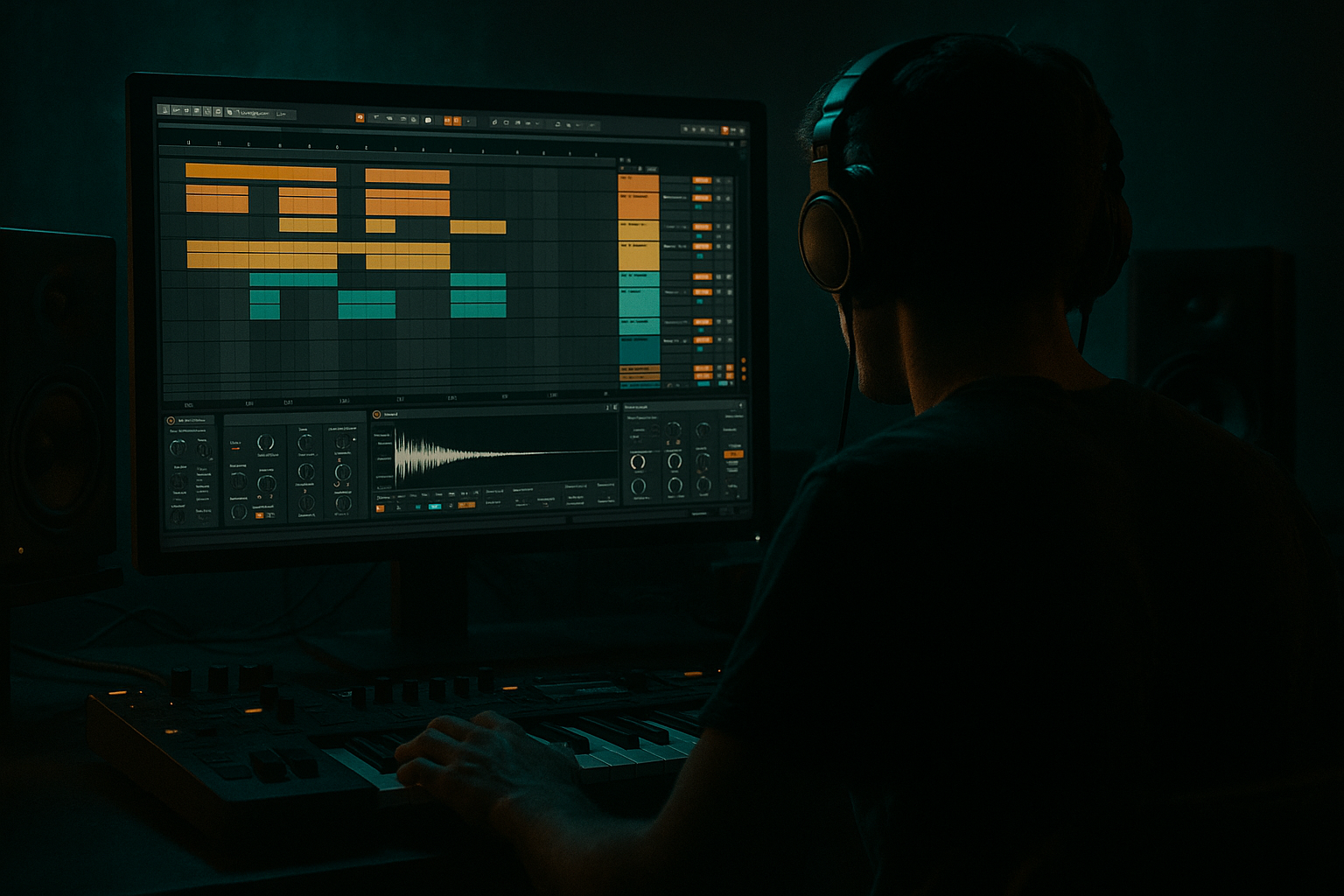
Main tutorial
Lesson Overview
This lesson is about turning a single Amen-style vocal texture into a full-on DnB arrangement weapon using breakbeat surgery in Ableton Live 12. The goal is not just to slice audio for the sake of it — it’s to create a responsive, loopable, gritty vocal-battery layer that can sit inside a roller, dark jungle cut, or neuro-leaning arrangement and feel like part of the drum kit.
In Drum & Bass, vocal textures are often used like percussion: chopped into phrases, ghost hits, and tonal bursts that support the groove without hogging the front row. When you slice an Amen-style vocal texture and process it with drum-style editing, you get something that can act like:
- a rhythmic call-and-response to the snare
- a tension layer in the build
- a drop-topper that adds movement without cluttering the sub
- a transition tool for arrangement phrasing
- a gritty human element that cuts through synthetic drums
- hit like a chopped percussion loop
- contain controlled ghost slices and occasional accented stabs
- respond to your drum groove and arrangement sections
- work as a 2-bar or 4-bar loop that can evolve across the track
- be processed for dark DnB use with EQ, saturation, transient shaping, and motion FX
- sit cleanly above your drums and sub without muddying the low end
- Over-slicing the texture into noise
- Letting the vocal fight the snare
- Leaving too much low-mid buildup
- Using too much reverb in the drop
- Programming slices without groove awareness
- Ignoring mono compatibility
- Double selected chops with a distorted resample
- Use the vocal as a ghost rhythm under the bassline
- Filter the chops into the drop, then slam them dry
- Make reverse slices into transition glue
- Use clip gain to create micro-dynamics before plugins
- Pair the vocal layer with a restrained sub or bass response
- Slice the vocal into a playable Drum Rack and treat it like percussion.
- Build the groove around the snare and drum phrasing, not just the sample.
- Keep the texture high-passed, controlled, and rhythmically sparse enough for DnB.
- Use automation, reversal, and resampling to make it evolve across the arrangement.
- Think in 8-bar and 16-bar phrases so the vocal break supports the track’s energy curve.
- In darker DnB, the best vocal textures are often the ones that feel rhythmic, gritty, and intentional — not overworked.
Why this matters in DnB: the genre lives and dies by micro-arrangement. Small details every 1–4 bars keep the energy moving. A chopped vocal texture, treated like a break, can provide that motion while still leaving space for the kick, snare, sub, and reese. This is especially effective in darker DnB because the texture adds unease and identity without needing a full melodic hook.
We’ll use only Ableton Live stock tools and focus on a practical arrangement workflow: slicing, warping, editing, routing, processing, and placing the result into a track so it behaves like a proper DnB element rather than a random sample loop. 🔥
What You Will Build
By the end of this lesson, you’ll have a tight, editable vocal-break hybrid made from an Amen-style vocal texture. It will:
Musically, think of it as a texture that can sit behind a 171–174 BPM roller with stripped drums, then become more aggressive in the drop by doubling with snare fills, filter movement, and bit-crushed repeat moments. In a jungle-leaning section, it can be cut more aggressively and placed as rhythmic punctuation around the Amen. In a neuro/darker bass context, it can be used more surgically, with formant-like detail and tight stereo control.
Step-by-Step Walkthrough
1. Choose the right source and set your arrangement context first
Start by placing your vocal texture into an audio track in Arrangement View. You want something with a clear human character: a phrase, a breathy word, a shout, or a tonal vocal layer with a strong transient or vowel shape. It does not need to be a full lyric — in fact, shorter, more ambiguous textures often work better in DnB because they behave like percussion.
Before slicing, decide where this element belongs in the track:
- Intro / 8-bar DJ section: use it as an atmospheric rhythmic hook
- Build: use it to increase tension with shorter slices and filter automation
- Drop: use it as a syncopated top-layer above the drums
- Breakdown: let it breathe, maybe with more reverb and wider stereo
Set your project tempo to your track’s DnB tempo, typically 172–174 BPM for modern rollers or 168–172 BPM for darker halftime-leaning DnB. If the vocal texture is not already in sync, warp it first. For vocal material, Complex Pro is often a good starting point for tonal textures; if it’s more percussive, Beats can preserve transients better.
Practical start point:
- Warp mode: Complex Pro for vowel-heavy material
- Preserve: keep at default, then tweak if formants sound too warped
- Grain size: leave neutral unless the result becomes smeared
2. Convert the vocal into slices using Simpler or Drum Rack
Once the clip is in time, right-click the audio clip and choose Slice to New MIDI Track. This is the core Ableton workflow for breakbeat surgery and it’s ideal here because you want the vocal texture to become playable like drum chops.
Use the slicing preset carefully:
- Transients if the vocal has obvious consonants and hits
- 1/8 or 1/16 if the texture is more loop-like and you want a more sequenced rhythm
Ableton will create a Drum Rack with Simpler instances on each pad. This is perfect for DnB arrangement because you can now program the vocal chops as if they were a break kit.
Strong intermediate move: rename and color your pads immediately. For example:
- Pad 1: breath
- Pad 2: vowel stab
- Pad 3: chopped consonant
- Pad 4: reverse tail
- Pad 5: noisy transient
This organization matters in a fast genre where decisions happen quickly. It also makes later arrangement edits much faster.
3. Build a playable groove with sparse, drum-aware MIDI programming
Open the MIDI clip generated by the slicing process and start programming with the drums in mind, not with the vocal itself. A common mistake is to overfill the loop. In DnB, the vocal texture should usually leave pockets for the kick and snare.
Start by placing chops in relationship to the snare:
- let one chop answer the backbeat snare
- place another just before the snare as a pickup
- leave a gap after the snare for weight and impact
Useful placement logic for a 2-bar loop:
- bar 1: sparse chop on the “and” of 2
- bar 1: another accent just before beat 4
- bar 2: call-and-response phrase with a rest on beat 2 for snare space
Humanize the sequence using velocity. In Ableton’s MIDI editor:
- main accents: velocity around 95–120
- ghost cuts: velocity around 35–70
- transition chops: velocity around 80–100
Why this works in DnB: drum and bass grooves depend on dynamic contrast. If every slice is equally loud, the texture becomes wallpaper. If you shape it like a drum part, it reinforces the swing of the break and keeps the mix breathing.
4. Turn slices into breakbeat surgery with clip-level editing
Now zoom in and edit the MIDI notes with a “surgery” mindset. You’re not just looping the vocal; you’re making tiny rhythmic decisions that function like break edits.
Use these techniques:
- Shorten note lengths for staccato slices that hit like drum ghosts
- Overlap certain slices if one vocal fragment tail should spill into the next
- Duplicate a 1/16 pickup before major accents to create propulsion
- Remove one slice every 4 or 8 bars to create arrangement breathing room
Try a pattern where the vocal texture behaves like an edited break:
- first bar: establish motif
- second bar: add one extra chop
- third bar: remove one hit for tension
- fourth bar: throw in a fill or reversal
A practical DnB arrangement trick is to treat this vocal layer like a mini-break that can switch phrasing every 8 bars. In a 32-bar drop, maybe the first 8 bars are sparse, bars 9–16 get busier, bars 17–24 add a fill, and bars 25–32 thin back out for the DJ-friendly exit or next phrase.
5. Shape the slices with stock devices for punch, grit, and clarity
Now process the Drum Rack or the individual Simpler chains. Keep it disciplined. The vocal texture should support the drums, not fight the sub.
Suggested stock chain for the Drum Rack or group:
- EQ Eight
- Saturator
- Drum Buss or Glue Compressor
- Auto Filter
- optional Reverb or Delay on a send
Concrete starting settings:
- EQ Eight
- High-pass around 180–300 Hz depending on the texture
- If harshness appears, cut 2.5–5 kHz by 2–5 dB
- If the chops lack presence, add a gentle boost around 1.5–3 kHz
- Saturator
- Drive: 2–6 dB
- Soft Clip: On for controlled grit
- Drum Buss
- Drive: 5–20%
- Transients: small positive amount for attack
- Boom: usually off or extremely low here, since this is not your low-end source
- Auto Filter
- Use a low-pass sweep in builds
- Resonance around 0.7–1.5 for tension without squeal
If your vocal slices need more “drum” behavior, place Transient Shaper-style control using Drum Buss Transients, or manually trim the Simpler envelope:
- Attack: 0–5 ms
- Decay: shorter for percussive hits
- Sustain: reduce for punchier chopped fragments
Consider grouping the vocal chops and sending them to a dedicated bus for additional FX. This makes arrangement automation easier later.
6. Add movement with resampling, reverse edits, and FX sends
The best DnB vocal textures evolve. Static chops get old quickly. Use resampling and FX automation to keep the texture alive across sections.
Good movement options:
- Automate Auto Filter cutoff over 8 or 16 bars
- Send selected slices to Echo on a return track for dubby space
- Use Reverb sparingly for breakdowns, then pull it back in the drop
- Reverse one or two slices at the end of every 4th or 8th bar for lift
A strong workflow is to resample the processed chops into a new audio track once you like the rhythm. Then you can:
- crop the best moments
- reverse only selected bits
- create stutters by duplicating 1/16 or 1/32 fragments
- print FX tails separately from dry hits
Resampling is especially useful in arrangement because it turns an editable MIDI idea into an audio phrase that can be chopped like a drum edit. That makes it easier to lock into the energy of the drop.
For heavier DnB, try:
- delayed slap on a return with 1/8 dotted or 1/4 timings
- low-pass the return so the delay doesn’t clutter top-end snare snap
- automate send level only on selected transitional slices
7. Integrate the vocal break with your drums and bass arrangement
This is where the lesson becomes truly arrangement-focused. Place the vocal texture in relation to the kick, snare, hats, and bassline.
In a roller, the vocal chops can sit in the “air” above a steady kick/snare foundation. In a darker neuro or minimal cut, the vocal can appear only in call-and-response moments so the bassline stays dominant. In jungle-inspired sections, the vocal slices can mirror the chaotic energy of the Amen edits and make the whole break feel unified.
Arrangement example:
- Intro 1–8 bars: filtered vocal texture, sparse chops, lots of space
- Build 9–16 bars: increase chop density, add filter movement, introduce reverse tails
- Drop 1 17–32 bars: tight, dry chops answering the snare every 2 bars
- Break 33–40 bars: widen with reverb/delay and thin out the drums
- Drop 2: print a new variation with a different chop order and more aggressive saturation
Make sure the vocal layer is not masking the snare crack or the sub note attacks. If needed:
- reduce vocal energy around 200–500 Hz if it clouds the snare body
- use Utility to check mono compatibility
- keep the bassline center-focused, especially below 120 Hz
This works in DnB because arrangement momentum often comes from controlled variation rather than big harmonic changes. The vocal-break texture becomes one of the elements that tells the listener “something just shifted.”
8. Automate changes every 8 bars for pro-level progression
DnB arrangements feel alive when sections evolve in small but deliberate ways. Use automation lanes in Arrangement View to create progression from the same material.
Automate one or more of these:
- Filter cutoff: open gradually from 200 Hz to full range over 8 bars
- Reverb send: rise in transitions, drop in the drop
- Saturator Drive: increase 1–3 dB in later drop sections
- Volume: tuck the layer down by 1–2 dB in busy drum moments
- Pan or Utility width: widen in breakdowns, narrow in drops
Good rule of thumb:
- every 8 bars, change one meaningful detail
- every 16 bars, change the phrase shape or FX character
- every 32 bars, introduce a new resampled variation
If your vocal texture is too repetitive, automate the clip’s Transpose or use a Simpler chain with tiny pitch shifts for selected slices. Even a shift of ±1 to ±3 semitones on one chop can create a fresh moment without sounding gimmicky.
Common Mistakes
Fix: keep a few recognisable vowel or consonant fragments so the ear can latch onto the human character.
Fix: carve a little space around 2–5 kHz if the snare loses its crack, and reduce vocal density on snare hits.
Fix: high-pass the vocal chops more aggressively, often around 180–300 Hz, especially in dense arrangements.
Fix: keep reverb mostly for breakdowns and transitions; in the main drop, use short sends or filtered delay instead.
Fix: align your chop accents to the drum phrasing, especially the snare pattern. DnB needs interlock, not randomness.
Fix: check the layer in mono with Utility. If the vocal loses impact, reduce width or simplify stereo FX.
Pro Tips for Darker / Heavier DnB
Print the vocal break with Saturator or Drum Buss first, then layer the clean and dirty versions quietly. This adds density without losing the original articulation.
Keep the chops low in the mix and let them answer the reese or growl phrasing. This creates a subtle call-and-response that feels very underground.
Start with a darker low-pass texture in the build, then snap to a dry, brighter version on the drop. That contrast hits hard in DnB.
Reverse one chopped fragment into a snare fill or impact. This is a classic way to connect sections without needing a big riser.
Lower the level of weaker slices by a few dB before processing. Cleaner source control means better saturation and less harshness later.
If the vocal becomes a featured rhythmic hook, keep your sub phrase simple and mono. Let the vocal add motion while the bass maintains authority.
Mini Practice Exercise
Spend 10–20 minutes building a two-bar vocal-break phrase that can sit in a DnB drop.
1. Import one Amen-style vocal texture into Arrangement View.
2. Warp it and slice it to a Drum Rack using Transients or 1/16.
3. Program a 2-bar MIDI loop with 6–10 hits max.
4. Make at least 2 ghost slices and 2 strong accents.
5. Process the rack with EQ Eight, Saturator, and Drum Buss.
6. Automate Auto Filter cutoff over 8 bars.
7. Duplicate the phrase once and change the second version so it has:
- one extra pick-up hit
- one reversed slice
- one removed chop for space
8. Bounce or resample the best version and drop it into your arrangement.
Goal: by the end, you should have two related variations — one sparse, one more intense — that can function as an intro-to-drop transition or a drop-topper loop.

