Main tutorial
Lesson Overview
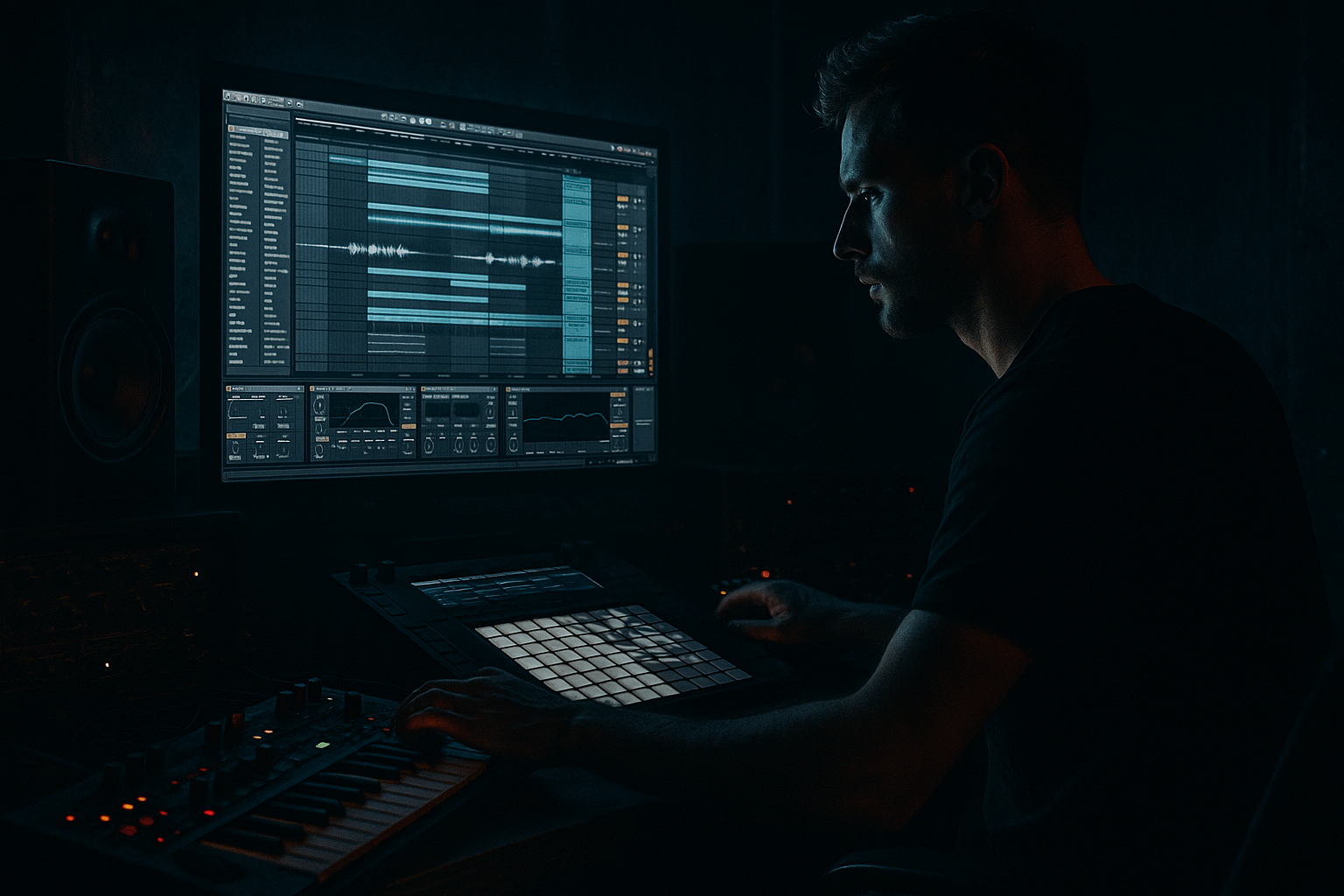
In this lesson, you’re building a warehouse-style intro for a jungle / oldskool DnB track with pirate-radio energy in Ableton Live 12. The goal is to make the opening feel like a cold concrete room: low light, heavy subs, dusty breaks, chopped vocal flashes, and that “someone just spun a dubplate on air” tension.
This kind of intro matters because in DnB, the first 16–32 bars are not just “set up” — they establish identity, groove, and DJ usability. A strong intro lets the track work in sets, gives selectors something mixable, and creates anticipation before the drop. For jungle and oldskool DnB, the intro often carries the whole personality: break energy, radio snippets, atmospheric haze, and hints of the bassline without giving everything away.
We’ll use stock Ableton devices and practical routing to create:
- a broken-beat intro with authentic swing
- a dark bass hint with movement but no full drop reveal
- pirate-radio style vocal fragments and scan noise
- warehouse atmosphere with distance and grit
- a clean, DJ-friendly arrangement that still feels raw
- a filtered breakbeat rolling under foggy ambience
- chopped MC-style vocal calls and radio artifacts
- subtle Reese or sub hints that tease the main bass
- snare fills and ghost hits that keep the groove moving
- automation that opens tension gradually into the drop
- dark, gritty, and underground
- rhythmically alive
- mix-ready
- oldskool/jungle-informed, but clean enough for modern playback
- Too much bass too early
- Break loop sounds flat and mechanical
- Pirate-radio FX become cheesy or distracting
- Atmosphere masks the drums
- Intro has no phrase logic
- Low end is wide and unstable
- Too much reverb washes out the groove
- Resample your own break bus after adding saturation and transient shaping. Then chop the resampled audio for a more cohesive oldskool feel.
- Add a very low-volume sine sub pulse under the bass tease to suggest power without fully hitting the drop.
- Use Saturator or Overdrive on a parallel return, then blend in just enough to dirty the snare ghosts and break tails.
- For a more warehouse vibe, layer in room tone, metal hits, or distant clangs and high-pass them hard so they sit like texture, not percussion.
- Use Beat Repeat sparingly on a vocal or snare bus for a live radio-stutter feeling before the drop.
- If the intro feels too clean, add a second break layer with a different transient character and lower it in the mix. That contrast gives you authentic jungle grime.
- For heavier rollers or neuro-leaning sections later in the track, keep the intro’s bass teaser in a related key so the drop transition feels physically connected.
- Check the intro in mono. If the groove still reads clearly, it will translate better on club systems and radio streams.
Why this works in DnB: the genre thrives on contrast. A sparse intro with broken drums and controlled low-end makes the drop hit harder, and the pirate-radio aesthetic instantly signals oldskool jungle culture without sounding generic.
What You Will Build
By the end, you’ll have a 16-bar warehouse intro that feels like:
Musically, the result should feel like a DJ intro / scene-setting opening before a first drop, or the beginning of a tune that could easily pivot into a harder roller section. The vibe should be:
Step-by-Step Walkthrough
1. Set up the project for a proper DnB intro
Start at 170–174 BPM. For oldskool jungle energy, 172 BPM is a sweet spot. Set your key early if you know it, because a dark intro often works best when the bass hint and atmosphere sit in one tonal center.
In Ableton Live 12, create these tracks:
- Drums
- Break Layer
- Sub / Bass Tease
- Atmosphere
- Vox / Radio FX
- Return A: Reverb
- Return B: Delay
- Return C: Utility / Saturation chain if you like a dedicated dirt bus
Put Utility on your master or a reference chain so you can check mono quickly. Keep your intro headroom healthy: aim for peaks around -6 dBFS on the master while building. That leaves room for the drop later.
Why this matters in DnB: fast tempos make clutter build quickly. If your session is organized from the start, you can make stronger groove decisions and keep the low end disciplined.
2. Build the main breakbeat foundation with a chopped loop
Drag in an amen-style break, think Think, or any classic break sample you can legally use. If you’re using Ableton’s built-in tools, slice the loop with Slice to New MIDI Track and map by transients. Then program a 2-bar pattern that feels like a living intro, not a full drum drop.
Focus on:
- kick/snare anchors on the obvious backbeat
- ghost notes between main hits
- small variations every 2 bars
- a slight push-pull groove rather than grid perfection
Use Groove Pool with a subtle swing. Start with something like:
- MPC 16 Swing 55–58
- or a similar 16th-note groove at 10–20% amount
In the clip, use Velocity to shape ghost notes lower:
- main snare hits around 95–110
- ghost notes around 30–60
- break shuffles around 50–80
If needed, add Drum Buss lightly on the break layer:
- Drive: 5–15%
- Crunch: low, around 0–10%
- Boom: off or very subtle for now
- Transient: slightly positive for snap
Why this works in DnB: the groove must feel human and kinetic, especially in jungle. A sliced break with velocity variation creates the oldskool “rolling but unstable” energy that modern straight-programmed drums often miss.
3. Shape the warehouse atmosphere with texture and space
Create an atmospheric layer using either a field recording, a noise source, or a synth pad. In Ableton stock devices, Wavetable, Analog, or even Operator can be used to generate a dark drone.
Good starting approach:
- In Wavetable, choose a simple waveform or noise-based source
- Low-pass filter it heavily
- Add slow modulation to the cutoff
- Keep the sound wide, but not phasey in the low end
Suggested settings:
- Filter cutoff: around 200 Hz to 1.5 kHz depending on brightness
- Envelope amount: subtle, just enough movement
- LFO rate: very slow, around 1/4 to 1/1 bar
- Reverb on a return: long decay, around 4–8 seconds, with pre-delay 10–25 ms
Use EQ Eight to carve this layer:
- High-pass around 150–250 Hz
- If it’s boxy, dip 300–600 Hz
- If it pokes too hard, tame 2–4 kHz
This atmosphere should feel like a warehouse room tone, not a pad that says “ambient song.” The trick is to keep it textural and distant.
4. Add pirate-radio vocal flashes and scanning FX
The pirate-radio energy comes from short vocal hits, radio chatter, and unstable transmission textures. You don’t need a full vocal performance; short fragments are enough.
Create an audio track with:
- a spoken word hit
- a chopped “yo” / “rewind” / “selecta”-style phrase if you have one
- static bursts, tuning noise, or tape hiss
Process the vocal with:
- Simpler if you want to chop it like an instrument
- Beat Repeat for glitchy stutters
- Echo for radio-space echoes
- Redux very lightly for bit-reduction grit
Suggested vocal chain:
- EQ Eight: high-pass around 120–180 Hz
- Saturator: Soft Clip on, Drive 2–6 dB
- Echo: 1/8 or dotted 1/8, low feedback
- Reverb: small-to-medium, low dry/wet if insert; better on return
For movement, automate:
- filter cutoff opening across 4 bars
- delay feedback just before phrase endings
- Beat Repeat interval for occasional misses or repeats
Keep the vocal snippets sparse. One or two strong phrases per 8 bars is enough. The tension comes from implication, not constant talking.
5. Tease the bassline without fully revealing it
This is where the intro starts sounding like a real DnB record. Build a bass teaser that hints at the main drop bass but stays restrained. For jungle / rollers / darker bass music, a short Reese or sub pulse works well.
Use Operator or Wavetable:
- two detuned oscillators for a Reese
- or a sine/sub layer plus a midrange saw layer
- keep the note pattern minimal, maybe just 1–2 notes per bar
Suggested bass shaping:
- Low-pass filter cutoff: around 150–400 Hz in the intro
- Resonance: moderate, only if it adds character
- Saturator: Drive 1–4 dB
- Auto Filter envelope or LFO for gentle motion
For stereo discipline:
- Keep everything below about 120 Hz mono
- Use Utility to narrow the sub if needed
- Let only the upper harmonics widen slightly
A strong arrangement move is to make the bass tease answer the break. For example:
- bar 1–2: no bass
- bar 3–4: one filtered bass note at the end of the phrase
- bar 5–8: a short call-and-response with the snare
- bar 9–12: more regular pulses, still filtered
- bar 13–16: open the filter slightly to suggest the drop
Why this works in DnB: the listener feels the bassline before it fully arrives. That anticipation is a huge part of jungle tension and makes the drop feel earned.
6. Program fills, stabs, and phrase lifts like a DJ would
Warehouse intros live and die by phrasing. Make sure your section changes every 4 or 8 bars so the intro feels intentional.
Add:
- a snare fill at bar 4 or 8
- a reverse crash or downlifter into bar 9 or 13
- short stab chords or filtered hits to signal transitions
- a one-beat drum stop before the final push
Use stock devices and editing:
- Simpler for stab samples
- Sampler if you want keytracking and cleaner mapping
- Auto Filter on stab layers for build-ups
- Reverb Freeze style moments via automation, or manually automate wet level up and back down
Drum fill ideas:
- duplicate the last beat of a break and pitch it slightly
- gate a snare tail with Gate
- use Reverse on a crash or vocal hit
- add a short delay throw on one snare in the last bar
Keep the fill style oldskool: don’t over-polish it. A slightly rough fill often sounds more authentic in jungle and early DnB.
7. Shape the groove with micro-timing and clip edits
Intermediate DnB production lives in the details. Once the parts are in place, zoom into clip timing and adjust where needed.
Focus on:
- nudging ghost snares slightly late
- letting certain hats sit a little ahead for urgency
- delaying the bass tease so it lands behind the drums
- trimming break tails so they don’t muddy the next transient
In Ableton:
- use Track Delay sparingly for feel
- edit note start positions in MIDI clips
- keep the break and percussion grouped so you can compare them together
- use Quantize lightly, not hard and mechanical
A practical groove recipe:
- break loop: mostly swung
- top percussion: slightly ahead
- bass teaser: slightly behind
- vocal FX: loosely free, like a live radio pull-in
This pocket mismatch is part of the magic. It creates that lively warehouse pressure without sounding messy.
8. Automate the tension arc across 16 bars
Your intro should feel like it’s breathing. Automate a clear rise in energy without fully opening everything too soon.
Use automation on:
- Auto Filter cutoff on drums or atmosphere
- Reverb dry/wet for distance-to-closer movement
- Saturator drive on the drum bus for extra grime into the last 4 bars
- Bass filter cutoff for a subtle reveal
- Volume of radio noise or vocal snippets
A clean 16-bar plan:
- Bars 1–4: sparse break + atmosphere
- Bars 5–8: vocal flash + first bass tease
- Bars 9–12: more drum activity, filtered bass repeats
- Bars 13–16: riser, fill, and open-up before drop
Keep automation curves musical, not linear by default. Gentle curves often sound more natural than obvious ramps.
9. Bus the intro for glue, grit, and clarity
Group your drums, atmosphere, and vocals into separate busses so you can shape them quickly.
On the Drum Bus:
- Glue Compressor with light gain reduction, around 1–2 dB
- Attack not too fast, so transients survive
- Release set to breathe with the groove
- Add Drum Buss if you want extra snap and saturation
On the Atmosphere Bus:
- EQ Eight to remove low rumble
- Saturator lightly for density
- maybe a touch of Chorus-Ensemble if the texture feels too static, but keep it subtle
On the Vocal FX Bus:
- Echo and Reverb returns should be controlled
- use Utility to lower stereo width if the vocal feels too wide
- automate mute/unmute for clean phrase changes
The key is to preserve separation. In DnB, if the intro gets blurry, the drop loses impact. Leave space for the sub and kick to dominate later.
Common Mistakes
Fix: high-pass or filter the bass tease harder and save the full low end for the drop.
Fix: vary velocities, chop the loop, and use Groove Pool swing at a subtle amount.
Fix: use short vocal fragments and make them part of the rhythm, not constant narration.
Fix: cut low mids around 300–600 Hz and keep the atmosphere tucked behind the break.
Fix: organize changes every 4 or 8 bars with fills, stabs, or automation moves.
Fix: keep sub mono, check with Utility, and avoid stereo widening on bass fundamentals.
Fix: shorten decay or automate the wet amount so space appears only when needed.
Pro Tips for Darker / Heavier DnB
Mini Practice Exercise
Spend 15 minutes building a 16-bar intro skeleton:
1. Load one classic break and make a 2-bar loop.
2. Apply a subtle swing groove from the Groove Pool.
3. Add one atmosphere layer with heavy high-pass filtering.
4. Chop in one vocal hit or radio-style phrase.
5. Program a filtered Reese or sub tease with only 1–2 notes per bar.
6. Automate the bass filter, atmosphere volume, and one delay throw across the last 4 bars.
7. Add one snare fill or reverse crash at bar 8 or 16.
8. Mute everything and ask: does this still feel like a DnB intro without the drop?
If it doesn’t, reduce the elements until the groove and tension are obvious.
Recap
A strong warehouse intro in DnB is about groove, restraint, and atmosphere. Build from a swung break, keep the low end controlled, and use pirate-radio vocal flashes to add identity. Automate tension in phrases, not random moments, and leave enough space so the drop can hit harder. If the intro feels like a cold, gritty room with movement in every bar, you’re on the right track.

