DNB COLLEGE

Drum & Bass Ableton Live 12 Tutorials

LESSON DETAIL

Session for call-and-response riff with crunchy sampler texture in Ableton Live 12 for jungle oldskool DnB vibes (Intermediate)

An AI-generated intermediate Ableton lesson focused on Session for call-and-response riff with crunchy sampler texture in Ableton Live 12 for jungle oldskool DnB vibes in the Arrangement area of drum and bass production.

Back to lessons
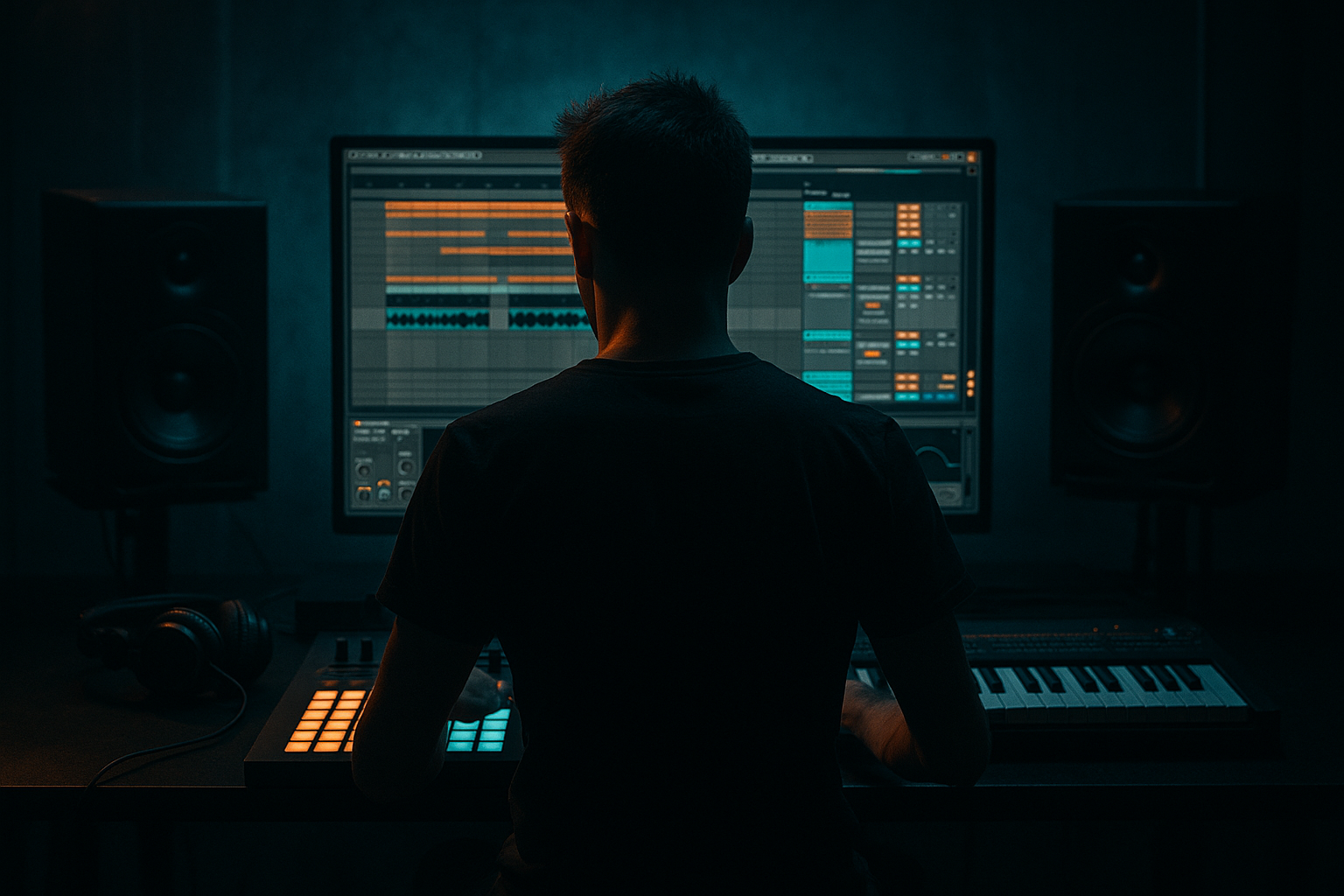
Session for call-and-response riff with crunchy sampler texture in Ableton Live 12 for jungle oldskool DnB vibes (Intermediate) cover image

Narrated lesson audio

The voice track includes the tutorial plus extra teacher commentary.

Open audio file

Main tutorial

```markdown

Session: Call-and-Response Riff + Crunchy Sampler Texture (Ableton Live 12) 🥁⚡

Focus: Arrangement (Intermediate) — Oldskool jungle / DnB vibes with a crunchy sampled riff that “talks back” to itself.

---

1. Lesson overview

In classic jungle/oldskool DnB, the hook often isn’t a “lead melody” — it’s a sampled riff (stabs, chords, vocal bits, resampled synth) that gets chopped, pitched, and answered in tight call-and-response phrases.

This lesson builds a Session View performance-style workflow in Live 12 that you can jam, record into Arrangement, and then tighten into a rolling, ravey drop.

You’ll learn:

  • How to set up call + response phrasing with clips/scenes
  • How to get crunchy sampler texture (without killing the groove)
  • How to use stock Ableton devices for jungle-style movement and grit
  • How to record a live jam into Arrangement and edit like a pro
  • ---

    2. What you will build

    A mini “drop” section (16–32 bars) with:

  • Drums: Think Amen-style breaks + tight kick/snare reinforcement
  • Bass: Simple rolling reese/sub bed (not the star today)
  • Riff: A sampled stab/chord/vocal hit in Simpler, processed gritty
  • Call-and-response:
  • - Call = a recognizable riff phrase (1–2 bars)

    - Response = a variation (pitch/retrigger/filter/delay throw)

  • Arrangement: Scenes that evolve every 8 bars so it feels like real DnB structure
  • ---

    3. Step-by-step walkthrough

    Step 0 — Session setup (tempo, grid, vibe)

    1. Set tempo to 165–172 BPM (try 170 BPM).

    2. In Preferences → Record/Warp/Launch, enable:

    - Create Fades on Clip Edges (helps clicks)

    3. Set global Launch Quantization to 1 Bar (top-middle of Live).

    DnB phrasing tip: Build in 8-bar “sentences”. Jungle lives on tension/release in short blocks.

    ---

    Step 1 — Build a simple but solid drum foundation (Session View)

    Create a Drums group with two tracks:

    #### A) Break track (audio)

    1. Drag in an Amen-style break (or any classic jungle break).

    2. Warp mode: Beats

    - Preserve: Transients

    - Envelope: ~15–30%

    3. Add Drum Buss (stock) for smack:

    - Drive: 5–15%

    - Crunch: 10–25%

    - Boom: 0–10% (be careful; jungle breaks can get tubby)

    #### B) Kick/Snare reinforcement (Drum Rack)

    1. Load a tight kick and a crisp snare (think 90s rave).

    2. Pattern: keep it classic two-step-ish:

    - Snare on beat 2 and 4

    - Kick on 1 and maybe a pickup before 3 depending on break

    Glue bus (optional but useful): Group both drum tracks → add Glue Compressor

  • Attack: 3 ms
  • Release: Auto
  • Ratio: 2:1
  • GR: 1–3 dB
  • ---

    Step 2 — Add a simple rolling bass bed (don’t overcomplicate)

    Create Bass (MIDI) with Wavetable (stock):

  • Osc 1: Saw
  • Osc 2: Saw (slightly detuned)
  • Unison: 2–4 voices, small amount
  • Filter: LP24
  • Drive: a touch (10–20%)
  • Add Saturator after:

  • Mode: Analog Clip
  • Drive: 2–6 dB
  • Add EQ Eight:

  • Low cut: <25–30 Hz
  • If needed, tame 200–400 Hz mud slightly
  • Keep bass simple; the riff is the “character” today.

    ---

    Step 3 — Source your riff (stabs, chords, vocal, resampled synth)

    You need a short sample with identity. Great choices:

  • Rave stab
  • Minor chord hit
  • Vocal “hey/yeah/come”
  • Resampled reese note (short)
  • Drop it into Simpler (MIDI track called Riff):

  • Mode: Slice if it’s a longer phrase, or Classic if it’s a single hit.
  • If Classic:
  • - Set Voices = 1 (mono) for tightness

    - Enable Snap in sample view, and trim start tightly

    Oldskool trick: Add a tiny bit of start offset so the transient isn’t too clean.

    ---

    Step 4 — Make it crunchy: a stock “sampler grit” device chain 🔥

    On the Riff track, build this chain (in this order):

    1. Redux

    - Downsample: 2.0–6.0 (start at ~3.0)

    - Bit Reduction: 8–12 (subtle first!)

    - Dry/Wet: 20–50% (don’t destroy the body)

    2. Saturator

    - Mode: Soft Sine or Analog Clip

    - Drive: 3–8 dB

    - Enable Soft Clip (often ON for DnB)

    3. EQ Eight

    - High-pass: 120–250 Hz (depends on sample)

    - Dip harshness: 2–5 kHz if needed

    - Tiny shelf lift around 8–10 kHz if it got dull

    4. Auto Filter (movement)

    - Filter: LP12 or BP

    - Envelope: small negative/positive to “pluck”

    - Map cutoff to a Macro later

    5. Reverb (short rave room)

    - Decay: 0.6–1.2s

    - Pre-delay: 10–25 ms

    - Dry/Wet: 8–18%

    - EQ inside Reverb: cut lows below ~200 Hz

    Key goal: Crunch + character, but still punchy and rhythmic.

    ---

    Step 5 — Write the “Call” clip (1–2 bars) 🎯

    Create a 1-bar MIDI clip on Riff (Call 1):

  • Put hits on off-beats and around the snare gaps.
  • Example rhythmic placement (1 bar in 16ths):
  • - Hits at 1.2, 1.4, 1.4.3 (syncopated)

  • Keep it simple enough to be recognizable.
  • Micro-groove: In Clip View → Groove Pool, try:

  • MPC swing or a break-derived groove (subtle, 10–25% amount)
  • Duplicate to make a 2-bar call if you want a longer phrase.

    ---

    Step 6 — Create “Response” clips (variations that answer the call)

    Duplicate the Call clip 2–4 times and make each one a specific response type. Name them clearly:

    #### Response A — Pitch answer (classic jungle move)

  • In the MIDI notes: transpose some hits -3 or -5 semitones
  • Keep the first hit same pitch so it “connects,” then diverge.
  • #### Response B — Retrigger/stutter

  • Turn 1–2 hits into rapid 1/32 or 1/64 repeats.
  • Keep it short so it feels like a hype fill, not a mess.
  • Anti-click tip: If it clicks, go into Simpler → Fade In tiny amount.

    #### Response C — Filter sweep answer

  • Automate Auto Filter cutoff inside the clip:
  • - Clip Envelopes → Auto Filter → Frequency

    - Draw a quick rise on the last 1/4 bar into the next phrase.

    #### Response D — Delay throw (space on the last hit)

    Add a Return Track called DUB:

  • Device: Echo
  • - Time: 1/8 Dotted or 1/4

    - Feedback: 25–45%

    - Filter: HP around 250 Hz, LP around 6–8 kHz

  • In the Response clip, automate Send to DUB on the last hit only.
  • This is very oldskool: dry riff + occasional dubby tail.

    ---

    Step 7 — Build Session View scenes for arrangement (the “performance”)

    Create scenes as 8-bar blocks (DnB-friendly):

    1. Scene 1 (8 bars): Drums + Bass only (no riff)

    2. Scene 2 (8 bars): Add Call clip (simple)

    3. Scene 3 (8 bars): Call + Response A alternating every bar

    4. Scene 4 (8 bars): Call + Response B, add occasional delay throws

    5. Scene 5 (8 bars): Busier: Response C filter sweeps + stutter fill at bar 8

    How to alternate call/response quickly:

  • Put Call in Clip Slot 1, Response in Clip Slot 2
  • Trigger them back and forth each bar (or use Follow Actions if you like, but manual triggering is fine for intermediate practice).
  • ---

    Step 8 — Record your jam into Arrangement View 🧠➡️🎛️

    1. Hit Global Record (top transport).

    2. Launch scenes and alternate clips live for 32–64 bars.

    3. Stop. Switch to Arrangement.

    4. Edit:

    - Consolidate best 16–32 bars

    - Cut obvious mistakes

    - Make sure fills land every 8 bars (DnB expectation)

    Clean-up: If clip launches created overlaps, shorten notes, and use fades on audio.

    ---

    Step 9 — Add “oldskool lift” with ear candy + structure

    Small additions that instantly read “jungle”:

  • Ride/shaker loop very low (or chopped hat pattern)
  • Crash/impact every 8 or 16 bars
  • Vocal one-shot before the response phrase (“come!”, “hey!”)
  • Noise riser made from Operator noise + Auto Filter sweep
  • Arrangement idea (simple drop):

  • Bars 1–8: drums+bass
  • Bars 9–16: Call enters
  • Bars 17–24: Call/Response alternation
  • Bars 25–32: More aggressive response + delay throws + mini fill at 32
  • ---

    4. Common mistakes

  • Too much crunch too early: Over-Redux makes the riff disappear in the mix. Blend with Dry/Wet and EQ after.
  • Call and response aren’t different enough: If response feels like “same clip again,” commit to one change: pitch OR rhythm OR filter OR space.
  • Riff fights the snare: If hits land on snare transients constantly, it’ll feel messy. Place riff around the snare.
  • No phrase punctuation: DnB needs moments that “turn the page” every 8 bars (fill, drop-out, throw, reverse).
  • Delay/reverb low-end clutter: Always filter your sends. Jungle gets heavy fast.
  • ---

    5. Pro tips for darker/heavier DnB 🖤

  • Parallel distortion on the riff:
  • Group the Riff → create an Audio Effect Rack with two chains:

    - Clean chain (EQ)

    - Dirt chain (Saturator + Overdrive + EQ to band-limit 300 Hz–6 kHz)

    Blend dirt quietly for menace.

  • Make the response “meaner,” not just busier:
  • Response clip: lower pitch + tighter filter + shorter notes = darker energy.

  • Sidechain the riff to the snare (subtle):
  • Compressor on riff, sidechain from snare track, 1–2 dB GR. Keeps punch.

  • Resample the riff phrase:
  • Print 8 bars to audio, then chop audio like a break. Add tiny reverse hits before responses.

  • Use Roar (stock in Live 12) carefully:
  • Gentle multi-band drive on the riff can add huge attitude. Keep output gain matched.

    ---

    6. Mini practice exercise (15 minutes) ⏱️

    1. Build 1 Call clip (1 bar) and 3 Response clips:

    - Pitch response

    - Stutter response

    - Delay throw response

    2. Create 4 scenes (8 bars each):

    - Drums+bass

    - Call

    - Call/Response alternating

    - “Hype” scene with stutters + throws

    3. Record 32 bars into Arrangement and edit it into a clean loop.

    Goal: When you bounce it, it should feel like a real “A-section” drop loop that could run under an MC.

    ---

    7. Recap

  • You built a Session View performance system for call-and-response riff writing.
  • You used Simpler + Redux + Saturator + Auto Filter + short Reverb for crunchy sampler texture.
  • You arranged in 8-bar phrases and recorded a live jam into Arrangement for authentic jungle movement.
  • You kept the response intentional: pitch, rhythm, filter, space — not random variations.

If you want, tell me what kind of source you’re using for the riff (stab, vocal, resampled synth) and I’ll suggest exact clip patterns + a macro-mapped rack for fast call/response performance.

```

Ask GPT about this lesson

Chat with the lesson tutor, get follow-up help, or use quick actions.

for the riff (stab, vocal, resampled synth) what type of source should i use
Use a source that will still feel “readable” after you chop it and add crunch (Redux/Saturator). In this lesson, the riff is the *hook*, so pick something with a strong midrange identity and a clean enough transient that it can “speak” in 1-bar phrases. ## Best choice (most reliable): **Rave stab / chord hit** **Why it works for this call-and-response session workflow** - Stabs stay recognizable when you **pitch**, **retrigger**, and **filter** them (perfect for Response A/B/C). - They tolerate **Redux downsample + saturation** without turning to mush. - Classic jungle grammar: call = bright stab phrase, response = pitched/darker stab. **Ableton tip** - Use **Simpler → Classic**, set **Voices = 1** (mono), trim start tight, then add a tiny **Start offset** so it’s not too “clean.” ## If you want maximum character: **Short vocal one-shot (“hey”, “come”, “yeah”)** **Why** - Instantly oldskool/rave. Call-and-response becomes literal conversation. - Great for **delay throws** (Response D) because the tail is exciting. **Watch-outs** - Vocals can get harsh fast with Redux. Do more **band-limiting** (EQ Eight HP 150–250 Hz, tame 2–5 kHz). - Keep it **short** (one syllable). Long phrases are harder to make tight at 170. **Ableton tip** - In Simpler, add a tiny **Fade In** to avoid clicks when you stutter/retrigger. ## If you want “you” and not a cliché: **Resampled synth stab (recommended for originality)** **Why** - You control the tone (minor/dissonant) and make it unique, then “sample it” like hardware. - Resampling bakes in movement, which feels very jungle when chopped. **Fast Ableton method** 1. Make a quick stab in **Wavetable/Operator** (short amp decay). 2. Add **Auto Filter** movement + a touch of **Reverb**. 3. **Resample** 1–2 notes to audio (new audio track set to *Resampling*). 4. Drop that audio into **Simpler**, then do the lesson’s **Redux → Saturator → EQ → Auto Filter** chain. ## Quick decision guide (pick one) - Want it to feel **classic oldskool instantly**: **Rave stab/chord hit** - Want it to feel **hype + conversational** with throws: **Vocal one-shot** - Want it to feel **unique + “sampled” but still controlled**: **Resampled synth stab** If you tell me whether you’re going for **rave-bright** or **dread-dark**, I’ll recommend a specific source type *and* the exact Simpler mode (Classic vs Slice) + starting settings for the crunch chain.

Narration script

Show spoken script
Welcome in. This session is all about that classic oldskool jungle and early DnB hook where the “lead” isn’t a big synth melody, it’s a sampled riff that talks back to itself. Call… response… call… response. And we’re going to build it in a way that feels performable in Session View, then we’ll record the jam into Arrangement and tighten it like a proper drop section.

We’re working intermediate today, so I’m going to assume you already know your way around basic clip launching, warping, and making a drum loop. The focus is: phrasing, texture, and controlled chaos.

First, set the vibe so everything you do locks into jungle phrasing.

Set your tempo somewhere between 165 and 172. I like 170 as a sweet spot. Then go into Preferences, Record Warp Launch, and make sure “Create Fades on Clip Edges” is on. That tiny setting saves you from a bunch of clicks later, especially when we start chopping and retriggering.

Now look up top in Live and set Global Launch Quantization to 1 Bar. That means when you trigger scenes, everything lands in a clean, DJ-friendly way. Jungle is basically built out of 8-bar sentences, so the more you respect that grid, the easier it is to make it feel legit.

Alright. Step one: drums. We need a simple but solid foundation, because the riff is going to be doing a lot of personality work.

Make a group called Drums, and put two tracks inside it. First track is an audio track for your break. Drag in an Amen-style break or any classic jungle break that already has attitude. Warp it in Beats mode. Set Preserve to Transients, and set the envelope somewhere around 15 to 30 percent. If your break starts sounding like it’s being chewed up, back off the envelope. If it’s too loose, push it a bit.

Then add Drum Buss on that break track. Don’t go nuclear here. Drive around five to fifteen percent. Crunch around ten to twenty-five. Boom, keep it low, like zero to ten, because jungle breaks get tubby fast and you’ll regret it when the bass comes in.

Second drum track: a Drum Rack for kick and snare reinforcement. Pick a tight kick and a crisp snare that screams 90s rave. Program it simple: snare on beats two and four, kick on one, and maybe a little pickup depending on your break pattern. This is not the moment to write a fancy modern kick pattern. You’re reinforcing the break, not replacing it.

Optional, but I recommend it: group the break and the kick-snare, and put a Glue Compressor on the drum group. Attack around three milliseconds, release on Auto, ratio two to one. You’re aiming for one to three dB of gain reduction, just to make the whole drum picture feel like one machine.

Cool. Step two: bass bed. Keep it rolling, keep it simple. It’s not the star today.

Make a MIDI track called Bass and load Wavetable. Set Oscillator 1 to Saw, Oscillator 2 to Saw, detune it slightly. Add a little unison, like two to four voices, just enough to widen without getting blurry. Put a low-pass 24 dB filter on it, add a touch of drive, like ten to twenty percent.

After that, add Saturator in Analog Clip mode, drive it two to six dB. Then EQ Eight: cut the useless sub-rumble below about 25 to 30 Hz. If it’s getting boxy, gently tame 200 to 400 Hz.

You should now have drums that slap and a bass that rolls, but neither is overdesigned. Perfect.

Now the fun part: the riff source. This is your hook identity.

Pick a short sample with character. A rave stab, a minor chord hit, a vocal “hey” or “come,” or even a resampled synth note that you bounced earlier. Drop it into Simpler on a MIDI track called Riff.

If it’s a single stab, use Classic mode. Set voices to 1 so it stays mono and tight. Trim the start so it hits right away, but here’s a very oldskool trick: don’t make it too perfect. Try a tiny start offset so the transient isn’t super pristine. That slightly “late” or “softened” edge is part of the crunchy sampler illusion.

If your sample is longer and has multiple moments you want to trigger, Slice mode is a good option. But for this lesson, Classic mode with one strong hit is the fastest route to results.

Now we build the crunchy sampler texture, and we do it with stock devices. The goal is grit and character without killing the groove.

On the Riff track, add Redux first. Start with downsample around 3.0. Then bit reduction somewhere between eight and twelve. Keep it subtle. Then set Dry/Wet around twenty to fifty percent. Teacher note: this is where people ruin the sound. If you crank Redux to “instant videogame,” the riff stops punching through the drums. We want crunch, not collapse.

After Redux, add Saturator. Soft Sine or Analog Clip both work. Drive three to eight dB. Turn Soft Clip on most of the time, because it helps keep the peaks controlled in a very DnB-friendly way.

Then EQ Eight. High-pass the riff somewhere between 120 and 250 Hz so it doesn’t fight your bass and break. If it’s harsh, dip 2 to 5 kHz a little. If it got too dull after all that processing, add a tiny shelf around 8 to 10 kHz. Tiny. You’re not mastering, you’re sculpting.

Next, add Auto Filter for movement. Pick LP12 or Band Pass. Add a little envelope so the sound has a pluck or a bite when it hits. We’ll automate cutoff later, and if you like performing, this is a great parameter to map to a macro.

Then a short reverb. Think “small rave room,” not “big cinematic hall.” Decay around 0.6 to 1.2 seconds, pre-delay 10 to 25 milliseconds, dry/wet eight to eighteen percent. And absolutely use the reverb’s internal EQ to cut the lows below about 200 Hz. Low-end reverb is how you lose jungle punch in about ten seconds.

At this point, play a few notes on the riff and make sure it’s crunchy but still rhythmic. If it feels late or flabby, reduce reverb, reduce dry/wet on Redux, or tighten the sample start.

Now we write the Call clip. This is the phrase the listener learns first.

Make a one-bar MIDI clip on the Riff track and name it Call 1. Put the hits mostly on off-beats, and try to place them in the gaps around the snare. A classic approach is to avoid landing right on the snare transient, because the snare is the king in this style. Let the riff dance around it.

If you want a concrete starting point, aim for a syncopated pattern with a hit around the “and” of one, another toward beat three, and maybe a quick extra hit just before the end of the bar. Keep it simple enough that if you loop it, you can hum it after two repeats.

Then add micro-groove. In the Groove Pool, try an MPC-style swing or even extract a groove from your break and apply it subtly, like ten to twenty-five percent. This is one of those “it doesn’t sound like much until you bypass it” moves.

Now we make the Response clips. This is where the riff starts talking back.

Duplicate the Call clip a few times and rename them so you can actually perform them without thinking. Response A, Response B, Response C, Response D. And each response should have one main idea. Don’t do everything at once, or it’ll just sound like random edits.

Response A is pitch. Classic jungle move. Keep the first hit the same pitch so it connects to the call, then transpose one or two later hits down three or five semitones. That “answering lower” feel is instantly oldskool.

Response B is retrigger or stutter. Take one hit and turn it into a quick 1/32 or even 1/64 repeat, but keep it short. It should feel like a hype fill, not like your MIDI editor got stuck. If you hear clicking, go into Simpler and add a tiny Fade In. That one setting fixes most stutter clicks.

Response C is filter sweep. Open the clip envelopes, find Auto Filter, then Frequency, and draw a quick rise in the last quarter of the bar leading into the next phrase. That creates forward motion without adding notes.

Response D is the dubby space one: the delay throw.

Make a return track and name it DUB. Put Echo on it. Set time to one-eighth dotted or one-quarter. Feedback around twenty-five to forty-five percent. Filter it: high-pass around 250 Hz, low-pass around six to eight kHz so it sits behind the dry riff. Now in the Response D clip, automate the send to DUB only on the last hit. That’s the whole trick. Dry riff, then one throw that trails off like someone just opened the room up for a second.

Teacher note: limit your throws. If every bar has a throw, nothing feels special. A good rule is no more than two throws per eight bars.

Now we build scenes, because the big concept today is: Session View as a performance system that becomes your arrangement.

Create scenes in eight-bar blocks. Label them like they do a job, not just “Scene 1” forever. Start with something like:

Scene 1 is INTRO: drums and bass only, no riff. Give the listener a bar or two to lock into the break.

Scene 2 is STATEMENT: add the Call clip, keep it readable.

Scene 3 is CONVO: alternate Call and Response A every bar. So it’s literally call, response, call, response.

Scene 4 is HEAT: bring in the stutter response, and sprinkle in an occasional delay throw response.

Scene 5 can be PEAK or PUSH: more filter sweeps, maybe one stutter fill at the end of bar eight to turn the page.

And here’s a really important coaching idea: pick a conversation length and stick to it for a while. One bar call, one bar response is fast and classic. Two bars call, two bars response is more lyrical. Or my favorite very jungle structure: one bar call, one bar response, then two bars of gap where the drums talk. That negative space makes the break sound bigger without touching any levels.

Also, don’t forget your secret weapons: clip start and loop length. You can keep the same MIDI notes, but nudge a clip’s start by a sixteenth and suddenly the response feels new. Or set a response clip loop length to three-quarters of a bar or one-and-a-half bars so it phases against your two-bar drum loop. That polymetric drift is a sneaky way to get movement that still sounds intentional.

Now, when you’re ready, we record the performance into Arrangement.

Hit Global Record. Launch your scenes and play it like an instrument for 32 to 64 bars. Don’t aim for perfection. Aim for vibe and phrasing. Then stop and switch to Arrangement view.

Now you edit like a pro. Find the best 16 to 32 bars where the story makes sense. Consolidate it. Cut obvious mistakes. Make sure something “turns the page” every eight bars, because DnB listeners expect punctuation: a fill, a dropout, a throw, a mute, a little turnaround.

If clip launching created overlaps or messy note lengths, shorten notes, clean edges, and rely on those clip fades you enabled earlier.

Now add the oldskool lift. This is where it starts sounding like a real drop instead of a loop.

Add a super low ride or shaker layer, or a chopped hat pattern that just pushes energy forward. Add a crash or impact every eight or sixteen bars. Add a quick vocal one-shot right before a response phrase, like a “hey” to introduce the answer. And if you want a riser, keep it simple: noise into an Auto Filter sweep is enough.

One more advanced but very effective trick: make the response feel like a different speaker. Not by changing notes, but by changing tone. For call clips, let them be a little brighter and wider. For response clips, pull the filter down slightly and maybe reduce reverb, so the answer feels darker and tighter. It’s like two characters trading lines.

And if your riff is stepping on the snare, fix it in the most musical way first: move the riff hits into the gaps. If you still need help, do subtle sidechain compression on the riff keyed from the snare, just one to two dB of gain reduction. That keeps the snare punching through without making the riff vanish.

Before we wrap, quick checklist of common mistakes to avoid.

Don’t over-crunch too early. Redux is powerful, but if you can’t hear the identity of the sample anymore, you’ve gone past “oldskool” into “broken.”

Make sure the response is actually different enough. Commit to one main change: pitch, or rhythm, or filter, or space. That’s what makes it feel like conversation instead of repetition.

And keep your sends filtered. Delay and reverb low end is the fastest way to turn a nice rolling drop into mud.

Now for a mini practice run you can do in fifteen minutes: build one call clip and three response clips. Pitch, stutter, and delay throw. Make four scenes: drums and bass, call, alternating call and response, and a hype scene with stutters and throws. Record 32 bars into Arrangement, and edit it until it loops clean and feels like an A-section drop that could run under an MC.

That’s the whole system: Session View for performance, Arrangement for commitment. Crunchy sampler texture from Redux into saturation, movement from filter automation, space from occasional dub throws, and structure from eight-bar sentences.

If you tell me what your riff source is—stab chord, vocal, or synth resample—and whether you want it rave-bright or dread-dark, I can suggest a specific six-clip riff bank layout and what to macro-map so you can perform call-and-response fast without thinking.

mickeybeam

Go to drumbasscd.com for +100 drum and bass YouTube channels all in one place - tune in!

Generating PDF preview…
