Main tutorial
Lesson Overview
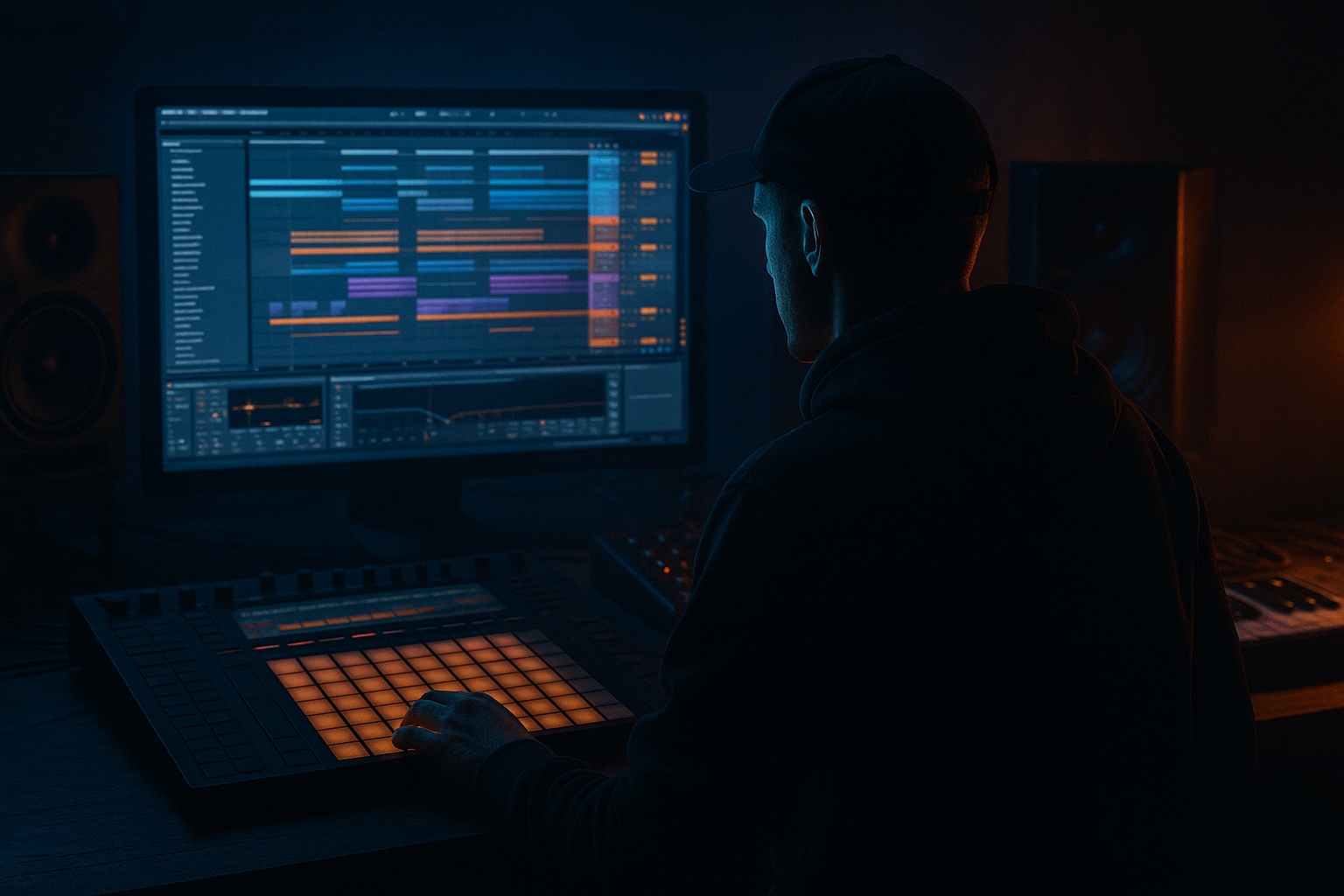
If you want that pirate-radio, late-night, oldskool jungle/DnB atmosphere inside Ableton Live 12, you need more than just drums and bass — you need a session built for tension, noise, and movement. This lesson is about creating a session-based atmosphere/edit setup that you can perform, arrange, and mutate into a track with that rough, underground energy. Think: flickering pads, radio-static chops, dubby echoes, break edits, siren stabs, and little FX moments that make the tune feel alive.
This sits right in the edits side of DnB production: taking simple loops, chopping them, muting them, resampling them, and building phrases that feel like a DJ riding a pirate set. In oldskool jungle especially, atmosphere is not just decoration — it’s part of the groove and the identity. It tells the listener: this is nighttime, this is gritty, this is moving fast, and the system is warming up 🔥
Why it matters:
- Atmosphere gives your tune space and depth without needing more notes.
- Edit-style session work helps you create variation fast, which is essential in DnB.
- It gives you performance control in Session View, so you can test transitions and build energy before committing to Arrangement.
- It helps a beginner make a track feel finished earlier, because the mood and structure start appearing immediately.
- oldskool jungle drums,
- rolling sub and reese bass,
- dark transitions,
- and DJ-friendly section changes.
- A drum break loop with a few chopped variations
- A sub/bass layer that stays clean and mono
- A reese or mid-bass atmosphere layer for movement
- A noise / radio / vinyl texture track
- A couple of FX one-shots like sirens, downlifters, hits, or echoes
- A few scene-based edit moments for intro, drop, switch-up, and breakdown
- A basic return FX setup for dubby delay and reverb
- a DJ intro with crackle and filtered ambience,
- a first drop that hits with chopped breaks and sub,
- a mid-track switch with a little air and tension,
- and an outro that feels ready to mix out in a pirate radio set.
- Making the atmosphere too loud
- Widening the sub
- Using too many FX at once
- Leaving the break unchanged for the whole track
- Over-filtering everything
- Too much reverb on drums or bass
- Layer dark atmosphere under the break, not over it.
- Use saturation on mids, not on sub.
- Make one section extra stripped.
- Use call-and-response between sub and break.
- Try filtered noise risers instead of bright EDM risers.
- Resample your own atmosphere.
- Check the low end in mono.
- Use Session View to build DnB edits fast and test energy changes.
- Keep the sub clean, mono, and simple.
- Use break edits and small scene changes to create movement.
- Add noise, radio texture, and FX hits for pirate-radio atmosphere.
- Automate filters, delay, and reverb lightly for tension.
- In DnB, the vibe often comes from what you remove and when you bring it back.
In this lesson, you’ll build a pirate-radio atmosphere rack that supports:
What You Will Build
By the end, you’ll have a simple but powerful Ableton Live 12 Session setup with:
Musically, the result should feel like:
This is not about making one giant sound. It’s about making a session of small parts that breathe like a real jungle tune.
Step-by-Step Walkthrough
1. Set up a simple Session View template for edits
Open a new Live set and switch to Session View. Create these audio/MIDI tracks:
- Track 1: Breaks
- Track 2: Sub
- Track 3: Bass/Atmos
- Track 4: Noise/Texture
- Track 5: FX Hits
Also create two return tracks:
- Return A: Reverb
- Return B: Delay
Why this helps: Session View is perfect for trying different jungle combinations quickly. You can launch clips, mute parts, and build energy without fully committing to arrangement yet. For edits, this is huge because a lot of classic DnB structure comes from small changes in clip state rather than huge chord progressions.
Keep your tracks color-coded:
- drums = one color,
- bass = another,
- atmos = another.
This saves time when you start jumping between clips during playback.
2. Load a jungle break and make two quick edit variations
Drag in a classic break sample or any amen-style break into the Breaks track. If it’s long, double-click the clip and use Warp carefully so the groove stays natural. For beginner-friendly workflow, start with one break loop that already feels close to tempo.
In the clip:
- keep it in time at around 160–174 BPM,
- and aim for a loop length of 1 or 2 bars.
Add Simpler or just work with the audio clip directly. To make edits:
- duplicate the clip to a second slot,
- make one version slightly more open,
- and make another version more stripped.
Practical edit ideas:
- remove a snare hit before the drop,
- add a tiny gap before bar 1,
- mute a hat for one bar,
- or cut the tail of a break hit to create a stutter.
If you want a bit more control, add these stock devices to the break track:
- EQ Eight: high-pass a little if needed, around 30–50 Hz only if the break is muddy
- Drum Buss: drive around 5–15% for weight
- Auto Filter: use a low-pass for intro sections, with cutoff around 300 Hz to 2 kHz depending on how buried you want it
Why this works in DnB: break edits are part of the genre’s DNA. A chopped break can make a loop feel like a performance, not a static loop. Even simple edits create the feeling of a real selector or engineer riding the vibe.
3. Build the sub layer first, then keep it disciplined
On the Sub track, use Analog, Operator, or Wavetable. For beginners, Operator is a great choice because it’s clean and easy.
Start with a simple sine/sub sound:
- use a sine wave
- keep it mono
- avoid chorus or wide stereo effects on the sub
Write a very simple bassline in MIDI clips:
- 1 or 2 notes per bar is enough
- use short notes for rolling movement
- leave space for the kick and snare
- don’t overplay it
Good beginner settings:
- Operator: sine oscillator, no extra unison
- Amp envelope: short attack, medium release
- EQ Eight: gently cut anything above 120–200 Hz if the sound isn’t staying pure
- Utility: set Width = 0% to keep the low end mono
Make a couple of bass clip variations:
- one with a long note under the first bar,
- one with a more broken, stop-start rhythm,
- one with a small pickup note before the snare.
In jungle and rollers, the bass often feels better when it responds to the drums instead of constantly filling every gap. That call-and-response feel is part of the vibe.
4. Add a moving mid-bass or reese atmosphere layer
Create the darker energy with a separate Bass/Atmos track. This can be a reese, a detuned mid-bass, or a noisy synth layer.
Use Wavetable or Analog:
- detune two oscillators slightly
- keep the sound wide in the mids, but not in the sub
- add a little filter motion
Starter settings:
- oscillator detune: small amount, around 5–15 cents
- filter cutoff: somewhere around 200 Hz to 1.5 kHz depending on how dark you want it
- add a touch of Saturator or Drum Buss for grit
To make it feel like atmosphere instead of a lead:
- keep MIDI notes long and simple
- automate the filter slowly
- use subtle vibrato or movement
- let it open only in certain sections
A very useful beginner trick: create two MIDI clips of the same bass sound.
- Clip A = darker and filtered
- Clip B = slightly brighter and more aggressive
Then launch them in different scenes. That gives you an instant pirate-radio switch-up without needing a complicated sound design session.
5. Create noise, radio texture, and space
Make a Noise/Texture track and use one of these stock methods:
- an audio clip of vinyl crackle or radio static,
- Operator noise,
- Collision or Wavetable noise-type texture,
- or resample your own background sound from the session.
The goal is not to make this loud. It should live under the drums and bass like smoke in the room.
Good processing chain:
- EQ Eight: high-pass around 150–300 Hz
- Auto Filter: move cutoff slowly for motion
- Reverb: low dry/wet, small to medium size
- Echo or Delay: use sparingly for dubby tail movement
Suggested atmosphere settings:
- Reverb dry/wet: 5–15%
- Delay feedback: 15–35%
- Filter resonance: low to medium, just enough to whistle slightly
This track is where the “pirate radio” feeling really comes from. It can be a layer of hiss, distant voices, tape wobble, room tone, or static. In oldskool jungle, that atmosphere is a mood setter — it makes the track feel like it’s coming through a transmission, not just from a DAW.
6. Use FX hits and one-shots as edit markers
On the FX Hits track, place small sound events that help your arrangement feel like a radio performance:
- siren stabs,
- rewind-style impacts,
- short noise hits,
- reversed cymbals,
- short vocal chops if you have them.
Keep them very short and use them like punctuation.
In Session View, create one clip per idea:
- one for intro tension,
- one for drop transition,
- one for a mid-track switch,
- one for outro release.
Process them with stock devices:
- Simple Delay or Echo
- Reverb
- Auto Pan for motion
- Utility if you need to narrow the sound in the mix
Arrangement suggestion:
- put a siren or hit just before the drop
- place a reverse effect into a snare
- use a short echo tail at the end of a 4-bar phrase
- leave silence after a hit sometimes, because that gap is what makes the next section feel heavier
This is an edit lesson as much as a sound-design lesson. In DnB, the timing of the FX often matters more than the size of the effect.
7. Build scenes like a DJ-friendly pirate set
Now make your Session clips into scenes that can behave like a track structure.
Create at least four scenes:
- Intro
- Groove
- Drop
- Switch / Outro
Example structure:
- Intro: noise texture + filtered break + filtered bass
- Groove: full break + sub + light atmosphere
- Drop: full break + sub + reese + FX hit
- Switch / Outro: less kick content, more atmos, delayed hits, stripped bass
Launch each scene and listen for transitions. The goal is to make each scene feel like a part of one long DJ edit.
Beginner tip: use clip launch quantization at 1 bar so changes land cleanly on the beat.
Also try these simple scene-edit moves:
- remove bass for one bar before the drop,
- mute the reese for two beats,
- switch to a drier break before a big section,
- then bring in the noisy atmosphere again.
This is why Session View is so strong for DnB edits: you can perform the track like a live set and discover good arrangements through listening, not just drawing automation blindly.
8. Automate movement, not chaos
Once the basic scenes work, add a few automations in Arrangement View or clip envelopes.
Focus on small moves:
- Auto Filter cutoff
- Reverb dry/wet
- Delay feedback
- Utility volume
- Bass filter sweep
Good beginner automation ranges:
- filter cutoff opening from 300 Hz to 3 kHz
- delay feedback rising from 20% to 40% before a transition
- reverb dry/wet nudging from 8% to 18% on an atmosphere hit
Keep automation subtle on the sub. Let the atmosphere move more than the low end.
A strong pirate-radio move is to automate the noise texture so it becomes more present right before a section change, then pull back after the drop. That creates tension without washing out the mix.
If you want a more “classic jungle” feel, automate:
- a low-pass opening on the break,
- a short echo on the last snare before the drop,
- and a tiny fade-out on the texture layer during the main groove.
Common Mistakes
Fix: turn it down until you miss it when muted. Atmosphere should support the tune, not sit on top of it.
Fix: keep sub mono using Utility or a mono-compatible synth setup. Wide low end can make the whole track lose power.
Fix: choose one or two strong FX moments per phrase. DnB gains power from contrast.
Fix: create at least two or three break edits. Even tiny changes make the tune feel alive.
Fix: don’t make the whole tune sound buried. Use filtering as a transition tool, not a permanent state.
Fix: keep reverb mostly on noise and FX. Use short, controlled reverb if you need space on percussion.
Pro Tips for Darker / Heavier DnB
A quiet noise layer under your break can make the drums feel like they’re coming from a warehouse or pirate booth.
Saturator or Drum Buss works well on a reese or atmosphere layer. Keep the sub clean.
Remove bass for half a bar or cut the top loop for a moment. The return of the full groove will feel heavier.
Let the bass answer the snare or kick instead of constantly playing. This is classic jungle tension.
A rough noise sweep, tape hiss swell, or filtered room tone can feel more authentic for pirate-radio DnB.
Once you have a good section, bounce it and re-import it as audio. Then chop the resample into new clips. This often creates more character than starting from scratch.
Use Utility or a mono check mindset. If the bass disappears, simplify it.
Mini Practice Exercise
Spend 10–20 minutes building a mini pirate-radio edit loop in Session View.
1. Load one break loop and make two edits:
- one full version
- one stripped version
2. Create a simple sub line with Operator:
- only 2 notes across 2 bars
- keep it mono
3. Add one atmosphere track:
- noise, crackle, or a filtered synth pad
- automate a slow filter movement
4. Add one FX hit:
- a siren, reverse hit, or noise stab before the loop repeats
5. Build two scenes:
- Scene 1: intro, filtered and sparse
- Scene 2: drop, fuller and louder
6. Perform the clips for 2–3 minutes and listen for:
- where the energy rises,
- where the groove feels too empty,
- where the atmosphere supports the drums best.
Goal: make a loop that feels like a real jungle intro-to-drop transition, not just a repeated pattern.

