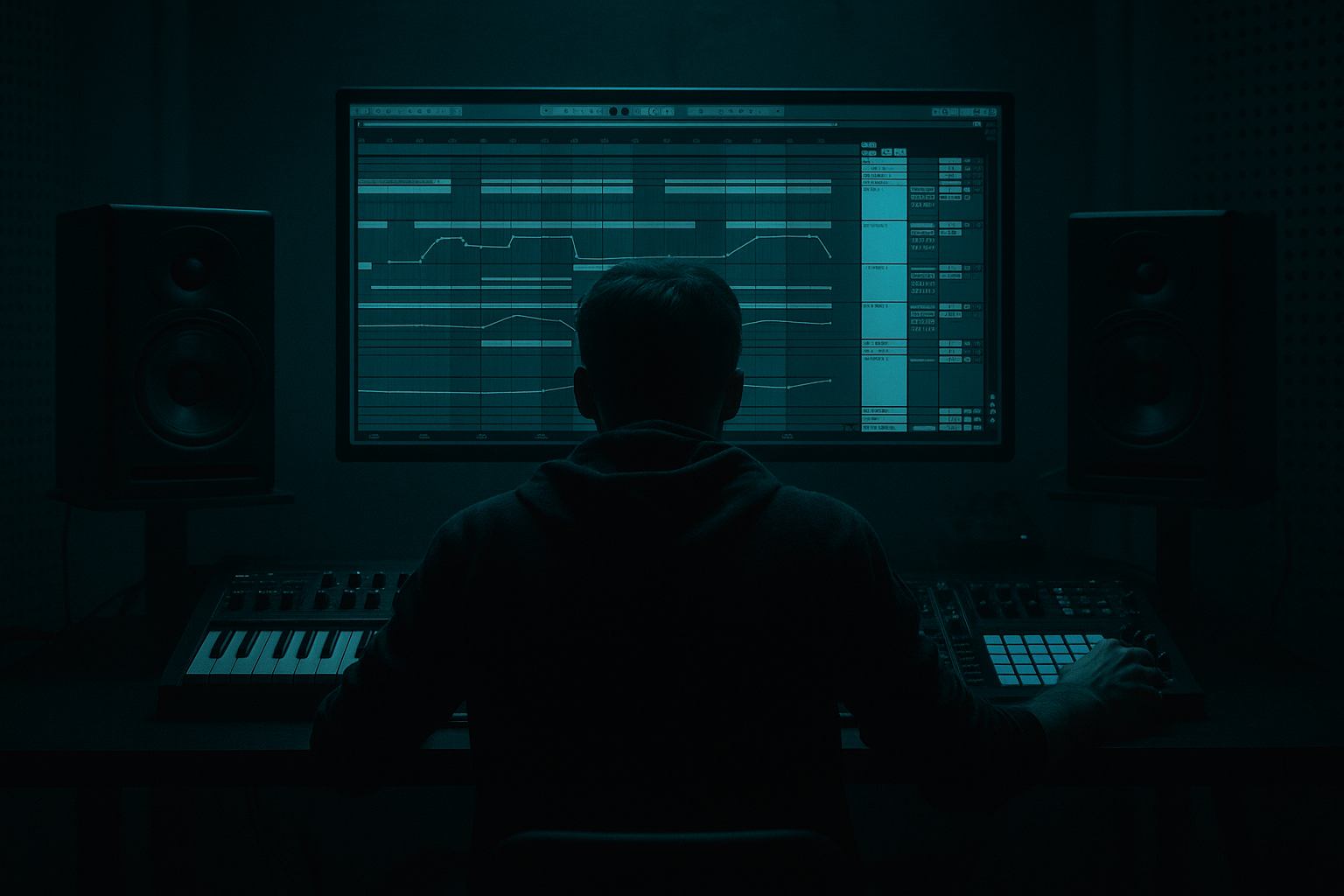
Main tutorial
Lesson Overview
This lesson is about building amen variation sessions that carry heavyweight sub impact in Ableton Live 12, with a strong focus on Edits: slicing, reshaping, muting, re-voicing, and arranging your amen/break material so it supports the drop instead of cluttering it.
In Drum & Bass, especially in jungle, rollers, and darker neuro-leaning tracks, the amen isn’t just a loop — it’s a rhythmic engine. The goal here is to create a Session View setup where you can launch different amen variations against a solid sub foundation, then move fast between versions without killing the low end. This matters because heavy DnB lives or dies on the relationship between drum detail and sub authority. If the break is too busy in the wrong place, the sub loses focus. If the sub is too wide, the kick loses punch. If the break never changes, the groove gets stale.
We’re going to build a practical Ableton Live 12 workflow for:
- keeping the sub mono, deep, and stable
- editing an amen into multiple performance-ready variations
- using Session View like a live arrangement tool
- creating call-and-response between breaks and bass
- designing a drop that feels active without overcrowding the mix
- a core sub bass clip that stays clean and centered
- 3–5 amen variations derived from one break:
- a drum bus with light glue and transient control
- a basic FX lane for risers, downlifters, and reverse hits
- a structure that can perform like a live arrangement:
- Letting every amen variation be too busy
- Leaving low end in the break sample
- Widening the sub for “size”
- Over-compressing the Drum Bus
- Making edits that ignore phrasing
- Using fills in every bar
- Not checking the mix in mono
- Use silence as a weapon: pull the break back for one beat before the snare hit. That little gap can make the drop feel larger.
- Layer ghost notes, not extra kicks: for rollers, ghost snares and hat ticks often add more motion than extra low percussion.
- Saturate the break, not the sub: a little Saturator or Drum Buss on the amen gives the break attitude; keep the sub cleaner.
- Automate drum density, not just filter cutoff: removing or adding hits changes energy more than EQ alone.
- Use short decay on the sub for faster sections: around 90–140 ms release can help articulate rolling patterns without smearing.
- Try alternating break editions every 4 bars: full break, stripped break, full break, fill break. That’s a classic underground momentum pattern.
- Keep kick and sub roles distinct: if the amen has a strong kick, make sure the sub isn’t fighting that exact transient.
- Use resampling for character: once a break variation feels right, print it and process the audio. Small timing imperfections often add life.
- Build amen variations around function: full, stripped, fill, impact.
- Keep the sub mono, simple, and separate from the break.
- Use Session View to audition low-end-friendly edits fast.
- Shape the Drum Bus lightly with EQ Eight, Glue Compressor, and subtle saturation.
- In DnB, space creates weight — the best amen variation often makes the sub hit harder by getting out of the way.
You’ll end with a flexible DnB editing setup you can use for a full tune, especially if you like dark rollers, stepped jungle mutations, or heavyweight halftime-to-DnB switch-ups.
What You Will Build
By the end of this lesson, you’ll have a Session View grid containing:
- straight 2-step support
- chopped ghost-note version
- fill-heavy version for transitions
- stripped version for sub-heavy sections
- impact version with extra transient emphasis
- intro
- first drop
- variation
- switch-up
- tension bar
- return
Musically, the result is something like this:
a D minor or F minor roller with a rolling subline on the offbeats, while the amen alternates between full-energy slices and more minimal support during low-end moments. Think of a breakdown into a first drop where the break is busy, then a second phrase where the same break is reduced to only top snare ghosts and select hats so the sub hits harder.
Step-by-Step Walkthrough
1. Set up a clean Session View layout for speed
Start a new Live set and switch to Session View. Create four audio tracks and one MIDI track:
- Track 1: Amen Core
- Track 2: Amen Variations
- Track 3: Sub Bass
- Track 4: FX / Transitions
- Track 5: Drum Bus return or group routing if you prefer grouped processing
Drag your main amen loop onto Track 1. If you’re working with a 160–174 BPM project, warp the amen to the track tempo and make sure the transient hits feel natural. Use Complex Pro only if the break is pitched significantly; otherwise, Beats mode is often cleaner for drum material.
Why this matters in DnB: Session View lets you audition different break edits against a stable sub without constantly rebuilding the arrangement. That makes it much easier to hear how each amen variation changes the perceived weight of the drop.
2. Duplicate the amen into 3–5 performance variations
On Track 2, duplicate the amen clip and build variations from the same source. You want contrast, not random edits. Make each variation serve a role:
- Variation A: Full Support
Leave the break mostly intact, but remove one or two collisions with the sub. Often this means cutting a busy kick or open hat hit where the bass note lands.
- Variation B: Sub Window
Strip the break down to snare ghosts, top hats, and a few mid ghost notes so the sub has more space.
- Variation C: Fill / Pickup
Add a short fill at the end of a 2- or 4-bar phrase. This is ideal before a drop change.
- Variation D: Impact Edit
Keep only the strongest snare and a couple of hat details to create a more forceful, half-empty section.
Use clip duplication plus split/delete in Arrangement View if it’s faster, then drag the clips back into Session slots. For an intermediate workflow, the key is to create intentional roles for each edit instead of making every version busier than the last.
3. Slice the break for controllable edits
Right-click the amen clip and use Slice to New MIDI Track if you want maximum control. Choose slicing by:
- Transient
- 1/16
- 1/8
For heavyweight DnB edits, transient slicing is usually the best starting point. You’ll get a Drum Rack with individual break hits mapped to pads. Now you can:
- mute clashing kick hits
- duplicate snare ghosts for swing
- shift hats to leave room for the sub
- create drop fills by re-triggering a snare roll or hat burst
Load Simpler or Drum Rack-based slices and keep the edited pattern readable. If you want a darker jungle feel, preserve the natural break dynamics rather than over-quantizing everything.
Useful workflow: color-code clips by function:
- red for impact
- blue for sub-safe versions
- yellow for fills
- purple for atmospheric or stripped edits
4. Build the sub as a separate, disciplined anchor
On Track 3, create a MIDI clip with a simple subline using Operator, Wavetable, or Analog. For heavy DnB, Operator is a great choice because it makes a pure sine-based sub easy and stable.
Start with:
- Operator on sine-only or very simple oscillator shape
- low-pass filtering if needed, but keep it minimal
- mono mode on
- no unneeded stereo widening
Suggested starting points:
- Oscillator level: just enough to feel present, not dominate
- Envelope attack: 0–5 ms
- Release: 80–180 ms for tighter rollers, longer if the phrase breathes
- Filter cutoff: 80–200 Hz if you’re shaping a slightly harmonically rich bass
- Saturator drive on the bass bus: 2–6 dB for audibility on smaller systems
Keep the sub clip simple: root notes, occasional fifths, and movement that leaves space for the amen’s transients. A strong DnB sub often works because it’s boring in the best way — it stays put while the drums tell the story.
5. Use the amen variations to create call-and-response with the bass
This is where the lesson becomes musical. In DnB, the best weight often comes from alternation, not constant density.
Try this four-bar call-and-response:
- Bar 1: full amen + sub note
- Bar 2: stripped amen + slightly longer sub
- Bar 3: fill-heavy amen + short sub pickup
- Bar 4: impact edit + sub drop or held note
A practical example in a track at 172 BPM:
- Bars 1–2: amen variation with kick/snare drive, sub only on the downbeats
- Bars 3–4: amen becomes more minimal while the sub plays a longer note
- End of bar 4: snare fill or break chop to launch the next phrase
This works because the listener feels the low end more strongly when the drums momentarily step back. In DnB, space increases perceived weight.
6. Shape low-end separation with stock Ableton devices
Put your amen tracks into a Drum Bus group and keep the sub on its own track or route it through a dedicated bass group. Then use stock devices carefully:
On the Drum Bus:
- EQ Eight: cut unnecessary low end below 80–120 Hz
- Glue Compressor: gentle glue, not smash
- Ratio: 2:1
- Attack: 10–30 ms
- Release: Auto or 0.3–0.6 s
- Gain reduction: around 1–3 dB
- Saturator: soft clip or mild drive for density
- Drive: 1–4 dB
- Soft Clip: on if you need controlled peak rounding
On the Sub:
- EQ Eight: remove any mud above the useful harmonic range if necessary
- Utility: width at 0% to keep it mono
- Saturator: very light drive for translation
- Compressor if the note lengths are uneven, but keep it subtle
Set up a Utility on the master or bass bus for mono checking. If the sub disappears in mono, your bass design or routing needs attention.
Why this works in DnB: fast breaks and deep sub fight for the same attention. Cleaning the low end in the drum channel keeps the kick/break transients sharp, while the sub owns the deepest part of the spectrum.
7. Automate break density and bass movement across phrases
Session View is perfect for live-style arrangement ideas, but automation makes the edits feel like a finished track. In Ableton Live 12, you can automate clip-level and track-level changes for performance-ready movement.
Use automation on:
- Auto Filter on the amen for breakdown tension
- filter sweep from 18 kHz down to 2–6 kHz for a lo-fi pullback
- Utility width on the break for tight vs open sections
- Reverb/Delay send for selected snare hits only
- Filter frequency or resonance on the sub’s harmonics if using a richer bass tone
Good DnB automation ideas:
- open the break slightly in the last bar before a drop
- fade in extra top-end on the amen right before a switch-up
- reduce break density and let the sub dominate for 1 bar before the next phrase
- automate a short pitch drop or filter dip on the sub at transition points
Keep automation purposeful. Don’t automate everything at once — the most effective heavy sections usually have only one or two animated elements at a time.
8. Create transition clips that support the edits, not clutter them
On Track 4, build a small FX palette:
- reverse cymbal or reverse break fragment
- noise riser
- sub drop
- impact hit
- short reverb tail on a snare
Use these to connect amen variations. For example:
- a reverse snare into a stripped amen section
- a low impact hit before the first kick of a drop
- a noise rise during a 1-bar drum mute so the bass re-entry feels huge
Keep FX filtered and short. In darker DnB, FX should feel like pressure and motion, not trance-style wash. A 1-bar riser is often enough if the break edit is strong.
9. Test the arrangement like a DJ would hear it
Even in Session View, think in terms of bars and transitions. Launch scenes to simulate a 16-bar phrase:
- 4 bars intro
- 8 bars first groove
- 4 bars stripped switch-up
- 8 bars heavier return
Listen for whether the amen variation actually helps the sub hit harder. If a busy edit makes the bass feel smaller, strip it back. If a minimal edit feels empty, add a ghost snare or a tiny top-loop layer.
A good test is to mute the break for one bar and see if the sub suddenly sounds better. If yes, your edited break may still be masking too much low-mid energy.
10. Print or resample your strongest edit for final control
Once you’ve found a killer combination, resample the drums or record the Session launch into Arrangement View. This lets you:
- commit to a specific break edit
- fine-tune clip gain
- manually nudge hits
- add final punctuation in the arrangement
For intermediate production, committing is often the move. Heavy DnB gets stronger when you stop endlessly auditioning and start shaping a finished performance. A resampled amen can also be reprocessed with Drum Buss, Saturator, or subtle Redux for extra grit if the track wants a rougher edge.
Common Mistakes
Fix: create one stripped version specifically for sub-dominant sections.
Fix: high-pass the amen with EQ Eight around 80–120 Hz if the sample contains rumble that clashes with the sub.
Fix: keep the sub mono and use harmonics for perceived width instead.
Fix: aim for light glue. If the break loses punch, back off the gain reduction.
Fix: build variations around 2-bar and 4-bar logic so the drop feels intentional.
Fix: save fill-heavy edits for transitions. Constant fills reduce impact.
Fix: use Utility or the master mono check to confirm the sub stays solid.
Pro Tips for Darker / Heavier DnB
Mini Practice Exercise
Spend 10–20 minutes making a two-scene DnB edit system in Session View.
1. Load one amen loop and create three variations:
- full support
- stripped sub-safe
- fill-heavy transition
2. Create a simple 4-bar subline in Operator using only root notes and one movement note.
3. Set up a Drum Bus with EQ Eight and Glue Compressor.
4. Make one scene where the amen is busy and another where the amen is stripped.
5. Launch them back and forth while the sub plays continuously.
6. Decide which variation makes the sub feel heaviest in mono.
7. Resample 8 bars of the best combination and listen back without looking at the screen.
Goal: end with one edit that makes the sub feel bigger, not just the drums louder.

