DNB COLLEGE

Drum & Bass Ableton Live 12 Tutorials

LESSON DETAIL

Ruffneck Ableton Live 12 swing approach with chopped-vinyl character for jungle oldskool DnB vibes (Intermediate)

An AI-generated intermediate Ableton lesson focused on Ruffneck Ableton Live 12 swing approach with chopped-vinyl character for jungle oldskool DnB vibes in the Risers area of drum and bass production.

Back to lessons
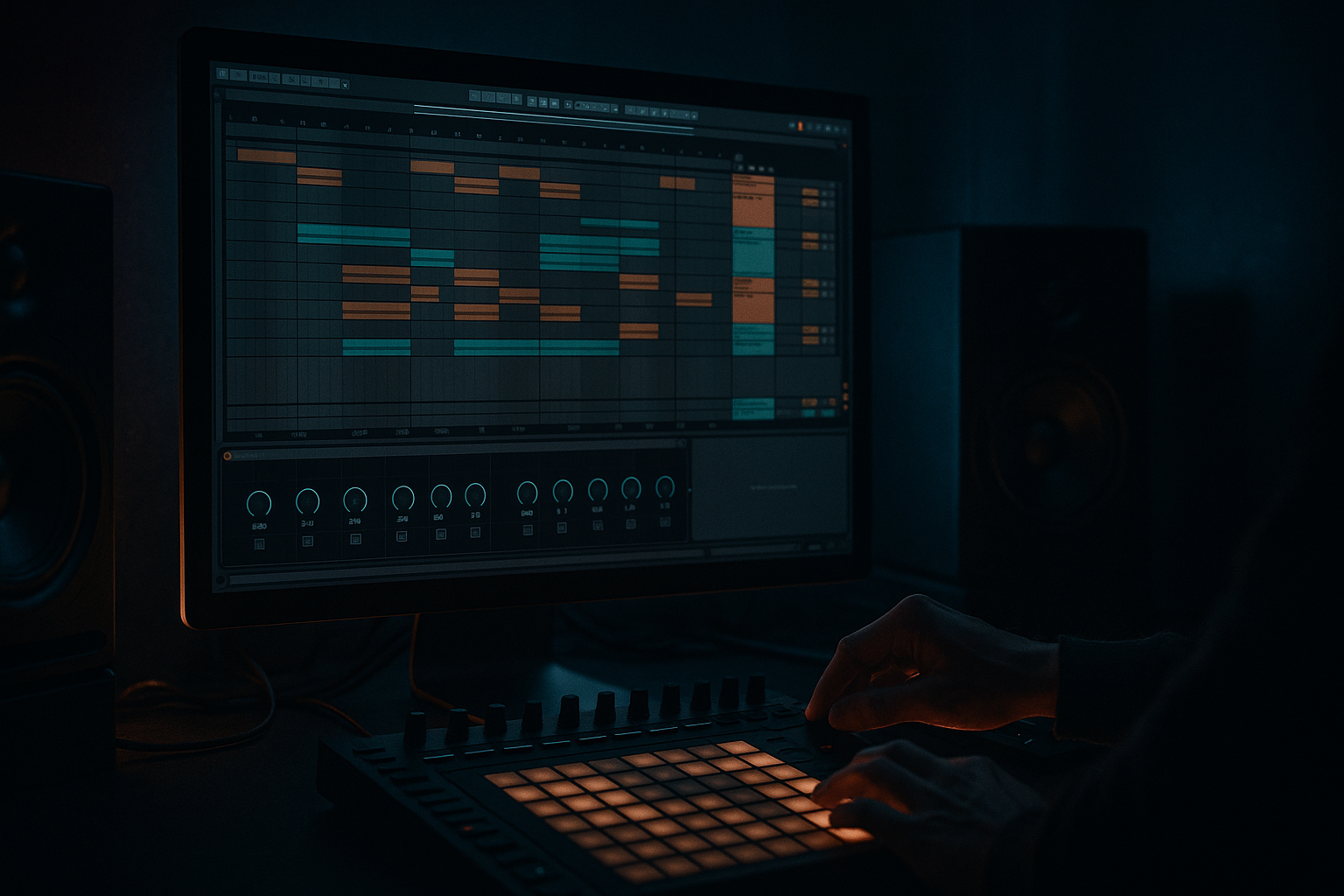
Ruffneck Ableton Live 12 swing approach with chopped-vinyl character for jungle oldskool DnB vibes (Intermediate) cover image

Narrated lesson audio

The voice track includes the tutorial plus extra teacher commentary.

Open audio file

Main tutorial

Ruffneck Ableton Live 12 Swing Approach with Chopped-Vinyl Character for Jungle / Oldskool DnB Vibes

1. Lesson overview

In this lesson, you’ll build a ruffneck, swung riser texture in Ableton Live 12 that feels like it was lifted from a battered jungle dubplate, re-sliced, and pushed into a modern DnB arrangement 🔥

We’re not making a clean EDM uplifter here. We’re creating a gritty transitional moment for:

  • drop builds
  • 8-bar turnarounds
  • breakdown tension
  • call-and-response before a switch-up
  • The sound design goal is:

  • vinyl-like instability
  • chopped rhythmic swing
  • oldskool break energy
  • dusty, chopped-up movement
  • dark, aggressive anticipation
  • This approach works especially well in:

  • jungle
  • oldskool DnB
  • rollers
  • dark halftime-to-174 switches
  • classic rave-influenced breakdowns
  • You’ll use a combination of:

  • Warping
  • beat slicing
  • groove swing
  • filter movement
  • resampling
  • vinyl-style degradation
  • stereo motion and tension FX
  • ---

    2. What you will build

    By the end, you’ll have a 2- to 4-bar chopped-vinyl riser built from:

  • a short breakbeat loop or dusty drum hit
  • a pitched noise layer
  • a reversed texture or vocal fragment
  • a filtered noise swell
  • a final impact or re-entry cue
  • It’ll have that “someone chopped a dusty sample on an old Akai and pushed it through a mixer” feel, but inside Ableton Live 12.

    Final result characteristics

  • Swingy, off-grid motion
  • Breakbeat-style micro-cuts
  • Vinyl-style pitch drift and filtering
  • Tension that rises without sounding polished
  • Works as a transition into a heavy DnB drop
  • ---

    3. Step-by-step walkthrough

    Step 1: Choose the source material

    Start with one rhythmic sample and one texture sample.

    Good source options

  • a 1-bar breakbeat loop
  • a single snare hit with room tone
  • a short vocal stab
  • a vinyl crackle or ambient noise loop
  • a rimshot or tom hit
  • a slice from a classic break like a dusty Amen-style rhythm
  • Best practice

    Choose something with personality, not something too clean.

    You want audible transients, some room noise, and a bit of character already present.

    ---

    Step 2: Warp it for oldskool swing behavior

    Drag your break or sample into an Audio Track.

    Warp settings to try

    For a break loop:

  • Warp mode: `Beats`
  • Preserve: `Transients`
  • Transient Loop Mode: `Off`
  • Loop: `On`
  • Clip gain: trim so the loop sits cleanly
  • For pitched texture or vocal snippets:

  • Warp mode: `Complex Pro`
  • Set Formants subtly if needed
  • Keep it short and loopable
  • Important

    If the break is too “locked,” manually move transients slightly off-grid or use clip duplication with small timing offsets. Jungle and oldskool DnB often feel better when they’re slightly human and unstable.

    ---

    Step 3: Build swing with groove, not just delay

    This is where the ruffneck feel really comes alive.

    Option A: Apply Groove Pool swing

    Use Ableton’s Groove Pool with a classic swing groove.

    Good starting points:

  • MPC-style 16th swing
  • 54–58% swing feel
  • subtle timing variation, not full shuffle chaos
  • Apply the groove to:

  • chopped break slices
  • percussion
  • noise stabs
  • reverse hits
  • Option B: Use clip timing offsets

    For a more chopped-vinyl vibe, manually shift selected slices:

  • push some hits slightly late
  • pull some ghost hits slightly early
  • let the snare stay more stable while hats and ghosts move around it
  • Rule of thumb

    Keep the backbone readable:

  • snare anchors the groove
  • kick retains impact
  • hats and fills carry the swing
  • That keeps it jungle, not sloppy.

    ---

    Step 4: Chop the break into a riser phrase

    Now duplicate the loop across 2 or 4 bars and create a riser-like sequence.

    Simple chopping approach

    Use Slice to New MIDI Track if you want full control:

  • right-click the audio clip
  • choose Slice to New MIDI Track
  • slice by transients or warp markers
  • You can then:

  • re-sequence slices in a MIDI clip
  • repeat select hits
  • create stuttery patterns
  • build density as the riser progresses
  • Example structure

    Bar 1

  • sparse break slices
  • space between hits
  • low-pass filter still fairly closed
  • Bar 2

  • more frequent chops
  • ghost notes and hats increase
  • filter opens a little
  • Bar 3

  • faster repetition
  • pitch starts rising
  • distortion increases
  • Bar 4

  • full tension
  • extra noise layer
  • final snare roll or impact lead-in
  • ---

    Step 5: Add chopped-vinyl character with Simpler or Sampler

    If you want that sampled-from-vinyl feel, Simpler is your best friend.

    Use Simpler in Slice mode

    Load your break or texture into Simpler:

  • Mode: `Slice`
  • Sensitivity: adjust until you catch all key transients
  • map slices to MIDI notes
  • Now you can play it like a chopped sample instrument.

    Add character settings

    Inside Simpler:

  • Filter: Low-pass or band-pass, automatable
  • Glide: small amounts for weird step-chop transitions
  • Voices: `1` or low polyphony for a more chopped sampler feel
  • Transpose: automate upward slowly over the riser
  • Start modulation: tiny random movement if needed
  • Great stock device chain after Simpler

    Try this chain:

    1. Auto Filter

    - low-pass mode

    - resonance around `10–25%`

    - automate cutoff opening over time

    2. Saturator

    - drive: `2–6 dB`

    - soft clip: `On`

    - use it to thicken the break without destroying transients

    3. Redux

    - very subtle bit reduction

    - downsample lightly for crust

    - don’t overdo it unless you want total destruction

    4. Echo

    - short feedback

    - filter the repeats

    - mix low, just enough to smear the chops

    5. Utility

    - automate width or mono control

    - keep low end tighter if needed

    ---

    Step 6: Create the vinyl movement with pitch and instability

    A big part of chopped-vinyl character is imperfection.

    Methods you can use in Ableton Live 12

  • automate clip transpose upward over the riser
  • automate Simpler transpose
  • use Pitch in Audio Effect Rack
  • add subtle random modulation via LFO device if available in your setup
  • resample the result and re-import it for more organic movement
  • Practical pitch move

    Try:

  • start at `0 semitones`
  • rise to `+3` or `+5 semitones` over 2–4 bars
  • add tiny pitch wobble with automation or modulation
  • Vinyl-style trick

    Layer in:

  • a barely audible wow/flutter-ish movement
  • small pitch jumps between repeated slices
  • slight filter drift
  • This makes it feel like a chopped record being pushed faster into the drop.

    ---

    Step 7: Design a noise riser that doesn’t sound generic

    A classic white-noise riser can work, but for jungle/DnB you want it dirty and percussive, not trance-polished.

    Build a noise layer

    Use Operator or a sample-based noise source.

    #### Option 1: Operator

  • Oscillator A: noise
  • Filter: band-pass or low-pass
  • Automate cutoff opening
  • Add a little pitch envelope if it helps create movement
  • #### Option 2: Sampled noise

    Use:

  • vinyl crackle
  • room hiss
  • tape hiss
  • reverse cymbal tail
  • atmospheric field recording
  • Chain for noise layer

    1. Auto Filter

    2. Redux or Saturator

    3. Hybrid Reverb with short metallic space

    4. Echo very subtly

    5. Gate if you want rhythmic chopping

    Make it jungle-friendly

    Instead of smooth rising noise, gate it rhythmically to the break:

  • 1/8 or 1/16 pulses
  • syncopated gaps
  • sidechain-style pumping from kick/snare
  • That helps it sit inside the drum groove rather than floating above it.

    ---

    Step 8: Use a sidechained pulse for drop tension

    A strong DnB riser often works best when it breathes with the drums.

    Sidechain setup

    Use Compressor or Glue Compressor:

  • sidechain from your kick or ghost kick track
  • set fast attack
  • medium release
  • enough gain reduction to create rhythmic movement
  • Why this matters

    In jungle and DnB, the tension element shouldn’t just rise in volume.

    It should dance around the kick and snare pocket.

    That gives it a more musical, rolling feel.

    ---

    Step 9: Resample for extra grime

    This is a powerful oldschool workflow.

    Do this:

    1. Route your riser chain to a new Audio Track

    2. Record the result in real time

    3. Re-import the resampled audio

    4. Chop it again or process it further

    Why resampling helps

    It gives you:

  • more glue
  • less “plugin-clean” sound
  • a more committed, sampled texture
  • easier arrangement control
  • Great resample chain ideas

    After recording, try:

  • EQ Eight
  • - cut muddy low mids

    - boost a little upper bite if needed

  • Saturator
  • Auto Filter
  • Vinyl Distortion if you want more grime
  • Drum Buss for extra knock and crunch
  • ---

    Step 10: Arrange it like a real DnB transition

    Your riser should not just grow louder. It should tell a story.

    Example 4-bar arrangement

    Bar 1

  • chopped break with low filter
  • subtle crackle
  • sparse hits
  • Bar 2

  • more repeated slices
  • filter opening
  • small pitch lift
  • Bar 3

  • added noise pulse
  • more aggressive stutters
  • heavier saturation
  • Bar 4

  • snare roll or reverse crash
  • high-pass movement
  • final cut to silence or direct drop impact
  • Strong jungle transition tricks

  • cut the riser suddenly before the drop
  • leave a tiny moment of silence
  • use a ghost snare or break fill into the drop
  • bring in the bass on the first downbeat with confidence
  • ---

    Step 11: Add oldskool finishing details

    A few small touches can make the whole thing feel authentic.

    Try these:

  • Vinyl Distortion for crackle and wobble
  • Drum Buss for grit and transient push
  • Corpus subtly on certain slices for metallic resonance
  • Redux on the chopped break for lo-fi bite
  • Reverb with dark EQ on specific hits only
  • Bonus automation ideas

  • filter cutoff
  • resonance
  • drive amount
  • sample start position
  • pitch
  • reverb send
  • stereo width
  • Automation is where the “movement” becomes performance-like.

    ---

    4. Common mistakes

    1. Making it too clean

    If it sounds like a cinematic uplifter, you’ve lost the jungle feel.

    Fix: add saturation, resampling, slight timing instability, and dirtier source material.

    2. Overusing huge reverb

    Massive glossy reverb can wash out the rhythmic identity.

    Fix: keep reverbs short, dark, or band-limited. Let the break do the talking.

    3. Too much swing

    If every element is swinging hard, the groove gets mushy.

    Fix: keep the snare and major accents more stable. Swing the supporting chops more than the backbone.

    4. No low-end discipline

    Even though this is a riser, low-end junk can clutter the mix.

    Fix: high-pass most riser layers around `120–250 Hz`, depending on the source.

    5. Not enough contrast

    A riser needs a clear starting point and ending point.

    Fix: automate open/close, sparse/dense, quiet/loud, dry/wet, dull/bright.

    ---

    5. Pro tips for darker/heavier DnB

    Use broken, not straight, motion

    Heavy DnB tension often works better when the riser feels broken up rather than smooth.

  • chop the noise
  • stagger the hits
  • leave gaps
  • let the groove feel threatening
  • Layer with a sinister tonal element

    Try adding one of these:

  • detuned minor chord stab
  • reversed reese tail
  • low synth drone
  • metallic hit from a break slice
  • filtered amen ghost hit
  • Keep it subtle. The aim is atmosphere, not a melody.

    Push midrange aggression

    DnB heaviness lives in the mids.

    Use:

  • Saturator
  • Drum Buss
  • Overdrive
  • Dynamic Tube
  • EQ Eight to emphasize bite around `1–5 kHz`
  • Use mono low end, wide top

    If your riser has low content, keep it centered and controlled.

    Let the top layers open wide for excitement.

    Use Utility:

  • bass-frequency content: mono
  • upper noise layers: wider stereo
  • Make the drop feel bigger by underplaying the riser

    Sometimes the best riser is less obvious:

  • quieter start
  • more tension in the arrangement
  • sudden release into the drop
  • That contrast hits harder in jungle and rolling DnB. 💥

    ---

    6. Mini practice exercise

    Exercise: Build a 2-bar chopped-vinyl riser

    Goal: Create a transition that sounds like a dusty break being chopped and accelerated into a drop.

    Steps

    1. Load a 1-bar breakbeat loop into Ableton.

    2. Warp it in Beats mode.

    3. Duplicate it to make a 2-bar section.

    4. Apply a 16th swing groove from the Groove Pool.

    5. Slice it into Simpler or manually chop it.

    6. Add Auto Filter and automate cutoff from dark to open.

    7. Add Saturator for grime.

    8. Layer a noise sample underneath.

    9. Pitch the whole riser up by 3 semitones over 2 bars.

    10. Resample the result and re-edit the last half-bar for extra tension.

    Challenge variation

    Make 3 versions:

  • Version A: subtle and dusty
  • Version B: heavier and more distorted
  • Version C: minimal but menacing
  • Then compare which one works best before a drop.

    ---

    7. Recap

    To build a ruffneck Ableton Live 12 swing riser with chopped-vinyl character, focus on:

  • using dusty, rhythmic source material
  • applying swing and micro-timing shifts
  • chopping the break like a sampled drum machine performance
  • automating filter, pitch, and saturation
  • layering noise and texture without losing groove
  • resampling for extra grime and realism
  • arranging the riser like a proper DnB transition, not a generic build-up
  • The key idea is this:

    > In jungle and oldskool DnB, tension should feel rhythmic, sampled, and slightly unstable — not perfectly polished.

    If you want, I can also give you:

  • a step-by-step Ableton rack blueprint
  • a MIDI clip example for the chops
  • or a full 8-bar DnB transition arrangement built around this technique.

Ask GPT about this lesson

Chat with the lesson tutor, get follow-up help, or use quick actions.

Turn this into exact step-by-step Ableton actions I can follow.
Absolutely — here’s a **follow-along Ableton Live 12 step-by-step** version of the lesson, focused on building that **ruffneck chopped-vinyl riser** for **jungle / oldskool DnB**. --- # Ruffneck chopped-vinyl riser in Ableton Live 12: exact steps ## What you’re making A **2–4 bar transition** that uses: - a **dusty breakbeat loop** - **swing / micro-timing** - **filter movement** - **pitch rise** - **noise texture** - **resampling for grime** The goal is **not** a clean EDM riser — it should feel like a **sampled jungle loop being chopped and pushed into the drop**. --- # 1) Pick your source sounds ## A. Choose a break loop 1. Open **Ableton Live 12**. 2. Drag in a **1-bar breakbeat loop** onto an **Audio Track**. 3. If it’s too clean, pick a dirtier one: - Amen-style loop - dusty break - old drum loop - chopped percussion loop ## B. Choose a texture 1. Drag in a **vinyl crackle**, **hiss**, **ambient noise**, or **vocal stab** onto another Audio Track. 2. Keep it short and characterful. --- # 2) Warp the break properly ## On the break audio clip: 1. Click the clip. 2. Turn **Warp** on. 3. Set **Warp Mode** to **Beats**. 4. Set **Preserve** to **Transients**. 5. Set **Transient Loop Mode** to **Off**. 6. Make sure the clip loops cleanly in time. ## If it feels too stiff: - Move a few warp markers slightly off-grid. - Don’t quantize everything perfectly. - Keep the groove a little unstable for that jungle feel. --- # 3) Duplicate the loop into a 2- or 4-bar phrase 1. Select the break clip. 2. Duplicate it so it spans: - **2 bars** for a shorter build - **4 bars** for a fuller build This is your base riser phrase. --- # 4) Add swing ## Option A: Groove Pool swing 1. Open **Groove Pool**. 2. Pick a swing groove, such as: - MPC-style 16th swing - around **54–58%** feel 3. Drag the groove onto the break clip. 4. If needed, lower the groove amount so it stays subtle. ## Option B: Manual timing 1. If you’re slicing the audio, shift some hits: - ghost notes slightly late - some hats slightly early - main snare more stable 2. Don’t swing everything equally. ### Rule Keep the **snare and main anchors steady**. Let the smaller chops do the swinging. --- # 5) Slice the break for chopped-sample behavior ## Method: Slice to New MIDI Track 1. Right-click the break clip. 2. Choose **Slice to New MIDI Track**. 3. In the dialog, choose: - **Transient** slicing for drum breaks - or **Warp Marker** if needed 4. Click **OK**. Ableton creates a **Drum Rack** with slices mapped to MIDI notes. --- # 6) Program the chopped riser pattern ## Open the MIDI clip Ableton creates 1. Click the new MIDI clip in the Drum Rack track. 2. Open the **Piano Roll**. ## Build the phrase Make it escalate over time: ### Bar 1 - Leave space - Use fewer slices - Keep it sparse and dusty ### Bar 2 - Add more chops - Repeat a few slices - Start increasing tension ### Bar 3 - Increase slice density - Add stutters - Bring in more movement ### Bar 4 - Use faster repetition - Add a final fill or snare-like hit - Prepare the drop ### Tip Repeat one slice a few times in a row for that **chopped vinyl / sampler** feel. --- # 7) Add a sampler-style chain to the sliced break On the Drum Rack or slice track, add these devices in this order: ## 1. Auto Filter 1. Drag **Auto Filter** after the instrument. 2. Set it to **Low-Pass**. 3. Start with cutoff fairly low. 4. Add a little resonance if needed. ### Automation - Slowly open the cutoff across the riser. --- ## 2. Saturator 1. Drag in **Saturator** after Auto Filter. 2. Turn **Soft Clip** on. 3. Add around **2–6 dB Drive**. This adds grime and makes it feel less clean. --- ## 3. Redux 1. Add **Redux** after Saturator. 2. Use it lightly. 3. Add a little bit reduction or downsampling. Keep it subtle unless you want very broken crust. --- ## 4. Echo 1. Add **Echo** after Redux. 2. Set: - short delay time - low feedback - filtered repeats 3. Keep the mix low. This smears the chops into a more atmospheric build. --- ## 5. Utility 1. Add **Utility** last. 2. Use it to: - control stereo width - keep low end tighter - reduce width if the chops get too wide --- # 8) Add pitch rise for the vinyl-chopped lift You can do this in a few ways. ## Option A: Transpose the clip 1. Click the audio clip or MIDI slice region. 2. Automate or adjust **Transpose** upward over time. ## Option B: Automate Simpler/Instrument transpose If using **Simpler**: 1. Load the break into **Simpler**. 2. Use **Slice Mode**. 3. Automate **Transpose** from: - **0 semitones** - up to **+3 or +5 semitones** ## Best practice - Start subtle. - Don’t instantly pitch everything up. - Add small jumps or uneven movement for that unstable sampled feel. --- # 9) Add a noise layer ## Make a separate noise riser track 1. Create a new **MIDI Track** or **Audio Track**. 2. Add: - **Operator** with noise, or - a recorded noise sample, vinyl crackle, hiss, or reverse cymbal ## Shape it Add this chain: 1. **Auto Filter** - start darker - automate cutoff open 2. **Saturator** or **Redux** - add dirt 3. **Reverb** or **Hybrid Reverb** - keep it short and dark 4. **Utility** - control stereo width if needed ## Make it rhythmic If you want it more jungle-like: - gate it - chop it - or sidechain it to the kick/snare pattern --- # 10) Sidechain the riser for DnB pulse ## On the riser bus or noise layer: 1. Add **Compressor** or **Glue Compressor**. 2. Turn on **Sidechain**. 3. Choose the **kick** or a ghost kick track as the input. 4. Set: - fast attack - medium release - enough reduction to create pumping This makes the build **breathe with the drum groove**, which is important for DnB. --- # 11) Resample the phrase This is a big part of getting the oldschool sampled character. ## How to resample 1. Create a new **Audio Track**. 2. Set its **Audio From** to: - the riser track, or - **Resampling** 3. Arm the track. 4. Record the whole riser phrase in real time. ## After recording 1. Drag the recorded audio back into a new audio track. 2. Chop it again if needed. 3. Reprocess the audio for extra dirt. This usually sounds more authentic than endless plugin tweaking. --- # 12) Re-edit the resampled audio Once you’ve recorded it: 1. Trim the audio so it fits your arrangement. 2. Cut the last half-bar or last beat. 3. Add a tiny silence before the drop. 4. Optionally reverse the final tail or add a short impact hit. That small edit makes the drop hit harder. --- # 13) Arrange it as a proper DnB transition ## Simple 4-bar structure ### Bar 1 - low-passed chopped break - sparse slices - quiet texture ### Bar 2 - more chops - swing becomes more obvious - filter opens more ### Bar 3 - more pitch movement - added saturation - more noise energy ### Bar 4 - densest chop pattern - strongest brightness - final snare fill / impact / cut to drop --- # 14) Final polish ## Do these final tweaks: 1. **High-pass** most riser layers around **120–250 Hz**. 2. Keep the **low end controlled**. 3. Use **Automation** on: - filter cutoff - resonance - drive - pitch - width - reverb send 4. Make sure it still feels like a **sample being performed**, not a pristine synth build. --- # Quick checklist ## Build checklist - [ ] Load a dusty breakbeat loop - [ ] Warp in **Beats** mode - [ ] Add swing with Groove Pool or manual offsets - [ ] Slice to Drum Rack or Simpler - [ ] Program a 2–4 bar chopped phrase - [ ] Add Auto Filter - [ ] Add Saturator - [ ] Add light Redux - [ ] Add Echo or short Reverb - [ ] Add a noise layer - [ ] Sidechain for pumping - [ ] Pitch the build upward - [ ] Resample the result - [ ] Re-edit the resampled audio for the final drop cue --- # If you want the simplest version Do just this: 1. Load a break loop. 2. Warp it in **Beats** mode. 3. Slice it to **Drum Rack**. 4. Make a 2-bar chopped pattern. 5. Add **Auto Filter** and automate it open. 6. Add **Saturator**. 7. Add a noise layer. 8. Resample it. 9. Cut the last beat before the drop. That alone can get you very close to the lesson’s vibe. If you want, I can next give you: - a **super-short checklist version** - an **Ableton device rack chain** - or a **bar-by-bar MIDI pattern example** for the chops.

Narration script

Show spoken script
Welcome back. In this lesson, we’re building a Ruffneck, swung riser texture in Ableton Live 12 that feels like it came off a battered jungle dubplate, got chopped up on an old sampler, and then got shoved straight into a modern DnB arrangement.

So just to be clear, this is not a shiny EDM uplifter. We’re aiming for something dirtier, more unstable, more rhythmic. Think oldskool energy, chopped vinyl movement, breakbeat attitude, and that tense little “something bad is about to happen” feeling right before the drop.

This kind of sound works especially well for drop builds, 8-bar turnarounds, breakdown tension, and call-and-response moments before a switch-up. The whole point is to make the transition feel sampled, handled, and slightly abused in a good way.

Let’s start with source material.

For this style, you want one rhythmic source and one texture source. A dusty one-bar breakbeat loop is ideal. A snare with room tone, a rimshot, a tom hit, a short vocal stab, vinyl crackle, even a bit of ambient noise can all work. The key is personality. Don’t pick something too clean. If the sample already has transients, room, and a little grime, you’re halfway there.

Drag the break into an audio track and warp it properly. For a break loop, I’d start with Beats mode, preserve transients, and keep transient loop mode off. If it’s a pitched texture or vocal snippet, Complex Pro is usually a better starting point. You can also nudge things slightly off-grid if the loop feels too perfect. That tiny instability is part of the jungle feel. We’re not trying to sound mathematically locked. We want it to breathe.

Now let’s talk swing. And this is important: don’t rely on delay or reverb to create the motion. Build the swing into the rhythm itself. You can use Ableton’s Groove Pool with a classic 16th-note swing feel, something around the mid-50s percentage range, just enough to make it lean without turning into a shuffle mess. Apply it to chopped break slices, percussion, noise stabs, and reverse hits.

If you want a more chopped-vinyl character, manually offset some slices too. Push a few hits slightly late, pull a few ghost notes slightly early, and keep the main snare more stable. That’s the trick. The backbone stays readable, while the details wobble around it. That’s what gives you that ruffneck, handled-live feeling.

Next, we’re going to chop the break into a riser phrase. Duplicate the loop across 2 or 4 bars, then start editing the density over time. You can use Slice to New MIDI Track if you want full control. Slice by transients or warp markers, and then re-sequence the hits in MIDI. This is where the build starts to feel like performance rather than just automation.

A nice way to think about the arrangement is this: bar one is sparse and dusty, bar two gets busier, bar three starts pushing harder with more pitch and distortion, and bar four is full tension, ready to land into the drop. Don’t just make it louder. Make it more urgent, more fragmented, and more unstable as it goes.

If you want that really chopped-sampler feel, load the source into Simpler in Slice mode. Adjust the sensitivity so it catches the key transients, and map the slices to MIDI. Now you can play the break like an instrument. Inside Simpler, try a low-pass or band-pass filter, keep the voices low, and use a little glide if you want those weird step-chop transitions. You can also automate transpose upward over the riser so the whole phrase feels like it’s getting physically pushed into the drop.

After Simpler, a solid chain would be Auto Filter, Saturator, Redux, Echo, and Utility. Use Auto Filter to open the top end over time. Add Saturator with a few dB of drive and soft clip on to thicken the break without killing the transients. Use Redux very lightly if you want that crusty, dusty top layer. Echo can smear the chops just enough to make them feel connected, but keep the mix low. Utility helps you control width and keep the low end tight if needed.

Now for the vinyl movement and instability. This style really lives in the imperfections. Automate clip transpose upward over 2 to 4 bars, maybe start at zero and rise to plus 3 or plus 5 semitones by the end. You can also automate Simpler transpose or use pitch inside an effect rack. If you can add a tiny wow-and-flutter style wobble, even better. Little pitch jumps between repeated slices can make it feel like a record being pushed faster and faster into the mix.

Now let’s build a noise layer, but not a generic trance-style white-noise riser. For jungle and oldskool DnB, you want something dirtier and more percussive. Try Operator with noise, or use sampled noise like vinyl crackle, tape hiss, a reverse cymbal tail, or an atmospheric field recording. Then shape it with Auto Filter, a bit of saturation or Redux, and maybe Hybrid Reverb if you want a short metallic space. You can even gate it rhythmically so it pulses with the break instead of just floating above it.

That rhythmic movement is important. In this style, the riser should feel like it belongs inside the drum groove. One really effective method is sidechaining the whole tension element to your kick or ghost kick. Use Compressor or Glue Compressor with a fast attack and a medium release so the riser breathes in time with the track. That makes the build feel musical, not just loud.

And here’s a big oldschool move: resample it. Print the result to a new audio track, record it in real time, then re-import that audio and edit it again. This is where the sound gets glue, grit, and commitment. It stops sounding like a chain of plugins and starts sounding like a real sampled phrase. After resampling, you can EQ out mud, add more saturation, use Drum Buss for extra punch, or Vinyl Distortion if you want more grime and wobble.

When you arrange it, think like a real DnB transition. The riser should tell a story. Start sparse, bring in more density, let the filter open, increase pitch and distortion, then strip something away right before the drop. Sometimes the best move is a tiny moment of silence before the drop hits. That little gap can make the first beat of the drop feel enormous.

A few finishing details can really sell the vibe. Drum Buss can add grit and transient push. Vinyl Distortion can give you crackle and character. Corpus can add a weird metallic resonance to certain slices. Reverb can work, but keep it dark and short. Don’t wash the groove away. The break is the star.

Also, be careful not to overdo the swing. If everything is swinging hard, the phrase gets mushy. Keep the snare and major accents anchored, and let the smaller supporting chops do the dancing. And don’t let the low end get out of control. Most riser layers should be high-passed somewhere around 120 to 250 Hz, depending on the source. Keep the bottom clean so the drop has room to hit.

Here’s a quick practice exercise. Build a 2-bar chopped-vinyl riser using a one-bar breakbeat loop. Warp it in Beats mode, duplicate it, apply a 16th swing groove, slice it into Simpler or chop it manually, automate a low-pass filter opening from dark to bright, add Saturator for grime, layer a noise sample underneath, pitch the whole thing up by about 3 semitones over the 2 bars, and then resample it and re-edit the last half-bar for extra tension.

If you want to take it further, make three versions: one dusty and subtle, one heavier and more distorted, and one minimal but menacing. Then listen back and see which version actually feels like it wants to lead into the drop.

So the big takeaway is this: in jungle and oldskool DnB, tension should feel rhythmic, sampled, and slightly unstable. Not polished. Not pristine. It should feel like something chopped, pushed, filtered, and played with a bit of attitude.

If you want, I can also turn this into a more performance-style voiceover, or write a version with timed pauses and emphasis cues for recording.

mickeybeam

Go to drumbasscd.com for +100 drum and bass YouTube channels all in one place - tune in!

Generating PDF preview…
