DNB COLLEGE

Drum & Bass Ableton Live 12 Tutorials

LESSON DETAIL

Ruffneck Ableton Live 12 hoover stab method using resampling workflows for jungle oldskool DnB vibes (Beginner)

An AI-generated beginner Ableton lesson focused on Ruffneck Ableton Live 12 hoover stab method using resampling workflows for jungle oldskool DnB vibes in the Arrangement area of drum and bass production.

Back to lessons
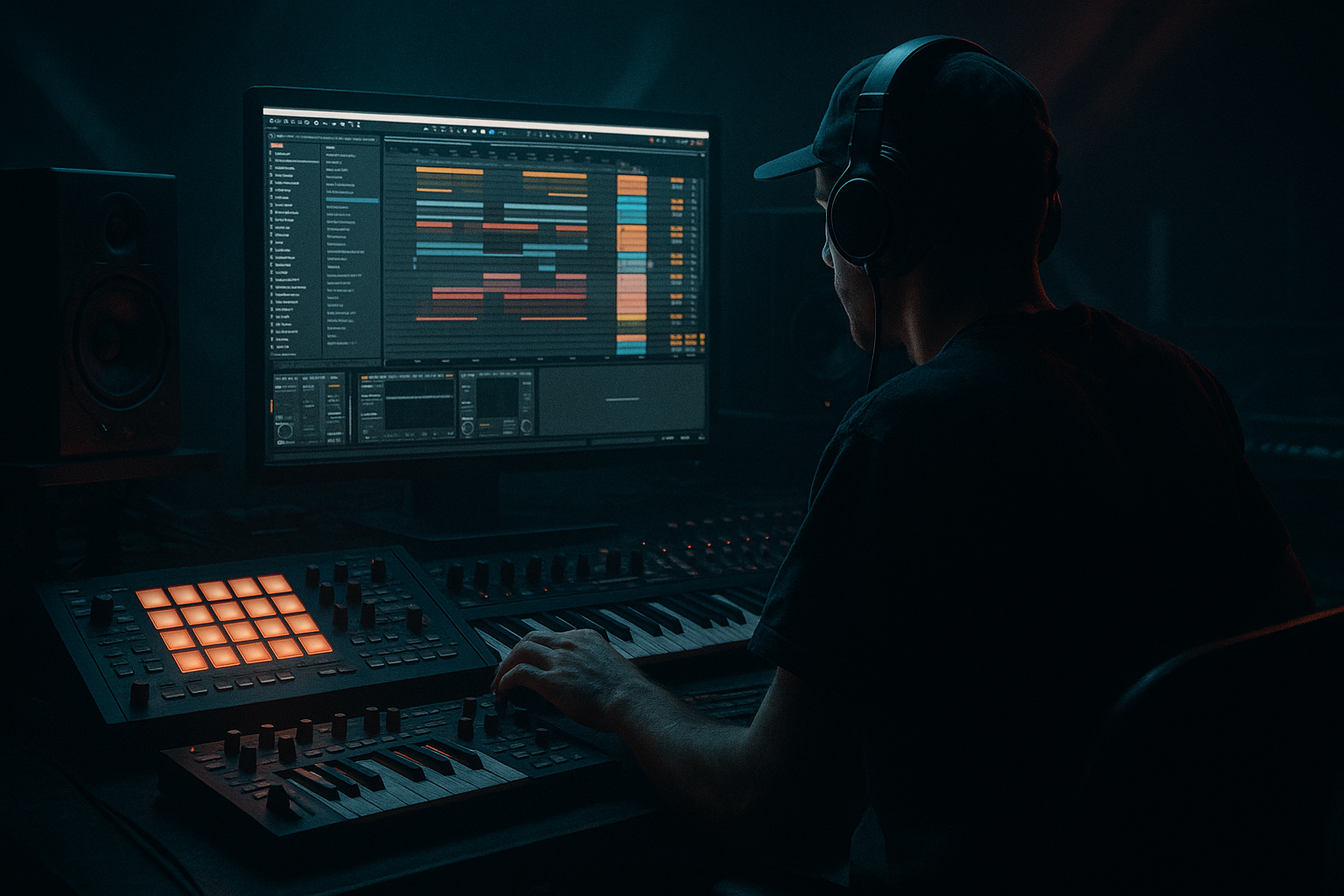
Ruffneck Ableton Live 12 hoover stab method using resampling workflows for jungle oldskool DnB vibes (Beginner) cover image

Narrated lesson audio

The voice track includes the tutorial plus extra teacher commentary.

Open audio file

Main tutorial

Ruffneck Hoover Stab Method (Ableton Live 12) — Resampling Workflow for Oldskool Jungle/DnB 🔥

1. Lesson overview

In this lesson you’ll build a classic rave “hoover” stab and turn it into tight, gritty jungle/DnB hits using a resampling workflow in Ableton Live 12.

The goal is not just sound design—it’s arrangement: you’ll create a palette of hoover one-shots, then place them like a proper 90s rave weapon in a rolling breakbeat context. 🚂

You’ll learn:

  • A simple hoover recipe using stock Ableton devices
  • How to print/resample for instant oldskool texture
  • How to arrange stabs with call/response and drop impact
  • How to make it ruff, punchy, and mix-ready for DnB
  • ---

    2. What you will build

    By the end you’ll have:

  • A Hoover Stab Rack (instrument + FX chain)
  • A folder of resampled one-shots: short stabs, longer “yoy” stabs, and gritty variants
  • A 16–32 bar DnB/jungle arrangement using stabs for:
  • - Drop punctuation

    - Mid-drop fills

    - Energy lifts and transitions

    Think: oldskool rave pressure, but controlled and modern enough to sit in a rolling mix. 🥁

    ---

    3. Step-by-step walkthrough

    Step 0 — Session setup (DnB-friendly)

    1. Set tempo to 170–174 BPM.

    2. Create these tracks:

    - Drums (break + tops)

    - Bass (simple sub/roller)

    - Hoover (MIDI) (for sound design)

    - Hoover Resample (Audio) (for printing)

    - Hoover One-Shots (Sampler) (play resampled hits)

    Arrangement mindset: We’re going to design once, then arrange fast using audio one-shots (very oldskool workflow).

    ---

    Step 1 — Build a basic hoover (stock-only)

    On Hoover (MIDI) insert Wavetable (stock).

    #### Wavetable settings (starter hoover)

  • Osc 1: Saw (or a bright saw-like wavetable)
  • - Unison: 6–8 voices

    - Amount: ~70–90%

  • Osc 2: Saw (same or slightly different)
  • - Detune slightly different from Osc 1

    - Lower volume a bit (so it thickens, not dominates)

    #### Filter + movement

  • Filter: LP24 (24 dB low-pass)
  • - Cutoff: ~700–2.5kHz (we’ll automate later)

    - Drive: small amount (2–6 dB) if available

  • Amp Envelope (ENV 1): make it stabby
  • - Attack: 0–5 ms

    - Decay: 200–450 ms

    - Sustain: 0%

    - Release: 80–200 ms

    #### Classic “hoover wobble” with pitch

    This is the key vibe. In Wavetable:

  • Use LFO 1 → Pitch (global or Osc pitch)
  • - Rate: 10–25 Hz (audio-ish wobble/warble)

    - Amount: small (start around ±5 to ±15 cents, then adjust)

  • Optionally add slight Random (if available) to pitch or unison for instability.
  • Play tip: Write a MIDI clip with short notes around A, G, F (or any minor scale). Oldskool stabs often live around midrange (not too low).

    ---

    Step 2 — Add the “ruffneck” processing chain (before resampling)

    After Wavetable, add this Ableton stock FX chain:

    #### FX Chain (in order)

    1. Saturator

    - Mode: Analog Clip

    - Drive: 3–8 dB

    - Soft Clip: On

    2. Pedal (for extra grime)

    - Mode: OD or Distortion

    - Gain: low to moderate (don’t obliterate yet)

    3. EQ Eight

    - High-pass: ~120–200 Hz (stabs don’t need sub; leave room for bass)

    - Gentle dip: 250–450 Hz if boxy

    - Small boost: 1.5–3 kHz if you need bite

    4. Chorus-Ensemble

    - Use subtly (classic rave wideness)

    - Amount: 20–40% (keep it controlled)

    5. Auto Filter (for movement + performance)

    - Filter: LP12 or LP24

    - Map cutoff to a Macro if using a Rack

    - Add a touch of Envelope (so each stab opens slightly)

    Optional (but very jungle):

  • Redux (light)
  • - Bit reduction just a little for crunch (don’t turn it into 8-bit unless that’s the goal)

    ---

    Step 3 — Turn it into stabs (performance + MIDI)

    1. Create a 1-bar MIDI clip with:

    - Notes: short 1/8 or 1/16 stabs

    - Velocity variation (important!)

    2. Add pitch jumps for that rave attitude:

    - Try the pattern: root note → +7 semitones → +12 semitones (sparingly)

    DnB arrangement idea: Use a stab as a response to the snare. Example placements:

  • Bar 1: nothing
  • Bar 2: stab after snare (beat 2.3 or 2.4)
  • Bar 4: bigger stab to mark phrase end
  • ---

    Step 4 — Resampling workflow (the secret sauce) 🎛️➡️🎚️

    Oldskool character comes from committing audio, then re-processing.

    #### Option A: Quick internal resample (fastest)

    1. Create Hoover Resample (Audio) track.

    2. Set its Audio From to Hoover (MIDI).

    3. Arm Hoover Resample and record 8–16 bars of you:

    - Automating filter cutoff

    - Changing note lengths

    - Playing different pitches

    Now you’ve got a long audio recording full of usable moments.

    #### Option B: “Resampling” input (classic)

    1. Set Audio From on Hoover Resample to Resampling.

    2. Solo your hoover and record.

    This prints exactly what you hear (including any return FX if you’re using them).

    ---

    Step 5 — Chop the recording into one-shots (Ableton Live 12 workflow)

    1. In Arrangement View, find the best hits.

    2. Consolidate a stab:

    - Select a tight region around a hit → Cmd/Ctrl + J

    3. Add fades:

    - 1–5 ms fade in (avoid clicks)

    - 20–60 ms fade out (or tighter if you want it choppy)

    4. Right-click the consolidated clip → Crop Sample (optional but keeps it tidy).

    #### Convert to a playable instrument (Sampler/Simpler)

  • Drag the audio stab into Simpler (One-Shot mode).
  • - Mode: One-Shot

    - Trigger: Trigger (not Gate) for consistent hits

    - Warp: Off (for one-shots; keep transient clean)

  • Add inside Simpler:
  • - Filter: LP24 with envelope (tiny movement)

    - Pitch/Transpose: tune if needed

    Now duplicate and load different stabs into a Drum Rack:

  • Pad 1: short stab
  • Pad 2: longer stab
  • Pad 3: distorted stab
  • Pad 4: “filtered low” stab
  • This becomes your Hoover Stab Kit.

    ---

    Step 6 — Arrange it like proper jungle/DnB 🥁⚡

    Here’s a reliable 32-bar structure for learning:

    #### 0–16 bars: Intro / buildup

  • Drums: breakbeat filtered or reduced
  • Bass: minimal or none
  • Hoover: tease it with sparse hits (every 4 bars)
  • Automation: slowly open the hoover filter cutoff
  • #### Bar 17: Drop

  • Full drums + bass
  • Use a big hoover stab on the first snare or just after beat 1 for impact
  • #### 17–24 bars: A section (rolling)

  • Keep hoover stabs sparse
  • Use them as punctuation:
  • - End of every 4 bars (bar 20, 24)

    - Occasional response after snare (don’t spam)

    #### 25–32 bars: B section (variation)

  • Introduce a different stab sample (darker or more distorted)
  • Add a short call/response phrase:
  • - Bar 27: stab

    - Bar 27.3: smaller stab

    - Bar 28: silence (let drums breathe)

  • Bar 32: transition stab + reverb tail into next phrase
  • Key DnB principle: Stabs should support the groove, not fight the bass and break.

    ---

    Step 7 — Make it sit in the mix (quick checks)

    On the Hoover One-Shots track:

  • EQ Eight
  • - HPF: 150–250 Hz

    - If it clashes with snare crack, notch 2–4 kHz slightly

  • Glue Compressor (very gentle)
  • - Ratio: 2:1

    - Attack: 10–30 ms

    - Release: Auto

    - Aim: 1–2 dB gain reduction on peaks

  • Optional: Reverb on a Return track
  • - Short rave room: 0.8–1.6s, pre-delay 10–30 ms

    - High-pass the reverb return so it doesn’t cloud the low mids

    ---

    4. Common mistakes

  • Leaving too much low-end in the stab → your bass will lose power. High-pass it.
  • Over-layering stabs every bar → ruins the rolling momentum; use restraint.
  • Resampling without performance changes → you’ll print the same tone repeatedly. Automate cutoff/pitch or perform variations.
  • No fades on chops → clicks and pops will distract from the groove.
  • Too wide in mono-critical mixes → excessive chorus can smear. Keep width controlled.
  • ---

    5. Pro tips for darker/heavier DnB 🖤

  • Pitch the stab down 2–7 semitones after resampling, then shorten it—instant menace.
  • Add Roar (Live 12) after Simpler for modern aggression:
  • - Use modest drive, then low-pass after to keep it weighty.

  • Use Auto Filter with envelope for “bark”:
  • - LP24, envelope amount small, decay ~200 ms.

  • Make a “ghost stab” layer:
  • - Duplicate the stab track, low-pass heavily (400–800 Hz), keep very quiet.

    - It adds body without harshness.

  • Add gated reverb style:
  • - Put Reverb on a return, then Gate after it.

    - Short, punchy rave space without washing out the mix.

    ---

    6. Mini practice exercise (15 minutes) ⏱️

    1. Build the hoover patch in Wavetable (as above).

    2. Record 8 bars of resampling while you:

    - Automate filter cutoff from dark → bright

    - Play 3 different notes (minor scale)

    3. Chop 6 one-shots:

    - 2 short, 2 medium, 2 nasty/distorted

    4. Put them in a Drum Rack and write a 16-bar drop:

    - Stab only at the end of every 4 bars

    - Then add 2 extra “response” stabs in bars 13–16

    Export a rough bounce and listen: does the stab enhance the groove or crowd it?

    ---

    7. Recap ✅

  • You made a hoover using Wavetable + classic pitch wobble.
  • You processed it with stock saturation/distortion/chorus/EQ for rave grit.
  • You resampled to audio (the oldskool commitment move).
  • You chopped one-shots and built a playable stab kit.
  • You arranged stabs in a DnB/jungle-friendly structure with space and phrasing.

If you want, tell me what sub/bass style you’re using (smooth roller, reese, wobble, etc.) and I’ll suggest exact stab placements and EQ pockets so it locks with your bass and snare.


Ask GPT about this lesson

Chat with the lesson tutor, get follow-up help, or use quick actions.

Bigup 👽 Ask me anything about this lesson and I’ll answer in context.

Narration script

Show spoken script
Title: Ruffneck Ableton Live 12 hoover stab method using resampling workflows for jungle oldskool DnB vibes (Beginner)

Alright, welcome in. Today we’re building a classic rave hoover stab in Ableton Live 12, but the real focus is what jungle and oldskool DnB is all about: committing it to audio, chopping it into one-shots, and arranging those stabs like a weapon inside a rolling break.

So yes, we’re doing sound design, but the end goal is arrangement. You’re going to make a small, reliable palette of hoover hits that you can place quickly in the Arrangement View, just like you would with drum hits.

Let’s set up the session first.

Set your tempo to around 170 to 174 BPM. Pick 174 if you want it extra lively. Now create these tracks: a drums track for your break and tops, a bass track for a simple sub or roller, a “Hoover MIDI” track for designing the sound, a “Hoover Resample” audio track for printing, and then a “Hoover One-Shots” track where we’ll play the chopped stabs back using Simpler or a Drum Rack.

Quick mindset shift before we touch any devices: we’re going to design once, then arrange fast. That’s the oldskool move. You don’t want to be stuck tweaking a synth for hours when you could be writing an actual drop.

Now, on the Hoover MIDI track, load Wavetable. We’re keeping this stock-only and beginner-friendly.

For oscillator one, choose a Saw or anything bright and saw-like. Turn on Unison and push it up to around six to eight voices. Bring the unison amount up pretty high, like 70 to 90 percent. This is where that big rave thickness starts.

Oscillator two: also a saw, either the same or slightly different. Detune it slightly differently from oscillator one, and turn it down a bit so it supports the sound instead of taking over.

Now we shape it into a stab. Go to your amp envelope. We want a fast attack, basically instant, like zero to five milliseconds. Decay somewhere around 200 to 450 milliseconds. Sustain at zero. Then a short release, maybe 80 to 200 milliseconds. You want it to feel like a hit, not a pad.

Next: the hoover warble. This is the part people skip, and then they wonder why it doesn’t feel like a hoover.

Use an LFO and map it to pitch, either global pitch or oscillator pitch. Set the rate around 10 to 25 Hz. That’s fast enough to feel like a nervous, aggressive wobble. Keep the amount small. Think in cents, not semitones. Start around plus or minus five to fifteen cents and adjust by ear. You’re aiming for “unstable and alive,” not “out of tune in a painful way.”

If you have a random option or can introduce a tiny bit of instability through unison or modulation, do it lightly. Old rave sounds are rarely perfectly clean.

Now play a few notes. A nice beginner-friendly zone is midrange notes in a minor vibe. Try A, G, F as a simple movement. The hoover stab usually lives in the midrange so it can cut through the break without stealing the sub’s job.

Alright, now we do the “ruffneck” processing chain before we resample. This is where it gets gritty and mix-ready.

After Wavetable, add Saturator. Set it to Analog Clip, turn on Soft Clip, and push Drive around three to eight dB. Don’t be shy, but also don’t flatten it into a brick yet.

Then add Pedal. Choose OD or Distortion. Keep the gain low to moderate. The goal is texture, not total destruction. You want it to bite, not dissolve.

Next, EQ Eight. High-pass it. This is non-negotiable for DnB. Start around 120 to 200 Hz. The bass owns the subs. If it sounds boxy, dip a little around 250 to 450. If it needs more face, a small boost around 1.5 to 3 kHz can help it speak through the break.

Add Chorus-Ensemble, but keep it controlled. This is that classic rave wideness, but too much will smear the stab and wreck mono compatibility. Keep the amount around 20 to 40 percent.

Then add Auto Filter. Think of this like your performance control. Choose LP12 or LP24, and we’re going to move the cutoff while we record. You can also add a touch of envelope so each hit opens a little bit automatically, like it’s barking.

Optional, but very jungle: Redux, very lightly. Just a touch of crunch. We’re not trying to make it 8-bit unless that’s the whole aesthetic.

Now let’s actually write a little stab pattern. Make a one-bar MIDI clip and put in short notes, like eighths or sixteenths, with velocity variation. Velocity variation is a cheat code for oldskool feel. If every hit is identical, it instantly sounds programmed in the wrong way.

Add a couple of pitch jumps for attitude. A classic move is root note, then up seven semitones, then up twelve, but use it sparingly. It’s like spice. Too much and you ruin the dish.

Now we get to the secret sauce: resampling. This is where the hoover becomes a stash of usable stabs.

Create the “Hoover Resample” audio track. The quick method: set Audio From to your Hoover MIDI track. Arm it. Now record eight to sixteen bars while you perform. And I mean perform. Automate the filter cutoff from dark to bright, change note lengths, play a few different pitches, maybe tweak the chorus amount slightly, or the saturation drive just a little. The goal is to capture a long recording full of different flavors.

Alternate method, more classic: set Audio From to “Resampling,” solo the hoover, and record exactly what you hear, including any return effects. This is great if you’re using reverbs or delays on sends and you want that printed vibe.

Now you’ve got a long audio take. Treat it like a breakbeat. You’re not thinking “I need to design a better synth.” You’re thinking “I’m auditioning moments.”

In Arrangement View, zoom in and find your best hits. When you find one you like, select a tight region around it and consolidate it so it becomes its own clip. Make sure you add fades. Tiny fade-in, like one to five milliseconds, kills clicks. Fade-out anywhere from 20 to 60 milliseconds, or shorter if you want it super choppy.

If you want to stay organized, crop the sample so it’s not carrying extra audio you’ll never use.

Now turn it into a playable instrument. Drag the stab into Simpler. Put Simpler in One-Shot mode. Set it to Trigger, not Gate, so it plays consistently even if your MIDI notes are short. Turn Warp off for one-shots; you want clean transients.

Inside Simpler, you can add a little filter movement: LP24 with a small envelope amount and a short decay, just to make it feel alive. If your stab isn’t tuned nicely, here’s a fast method: put a Tuner after the Simpler, hit the stab repeatedly, and transpose until it roughly reads the root you want. Don’t overthink it. Rave is allowed to be a little reckless.

Now make a kit. Duplicate that Simpler or load multiple stabs into a Drum Rack. Build a few roles instead of twenty random hits. Think like this: one marker stab that’s loud and bright for phrase starts and ends, one answer stab that’s mid-bright for occasional call-and-response after the snare, and one ghost stab that’s filtered and quiet for subtle rhythm hints. If you only build those three roles, you’ll arrange faster and you’ll avoid overfilling the track.

Now let’s arrange it like proper jungle or DnB.

Use a simple 32-bar learning structure. First 16 bars: intro and buildup. Drums can be filtered or reduced, bass minimal, and the hoover should tease—maybe one stab every four or eight bars. Slowly open the hoover filter cutoff over time so it feels like energy is rising.

Bar 17 is your drop. Full drums, full bass. Put a big hoover stab either right after beat one, or on a dramatic offbeat, or even just after the first snare for impact. One important rule from a mix perspective: keep stabs out of the “snare sentence.” If the snare is the main punctuation, don’t put a huge stab right on top of it at full volume. Either the snare speaks, or the stab speaks. Rarely both.

Bars 17 to 24, your A section: keep stabs sparse. This is where beginners usually spam them and kill the roll. Use them as punctuation: end of every four bars, maybe bar 20 and bar 24, plus an occasional answer after the snare if it feels right.

Bars 25 to 32, your B section: bring in variation. Swap to a darker or dirtier stab pad. Try a short call-and-response phrase: one hit, then a smaller hit a moment later, then leave space. Silence is part of the groove. And for bar 32, do a transition hit with a reverb tail to carry you into the next phrase.

Here’s a slick oldskool trick: print your reverb tails. Duplicate a stab, drown it in reverb, resample just the tail. Then you can place that tail exactly where you want without running huge reverb through the whole drop.

Now, quick mix checks so your stabs sit in the track.

On the Hoover One-Shots track, high-pass again, often higher than you think, like 150 to 250 Hz. If the stab fights the snare crack, a tiny notch somewhere in the 2 to 4 kHz zone can create space.

If the stab is peaky, add Glue Compressor gently. Two-to-one ratio, attack around 10 to 30 milliseconds, release on Auto, and only aim for one to two dB of gain reduction on the loudest hits. We’re controlling, not squashing.

Put reverb on a return track, keep it short—around 0.8 to 1.6 seconds—with a bit of pre-delay, and high-pass the reverb return so it doesn’t cloud your low mids.

Now, common mistakes to avoid as you work.

Number one: leaving too much low-end in the stab. It will steal power from your bass, and the whole drop will feel smaller. High-pass is your friend.

Number two: over-layering stabs every bar. Jungle and DnB is about momentum. Stabs are punctuation, not the whole paragraph.

Number three: resampling without performing changes. If you just record the same stab for eight bars, you’ll chop six copies of the same sound. Move the filter, vary note length, change pitch, do something.

Number four: no fades on chops. Clicks will make your track feel amateur fast.

Number five: making it super wide with chorus and forgetting mono. If it turns blurry, try a two-layer approach: keep the main stab more mono, and make a second layer that’s heavily high-passed and widened, blended quietly. Width without losing punch.

Now a mini practice routine you can do in about 15 minutes.

Build the Wavetable hoover with the pitch wobble. Record eight bars of resampling while you automate cutoff from dark to bright and play three notes in a minor scale. Chop six one-shots: two short, two medium, and two nasty. Load them into a Drum Rack and write a 16-bar drop where you only place a stab at the end of every four bars. Then, in the last four bars, add two extra response stabs. Bounce it and listen quietly: do the stabs enhance the groove, or are they crowding it?

Before we wrap: organize your stash. Make a folder named something like “Hoover Stabs 174 Am,” color-code your clips, and name them clearly. Short bright, mid dirty, long yoy. That way arranging feels like picking drum hits, not digging through chaos.

Recap. You made a hoover in Wavetable with that classic pitch warble. You roughed it up with Ableton stock saturation, distortion, EQ, chorus, and filtering. You committed it to audio through resampling, chopped it into clean one-shots with fades, built a playable kit in Simpler or Drum Rack, and arranged it with space, phrasing, and impact like real oldskool jungle and DnB.

If you tell me what kind of drums you’re using, like Amen-style chopped break versus a modern break loop, and what your bass is doing, like smooth sub roller versus a reese, I can suggest a few “safe” stab timings that won’t fight your kick, snare, or bass note changes.

mickeybeam

Go to drumbasscd.com for +100 drum and bass YouTube channels all in one place - tune in!

Generating PDF preview…