DNB COLLEGE

Drum & Bass Ableton Live 12 Tutorials

LESSON DETAIL

Roller: sub swing for VHS-rave color in Ableton Live 12 for jungle oldskool DnB vibes (Beginner)

An AI-generated beginner Ableton lesson focused on Roller: sub swing for VHS-rave color in Ableton Live 12 for jungle oldskool DnB vibes in the Arrangement area of drum and bass production.

Back to lessons
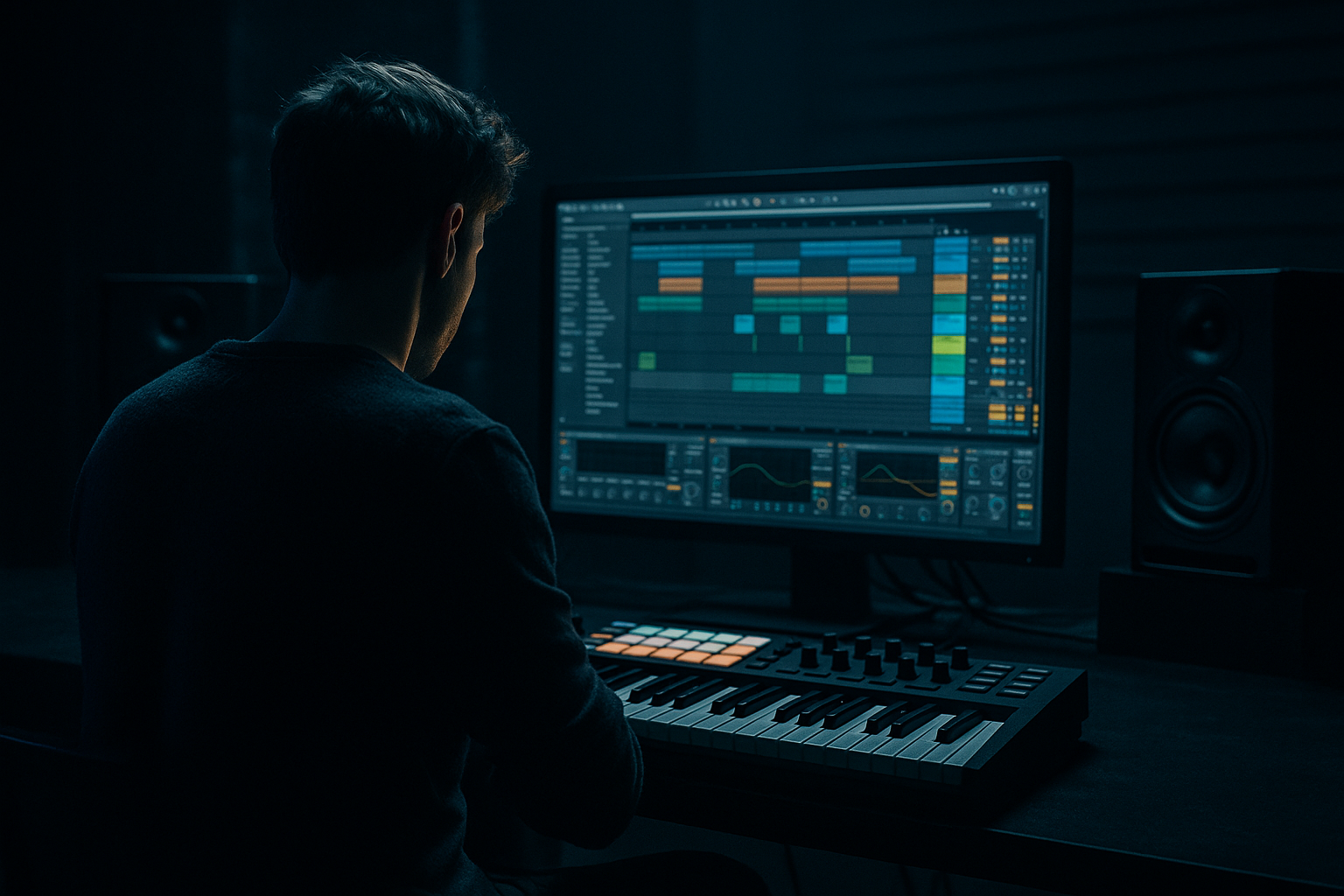
Roller: sub swing for VHS-rave color in Ableton Live 12 for jungle oldskool DnB vibes (Beginner) cover image

Narrated lesson audio

The voice track includes the tutorial plus extra teacher commentary.

Open audio file

Main tutorial

Roller: Sub Swing for VHS-Rave Color in Ableton Live 12

Beginner-friendly arrangement tutorial for jungle / oldskool DnB vibes

1. Lesson overview

In this lesson, you’ll learn how to create a rolling drum and bass arrangement with “sub swing” — a subtle, elastic movement in the low end that gives your track that worn-tape, VHS-rave, oldskool jungle feel without making the bassline messy.

This is not about huge modern neuro bass sound design.

It’s about:

  • tight drums
  • moving sub
  • syncopated low-end rhythm
  • nostalgic, dusty energy
  • arrangement that evolves without losing the roller feel
  • In Ableton Live 12, we’ll use stock devices and simple editing to build:

  • a rolling 174 BPM drum & bass groove
  • a sub bass that swings against the kick/snare pattern
  • arrangement sections that feel like a classic rave tape or jungle dubplate
  • You’ll end up with a loop that already feels like a tune, not just a beat. 🔥

    ---

    2. What you will build

    By the end, you’ll have a short arrangement with:

  • Intro: filtered drums + atmosphere
  • Drop: rolling breakbeat + swung sub
  • Variation: bass phrase changes every 8 bars
  • Breakdown: VHS-style space, tape wobble, and tension
  • Second drop: fuller drums and heavier bass energy
  • Core sound idea

    We’re aiming for a bass groove that feels like:

  • sub notes landing slightly behind or ahead of the grid
  • a “bouncy” low-end call-and-response
  • jungle-style movement, but controlled
  • that hazy, haunted oldskool rave vibe
  • Think:

  • roll, not wobble
  • swing, not sloppiness
  • weight, not distortion overload
  • ---

    3. Step-by-step walkthrough

    Step 1: Set the project up

    1. Open Ableton Live 12

    2. Set the tempo to 170–174 BPM

    - A classic starting point is 174 BPM

    3. Create these tracks:

    - Drums (audio or MIDI)

    - Sub Bass

    - Atmos / FX

    - Return tracks for reverb and delay if needed

    Step 2: Build the drum foundation

    For this style, the drums carry the roller feel.

    #### Option A: Use a breakbeat

    Drag in a classic break like:

  • Amen-style break
  • Think / Apache-style pattern
  • Any dusty 4-bar break you like
  • Then:

    1. Put the break on an Audio Track

    2. Use Warp if needed

    3. Slice the break to MIDI:

    - Right-click clip → Slice to New MIDI Track

    - Use Transient or Beat slicing

    Now you can rearrange hits.

    #### Option B: Program a simple roller drum pattern

    If you want to build from scratch:

  • kick on the main downbeats
  • snare on the backbeats
  • ghost notes and hats to fill the gaps
  • A basic DnB starting point:

  • Snare: beats 2 and 4
  • Kick: syncopated placements around the snare
  • Closed hats: offbeats and 16th-note motion
  • Ghost snare / rim: very low in velocity
  • Step 3: Add groove with Groove Pool

    This is where the roller starts to breathe.

    1. Open Groove Pool

    2. Try a groove like:

    - MPC 16 Swing

    - MPC 16-55 or 16-57

    3. Drag the groove onto:

    - hats

    - ghost percussion

    - some bass notes, if you want a more human push/pull

    #### Important:

    Don’t swing the main snare too much.

    Keep the backbone solid. Swing should live mostly in:

  • ghost notes
  • hats
  • percussion
  • sub placements
  • Step 4: Create the sub bass

    Now the key ingredient: sub swing.

    #### Use Operator for a clean sub

    1. Create a MIDI track

    2. Load Operator

    3. Set:

    - Oscillator A = Sine

    - Turn off other oscillators

    4. Add a low-pass feel if needed, but keep it clean

    #### Suggested settings:

  • Mono: On
  • Legato: On
  • Glide/Portamento: very small, around 20–60 ms if you want a slight slide
  • Volume envelope: short and controlled
  • Filter: optional, very subtle
  • If you want a warmer tape-like feel, try:

  • Saturator after Operator
  • Simple Delay very lightly on a parallel return
  • EQ Eight to roll off unnecessary high frequencies
  • Step 5: Write a sub swing pattern

    This is the heart of the lesson.

    Instead of playing the sub on every drum hit, create a syncopated pattern that leaves space and then answers the drums.

    #### Basic approach:

    Use 1-bar or 2-bar MIDI loops and place notes like this:

  • note on the 1
  • another on the “and” after 2
  • another slightly after the snare
  • a short answer note before the next bar
  • #### Practical example:

    In 4/4 at 174 BPM, try:

  • Bar 1, beat 1: long sub note
  • Bar 1, beat 2.3 or 2.4: short sub hit
  • Bar 1, beat 3: longer sustain
  • Bar 1, beat 4.2: short pickup into the next bar
  • This creates a push-pull roller effect.

    Step 6: Make the sub swing feel “VHS-rave”

    Oldskool rave color comes from imperfection + texture.

    Try these subtle moves:

    #### A. Offset some notes

    In the MIDI editor:

  • nudge certain sub notes slightly later
  • keep others right on the grid
  • avoid making everything perfectly quantized
  • #### B. Shorten some notes

    Use note length to create bounce:

  • long notes = tension and weight
  • short notes = rhythm and movement
  • #### C. Add pitch modulation or slides

    If you’re using Operator or Wavetable:

  • use very small pitch envelope movement
  • or do manual MIDI note overlaps for a slight glide
  • #### D. Add tape-style texture

    Use stock Ableton devices:

  • Saturator: Drive around 1–4 dB
  • Redux: very lightly if you want grit, not destruction
  • Echo: subtle fluttery ambience on a send
  • Chorus-Ensemble: only on atmos, not the sub
  • For the bass itself, keep it mostly mono and clean.

    Step 7: Add the “roller” with drum arrangement

    A roller isn’t just bass — it’s drum phrasing.

    #### Build your 8-bar loop:

  • Bars 1–2: establish groove
  • Bars 3–4: add small fill or extra break chop
  • Bars 5–6: variation in kick placement or hat rhythm
  • Bars 7–8: tension before loop resets
  • #### Easy arrangement idea:

  • Bar 1: basic groove
  • Bar 2: add a ghost snare or break chop
  • Bar 3: remove one kick to create space
  • Bar 4: add a ride or open hat
  • Bar 5: introduce bass variation
  • Bar 6: repeat with altered last note
  • Bar 7: fill
  • Bar 8: tension riser or drum stop
  • That “slight change every 2 bars” is what keeps the roller alive.

    Step 8: Add VHS-rave atmosphere

    To get the old tape energy, use small textural layers, not huge cinematic pads.

    Good options:

  • chopped rave stab
  • filtered noise
  • reversed cymbal
  • low-key vinyl crackle
  • distant ambient hit
  • resampled amen texture
  • #### Stock Ableton devices for atmosphere:

  • Auto Filter for sweeps
  • Reverb for space
  • Echo for ghostly delay
  • Hybrid Reverb for more character
  • Utility to keep lows out of FX layers
  • Step 9: Arrange the track like a proper DnB tune

    A beginner arrangement can be simple and effective.

    #### Example 1: Classic short arrangement

  • Intro – 16 bars
  • Drop 1 – 32 bars
  • Breakdown – 16 bars
  • Drop 2 – 32 bars
  • Outro – 16 bars
  • #### Example 2: Quick club version

  • Intro – 8 bars
  • Drop – 16 bars
  • Variation – 8 bars
  • Breakdown – 8 bars
  • Final Drop – 16 bars
  • Step 10: Use arrangement energy changes

    To avoid a static loop:

  • remove the kick for 1 bar before a drop
  • filter the bass down in breakdowns
  • add extra break slices in the last 4 bars
  • automate reverb throw on a stab or snare
  • mute sub for half a bar and bring it back hard
  • #### Good automation targets:

  • Auto Filter cutoff
  • Volume
  • Reverb wet/dry
  • Saturator drive
  • Bass note velocity if your instrument responds dynamically
  • Step 11: Keep the low end controlled

    For DnB, the sub must stay clear.

    Use EQ Eight on the bass track:

  • low-pass unnecessary highs if needed
  • remove muddiness around 150–300 Hz if it builds up
  • don’t over-cut the fundamental area
  • Use Utility:

  • keep sub mono
  • check stereo width on atmos only
  • use Bass Mono if needed on a mix bus, but carefully
  • Step 12: Render the bass feel with resampling

    A great trick in Ableton:

    1. Solo drums + bass

    2. Resample to a new audio track

    3. Slice the resampled loop

    4. Rearrange tiny chunks for fills and transitions

    This can make your arrangement feel more like a real jungle edit than a programmed loop.

    ---

    4. Common mistakes

    1. Making the sub too busy

    If the sub is playing constantly, the groove loses weight.

    Fix: leave space. Let silence do some of the dancing.

    2. Quantizing everything perfectly

    Too-clean timing kills the VHS-rave character.

    Fix: keep the kick/snare solid, but allow small offsets on sub and ghost percussion.

    3. Distorting the sub too much

    Heavy distortion can make the low end disappear.

    Fix: keep the sub clean and add grit to a duplicate layer or upper-mid bass, not the pure sine.

    4. Overusing reverb on drums

    This can make oldskool vibes turn into muddy soup.

    Fix: use short rooms or sends lightly. Keep kick and sub dry.

    5. Not varying the arrangement

    A repeating 2-bar loop can feel flat fast.

    Fix: add changes every 4 or 8 bars:

  • note edits
  • fills
  • filter moves
  • dropouts
  • ---

    5. Pro tips for darker/heavier DnB

    Tip 1: Layer a mid-bass ghost under the sub

    Keep the sub sine clean, then layer a very quiet mid layer:

  • Operator with a saw or square
  • low-passed heavily
  • distorted lightly with Saturator
  • mixed very low
  • This adds presence on smaller speakers without losing the sub foundation.

    Tip 2: Use call-and-response bass phrasing

    Dark DnB often feels heavier when the bass answers the drums.

    Example:

  • sub hit after the snare
  • short answer note before the next kick
  • silence, then a low hit on the next bar
  • Tip 3: Chop breaks against the bass

    Oldskool jungle energy comes alive when the break and bass don’t perfectly mirror each other.

    Try:

  • break fill on bar 4
  • bass note change on bar 5
  • snare roll before a bass drop
  • Tip 4: Make the intro scary, not huge

    For darker tunes:

  • filtered amen loop
  • low rumble
  • distant pad
  • mono bass tease
  • no full low end until the drop
  • Tip 5: Use Automation Lanes for tension

    In Arrangement View, automate:

  • filter cutoff up/down
  • bass volume dips
  • reverb throws on selected hits
  • send delay on one stab at the end of a phrase
  • This is where the track starts sounding like a finished roller, not just a loop.

    ---

    6. Mini practice exercise

    Try this in a new 8-bar project:

    Drum task

    1. Load an amen or make a basic drum loop

    2. Add Groove Pool swing to hats and ghost notes

    3. Insert one small fill at the end of bar 4 or 8

    Bass task

    1. Create a sine sub in Operator

    2. Write a 1-bar MIDI pattern with:

    - 1 long note

    - 1 short syncopated note

    - 1 pickup note into the next bar

    3. Copy it across 8 bars

    4. Change only the last note in bars 4 and 8

    Arrangement task

    1. Bar 1–4: filtered intro

    2. Bar 5–8: full drop

    3. Automate Auto Filter on the bass or drums

    4. Add one atmospheric FX sound before bar 5

    Challenge

    Resample the 8-bar loop and chop it into a new variation.

    Use that version as your second section.

    ---

    7. Recap

    You now know how to build a roller with sub swing in Ableton Live 12 that brings VHS-rave color and jungle oldskool movement.

    Key takeaways:

  • Keep the sub clean but rhythmic
  • Use small timing offsets for swing and character
  • Let the drums and bass answer each other
  • Add texture with stock Ableton devices
  • Change the arrangement every 4 or 8 bars
  • Use space, not clutter, for weight and vibe
  • Most important mindset:

    A great DnB roller is not about constant intensity.

    It’s about controlled motion, low-end tension, and smart arrangement.

    That’s what gives you the classic feeling of a dusty rave tape coming alive on the dancefloor 🎛️🥁

    If you want, I can also turn this into:

  • a bar-by-bar arrangement template
  • a MIDI note example for the sub swing pattern
  • or an Ableton device chain for oldskool jungle bass

Ask GPT about this lesson

Chat with the lesson tutor, get follow-up help, or use quick actions.

Bigup 👽 Ask me anything about this lesson and I’ll answer in context.

Narration script

Show spoken script
Welcome to the lesson.

Today we’re making a roller in Ableton Live 12 with sub swing and that dusty VHS-rave color, in a jungle and oldskool drum and bass style. So this is not about giant modern neuro bass design. We’re going for tight drums, a moving sub, a little push and release in the low end, and an arrangement that feels alive without getting messy.

The big idea here is simple: the groove should roll, breathe, and feel slightly haunted. Like a worn tape from a rave in a basement or warehouse, but still clean enough that the bass hits with weight. So keep that in mind as we work. Swing, but not sloppiness. Weight, but not overload.

Let’s set up the project first.

Open Ableton Live 12 and set your tempo somewhere between 170 and 174 BPM. If you want a classic starting point, go with 174. Then create a few tracks. You’ll want a drum track, a sub bass track, and an atmosphere or FX track. If you like, also set up return tracks for reverb and delay, because we’re going to use those for space and character later.

Now let’s build the drum foundation, because in drum and bass the drums carry a huge part of the roller feel.

You can start with a breakbeat, which is very jungle-friendly. If you have an Amen-style break, Apache, or any dusty four-bar break, drag it into an audio track. If needed, warp it so it sits properly at the project tempo. And if you want to get hands-on with the hits, you can right-click the clip and slice it to a new MIDI track. That lets you rearrange the break in a very classic jungle way.

If you’d rather program drums from scratch, that works too. A simple starting point is snare on 2 and 4, with syncopated kick placements around it, plus hats and ghost notes to keep the motion going. The key is not to make it too rigid. You want it to feel like it’s stepping forward, not just ticking along.

Here’s a really important part of the sound: swing.

Open the Groove Pool and try a subtle swing groove, like an MPC 16 swing or something in that family. Drag the groove onto your hats, ghost percussion, and maybe even some bass notes later on. But keep the main snare backbone solid. That’s your anchor. If everything swings too much, the whole roller can fall apart. So think of swing as something that lives around the spine, not instead of it.

Now let’s make the sub bass, which is where the real lesson starts.

Load up Operator on a MIDI track. Set Oscillator A to a sine wave, and turn off the other oscillators so you’re left with a clean sub. Keep it mono. Turn on legato if you want notes to connect more smoothly. If you want a tiny bit of glide between notes, add a very small portamento time, maybe around 20 to 60 milliseconds. Keep that subtle. We’re after movement, not cartoon slides.

The sub should stay clean at the source. If you want warmth later, we can add a little saturation, but the actual sub should be pure and controlled.

Now write the bass phrase.

This is where “sub swing” comes in. Instead of putting bass on every beat, make a pattern that leaves space and answers the drums. That call-and-response feeling is a huge part of oldskool jungle energy. Try a one-bar or two-bar pattern with a long note on the one, then a shorter note after beat 2, then another sustained note, then a pickup note before the next bar. You can also offset some notes slightly later in the grid, while keeping others right on time. That little tension between straight and loose is what makes it feel alive.

A simple example could be a long note on beat 1, a short hit around the “and” after 2, another longer sustain on beat 3, and then a short pickup before the next bar. It sounds small, but it creates a push and release sensation that instantly gives you that roller feeling.

Also, use note length as a musical tool. Long notes feel heavier and more tense. Short notes feel bouncy and rhythmic. Combine those two ideas and the bass starts dancing with the drums instead of just sitting under them.

And here’s a teacher tip: don’t overfill the bar. Oldskool DnB often sounds powerful because there’s space around the bass phrase. Silence is part of the groove. If the bass is too busy, the low end loses impact.

If you want a more VHS-rave feel, add subtle imperfection. Nudge some bass notes a little later. Leave other notes right on the grid. Keep the snare and main drum hits solid, but let the sub breathe a little. That tiny human looseness is part of the flavor.

You can also shape the bass with a bit of saturation. Try Ableton’s Saturator after Operator and keep it gentle, maybe just a little drive. We’re not trying to crush the sub. We’re just giving it some warmth and dust. If you want more grit, you can use Redux very lightly, but be careful. Too much degradation and the low end can disappear.

If you want, make a quiet mid-bass layer too. Duplicate the sub and turn that copy into a low-passed saw or square texture, with very subtle saturation. Blend it underneath the clean sub so small speakers can hear the bass movement without ruining the deep foundation. Keep it low in the mix. The main bass should still be the sine sub.

Now let’s think about arrangement, because a roller is not just a loop. It’s the way the loop evolves over time.

Start with an 8-bar idea. In bars 1 and 2, establish the groove. In bars 3 and 4, add a small fill or a break chop. In bars 5 and 6, change one detail in the kick or hat rhythm. Then in bars 7 and 8, build a little tension before the loop repeats. That small change every two or four bars is what keeps the track feeling alive.

For a simple arrangement shape, you could do an intro, a drop, a breakdown, and then a second drop. A classic version might be 16 bars of intro, 32 bars of drop, 16 bars of breakdown, 32 bars of second drop, and then an outro. But if you want a quicker club sketch, do 8 bars intro, 16 bars drop, 8 bars variation, 8 bars breakdown, and 16 bars final drop. Beginner-friendly, but still effective.

To get the VHS-rave atmosphere, add small texture layers rather than huge pads. Think chopped rave stabs, a little noise, a reversed cymbal, vinyl crackle, a distant ambient hit, or a resampled break texture. Use Auto Filter for sweeps, Reverb for space, Echo for ghostly delay, and Utility to keep low frequencies out of your FX layers. That way the atmosphere stays in the background and doesn’t cloud the sub.

A very useful trick in this style is automation. In Arrangement View, automate the Auto Filter cutoff on the drums or bass during breakdowns. Add a little reverb throw on a snare or stab right before a section change. Pull the bass down for half a bar and bring it back hard. Remove the kick for one bar before a drop. These small energy changes make the arrangement feel intentional and musical.

And remember: the low end needs to stay controlled. Use EQ Eight on the bass track if you need to clean up mud. Don’t overcut the fundamental area, but if there’s buildup around 150 to 300 Hz, tame it a bit. Keep the sub mono with Utility. Check your stereo width on the atmosphere layers, not on the bass. The sub should sit right in the center and hit with confidence.

One really nice advanced beginner move is resampling. Solo the drums and bass, record them to a new audio track, then slice that audio and rearrange a few tiny sections. This can make your loop feel more like a real jungle edit instead of a perfectly programmed pattern. You can chop a fill, reverse a little piece, or duplicate a fragment for extra movement. It’s a great way to get character.

Now let’s shape the vibe a little more with some coach notes.

Think in terms of push and release. Some notes should arrive a touch early, some a touch late. Keep one stable anchor point, usually the snare or a main drum hit, so the track has a spine. Use velocity as well. Lower-velocity response notes can make the bass feel more human and more musical. And if your loop sounds good at low volume, that’s a great sign. A strong roller should still make sense quietly.

If you want the track to feel rougher and more authentic, make one section a little dirtier than the others. Maybe a touch more saturation in the drop, or slightly looser timing in the variation. That contrast can make the transition feel more real and more energetic.

Here’s a simple practice exercise you can try right away.

Make an 8-bar sketch. Build a basic drum loop, add swing to the hats and ghost notes, and put one small fill at the end of bar 4 or bar 8. Then create a sine sub in Operator and write a 1-bar bass idea with one long note, one short syncopated note, and one pickup note into the next bar. Copy that across 8 bars, and change only the last note in bars 4 and 8. Then add a bit of atmosphere, filter the intro, and bring the full groove in at bar 5. If you want a bonus challenge, resample the loop and rebuild the second section from that audio.

So to recap: keep the sub clean but rhythmic, use subtle timing offsets, let drums and bass answer each other, add texture with Ableton stock devices, and change something every four or eight bars. The goal is controlled motion, low-end tension, and that dusty oldskool jungle vibe without clutter.

That’s the roller mindset. Not constant intensity. Just a groove that breathes, swings, and feels like a VHS tape of a rave coming back to life.

If you want, next I can turn this into a bar-by-bar session plan, a MIDI note example for the sub pattern, or a stock Ableton device chain for the bass and atmosphere.

mickeybeam

Go to drumbasscd.com for +100 drum and bass YouTube channels all in one place - tune in!

Generating PDF preview…
