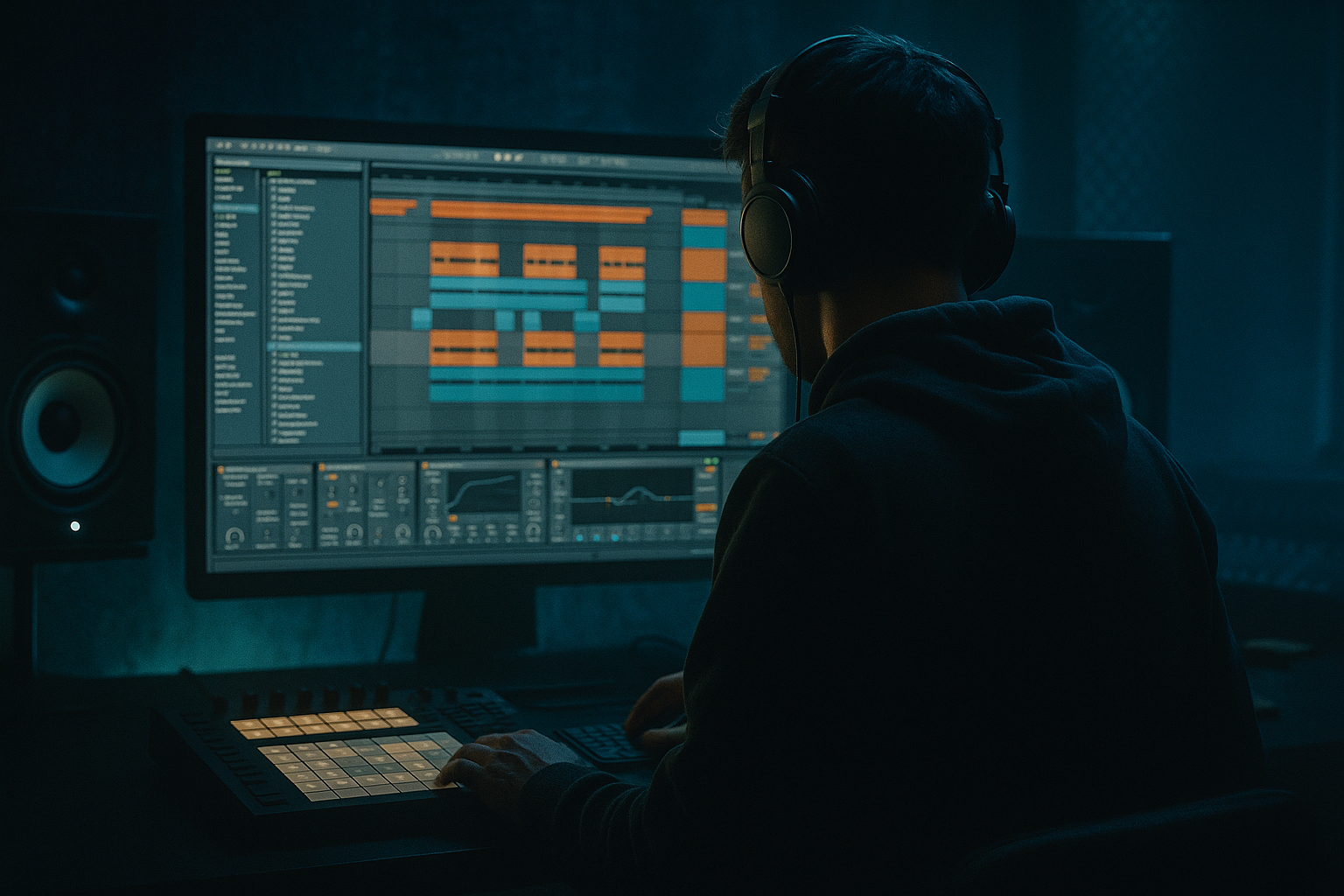
Main tutorial
Roller DJ Intro Blend Approach for Warm Tape-Style Grit in Ableton Live 12
For jungle / oldskool DnB vibes — beginner-friendly edit tutorial 🥁🔥
---
1. Lesson overview
In this lesson, you’ll build a DJ-style intro blend that feels like it was lifted from a smoky oldskool jungle set: warm, gritty, rolling, and tape-worn, but still clean enough to work in a modern Ableton Live 12 project.
The goal is not to make a full song arrangement yet. Instead, you’ll create an intro edit that:
- starts with filtered drums and atmosphere
- slowly introduces the roller groove
- uses tape-style grit, saturation, and filtering
- feels like it could mix naturally into a DJ set
- has that classic DnB tension where the bassline and break gradually emerge
- jungle intros
- DJ-friendly mix-ins
- warm-up sections before the main drop
- oldskool-style transitions
- rough, characterful “vinyl/tape” vibe edits
- bars 1–4: filtered atmosphere + crackle + minimal percussion
- bars 5–8: breakbeat hints and low-end movement
- bars 9–12: roller bass tease and stronger drum presence
- bars 13–16: full intro blend ready to transition into the main tune
- EQ Eight
- Drum Buss
- Saturator
- Redux or Erosion
- Auto Filter
- Utility
- automate filter opening
- control bass entry
- create a DJ-friendly energy ramp
- keep the intro musical and mixable
- Tempo: 165–174 BPM
- Time signature: 4/4
- Create 3 MIDI tracks and 2 audio tracks:
- a jungle break or amen-style break
- a rolling kick/snare pattern
- a sub bass or reese bass
- a vinyl crackle or room texture
- a vocal stab or dub FX hit if you want extra DJ flavor
- vinyl crackle
- filtered pad
- distant break loop
- reverb tail
- short dub chord stab
- a chopped break with low volume
- ghost percussion
- a snare or rim hit
- tiny bass note hints
- stronger breakbeat
- sub bass or reese layer
- kick/snare backbone
- more presence in the midrange
- drums are established
- bass is audible
- filters open a bit more
- energy increases without fully “dropping”
- a pad sample
- a sustained synth
- a field recording
- noise
- vinyl crackle
- cassette hiss
- vinyl crackle
- siren-like pad
- rave stab held quietly
- jungle ambience field recordings
- reversed cymbal swells
- Oscillator: sine or triangle
- Add slight pitch envelope if needed
- Keep it mono with Utility
- Use Portamento/Glide if you want a fluid rolling feel
- a hint
- a filtered version
- a call-and-response phrase
- then the full rolling version
- Start with the break low-passed
- Over 8–16 bars, slowly open the filter
- Let the snare and hats become more present as the section progresses
- Begin with a darker filter
- Slowly reveal more of the bass midrange
- Keep the sub stable, but let the character open up
- Start wide and hazy
- Gradually reduce the haze if needed to make room for drums
- Auto Filter type: Low-Pass 12 or 24
- Resonance: low to moderate
- Cutoff: automate from dark to open
- Bars 1–4: cutoff around 200–500 Hz
- Bars 5–8: cutoff around 500 Hz–1.5 kHz
- Bars 9–12: cutoff around 1.5 kHz–6 kHz
- Bars 13–16: mostly open or slightly controlled
- duplicate a snare hit
- place it on the offbeat
- automate volume up slightly toward the transition
- add a small amount of Reverb or Delay
- slice the break into pieces
- rearrange 2–4 hits
- repeat a small 1-bar idea before the section changes
- use a gentle Utility for gain staging
- use EQ Eight to trim mud
- use Auto Filter only if the entire intro needs a global sweep
- cut the atmosphere suddenly
- leave only drums and bass for the final bar
- add a short reverse reverb into the drop
- use a drum fill before the full pattern lands
- automate the filter fully open right before the drop
- bar 15: filter opens more
- bar 16: short fill or vocal hit
- drop: full drum + bass impact
- Use minor-key pads or dissonant stabs
- Add distant metallic FX
- Use reversed reverb tails
- Reduce brightness with Auto Filter or EQ Eight
- Layer a quiet, distorted kick under the break
- Use Drum Buss for punch
- Add a clipped snare layer for more aggression
- Keep transients sharp but controlled
- Use a reese with a filtered mid layer
- Add movement with automation on cutoff or wavetable position
- Saturate the bass slightly so it speaks on smaller systems
- Duplicate a layer and process the duplicate more heavily
- Use Redux very lightly on a parallel track
- Add Saturator before Reverb for a smeared, aged texture
- Automate a tiny amount of detune or wow-style movement if your synth supports it
- 1 breakbeat loop
- 1 bass sound
- 1 atmosphere layer
- 1 FX hit
- The first 2 bars must have no full bass
- Use Auto Filter automation on at least 2 tracks
- Add one of these devices to the break:
- Keep the intro DJ-friendly and not too crowded
- gradual energy build
- filtered intro layers
- controlled bass entry
- subtle saturation and breakup
- oldskool-style movement and tension
- Auto Filter for opening and closing energy
- EQ Eight for cleanup and shaping
- Drum Buss for glue and punch
- Saturator for warmth and grit
- Redux / Erosion for texture
- Utility for mono control and gain staging
This approach is perfect for:
We’ll use stock Ableton Live devices only, so you can follow along immediately.
---
2. What you will build
By the end of this tutorial, you’ll have:
A 16-bar DJ intro edit with:
A simple device chain for tape-style grit:
A practical arrangement workflow:
---
3. Step-by-step walkthrough
---
Step 1: Set up your project
Open Ableton Live 12 and set:
- Oldskool jungle often lives around 160–170 BPM
- Modern rolling DnB may sit around 172–174 BPM
1. Drums / Breaks
2. Bass
3. Atmos / Texture
4. FX / Vocal hit audio
5. Optional reference or sample track
If you’re using samples, drag in:
---
Step 2: Build the intro framework
Think like a DJ intro: the beginning should be mixable, not instantly full-power.
Create a 16-bar clip arrangement:
#### Bars 1–4: Atmosphere only
Use:
Keep these elements high-passed so there’s no heavy low end yet.
#### Bars 5–8: Add rhythmic clues
Introduce:
This section should feel like the tune is waking up.
#### Bars 9–12: Add the roller pulse
Bring in:
#### Bars 13–16: Full intro blend
Now the groove should feel like a proper DnB intro:
---
Step 3: Make the drum layer feel oldskool and warm
If you have an amen or break sample, start there.
#### On the break track, build this device chain:
1. EQ Eight
- High-pass gently at around 30–40 Hz
- Cut a little mud around 200–350 Hz if needed
- Slightly reduce harshness around 4–7 kHz if the break is too sharp
2. Drum Buss
- Drive: 5–15%
- Boom: 0–10% if you want extra low thump
- Crunch: subtle, around 5–20%
- Use this to give the break a slightly compressed, glued feel
3. Saturator
- Turn on Soft Clip
- Drive: +2 to +6 dB
- Keep it subtle if the break is already loud
- This helps get that warm tape-ish edge
4. Redux or Erosion
- Redux: reduce bit depth slightly for grain
- Erosion: use very lightly for dusty top-end texture
- Don’t overdo this — the goal is grit, not digital destruction
5. Utility
- Use this to control the level
- If the break feels too wide, reduce width a bit for a more centered oldskool vibe
#### Practical tip:
If your break is too clean, duplicate it and process the duplicate more aggressively, then blend it quietly underneath the main break. That gives you parallel grit without ruining the original punch.
---
Step 4: Create the tape-style atmosphere
For your atmosphere track, use either:
#### Device chain:
1. Auto Filter
- Start with a low-pass filter
- Cutoff around 300 Hz to 1.5 kHz, depending on the sample
- Automate the cutoff to open slowly over time
2. Reverb
- Keep size medium to large
- Pre-delay: short to medium
- Decay: moderate, not endless
3. Saturator
- Very light drive
- This helps the texture feel less sterile
4. EQ Eight
- Roll off unnecessary low end
- If the texture is cloudy, reduce around 250–500 Hz
#### Good intro texture choices:
This layer helps make the intro feel like a tape-worn dub session rather than a modern EDM build-up.
---
Step 5: Add the bass in a controlled way
For jungle and roller DnB, the bass should arrive with purpose.
Use a sub bass, reese, or rolling bass stab.
#### If using a MIDI bass:
Try Wavetable, Operator, or Analog.
##### Simple sub bass starting point:
#### Bass chain:
1. EQ Eight
- High-pass very gently only if needed
- Cut messy low-mid buildup around 180–350 Hz
- If using a reese, reduce harshness around 2–5 kHz if it bites too much
2. Saturator
- Drive lightly for harmonics
- Helps bass translate on small speakers
3. Utility
- Set to mono below the lows if needed
- Keep bass centered
4. Compressor or Glue Compressor
- Use lightly to control peaks
- Avoid crushing the bass
#### Arrangement tip:
Do not bring the full bass in too early. In oldskool-style intros, the bass often enters as:
That buildup is what makes the blend feel DJ-friendly.
---
Step 6: Use filter automation to create the blend
This is the heart of the tutorial.
A roller DJ intro works because the energy increases gradually. In Ableton, automate Auto Filter on key layers.
#### Suggested automation plan:
##### Drums:
##### Bass:
##### Atmosphere:
#### Good starting filter settings:
#### Example automation idea:
This creates a DJ intro blend that sounds like the tune is sliding into place.
---
Step 7: Add a snare roll or break fill for motion
Oldskool jungle intros often use movement to keep the DJ blend alive.
#### In Ableton:
Or use a chopped break fill:
#### Keep it musical:
You’re not trying to sound like a modern festival riser.
You want organic tension — like a tape reel spinning up before the full roller comes in 🎛️
---
Step 8: Glue it together with subtle bus processing
Route your drum and music layers to a group bus if you want a more unified sound.
#### On the drum bus:
1. Glue Compressor
- Slow attack
- Medium release
- Just a little gain reduction
- Goal: glue, not smash
2. Saturator
- Very light drive
- Gives a warmer, more finished tone
3. EQ Eight
- Small cleanup move if needed
#### On the full intro group:
This helps the intro feel like one coherent, vibey section rather than separate clips pasted together.
---
Step 9: Arrange the transition into the main drop
The last 2–4 bars of your intro should point toward the drop or main groove.
#### Good transition ideas:
For jungle / roller DnB, a strong option is:
That makes the intro feel like a proper DJ tool.
---
4. Common mistakes
1. Too much low end too early
If the sub and kick arrive immediately, the intro stops feeling like a blend.
Fix: high-pass the intro layers and bring the bass in gradually.
2. Over-processing the break
Too much saturation, bitcrushing, or compression can destroy the groove.
Fix: use grit in layers, not all at once.
3. Filters that open too fast
A fast sweep can feel more like a build-up than a DJ intro.
Fix: use longer automation over 8–16 bars.
4. No contrast between sections
If every 4 bars sounds the same, the intro has no journey.
Fix: add small changes: extra hats, bass hint, FX hit, or snare fill.
5. Bass too wide
Low-end stereo width can make the mix muddy and unstable.
Fix: keep bass mono using Utility.
6. Making it too clean
Oldskool jungle and roller intros usually need some character.
Fix: use subtle Saturator, Drum Buss, and texture layers.
---
5. Pro tips for darker/heavier DnB
If you want the intro to lean darker and heavier, try these moves:
Darker atmosphere
Heavier drum weight
More menace in the bass
Tape-style grit tricks
Arrangement mood tip
For darker DnB, don’t make the intro “happy to get to the drop.”
Make it feel like the tune is already in motion, emerging from the haze. That’s a very jungle thing to do.
---
6. Mini practice exercise
Try this in a fresh project:
Task:
Build an 8-bar intro blend using only:
Rules:
- Drum Buss
- Saturator
- Redux
Challenge version:
Make two versions:
1. Cleaner roller intro
2. Dirtier tape-style jungle intro
Then compare them and decide which one has better vibe and mix clarity.
---
7. Recap
You’ve now built a roller DJ intro blend with warm tape-style grit in Ableton Live 12.
What made it work:
Key stock devices to remember:
Final thought:
For jungle and oldskool DnB, the intro is not just a lead-in — it’s part of the vibe. If you get the blend right, the tune already feels alive before the drop even lands. That’s the magic. 🔥
If you want, I can also turn this into a visual Ableton rack template, a 16-bar arrangement map, or a step-by-step project file blueprint next.

