DNB COLLEGE

Drum & Bass Ableton Live 12 Tutorials

LESSON DETAIL

Resampling workflows for oldskool vibes: using Session View (Intermediate)

An AI-generated intermediate Ableton lesson focused on Resampling workflows for oldskool vibes: using Session View in the Workflow area of drum and bass production.

Back to lessons
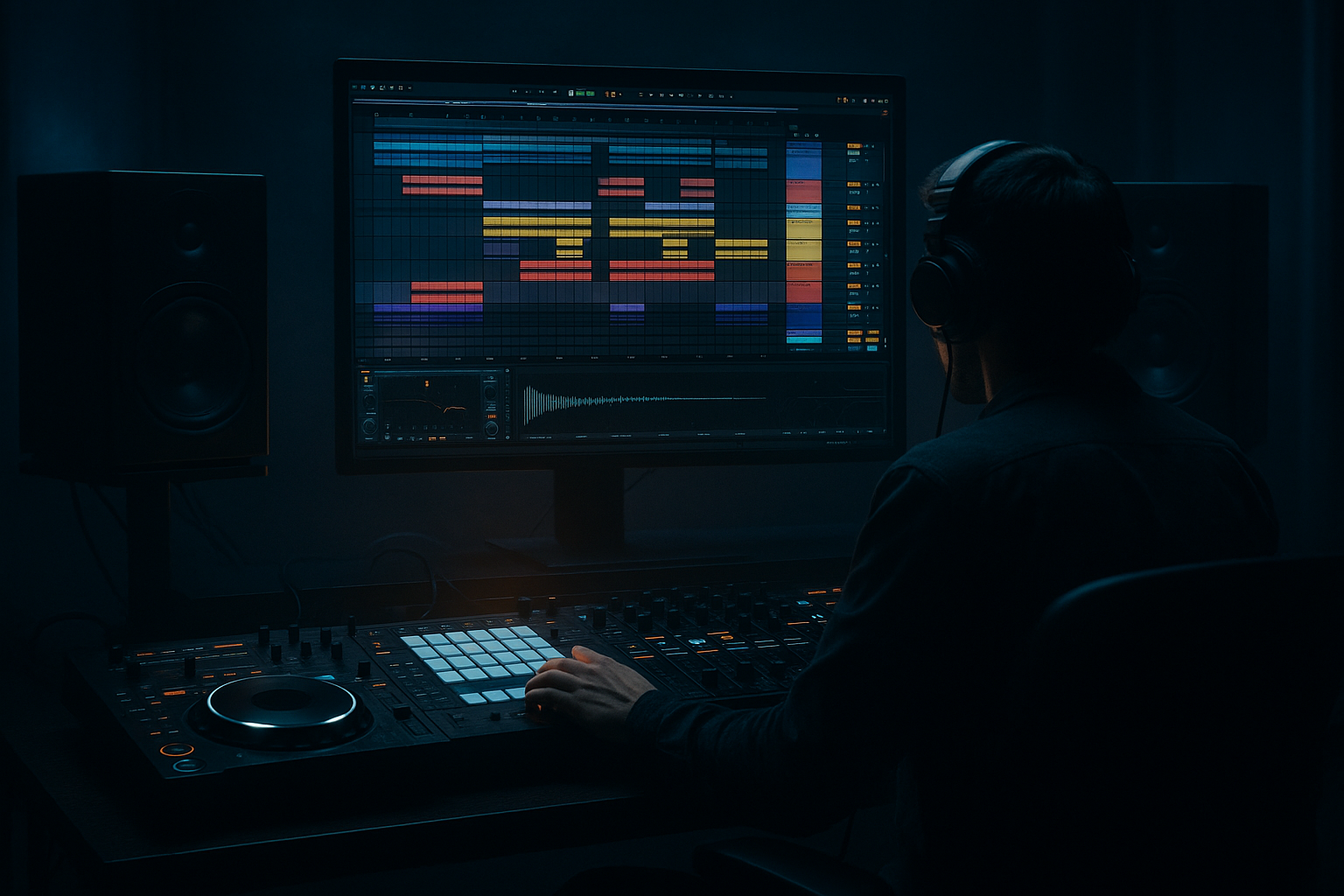
Resampling workflows for oldskool vibes: using Session View (Intermediate) cover image

Narrated lesson audio

The voice track includes the tutorial plus extra teacher commentary.

Open audio file

Main tutorial

Resampling Workflows for Oldskool Vibes (DnB/Jungle) — Session View 🎛️🥁

1. Lesson overview

Resampling is one of the fastest ways to get that oldskool jungle / early DnB grit: bounced breaks, crunchy bass reprints, “recorded-through-a-mixer” glue, and happy accidents. In Ableton Live, Session View is perfect for this because you can perform, capture, and iterate quickly—like you’re cutting dubplates.

In this lesson you’ll build a Session-based resampling rig that lets you:

  • Print processed break loops into new audio clips
  • Re-sample bass stabs/reese layers into one cohesive “recording”
  • Create variations (fills, edits, pitch drops) rapidly
  • Build a palette of “bounced” material ready for Arrangement View
  • ---

    2. What you will build

    A practical Session View template with:

  • Source tracks (Breaks, Bass, FX)
  • A dedicated RESAMPLE audio track to print anything (or everything)
  • A “Drum Buss + Saturator + Filter” printing chain for crunchy breaks
  • A “Bass Print” chain (glue + distortion + resampling to mono lows)
  • A method to create multiple takes and select the best clips
  • End result: a set of resampled audio clips that already sound like a record.

    ---

    3. Step-by-step walkthrough

    Step 0 — Prep: set the vibe and session behavior

    1. Tempo: 165–175 BPM (try 170 BPM).

    2. Global Quantization: set to 1 Bar (top-middle of Live).

    3. Metronome: on for capture, off for performance.

    4. Loop length mindset: work in 4, 8, 16 bar scenes—classic jungle phrasing.

    Why: Oldskool energy comes from tight phrasing + quick edits. Quantization keeps your resamples locked.

    ---

    Step 1 — Create your core tracks (Session View)

    Create these tracks:

    A) BREAKS (Audio Track)

  • Drop in a break (Amen, Think, Funky Drummer, etc.).
  • Warp mode: Beats
  • - Preserve: Transients

    - Envelope: start around 40–60

  • Add basic gain staging: aim peaks around -6 dB.
  • B) DRUM HITS (MIDI Track)

  • Load Drum Rack with extra kicks/snares/hats for reinforcement.
  • Keep it minimal: a kick layer + snare crack is enough.
  • C) BASS (MIDI Track)

  • Use Operator or Wavetable.
  • For a quick reese in Operator:
  • - Osc A: Saw

    - Osc B: Saw (detune slightly, e.g., +7 cents)

    - Add Filter (LP24), Drive around 3–6 dB

    - Glide/Portamento: 60–120 ms for movement on notes

    D) FX (Audio or MIDI Track)

  • Add impacts, risers, noise sweeps.
  • Use Simpler for one-shots; Auto Filter for movement.
  • E) RESAMPLE (Audio Track)

    This is your printing deck.

    ---

    Step 2 — Set up RESAMPLE routing (the classic method)

    On the RESAMPLE track:

    1. Audio From: choose Resampling (captures the master output).

    2. Monitor: set to Off (prevents feedback/double monitoring).

    3. Arm the track (record-enable).

    4. Create empty clip slots in several scenes.

    When to use “Resampling”:

  • When you want “everything together” (breaks + bass + FX) printed as a single performance.
  • Alternative (cleaner, more controlled):

  • Set Audio From to a Group bus (explained next).
  • ---

    Step 3 — Bus your drums for more controlled printing (recommended)

    1. Select BREAKS + DRUM HITSCmd/Ctrl + G to Group → name it DRUM BUS.

    2. On RESAMPLE track:

    - Audio From: choose DRUM BUS

    - Post FX (so it prints processing)

    Now you can resample just drums, without bass bleeding in.

    ---

    Step 4 — Build an “Oldskool Break Print” device chain (stock-only)

    On DRUM BUS, try this chain (in this order):

    1. EQ Eight

    - HP filter around 30 Hz (clean rumble)

    - Small dip 250–400 Hz if boxy

    - Gentle lift 7–10 kHz for air (optional)

    2. Saturator

    - Mode: Analog Clip

    - Drive: 3–8 dB

    - Soft Clip: On

    - Output: compensate so level is similar (don’t just get louder)

    3. Drum Buss

    - Drive: 5–15% (go higher for gnarlier)

    - Crunch: 10–30%

    - Boom: 0–20% (keep subtle for jungle breaks)

    - Damp: adjust to taste (reduce harshness)

    4. Auto Filter (for performance + movement)

    - Filter: LP (12 or 24)

    - Map Frequency to a Macro (if you rack it) or automate manually

    - Add a touch of Envelope for dynamic movement

    5. Glue Compressor

    - Attack: 3 ms

    - Release: Auto

    - Ratio: 2:1

    - Gain Reduction: aim 1–3 dB on peaks

    Why this works: it mimics the “printed through hardware” feel—compression + saturation + tone shaping, then you commit it to audio.

    ---

    Step 5 — Resample breaks like you’re cutting jungle edits ✂️

    1. Launch your break clip(s) in BREAKS.

    2. Perform filter moves on DRUM BUS (Auto Filter cutoff).

    3. Arm RESAMPLE and hit clip record into an empty slot:

    - Record 8 or 16 bars.

    4. Stop recording. You now have a new audio clip.

    Immediately do this:

  • Rename the new clip: `Amen_printed_170bpm_take1`
  • Consolidate (Cmd/Ctrl + J) if you’ve made any selections.
  • Open the clip and try:
  • - Warp mode: Complex (for full loops) OR Beats (for punchy slicing)

    - Pitch: try -2 to -5 semitones for darker, older tone

    Oldskool trick: print several takes with different filter rides and saturation amounts. You’re building a “break pack” unique to the tune.

    ---

    Step 6 — Slice your resampled break (Session-friendly)

    1. Right-click your resampled break clip → Slice to New MIDI Track.

    2. Slice preset:

    - Slicing: Transient

    - Destination: New Drum Rack

    3. Now you can play the break like a kit, making:

    - Fast ghost edits

    - 1/16 stutters

    - Classic “Amen turnaround” fills

    Add on the new sliced Drum Rack track:

  • Redux (subtle!)
  • - Downsample: 2–8

    - Bit reduction: 0–2 (tiny amounts)

  • Auto Pan (for jungle stereo movement)
  • - Rate: 1/8 or 1/16

    - Amount: 10–25%

    - Phase: 180° for wide motion (keep mono compatibility in mind)

    ---

    Step 7 — Resample bass into a “recorded” layer (glue + grit) 🧱

    Make a BASS BUS group if you have multiple bass layers.

    On BASS BUS, try:

    1. EQ Eight

    - Low cut unnecessary sub from non-sub layers (e.g., HP at 80–120 Hz on mid layer)

    2. Saturator

    - Drive: 2–6 dB

    - Soft Clip: On

    3. Overdrive (for bite)

    - Freq: 700–1.5kHz

    - Drive: 10–30%

    - Tone: adjust to avoid fizz

    4. Compressor

    - Attack: 10–30 ms

    - Release: 60–120 ms

    - Aim for 2–4 dB GR

    Now resample it:

  • Set RESAMPLE Audio From = BASS BUS (Post FX)
  • Record 8 bars of a rolling bassline with mod moves (filter, wavetable position, etc.)
  • After printing:

  • Flatten it into audio edits:
  • - Add Fade In/Out tiny clicks removal

    - Warp: Complex Pro if needed

    - Create variation clips:

    - `bass_print_A`

    - `bass_print_A_fill`

    - `bass_print_A_lowpass`

    Classic DnB move: duplicate the printed clip and pitch +12 (one octave) very quietly for presence, then filter it.

    ---

    Step 8 — Create scenes like “DJ sections”

    Build scenes (rows) that represent a tune structure:

  • Scene 1: Intro (filtered break + atmos)
  • Scene 2: Pre-drop (snare rolls, tension FX)
  • Scene 3: Drop A (full break + bass)
  • Scene 4: Drop A variation (different printed break take)
  • Scene 5: Breakdown (remove kick, keep edits)
  • Scene 6: Drop B (heavier bass print)
  • Record a performance:

    1. Click Arrangement Record (top bar).

    2. Launch scenes live for 2–3 minutes.

    3. You’ve now “played” an arrangement—very oldskool workflow.

    ---

    4. Common mistakes

  • Resampling too hot: If your printed clips are clipping, your saturation/compression decisions are compromised. Keep the master peaking around -6 to -3 dB while printing.
  • Monitoring feedback loops: If RESAMPLE monitor is In, you can get doubling/feedback. Keep it Off.
  • Warp artifacts on breaks: Beats mode settings matter. If it’s flamming, adjust Envelope and consider turning Warp off after printing if the loop is already tight.
  • Over-processing before printing: If you destroy transients with heavy compression then resample again, it can get lifeless. Print in stages.
  • No naming/versioning: Session View gets messy fast. Name clips and color-code takes.
  • ---

    5. Pro tips for darker/heavier DnB 🖤

  • Parallel smash bus (drums):
  • Create a return track A = DRUM SMASH:

    - Glue Compressor (Ratio 10:1, fast attack, 5–10 dB GR)

    - Saturator (heavy)

    - Blend return subtly (5–15%). Then resample the result.

  • Resample at different pitches for “era” vibe:
  • Print breaks at normal pitch → then repitch -3 / -5 semitones and tighten with Beats warp. Old jungle often lives in those darker pitch zones.

  • Mono your sub AFTER resampling:
  • On the printed bass clip track add Utility:

    - Bass Mono: On

    - Width: 80–100% (keep subs centered)

  • Gate your breaks for that tight “cut” feel:
  • Put Gate before saturation on DRUM BUS:

    - Adjust threshold until tails tighten slightly (don’t chop the groove)

    - Great before resampling so the printed loop is already punchy.

  • Print “FX tails” separately:
  • Resample only FX returns (set RESAMPLE input to return track) to get crunchy reverb throws you can place like one-shots.

    ---

    6. Mini practice exercise (15–25 min) ⏱️

    1. Load one break on BREAKS and set warp to Beats.

    2. Build the DRUM BUS chain (EQ Eight → Saturator → Drum Buss → Auto Filter → Glue).

    3. Record three 8-bar resamples:

    - Take 1: clean-ish (mild saturation)

    - Take 2: heavier (more Drive + lower filter cutoff)

    - Take 3: “DJ sweep” (big filter movement + a tiny bit of Redux after)

    4. Slice Take 2 to Drum Rack and program a 2-bar fill with stutters.

    5. Build two scenes:

    - Drop A = Take 1 loop

    - Drop A var = Take 1 + your sliced-fill every 8 bars

    6. Record a 60–90 second Session performance into Arrangement.

    Deliverable: one arrangement with two drop sections using your own printed breaks.

    ---

    7. Recap

  • Session View resampling is about perform → print → edit → repeat.
  • Use a dedicated RESAMPLE track (Resampling or Post-FX bus input).
  • Print breaks with a purposeful chain (EQ → Saturation → Drum Buss → Filter moves → Glue).
  • Resample multiple takes, name them, then slice and rearrange for jungle edits.
  • Capture scene launches into Arrangement for fast, musical structure.

If you want, tell me what style you’re aiming for (98 jungle, techstep, modern rollers, halftime), and I’ll suggest a resampling chain + scene layout tailored to that sound.


Ask GPT about this lesson

Chat with the lesson tutor, get follow-up help, or use quick actions.

Bigup 👽 Ask me anything about this lesson and I’ll answer in context.

Narration script

Show spoken script
Title: Resampling workflows for oldskool vibes: using Session View (Intermediate)

Alright, welcome back. Today we’re going intermediate and very hands-on: resampling workflows for oldskool vibes in Ableton Live, using Session View.

The whole mindset here is: perform, print, edit, repeat.

This is one of the fastest ways to get that early jungle, early DnB grit. You know the sound: breaks that feel like they’ve been bounced a few times, bass that sounds like one glued-together recording instead of five separate layers, and those little “happy accidents” that happen when you commit to audio instead of tweaking forever.

And Session View is perfect for it because it behaves like a dubplate cutting station. You can try a move, record it, instantly get a new clip, then do it again with a different vibe in seconds.

By the end, you’ll have a little Session-based resampling rig where you can print processed break loops, resample bass stabs and reese layers into cohesive audio, and build variations quickly. Then you’ll capture a performance into Arrangement to get structure fast.

Let’s build it.

First, Step 0: prep the vibe and the session behavior.

Set your tempo somewhere between 165 and 175 BPM. I like 170 for this lesson.

Now set Global Quantization to 1 Bar. That’s a big deal. It means when you launch clips and scenes, everything locks to the phrase. Oldskool energy is tight phrasing with quick edits, not random chaos. Quantization is your guardrail.

Turn the metronome on while you’re capturing. Later, when you’re performing, you can turn it off if it kills the vibe.

And think in classic loop lengths: 4, 8, 16 bar scenes. That’s how a lot of jungle and DnB arrangement language works, and it’s going to make your resampling feel instantly more “record-like.”

Now Step 1: create your core tracks in Session View.

You want a few sources, and then a dedicated place to print them.

Track A: BREAKS. Make it an audio track. Drop in a break. Amen, Think, Funky Drummer, anything with attitude.

Set Warp mode to Beats. For Preserve, choose Transients. Then adjust the Envelope, somewhere around 40 to 60 as a starting point. If it starts sounding like it’s flamming or smearing, the Envelope is one of the first places to look.

Quick teacher note: don’t ignore gain staging here. Aim your break peaks around minus 6 dB. If the break is already smashing into the red, every single saturation and compressor after it is going to lie to you. You’ll think you’re improving it, but you’re mostly just clipping.

Track B: DRUM HITS. Make a MIDI track with a Drum Rack. Add just a couple reinforcement sounds. Maybe a kick layer, maybe a snare crack. Keep it minimal. You’re not trying to replace the break; you’re trying to support it.

Track C: BASS. MIDI track. Use Operator or Wavetable. For a quick Operator reese: Osc A saw, Osc B saw, detune B slightly, like plus 7 cents. Add a lowpass filter, 24 dB slope, drive around 3 to 6 dB. Add glide, maybe 60 to 120 milliseconds, so the notes slide a bit. That glide alone can make it feel way more “played” and less grid-perfect.

Track D: FX. Audio or MIDI, your choice. Impacts, noise sweeps, little risers. Use Simpler for one-shots, Auto Filter for movement.

And Track E is the key: your RESAMPLE track. An audio track. This is your printing deck.

Now Step 2: set up resample routing the classic way.

On the RESAMPLE track, set Audio From to Resampling. That captures the master output, meaning whatever you hear is what gets printed.

Set Monitor to Off. Really important. If you leave Monitor on In, you can get doubling, or worse, feedback loops that will ruin your day.

Arm the RESAMPLE track. And create a few empty clip slots across several scenes so you’re ready to capture takes.

This “Resampling” input is perfect when you want everything together, like a full performance print. But for controlled printing, like drums only, we’re going to do a cleaner approach next.

Step 3: bus your drums for more controlled printing.

Select your BREAKS track and your DRUM HITS track, and group them. Command or Control G. Name the group DRUM BUS.

Now, on your RESAMPLE track, instead of Resampling, set Audio From to DRUM BUS, and make sure it’s Post FX. That means you’re printing the processed drum bus, not the raw pre-effect signal.

This right here is the secret to staying sane: you can resample just drums without bass bleeding in. Later, you can do the same thing for bass.

Now Step 4: build an oldskool break print chain on the DRUM BUS. Stock devices only.

Put these in order.

First, EQ Eight. High-pass around 30 Hz to clean sub rumble. If it’s boxy, dip a little around 250 to 400. And if you want air, a gentle lift around 7 to 10k, optional.

Second, Saturator. Mode: Analog Clip. Drive somewhere between 3 and 8 dB. Soft Clip on. And then compensate output so it’s not just louder. Teacher rule: if it gets better only when it gets louder, it’s not better yet.

Third, Drum Buss. Drive maybe 5 to 15 percent. Crunch 10 to 30 percent. Boom, keep it subtle for jungle breaks, maybe 0 to 20. Use Damp if it starts getting harsh.

Fourth, Auto Filter. This is your performance device. Lowpass, 12 or 24 dB. You’re going to ride this cutoff while recording takes. That movement is a huge part of the “someone performed this through gear” illusion.

Fifth, Glue Compressor. Attack around 3 milliseconds, Release on Auto, Ratio 2:1. You’re aiming for one to three dB gain reduction on peaks. You’re not trying to flatten the break into a pancake. Just glue.

Why this chain works: it’s basically tone shaping, saturation, drum character, performance movement, and then a bit of glue. It mimics printing through a mixer and committing.

Now Step 5: resample breaks like you’re cutting jungle edits.

Launch your break clips. Get your groove running.

Now start performing on that Auto Filter cutoff. Do a few subtle rides. Maybe close it a bit in bar 7 and open it into bar 9. Think like a DJ doing a sweep into a section.

Arm RESAMPLE and record into an empty clip slot. Record 8 or 16 bars.

Stop recording, and now you’ve got a brand new audio clip that already has character baked in.

Immediately rename it. Seriously. Name it something like “Amen_printed_170bpm_take1”.

This is one of those workflow things that separates fun sessions from messy sessions. Session View fills up fast, and naming is how you keep momentum.

Now open the printed clip. You can experiment with Warp modes. Complex can be good for full loops, Beats can be punchier and better for slicing vibes.

Try pitching it down, minus 2 to minus 5 semitones. That darker repitch is one of the fastest shortcuts to “older era.” And here’s a pro move: if the printed take is already tight, try turning Warp off on the printed clip to avoid double-warp blur. Because you already warped the source break, printed it, and if you warp the print again aggressively, transients can get smeary.

And now, do multiple takes. Print three takes with different filter rides and different saturation amounts. You’re basically making your own custom break pack for this tune.

Step 6: slice your resampled break, Session-friendly.

Right-click that printed break clip and choose Slice to New MIDI Track.

Slice by Transient, destination New Drum Rack.

Now you can play the break like a kit. This is where the jungle edits live: ghost notes, little one-sixteenth stutters, turnaround fills.

On that sliced Drum Rack track, try Redux, but subtle. Downsample 2 to 8. Bit reduction 0 to 2, tiny amounts. You’re aiming for texture, not a destroyed ringtone.

Add Auto Pan for stereo movement. Rate 1/8 or 1/16, Amount 10 to 25 percent. Phase 180 degrees for width. Just remember: keep mono compatibility in mind. If your break vanishes in mono, back off.

Now Step 7: resample bass into a recorded layer.

If you have multiple bass layers, group them into a BASS BUS. Same idea as DRUM BUS.

On the BASS BUS, add an EQ Eight. If you’ve got a mid layer, high-pass it somewhere around 80 to 120 so it’s not fighting the sub.

Then Saturator, drive 2 to 6 dB, soft clip on.

Then Overdrive for bite. Set the frequency somewhere like 700 to 1.5k, drive maybe 10 to 30 percent, and adjust tone to avoid fizzy pain.

Then a Compressor. Attack 10 to 30 milliseconds, release 60 to 120. Aim for two to four dB gain reduction.

Now set your RESAMPLE track input to BASS BUS, Post FX, and record 8 bars of bass while you do some mod moves. Filter shifts, wavetable position changes, maybe a little automation. You’re trying to capture performance, not static MIDI.

After printing, treat it like audio. Add tiny fades to avoid clicks. Warp only if you need it; Complex Pro can help, but don’t force it if it already sits right.

Make variations: “bass_print_A”, “bass_print_A_fill”, “bass_print_A_lowpass”.

And a classic DnB move: duplicate the printed clip, pitch it up plus 12 semitones very quietly for presence, then filter it so it’s more like a halo than a second bass.

Now Step 8: build scenes like DJ sections, then record a performance.

Make scenes like Intro, Pre-drop, Drop A, Drop A variation, Breakdown, Drop B.

Here’s what’s powerful: instead of rewriting your whole beat, you can keep the same musical idea but swap the printed break take. So Drop A uses Take 1, Drop A variation uses Take 2 with a heavier filter ride. Same DNA, different energy.

When you’re ready, hit Arrangement Record at the top, then launch scenes live for two to three minutes. You’ve basically played an arrangement, which is an extremely oldskool way to build structure fast.

Now, extra coach notes to level up your workflow.

First, build a print matrix so you stop rerouting constantly. Instead of one RESAMPLE track that you keep changing, create multiple print tracks: PRINT_DRUMS, PRINT_BASS, PRINT_MIX. Each one has its Audio From set appropriately. Then you just arm the one you need. It’s faster, and it prevents those moments where you print “drums” and later realize the bass is baked in.

Second, if you want dub-style performance moves baked in, look into Post Mixer sends. If you’re doing fader rides and send throws, switching sends to Post Mixer means those moves get captured like a live desk recording, not like a static routing trick.

Third, commit in layers: pre-print, edit, re-print. Print a processed loop, do micro edits like tiny chops, reverses, fades, timing nudges, then print that edited result again through a lighter glue chain. This is the heritage workflow: sample it, work it, resample it. Just don’t overdo compression on every generation or you’ll remove the life.

Fourth, clip gain is your best friend. Before you print takes, match clip levels so the bus chain gets hit consistently. Then Take 1 versus Take 5 isn’t just “the loud one wins.”

Now, a couple advanced variation ideas you can try once the basic flow is working.

You can make scene-based take lanes. One scene is TAKE A clean drive, next is TAKE B filter ride, next is TAKE C crush and bandpass. Same musical content, different printed clips. That makes A/B decisions instant while you perform.

You can also use Follow Actions on short one-bar chop clips, so Live “DJs” your edits automatically while you print a long take. You’ll capture fills you wouldn’t have programmed manually.

And try dropout prints: while printing, do quick mutes. Kick layer for half a bar, snare for one beat, bass for one bar before the turnaround. Those dropouts become part of the audio, and then you can slice them into reusable transitions. It sounds tape-ish and intentional, even if it started as a “mistake.”

Now quick common mistakes to avoid.

Don’t resample too hot. Keep your master peaking around minus 6 to minus 3 dB while printing. You can make it loud later.

Avoid monitoring feedback: RESAMPLE monitor stays Off.

Watch warp artifacts: Beats mode settings matter, and you may not need to warp your printed clip again.

And don’t skip naming and color-coding. Session View can become a landfill in five minutes if you don’t label takes.

Let’s finish with a mini practice exercise you can do in about 15 to 25 minutes.

Load one break on BREAKS, set Warp to Beats.

Build the DRUM BUS chain: EQ Eight, Saturator, Drum Buss, Auto Filter, Glue.

Record three 8-bar resamples. Take 1 clean-ish. Take 2 heavier, more drive and a lower cutoff. Take 3 with a big DJ sweep, and if you want, a tiny bit of Redux after the fact.

Slice Take 2 to Drum Rack and program a two-bar fill with stutters.

Build two scenes: Drop A is Take 1. Drop A variation is Take 1 plus your sliced fill every 8 bars.

Then record a 60 to 90 second Session performance into Arrangement.

Your deliverable is simple: one short arrangement with two drop sections using your own printed breaks. Not someone else’s loop pack. Yours.

Recap, so it locks in.

Session View resampling is about perform, print, edit, repeat.

Use a dedicated resample setup, either a single RESAMPLE track or, better, a print matrix with separate print tracks.

Print breaks with a purposeful chain: EQ, saturation, Drum Buss, performance filter moves, glue.

Resample multiple takes, name them, then slice and rearrange for classic jungle edits.

And finally, capture a scene performance into Arrangement to get structure fast.

If you tell me the exact vibe you’re aiming for—early 90s hardcore jungle, 97 techstep, 2000s cinematic, modern rollers, halftime—I can suggest a period-correct print chain and a scene layout that matches the arrangement habits of that era.

mickeybeam

Go to drumbasscd.com for +100 drum and bass YouTube channels all in one place - tune in!

Generating PDF preview…