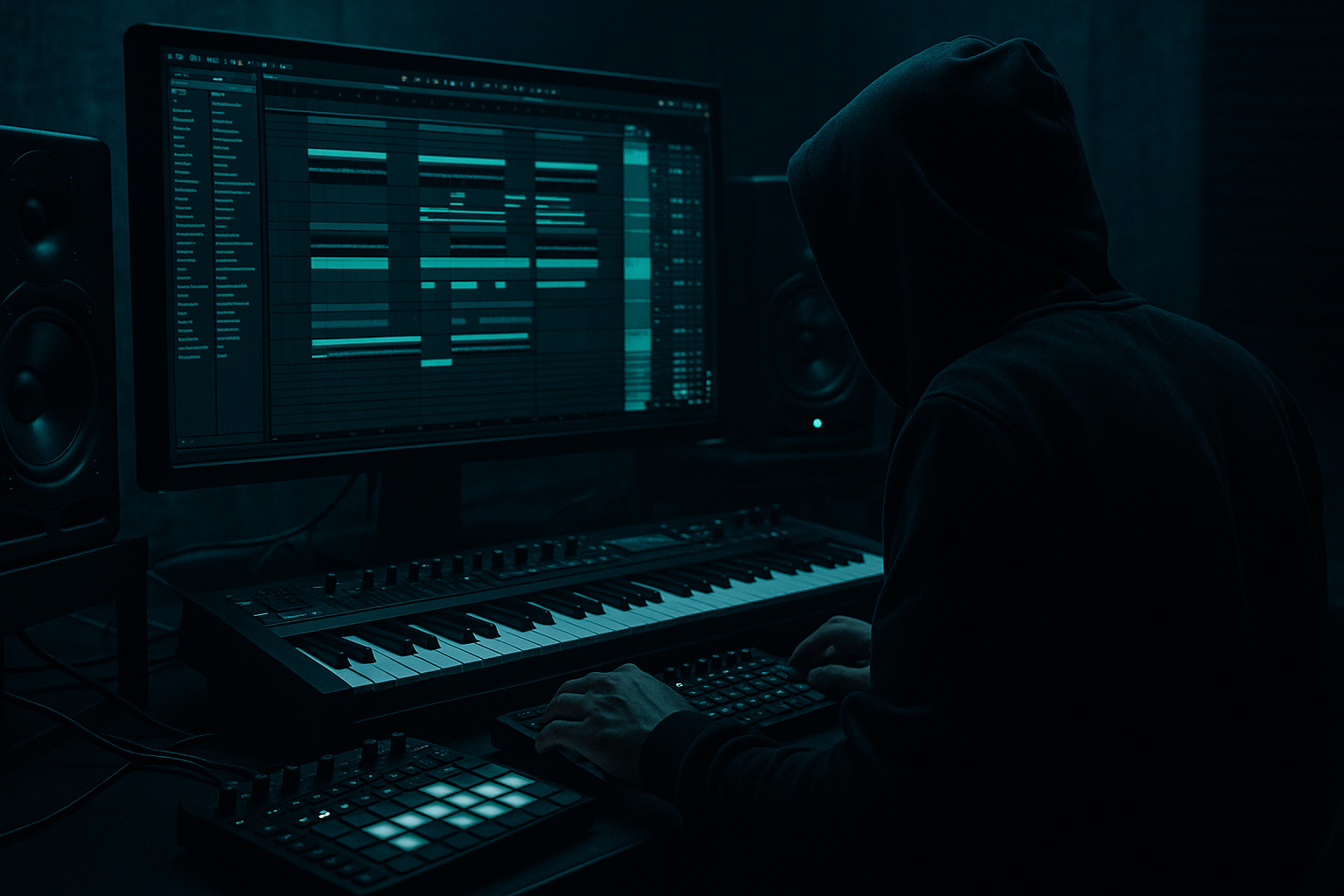
Main tutorial
Resample Jungle Edit Using Session View to Arrangement View in Ableton Live 12
1. Lesson overview
In this lesson, you’ll build a jungle-style resample edit workflow in Ableton Live 12, starting in Session View and then committing the best moments into Arrangement View for a full drum and bass edit. This is a classic DnB method: jam ideas live, resample the chaos, then sculpt the strongest fragments into a tight, evolving arrangement. 🔥
This approach is especially useful for:
- Atmospheric intro sections
- Broken amen edits
- Stuttered fill transitions
- Heavy drop variations
- Re-contextualizing bass movement
- Turning happy accidents into arrangement gold
- Ableton stock devices
- practical resampling routing
- sound-design decisions for atmospheric drum and bass
- how to arrange tension and release
- how to keep it heavy but musical
- A dark atmospheric intro with evolving texture
- A jungle break edit with chopped amen-style energy
- A resampled bass hit/texture track
- A transition FX layer built from your own material
- A short Arrangement View section that sounds like a real DnB sketch, not just a loop
- Drums - Break: your main amen, breakbeat, or chopped loop
- Drums - Top Layer: hats, rides, ghost snare layers
- Bass - Sub: clean low-end foundation
- Bass - Reece / Mid: movement and aggression
- Atmosphere: pads, field recordings, noise beds
- Resample Print: audio track to capture jammed performances
- FX / Transitions: impacts, reverses, noise sweeps
- drums = red/orange
- bass = purple
- atmospheres = blue/teal
- resample = grey
- FX = yellow
- field recording
- vinyl noise
- pad from Wavetable
- foley texture
- spectral noise made in Operator or Wavetable
- Warp it in Beats mode
- Try Preserve: Transients
- Segment value: 1/16 or 1/8
- Adjust transient envelope to keep punch
- Slice to new MIDI track
- Map slices to Drum Rack pads
- Use kick/snare/ghost-hit combinations typical of jungle editing
- swung ghost notes
- off-grid snares
- tight delayed hats
- occasional empty 1/16 gaps for breath
- Audio From: Resampling
- Monitor: In
- Arm the track
- Set Audio From to Drums - Break or Atmosphere
- Choose Post FX
- Record only that source
- atmosphere alone
- atmosphere + filtered break
- break + bass layers
- bass drops out while drums remain
- one-bar fills before a clip switch
- start sparse
- add density gradually
- create short tension windows
- leave space for the resampled material to feel intentional
- automate filter cutoff on atmosphere
- mute/unmute kick or bass
- use clip launch quantization for tight section changes
- create short bursts of drum edits
- punch in reverse FX before transitions
- 1 Bar for safe performance
- 1/2 or 1/4 if you want more aggressive jungle-style stutters
- a nice atmospheric swell before a snare hit
- a break glitch that lands hard
- a distorted tail after a bass stab
- a reversed drum burst
- a half-bar of eerie noise with rhythmic movement
- Clip Fade handles
- Warp markers
- Reverse
- Transient separation
- Consolidate for clean regions
- 1-bar break phrase with a unique fill
- 2-beat snare roll
- 1/2-bar atmospheric swell
- bass hit with a reverb throw
- a chopped ghost-note pattern that can become a transition
- Bars 1–8: atmosphere, texture, and filtered drums
- Bars 9–16: bring in the break and bass tease
- Bars 17–24: full groove or drop
- Bars 25–32: variation with edits and fills
- change the drum edit every 4 or 8 bars
- remove the bass for one bar before a transition
- introduce a reverse atmosphere hit before each phrase
- automate filter cutoff on the break or texture bus
- swap in a resampled one-shot edit at the end of a phrase
- Beat 1: full break hits
- Beat 2: bass drops out
- Beat 3: reversed atmospheric tail
- Beat 4: snare fill or sliced ghost edit
- Bar 2 Beat 1: impact or reintroduced drop loop
- Reverse on a rendered audio clip
- Fade in/out
- Auto Filter automation
- Reverb throw from Echo or Hybrid Reverb
- Short silence before the drop for impact
- small timing imperfections
- noisy tails
- break variations
- unexpected glitches
- clipped resample fragments
- ugly clicks
- low-end clashes
- accidental overload on the master
- overlong reverb tails masking the kick/snare
- drums pass
- atmosphere pass
- bass FX pass
- one busy bar
- one sparse bar
- one tension bar
- one release bar
- Saturator into EQ Eight
- or Pedal for grime
- then Auto Filter to sculpt the tone
- 1/8 stabs
- reverse swells
- gated noise
- delayed reverb tails
- Hybrid Reverb
- EQ Eight
- maybe Gate
- sub = clean sine/triangle from Operator
- mid bass = distorted, moving, resampled
- filter cutoff
- send levels to reverb/delay
- reverb size
- Utility width
- clip gain for emphasis
- one atmosphere clip
- one amen-style break
- one sub bass note or bass pulse
- atmosphere alone
- atmosphere + filtered break
- break + bass
- break with a fill
- silence before the drop
- one atmospheric swell
- one drum fill
- one bassy transition hit
- bars 1–2: atmosphere only
- bars 3–4: filtered break enters
- bars 5–6: bass tease
- bars 7–8: drop into full break
- EQ Eight
- Auto Filter
- Hybrid Reverb
- Saturator
- Glue Compressor
- a track-by-track Ableton template
- a device chain for dark atmospheric resampling
- or a 16-bar DnB arrangement blueprint based on this workflow.
The big idea:
You’ll use Session View as a performance and resampling lab, then move into Arrangement View to edit, structure, and automate the best material into a proper jungle/DnB tune.
We’ll focus on:
---
2. What you will build
By the end, you’ll have a workflow that creates:
Target track structure
You’ll end up with something like this:
1. Intro atmosphere
- filtered pad
- rain/noise texture
- distant reverb tail from drums
2. Build
- chopped break coming in
- tension risers
- bass stabs resampled from processing
3. Drop / main section
- edited break loop
- bassline and sub
- resampled fills and reverse hits
4. Transition
- one-shot edits
- atmosphere throws
- filtered resampled wash
---
3. Step-by-step walkthrough
Step 1: Set up your Session View template
Start a new Live 12 Set and build a simple track layout:
#### Tracks to create
1. Drums - Break
2. Drums - Top Layer
3. Bass - Sub
4. Bass - Reece / Mid
5. Atmosphere
6. Resample Print
7. FX / Transitions
Suggested track roles
Basic color coding
Use a consistent system:
This helps when you’re moving quickly between performance and editing.
---
Step 2: Build the atmospheric bed first
Since this lesson is in the Atmospheres category, don’t treat atmosphere as decoration. In DnB, atmosphere is often what makes the drop feel huge.
#### Create an Atmosphere clip
Use one of these sources:
#### Simple stock device chain for atmosphere
On the Atmosphere track:
1. EQ Eight
- High-pass around 120–250 Hz
- Cut muddy low mids around 300–600 Hz if needed
- Gentle top rolloff if the noise is harsh
2. Hybrid Reverb
- Use a small room + convolution space or a darker plate
- Decay: 3–8 seconds
- Pre-delay: 10–30 ms
- High cut to keep it dark
3. Auto Filter
- Low-pass filter with slow automation
- Resonance moderate
- Use a slow LFO for movement if needed
4. Chorus-Ensemble or Phaser-Flanger
- Very subtle width and motion
- Keep it under control; atmosphere should breathe, not wobble distractingly
5. Utility
- Width to taste
- Use Mono below if needed only on the bass, not here
#### Atmosphere tip
Resample a reverb tail from your drums later and layer it under this. That creates a more unified jungle space than using random pads alone.
---
Step 3: Build a drum break that can be resampled
Load a breakbeat or amen-style loop onto Drums - Break.
If you’re using a full break sample:
If you’re chopping manually:
#### Suggested drum chain on the break track
1. Drum Buss
- Drive: moderate
- Boom: low or off if the break already has sub
- Crunch: subtle
- Transients: a little up for attack
2. Saturator
- Soft Clip on
- Drive: 1–4 dB
- Use this to make the break speak on smaller speakers
3. EQ Eight
- Tidy low end if it clashes with bass
- Small cut if snare has too much boxiness
4. Glue Compressor
- Light compression only
- Aim for glue, not flattening
#### Groove idea
For jungle feel, use:
---
Step 4: Set up resampling
This is the core of the lesson.
#### Option A: Use a dedicated resample track
Create Resample Print and set:
This captures everything your master is outputting, so be careful: it records the full mix.
#### Option B: Route specific tracks to resample
If you want cleaner control:
This is better for isolated jungle edits.
---
Step 5: Jam the Session View performance
Now start triggering clips like a performer.
#### Performance approach
Trigger combinations such as:
Use Session View like a live sketchpad:
#### What to do while jamming
While recording resample audio:
#### Important workflow setting
Set Global Quantization to:
For advanced jungle editing, you can even temporarily switch to None when printing one-shot fills, but only if your timing is solid.
---
Step 6: Create resampled texture clips
Once you’ve recorded a performance take, drag or consolidate the captured audio into new clips.
Look for:
#### Edit these clips in detail
Use:
#### Good jungle edit candidates
---
Step 7: Turn resampled audio into arrangement material
Now switch to Arrangement View and start building the track structure.
#### Suggested arrangement workflow
1. Import your best resampled clips onto the timeline
2. Build a 16-bar intro
3. Place a pre-drop build
4. Create a drop section from the tightest loop
5. Use resampled fragments for fills and transitions
#### Arrangement strategy for DnB
A good pattern is:
#### How to avoid loop syndrome
Don’t just repeat the same 2-bar loop. Instead:
---
Step 8: Use stock devices to reshape resampled material
Once your resampled audio is in Arrangement View, process it like a sound designer.
#### For atmospheres and transitional audio
Use this chain:
1. EQ Eight
- shape low end and tame mud
2. Auto Filter
- automate cutoff for tension
3. Hybrid Reverb
- create cinematic tails
4. Echo
- short, tempo-synced delay for atmosphere movement
- try ducking on to keep clarity
5. Utility
- automate width for widening into transitions
#### For resampled drum edits
Use:
1. Drum Buss
2. Saturator
3. Glue Compressor
4. EQ Eight
If the resample is crunchy and exciting, keep it.
If it’s too messy, don’t over-clean it—just high-pass or notch the worst frequencies and move on.
---
Step 9: Build a convincing jungle transition
This is where the resampling workflow shines.
#### Example 2-bar transition formula
#### Use these tools
A one-beat gap can be more effective than another fill. Let the edit breathe.
---
Step 10: Commit to Arrangement View with performance energy
Don’t over-edit away the live feel.
#### What to preserve
These make jungle edits feel alive.
#### What to clean up
The goal is controlled chaos.
---
4. Common mistakes
1. Resampling too much at once
If everything is recorded as one giant stereo file, it becomes hard to shape later.
Fix: Resample in focused passes:
---
2. Letting the bass contaminate the atmosphere print
If your atmosphere resample has heavy sub content, it will fight the groove.
Fix: High-pass atmospheric prints around 120–250 Hz depending on the source.
---
3. Over-processing the break
Jungle drums already have character. Too much compression or saturation can flatten the swing.
Fix: Use subtle processing, and let arrangement variation do the heavy lifting.
---
4. Making every bar “busy”
A constant stream of fills kills impact.
Fix: Use contrast:
---
5. Not committing to audio early enough
Advanced DnB production often benefits from printing audio. MIDI-only thinking can keep the tune too clean and generic.
Fix: Resample once the idea feels good. Treat audio as the composition.
---
5. Pro tips for darker/heavier DnB
Tip 1: Resample through distortion, then filter back
For darker material, intentionally overdrive your resample slightly, then tame it.
Try:
This gives you weight without just turning everything up.
---
Tip 2: Use atmospheric noise as a rhythmic element
Instead of static ambience, cut your atmosphere into rhythmic phrases:
This helps the intro feel like a living part of the groove.
---
Tip 3: Print a ghost reverb from the break
Send the break to a return with:
Then resample that return.
Layer the print underneath the dry break for ghostly depth.
---
Tip 4: Keep your sub clean while letting the mids get ugly
For heavier DnB:
Use Utility on the sub track to keep it mono.
Let the aggression live above it.
---
Tip 5: Use Arrangement automation to “play” the resample
Automate:
A static resample becomes much more powerful when it evolves over 4–8 bars.
---
6. Mini practice exercise
Exercise: 8-bar jungle atmosphere-to-drop resample
Build this in one session:
#### Step 1
Create:
#### Step 2
Jam a 2-minute Session View performance
Record:
#### Step 3
Resample the performance
Capture at least:
#### Step 4
Move into Arrangement View
Create an 8-bar section:
#### Step 5
Process the resamples
Use:
Your goal is to make the transition feel intentional, dark, and energetic.
---
7. Recap
Here’s the core workflow:
1. Build atmosphere and drum material in Session View
2. Perform a live arrangement idea
3. Resample the best moments
4. Edit those prints into usable audio clips
5. Move them into Arrangement View
6. Shape them with stock Ableton devices
7. Use contrast, not constant density, to create jungle impact
This method is powerful in DnB because it turns spontaneous Session View energy into a real arrangement with movement, tension, and character. If you lean into controlled resampling, you’ll create atmospheric jungle edits that feel gritty, immersive, and alive. 🥁🌫️
If you want, I can also give you:

