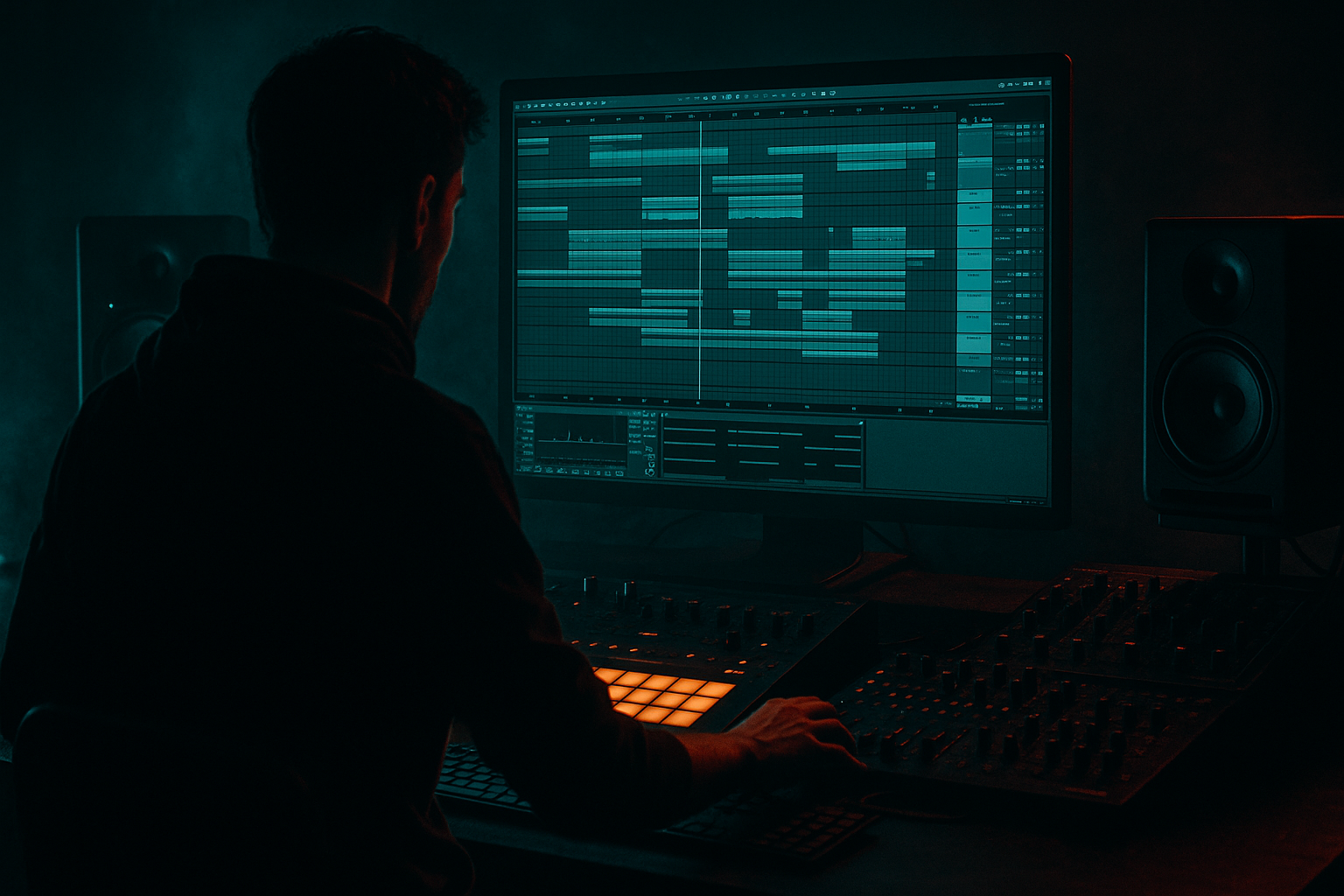
Main tutorial
Lesson Overview
This lesson is about turning a chopped vinyl loop into a gritty, rhythmically useful texture that feels like pirate radio leaking through the track — not just a lo-fi loop sitting on top of it. In a Drum & Bass context, that kind of resampled vinyl energy usually lives in the intro, the pre-drop tension section, the breakdown, or as a short “ghost layer” that appears between drum phrases and helps the arrangement feel lived-in and dangerous.
Why it matters: a chopped-vinyl texture can do three jobs at once in DnB. It can create atmosphere, define scene, and add movement without stealing from the kick, snare, sub, or main bassline. Technically, it also gives you a way to control noise, transients, and stereo width in a very deliberate way instead of leaving an entire record sample floating around the mix. That is especially useful in darker rollers, jungle, pirate-radio inspired intros, half-time tension sections, and neuro-adjacent tracks that need a rough human edge before the drop lands.
By the end, you should be able to build a short resampled texture that feels chopped, degraded, and rhythmically locked to your drums — with enough character to sell the vibe, but clean enough to survive the transition into a heavy drop. A successful result should feel like a broken vinyl fragment breathing between the drums: unstable in tone, tight in timing, and clearly part of the track’s arrangement rather than a random effect.
What You Will Build
You’ll build a compact chopped-vinyl atmosphere made from a short sample or loop, resampled inside Ableton Live 12, then shaped into a usable DnB layer. The finished sound should have:
- a dusty, crackled, pirate-radio character
- chopped rhythmic motion that follows a drum grid
- enough filtering and transient shaping to avoid masking the snare or sub
- a controlled stereo image: wide in the top texture, solid in the low-mid center
- enough polish to work in an intro, breakdown, or transition, while still sounding raw
- Keep the menace in the midrange, not the sub. A pirate-radio texture gets weight from attitude and density, but the sub should stay separate and clean. Let the texture occupy the emotional band above the sub rather than filling the bottom octave with noise.
- Use filtering as arrangement, not just tone. A slow low-pass closing over 4 or 8 bars can feel like the room is collapsing around the drums. That works especially well before a drop or during a tension break.
- If you want more underground character, degrade the texture after resampling rather than before. Printed audio lets you make bolder chop and timing decisions first, then roughen the edges without losing control.
- Keep the transient hierarchy intact. Your snare still needs to be the loudest “statement” in the groove. If the vinyl chop has a strong transient, shave it with clip gain or shorten the slice instead of boosting the whole layer.
- For neuro-leaning darkness, use the texture as a contrast layer: sterile drums and sub underneath, unstable vinyl above. The contrast makes both elements feel bigger.
- If the texture feels too polite, automate tiny gain flickers or filter dips on individual slices. Small instability reads as authentic broadcast chaos without wrecking the arrangement.
- In dense drops, consider muting the texture completely for 1 bar before bringing it back. That absence makes the return feel more violent and gives the drums a clean sentence to speak.
- use only one source sample
- use only stock Ableton devices
- keep the low end below 200 Hz removed
- print one resampled version and re-chop it
- do not use more than 8 slices
- one 2-bar texture loop
- one alternate version with a different filter opening or chop pattern
- a short 4-bar arrangement test with drums and bass
- Can you hear the snare clearly through it?
- Does it feel chopped and rhythmic, not just looped?
- Does it still work in mono?
- pick a source with useful character
- chop it into a few strong phrases
- shape it before and after resampling
- keep the low end out of the way
- check it against drums and bass, not in isolation
- vary it across the arrangement so it feels alive
In practical terms, it should behave like a texture instrument: something you can trigger for 1–4 bar phrases, automate in and out, and use to make a section feel more authentic and cinematic without turning your mix into mush.
Step-by-Step Walkthrough
1. Start with the right source and keep it short
Pick a vinyl-flavoured source that already has uneven tone: a spoken word fragment, a dusty chord stab, a drumless bar from a sample pack, a pirate-radio style one-shot, or a musical phrase with noise and room in it. In Ableton, drop it onto an audio track and trim it down to a 1–4 bar phrase that has a few useful moments: a transient, a tail, a small tonal change, or a noise burst.
Why this works in DnB: a textured sample with some midrange movement survives chopping better than a flat loop. DnB intros and tension sections need detail, but they also need space for drums to establish the grid.
What to listen for: a sample that has some personality even when filtered. If it sounds dead when low-passed, skip it. If it already has too much kick or sub, it will fight the track later.
If the sample is too clean, don’t force it. You want “memory of vinyl,” not a pristine loop pretending to be grime.
2. Chop it into playable fragments, not random slices
Use Warp markers and split the clip so the sample becomes several short pieces: 1/2 bar, 1/4 bar, and a couple of tiny 1/8 or 1/16 fragments where the interesting noise happens. If the sample has a vocal or tonal phrase, keep one longer slice for a call-and-response moment, and use shorter slices around it for motion.
A good rule: aim for 4–8 slices total, not 30 tiny ones. You want a controlled collage, not a puzzle.
Put the slices on a new audio track or consolidate them after chopping if you prefer a cleaner session. Then align the strongest hits to the grid so the texture supports the groove instead of drifting over it.
Listening cue: the slice edges should feel like intentional edits, not clicks or accidental hiccups. If you hear clicks, add very short fades on the clip edges or adjust the slice boundary slightly.
Workflow efficiency tip: once the chops feel right, Consolidate the edited region so you’re working with one tidy clip. That makes later resampling and arrangement much faster.
3. Decide on the flavour: A or B
At this point, choose your direction. Both are valid; the right one depends on what the track needs.
A — “Radio ghost” flavour:
Keep the texture more open, with more mids and more recognisable source material. This suits intros, rolling tunes with atmosphere, and sections where the sample is part of the identity.
B — “Destroyed bed” flavour:
Push the sample into a more abstract haze with heavier filtering, more saturation, and less recognisable source detail. This suits darker rollers, neuro intros, and tension beds where the sample should feel like raw noise with rhythm.
If your arrangement already has a strong lead element, B is usually safer. If the track needs a memorable opening signature, A gives you more character.
4. Build a first processing chain before resampling
On the source track, add a simple stock-device chain that controls tone and prepares the sample for resampling. A reliable starting point is:
- EQ Eight
- Saturator
- Auto Filter
- Utility
Suggested starting moves:
- EQ Eight: high-pass around 120–250 Hz, depending on how much low junk is in the sample
- EQ Eight: gentle dip around 250–500 Hz if the vinyl texture gets boxy
- Saturator: Drive around 2–6 dB, with Soft Clip on if needed
- Auto Filter: low-pass around 4–10 kHz for a darker pirate-radio tone, or band-pass if you want a narrower, more lo-fi slice
- Utility: reduce gain if the chain starts hitting too hard before resampling
Why this works: you are shaping the source before printing, so the resampled file already contains the character you want instead of leaving all the work for later. In DnB, this is especially useful because the final texture needs to sit around drums and bass, not compete with them.
What to listen for: the sample should still have movement after filtering. If the tone becomes flat and “paper-thin,” you’ve filtered too aggressively or clipped away too much body.
5. Add movement with clip-level edits and automation
Use clip envelopes or arrangement automation to move the texture through the phrase. For example, automate Auto Filter cutoff so the sample opens slightly before a snare or closes into a transition. Keep the movement subtle — often a sweep between roughly 2 kHz and 8 kHz is enough to create motion without turning into an EDM riser.
You can also automate gain so certain slices poke out for a bar and then recede. That creates the feeling of someone riding levels on a pirate broadcast.
Good DnB use case: let the texture breathe in the 2-bar space before a drop, then narrow it down or cut it completely once the drums and bass hit.
Listen for this: the automation should create anticipation, not obvious “FX.” If every movement is too large, the texture starts sounding like a separate effect layer instead of part of the track’s world.
6. Resample the processed loop into a new audio track
Create a new audio track and set its input to resample or route the processed source into it, then record a few passes while you perform or automate the source track. Capture 8–16 bars if you want choice, then keep the best 1–4 bar section.
This is the commit point. Stop here if the source already has the right attitude and rhythm — don’t keep endlessly adjusting knobs. Print a few versions and choose the strongest one.
Why resampling matters in DnB: once the texture is audio, you can cut it like percussion, reverse pieces, stutter it, and shape it around the drum pocket without the source continuing to move under your feet. That makes arrangement much faster and more decisive.
If the print is too hot, pull the source gain down and resample again. Don’t rely on later fixes if the audio is already clipped in an ugly way.
7. Re-chop the resampled audio like percussion
Take the resampled take and split it into rhythmic pieces that interact with the drum pattern. In a roller or jungle context, that usually means letting the texture answer the snare, fill the space after ghost notes, or occupy the gap before a kick.
Try these usable patterns:
- 1-bar loop with chops on beats 1, the “and” of 2, and beat 4
- 2-bar phrase with the second bar slightly denser than the first
- call-and-response: one longer slice on bar 1, then two short flickers on bar 2
If the groove feels stiff, nudge a slice a few milliseconds early or late, but keep the relationship to the drum grid clear. Don’t drift so far that it loses the DnB pocket.
What to listen for: the chopped texture should feel like it is “dancing around” the snare, not covering it. If the snare disappears, your chop is too busy in the 1–3 kHz zone or is landing on the wrong beat.
8. Shape the tone with a second stock-device chain
On the resampled track, use a cleaner finishing chain. Two useful stock-device examples:
Chain 1: darker and controlled
- Auto Filter for low-pass shaping
- EQ Eight for surgical cleanup
- Saturator for edge
- Utility for mono management if needed
Chain 2: more haunted and unstable
- Redux lightly for grit
- EQ Eight to cut harsh spikes
- Chorus-Ensemble very subtly for width in the top texture only
- Utility to reduce width if the low-mid gets cloudy
Suggested ranges:
- EQ Eight high-pass around 150–300 Hz
- small cut around 2.5–4.5 kHz if the chop stabs too hard against the snare
- Saturator Drive around 1–4 dB on the resampled layer
- Redux very subtle if used; keep it in the “texturising” range, not destroyed-bitcrush territory
- Utility Width at 80–120% for the upper texture, but keep the lower band mono-friendly
Why this works: the first chain shapes the source; the second chain shapes the printed audio with more surgical intent. That separation helps you keep the texture ugly in the right way without letting it smear the mix.
9. Check it against drums and bass immediately
Put the resampled texture into context with your main drum loop, snare, kick, and sub/bass. In DnB, this is the only real test that matters. A vinyl texture that sounds huge solo can become an annoying haze over the snare and top loop.
Listen for two things:
- Does the snare still hit through the texture?
- Does the sub remain clear and centered, especially in mono?
If the texture steals the snare’s punch, reduce 1–4 kHz energy with EQ Eight or shorten the slices so they don’t occupy the same transient window. If it muddies the low end, raise the high-pass or remove the low-mid body with a narrow cut around 200–350 Hz.
Mono-compatibility note: keep the core of the texture effectively mono or narrow. You can widen only the top grit. In a club system, wide low-mids can blur the groove and weaken the drop impact.
10. Place it where arrangement pressure needs help
Don’t just loop the texture forever. Use it as an arrangement tool. Strong placements in DnB include:
- intro: 8 or 16 bars of chopped vinyl before the drums fully arrive
- pre-drop: 2 or 4 bars that thin out the mix and raise expectation
- breakdown: sparse, degraded phrases with more reverb or filtering
- second drop: a changed version with different chops, more distortion, or less source clarity
A useful phrasing example: let the texture play in a 2-bar answer phrase, leave the next 2 bars emptier, then bring it back in a tighter, more chopped version just before the drop. That creates a DJ-friendly inhale/exhale and makes the drop feel earned.
If you have a long intro, automate the texture to become narrower and more filtered as the drums build. That way the listener feels progression rather than a static loop.
11. Make one version for the mix, one for the energy
If the texture is doing a lot of jobs, split it into two roles instead of forcing one track to do everything. One version can be quieter, darker, and more background-oriented; the other can be louder, shorter, and more aggressive for transitions or breakdown peaks.
This is where a decision point matters:
- If the track needs atmosphere and depth, keep the texture understated and consistent.
- If the track needs pirate-radio attitude and aggression, make the chops more obvious, slightly more crushed, and more rhythmically assertive.
A clean workflow move: duplicate the track and create a “main bed” version plus a “feature chop” version. That lets you automate one in and out instead of over-processing a single layer.
Common Mistakes
1. Leaving too much low end in the vinyl sample
Why it hurts: it competes with the sub and makes the groove feel thick but unfocused.
Fix: high-pass with EQ Eight around 120–250 Hz, and raise it further if the sample has rumble or kick bleed.
2. Over-chopping until the texture becomes random
Why it hurts: the rhythm loses identity and stops supporting the drum pattern.
Fix: reduce the number of slices and keep one or two anchor phrases that repeat every 1 or 2 bars.
3. Letting the texture hit too hard on the snare transient
Why it hurts: the snare loses authority, which is fatal in DnB.
Fix: move the chop off the snare moment, shorten its decay, or cut 2–4 kHz if it’s masking the crack.
4. Making the sample too wide too early
Why it hurts: wide low-mids smear the center and weaken mono translation.
Fix: keep the texture narrow below the top layer; use Utility or careful EQ to maintain a centered core.
5. Printing a clipped or harsh resample and trying to “fix it later”
Why it hurts: ugly distortion in the wrong range becomes fatiguing fast.
Fix: lower gain before resampling, then use gentle Saturator or EQ afterward rather than destructive clipping.
6. Using the same chop pattern for the whole arrangement
Why it hurts: the section stops evolving, so the track feels looped instead of arranged.
Fix: create at least two versions — one for intro/pre-drop, one for second drop or breakdown.
7. Forgetting the drum context before finalizing the texture
Why it hurts: what sounds vibey solo may mask the kick/snare in the full mix.
Fix: check the texture with drums and bass playing at the same time before committing to the arrangement.
Pro Tips for Darker / Heavier DnB
Mini Practice Exercise
Goal: create a 2-bar pirate-radio texture that can sit under an intro or pre-drop without masking the drums.
Time box: 15 minutes.
Constraints:
Deliverable:
Quick self-check:
Recap
The job is not to make a vinyl loop sound old. The job is to make it function like an atmospheric DnB element: chopped, resampled, rhythmically locked, and arranged with intent.
Remember the core moves:
If the result sounds like pirate-radio residue glued to the track’s groove — dirty, controlled, and clearly supporting the drop — you’ve nailed it.

