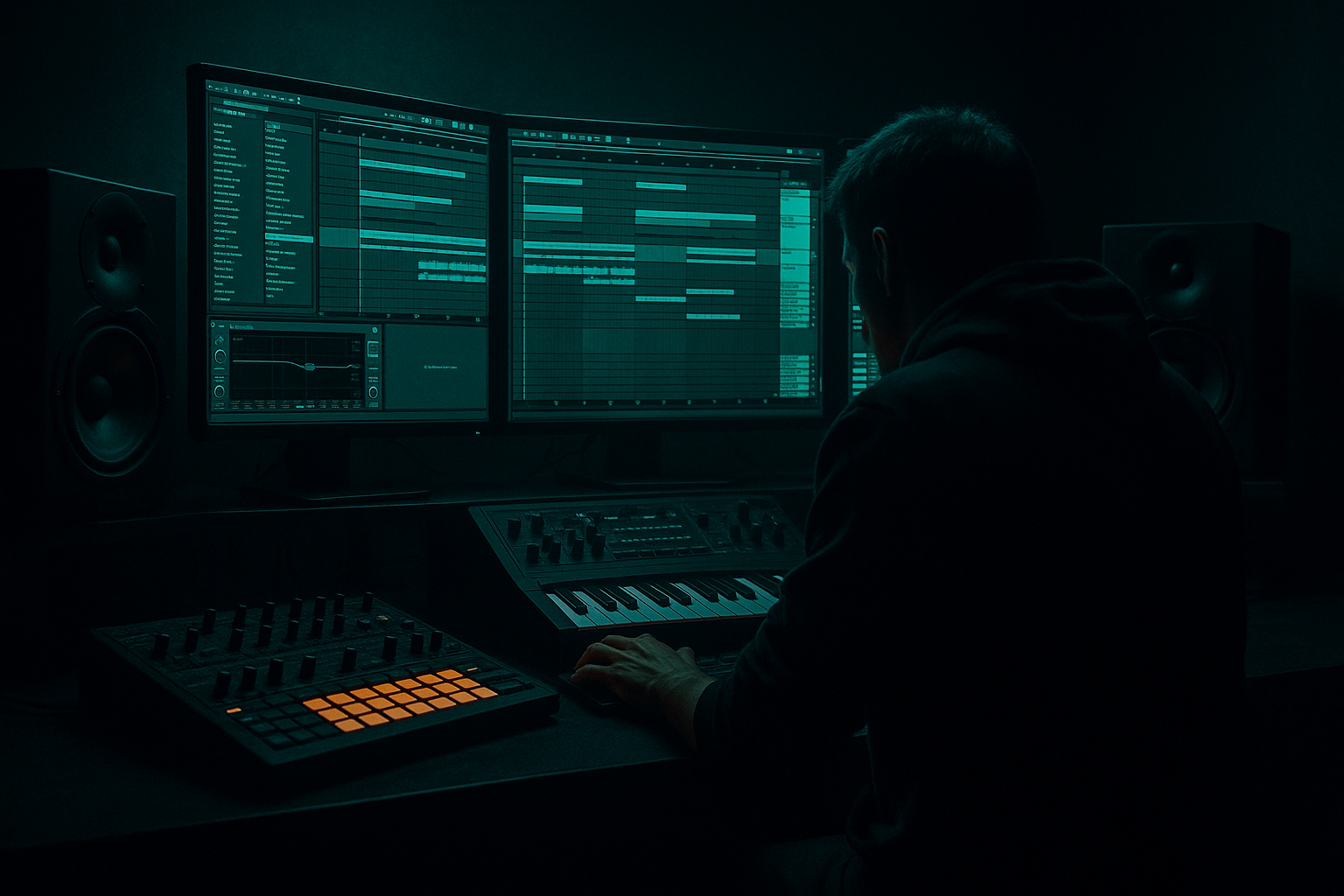
Main tutorial
Lesson Overview
In this lesson, you’ll build a Reese jungle bass wobble in Ableton Live 12 and, more importantly, learn how to route it, resample it, and arrange it like a real DnB record. This is not just about making a moving bass sound — it’s about turning a dense, midrange-heavy Reese into a controllable, musical element that can carry tension through a roller, jungle break section, or darker half-time drop.
In Drum & Bass, the Reese is often the “body” of the drop: it fills the gap between the sub and the drums, gives the track identity, and creates motion without needing constant melodic change. The wobble part matters because DnB energy is often built through micro-automation, phrase contrast, and resampled variation rather than huge harmonic movement. That’s especially true in jungle, rollers, and neuro-leaning darker bass music, where the bass has to stay powerful, rhythmically locked, and mix-clean.
The main goal here is to create a Reese bass that:
- Has a stable sub foundation
- Moves with filter and/or phase modulation
- Can be routed cleanly for processing and resampling
- Is arranged into call-and-response phrases, not just looped endlessly
- Feels like it belongs in a proper DnB drop, with intro tension, drop impact, and switch-up potential
- A low, mono sub layer holding the weight
- A wide, animated Reese mid layer that wobbles, folds, and distorts
- A resampling channel that prints movement into audio for edits, chops, reverses, and arrangement variation
- A drop arrangement with:
- Notes are mostly short and deliberate
- The bass answers the drums rather than stepping on them
- The wobble has character, but the sub stays stable
- The resampled audio gives you extra grit, reverses, and one-shot fills for later arrangement work
- Letting the Reese and sub overlap too much in the low end
- Using too much unison width on the mid bass
- Writing a bassline that ignores the drum phrasing
- Resampling too early with no control
- Over-automating everything
- Using warped audio carelessly
- Add parallel distortion with a return track rather than destroying the main bass. This keeps the core clean while giving you grit.
- Use Saturator in soft clip mode on the resampled audio for extra density without wild spikes.
- Automate Auto Filter resonance slightly higher before a drop return for a more biting, haunted tone.
- For neuro-leaning weight, try short filter-envelope-like movements using clip automation or Shaper to create rhythmic pumping.
- If the Reese feels too static, resample again after adding subtle FX, then slice the new audio into smaller phrases. Layering printed versions often sounds bigger than endlessly tweaking one patch.
- Use ghost bass hits: tiny, low-velocity notes or clipped audio stabs under the main phrase to add urgency without clutter.
- Keep the sub simple, but let the midrange tell the story. That contrast is what makes the low end feel huge in a club.
- For darker atmosphere, tuck in a very low-send Reverb or Echo throw only on phrase endings, not the whole bass line.
- Does the sub stay solid?
- Does the Reese move enough without crowding the break?
- Does the resampled audio create a better arrangement than the original MIDI loop?
- Separate your sub and Reese mid layers for clean DnB low-end control.
- Use filter movement, saturation, and modulation to create the wobble.
- Resample early enough to turn sound design into arrangement material.
- Edit the printed audio into phrases, fills, reverses, and call-and-response moments.
- Keep the bass locked to the breakbeat groove, with mono low end and disciplined stereo in the mids.
- In darker DnB, the best basslines are not just sound designs — they’re arranged performances.
Why this matters: in DnB, sound design and arrangement are inseparable. A great Reese patch is useful, but a great resampled Reese performance is what gives you that “finished record” feeling. 💥
What You Will Build
You’ll create a two-layer Reese bass system in Ableton Live 12:
- 8-bar intro tension
- 16-bar main drop phrase
- 4-bar switch-up using resampled fills
- DJ-friendly outro option
Musically, the result should feel like a dark jungle roller / neuro-leaning DnB drop:
Step-by-Step Walkthrough
1. Set up a clean routing template first
Start by making a simple group structure in Ableton Live:
- Drum Group
- Sub Bass track
- Reese Mid track
- Resample Print track
- FX Return tracks
Put the bass tracks in a Bass Group if you like, but keep sub and mid separate. That separation is crucial for DnB because it lets you process the weight and the movement independently. Set the master headroom so the mix peaks around -6 dB before limiting. That gives you room once the bass starts talking to the drums.
On the Reese Mid track, load Wavetable or Analog. Wavetable is ideal for modern movement because you can sculpt phase-heavy harmonics quickly. Start with a classic Reese-style source:
- Osc 1: saw
- Osc 2: saw, slightly detuned
- Unison: low to moderate, around 2–4 voices if you want width
- Detune: subtle, roughly 5–15%
Keep this layer mid-focused. Don’t worry about sub yet.
2. Design the sub as a separate, boring-but-perfect layer
The sub should not wobble wildly. In DnB, the sub needs to be predictable and mix-solid so the Reese movement can ride on top without blurring the kick and break.
Use Operator or Simpler with a sine wave:
- Oscillator: sine
- Glide/portamento: short if you want slides, around 20–60 ms
- Keep it mono
- Use Utility to force mono if needed
- Roll off any extra harmonics with EQ Eight if there’s unwanted buzz
Write a simple MIDI line that follows the root movement of the drop. For a jungle/roller context, try something like:
- Bar 1–2: root note
- Bar 3: octave jump
- Bar 4: short pickup note before the phrase repeats
The key is that the sub should support the rhythm, not compete with the break. If your break is busy, keep the sub notes shorter and more spaced.
3. Build the Reese movement with modulation and filtering
On the Reese Mid track, shape the movement using Auto Filter, Shaper, and stock modulation inside the instrument.
A strong DnB Reese wobble often comes from the interaction of:
- Slight detuning
- Filter movement
- Drive/saturation
- Stereo phase changes
Try this chain:
- Wavetable
- Auto Filter
- Saturator
- Compressor or Glue Compressor
- Utility
Suggested starting points:
- Auto Filter: Low-pass 12 or 24 dB
- Resonance: 10–25%
- Drive: 3–8 dB
- Saturator Drive: 2–6 dB
- Utility width: reduce or automate depending on the phrase
Now automate the filter cutoff in a musical wobble pattern:
- For a slower roller feel: 1/2 or 1-bar movement
- For a neuro-leaning energy: 1/8 or dotted 1/8 pulses
- For jungle tension: short filter opens that answer the break fills
Why this works in DnB: the bass line often needs to feel like it is “breathing” with the drums, but not constantly changing pitch. Filter and saturation movement provide the energy while the MIDI remains tight and mixable.
4. Create a dedicated resample return
This is where the lesson becomes properly advanced. Create a new audio track called Resample Print and set:
- Audio From: Resampling
- Monitor: In
- Arm the track for recording
Now route your Reese Mid track into this resample path by playing the MIDI and recording the output as audio. If you want to capture only the Reese Mid track, you can also route Audio From > Reese Mid and choose post-fx/post-mixer depending on the version of your Live routing preferences. The point is to print the sound after processing so you can edit it like audio.
Record 4–8 bars of bass movement while your filter automation plays. Then stop and listen to the audio clip. This printed version becomes your new source material for:
- slicing
- reversing
- warping
- transposing a few semitones
- duplicating tiny fills
- adding extra automation on clip gain or fades
In darker DnB, resampling is a massive workflow advantage because it turns complex modulation into arrangement-ready audio. You preserve the character and gain speed later.
5. Edit the resampled audio into call-and-response phrases
Open the recorded clip in Arrangement View and cut it into phrases. Think like a DJ and a breakbeat arranger:
- 2-bar question
- 2-bar answer
- 1-bar fill
- 1/2-bar pickup
Use warp markers only where needed. If the bass has a lot of free movement, avoid over-manipulating the timing. The goal is to keep the groove intact.
Try these moves:
- Duplicate a 1-bar bass phrase and pitch it up or down by 1–3 semitones for a variation
- Reverse a short tail for tension before the drop hit
- Add a tiny fade-in on a clipped bass stab for that “sucked in” feel
- Slice a resonant filter open and place it before a snare fill
A strong arrangement example:
- Bar 1: bass holds out
- Bar 2: short wobble answer after the snare
- Bar 3: rest on beat 1, then a bass stab on the offbeat
- Bar 4: resampled fill into the next phrase
This gives the drop a call-and-response relationship with the break, which is a classic DnB move. The drums speak, the bass responds.
6. Layer the bass with drum bus awareness
In DnB, bass arrangement only works if it respects the drums. Put your break or drum group on its own bus and treat the bass group as a separate energy system. Use EQ Eight on the Reese Mid track to carve space:
- High-pass around 80–120 Hz on the mid layer
- Notch harsh zones if needed around 2.5–5 kHz
- Keep the sub below the crossover clean and centered
On the Drum Group, consider gentle bus shaping:
- Glue Compressor with 1–2 dB gain reduction
- Attack around 10–30 ms
- Release on auto or around 0.1–0.3 s
This helps the break feel glued without flattening the transient snap. Then make sure the bass doesn’t fight the kick or the main snare hits. If the drum groove has a strong ghost-note pattern, place bass stabs in the gaps.
In jungle especially, the bass often feels strongest when it leaves room for the break to breathe. In neuro or heavier rollers, the bass can be more continuous, but the low end still needs discipline.
7. Add transition FX and tension automation around the resampled phrases
Now treat the bass like arrangement material, not just a loop. Use stock Ableton devices to create transitions:
- Auto Filter automation for opens/closes
- Reverb sends on only a few tail notes
- Echo for short pre-drop throws
- Redux or Saturator for aggressive switch-up moments
- Utility to automate width changes before a drop return
Practical move: automate the Reese Mid track to get narrower in the build-up, then open wider at the drop impact. For example:
- Build-up width: near mono or moderately narrow
- Drop width: widen the mid layer after the first hit
You can also automate a high-pass filter sweep on the resampled audio right before the drop. This is especially effective in jungle arrangements where the break and bass need a clear pre-impact lift.
Make sure the FX don’t wash out the bass. In darker DnB, the best transitions still feel punchy and controlled, not cloudy.
8. Finish the drop with variation and a DJ-friendly arrangement
A strong DnB drop is usually not just one 16-bar loop. Build it as a phrase with evolution:
- Bars 1–8: main Reese motif
- Bars 9–12: reduced bass with more drum space
- Bars 13–16: resampled fills, pitch dips, or reversed tail accents
- Final 4 bars: strip back for an outro or mix point
For a jungle/roller vibe, let the break edits breathe in the first half of the drop, then use the resampled Reese to take over in the second half. For a neuro or heavier style, increase density through more frequent audio chops and sharper automation moves.
A useful musical context example: imagine a track where the break is busy in bars 1–4, the Reese answers on the offbeat in bars 5–8, and bar 9 introduces a reversed bass inhale into a snare fill. That kind of phrase design keeps the listener locked in and makes the drop feel like it’s progressing rather than looping.
Once arranged, do a mono check with Utility on the master or bass bus. The sub should stay stable, and the mid movement should still make sense without stereo widening gimmicks. That’s the kind of discipline that keeps a track sounding professional in clubs.
Common Mistakes
- Fix: high-pass the mid layer around 80–120 Hz and keep the sub mono.
- Fix: reduce unison voices or automate width only in selected sections. Too much stereo movement can make the bass flimsy.
- Fix: place bass stabs around kick/snare and ghost-note gaps. DnB bass should lock to the break, not fight it.
- Fix: print a few versions — one cleaner, one dirtier, one with more filter movement — then choose later.
- Fix: make one or two parameters do the heavy lifting, usually filter cutoff and drive. Too many moving parts can sound random.
- Fix: check transients and timing after slicing. If the groove feels lazy, re-align the phrase rather than forcing it.
Pro Tips for Darker / Heavier DnB
Mini Practice Exercise
Set a 15-minute timer and build a 16-bar Reese jungle bass section from scratch:
1. Program a simple 2-bar MIDI bass pattern for a sub and Reese mid layer.
2. Automate filter movement on the Reese Mid track with two contrasting shapes:
- one 4-bar slow open
- one 1-bar quick wobble
3. Resample 8 bars of the processed bass.
4. Slice the audio into four 2-bar phrases.
5. Reverse one phrase and pitch one phrase up or down by 2 semitones.
6. Arrange the result into a call-and-response drop with one short fill into bar 9.
7. Do a mono check and trim any low-end mess.
When you’re done, listen back and ask:

