DNB COLLEGE

Drum & Bass Ableton Live 12 Tutorials

LESSON DETAIL

Rebuild oldskool DnB intro with breakbeat surgery in Ableton Live 12 (Intermediate)

An AI-generated intermediate Ableton lesson focused on Rebuild oldskool DnB intro with breakbeat surgery in Ableton Live 12 in the DJ Tools area of drum and bass production.

Back to lessons
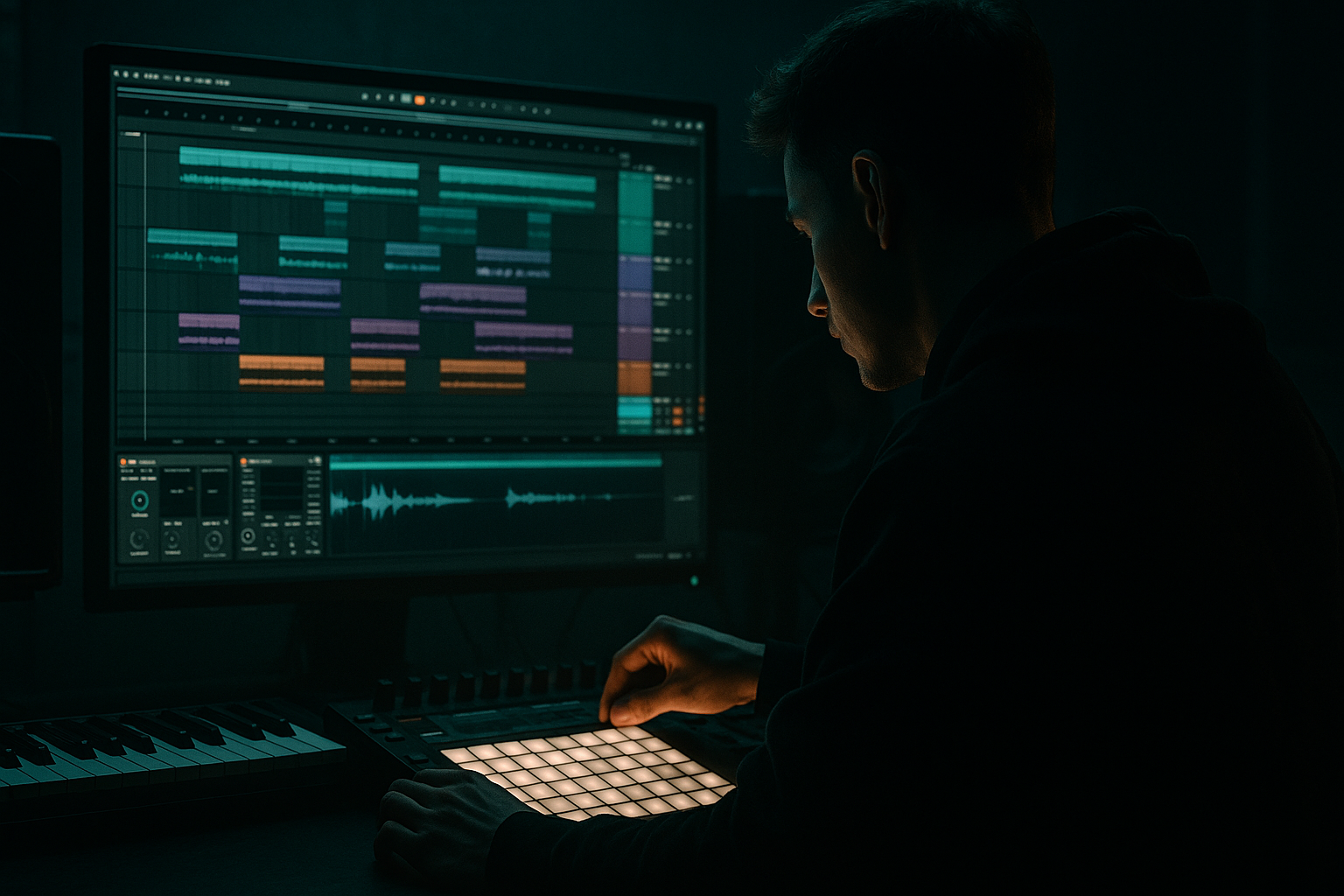
Rebuild oldskool DnB intro with breakbeat surgery in Ableton Live 12 (Intermediate) cover image

Narrated lesson audio

The voice track includes the tutorial plus extra teacher commentary.

Open audio file

Main tutorial

```markdown

Rebuild an Oldskool DnB Intro with Breakbeat Surgery (Ableton Live 12) 🥁⚡

Skill level: Intermediate

Category: DJ Tools (intro tools, tension building, mix-friendly arrangements)

---

1. Lesson overview

In this lesson you’ll rebuild a classic oldskool/jungle-style drum & bass intro using breakbeat surgery in Ableton Live 12. The goal is to create an intro that feels authentic (chopped, shuffled, gritty), but is also DJ-friendly: clean bars, predictable energy ramps, and clear mix points.

You’ll learn how to:

  • Warp and stabilize a breakbeat (tight but not sterile)
  • Slice it for surgical rearrangement
  • Build call-and-response intro patterns (think: Amen/Think funk energy)
  • Add oldskool texture using stock Ableton devices (without overprocessing)
  • Arrange the intro so it mixes well in a club set 🎛️
  • ---

    2. What you will build

    A 16 or 32-bar DnB intro at ~170–174 BPM with:

  • A chopped break pattern that escalates from sparse → busy
  • A consistent 2-step backbone for mixability
  • Classic “tape/air” texture + subtle grime
  • One or two fill moments (snare rush, reverse hit, gate trick) to lead into the drop
  • Vibe references (conceptually): oldskool jungle intros, early techstep tension, rolling DnB DJ-tool style.

    ---

    3. Step-by-step walkthrough

    Step 0 — Session setup (DJ-tool mindset) 🎚️

    1. Set tempo to 172 BPM (adjust to your target).

    2. Set grid to 1 Bar view for arrangement work.

    3. In Arrangement View, create markers:

    - 1–9: Intro A (sparse)

    - 9–17: Intro B (busier)

    - 17–33: “Full intro” / pre-drop (if doing 32 bars)

    DJ tool rule: Keep changes on phrase boundaries (every 8 or 16 bars).

    ---

    Step 1 — Choose and warp a break (tight but alive)

    Pick a break with character (Amen, Think, Hot Pants-style, or any crunchy break).

    1. Drag the break into an audio track.

    2. Click the clip → enable Warp.

    3. Set Seg. BPM properly:

    - If it’s a classic sampled break, it might come in at weird tempo. Use Warp From Here (Straight) to get it close.

    4. Choose Warp Mode:

    - Beats mode for classic break control

    - Preserve: Transients

    - Transient Loop Mode: Off (start here)

    - Envelope: ~60–80% (higher = tighter transients)

    - If it gets too clicky, try Complex Pro (less “oldskool” but smoother).

    Goal: The break should loop cleanly over 1 or 2 bars without drifting.

    ---

    Step 2 — Convert to slices for breakbeat surgery 🔪

    We want surgical chops that still feel like jungle.

    1. Right-click the warped clip → Slice to New MIDI Track.

    2. In the dialog:

    - Slice by: Transients (best start)

    - Create one slice per: Transient

    - Slicing preset: Built-in (Simple) or Drum Rack (recommended)

    Ableton creates a Drum Rack with each transient mapped to pads.

    Pro workflow:

  • Rename the track: `BREAK SURGERY RACK`
  • Color it bright (you’ll live here for a bit)
  • ---

    Step 3 — Build a solid 2-step backbone (DJ-friendly) 🚦

    Before you go crazy, lock a foundation that mixes cleanly.

    1. Create a new MIDI clip on the Drum Rack track: 1 bar loop.

    2. Find the core hits:

    - Kick transient slice (often earlier in the break)

    - Snare transient slice (usually strong on beat 2 and 4)

    3. Program:

    - Kick on 1 and 3 (or just 1 for more jungle space)

    - Snare on 2 and 4

    4. Quantize only the backbone:

    - Select those notes → Quantize to 1/16 with ~50–70% strength (keep human drift)

    Now you’ve got a clean “mix spine” that still uses break texture.

    ---

    Step 4 — Add shuffle and ghost-note funk (the “oldskool” part) 👟

    This is where it starts sounding like real break science.

    1. Duplicate your 1-bar clip to 2 bars.

    2. Add ghost snares and hats by placing quieter slices in between:

    - Put small snare ghosts just before beat 2 and 4 (classic push)

    - Add hat slices on offbeats (the break will provide natural swing)

    3. Use velocity as your groove engine:

    - Main snare: ~110–127

    - Ghosts: ~30–70

    - Hats: ~40–90 (vary them)

    Ableton tip: In Live 12 MIDI editor, use velocity editing + randomization lightly rather than hard quantize.

    ---

    Step 5 — Micro-edits: stutters, reverses, and “chip” fills 🧨

    Create signature jungle “surgery” moments without ruining mixability.

    A) 1/16 stutter on a snare (end of bar 8 / 16)

    1. Pick a snare slice.

    2. At the end of your phrase (last beat), repeat it in 1/16 notes for one beat.

    3. Lower velocity across the repeats slightly (like a decay).

    B) Reverse a single slice (classic tension)

    1. Duplicate the snare slice sample:

    - In Drum Rack, click the pad → open Simpler

    2. In Simpler, enable Reverse (for just that pad)

    3. Use that reversed hit once right before the next phrase.

    C) “Chip” edit (tiny hit as a pickup)

    Place a very short percussive slice 1/32 before the snare (if you’re on 1/16 grid, fake it by nudging slightly off-grid).

    ---

    Step 6 — Add grime + cohesion with a stock device chain 🧱

    Break slices can sound disconnected. Glue them while keeping grit.

    On the Drum Rack track, try this chain:

    1. EQ Eight

    - High-pass: 30–40 Hz (remove rumble)

    - Gentle dip: 200–350 Hz if boxy (–2 to –4 dB)

    - Small shelf: 8–12 kHz if too fizzy (–1 to –3 dB)

    2. Drum Buss

    - Drive: 5–15% (adjust)

    - Crunch: 5–20% (taste)

    - Boom: Off or very low for intros (save sub weight for drop)

    - Transients: +5 to +15 if you want snap

    3. Glue Compressor (subtle)

    - Attack: 3–10 ms

    - Release: Auto

    - Ratio: 2:1

    - Aim for 1–3 dB gain reduction on peaks

    4. Saturator (optional, for oldskool hair)

    - Mode: Soft Sine or Analog Clip

    - Drive: 2–6 dB

    - Turn on Soft Clip

    Keep it restrained: intros should tease power, not blow the drop early.

    ---

    Step 7 — Create space with sends (dubby but controlled) 🌫️

    Oldskool intros love atmosphere, but DJs love clarity. Use sends.

    Send A: Reverb (Hybrid Reverb)

  • Algorithmic: Plate or Hall
  • Decay: 1.2–2.5 s
  • Pre-delay: 15–30 ms
  • High-cut: 6–10 kHz
  • Return EQ: High-pass 200–400 Hz
  • Send B: Delay (Echo)

  • Time: 1/8 or 1/4 dotted
  • Feedback: 15–35%
  • Filter: Keep it dark (low-pass around 4–7 kHz)
  • Modulation: subtle for movement
  • Send only ghost hits and occasional snare accents to keep the mix point clean.

    ---

    Step 8 — Arrange a proper oldskool DnB intro (16–32 bars) 🧭

    Here’s a practical arrangement template that DJs will love:

    Bars 1–8: Sparse “teaser”

  • Mostly backbone: kick + snare + a hat layer
  • Add light room verb, minimal edits
  • Filter slightly darker (Auto Filter gentle low-pass at ~12 kHz)
  • Bars 9–16: Add funk + edits

  • Bring in ghost notes
  • Add one stutter fill at bar 16
  • Increase send to delay/reverb slightly (automation)
  • Bars 17–24 (if doing 32): Tension ramp

  • Slightly busier chop pattern
  • Introduce a “ridey” hat slice or tambour hit
  • Add subtle noise sweep (Operator noise or a sample) into phrase end
  • Bars 25–32: Pre-drop energy

  • Add a short snare roll (last 1 bar)
  • Pull reverb/delay down right before drop (DJ clarity)
  • Last beat: a clean pickup (reverse snare / impact)
  • DJ Tool tip: Keep kick+snare recognisable at all times, even when chopping.

    ---

    Step 9 — Optional: Layer a clean top for modern clarity ✨

    If your break is too dusty, layer carefully:

    1. Add a closed hat sample on an audio track or in a second Drum Rack.

    2. High-pass it around 6–10 kHz (EQ Eight).

    3. Keep it subtle: it should support the break, not replace it.

    ---

    4. Common mistakes 🚫

  • Over-quantizing the entire break: kills the swing and “human” push-pull.
  • Too many chops too early: DJs need a stable intro groove to mix into.
  • Overdoing reverb on the full break: smears transients and makes beatmatching harder.
  • No velocity shaping: jungle funk is dynamics-heavy; flat velocities sound fake.
  • Letting low-end from the break fight the bass: high-pass the break and keep sub space for the drop.
  • ---

    5. Pro tips for darker/heavier DnB 🖤

  • Make the break meaner without making it louder:
  • - Drum Buss with a touch more Drive and Transients

    - Saturator with Analog Clip + Soft Clip for edge

  • Use “negative space” like techstep:
  • Drop out hats for a bar, leave kick+snare dry, then slam back in.

  • Create tension with filtering and automation:
  • - Auto Filter low-pass gradually opening from 4 kHz → 12 kHz over 8 bars

    - Then snap slightly darker right before drop for contrast.

  • Ghost note brutality:
  • Turn ghost snares into “whips” by adding a tiny bit of Echo send just on those hits.

  • Resample for character:
  • Route break track to a new audio track and Resample 8 bars, then warp that and re-slice. One generation of resample often adds glue and attitude.

    ---

    6. Mini practice exercise 🎯

    Goal: Make an 8-bar intro loop that evolves every 2 bars.

    1. Take one break, slice to Drum Rack.

    2. Build a 2-step backbone (kick on 1/3, snare on 2/4).

    3. Create four 2-bar variations:

    - Var 1: Backbone only (dry)

    - Var 2: Add hats + ghosts (low send)

    - Var 3: Add one micro-stutter on snare (end of bar 6)

    - Var 4: Add reverse snare pickup + remove reverb right before loop restarts

    4. Automate Hybrid Reverb send:

    - Increase slowly over bars 1–7

    - Hard drop send to near zero on bar 8 last beat

    Export the 8-bar loop and test it like a DJ tool—does it feel easy to mix into?

    ---

    7. Recap ✅

    You built an oldskool DnB intro by:

  • Warping a break properly (tight, not robotic)
  • Slicing to Drum Rack for precise breakbeat surgery
  • Anchoring everything with a DJ-friendly 2-step backbone
  • Adding funk via ghost notes + velocity control
  • Using stock Ableton devices (EQ Eight, Drum Buss, Glue, Saturator, Hybrid Reverb, Echo)
  • Arranging in 8/16-bar phrases with clean mix points and controlled FX

If you want, tell me the break you’re using (Amen/Think/etc.) and the vibe (jungle / techstep / rollers), and I’ll suggest a specific 16-bar intro pattern + device settings to match.

```

Ask GPT about this lesson

Chat with the lesson tutor, get follow-up help, or use quick actions.

Bigup 👽 Ask me anything about this lesson and I’ll answer in context.

Narration script

Show spoken script
Welcome back. In this lesson we’re going to rebuild a proper oldskool drum and bass intro using breakbeat surgery in Ableton Live 12.

The target is that classic jungle-techstep kind of energy: chopped, shuffled, gritty, but still DJ-friendly. Meaning clean phrases, predictable ramps, and mix points that don’t fight the next record.

We’re aiming for a 16 or 32 bar intro around 170 to 174 BPM. I’m going to sit at 172. And the big idea is this: we’ll keep a stable two-step backbone the whole time so it’s easy to mix, then we’ll do all the fun “surgery” around that backbone so it sounds alive.

Alright, let’s set up like a DJ tool.

Set your tempo to 172. Jump into Arrangement View so you’re thinking in phrases, not just a loop. And put in a few locators or markers: bars 1 to 9 as Intro A, sparse. Bars 9 to 17 as Intro B, busier. And if you want a full 32, mark 17 to 33 as the pre-drop chapter.

Quick rule you’ll hear me repeat: changes happen on phrase boundaries. Eight bars, sixteen bars. That’s how you make something that DJs instantly trust.

Now let’s pick a break.

Grab something with real attitude: Amen, Think, Hot Pants, anything crunchy with personality. Drag it onto an audio track. Click the clip, turn Warp on.

Most old sampled breaks come in at some random tempo, so don’t panic if the grid looks wrong. Use “Warp From Here Straight” to get it close, then make sure it loops cleanly as one bar or two bars without drifting. That’s your first win: tight, but not sterile.

For warp mode, start with Beats mode. Set Preserve to Transients. Start with transient loop mode off. And set the envelope somewhere like 60 to 80 percent. If it starts sounding clicky or too chopped up in a bad way, you can audition Complex Pro. It’s smoother, but it can feel less oldskool. There’s no rule, just use your ears. The goal is stable looping with the break’s character intact.

Once the break is looping clean, we’re going to do the surgery.

Right-click the warped clip and choose Slice to New MIDI Track. Slice by Transients, one slice per transient. For the preset, choose Drum Rack. Ableton will build a Drum Rack with all those little transient hits mapped to pads.

Rename the track something like BREAK SURGERY RACK and make it a loud color. Not for aesthetics. It’s because you’re about to live on this track, and you want to find it instantly.

Now, before we get fancy, we build the DJ spine.

Create a new MIDI clip on the drum rack, one bar long. Your job here is to find the kick slice and the snare slice. Usually you can hear it immediately. If not, click through pads while the break is playing and find the strongest kick transient and the snare that feels like “the snare” of the break.

Program a two-step: kick on beat 1 and beat 3, snare on beat 2 and beat 4. Or, if you want more jungle space, do kick only on 1 and let the break texture carry the movement. But keep the snares on 2 and 4. That’s the handshake with every DJ on earth.

Now here’s a key intermediate move: quantize only the backbone. Select just those main kick and snare notes and quantize to 1/16, but with about 50 to 70 percent strength. You’re not trying to stamp out the human feel. You’re just stabilizing the downbeats so it locks in a mix.

Coach note: think of this as choosing anchors. Three to five slices that are non-negotiable. Main kick, main snare, maybe one hat, and one little snare drag. Those are your anchors. Everything else can be the loose skin around it.

Alright. Now we add the funk.

Duplicate your one bar clip out to two bars. This is important because a lot of classic break feel is two-bar conversation. One bar asks, the next bar answers.

Start placing quieter slices between the main hits. Add ghost snares just before beat 2 and just before beat 4. That little push is where the “oldskool” lives. Then add hat slices on the offbeats, and don’t make them identical. A huge part of jungle vibe is that the hats are slightly different every time, and the velocities breathe.

Use velocity like it’s your groove knob. Main snare around 110 to 127. Ghost hits around 30 to 70. Hats maybe 40 to 90, but vary them so it doesn’t sound like a grid.

And here’s the mistake I want you to avoid: don’t over-quantize the whole clip. If you force every ghost and hat perfectly to the grid, the break stops talking and starts typing. Leave some drift. If you want swing, you can also use the Groove Pool, but do it with control.

Optional but powerful: extract groove from the original break. Then apply that groove only to hats and ghosts, not to your main kick and snare. Keep timing amount subtle, like 10 to 25 percent. Velocity maybe zero to ten. Random very low. That way you get the human push without wrecking the downbeat.

Now we’re going to add a couple of signature edits. Just a couple. DJ tool, remember: we’re building tension without sabotaging mixability.

First micro-edit: a 1/16 stutter on a snare at the end of a phrase. Put it at the end of bar 8, or bar 16. Pick a snare slice, and repeat it as 1/16 notes for one beat. Then slightly fade the velocities down across the repeats so it sounds like it’s decaying, not machine-gunning.

Second micro-edit: a reverse hit right before a new phrase. In the drum rack, click the pad for the snare slice, open Simpler, and enable Reverse. Now use that reversed hit once, right before bar 9 or bar 17. It’s that classic inhale before the next section lands.

Third micro-edit, if you want that tiny “chip” pickup: take a very short percussive slice and place it just before a snare. If you’re on a 1/16 grid, you can nudge it slightly earlier to fake a 1/32 pickup. It’s subtle, but it adds urgency.

Another coach trick here: if something sounds flammy, don’t immediately start moving MIDI notes all over the place. Go per pad. In Simpler, adjust the slice Start a few milliseconds forward or back. Your MIDI stays readable, and you fix timing at the source. It’s one of those workflow upgrades that makes you faster.

Also, gain-stage inside the rack. Each pad chain has volume. Use that to balance your main kick and snare versus your ghosts. If you don’t, your compressor ends up reacting to one rogue loud slice and everything pumps in a weird way.

Now we glue it together with a stock Ableton chain. Keep it restrained. Intros should tease power, not blow the drop early.

On the drum rack track, add EQ Eight first. High-pass around 30 to 40 Hz to remove rumble. If it’s boxy, a gentle dip around 200 to 350 Hz, maybe two to four dB. If it’s too fizzy, a tiny shelf down around 8 to 12 kHz, one to three dB. We’re not trying to redesign the break, just make it sit.

Then add Drum Buss. Drive somewhere like 5 to 15 percent. Crunch 5 to 20 percent, to taste. I’d keep Boom off or very low in an intro, because sub weight belongs to the drop. If you want the break to snap, push Transients plus five to plus fifteen.

Next, Glue Compressor. Subtle. Attack around 3 to 10 milliseconds, release on Auto, ratio two to one. Aim for one to three dB of gain reduction on peaks. Just enough to make it feel like one instrument.

Optional: Saturator for oldskool hair. Soft Sine or Analog Clip, drive two to six dB, Soft Clip on. If it starts sounding flat, back it off. The point is texture, not loudness.

Now let’s build space, dubby but controlled.

Set up two return tracks. Send A is reverb, using Hybrid Reverb. Pick a Plate or Hall. Decay about 1.2 to 2.5 seconds. Pre-delay 15 to 30 milliseconds so the reverb doesn’t smear the transient immediately. High-cut the reverb so it’s not all hiss, maybe 6 to 10 kHz. And on the return, high-pass around 200 to 400 Hz so you don’t wash out the low mids.

Send B is delay, using Echo. Try 1/8 or 1/4 dotted. Feedback 15 to 35 percent. Filter it darker, low-pass around 4 to 7 kHz. Tiny modulation for movement.

Important DJ rule: don’t send the whole break. Send ghosts, send occasional snare accents. Keep your core kick and snare relatively clean so the mix point stays sharp.

Now we arrange it into a real intro.

Bars 1 to 8: sparse teaser. Mostly the backbone, maybe a simple hat layer. Minimal edits. A gentle Auto Filter low-pass can keep it slightly dark, like around 12 kHz or lower depending on the break. This section is where a DJ can safely bring it in.

Bars 9 to 16: add funk and edits. Bring in your ghost notes, slightly more hat density. Add one stutter fill at bar 16. Maybe automate your reverb and delay sends up a little across these bars, but keep it tasteful.

If you’re doing 32 bars, bars 17 to 24 are your tension ramp. Make the chop pattern a bit busier, introduce a ridey hat slice or tambour hit, and consider a subtle noise sweep into the end of the phrase. You can make noise with Operator’s noise oscillator, or just use a sample. The key is: it’s a build in density, not just volume.

Bars 25 to 32: pre-drop energy. Add a short snare roll in the last bar. Then, right before the drop, pull the reverb and delay down hard. This is super important: wetness feels exciting, but dryness makes impact. And DJs love when the last beat is clean and obvious. That last beat can be a reverse snare, an impact, or a crisp pickup into the drop.

One more arrangement upgrade I recommend: add mixpoint clarity bars. For example, bars 1 to 2 minimal. Bars 7 to 8 strip back to kick and snare only, almost no sends. Bars 15 to 16 do your signature fill, then do a quick dry reset. Those “handshake” moments make your intro feel professional and usable.

Optional modern polish: if your break is dusty and you want just a touch more definition, layer a clean closed hat. High-pass it aggressively, like 6 to 10 kHz, and keep it quiet. It should support the break, not replace it. If you hear the hat layer before you feel it, it’s probably too loud.

Now a few common mistakes to watch for.

If you quantize everything hard, you kill the swing. If you add too many chops too early, the intro becomes unpredictable and hard to mix. If you drown the full break in reverb, you smear the transients and beatmatching becomes annoying. If you ignore velocity shaping, it sounds fake. And if you let the break’s low end fight the bass, the drop won’t hit. High-pass the break and leave the sub space for later.

Let’s finish with a quick practice assignment you can actually do in like 20 minutes.

Make an 8-bar intro loop that evolves every 2 bars. Start with one sliced break. Build a two-step backbone. Then make four 2-bar variations: first one is backbone only, dry. Second adds hats and ghosts with low sends. Third adds one micro-stutter at the end of bar 6. Fourth adds a reverse snare pickup and then removes reverb right before the loop restarts.

Automate your reverb send so it slowly increases over bars 1 through 7, then drops to near zero on the last beat of bar 8. Export it, and test it like a DJ tool. Loop it for two minutes. Does it stay mixable? Do your downbeats stay obvious? Does it build excitement without getting messy?

Final pro move, if you want extra character: resample your programmed break. Record 4 or 8 bars to a new audio track, warp it with a different mode like Texture for some patina, then slice that print again and swap a few key hits. One generation of printing often adds glue and attitude in a way plugins don’t.

And that’s the full workflow: stabilize the break, slice it, build the two-step spine, add ghost funk and micro-edits, glue with stock devices, use sends with discipline, and arrange in clean 8 and 16 bar phrases.

If you tell me which break you’re using and whether you’re going for jungle swing or early techstep stiffness, I can suggest a specific 2-bar anchor map, plus a practical macro layout so you can reuse this as a performance-ready DJ intro rack.

mickeybeam

Go to drumbasscd.com for +100 drum and bass YouTube channels all in one place - tune in!

Generating PDF preview…
