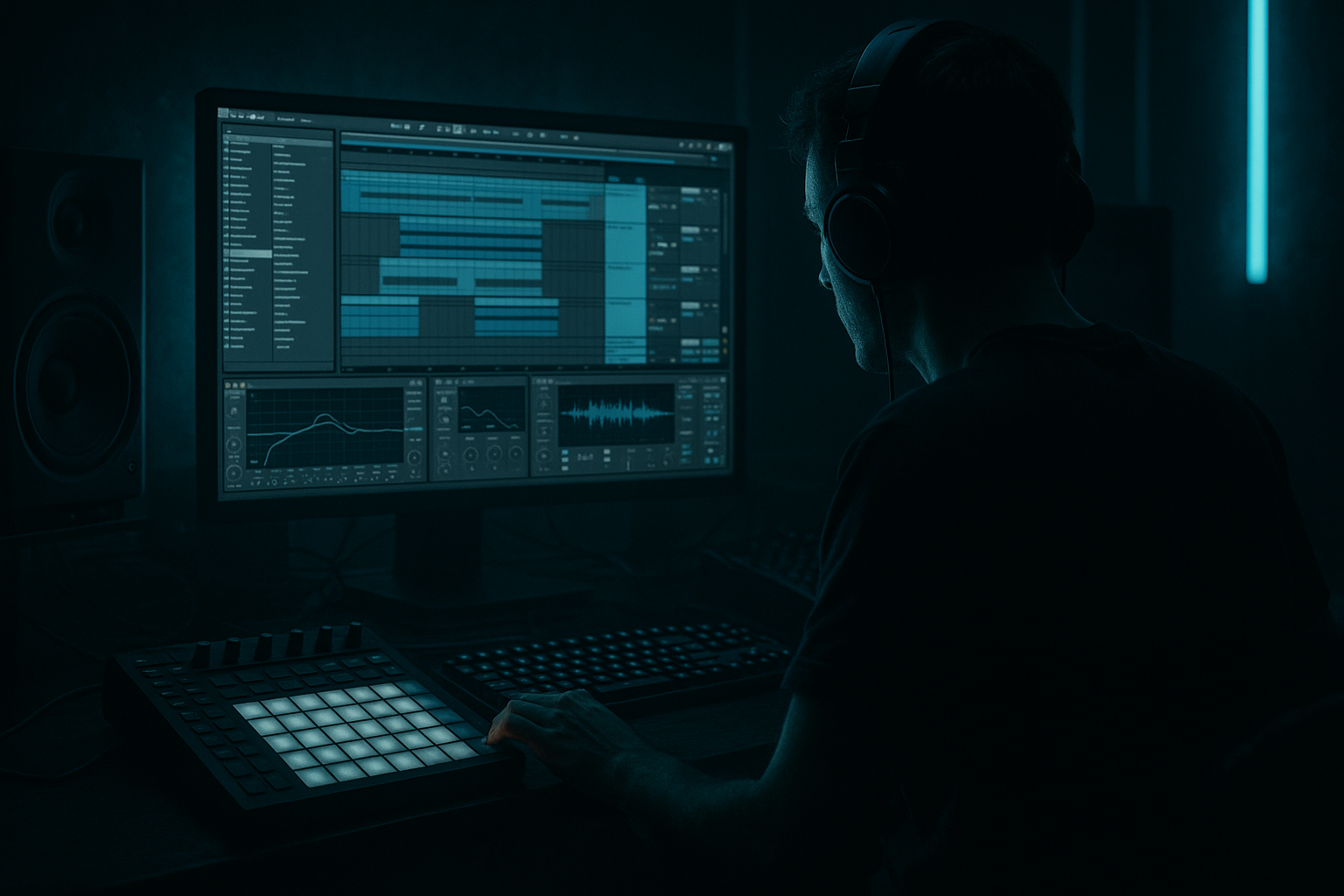
Main tutorial
Lesson Overview
“Pull a chop” is one of those jungle/DnB moves that instantly makes a track feel alive: a short break slice or drum hit gets yanked forward, stretched into a mini phrase, or pulled into a new position with automation so the groove feels like it’s reacting in real time. In an oldskool jungle context, this is the difference between a loop that just repeats and a loop that dances. In modern DnB, the same idea becomes a powerful arrangement tool for switch-ups, fills, and tension moments before a drop or between 16-bar sections.
In Ableton Live 12, the best version of this technique is automation-first: you design the motion with automation lanes, clip envelopes, and device parameter moves before you get lost in tiny edits. That matters in DnB because the groove has to stay locked while still sounding edited, human, and urgent. If the pull hits too hard, you lose low-end stability. If it’s too subtle, the listener won’t feel the lift. The goal is to create a controlled “suck-in” motion on drums, breaks, or bass phrases that feels classic, but still mix-clean and modern.
This lesson sits at the intersection of mixing and arrangement. You’ll be shaping the perceived energy of a loop by moving time, filter, amplitude, and stereo width in sync, then making sure the low end stays disciplined. Think: jungle break pull into a half-time re-entry, roller fill into a drop turnaround, or a neuro-inspired bass chop that gets yanked into a new downbeat with precision.
What You Will Build
You’ll build a tight 4- or 8-bar DnB phrase where a chopped break and a bass stab are pulled forward using automation so the groove feels like it’s folding in on itself.
Specifically, you’ll create:
- A drum break layer with a pulled chop that ramps in pitch, filter, and transient intensity
- A bass phrase that ducks and reshapes around the chop with volume and filter automation
- A short transition moment that feels like classic jungle tension, but with clean modern mix control
- A DJ-friendly loop that can sit in an intro, a pre-drop, or a 16-bar switch-up
- A version that stays punchy in mono and doesn’t smear the sub
- Making the pull too long
- Letting the sub and chop fight in the same moment
- Using too much filter resonance
- Over-editing the audio slices before automating
- Ignoring mono compatibility
- Overloading the pull with too many FX
- Automate saturation into the pull, not after it
- Use band-passed break pulls for tension
- Pull the top loop, not the kick foundation
- Try a reese “answer” instead of a full bass stop
- Resample your best pull
- Keep the pull slightly imperfect
- Build the pull with automation first, not endless slicing
- Protect the sub and mono center
- Use phrase endings for maximum impact
- Keep the motion short, controlled, and mix-clean
- Resample once the groove is working so you can refine fast
Musically, imagine an 8-bar loop where bars 1–4 are a rolling break and bass groove, bars 5–6 start the pull, bar 7 collapses into a chopped fill, and bar 8 releases into the next phrase. That movement is the core of the technique.
Step-by-Step Walkthrough
1. Set up a clean reference groove and save headroom first
Start with a simple Drum Rack or audio break loop at around 170–174 BPM. If you’re working with a classic Amen-style break, Edison, Think, Funky Drummer, or any chopped jungle break, keep it trimmed tightly and warp it to the grid without flattening the swing. For oldskool vibes, don’t over-quantize the hats; let the break breathe.
On the master, leave at least -6 dB headroom. That matters because the pull will create little energy spikes in the mids and upper mids, and you need room for those to hit without clipping the drum bus or master chain.
Put your break on an audio track and your bass on a separate instrument or audio track. Route both to a Drum/Bass group if you like working with buses. Add a Utility on the drum bus and set it to mono-check later, but leave it stereo for now if the break has room ambience.
Why this works in DnB: the pull technique creates apparent loudness through motion, not just level. Headroom lets the automation read clearly instead of turning into mush.
2. Create the “pull” source by slicing the break into usable micro-phrases
If your break is audio, right-click and Slice to New MIDI Track or split the audio into small regions. If you prefer live audio editing, duplicate a 1/8- or 1/16-note slice around the snare-to-kick area. For jungle, the strongest pulls usually happen around the snare lead-in or just before the main downbeat.
Build 3–5 variants of the chop:
- a tight one-shot kick/snare hit
- a slightly longer tail version
- a reversed or resampled version
- a high-passed “air” version for the top end
Keep the main sub-anchoring kick or bass note separate from the chop layer. That separation is crucial: the pull should disturb the top and mid rhythm while the low end stays locked.
In Drum Rack, map the slices to pads and set choke groups if needed so repeated hits don’t overlap awkwardly. If you’re using Simpler, try One-Shot mode for punchy hits and Classic mode for slices you want to pitch or filter during the pull.
3. Design the pull with automation-first thinking, not clip-edit chaos
Drop a loop brace over 4 or 8 bars and turn on automation lanes immediately. Don’t start by dragging audio slices around endlessly. Instead, decide what will move:
- Simpler Transpose or Sample Start
- Auto Filter cutoff
- Utility gain
- Pan or Auto Pan amount
- Reverb or Delay send for the tail
- Track volume for the last 1–2 hits in the pull
The most effective classic DnB pull is usually a combination of:
- filter opening or closing over 1–2 bars
- slight volume rise into the chopped hit
- pitch drop or pitch rise on the final slice
- tail space increase through send automation
A strong starting shape:
- Bars 5–6: filter cutoff rises from about 300 Hz to 2.5–4 kHz on the break top layer
- Bars 6–7: Utility gain on the chop layer lifts by +1.5 to +3 dB
- Final chop: Simpler Transpose moves by -3 to -7 semitones for a pulled-down, oldskool drag, or +2 to +5 semitones for a more urgent yank upward
- Reverb send jumps briefly by 10–20% only on the final hit
Keep the automation curves smooth at first. You want the ear to feel the “inhalation” effect before the impact.
4. Shape the drum pull with stock Ableton devices
On the break layer, insert Auto Filter, Drum Buss, and optionally Saturator.
Suggested settings:
- Auto Filter: 24 dB low-pass or band-pass for a more vintage jungle color
- Cutoff: automate across a 1–2 bar span from about 250–500 Hz up to 3–6 kHz, depending on how present you want the chop
- Resonance: keep modest, around 10–25%, unless you want a more whistle-like pull
- Drum Buss Drive: 5–15% for added smack
- Boom: very low or off on the pull layer if the kick/sub are already heavy
- Crunch: 10–25% for gritty oldskool edge
- Transient: +5 to +20 to make the sliced hits snap forward
If the chop needs more character, place Saturator before Drum Buss and push Drive until the break starts to bite, then pull back with Output Gain so the level stays honest. In darker DnB, a little saturation is often more effective than more EQ because it gives the break a forward midrange without making it thin.
If you want the pull to feel like it’s being physically sucked into the next bar, automate Auto Filter cutoff down right before the hit, then snap it open on the impact. That contrast reads strongly in jungle and rollers.
5. Lock the bass against the pull so the low end doesn’t wobble
This is the mixing part that makes the whole trick work. Your bass should either answer the pull or vanish for a beat to make room. Do not let a sub-heavy reese fight the chopped break in the same transient window.
On the bass track, use:
- Utility to keep low end mono
- EQ Eight to carve around 200–500 Hz if the break is boxy
- Auto Filter or MIDI/clip automation for a brief shape change
- Saturator or Roar for harmonics if the bass needs to stay audible when the sub ducks
Two useful bass approaches:
- Call-and-response: the bass plays a short phrase, then drops out for the pull, then re-enters hard on the downbeat
- Underlay sustain: sub holds through the pull while the midbass ducks 1–3 dB and opens back up after the chop lands
Suggested automation:
- Bass track volume dips by 1–3 dB during the chop burst
- Auto Filter cutoff on the mid layer closes to around 150–400 Hz for one beat, then reopens
- If using a reese, automate width down on the final bar via Utility or a mid/side-safe chain, so the mono center stays stable while the pull occurs
Why this works in DnB: the ear reads the chopped drums as the event, and the bass as the anchor. That contrast creates impact without needing a huge fill.
6. Add ghost motion and micro-timing to make it feel like a real edit
Pulls in jungle rarely feel good if they’re mechanically flat. Add a few ghost notes, late hats, or tiny percussion nudges around the pull. In Ableton, you can do this with an extra Drum Rack lane, a ghost snare track, or very small audio clips.
Good options:
- A low-velocity rim or ghost snare on the “and” before the pull
- A closed hat burst with a 1/32 or 1/64 note roll
- A reversed cymbal or noise swell that feeds the final slice
- A tiny delay throw on a snare tail using Delay or Echo, automated only for the transition
Keep these layers low in the mix. Their job is to create the illusion of a larger edit. For jungle/oldskool vibes, a ghost note just before the pull can make the whole phrase feel like a real break drummer is falling forward into the next bar.
If you’re using audio, micro-nudge one of the slices ahead by a few milliseconds or pull a hat slightly late. That off-grid feel is part of the charm, but don’t wreck the grid integrity of the kick/sub pulse.
7. Automate space, not just tone
One of the easiest ways to make a pull feel premium is to automate the space around it. Use send automation for Reverb or Echo, but keep it selective.
Suggested approach:
- Use a short room or plate reverb on the chop only
- Keep decay short, around 0.6–1.4 seconds
- Pre-delay around 10–25 ms
- High-pass the return or reverb device so the low end stays clean
- Send the final chopped hit up by 10–25% and pull it back immediately after
For a more underground feel, try a small amount of Echo on just the final chop, with low feedback and a filtered top end. This can create a subtle smear that makes the pull feel like it’s stretching time.
On the drum return, use EQ Eight to cut below 200 Hz and tame any harshness around 3–6 kHz if the automation makes the slice bark too much.
8. Use arrangement placement to maximize tension and release
The pull works best when the listener already understands the groove. Place it at the end of a phrase:
- bar 8 into bar 9 of an intro
- bar 16 before the drop returns
- bar 24 before a bass switch-up
- the final bar before an outro or DJ mix-friendly transition
A classic arrangement choice is:
- 8 bars of groove
- 1 bar of pull and collapse
- 7 bars of groove with a variation
Or:
- 16 bars of rolling break/bass
- 2-bar pull and filter-down section
- hard re-entry with a new bass rhythm
In darker DnB, don’t overuse the pull every 4 bars. Save it for phrase endings so it feels like a deliberate edit, not an accidental loop trick.
9. Finish with mono and balance checks
Once the motion is right, stop editing and check the mix. Put a Utility on the master or drum/bass bus and listen in mono. The pull should still feel powerful when collapsed to mono. If it disappears, your stereo tricks are doing too much of the work.
Check:
- Kick and sub relationship during the pull
- Any resonant filter peaks that spike too hard
- Whether the chop masks the snare crack
- Whether the bass re-entry is too loud after the pull
Use EQ Eight to tame any ugly buildup:
- Cut 250–450 Hz if the chop gets boxy
- Dip 2.5–5 kHz if the automation makes the break harsh
- High-pass the pull layer if it’s stealing low-end space from the sub
The aim is a controlled illusion: the listener should feel the edit more than hear the mechanics.
Common Mistakes
If it drags on for 2–4 bars, the energy dies. Fix: keep the main motion to 1 bar or 2 bars max, with the strongest change in the final half-bar.
Fix: duck the midbass during the chop, or remove the bass note entirely for one beat so the pull lands cleanly.
High resonance can sound cheesy or painfully narrow. Fix: keep resonance moderate unless you want a deliberate whistle effect.
Fix: build the motion with automation first, then refine slice positions after the groove works.
Fix: check the pull in mono, especially if you used widening on hats, reverb, or bass mids.
Fix: choose one main motion source, like filter or pitch, and support it with one or two subtle layers only.
Pro Tips for Darker / Heavier DnB
A subtle rise in Saturator or Drum Buss drive before the final chop makes the motion feel like the loop is heating up under pressure.
A narrow band-pass around the upper mids can create a creepy, oldskool tunnel effect before a drop. Great for darker jungle or hardcore-informed rollers.
Keep the kick/sub stable and let the hats, ghosts, and snare tails do the moving. That preserves impact.
Let the bass hold a short held note, but automate the filter or width so it “breathes” with the chop. That gives a more modern neuro/rollers edge without losing the jungle feel.
Once it feels right, resample the 1-bar or 2-bar result to audio. Then you can reverse, slice, and layer it for even more texture. This is especially strong for finishing sections or making a transition tool.
A tiny flam, a late ghost hat, or a slightly off-grid reverse tail can make the phrase feel more human and more authentic to oldskool drum culture.
Mini Practice Exercise
Spend 15 minutes building a pull-based transition in Ableton Live 12:
1. Load an 8-bar Amen-style break or any jungle break loop.
2. Duplicate it and create one pull section in bars 7–8.
3. Add Auto Filter and automate cutoff from low to high across the last 2 bars.
4. Add Drum Buss and increase Drive or Transient only during the final 1 bar.
5. Add a bass phrase underneath and automate its volume down by 1–3 dB during the pull.
6. Add one ghost snare or hat burst before the final chop.
7. Put a short reverb send on the last hit only.
8. Bounce or resample the result and listen in mono.
Goal: make the listener feel the loop being physically yanked into the next phrase without losing low-end weight.
Recap
The automation-first pull is a powerful jungle/DnB transition tool because it creates movement before you touch the arrangement. Keep the sub stable, let the break and mids do the motion, and automate filter, gain, pitch, and space with intention. In Ableton Live, stock devices like Auto Filter, Drum Buss, Saturator, Utility, EQ Eight, Echo, and Reverb are enough to get the job done.
The big takeaways:
Done right, this technique gives your DnB that authentic oldskool pressure with modern clarity 🔥

