DNB COLLEGE

AI Drum & Bass Ableton Tutorials

LESSON DETAIL

Pitch oldskool DnB fill for sunrise set emotion in Ableton Live 12 (Beginner)

An AI-generated beginner Ableton lesson focused on Pitch oldskool DnB fill for sunrise set emotion in Ableton Live 12 in the Ragga Elements area of drum and bass production.

Free plan: 0 of 1 lesson views left today. Premium unlocks unlimited access.

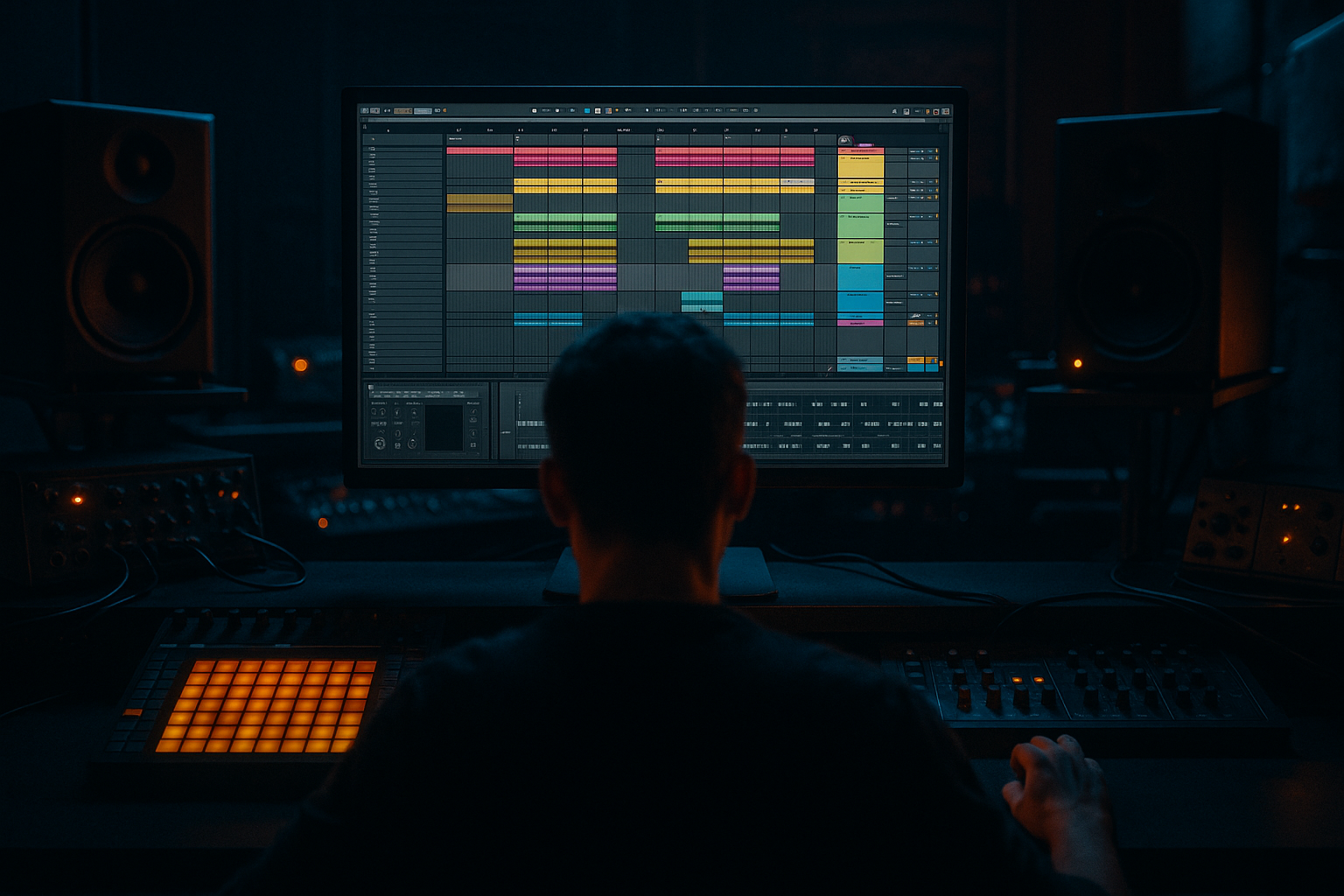
Pitch oldskool DnB fill for sunrise set emotion in Ableton Live 12 (Beginner) cover image

Narrated lesson audio

The voice track includes the tutorial plus extra teacher commentary.

Open audio file

Main tutorial

```markdown

Pitch Oldskool DnB Fill for Sunrise-Set Emotion (Ableton Live 12)

Beginner • Ragga Elements • Jungle/DnB focused 🌅🥁

---

1) Lesson overview

In classic jungle and ragga-leaning DnB, the fill is often where the emotion lives: a pitched vocal stab, a tape-y rewind, a tom run, or a cheeky reggae “hey!” that lifts the crowd right before the drop.

In this lesson you’ll build an oldskool-style pitched fill that feels warm, nostalgic, and sunrise-ready, using Ableton Live 12 stock tools and a simple, repeatable workflow.

We’ll focus on:

  • Pitch movement (the “riser” feel without EDM clichés)
  • Timing + swing (so it still rolls)
  • Ragga flavour (short vocal/chop choices)
  • Mix control (so the fill hits but doesn’t wreck your drop)
  • ---

    2) What you will build

    A 1-bar fill (optionally 2-bar) at the end of an 8/16-bar phrase that includes:

  • A pitched ragga vocal chop (or horn stab) that climbs into the next section
  • A classic jungle drum punctuation (snare rush / tom-ish hit / ghost notes)
  • Dub-style space using delay + reverb
  • A clean “snap back” into the drop (so the fill doesn’t smear your first kick/snare)
  • Target vibe: uplifting, emotional, sun-coming-up energy ☀️

    Tempo: 170–174 BPM (we’ll use 172 BPM in examples)

    ---

    3) Step-by-step walkthrough

    Step 0 — Set the session up (so it feels like DnB)

    1. Set tempo to 172 BPM.

    2. Make an 8- or 16-bar loop for your main groove.

    3. Use a basic DnB drum pattern (amen-ish or two-step):

    - Kick around 1.1 and 1.3.3 (or similar)

    - Snare on 2 and 4

    - Hats shuffled/16ths with swing

    Ableton tip: Add Groove Pool swing early.

  • Drag a groove like MPC 16 Swing 57–65 (or any subtle swing).
  • Apply lightly: Timing 10–25%, Random 0–5%.
  • ---

    Step 1 — Choose a ragga-friendly fill sound

    You want something that pitches well:

  • A short ragga vocal (“hey”, “come”, “selecta”)
  • A horn stab
  • A percussive hit (rim, tom, conga)
  • A vinyl/tape shout style sample
  • Keep it short. If it’s too long, pitching will sound messy.

    Where to put it:

  • Create a new MIDI track: “Ragga Fill”
  • Drop in Simpler (Live stock)
  • Load your sample into Simpler

  • Mode: Classic
  • Turn on Warp off inside Simpler (keep it raw) unless you need time-stretch.
  • Start/End: trim tight so it hits quickly.
  • ---

    Step 2 — Make it “oldskool” with pitch + envelope

    In Simpler:

    A) Amp Envelope

  • Attack: 0–5 ms (fast)
  • Decay: 150–350 ms (depends on sample)
  • Sustain: 0%
  • Release: 50–120 ms (short but not clicky)
  • This makes it stabby like classic jungle chops.

    B) Pitch Envelope (the emotional lift)

  • Find Pitch/Env section:
  • - Env Amount: +12 to +24 semitones (start with +12)

    - Decay: 200–600 ms

    - Attack: 0 ms

    This creates a “yip” / rising chirp at the start of each hit—very oldskool.

    Optional (more musical):

    Instead of pitch envelope, use MIDI notes to create a rising line (next step). Pitch envelope gives that “hardware sampler” vibe.

    ---

    Step 3 — Program the fill (1 bar that rolls)

    Go to the bar before the drop (e.g., bar 16).

    Create a 1-bar MIDI clip on Ragga Fill.

    Pattern idea (classic jungle build):

  • Place hits on 16th notes but leave space.
  • Example rhythm (1 bar):
  • - Hit on 4.1.1

    - Hit on 4.2.3

    - Hit on 4.3.3

    - Hit on 4.4.2 (the “last push”)

    Now the magic: pitch it upward using MIDI notes.

    Pitch plan (beginner-safe):

  • First hit: C3
  • Next: D3
  • Next: E3
  • Last: G3 (strong lift)
  • This gives a reggae-ish melodic climb without becoming cheesy.

    Velocity = emotion

  • Start medium, end stronger:
  • - 70 → 85 → 95 → 110

    ---

    Step 4 — Add jungle drum punctuation (snare rush or ghost roll)

    Create a track: “Fill Drums”

    Use a Drum Rack with:

  • A tight snare
  • A crunchy break snare layer (optional)
  • A tom or rim (optional)
  • Easy snare rush (last 1/2 bar):

  • In the last 2 beats of the phrase, add 16th-note snares
  • Then remove a few hits so it breathes (don’t machine-gun the whole thing)
  • Make it oldskool instantly:

  • Add Velocity variation (random-ish)
  • Add Groove (same groove as main drums)
  • Quick processing chain (stock):

    1. Drum Buss

    - Drive: 5–15%

    - Crunch: 0–10%

    - Boom: off or very low (fills can get boomy)

    2. EQ Eight

    - Cut below 120–180 Hz (fills don’t need sub)

    - Gentle presence boost around 3–6 kHz if needed

    ---

    Step 5 — Dub-space it for sunrise vibes (but keep the drop clean)

    On the Ragga Fill track, add:

    #### Device chain (simple + effective)

    1. EQ Eight

    - High-pass: 150–250 Hz

    - Small dip if harsh: 2–4 kHz

    2. Echo (dub delay flavour)

    - Time: 1/8 Dotted or 1/4

    - Feedback: 20–35%

    - Filter: keep lows out (HP around 200 Hz)

    - Modulation: small (adds warmth)

    3. Reverb

    - Decay: 1.2–2.5s

    - Pre-delay: 10–25 ms

    - Low Cut: 200–400 Hz

    - High Cut: 7–10 kHz

    4. Utility

    - Width: 110–140% (sub stays mono anyway because we filtered lows)

    #### Crucial: “Snap back” automation so the drop hits clean 🎯

  • Automate Reverb Dry/Wet to rise during the fill, then drop to near 0% right at the downbeat.
  • Automate Echo Feedback up slightly on the last hit, then down.
  • This is the sunrise trick: lush tail into the transition, but not over the drop.

    ---

    Step 6 — Create a classic pitch-drop “answer” (optional but very oldskool)

    Old jungle often does a quick pitch fall right before the drop.

    Two beginner-safe ways:

    Option A: MIDI note fall

  • Add an extra final 1/16 hit just before the drop.
  • Make its note lower (e.g., drop from G3 to C3).
  • Lower velocity slightly so it “bows” into the downbeat.
  • Option B: Automate Transpose in Simpler

  • In Simpler, automate Transpose:
  • - During the last 1/4 note, sweep from +0 to -7 semitones.

  • Keep it quick—this is a wink, not a breakdown.
  • ---

    Step 7 — Arrangement ideas (how DnB actually uses this)

    Try these common placements:

  • Every 8 bars: short fill (1/2 bar) to keep energy moving
  • Every 16 bars: bigger fill (1 bar) with dub space
  • Pre-drop (bar 16/32): pitched ragga fill + snare rush + tail cut
  • DnB/Jungle structure example (32 bars):

  • Bars 1–8: main groove, minimal vocals
  • Bars 9–16: introduce ragga call (small fills)
  • Bar 16: your pitched fill (bigger)
  • Bar 17: drop returns clean, extra crash or ride
  • ---

    4) Common mistakes

    1. Too much low-end in the fill

    If your vocal chop has bass, it will fight the sub and muddy the transition.

    → High-pass around 150–250 Hz.

    2. Reverb/delay still ringing into the drop

    Makes the first kick/snare feel weak.

    → Automate Dry/Wet down or use a short mute tail right at the drop.

    3. Pitching everything too high

    “Chipmunk ragga” kills the vibe fast.

    → Keep the rise subtle: +3 to +7 semitones in musical steps, or pitch-env +12 but short decay.

    4. Over-quantized fill

    Oldskool DnB needs pocket.

    → Apply groove lightly, nudge a couple hits a few ms late.

    5. Fill is louder than the drop

    Fills should lead, not dominate.

    → Aim the fill about -3 to -6 dB under the drop’s main snare peak.

    ---

    5) Pro tips for darker/heavier DnB (same technique, different mood) 🌑

  • Use minor movement: instead of C–D–E–G, try C–Eb–F–G.
  • Shorter reverb, dirtier delay:
  • - Echo with more character (higher Noise / subtle Wobble)

    - Reverb decay 0.6–1.2s

  • Add saturation for grit:
  • Use Saturator after EQ:

    - Mode: Analog Clip

    - Drive: 2–6 dB

    - Soft Clip: On

  • Band-limit for pirate-radio energy:
  • Put Auto Filter (or EQ Eight) at the end:

    - Low-pass around 6–10 kHz

    - Slight resonance for bite

  • Harder drum punctuation:
  • Add a single pitched-down snare on the last 1/8 note (like a “doom” hit).

    ---

    6) Mini practice exercise (10–15 minutes)

    1. Pick one ragga vocal chop (very short).

    2. Build three different fills at the end of a 16-bar loop:

    - Fill A: 4 notes rising (C–D–E–G)

    - Fill B: same rhythm, but minor (C–Eb–F–G)

    - Fill C: pitch envelope only (no MIDI pitch changes)

    3. For each fill, automate:

    - Reverb Dry/Wet up during the fill

    - Reverb Dry/Wet down to near 0% on the drop

    4. Bounce each fill to audio (Freeze + Flatten) and label them:

    - `Fill_Rise_Maj`

    - `Fill_Rise_Min`

    - `Fill_PitchEnv`

    You’re building your own jungle toolkit here. 🔧

    ---

    7) Recap

  • Use Simpler to load a tight ragga chop that pitches cleanly.
  • Create emotional lift with MIDI pitch steps and/or pitch envelope.
  • Add oldskool flavour with groove, velocity variation, and snare punctuation.
  • Create sunrise space using Echo + Reverb, then automate tails down so the drop hits hard.
  • Keep the fill bright and uplifting, but filtered in the low end to protect your sub.

If you tell me your current drum pattern style (two-step vs amen) and the type of vocal you’re using (shout/horn/MC phrase), I can suggest a specific 1-bar MIDI pattern and exact pitch notes that fit your key.

```

Ask GPT about this lesson

Chat with the lesson tutor, get follow-up help, or use quick actions.

Bigup 👽 Ask me anything about this lesson and I’ll answer in context.

Narration script

Show spoken script
Title: Pitch oldskool DnB fill for sunrise set emotion in Ableton Live 12 (Beginner)

Alright, let’s build one of the most underrated weapons in jungle and ragga-leaning drum and bass: the fill that makes people feel something right before the drop. Not an EDM riser, not a huge sweep that eats the mix… a proper oldskool pitched fill. Warm, nostalgic, sunrise energy.

We’re doing this in Ableton Live 12 with stock tools, keeping it beginner-friendly, and we’ll focus on four things: pitch movement, pocket and swing, ragga flavor, and then mix control so the fill hits hard but the drop still wins.

Set your tempo to 172 BPM. That’s a sweet spot: fast enough to roll, not so fast you can’t hear what’s going on. Now make yourself an 8 or 16 bar loop with your main groove. You can use a simple two-step, like kick on the one, another kick around the three-ish area, and snares on two and four. Hats can be 16ths with some shuffle.

And here’s a big tip early: add swing now, not later. Go to the Groove Pool and pick something like MPC 16 Swing, anywhere around 57 to 65. Keep it subtle. Timing amount around 10 to 25 percent. Random just a tiny bit, like 0 to 5. This is the “glue” that keeps your fill from sounding like a robot stamped it on top.

Now we choose the sound for the fill. You want something that pitches well. Short is the rule. A little ragga “hey,” “come,” “selecta,” a horn stab, maybe a rim or tom hit, something that feels like it could’ve come out of an old sampler. If it’s a long phrase, pitching it will get messy and you’ll fight the tail.

Create a new MIDI track and name it Ragga Fill. Drop Simpler on it. Load your sample into Simpler, and keep it in Classic mode. For this oldskool feel, I usually want the sample raw, so don’t warp it inside Simpler unless you truly need time-stretch. Trim the start and end so it hits fast. Tight start points are half the vibe in jungle.

Now shape it like a stab. In Simpler’s amp envelope, set the attack very fast, basically zero to five milliseconds. Decay somewhere around 150 to 350 milliseconds. Sustain at zero. Release short but not clicky, around 50 to 120 milliseconds. What we’re doing is turning your chop into something percussive and playable.

Next comes the emotional lift: pitch. There are two ways to do this, and you can even combine them.

First, the old hardware-sampler trick: pitch envelope. Find the pitch envelope section in Simpler. Set the envelope amount to plus 12 semitones as a starting point. If you want it more dramatic, you can try up to plus 24, but be careful, because that can go “chipmunk” real fast. Set attack at zero. Set decay around 200 to 600 milliseconds. This gives you that quick “yip” at the front of the hit, like a classic jungle chirp.

Second, the more musical way: use MIDI notes to climb. That’s what we’ll program now.

Go to the bar right before your drop. For example, if your drop comes back at bar 17, you’ll program your fill in bar 16. Make a one-bar MIDI clip on Ragga Fill.

Here’s a simple rhythm that feels classic but not too busy. Put hits on these moments in that last bar: one right at the start of the bar, then another a little after beat two, another a little after beat three, and then one more close to the end as the final push. If you’re thinking in 16th notes, you’re placing a few stabs with space between them, not filling every gap.

Now pitch those notes upward with a safe, reggae-friendly climb. Start on C3 for the first hit, then D3, then E3, and then G3 on the last hit. That “stair-step then leap” shape feels optimistic. It’s one of those tiny musical tricks that screams sunrise without getting cheesy.

And don’t ignore velocity. Velocity is emotion. Start the first hit medium, then build. Try something like 70, then 85, then 95, then 110 on the last one. Quiet question… louder answer. You’re basically doing call-and-response with one sound.

Coach note: if you want this to feel really intentional, pick a home note from your track. If your bassline or pad is centered around F or G, try making your last fill note land on that note, or its fifth. It’s a tiny change that turns “random fill” into “storytelling.”

Now we add the jungle punctuation: a snare rush or ghost roll that pushes into the downbeat. Create another track called Fill Drums. Put a Drum Rack on it, load a tight snare, and if you’ve got one, add a crunchy break-style snare layer quietly underneath. Optional: add a tom or rim for that classic flavor.

For a beginner-friendly snare rush, program 16th-note snares in just the last two beats of the phrase. But don’t machine-gun it the whole way. Remove a few hits so it breathes, and vary the velocities so it feels played. Then apply the same groove you used on the main drums so it sits in the same pocket.

Quick processing on the Fill Drums: add Drum Buss, drive maybe 5 to 15 percent, crunch 0 to 10. Keep Boom off, or very low, because fills do not need extra low-end hype. Then EQ Eight: cut below about 120 to 180 hertz, and if you need more bite, a gentle lift around 3 to 6k.

Now let’s do the sunrise magic: dub space. But controlled dub space.

On the Ragga Fill track, start with EQ Eight. High-pass it around 150 to 250 hertz. This is important. You’re protecting the sub and the drop impact. If the sample is harsh, dip a bit around 2 to 4k.

Then add Echo. Set the timing to something dubby like 1/8 dotted, or 1/4. Feedback around 20 to 35 percent. Filter the delay so it doesn’t throw low end everywhere; high-pass around 200 hertz inside Echo. Add a tiny bit of modulation for warmth.

Then add Reverb. Decay around 1.2 to 2.5 seconds, pre-delay 10 to 25 milliseconds, low cut 200 to 400, high cut around 7 to 10k so it feels airy but not fizzy.

Then Utility at the end, and widen it a bit, like 110 to 140 percent. Remember, since we filtered lows, we’re not widening sub. We’re widening the vibe.

Now the crucial part. The “snap back.” This is what separates a clean, professional transition from a messy one.

Automate your reverb and delay so they bloom during the fill, then shut down right at the downbeat. A really easy automation move: raise reverb dry/wet through the fill, then drop it to near zero exactly when the drop hits. Same idea with Echo feedback: push it slightly on the last hit, then pull it back right before the drop lands.

That’s the trick: lush tail into the moment, but not over the moment.

Micro tip that makes it feel oldskool immediately: nudge the very last vocal hit slightly late, like eight to fifteen milliseconds, while keeping the snare rush more on-grid. That contrast makes the vocal feel human and the drums feel driven.

Optional, but very junglist: add a quick pitch-drop “answer” right before the drop. You can do it two ways.

Option one: add one extra tiny hit, like a 1/16, right before the downbeat, and make that note drop back down, like from G3 down to C3. Lower its velocity slightly so it feels like it bows into the drop.

Option two: automate Simpler’s transpose. In the last quarter note, sweep transpose from zero down to about minus seven semitones. Keep it quick. It’s a wink, not a breakdown.

Now, how do you place this like real DnB? Use it as punctuation, not a constant gimmick. Small fills every eight bars, bigger fills every sixteen, and your full-on sunrise fill right before a major drop return. You can even build a “fill ladder” across 32 bars: bar 8 is one tiny hint, bar 16 is a short pattern, bar 32 is the full one-bar dub-space moment. Suddenly your loop feels like a journey.

Another arrangement trick: right before your fill starts, mute one element for a tiny moment. Like hats drop out for an eighth note. That tiny silence creates headroom and makes the fill feel louder without actually turning it up.

Let’s keep you away from common mistakes. First, too much low end in the fill. If there’s bass in that vocal, it will fight your sub and your downbeat. High-pass it. Second, reverb or delay ringing into the drop. If the downbeat feels smaller, your tails are too long or too loud. Automate them down, or even narrow stereo width in the final eighth note. Third, pitching too high. Keep rises subtle. Fourth, over-quantizing. Groove and micro-timing matter. And fifth, the fill being louder than the drop. A good target is having your fill peak about three to six dB under your main drop snare peak.

Here’s a super practical check: loop the last two beats of the phrase and the first two beats of the drop. Just loop that. Over and over. Your goal is simple: the fill feels exciting, and then the downbeat still feels like it wins. If the drop doesn’t win, reduce tail length, reduce stereo width at the end, or shorten the final hit.

One beginner-friendly key check, no theory required: duplicate your bass MIDI onto a new track, put a plain sine wave on it with Operator, and play the fill over it. If any fill note feels sour, move it up or down a semitone until it locks.

If you want extra nostalgia, here are two quick sound-design moves that stay stock. One: add a gentle low-pass with Auto Filter around 8 to 12k with a touch of resonance to “age” the chop. Two: make a quiet phone-radio layer. Duplicate the fill track, high-pass around 300, low-pass around 4 to 6k, add light saturation, and blend it underneath. It adds pirate-station character without changing your main sound.

And if you want the most authentic oldskool feel: resample. Make a new audio track called FILL_RESAMPLE, set its input to resampling, record yourself doing a few passes tweaking Echo and Reverb automation, then pick the best one-bar chunk and drop it back in as audio. Audio fills often feel more real because you commit to a moment.

Before we wrap, do this quick 10 to 15 minute exercise. Pick one short ragga chop. Build three fills at the end of a 16-bar loop: one with the rising notes C, D, E, G; one with a minor mood like C, Eb, F, G; and one using pitch envelope only, no MIDI note changes. For each, automate reverb up during the fill and down to near zero on the drop. Then freeze and flatten, label them clearly, and you’ve started your own jungle toolkit.

Recap: Simpler for the tight chop, pitch steps and or pitch envelope for that emotional lift, groove and velocity for pocket, snare punctuation for energy, Echo and Reverb for sunrise space, and automation to snap back so the drop hits clean.

If you tell me whether your main drums are two-step or amen-based, and what kind of vocal you’re using, like a shout, a horn, or an MC phrase, I can give you a specific one-bar pattern with notes that match your track’s key and vibe.

Mickeybeam

Go to drumbasscd.com for +100 drum and bass YouTube channels all in one place - tune in!

Any 1 Tutorial FREE Everyday
Tutorial Explain
Generating PDF preview…
