Main tutorial
Lesson Overview
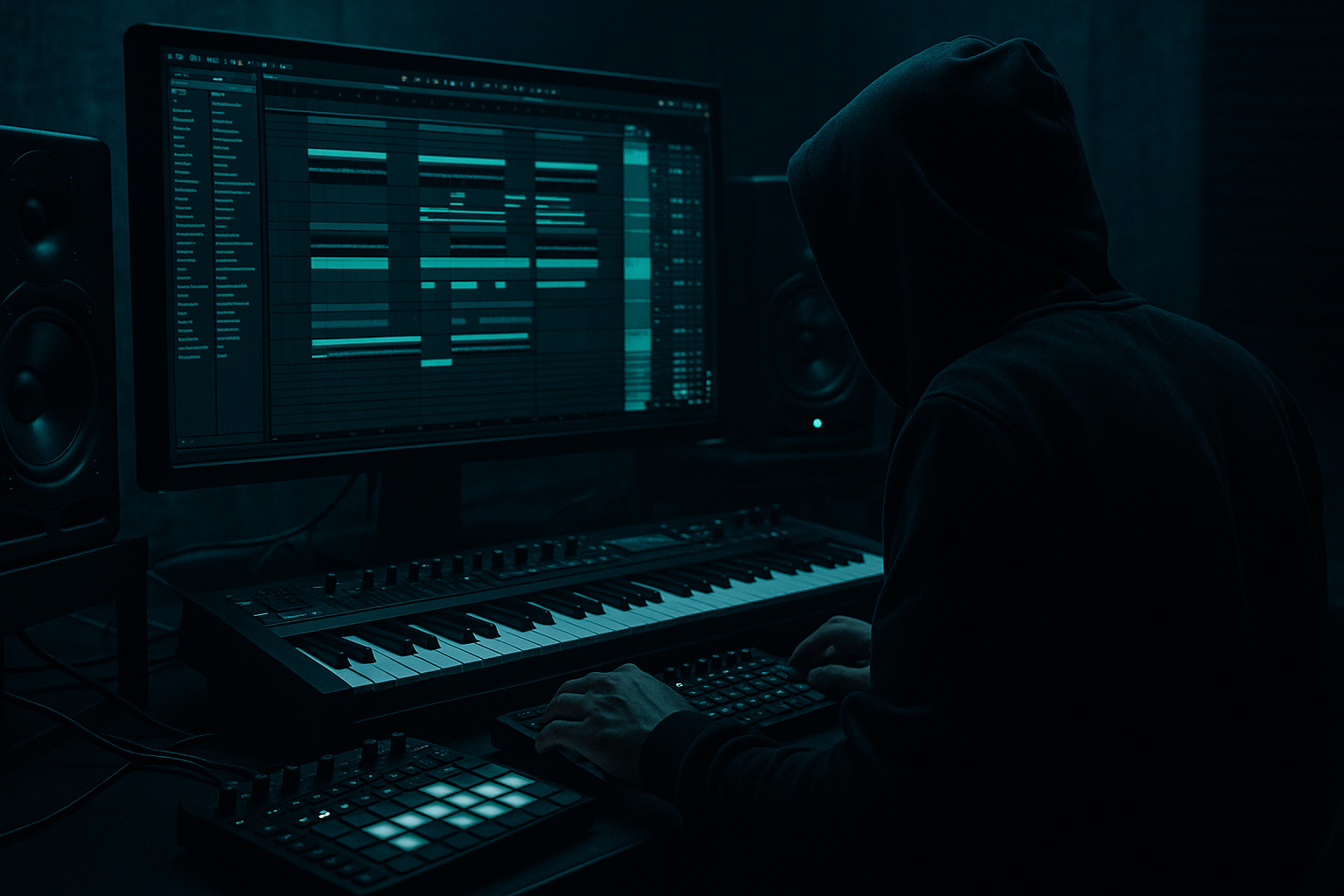
This lesson is about building a pirate signal jungle 808 tail in Ableton Live 12: a short bass sound that starts like a warning burst, then drops into a long, gritty tail that feels half-sub, half-rolling menace. In a real DnB track, this lives in the drop and pre-drop transition space: it can answer the snare, punctuate a break edit, or act as a signature phrase at the end of a 2-bar call-and-response.
Why it matters: a jungle 808 tail gives you weight without constant bass notes, which is gold in drum & bass. It can leave room for the drums while still making the tune feel huge. Technically, it teaches you how to control decay, saturation, filtering, mono compatibility, and arrangement placement so the bass sounds powerful instead of sloppy.
This works especially well in:
- jungle-leaning DnB
- darker rollers
- halftime-to-drop transitions
- stripped-back club tracks that need a memorable bass punctuation
- a raspy or nasal front edge
- a sub-heavy decay
- a tight rhythmic placement
- a slight sense of call-and-response
- enough polish to sit in a drop without needing a lot of rescue EQ
- Let the sub stay boring and make the harmonics dangerous.
- Use small pitch gestures, not big random slides.
- Print a clean version and a dirty version.
- Use silence like a weapon.
- If the tail feels too polite, add character only to the mid layer.
- Check the bass against the snare, not just against itself.
- Use automation to reveal, not to constantly transform.
- Use only Ableton stock devices
- Keep the bass to one MIDI clip and one audio or MIDI chain
- Limit yourself to one main bass note plus one variation note
- Use no more than three devices on the bass track
- A 2-bar loop with drums and your pirate signal bass
- One version in MIDI
- One resampled or bounced version for arrangement testing
- Can you hear the bass clearly when the drums play?
- Does the tail leave room for the snare?
- Does the sound still feel solid when you reduce it to mono?
- If the answer is no, shorten the decay before adding more effects.
By the end, you should be able to hear a short pirate-style bass hit that speaks clearly in mono, tails off musically, and locks to the drums without masking the kick or snare. It should feel intentional, not like a random long sub note.
What You Will Build
You will build a one-shot bass phrase in Ableton Live 12: a pirate-signal style hit with a sharp attack, a controlled low-end tail, and enough movement to feel alive in a jungle context. The finished sound should have:
Musically, it should behave like a warning flare or signal blast: it speaks, then falls back into the groove. In the mix, it should still be clean enough to survive alongside breakbeats and a strong snare. A successful result sounds like a bass line that could survive a DJ transition: bold, readable, and not overblown.
Step-by-Step Walkthrough
1. Start with a simple MIDI bass note and build a one-bar phrase
Create a new MIDI track and load Operator or Wavetable. For a beginner, Operator is the cleanest route because it lets you build a strong bass from a simple waveform. Start with a single MIDI note in the lower register, around G1 to D2 depending on your key. Make the first note 1/4 note long and place it on the grid so you can hear the shape clearly before getting fancy.
Why this works in DnB: jungle and roller bass often rely on clear rhythmic intent more than complex harmony. A single note lets the tail and movement speak without the line getting muddy.
What to listen for: the note should already feel like it has a “message.” If it feels weak even before processing, the note choice or octave is probably wrong.
2. Shape the source so the attack is sharp and the tail can breathe
In Operator, start with a simple sine or triangle-based source for the sub. Then add a second oscillator or a brighter layer if you want more bite. In Wavetable, choose a basic waveform and keep the tone focused rather than wide. You want the front of the note to have a little attitude, but not a full screech.
Use the amplitude envelope to create the pirate-style shape:
- Attack: very short, around 0 to 10 ms
- Decay: around 250 ms to 800 ms depending on how long you want the tail
- Sustain: low, often near 0%
- Release: short to medium, around 80 ms to 200 ms
If you want more “signal” at the front, add a small amount of pitch movement or a brighter layer. If the bass becomes too polite, it won’t read as a pirate warning. If it becomes too bright, it will fight the snare and hats.
3. Choose between two valid flavours: clean signal or rough signal
This is your first important creative decision.
A: Clean pirate signal
- Keep the source mostly sub-based
- Add subtle harmonics with Saturator
- Use Auto Filter for controlled movement
- Best for rollers, minimal jungle, or tracks that need more sub authority
B: Rough pirate signal
- Add more upper harmonics using a second oscillator or a brighter wavetable
- Push Saturator harder
- Best for darker jungle, heavier rewinds, or tunes that need aggression
For a beginner, start with A, because it is easier to place in a mix. You can always dirty it up later.
Why this works: DnB bass design is often about controlled harmonic contrast. The drums carry the attack; the bass carries weight and character. Choosing the wrong flavour too early can make the sound hard to control.
4. Add a stock-device chain that controls weight and presence
Try this first chain:
- EQ Eight
- Saturator
- Auto Filter
Then shape it like this:
- In EQ Eight, remove unnecessary low-mid clutter only if needed. If the bass is cloudy, make a gentle dip around 200–400 Hz. Don’t hollow it out.
- In Saturator, add modest drive, often around 2 to 6 dB to start. Use Soft Clip if it helps keep the peak under control.
- In Auto Filter, low-pass or band-pass the top if the bass is too bright, and automate the cutoff later for movement.
The order matters. EQ first cleans the source, Saturator adds density, and the filter helps you shape the final voice.
What to listen for: when Saturator is on, the bass should feel closer and thicker, not just louder. If the low end vanishes, you are driving too hard or over-filtering.
5. Turn the tail into a rhythm, not just a long note
The “tail” is the important part. In jungle and DnB, a long bass tail works best when it has a clear relationship to the drums. Try placing the note so its release lands around the offbeat gap after the snare, or so it answers the kick-snare pattern.
A simple starter phrase:
- Note 1 on beat 1
- Short gap
- Note 2 on the “&” of beat 2
- A longer tail on beat 3 or 4
This creates a call-and-response feeling with the break. You are not just holding a note; you are making the bass talk to the drum loop.
Why this works in DnB: the genre thrives on syncopation against the breakbeat. A tail that lands in the pocket can feel huge without needing more notes.
6. Check the bass in context with drums before you polish it
Turn on your drum loop or drop section and listen to the bass with the kick and snare. This is where you decide whether the tail is helping the groove or stepping on it.
Ask:
- Does the bass leave the snare enough room?
- Is the kick still clearly defined?
- Does the tail fill the space after the drum hit instead of covering it?
If the bass masks the snare, shorten the decay or move the note slightly earlier or later by a small amount. Even a 10–20 ms nudge can change the pocket. In Ableton, duplicate the MIDI clip and nudge one version against the drums to compare.
What to listen for: the bass should feel like it is riding the break, not sitting on top of it.
7. Add movement with automation, but keep the low end disciplined
Once the core sound works, automate the filter cutoff or a macro control over a 2-bar phrase. Use subtle motion rather than wild sweeps.
Useful ranges:
- Auto Filter cutoff: move between roughly 120 Hz and 1.5 kHz depending on how much bite you want
- Resonance: keep modest, often below the “whistling” point unless you want a more obvious pirate edge
- Saturator drive automation: tiny increases can make the tail feel more excited on the second half of the phrase
If you want movement without losing the sub, keep the very low end stable and move only the harmonics. That means the bass can sound animated while still staying solid in mono.
Workflow tip: map cutoff and drive to a couple of macro controls so you can quickly audition phrases without opening multiple devices.
8. Decide whether to keep it as MIDI or commit it to audio
If the sound is working and the movement feels right, commit this to audio when you want fast arrangement work. In Ableton, resampling or freezing/bouncing the bass lets you edit the tail like a sample, which is extremely useful in jungle-style writing.
Why do this: once it is audio, you can:
- trim the tail exactly
- reverse the start for tension
- cut small gaps for groove
- add fades so the tail doesn’t click
If you are still changing the note choice, stay in MIDI. If the bass identity is settled and you are arranging the tune, audio is faster and more surgical.
Stop here if the sound is already reading clearly in mono and the tail is following the drums without muddy overlap.
9. Make the arrangement do part of the sound design
Put the pirate signal bass in a 2-bar or 4-bar phrase, not a constant loop. For example:
- Bar 1: short warning hit
- Bar 2: tail answer
- Bar 3: empty space or drums only
- Bar 4: bigger version with slight variation
This is important because in DnB, bass impact often comes from absence and return. A bass tail that disappears on time feels more powerful than a bass note that just keeps going.
For a second drop or variation, raise the pitch by an octave for one hit, or add a short extra note before the main tail. That creates evolution without changing the whole identity.
Arrangement example: use the pirate signal at the end of every 8 bars, then remove it for 8 bars so the listener feels the return harder on the next phrase.
10. Do a mono and balance check before moving on
Collapse the bass to mono or check it in a mono-compatible context and make sure the low end still feels solid. If the tone disappears or gets hollow, the bass is relying too much on stereo width in the low register.
Keep the sub information centered. If you want width, put it only in the upper harmonics, not the actual low bass. You can do this by keeping the core bass narrow and letting only the brighter layer or filtered texture spread slightly.
Why this matters: club systems and DJ playback punish wide low-end tricks. A pirate signal tail that sounds huge in stereo but weak in mono is not useful in a real DnB set.
Successful result: the bass should feel like a compact, dangerous signal with a controlled tail that supports the break rather than smearing it.
Common Mistakes
1. Making the tail too long
- Why it hurts: the bass swallows the snare pocket and makes the groove feel slow.
- Fix in Ableton: shorten the amplitude decay or trim the audio tail after resampling. Try cutting the note length first before reaching for more processing.
2. Driving saturation until the sub disappears
- Why it hurts: the sound gets exciting in solo but loses weight in the drop.
- Fix in Ableton: reduce Saturator drive, then compare the sound with and without Soft Clip. If needed, keep the distortion on a parallel-style layer rather than the main sub.
3. Using too much stereo width on the low end
- Why it hurts: the bass feels big on headphones but weak or unstable in mono.
- Fix in Ableton: keep the low-frequency core centered and only widen the upper harmonic layer. If necessary, simplify the sound to one mono bass and one separate texture layer.
4. Putting the bass everywhere instead of phrasing it
- Why it hurts: the pirate signal loses its “announcement” quality and becomes background noise.
- Fix in Ableton: arrange it as a 2-bar or 4-bar event, then leave space. Use duplicate clips with small variations instead of looping the exact same hit forever.
5. Fighting the kick and snare
- Why it hurts: the bass sounds loud but the drop feels smaller because the drum hierarchy is blurred.
- Fix in Ableton: move the bass note a few milliseconds earlier or later, or shorten the tail. Use EQ Eight to remove unnecessary low-mid build-up around 200–400 Hz if that area is masking the snare body.
6. Adding too much high-end “character” too early
- Why it hurts: the bass turns into a harsh buzz that distracts from the drum pattern.
- Fix in Ableton: low-pass the brighter layer with Auto Filter, or reduce the oscillator brightness before adding more distortion. In DnB, the bass should be readable, not permanently in your face.
7. Not checking the sound in context
- Why it hurts: a cool solo bass can collapse once the break and top loop come in.
- Fix in Ableton: audition the bass against the actual drum loop and at least one section of arrangement before finalising the tone. If it only works alone, it is not finished.
Pro Tips for Darker / Heavier DnB
The low end should be stable, while the aggression lives above it. That keeps the tune heavy without making the bass wobble out of tune.
A tiny pitch dip at the start of the note can make the bass sound like a warning siren. Keep it subtle; huge slides often sound more like bassline EDM than jungle tension.
One audio file can be the sub-safe core, and another can be the rough texture. Layer them carefully, but keep the lowest octave simple.
A pirate signal hit followed by a bar of space can be more effective than a constant stream of notes. In darker DnB, negative space makes the next hit feel larger.
Keep the actual sub stable and distort a copied layer above it. This preserves punch and mono clarity while adding menace.
In this style, the snare is often the anchor. If the bass tail interferes with snare impact, the whole drop feels less authoritative.
A cutoff move into the end of a 4-bar phrase can create tension. Constant sweeping makes the bass feel busy and less dangerous.
Mini Practice Exercise
Goal: Build a one-bar pirate signal jungle 808 tail that works with drums and survives a mono check.
Time box: 15 minutes
Constraints:
Deliverable:
Quick self-check:
Recap
A pirate signal jungle 808 tail is not just a sound design trick — it is a phrase tool for DnB. Build it from a simple source, control the decay, keep the sub centered, and make the tail interact with the drums. Use saturation and filtering for character, but do not let them destroy the groove. Arrange it like an event, not a constant loop. If it feels strong in mono, leaves the snare room, and makes the drop feel more dangerous, you’ve done it right.

