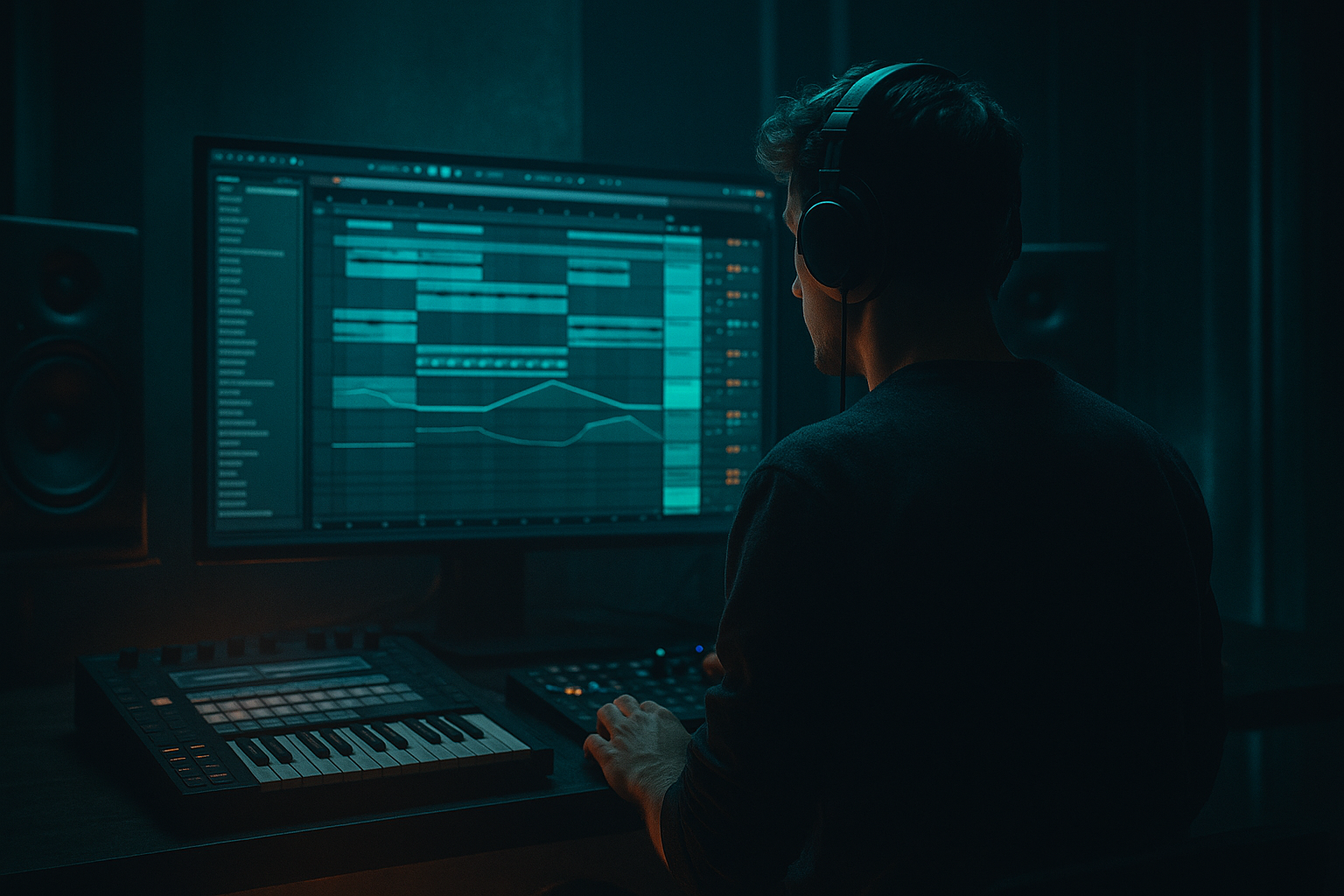
Main tutorial
Lesson Overview
This lesson is about building an Oldskool intro with chopped-vinyl character in Ableton Live 12, but with a DnB producer’s mindset: not just “lo-fi vibes,” but a functional intro section that sets up a heavy drop, works in a mix, and feels authentic to jungle / ragga / rollers culture. The target is that classic early DnB energy where a track opens with dusty breaks, skanking movement, chopped vocal or ragga hits, and a warped vinyl feel, yet still stays tight enough to lead into modern low-end impact.
In a real DnB arrangement, this kind of intro usually lives in the first 16–32 bars. It’s where you establish scene, groove, and attitude before the bassline fully lands. For advanced production, the challenge is not just making it sound old — it’s making the oldskool texture serve arrangement, tension, and mix clarity. A chopped-vinyl intro can carry DJ-friendly space, create anticipation, and give your track identity before the drop hits.
Why this technique matters in DnB: the genre thrives on contrast. The intro can be dusty, mono-ish, rhythmic, and ragga-tinged, while the drop is clean, huge, and controlled. That contrast makes the drop hit harder. If you get the intro right, the track feels instantly more believable and more “played” rather than programmed. 🎛️
What You Will Build
You’ll build a 16-bar oldskool DnB intro in Ableton Live 12 with:
- A chopped vinyl-style break with swing and ghost hits
- A ragga-style vocal chop / skank accent layer
- A resampled dusty texture that feels like it came off a worn record
- A subtle reese or bass tease that hints at the drop without giving away the whole bassline
- DJ-friendly EQ filtering, tape-ish degradation, and turntable-style transitions
- Automation that makes the intro evolve from lo-fi, narrow, and stripped into a clearer launch point for the drop
- Making the intro too busy too early
- Overdoing vinyl crackle or distortion
- Ignoring mono compatibility on the low end
- Chopping vocals without groove placement
- Letting the intro sound good in solo but weak in context
- Using too much reverb on breaks and vocal chops
- Use a parallel dirt layer: duplicate the break, crush it with Redux, then blend it under the clean break at low level for grit without losing transients.
- Keep the sub tease minimal: one or two notes, filtered and saturated lightly. Let the drop deliver the real sub impact.
- Add a band-passed noise layer to simulate turntable hiss or room air, but cut it before the drop for cleaner impact.
- Automate a slight pitch drift on a chopped vocal or vinyl stab to imitate sample wobble. Small moves only — subtle is believable.
- For darker rollers, use a longer intro phrase with fewer events, then introduce a sharper fill in the final bar to sharpen anticipation.
- Put a Glue Compressor on the drum bus with very gentle settings: ratio 2:1, attack around 10–30 ms, release on auto or medium, and only light gain reduction. This keeps the oldskool break feeling cohesive without flattening it.
- If the mix feels harsh, tame the break’s upper mids around 3–6 kHz with EQ Eight rather than globally turning it down. That keeps the intro aggressive but not tiring.
- For a more underground tone, keep the vocal chop slightly under-tuned or raw, then place it in a controlled rhythmic pocket with delay instead of heavy melodic processing.
- Chop for groove, not just texture
- Let ragga vocals answer the drums
- Keep the sub disciplined
- Use filtering and resampling to create movement
- Make the intro serve the drop
Musically, the result should feel like an old tape of a rave intro: a gritty break loops, a vocal snippet answers the drums, and then the low end starts to appear in a controlled way. Think jungle heritage with modern arrangement discipline — not a novelty effect.
Step-by-Step Walkthrough
1. Set up a clean intro template in Ableton Live 12
Start with a fresh project and set the tempo in the classic DnB zone: 170–174 BPM. For oldskool/jungle energy, 172 BPM is a sweet spot because it gives the break enough drive without turning the phrasing into pure neuro pressure.
Create these tracks:
- Audio track: Break
- Audio track: Vinyl Texture
- Audio or MIDI track: Ragga Chop
- MIDI track: Bass Tease
- Return tracks: Dub Delay and Space Verb
On the Master, leave at least -6 dB headroom. Oldskool intros often tempt you into over-saturating everything; keep the gain staging sane so the drop can hit with real weight. Use Ableton’s Utility on each track for quick level control and mono checks later.
2. Build the main break with character, not perfection
Load a classic break sample or any break you’ve already curated for DnB use. In oldskool ragga/jungle context, the break should feel alive, slightly uneven, and easy to chop.
Put the break into Simpler in Slice mode, or use Warp if you want to create a tightly controlled loop. For an advanced workflow, I recommend:
- Use Slice to New MIDI Track if you want detailed drum programming
- Or keep it as audio if you want a more glued, vintage loop feel
For a chopped-vinyl intro, use these break processing choices:
- Drum Buss: Drive around 5–15%, Boom very light or off, Crunch around 10–25%
- EQ Eight: high-pass only if needed, usually around 25–35 Hz to remove rumble
- Saturator: Drive around +2 to +6 dB, Soft Clip on if the break needs edge
The goal is not a pristine break. The goal is a break that feels like it was lifted from a dub plate, a jungle tape, or a worn 12-inch. Why this works in DnB: the genre values rhythmic identity, and a slightly unstable break gives the intro motion before the bassline arrives.
3. Chop the break into call-and-response phrases
Don’t loop a full break straight through. For authenticity, chop it into 2-bar or 1-bar phrases and create answers between kick/snare emphasis, ghost notes, and short fills.
In Simpler or Session View:
- Duplicate the main break clip
- Remove a few hits so the groove breathes
- Leave room for ragga vocal responses and future bass movement
A strong pattern for an 8- or 16-bar intro:
- Bars 1–4: break alone, filtered and dusty
- Bars 5–8: add vocal chop accents
- Bars 9–12: introduce bass tease or extra percussion
- Bars 13–16: open the filter and hint the transition to drop
Use Groove Pool with a shuffle/groove similar to MPC-style swing if the break feels too rigid. Keep the groove subtle — around 55–62% groove amount depending on the sample. In oldskool DnB, too much quantization kills the human drag that makes the break breathe.
4. Create the chopped-vinyl effect with Warp, fades, and micro-edits
This is where the intro gets its “record being worked” personality. Duplicate the break clip and create micro-variations:
- Tiny fade-ins/fade-outs on individual clips
- Slight clip gain changes between repetitions
- Small Warp Marker nudges for deliberate off-grid tension
- Occasional repeat of the snare tail or ghost hit for “cut-and-paste” energy
If the intro feels too clean, use Grain Delay very sparingly on a duplicated return or parallel layer:
- Dry/Wet: 5–12%
- Frequency: set to darkened midrange
- Feedback: low, around 5–15%
- Pitch: subtle or off
You can also place Redux after a very light Saturator on a parallel vinyl layer for that gritty sampler edge. Keep it restrained — the effect should suggest vinyl wear, not destroy the transient identity of the break.
5. Design the ragga element as an answer to the drums
This is the core of the category. Load a vocal phrase, toast line, shout, or single ragga hit into Simpler or directly onto an Audio track. Chop it rhythmically so it answers the break rather than sitting on top of it.
Advanced approach:
- Put the vocal chop on a separate track
- Use Simpler in Classic mode for pitch and envelope control
- Set Transpose by ear to fit the track key or leave it intentionally raw if it’s a texture
- Use Auto Filter with a band-pass or low-pass shape to make it feel sampled
Suggested settings:
- Auto Filter cutoff around 300 Hz to 2.5 kHz depending on the chop
- Resonance moderate, around 10–25%
- Envelope amount minimal if you want a chopped-sample feel
- Utility width narrowed to 0–40% if you want a proper mono-ish reggae sample vibe
Rhythmically, place the vocal on offbeats or after key snare hits. The classic ragga trick is drums ask, vocal replies. That call-and-response makes the intro feel like a system tune rather than a random loop. If the vocal is sparse, send short phrases into Dub Delay on a return and automate the send for one-hit echoes into the next bar.
6. Add a bass tease without giving away the drop
For an advanced intro, you want bass presence, but not full bassline disclosure. Make a MIDI track with Operator, Wavetable, or even Analog for a simple reese or sub pulse. The point is to imply the drop’s weight.
Start with:
- A low sine or saw-based sub layer
- A second detuned layer for movement
- Very short notes or sustained notes with filter movement
Suggested bass setup:
- Operator: sine sub on one oscillator, another oscillator slightly detuned or harmonically enriched
- Auto Filter: low-pass cutoff around 120–350 Hz during the intro
- Saturator: mild drive to make harmonics visible on smaller systems
- Utility: keep the sub band centered and check mono compatibility
Arrange the bass tease so it only appears in the final 4–8 bars of the intro. This is especially effective if you automate the filter to open from 200 Hz up to 800–1.2 kHz on the reese layer while keeping the true sub restrained. Why this works in DnB: the listener feels the floor opening up, but you still preserve the impact of the drop.
7. Shape the intro with filter automation and space
Oldskool intros live and die by filtering. Use Auto Filter on the whole drum bus or on the vinyl layer to create a sense of evolution.
Practical automation ideas:
- Start the break low-passed at around 180–300 Hz or with a gentle band-pass
- Gradually open toward 8–12 kHz over 16 bars
- Automate a slight resonance bump at phrase transitions
- Pull the low end out before the drop, then let it slam back in on the drop downbeat
Use Echo or Delay on the ragga chop for space. A great setting:
- Delay time synced to 1/8 Dotted or 1/4
- Filter the repeats so the echo gets darker each repeat
- Feedback around 15–30%
Keep the atmosphere intentional. Oldskool doesn’t mean washed out. The space should feel like a sound system room, not a cinematic fog machine.
8. Resample your intro for glue and grit
One of the best advanced Ableton moves is to resample your own processing. Route the intro bus to a new audio track and record 8–16 bars of the full chopped-vinyl performance.
Then, on the resampled track:
- Trim the clip tightly
- Use Warp only if necessary
- Add EQ Eight to remove any harsh build-up
- Add light Glue Compressor with 1–2 dB gain reduction max
- Add Saturator or Drum Buss if it needs more glue
This gives you the feel of a performed intro rather than a fully assembled loop. It also helps you commit to decisions, which is very useful in advanced DnB workflow. If you’re making a track with a darker rollers or jungle feel, resampling can make the texture more cohesive and less “tool-like.”
9. Design the transition into the drop
The intro should not just end — it should launch. Use a final 2-bar transition with tension and release.
Ideas:
- Remove the kick for one bar before the drop
- Add a reverse vinyl texture or downlifter
- Automate a high-pass filter upward on the intro bus
- Use a snare fill or break fill with extra ghost notes
- Drop a final vocal stab with delay tail into the first downbeat of the drop
For DJ-friendly arrangement, keep the first 16 or 32 bars clean enough for mixing. Then let the drop hit with fuller sub and a new drum pattern. A classic structure might be:
- 16 bars intro
- 16 bars drop A
- 16 bars switch-up
- 16 bars breakdown
- back into drop variation
In oldskool/ragga DnB, that transition is often the emotional point where the tune stops “warming up” and starts speaking with authority.
Common Mistakes
Fix: Keep the first 4–8 bars sparse. Let the break and texture establish the world before adding vocal chops or bass tease.
Fix: If the texture becomes the main event, it stops supporting the track. Keep noise layers lower than the break and vocal.
Fix: Use Utility to mono-check your sub and reese layers. Keep the true sub centered and disciplined.
Fix: Place ragga chops as rhythmic responses, not random decoration. Often the best hit is the one after the snare.
Fix: Always audition the intro with a rough drop loop. The intro should create contrast, not compete with the bassline.
Fix: Filter the reverb return and keep decay under control so the groove doesn’t smear.
Pro Tips for Darker / Heavier DnB
Mini Practice Exercise
Spend 10–20 minutes building a 16-bar intro using only stock Ableton tools.
1. Load one break, one vocal chop, and one simple sub/reese sound.
2. Build an 8-bar loop where the break plays alone for 4 bars, then add the vocal chop on bars 5–8.
3. Put Auto Filter on the break and automate it from darker to brighter across the loop.
4. Add Drum Buss or Saturator to the break for light grit.
5. Add a bass tease in bars 9–16 using short notes and a low-pass filter.
6. Resample the full intro to audio and trim the best 8 bars.
7. Do one mono check and one balance pass: the break should lead, the vocal should answer, and the bass tease should hint, not dominate.
If you finish early, create a second version where the ragga chop answers the snare on different bars. Compare which version feels more authentic and DJ-ready.
Recap
The key to this oldskool chopped-vinyl DnB intro is controlled character: dusty break, rhythmic ragga response, subtle bass tease, and automation that builds tension without clutter. Use Ableton’s stock tools — especially Simpler, Auto Filter, Drum Buss, Saturator, Echo, EQ Eight, Utility, and Glue Compressor — to create a believable intro that feels rooted in jungle history but still works in a modern mix.
Remember:
If the intro feels like a record being worked by an experienced selector, you’re on the right path.

