Main tutorial
Lesson Overview
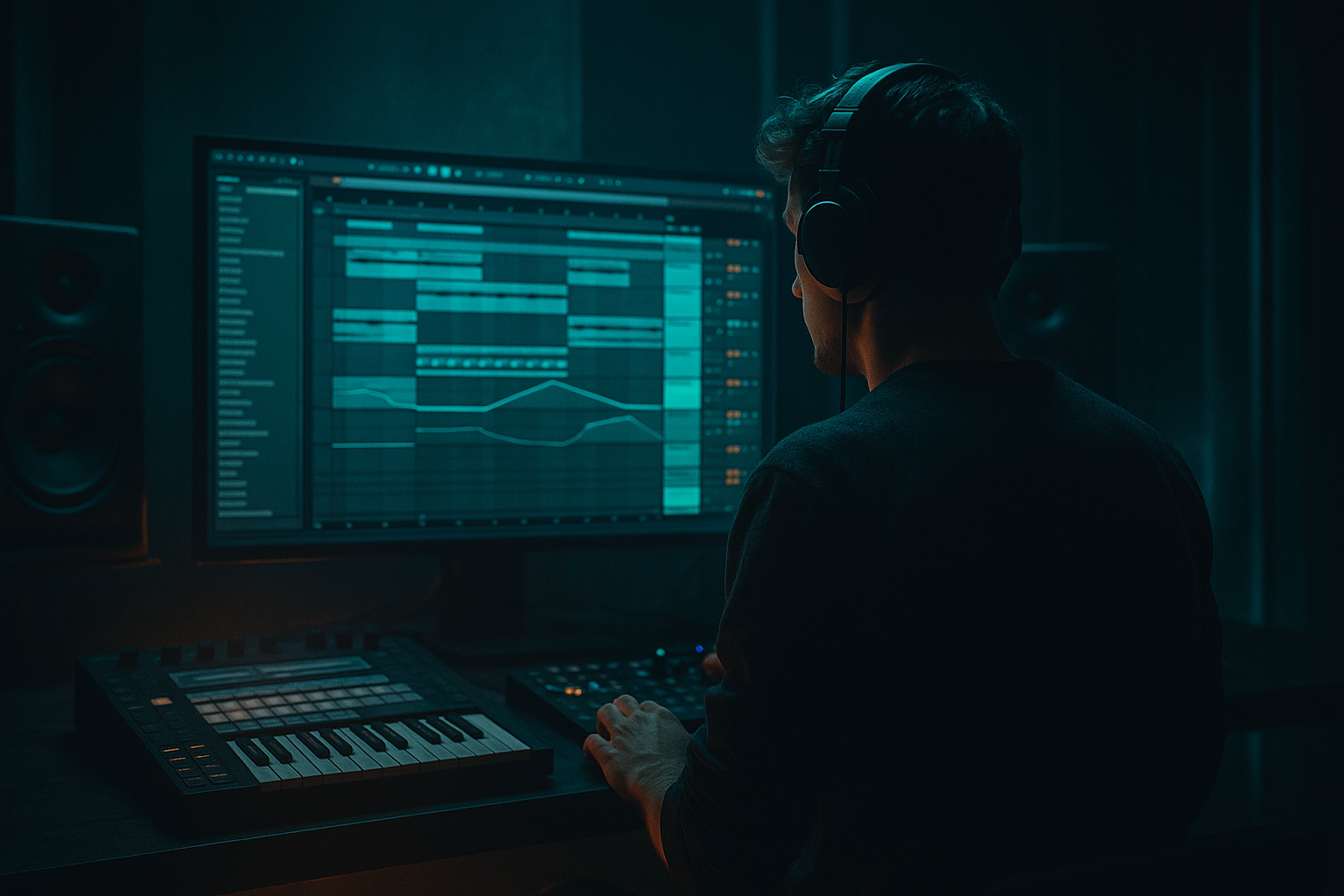
An oldskool DnB DJ intro is the opening section that gives a DJ room to mix your tune in cleanly before the full drop hits. In drum & bass, this is not just “an intro” — it’s part of the track’s identity. It sets the energy, hints at the bass character, and locks into a strong 16-bar or 32-bar phrase so the tune feels mix-friendly and purposeful.
In this lesson, you’ll build a layered, offset intro in Ableton Live 12 from scratch. “Offset” here means the elements do not all land on the same exact downbeat. Instead, drums, bass stabs, atmospheres, and FX enter in staggered places to create tension and movement. That offset feel is especially useful in oldskool jungle, rollers, darker jump-up, and neuro-influenced DnB because it keeps the intro alive without overcrowding it.
Why it matters:
- DJs need clear phrasing and a stable intro to beatmatch and blend.
- Producers need a hooky opening that feels like the track is already moving.
- In DnB, the intro is often your first chance to establish groove before the drop. If it feels weak, the whole tune can feel flat.
- a tight drum loop with swing and ghost hits
- a simple sub-supported bass tease
- atmosphere and FX movement
- arrangement automation that makes the intro feel like it’s “pulling” into the drop
- Bars 1–4: filtered atmospheres, vinyl-style texture, and a light break loop
- Bars 5–8: stronger drum presence, with extra ghost hits and a hint of bass movement
- Bars 9–12: more tension, snare fills, reversed FX, and a clearer pulse
- Bars 13–16: a pre-drop lift with bass teases and a final drum push that makes the drop feel bigger
- DJ-friendly: easy to mix, not too busy in the low end
- Groovy: the drums will have swing and micro-offset timing
- Dark and functional: suitable for oldskool, jungle, rollers, or darker bass music
- Built from Ableton stock devices: no third-party plugins needed
- Making the intro too busy too early
- Forgetting DJ-friendly phrasing
- Letting the low end fight itself
- Using too much swing
- No clear tension into the drop
- Harsh cymbals or noisy highs
- Resample your own intro loop
- Use subtle saturation on the drum bus
- Keep the bass teaser more implied than full
- Use call-and-response phrasing
- Darken the atmosphere, not the drums
- Try a low, filtered reese hint
- Automate a band-pass on FX
- Make the intro work in mono
- Keep the low end controlled
- Ensure something changes every 4 bars
- Oldskool DnB DJ intros need clear phrasing, groove, and space
- Build the intro in 16-bar sections so DJs can mix it cleanly
- Use breaks, ghost hits, bass teases, and atmosphere to create movement
- Keep the low end controlled and the drums clear
- Use Ableton stock devices like EQ Eight, Auto Filter, Saturator, Utility, Reverb, Echo, and Glue Compressor
- The best offset intros feel like they’re already in motion before the drop lands
We’ll use Ableton stock tools to create:
This is a beginner-friendly workflow, but it’s the kind of intro structure you can reuse in proper releases. 🔥
What You Will Build
By the end, you’ll have a 16-bar oldskool DnB DJ intro that sounds like this in musical terms:
The intro will be:
You’ll also create a simple arrangement trick: the intro will “open up” gradually, so the listener feels the track waking up instead of just starting.
Step-by-Step Walkthrough
1. Set up a clean intro section and reference the phrase
Open a new Ableton Live 12 project and set the tempo between 170–174 BPM for classic DnB. If you want a slightly darker rollers feel, 172 BPM is a great middle ground.
Create a 16-bar loop in Arrangement View. This is your intro canvas. Put a locater at bar 1 and another at bar 17 so you can loop and judge the build.
Before adding sounds, decide on the arrangement role:
- DJ intro for mixing in
- tension builder before the drop
- oldskool jungle-style opening
This matters because the intro should leave space for the DJ, not compete with the drop. A good beginner rule: keep the first 8 bars relatively sparse, then add energy in bars 9–16.
Optional but useful: drag in a reference track from a similar DnB style and compare the phrase length. You’re not copying notes; you’re checking how much space the intro leaves.
2. Build the drum foundation with a break loop
Drag a classic break-style loop into an Audio Track, or make your own using Drum Rack. For beginner speed, use a simple break sample and edit it rather than programming every hit from scratch.
Useful stock workflow:
- Put the break on an Audio Track
- Use Warp if needed, but keep the groove natural
- Cut the loop into 1-bar or 2-bar sections so you can arrange the hits
- Add Utility on the track and keep the output controlled
Now shape the break:
- Use EQ Eight to high-pass around 120–160 Hz if the break has too much sub
- If the snare is too sharp, reduce a small band around 3–5 kHz
- If it feels thin, gently boost around 180–250 Hz for body
Why this works in DnB: breaks carry groove and history. Oldskool DnB intros often feel alive because the drum loop has tiny timing variations and ghost hits. That human swing helps the track feel less robotic.
3. Add groove with Ableton’s Groove Pool
Open the Groove Pool and try a subtle swing groove from Ableton’s library. For a beginner, keep it light:
- Timing: around 55–62%
- Velocity: around 5–15%
- Random: very low or off at first
Apply groove to the break loop, not necessarily to everything. You want the drums to breathe while the bass and FX stay more controlled.
If the break starts sounding too late or too lazy, reduce the timing amount. In DnB, groove should feel like forward motion, not drunken drift. The goal is to give the intro a head-nod feel while still staying mixable.
Helpful move: duplicate the break track and make one version slightly more stripped:
- Version A: main break
- Version B: filtered break with only hats and snare ghosting
Then automate between them later for energy changes.
4. Create the bass tease with a simple sub or reese hint
Add a MIDI Track and load Operator or Wavetable. For a beginner-friendly oldskool intro, keep it simple:
- Use a sine wave in Operator for sub
- Or a mild saw-based layer in Wavetable if you want a hint of reese texture
Start with notes that are sparse and rhythmic, not busy:
- A single note on bar 3 or bar 7
- Short stabs on the offbeats
- A call-and-response shape with the snare
Suggested settings:
- Operator: sine wave, low-pass feel, short envelope
- Filter: cut high frequencies so it stays under control
- Sustain: low, around 0–30%
- Decay: around 150–400 ms for a bass tease
- Add Saturator with Drive around 2–6 dB for harmonics
If you use Wavetable, try:
- basic saw or square blend
- unison kept minimal for intro clarity
- filter closed down to keep it dark
Keep the bass out of the first downbeat if you want the intro to feel more “offset.” Let the groove establish first, then bring the bass in slightly late. That staggered entry creates tension and makes the drop feel larger.
5. Program offset hits so the intro doesn’t feel square
In DnB, a strong intro often has elements that appear just off the expected grid. This is the “offset” part. It can be as simple as:
- a snare ghost hit entering halfway through bar 2
- a reversed crash leading into bar 5
- a bass stab on the “and” of 2 instead of on beat 1
- a drum fill that starts one beat before bar 9
Use Ableton’s MIDI clip or Audio clip editing to place these events intentionally. Beginners often overfill the intro with loops that all begin on bar 1. Instead, stagger entrances:
- Drums: bar 1
- Atmosphere: bar 1, but filtered
- Snare ghost: bar 2 or 3
- Bass tease: bar 3 or 4
- FX sweep: bar 4 leading into bar 5
Try this arrangement idea:
- Bars 1–4: break + atmosphere only
- Bars 5–8: add bass tease and a small snare fill
- Bars 9–12: add a second break layer or extra hat pattern
- Bars 13–16: create a pre-drop drum push and remove low-end clutter
This is a classic DJ-friendly structure because the track stays predictable in phrase length, but the internal movement keeps it interesting.
6. Add atmosphere and texture with stock Ableton effects
Create a separate Audio Track for ambience. You can use:
- vinyl noise
- field recording texture
- a filtered room noise sample
- a reversed pad or metal hit
Shape it with stock devices:
- EQ Eight: high-pass around 200–400 Hz
- Auto Filter: use a low-pass and automate the cutoff slowly opening
- Reverb: small to medium size, keep the mix modest
- Echo: short dotted delays can add movement without clutter
A good beginner move is to make the atmosphere very quiet and gradually raise it over 8 bars. The intro should feel like it’s breathing in.
For a darker drum & bass feel, automate the Auto Filter cutoff:
- Bars 1–4: cutoff around 300–800 Hz
- Bars 5–8: open to 1–2 kHz
- Bars 9–16: let it breathe more, or automate back down for a “tunnel” feel before the drop
This keeps the top end from dominating too early while adding motion.
7. Use drum fills and one-bar variations to mark the phrase
The intro needs phrase markers so DJs and listeners feel the structure. Every 4 bars, change something small.
Easy beginner-friendly changes:
- remove the kick for one beat
- add a snare fill on the last half-bar
- reverse a cymbal into bar 5 or bar 13
- duplicate the snare and add a quieter ghost hit right before the main snare
If you’re using Drum Rack:
- Layer a crisp snare with a softer ghost snare
- Keep ghost hits 6–12 dB quieter
- Pan light percussion slightly if needed, but keep kick/snare centered
If you’re using Audio clips:
- cut the fill to exactly 1 beat or 1 bar
- use Fade handles so edits don’t click
- bounce complex sections to audio if you want a cleaner workflow
Why this works in DnB: the ear locks onto changes every few bars, and in fast music those small edits help prevent monotony. The energy stays controlled, but the listener still feels progression.
8. Shape the intro with simple mix balance and headroom
Keep the intro clean. You do not need a massive low end yet.
Mix priorities:
- kick and snare should be clear
- bass tease should support, not dominate
- atmosphere should sit behind the drums
Stock device guidance:
- Utility on bass track: use Width 0% if the low end feels too wide
- EQ Eight on bass: cut unnecessary highs above 6–8 kHz
- Saturator on drum bus: gentle Drive around 1–4 dB for glue
- Glue Compressor on drum bus: light compression, low ratio, just a touch of movement
Keep headroom so the drop can hit harder. A good beginner target is to leave several dB of space on the master. If the intro is already loud and dense, the drop will feel smaller.
Also check mono compatibility. The bass should feel stable in mono. If the intro sounds cool in stereo but weak in mono, tighten the low end immediately.
9. Automate the tension into the drop
The final 4 bars of your intro should feel like the track is leaning forward. Automate three things:
- filter opening
- reverb/delay rise
- drum density
Example automation plan:
- Bars 13–16: open an Auto Filter on atmospheres and maybe the bass tease
- Increase Reverb wetness slightly on the last fill, then cut it right before the drop
- Remove a kick or break layer for half a bar before the drop to create contrast
- Add a short noise riser or reversed crash into the downbeat
A classic oldskool move is to let the final fill “answer” the main groove. For example, if your intro has a snare on 2 and 4, the fill can briefly interrupt that pattern and then restore it at the drop. That contrast makes the transition feel huge.
Keep the last bar readable. Don’t clutter it with too many FX. In DnB, the drop should feel like a release, not a puzzle.
Common Mistakes
- Fix: strip the first 4 bars down to drums + atmosphere, then add one element at a time.
- Fix: build in clean 4-bar or 8-bar changes so the intro is easy to mix.
- Fix: high-pass atmospheres, keep bass teases short, and use Utility to control width on low frequencies.
- Fix: keep Groove Pool timing subtle. In DnB, too much swing can make the tune feel sluggish.
- Fix: automate filters, remove elements briefly, and use a final fill or reverse hit before the drop.
- Fix: tame them with EQ Eight or reduce the brightness of the sample. Oldskool intros can be gritty, but they still need clarity.
Pro Tips for Darker / Heavier DnB
- Bounce the drum intro to audio, then slice it and rearrange a few hits. This gives a more underground, handmade feel.
- Try Saturator or Drum Buss with light drive to add thickness without losing punch.
- A short note with distortion often feels heavier than a long bass line in the intro.
- Let the break answer the bass, or let the snare fill answer the drum loop. That makes the groove feel conversational.
- You can make the world around the drums murkier, while keeping the kick/snare crisp. That contrast is a big part of heavy DnB impact.
- If you want a more neuro or modern edge, layer a quiet reese texture under the intro, but keep it filtered and mono-controlled.
- A moving band-pass on noise or texture can create pressure without flooding the mix.
Mini Practice Exercise
Spend 10–20 minutes making a 16-bar offset intro in Ableton Live.
1. Set tempo to 172 BPM.
2. Load one break loop and make it groove with subtle swing.
3. Add one bass tease note every 4 bars.
4. Add one atmosphere track with a slow filter automation.
5. Place one fill or reversed hit at bar 8 or bar 12.
6. Make bars 13–16 feel like a pre-drop build by opening the filter and thinning the drums for half a bar before the drop.
Quick challenge:
If you finish early, duplicate the intro and make a second version that is darker and more stripped. Compare which one feels more DJ-friendly.

