DNB COLLEGE

Drum & Bass Ableton Live 12 Tutorials

LESSON DETAIL

Moonlit Jungle workflow: reese patch transform in Ableton Live 12 (Advanced)

An AI-generated advanced Ableton lesson focused on Moonlit Jungle workflow: reese patch transform in Ableton Live 12 in the Workflow area of drum and bass production.

Back to lessons
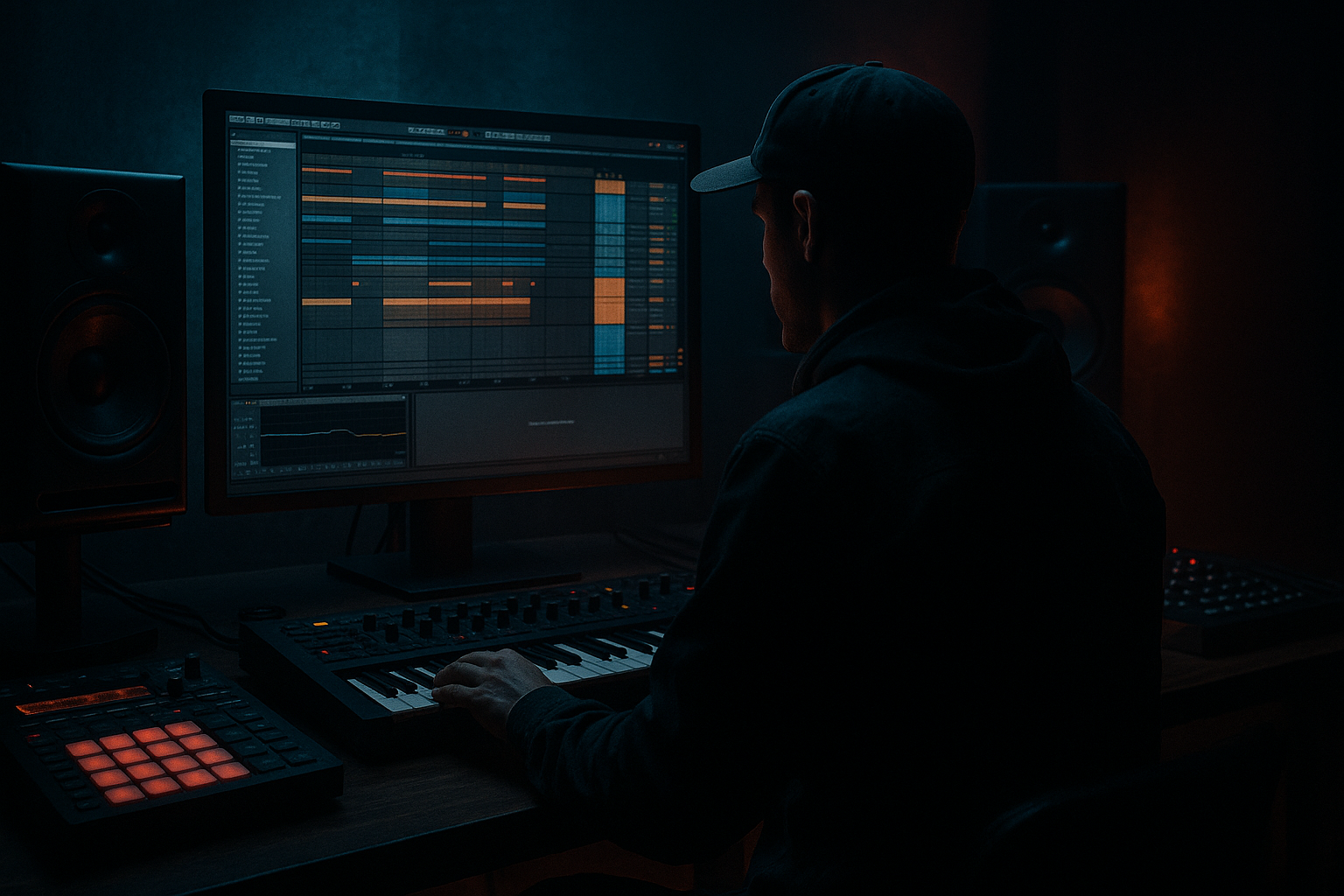
Moonlit Jungle workflow: reese patch transform in Ableton Live 12 (Advanced) cover image

Narrated lesson audio

The voice track includes the tutorial plus extra teacher commentary.

Open audio file

Main tutorial

Moonlit Jungle Workflow: Reese Patch Transform in Ableton Live 12 🌙🥁

1. Lesson overview

In this lesson, we’re building a Moonlit Jungle-style reese transform workflow in Ableton Live 12 for drum and bass production.

The goal is not just to make a reese bass sound good in isolation, but to design a repeatable workflow that lets you morph one patch through different states:

  • wide and eerie
  • midrange snarling
  • sub-supported and club-ready
  • dark, rolling, and arrangement-friendly
  • This is especially useful in neuro, jungle, rollers, and dark DnB, where the bass often needs to evolve over time without losing weight or consistency.

    We’ll use stock Ableton devices and focus on:

  • Oscillator layering
  • Detuning and stereo design
  • Mid/side awareness
  • Transforming the patch with Macro control
  • Saturation, filtering, and movement
  • Building a versioned workflow for arrangement
  • ---

    2. What you will build

    By the end, you’ll have a three-state reese instrument rack:

    State A: Foundation Reese

    A thick, mono-safe, low-mid focused bass layer that sits under the drums.

    State B: Moonlit Transform

    A more animated, widened version with chorus-like motion, filtering, and edge.

    State C: Dark Impact Variation

    A harsher, more aggressive version for fills, drops, and call/response phrases.

    You’ll also set up:

  • Macro controls for quick performance and arrangement changes
  • Parallel processing for grit without losing sub
  • Automation-ready filtering and movement
  • A workflow for making the bass evolve across 8/16/32-bar sections
  • ---

    3. Step-by-step walkthrough

    Step 1: Start with a clean instrument rack

    Create a new MIDI track and load:

  • Instrument Rack
  • Inside it, place Wavetable or Analog as your core synth
  • Add Utility after the synth
  • Add Saturator
  • Add EQ Eight
  • Add Auto Filter
  • Add Chorus-Ensemble or Phaser-Flanger
  • Optional: Glue Compressor or Roar if you want extra bite
  • A solid stock chain might look like this:

    ```text

    Wavetable → Utility → Saturator → EQ Eight → Auto Filter → Chorus-Ensemble → Utility

    ```

    If you want more control, split into layers:

  • Low layer: mono, stable, clean
  • Mid layer: detuned, animated, processed
  • This is very DnB-friendly because it keeps your sub dependable while allowing the top harmonics to move.

    ---

    Step 2: Program the core reese

    In Wavetable:

    Use two oscillators:

  • Osc 1: Saw wave
  • Osc 2: Saw wave
  • Detune Osc 2 slightly against Osc 1
  • Suggested starting point:

  • Osc 1: Saw, unison off or very low
  • Osc 2: Saw, detune around 5–12 cents
  • Fine tune one oscillator slightly down if you want more movement
  • Keep the patch relatively simple at first
  • Voicing:

  • Set to mono
  • Enable legato if you want slides
  • Adjust glide very subtly, around 20–60 ms if needed
  • The point here is to create a solid reese foundation that can later be transformed, not overdesigned at the start.

    ---

    Step 3: Build the low-end separation

    A classic DnB mistake is letting the reese eat the sub. Don’t do that.

    Option A: Keep the sub separate

    Create a second MIDI track with:

  • Operator
  • One sine wave
  • Low-pass it if needed
  • Keep it mono
  • This track handles the true sub, while the reese focuses on low-mids and mids.

    Option B: Split inside the rack

    Use an Audio Effect Rack after the synth:

  • Chain 1: Sub
  • Chain 2: Mid reese
  • On the sub chain:

  • EQ Eight: low-pass around 90–120 Hz
  • Utility: Width = 0%
  • Optional mild Saturator for harmonics
  • On the mid chain:

  • EQ Eight: high-pass around 90–120 Hz
  • Then add the movement and dirt
  • This is a very practical workflow for heavy drum and bass because it makes the sound easier to mix against the kick and snare.

    ---

    Step 4: Add transform character with saturation and filtering

    Now we turn the plain reese into something more moonlit and dangerous 🌑

    Saturator settings:

    Try:

  • Drive: +3 to +8 dB
  • Soft Clip: On
  • Color: slight bias toward warmer/denser tone if needed
  • The purpose is to create harmonics that will survive on smaller systems and cut through dense breaks.

    Auto Filter:

    Use:

  • Low-pass or band-pass depending on the movement
  • Drive the filter slightly if needed
  • Set resonance moderately, not too high
  • Suggested starting automation ranges:

  • Low-pass cutoff moving between 150 Hz and 2.5 kHz
  • Resonance around 0.20–0.45
  • For rolling DnB, a subtle low-pass sweep can make the bass feel like it’s breathing with the drums.

    ---

    Step 5: Create width without breaking the mono image

    A reese often feels huge because of phase motion, but you still need it to hold up in mono.

    Use Chorus-Ensemble:

  • Choose Ensemble mode if you want thicker smear
  • Keep Mix low to moderate
  • Rate slow
  • Depth moderate
  • Try:

  • Rate: 0.10–0.35 Hz
  • Depth: 20–40%
  • Mix: 10–30%
  • Use Utility:

  • Keep the low layer mono
  • Widen only the mid layer
  • If needed, reduce width in the main reese chain to avoid phase mess
  • Check mono regularly:

    Put Utility at the end and toggle Mono occasionally.

    If the sound vanishes or hollows out, reduce stereo modulation and keep the important low-mid energy more centered.

    ---

    Step 6: Map the transform to Macros

    This is where the workflow becomes powerful.

    Inside the Instrument Rack, map important controls to Macros:

    Suggested Macro assignments

    1. Sub Level

    2. Reese Detune

    3. Filter Cutoff

    4. Filter Resonance

    5. Drive

    6. Chorus Amount

    7. Stereo Width

    8. Tone / High Cut

    Now you can morph the sound in real time or automate changes across sections.

    Practical Macro ranges

  • Detune: subtle changes matter more than huge sweeps
  • Cutoff: automate for phrase movement
  • Drive: automate slightly for intensity peaks
  • Width: open up in fills, tighten in drop sections
  • This makes it easy to create transform states for different parts of the tune.

    ---

    Step 7: Make three usable bass states

    Instead of one static patch, save three rack presets or three Macro snapshots.

    State A: Foundation Reese

    Use this for the main drop groove.

  • Moderate detune
  • Low saturation
  • Narrower width
  • Stable filter position
  • State B: Moonlit Transform

    Use this for second-half drop energy.

  • More detune
  • Slightly more chorus
  • Filter movement
  • More top-end harmonics
  • State C: Dark Impact Variation

    Use this for fills and transitions.

  • Higher drive
  • More aggressive resonance
  • Short automated filter dip
  • Possible pitch motion or MIDI octave jumps
  • You can duplicate the MIDI clip and automate these changes over 8 or 16 bars.

    ---

    Step 8: Add motion with modulation sources

    In Live 12, movement is crucial for modern DnB bass design.

    LFO-style motion options:

  • Auto Filter envelope follower
  • Shaper
  • Envelope automation clips
  • LFO-style modulation through Max for Live devices if you use them
  • But even stock devices can do a lot.

    #### Useful movement ideas:

  • Slow cutoff automation across 4 or 8 bars
  • Slight resonance bumps before snare fills
  • Volume or width changes on phrase endings
  • Small pitch automation for tension before drop hits
  • A good jungle-style bassline often feels like it’s talking to the breaks, not just sitting under them.

    ---

    Step 9: Sequence the bass musically

    Now write a MIDI pattern that works like DnB, not like generic EDM bass.

    Good rhythmic ideas:

  • Offbeat stabs
  • Long notes with syncopated tails
  • Call-and-response with the snare
  • Tiny pickup notes into the one
  • Occasional octave jumps for variation
  • For a rolling 174 BPM pattern:

  • Keep the bass phrase short and loopable
  • Let the kick/snare breathe
  • Leave space for ghost notes in the drums
  • Example arrangement approach:

  • Bars 1–8: Foundation Reese
  • Bars 9–16: Add transform automation
  • Bars 17–24: Bring in Dark Impact Variation
  • Bars 25–32: Strip back briefly, then re-open the filter for lift
  • That kind of progression works especially well in dark liquid, jungle-tech, and deep rollers.

    ---

    Step 10: Mix around the kick and snare

    In DnB, the drums are the boss.

    Kick:

  • Leave space around the fundamental
  • Use sidechain compression if needed, but don’t overdo it
  • Keep the bass envelope disciplined
  • Snare:

  • Make sure the bass doesn’t mask the crack around 180 Hz–3 kHz
  • If your reese is too mid-heavy, notch a little around the snare zone
  • EQ Eight suggestions:

  • High-pass the mid reese chain around 80–120 Hz
  • Notch muddy build-up around 200–350 Hz if needed
  • Tame harshness around 2–5 kHz if the patch starts biting too much
  • A dark reese should feel menacing, not fatiguing.

    ---

    4. Common mistakes

    1. Making the reese too wide too early

    Huge width sounds exciting solo, but can collapse in mono and blur the groove.

    2. Letting the sub live inside a dirty stereo patch

    Your sub should be stable, centered, and easy to control.

    3. Over-detuning

    Too much detune turns the bass into a wobble or seasick smear instead of a focused reese.

    4. Too much saturation before EQ cleanup

    If you distort first and clean later, you may create unnecessary mud.

    Be deliberate about where the harmonics are being generated.

    5. Ignoring phrase automation

    A static reese can work, but DnB thrives on movement. Even small filter and drive changes can make the arrangement feel alive.

    6. Not checking mono

    If your bass disappears in mono, your club translation will suffer.

    ---

    5. Pro tips for darker/heavier DnB

    Tip 1: Use parallel dirt

    Duplicate the reese or use an Audio Effect Rack with a parallel chain:

  • Clean chain
  • Dirty chain with Roar, Saturator, or Pedal
  • Blend the dirty chain underneath instead of destroying the core tone.

    Tip 2: Automate the top edge, not the entire patch

    Often the best transform happens by automating:

  • filter cutoff
  • drive
  • chorus mix
  • high shelf
  • This keeps the low-mid power steady while the character changes.

    Tip 3: Push midrange aggression in fills

    For 1-bar fills or pre-drop moments:

  • raise saturation
  • open filter
  • widen slightly
  • add a short delay throw if appropriate
  • Tip 4: Use pitch movement sparingly

    A tiny glide or downward pitch dip can create menace.

    Don’t turn it into a wobble unless that’s the intention.

    Tip 5: Pair with drum break texture

    A moonlit jungle bass sounds stronger when the drums have:

  • grit
  • ghost notes
  • chopped break texture
  • ambience or vinyl noise
  • The bass should feel embedded in a world, not pasted on top.

    ---

    6. Mini practice exercise

    Goal:

    Build a 16-bar reese transform drop.

    Instructions:

    1. Create a mono sub track with Operator

    2. Create a reese track with Wavetable

    3. Add Saturator, EQ Eight, and Auto Filter

    4. Map 4 Macros:

    - Detune

    - Cutoff

    - Drive

    - Width

    5. Program a 2-bar bass phrase

    6. Duplicate it across 16 bars

    7. Automate the following:

    - Bars 1–4: subtle filter movement

    - Bars 5–8: increase drive slightly

    - Bars 9–12: widen the mid layer

    - Bars 13–16: open filter and add a darker impact variation

    Challenge:

    Make the bass feel like it evolves without changing the core rhythm.

    If it works, the listener should feel the energy shift while the groove remains locked to the drums.

    ---

    7. Recap

    A strong Moonlit Jungle reese transform workflow in Ableton Live 12 is about more than sound design — it’s about control, movement, and arrangement utility.

    Key takeaways:

  • Start with a simple reese foundation
  • Keep the sub separate or carefully controlled
  • Use stock Ableton devices to shape tone and motion
  • Map key parameters to Macros for fast transformation
  • Automate changes across sections to keep the track evolving
  • Always check mono and mix around the drums
  • If you build this workflow well, you’ll have a bass patch that can move from shadowy and restrained to gnarly and cinematic without losing its club power. That’s the kind of sound design that works in serious DnB arrangements. 🔥

    If you want, I can also turn this into:

  • a follow-along Ableton Live 12 rack recipe
  • a MIDI + automation example
  • or a dark jungle bass patch using only stock devices

Ask GPT about this lesson

Chat with the lesson tutor, get follow-up help, or use quick actions.

Bigup 👽 Ask me anything about this lesson and I’ll answer in context.

Narration script

Show spoken script
Welcome back. In this lesson, we’re building a Moonlit Jungle style reese transform workflow in Ableton Live 12, and we’re going beyond just making a bass patch sound thick in solo. We’re designing a repeatable system, something you can actually use across an entire drum and bass arrangement to move from eerie and wide, to focused and snarling, to dark and impact-ready, without losing control.

That’s the real goal here. In dark DnB, the bass should feel alive, but it also has to be disciplined. It needs to work with the kick and snare, hold up in mono, and evolve over time so the track doesn’t feel static. So think of this as sound design plus workflow design.

First, let’s set the mindset. Don’t treat the reese like one single preset. Treat it like a system. You want one safe version that can carry the groove, and one wild version that can punch through for fills, transitions, and drop moments. That idea alone will make your productions more musical and more manageable.

So let’s start clean.

Create a new MIDI track and load an Instrument Rack. Inside that rack, put Wavetable as your core synth. You could use Analog too, but Wavetable gives us a very flexible starting point. After the synth, add Utility, then Saturator, then EQ Eight, then Auto Filter, then Chorus-Ensemble. If you want extra bite later, you can add Glue Compressor or Roar, but for now let’s stay focused on the core chain.

A basic chain might look like this in your mind: synth, then tone shaping, then motion, then final control. That order matters. You want to build the tone first, then sculpt it, then animate it.

Now program the actual reese.

In Wavetable, use two saw waves. Set Oscillator 1 to a saw, and Oscillator 2 to a saw as well. Detune Oscillator 2 slightly against Oscillator 1. We’re not going crazy here. Start with a small detune amount, something in the range of about 5 to 12 cents. If you want a little more movement, fine tune one oscillator just slightly down. Keep it simple and focused.

This is important: do not overbuild the sound at the beginning. A lot of people try to make the patch huge immediately, and then they run out of room to transform it later. We want headroom for evolution. Set the voice mode to mono, and if you want slides, enable legato. Use a short glide if needed, something subtle, around 20 to 60 milliseconds. That gives the bass a bit of fluid motion without turning it into a wobble.

Now let’s talk about the low end, because this is where a lot of DnB patches go wrong.

Your reese should not be responsible for everything. In a strong drum and bass mix, the sub should be stable, centered, and predictable. The reese can provide the personality, but the sub should carry the weight. The safest method is to create a separate MIDI track with Operator and a sine wave. Keep it mono, keep it clean, and let that track handle the true low end.

If you want to split things inside one rack instead, that works too. You can build an Audio Effect Rack with two chains. One chain is your sub support, with a low-pass around 90 to 120 hertz and Utility set to zero width. The other chain is your mid reese, with a high-pass around that same point, and that chain gets all the movement, dirt, and width. This is a very practical DnB workflow because it lets the sub stay dependable while the midrange gets expressive.

Now we start turning the plain reese into something more Moonlit and dangerous.

Add Saturator and push the drive somewhere around 3 to 8 dB to start. Use Soft Clip if needed. You’re not trying to destroy the sound, you’re trying to generate harmonics that help it cut through a dense mix and survive on smaller speakers. Think of saturation as adding visible edges to the waveform, not just loudness.

Then move into Auto Filter. A low-pass or band-pass can both work, depending on the vibe. For this style, subtle movement is often more effective than huge sweeps. Try automating the cutoff between around 150 hertz and 2.5 kilohertz, with resonance somewhere around 0.20 to 0.45. That gives you breathing room without making the sound whistle or become too acidic unless you want that deliberately.

Next, let’s deal with width, because reese sounds live and die on stereo motion.

Use Chorus-Ensemble to thicken the patch. If you want a smeared, haunted feel, Ensemble mode is great. Keep the mix moderate, the rate slow, and the depth controlled. A starting point could be around 0.10 to 0.35 hertz for rate, 20 to 40 percent depth, and 10 to 30 percent mix. Enough to move, not enough to wreck the groove.

Here’s the rule: widen the top and mid character, not the sub. Keep the low layer mono. If you don’t split the layers, then at least make sure the patch still behaves when summed to mono. Drop a Utility at the end and toggle mono occasionally. If the bass collapses, you’ve gone too wide too early. Pull back the modulation and keep the important energy centered.

Now we get into the part that makes this workflow truly powerful: Macros.

Inside the Instrument Rack, map the important controls to Macros. I’d suggest Sub Level, Reese Detune, Filter Cutoff, Filter Resonance, Drive, Chorus Amount, Stereo Width, and Tone or High Cut. Once those are mapped, you’ve got performance control. You’ve got arrangement control. You’ve got transformation control.

This is where the patch stops being a static sound and starts becoming a living instrument.

The trick is to keep the ranges musical. Detune changes should be subtle. Cutoff can move more dramatically. Drive can rise for intensity peaks. Width can open up in fills and narrow down in the drop. You’re basically creating a handful of states that can move the same core idea through the arrangement.

Let’s define those states.

State one is your Foundation Reese. This is the version for the main drop groove. It should be stable, fairly narrow, and lightly saturated. It’s the version that does the actual job.

State two is the Moonlit Transform. This is the more animated version. More detune, more chorus, more filter movement, more upper harmonic energy. This is what you use when the track needs to open up emotionally or build momentum.

State three is the Dark Impact Variation. This is the aggressive one. More drive, more resonance, maybe a short filter dip or a pitch movement, something that gives you a hard transition or a call-and-response answer. Think of this as the version you save for punctuation.

That “role-based” thinking is a huge pro move. One version holds weight, one speaks, one stabs. It makes arrangement decisions much easier because each patch has a job.

Now let’s add motion.

Even stock Ableton devices can create a lot of life if you automate them well. Use slow cutoff automation over four or eight bars. Add subtle resonance bumps before snare fills. Change width or drive at phrase endings. Sometimes even a tiny pitch dip before the drop can create a lot of tension. The point is to imply movement before the listener fully registers it.

In jungle and dark DnB, bass doesn’t just sit there. It talks to the breaks. It reacts to the drums. It feels embedded in the rhythm of the track, not pasted over it.

Now sequence the bass musically.

Don’t write it like generic EDM. Think in offbeat stabs, syncopated long notes, pickup notes into the one, and little call-and-response moments with the snare. Leave room for the drums to breathe. A rolling 174 BPM line works best when the phrase is short and loopable, and when the rhythm stays memorable even as the tone evolves.

A strong arrangement might look like this: bars one through eight, Foundation Reese. Bars nine through sixteen, introduce transform automation. Bars seventeen through twenty-four, bring in the Dark Impact Variation. Bars twenty-five through thirty-two, strip it back, then open the filter for lift. That kind of progression works really well in dark liquid, jungle-tech, and deep rollers.

Now let’s talk mix discipline, because this is where good bass becomes great bass.

The drums are the boss in DnB. Your bass has to make space for the kick and snare. Leave room around the kick’s fundamental. Use sidechain compression if you need it, but don’t overdo it. Keep the bass envelope disciplined.

For the snare, make sure your reese isn’t masking the crack around 180 hertz to 3 kilohertz. If the patch gets too mid-heavy, notch a little around that zone. Use EQ Eight to clean up mud around 200 to 350 hertz if needed, and tame harshness around 2 to 5 kilohertz if the bass starts biting too much. The goal is menacing, not fatiguing.

Let’s pause for a few classic mistakes to avoid.

First, don’t make the reese too wide too early. Wide sounds exciting in solo, but it can collapse in mono and blur the groove.

Second, don’t hide the sub inside a dirty stereo patch. Keep the sub stable and centered.

Third, don’t over-detune. Too much detune turns a focused reese into a seasick wobble.

Fourth, be careful with saturation before cleanup. If you distort before shaping, you can create mud that’s harder to fix.

Fifth, don’t ignore phrase automation. Even small changes in filter, drive, or width can make the arrangement feel alive.

And sixth, always check mono. If the bass disappears when summed down, it’s not ready for club translation.

Now for some advanced variation ideas.

Try splitting the reese into three frequency roles: sub support, body layer, and edge layer. That gives you more control over intensity without wrecking the full tone. The sub stays pure and centered. The body layer carries the main character. The edge layer can be heavily processed, high-passed, and kept low in level, just enough to add aggression and presence.

You can also map velocity to important parameters like filter cutoff, drive, or oscillator mix. That way, ghost notes and accents feel more expressive.

Another useful move is saving scene-based macro positions. For example, tight and dry, open and haunted, aggressive and smeared. Then you can duplicate clips and automate between those positions across sections.

You can even use pitch intervals for motion instead of just detune. A root plus octave can feel huge. Root plus fifth can feel powerful. Root plus minor second, used sparingly, can bring tension in fills. That gives the bass a more narrative character.

And here’s a great arrangement trick: automate a reverse-transform phrase. Instead of building energy up, you can reduce intensity over one or two bars by pulling down drive, narrowing width, closing the filter, and removing upper harmonics. That’s perfect for pre-drop tension, breakdown tails, or call-and-response moments.

For extra presence, you can duplicate the MIDI and add a very short high-passed transient layer. Keep it quiet and low velocity so the bass speaks more clearly on smaller speakers. You can also experiment with asymmetrical distortion, where the sub stays clean, the body gets gentle saturation, and the top gets harsher clipping or wavefold-style grit. That layered asymmetry often sounds more organic than a single heavy distortion chain.

One more production tip: once the patch feels right, print it to audio. Resample it. Then chop it, reverse it, and bounce different macro states into new audio versions. That’s where the sound starts to feel like a real musical element rather than just a synth patch.

Here’s a simple practice pass you can do right now.

Build a 16-bar reese transform drop. Create a separate sub track with Operator. Create a reese track with Wavetable. Add Saturator, EQ Eight, and Auto Filter. Map four Macros: Detune, Cutoff, Drive, and Width. Program a two-bar bass phrase, duplicate it across sixteen bars, and automate it so that bars one through four have subtle filter movement, bars five through eight increase drive slightly, bars nine through twelve widen the mid layer, and bars thirteen through sixteen open the filter and add a darker impact variation.

The challenge is to make the bass feel like it evolves without changing the core rhythm. If that works, you’ve got the real juice: transformation with identity.

So let’s recap.

A strong Moonlit Jungle reese transform workflow in Ableton Live 12 is not just about sound design. It’s about control, movement, and arrangement utility. Start simple. Keep the sub separate or carefully managed. Use stock devices to shape tone and motion. Map key parameters to Macros. Automate changes across sections. Check mono. Mix around the drums.

If you build this the right way, you’ll have a bass patch that can move from shadowy and restrained to gnarly and cinematic without losing club power. That’s the kind of workflow that holds up in serious DnB production.

And if you want to level up from here, the next natural step is turning this into a full follow-along rack recipe, a MIDI and automation example, or a dark jungle bass patch built entirely with stock devices.

mickeybeam

Go to drumbasscd.com for +100 drum and bass YouTube channels all in one place - tune in!

Generating PDF preview…
