Main tutorial
Lesson Overview
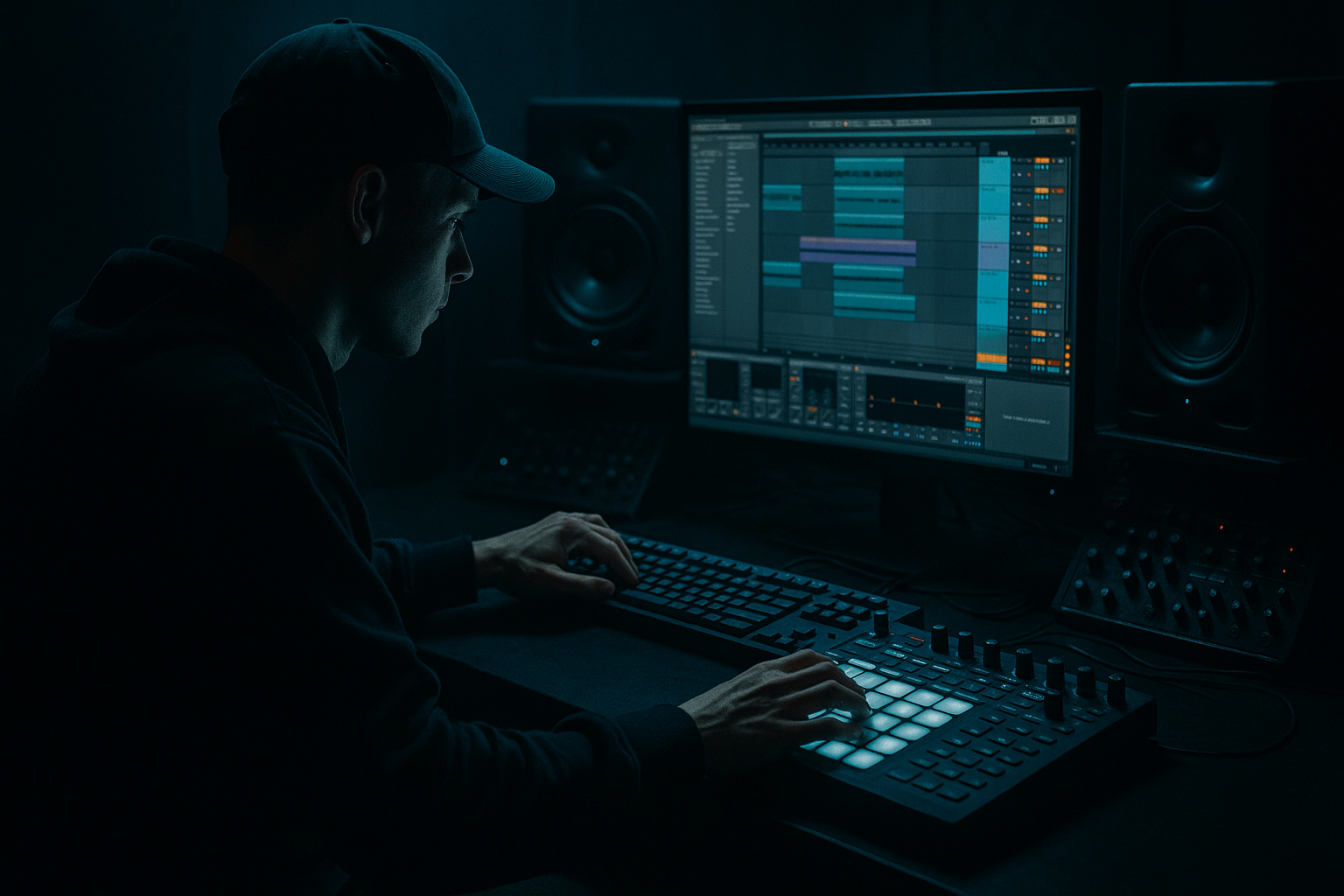
“Moonlit Jungle” is about making a break roll feel clean, tense, and expensive in Ableton Live 12 — not messy, not over-busy, and definitely not like a loop that just got louder. In Drum & Bass, especially jungle-leaning rollers, neuro-adjacent dark rollers, and atmospheric half-time-to-full-time switch moments, the break roll is a transition weapon: it pulls the listener from one phrase into the next, adds motion before a drop or switch, and keeps the groove alive without stepping on the kick, sub, or main bassline.
This lesson focuses on a very specific advanced FX workflow: turning a raw break edit into a controlled roll with momentum, stereo depth, and tension, while keeping the low-end clean and the drum transient profile punchy. You’ll use Ableton stock devices to shape the roll with timing, filtering, saturation, reverb throws, reverse textures, and automation, then arrange it so it lands like a proper DnB phrase, not a generic fill.
Why this matters in DnB: the best break rolls don’t just “fill space.” They set up the next bar’s energy curve. In jungle, that means respecting swing and break identity. In modern rollers, it means keeping the drums tight enough for the sub to stay dominant. In darker bass music, it means tension without mud. Clean roll design is a huge part of making a track feel finished. ✨
What You Will Build
You’ll build a 4-bar Moonlit Jungle break roll in Ableton Live 12 that starts with a broken-up Amen-style or dusty 2-step break, then evolves into a controlled fill with:
- tight transient edits
- ghost-note motion
- filtered top-end build
- subtle stereo widening in the upper layer only
- short reverse tail / reverb bloom before the next section
- a final hit or pickup that lands cleanly into the drop or switch
- a solid sub at 140–174 BPM
- a reese or modulated mid-bass
- a dark atmosphere bed
- DJ-friendly phrasing with clear 8- or 16-bar structure
- Over-filling every subdivision
- Letting the break fight the sub
- Making everything wide
- Using too much reverb on the main break
- Ignoring velocity and micro-timing
- Over-compressing the roll bus
- Not arranging the roll to a phrase
- Parallel grit, not full-time distortion
- Use filtered noise as a transition bed
- Try resampling the roll
- Automate Drum Buss Drive in tiny amounts
- Use reverb only on the tails
- Check mono at every stage
- Use call-and-response with the bass
- A clean break roll in DnB is about phrase control, not just more hits.
- Keep a dry transient core and a separate FX layer for movement.
- Use Drum Buss, EQ Eight, Auto Filter, Reverb, Utility, and Glue Compressor to shape the roll inside Ableton Live.
- Automate density, cutoff, and sends so the roll rises naturally into the next section.
- Protect the sub, kick, and snare center by keeping low-end and essential transients controlled.
- In darker DnB, the best roll feels like tension in motion: tight, nocturnal, and ready to hit.
Musically, the result should feel like a bar 15-to-16 lift into a bar 17 drop, or a pre-drop roll into a B-section switch. Think moody, nocturnal, and driven — like moonlight reflecting off wet concrete: smooth on the surface, gritty underneath.
The finished roll should sit well in a track that has:
Step-by-Step Walkthrough
1. Choose the right break source and commit to a musical phrase
Start with a break that already has character: an Amen, Think, Hot Pants, or a dusty old-school jungle break with natural ghost notes. Drag it into an audio track and make sure it sits inside a 2-, 4-, or 8-bar phrase that supports your arrangement.
In Ableton Live 12:
- Warp it so the groove stays locked to the project tempo.
- Use a warp mode that preserves transient feel for breaks; for full drum loops, keep the timing tight and avoid over-manipulation unless needed.
- Set your clip start so the first key transient lands cleanly on the grid.
Advanced move: duplicate the loop and create a second version for editing. One version stays raw; the other becomes your roll layer. This keeps you from over-processing the only copy.
Why this works in DnB: the break’s original swing and transient fingerprint are part of the genre language. If the source has the right attitude, your FX work becomes enhancement instead of rescue.
2. Slice the break into roll-friendly segments
Use Ableton’s Slice to New MIDI Track workflow or manually cut the audio clip into pieces. For advanced control, manual cutting is usually faster once you know the groove you want.
Build a roll from:
- kick/snare anchors
- short ghost snare taps
- hi-hat fragments
- tiny pickup hits before the phrase change
Practical move:
- Keep the main kick and snare hits strong.
- Reduce the volume of ghost slices by about -6 to -12 dB relative to the main hits.
- Nudge some slices slightly late or early by a few milliseconds for feel, but don’t destroy the pocket.
In Ableton Live 12, use Clip Gain and fades so your edits stay click-free. Tiny crossfades matter a lot when breaks are dense.
3. Shape the transient profile with Drum Buss and EQ Eight
Route the break slices or break track to a dedicated drum bus. This is where the roll starts to become “clean.”
On the break bus, try:
- Drum Buss:
- Drive: around 5–15%
- Crunch: subtle, only enough to add grit
- Boom: usually low or off for break rolls unless the break needs more body
- EQ Eight:
- High-pass gently around 25–35 Hz if any sub rumble is present
- Cut muddy buildup around 200–400 Hz if the break gets boxy
- If needed, add a small shelf or bell boost around 7–10 kHz for air, but only after checking harshness
The goal is not to make the break huge. It’s to make the roll read clearly against bass and atmospheres.
Advanced judgment: if the break already has strong low mids, don’t “warm it up” more. In dark DnB, too much low-mid saturation in the roll can blur the sub’s authority.
4. Build motion with layering: one dry layer, one FX layer
Separate the roll into two lanes:
- Dry core layer: the main break hits, mostly intact
- FX movement layer: a duplicate processed for texture, air, and transition energy
On the FX layer, use:
- Auto Filter for a moving band-pass or low-pass sweep
- Hybrid Reverb or Reverb for short atmospheric blooms
- Simple Delay for tiny rhythmic echoes, if used sparingly
Suggested settings:
- Auto Filter cutoff automation from about 300 Hz up to 8–12 kHz over 1–4 bars
- Resonance low-to-moderate, around 5–20%
- Reverb decay around 0.4–1.2 s for a tight roll space
- Dry/Wet on the reverb layer: 10–30%, not more unless it’s a full transition effect
Keep the dry core punchy and mono-compatible. Let the FX layer carry the moonlit haze.
Why this works in DnB: the ear hears contrast. A dry percussive core tells the body where the groove is; the filtered and reverbed duplicate tells the listener that something is changing.
5. Program the roll rhythm with tension and release, not constant density
Don’t fill every subdivision equally. A clean DnB roll usually accelerates perception without actually becoming cluttered.
Try this structure over 1 bar:
- beat 1: main snare or break anchor
- beat 2: ghost note / pickup
- beat 2.3–2.4: rapid 16th fragment
- beat 3: another anchor
- beat 3.3–4: denser fill leading to the next bar
In 4 bars, evolve it:
- Bar 1: sparse, spacious, recognizable
- Bar 2: add ghost notes and one extra hat slice
- Bar 3: increase density and automation movement
- Bar 4: strongest lift, with a short reverse or reverb throw into the drop
Use Ableton’s note/clip velocity if you’re triggering slices via Drum Rack. Accent only the hits that need to speak. Ghost notes should stay present but not dominate.
A good range:
- Main hits: velocity around 95–127
- Ghost notes: 35–80
- Transition taps: 70–110
6. Control the stereo field so the roll feels wide without smearing the mix
This is where many advanced productions go wrong. Break rolls often sound exciting in stereo but become messy the moment the sub and bass re-enter.
Keep the low and center solid:
- Use Utility on the break bus and keep the core layer mostly mono or narrowed.
- For the FX layer only, widen subtly with Chorus-Ensemble or a stereo reverb return.
- High-passed ambience can be wider; transients should stay centered.
Practical approach:
- Core break layer: Width around 0–50%
- FX layer: Width around 120–160% if needed
- Check mono regularly with Utility’s mono switch or by collapsing the return
This matters because DnB drops rely on a stable center image: kick, snare, and sub must hit with authority. Wide roll noise is fine. Wide low-mid break junk is not.
7. Automate filters, sends, and decay to create a “moonrise” build
The FX magic comes from automation that feels intentional. In Live 12, draw smooth curves or use MIDI/clip envelopes for the break roll.
Automate:
- Auto Filter cutoff rising across the phrase
- Reverb send increasing slightly in the last half-bar
- Delay feedback rising only for the last hit or two
- Drum Buss Drive nudging up by a small amount during the buildup
- A final high-pass sweep if the roll needs to thin out before impact
Suggested automation moves:
- Cutoff: 700 Hz → 10 kHz
- Reverb send: 0% → 15%
- Delay feedback: 5% → 18% for a throw
- Wet level on the FX layer: small gradual lift, not a sudden jump
If the arrangement is a drop-to-breakdown switch, automate the roll to open upward, then strip the low end right before the new section. That creates a clean sense of “air clearing.”
8. Add a reverse tail or impact pickup for the final bar
For the last half-bar or last beat before the next section, create a reverse effect that feels like a breath in the dark.
Options in Ableton:
- Reverse a short cymbal, snare tail, or atmospheric hit
- Place it before the downbeat as a pickup
- Send it through Reverb or Hybrid Reverb with short decay
- Use Utility to trim its low end and keep it out of the sub zone
Practical settings:
- Reverse layer high-pass around 200–400 Hz
- Reverb decay 0.6–1.5 s
- Pre-delay around 10–25 ms if the reverb is too glued to the transient
This is especially effective in jungle and darker rollers because it preserves the break identity while signaling transition. It’s a tiny trick, but it makes the roll feel arranged, not looped.
9. Bus glue the whole roll and keep headroom for the drop
Once the roll is built, send all break roll layers to a dedicated drum FX bus. Use light glue, not heavy compression.
On the bus:
- Glue Compressor with slow-ish attack and moderate release
- Only a few dB of gain reduction, if any
- Use EQ Eight after compression to remove any new buildup
- Keep the master headroom sane; the roll should not be louder than the drop just because it has more high-frequency activity
Suggested compressor behavior:
- Attack: allow the transient through
- Release: timed to the groove
- Gain reduction: around 1–3 dB
If the roll gets harsh, tame it with a subtle high-shelf dip around 8–12 kHz rather than crushing it. Clean does not mean dull.
10. Place the roll in arrangement with actual DnB phrasing
Put the roll where it earns its place:
- end of a 16-bar phrase
- 2 bars before a drop
- 1-bar fill before a switch-up
- breakdown exit into a new bass motif
Example arrangement:
- Bars 1–8: main roller groove
- Bars 9–12: bass variation + atmospheric tension
- Bars 13–16: Moonlit Jungle break roll starts sparse and grows
- Bar 16 last beat: reverse pickup / reverb throw
- Bar 17: full drop with bass and drums locked
In a DJ-friendly track, this gives mixers and dancers a readable structure. In a more experimental neuro-jungle hybrid, it still keeps the listener oriented while the texture gets darker and more detailed.
Common Mistakes
- Fix: leave breathing room between hits. A roll needs contrast, not constant chatter.
- Fix: high-pass the roll bus if needed, cut low-mids, and keep the core break from piling up below 200 Hz.
- Fix: keep the transient core centered. Widen only ambience, not the essential hit.
- Fix: put reverb on a send or FX duplicate, not the main transient layer.
- Fix: vary ghost notes and nudge slices gently. Mechanical breaks sound flat in DnB unless that’s a deliberate style choice.
- Fix: aim for glue, not flattening. If the roll loses punch, back off.
- Fix: make sure it leads somewhere. If it doesn’t resolve into a downbeat or switch, it will feel unfinished.
Pro Tips for Darker / Heavier DnB
- Duplicate the break roll, distort that copy with Saturator or Overdrive, high-pass it, then blend it under the clean core. This adds menace without trashing the transient.
- A low-level noise or atmosphere layer through Auto Filter can make the roll feel cinematic. Keep it high-passed and automate the cutoff to rise with the break.
- Bounce the edited break roll to audio, then chop it again. Resampling can lock in the vibe and make further edits faster. Great for finding accidental magic.
- A small increase in the final 1–2 bars can make the roll feel like it’s leaning forward. Don’t overdo it; think intensity, not fuzz.
- Send just the last hit or pickup to a return. That keeps the groove clean while still giving the transition a cinematic halo.
- Dark DnB lives or dies by center discipline. If the roll disappears or gets cloudy in mono, simplify the FX layer.
- Let the roll answer the bassline. For example, if the reese leaves space at the end of bar 4, let the roll occupy that gap instead of masking the bass earlier in the phrase.
Mini Practice Exercise
Set aside 10–20 minutes and build a 4-bar break roll using only Ableton stock tools.
1. Pick one dusty break loop.
2. Slice it into at least 8 fragments.
3. Make a 4-bar phrase where bars 1–3 gradually increase density.
4. Add a second FX copy with Auto Filter and Reverb.
5. Automate the filter from dark to bright over the phrase.
6. Keep the main break core centered and the FX layer wider.
7. Add one reverse pickup or reverb throw in the final half-bar.
8. Bounce the result, then listen in mono and at low volume.
Goal: create a roll that still feels like a break, but clearly functions as a transition into a drop or switch.

