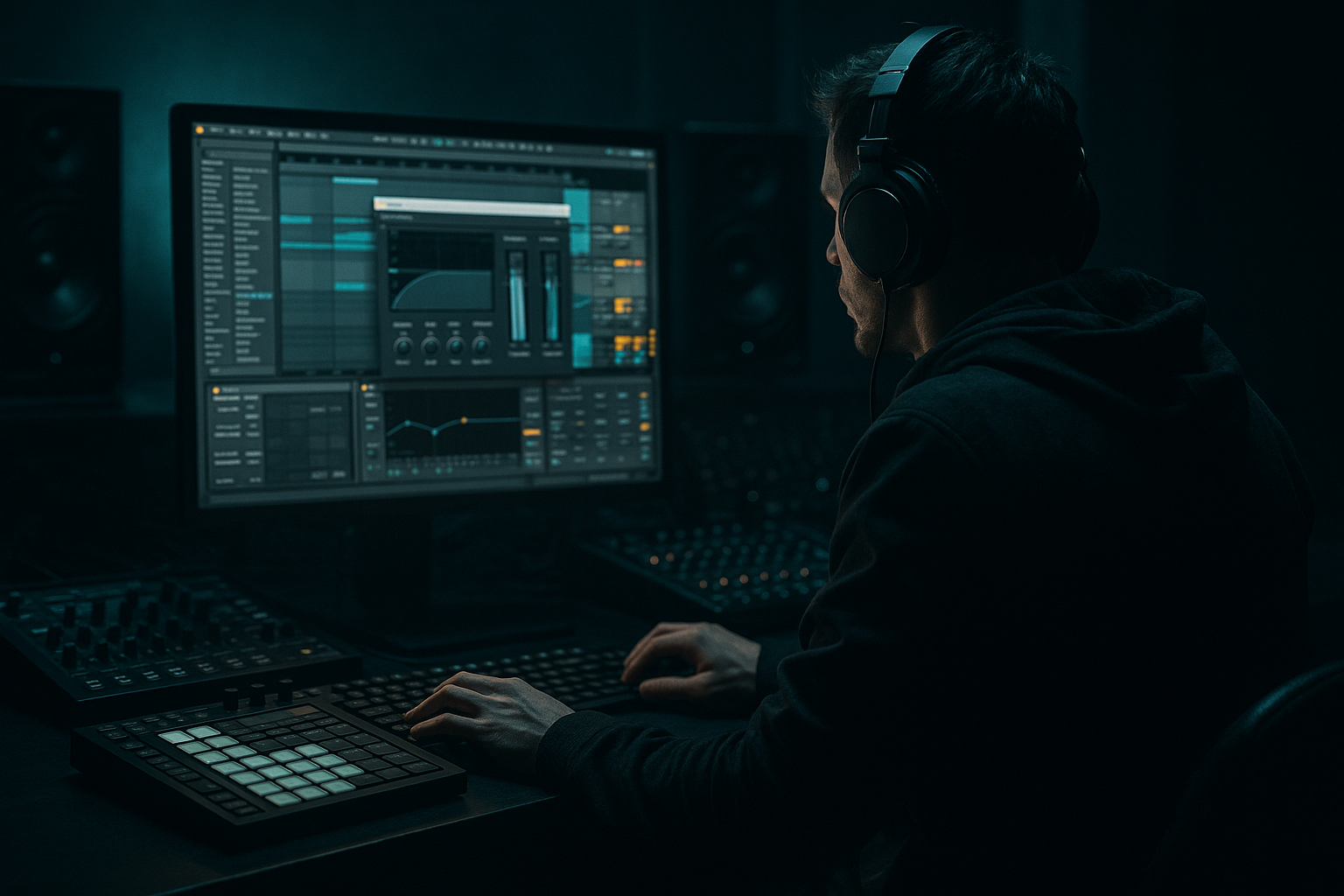
Main tutorial
Lesson Overview
This lesson is about building a Moonlit Jungle breakdown that leads into a switch-up warp in Ableton Live 12 — the kind of dark, cinematic reset that makes a DnB tune feel like it just stepped sideways into another dimension 🌙
In Drum & Bass, a breakdown is not just “the quiet part.” It’s a composition tool: it creates contrast, recontextualizes the groove, and sets up the drop so the return hits harder. For jungle, rollers, neuro-leaning bass music, or darker liquid, the breakdown can carry ghosted break fragments, sub tension, atmospheres, and rhythmic misdirection that make the listener feel the track is still moving even when the drums pull back.
The “switch-up warp” part is the trick: instead of a standard 8-bar breakdown into a clean drop, you introduce a warped rhythmic and harmonic shift—a half-time illusion, a break re-chop, a pitch-smeared bass phrase, or a time-stretched texture that bends the listener’s sense of momentum. In Ableton Live 12, this is especially effective because you can move quickly between Warp modes, Clip Envelopes, MIDI editing, resampling, and Arrangement automation without losing the groove.
Why this matters in DnB: the genre thrives on controlled momentum. If you can make the breakdown feel like a living mutation of the drop rather than a stop, you get better DJ flow, stronger tension/release, and a more memorable arrangement. This technique is especially useful for darker styles where atmosphere and surprise are part of the identity.
What You Will Build
By the end of this lesson, you’ll have a 32-bar section containing:
- A moody 8-bar breakdown with moonlit ambience, filtered break texture, and sub hints
- A switch-up warp moment that bends the rhythm using warped audio, ghosted fills, or time-stretched fragments
- A re-entry into the drop with stronger contrast than a standard filter sweep
- A composition that feels authentic for jungle / rollers / dark DnB, not generic EDM
- A version that stays DJ-friendly, with phrasing that still makes sense in a club mix
- Bars 1–8: stripped atmosphere, chopped break residue, low-end restraint
- Bars 9–12: the warp event — rhythmic instability, pitch bends, transient smearing, or half-time tension
- Bars 13–16: recovery and setup, usually with snare roll energy or sub anticipation
- Bars 17–32: drop return with a clearer hook, heavier drum impact, and a more aggressive bass statement
- Making the breakdown too empty
- Over-warping everything until it sounds mushy
- Leaving too much sub in the breakdown
- Using fills that don’t match the groove
- Not respecting 8-bar phrasing
- Too much reverb on the transition
- Use Drum Buss on the drum group with Drive in the 5–12% range and Transients slightly boosted for bite.
- Layer a very quiet reese harmonic bed under the breakdown, but high-pass it so it only suggests energy above the sub.
- For a more underground feel, automate frequency narrowing in the breakdown, then widen the bass mids at the drop.
- Resample your own bass phrase and re-cut it into two or three signature hits. Repetition with variation is extremely effective in rollers and neuro-leaning DnB.
- Add a subtle overdrive / saturation ramp to the final transition bar so the first drop hit feels more aggressive without needing a new sound.
- In darker jungle, let a chopped break or tom fill answer the bass phrase. That old-school rhythm memory gives the tune character.
- Check your transition in mono. If the warp moment collapses, reduce stereo width on the atmosphere and keep the sub centered.
- For extra dread, automate a slow low-pass descent on the music bus during the breakdown, then snap it open on the drop.
Musically, the result should feel like:
Step-by-Step Walkthrough
1. Set up the arrangement as a 32-bar tension arc
Start in Arrangement View and block out a clean 32-bar section. For an advanced DnB structure, think in 8-bar phrases rather than looping random ideas. Label the regions:
- Bars 1–8: Breakdown
- Bars 9–12: Switch-up warp
- Bars 13–16: Pre-drop tension
- Bars 17–32: Main drop or second-phase drop
Put a reference marker at the beginning of each 8-bar block. This helps you make composition decisions fast. In DnB, phrase clarity matters because DJs and listeners both feel the grid. Even when you’re being weird, the listener should subconsciously sense where the next impact lands.
If your track is around 172–174 BPM, the 8-bar phrase will feel like a natural breath. For a darker tune, leave the first 2 bars of the breakdown relatively empty so the ambience can “open up” before the switch-up arrives.
2. Build the breakdown around a filtered drum memory, not silence
Instead of muting the drums completely, create a memory of the groove. Take a break loop or your main drum bus and duplicate it to a new audio track. Use Simpler, Audio Effect Rack, or direct clip editing to carve a breakdown version.
Good Ableton stock device choices:
- Auto Filter: low-pass around 180–500 Hz to strip top-end
- EQ Eight: notch resonances, cut harsh snare bite around 3–6 kHz if needed
- Hybrid Reverb or Reverb: short, dark space with a low-cut on the return
- Echo: subtle pitch wobble and feedback tails on a send
Concrete settings:
- Auto Filter low-pass: 200–450 Hz, resonance 10–20%
- Reverb decay: 1.2–2.8 s, dry/wet 8–18%
- EQ Eight high-pass on atmosphere: 120–200 Hz
- Drum bus glue if needed: 1–2 dB gain reduction only
The goal is not to remove energy, but to leave behind rhythmic fingerprints. A faint kick hit, a snare ghost, or a chopped hat can keep the breakdown feeling connected to the groove.
3. Create the moonlit atmosphere using resampling and time stretch
For the “moonlit” character, resample a short bass tail, pad stab, or textured hit from your own project. Then drag it into an audio track and warp it in a way that feels slightly unstable, like light on water.
Use Ableton Live 12 audio clip Warp tools:
- Complex Pro for tonal textures and vocal-ish fragments
- Texture for grainy ambient smears
- Beats for break material with preserved transients
- Complex if you want a cleaner, more neutral stretch
Useful workflow:
- Create a 1-bar or 2-bar atmospheric loop
- Warp it and slightly offset a few markers so it drifts against the grid
- Automate Transpose down by -3 to -7 semitones for a nocturnal feel
- Add a tiny amount of Chorus-Ensemble or Delay if the layer needs width
This works well in darker DnB because the ear accepts atmosphere as a harmonic bed while the drums are momentarily removed. The harmonic smear creates tension without needing a huge chord progression.
4. Design the switch-up warp as a rhythmic identity shift
Now the main event: the warp. This should feel like the track suddenly tilts. You can do this with one of three advanced DnB-friendly methods:
A. Break warp flip
- Take a drum break or sliced break layer
- Set Warp mode to Beats
- Change transient preservation and segment length so the break feels chopped but musical
- Automate a sudden change in clip start position or warp marker placement at the end of bar 8
Suggested settings:
- Preserve: 1/16 or 1/8
- Transients: 80–100
- Gain compensation as needed to keep impact steady
B. Bass phrase warp
- Bounce your reese or bass stab to audio
- Warp it in Complex Pro
- Automate a brief pitch drop or formant-like smear using clip transpose and filter movement
- Drop the clip into a half-time feel for 1–2 bars
C. Atmosphere warp into impact
- Take a pad/noise layer
- Put it in Texture mode
- Increase grain size slightly so it becomes more smeared and spectral
- Automate a filter sweep into a reverse-style swell
The most DnB-effective version is often a hybrid: chopped break fragments keep the groove alive while a warped bass or texture creates the emotional tilt.
For the switch-up, try:
- Snare ghost fill in bar 8, beat 4
- One-bar bass silence followed by a warped answer
- A reversed break hit leading into bar 9
- A sudden drop to half-time percussion for 2 bars before re-accelerating
5. Use call-and-response phrasing between sub, mids, and drums
Advanced composition in DnB is often about who speaks and who stays silent. During the breakdown and switch-up, create a call-and-response layout:
- Call: filtered break stab, atmosphere swell, bass ripple
- Response: snare ghost, sub pulse, high-passed FX tail
In Ableton, use MIDI clips or audio clips to stagger these elements:
- Put the sub on its own track so you can mute it surgically for tension
- Use Utility to narrow the bass in the breakdown, then reopen it in the drop
- Automate Auto Filter on the bass to create a “breathing” response
- If using MIDI bass, program one or two notes only, with long rests between them
Concrete note-shaping ideas:
- Sub pulse on the root for 1/8 or dotted 1/8 in the transition
- Reese stab accents on off-beats or the last 2 beats of bar 8
- Snare fill velocity ramp from 70 to 110 over 1 bar
Why this works in DnB: the listener’s brain locks onto contrast in timing and density. A sparse sub answer after a busy break feels huge, especially when the drop returns with full-spectrum information.
6. Automate low-end discipline so the drop feels bigger
A common mistake is leaving too much bass information in the breakdown, which makes the drop feel smaller. In DnB, the breakdown should usually imply sub weight rather than fully deliver it.
In Arrangement View, automate:
- Utility on the bass bus: width to 0–40% in the breakdown, back to 100% at drop
- EQ Eight high-pass on atmos: gently move from 200 Hz down to 120 Hz if you want the space to darken
- Auto Filter on bass or music bus: open slightly before the drop
- Saturator drive increasing by 1–3 dB across the transition for perceived density
For the drop return, consider restoring:
- Full mono sub
- Wider mid bass
- More transient attack on drums
- Less reverb tail than the breakdown
This contrast is a huge part of why the technique works. The breakdown gives emotional and textural space; the drop regains punch because the spectrum was deliberately thinned before it.
7. Program a switch-up fill that feels engineered, not random
The fill should sound like a deliberate mutation, not a leftover drum roll. Use Drum Rack, Simpler, or chopped audio to make a bar or half-bar fill that twists the groove.
Smart fill ingredients:
- Snare flams layered with a quiet rim
- Micro-edits from your break
- A tom or metallic hit panned slightly
- Short reverse cymbal or reverb tail
Advanced workflow:
- Group your fill elements into a rack
- Use a Macro to control snare decay, distortion amount, or filter cutoff together
- Add Drum Buss with Drive around 5–15% and Transients around 10–30%
- Use Beat Repeat sparingly for 1 beat or 1/2 beat stutters, not constant glitching
Place the fill so it lands exactly on the phrase turn — usually the last beat of bar 8 or the last half of bar 12. In a jungle-influenced tune, a well-placed break fill can act like a rhythmic doorway into the next section.
8. Shape the re-entry so the drop lands with a stronger narrative
When the drop returns after the warp, don’t just unmute everything at once. Reveal the layers in a staged way:
- First 1–2 bars: kick, snare, and a trimmed bass hook
- Then: full bass movement and top break energy
- Then: ghost notes, fills, and extra syncopation
This is especially effective in darker rollers, where the bassline is often the main voice. You can make the return feel bigger by comparing it to the quieter switch-up rather than trying to brute-force loudness.
Useful finishing moves:
- Automate a short filter open on the bass at the first downbeat
- Add a reverb throw on the final transition snare
- Use a one-bar mute stop on the sub right before impact, then bring it back full force
- Layer a transient-heavy drum sample under the first hit of the drop for extra impact
If the breakdown was moody and unstable, the drop should feel like it has locked back onto the rails.
Common Mistakes
- Fix: keep a ghost rhythm, ambience, or chopped break memory so the track still feels alive.
- Fix: use warp creatively on one or two elements, not every layer at once. Preserve transients on breaks and keep sub clean.
- Fix: thin the low end with EQ and Utility, then restore it decisively at the drop.
- Fix: derive fills from your own break material so the rhythmic accent language stays consistent.
- Fix: align your switch-up at phrase boundaries unless you intentionally want a destabilized effect.
- Fix: dark DnB needs space, but too much wash kills punch. High-pass your reverb returns and keep tails controlled.
Pro Tips for Darker / Heavier DnB
Mini Practice Exercise
Set a timer for 15 minutes and build a Moonlit Jungle switch-up warp from scratch:
1. Choose an 8-bar drum loop or your main break.
2. Duplicate it and create a breakdown version using Auto Filter and EQ Eight.
3. Resample one bass hit or atmospheric texture from your project.
4. Warp that audio clip in Complex Pro or Texture and make it drift slightly off the grid.
5. Program a 1-bar fill using break slices or Drum Rack hits.
6. Automate a narrow-to-wide movement on your bass or drum bus.
7. Build a 4-bar transition that ends with a clean downbeat drop.
8. Play it from the breakdown into the drop and ask:
- Does the switch-up feel intentional?
- Does the drop feel larger because of the contrast?
- Is the sub controlled enough to hit hard?
If you finish early, make a second version where the warp is more aggressive and compare which one feels more club-ready.
Recap
The key idea is simple: in DnB, a breakdown should still feel like part of the groove, not a full stop. Build your Moonlit Jungle section with filtered break memory, controlled sub tension, warped audio movement, and a phrase-aware switch-up. Use Ableton Live 12 stock tools like Warp modes, Auto Filter, EQ Eight, Utility, Drum Buss, Reverb, Echo, and resampling to shape the transition. If the contrast is strong, the drop will land bigger — and the whole track will feel more cinematic, darker, and more intentional.

