DNB COLLEGE

Drum & Bass Ableton Live 12 Tutorials

LESSON DETAIL

Midnight Amen pad transform tutorial with chopped-vinyl character in Ableton Live 12 (Beginner)

An AI-generated beginner Ableton lesson focused on Midnight Amen pad transform tutorial with chopped-vinyl character in Ableton Live 12 in the Breakbeats area of drum and bass production.

Back to lessons
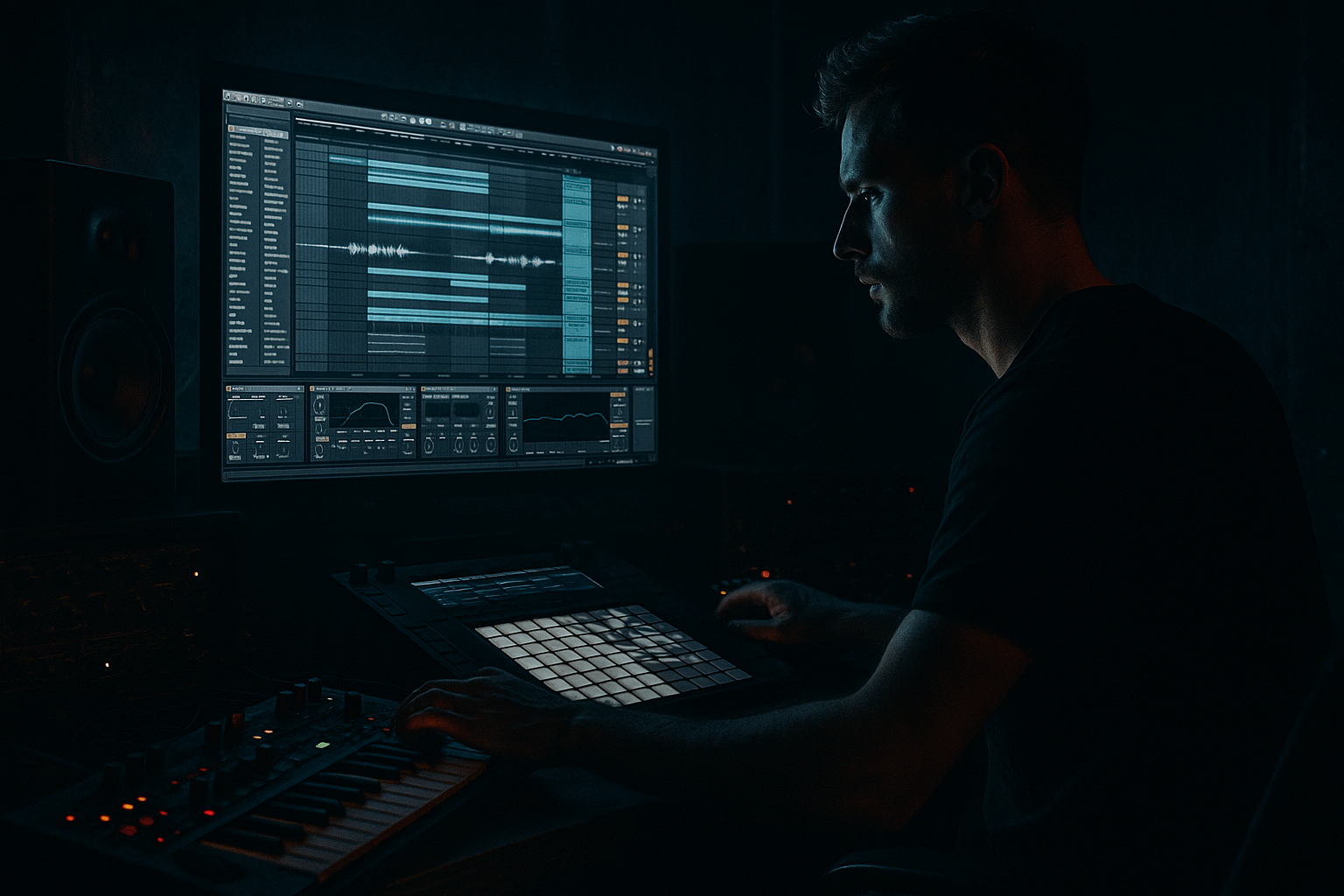
Midnight Amen pad transform tutorial with chopped-vinyl character in Ableton Live 12 (Beginner) cover image

Narrated lesson audio

The voice track includes the tutorial plus extra teacher commentary.

Open audio file

Main tutorial

Midnight Amen Pad Transform (Chopped‑Vinyl Character) in Ableton Live 12

Beginner | Breakbeats | Drum & Bass / Jungle 🎛️🖤

---

1. Lesson overview

You’re going to take a classic Amen-style break and transform it into a midnight pad—a wide, moody, sustained texture that still has that chopped-vinyl “ghost of drums” character. This is a super common trick in jungle/DnB: you keep the break’s identity, but it becomes atmosphere rather than the main drums.

We’ll do it entirely with Ableton Live 12 stock devices, focusing on Resample workflows, warping, and sound design chains.

---

2. What you will build

By the end you’ll have:

  • A playable “Amen Pad” instrument (in Simpler) that feels like:
  • - time-stretched drum air,

    - vinyl haze,

    - dark stereo movement,

    - and subtle rhythmic flutter.

  • A workflow to print/resample versions for drops, intros, and breakdowns.
  • Arrangement ideas to layer it behind rolling drums + sub bass.
  • Think: late-night warehouse jungle intro pad that still whispers “Amen” in the background 🌒

    ---

    3. Step-by-step walkthrough

    Step 0 — Session setup (DnB-friendly)

    1. Set tempo to 170–174 BPM.

    2. Create these tracks:

    - Audio: `Amen Source`

    - Audio: `Amen Pad Print`

    - MIDI: `Amen Pad Instrument`

    - Return: `RVB` (reverb bus)

    - Return: `DLY` (delay bus)

    Why: DnB moves fast; having clean resample lanes + returns keeps you working like a producer, not a technician.

    ---

    Step 1 — Get an Amen-style break in time

    1. Drop your Amen (or any crunchy break) onto `Amen Source`.

    2. In Clip View:

    - Turn Warp = On

    - Warp Mode: start with Beats

    - Preserve: `1/16`

    - Enable Transient Loop Mode if it helps tighten

    3. Right-click the clip → Warp From Here (Straight) on the first clean downbeat.

    Goal: A tight loop that plays cleanly at 172-ish without drifting.

    Tip: If the loop feels “late,” nudge the clip start slightly earlier and re-loop.

    ---

    Step 2 — Make a “midnight pad print” by stretching + smoothing

    We’re going to resample a long, smeared version of the break to turn it into pad material.

    1. Duplicate the clip on `Amen Source`.

    2. Change Warp Mode to Texture

    - Grain Size: `70–120 ms` (start at 90 ms)

    - Flux: `10–25%` (start at 15%)

    Now we’ll make it longer and more “pad-like”:

    3. In Clip View, enable Loop and set Loop length to 1 bar.

    4. Stretch the loop out to 4 or 8 bars:

    - Grab the loop brace end and drag while Warp is on

    - You should hear the break turn into a sustained smear.

    ✅ If it still sounds too “drummy,” increase Grain Size a bit.

    ---

    Step 3 — Add chopped-vinyl character (sound design chain on the source)

    On `Amen Source`, add this stock chain (in this order):

    #### Device Chain A (core)

    1. EQ Eight

    - HP at 120 Hz (24 dB/oct)

    - Gentle dip: -2 to -4 dB at 2.5–4 kHz (tames harsh hats)

    - Optional: small boost +2 dB at 250–400 Hz (body/wood)

    2. Redux (for lo-fi grain)

    - Downsample: `2.0–6.0` (start 3.5)

    - Bit Reduction: keep subtle `12–14 bit` (don’t destroy it yet)

    3. Saturator

    - Mode: Analog Clip

    - Drive: `2–6 dB` (start 3 dB)

    - Turn on Soft Clip

    4. Auto Filter

    - Type: LP24

    - Freq: `1.2–3.5 kHz` (start 2.2 kHz)

    - Res: `0.70–1.20` (start 0.9)

    - Envelope: small amount `5–12%` (adds motion from dynamics)

    5. Chorus-Ensemble (width + wobble)

    - Choose a subtle mode (start with Chorus)

    - Rate: `0.15–0.35 Hz`

    - Amount/Depth: low-to-medium (avoid seasick)

    - Keep Width high

    #### Device Chain B (send effects)

  • Send to `RVB`: 10–25%
  • Send to `DLY`: 5–15%
  • Return RVB (Reverb bus):

  • Hybrid Reverb
  • - Start with a Hall or Shimmer-free dark space

    - Decay: `4–9 s`

    - Pre-delay: `15–35 ms`

    - Low Cut: `250–400 Hz`

    - High Cut: `4–7 kHz`

    - Keep it dark and wide 🌫️

    Return DLY (Delay bus):

  • Echo
  • - Time: `1/8` or `1/4`

    - Feedback: `20–35%`

    - Filter: roll off highs to keep it moody

    - Add a touch of Noise inside Echo if you like vinyl-ish haze

    ---

    Step 4 — Resample/print the pad texture (classic DnB workflow)

    Now we “print” that smeared, processed audio so it becomes a stable pad asset.

    Option A (simple): record resample

    1. Create `Amen Pad Print` track.

    2. Set its input to Resampling.

    3. Arm `Amen Pad Print`.

    4. Solo `Amen Source` and play/record 8 bars.

    You now have a long, rich texture that contains the break’s DNA.

    Option B (freeze/flatten)

  • If you prefer: right-click track → Freeze TrackFlatten
  • (Resampling is more “producer style” for quick iterations.)

    ---

    Step 5 — Turn the printed audio into a playable pad (Simpler)

    1. Drag the recorded audio from `Amen Pad Print` onto `Amen Pad Instrument` (MIDI track).

    Ableton will load it into Simpler.

    2. In Simpler:

    - Mode: Classic

    - Enable Loop

    - Set Loop to a stable section (find a smooth part)

    - Fade: raise a little to avoid clicks (start `20–60 ms`)

    3. Add gentle movement:

    - Filter: LP (12 or 24)

    - Set cutoff around 1–3 kHz

    - Assign LFO to Filter:

    - Rate: `0.05–0.20 Hz` (slow)

    - Amount: subtle

    4. Add Amp Envelope (pad shape):

    - Attack: `40–120 ms`

    - Decay: `2–6 s`

    - Sustain: `-6 to -12 dB` (or taste)

    - Release: `1–4 s`

    Now you can play chords or single notes and it behaves like an instrument 🎹

    ---

    Step 6 — Make it feel “chopped vinyl,” not just a wash

    This is where you add the illusion of break slicing without making it percussive again.

    #### Option 1: Rhythmic gate (subtle)

    Add Gate after Simpler:

  • Floor: `-20 to -35 dB`
  • Attack: `1–5 ms`
  • Release: `80–180 ms`
  • Now sidechain that Gate to a ghost rhythm:

    1. Create a MIDI track with a tight rim/closed hat pattern (classic jungle swing).

    2. Route that track to a silent audio click (or just use it as the sidechain source if it’s audio).

    3. In Gate, enable Sidechain and select that rhythm.

    Result: the pad “breathes” with a chopped feel 🗡️

    #### Option 2: Auto Pan as “flutter”

    Add Auto Pan:

  • Amount: `15–35%`
  • Rate: `1/8` or `1/16` (sync)
  • Phase: `0–60°` (don’t go full 180 unless you want extreme width)
  • This gives the pad a gentle rhythmic wobble that hints at slicing.

    ---

    Step 7 — Make it sit behind DnB drums and bass (mix-safe)

    On the Amen Pad Instrument track, add:

    1. EQ Eight

    - HP at 150–250 Hz (keep sub clean for the bass)

    - Dip 300–600 Hz if it fights snares/bass growl

    - Dip 2–5 kHz if it masks break transients

    2. Compressor (sidechain to your main drums)

    - Sidechain from your Drum Bus (or main break)

    - Ratio: `2:1`

    - Attack: `10–30 ms`

    - Release: `80–180 ms`

    - Aim for 1–3 dB gain reduction

    This is the “rolling DnB glue”: the pad moves around the drums instead of smothering them.

    ---

    Step 8 — Arrangement ideas (DnB/jungle context)

    Try these placements:

  • Intro (16 bars): Amen Pad alone + vinyl noise + distant siren FX
  • Build (8 bars): slowly open the pad filter, bring in ghost hats
  • Drop: keep the pad low and sidechained, automate reverb send down
  • Breakdown: resample a more extreme version (more Redux + longer grain) and let it bloom
  • Automation that works great:

  • Filter cutoff rising 1.2 kHz → 3.5 kHz over 8 bars
  • Redux Downsample moving subtly (tiny changes = character)
  • Reverb send high in breakdown, low in drop
  • ---

    4. Common mistakes

  • Pad has too much low end → You’ll wreck your sub and kick headroom. High-pass it.
  • Overdoing width → Chorus + Reverb + Auto Pan can smear mono compatibility. Check in mono.
  • Too much bit reduction → It turns into harsh sand instead of warm vinyl grit. Keep Redux subtle.
  • Pad masks the snare → Dip 200–500 Hz and 2–4 kHz, and sidechain gently.
  • Warp artifacts sound “cheap” → Lower Flux, adjust Grain Size, or try Complex (but Complex can blur too much).
  • ---

    5. Pro tips for darker/heavier DnB 🖤

  • Parallel “dark room” return:
  • On a return track, add Hybrid Reverb → EQ Eight (high cut) → Saturator. Send the pad into it for weight without brightness.

  • Make it “industrial”:
  • Add Overdrive (low Drive, Tone dark) after Saturator, then EQ down the fizz.

  • Add fear with pitch drift:
  • In Simpler, apply very small random pitch using modulation (tiny amounts). If you overdo it, it’ll sound out of tune fast.

  • Print multiple intensities:
  • Resample 3 versions:

    1) Clean-ish, 2) Dark + wide, 3) Destroyed (Redux heavy).

    Swap them per section for energy control.

  • Glue it to the track key:
  • If your tune is in F minor, try playing the pad root notes (F) and fifth (C), and avoid dense jazz chords early—DnB drops want clarity.

    ---

    6. Mini practice exercise (15–25 minutes)

    1. Use a 1-bar Amen loop at 172 BPM.

    2. Make two pad prints:

    - Print A: Texture warp (Grain 90 ms, Flux 15%)

    - Print B: Same but Grain 120 ms and a bit more Redux

    3. Load both into two Simplers on two MIDI tracks.

    4. Write a simple 8-bar progression:

    - Bars 1–4: root note held

    - Bars 5–8: root + fifth alternating every bar

    5. Sidechain both pads to drums, but set one with stronger sidechain.

    6. A/B in context with a basic DnB beat: kick + snare + hats.

    Choose which pad works better for: intro vs drop.

    ---

    7. Recap ✅

  • You warped an Amen break into smeared, sustained material using Texture mode.
  • You added chopped-vinyl character using Redux, Saturator, filtering, chorus, and dark sends.
  • You resampled the result (producer workflow) and turned it into a playable Simpler pad.
  • You made it sit in a DnB mix with high-pass EQ + sidechain compression/gating.
  • You learned arrangement moves that fit jungle/DnB structure: intros, builds, drops, and breakdowns.

If you want, tell me your exact Amen sample (or upload a screenshot of your clip view/settings), and I’ll suggest the best Warp mode + grain/flux range for that specific break.


Ask GPT about this lesson

Chat with the lesson tutor, get follow-up help, or use quick actions.

Bigup 👽 Ask me anything about this lesson and I’ll answer in context.

Narration script

Show spoken script
Welcome back. In this lesson we’re doing a super classic jungle and drum and bass move: taking an Amen-style break and turning it into a midnight pad. Not a shiny synth pad. A pad that feels like time-stretched drum air, vinyl haze, dark stereo movement… and that chopped-vinyl “ghost of drums” character living inside it.

Everything is stock Ableton Live 12. And this is beginner-friendly, because the whole trick is really just three ideas: warp it in a way that smears, process it like an old record, then resample it so it becomes a playable instrument.

Alright, let’s set the room.

First, set your tempo to somewhere DnB-friendly: 170 to 174 BPM. I’ll sit at 172.

Now make a few tracks so you’re set up like an actual producer and not fighting the session. Create an audio track called “Amen Source.” Create another audio track called “Amen Pad Print.” Create a MIDI track called “Amen Pad Instrument.” Then make two return tracks: one called “RVB” for reverb, and one called “DLY” for delay.

This structure matters because we’re going to iterate. You’ll print versions, compare them, and swap them in arrangement. That’s how this technique becomes fast and musical.

Now Step 1: get an Amen-style break in time.

Drop your Amen break onto “Amen Source.” In the clip view, turn Warp on. For the Warp Mode, start with Beats mode. Set Preserve to 1/16. Then find the first clean downbeat, right-click, and choose “Warp From Here, Straight.”

Your goal is a tight one-bar loop that doesn’t drift at 172. If it feels a little late or it swings in a weird way, don’t panic. Just nudge the clip start slightly earlier, re-loop, and listen again. Get it feeling locked before you do anything else.

Quick coach tip: before you do the long stretch, audition tiny slices of the break. Like one beat, even half a beat. Try to find a moment with less snare crack and more room tone or ride wash. That “pad-friendly” moment stretches smoother and becomes midnight faster, without you needing to EQ the life out of it later.

Now Step 2: make the “midnight pad print” by stretching and smoothing.

Duplicate the clip on the Amen Source track so you still have the original settings if you need them.

On this duplicate clip, change Warp Mode to Texture. Set Grain Size around 90 milliseconds to start. Set Flux around 15 percent.

Now enable Loop, and set the loop length to one bar.

Here’s the transformation: grab the end of the loop brace and stretch that one bar out to four bars, or even eight bars. Because Warp is on and you’re in Texture mode, the break stops feeling like drums and starts turning into a sustained smear. That’s your pad raw material.

If it still sounds too drummy, increase Grain Size a bit. If you hear lots of little chirps, especially around hi-hats, try lowering Flux slightly. And here’s a pro move that feels like cheating: move the loop start just a few milliseconds so the grain boundaries land away from sharp transients. Those artifacts aren’t random. You can aim them.

Also, try shortening the loop brace to half a bar, then stretching it out longer. Sometimes less source material stretches into a smoother, more consistent pad.

Now Step 3: we add the chopped-vinyl character, but in a way that still feels like a pad.

On the Amen Source track, after the clip, add a processing chain in this order.

First, EQ Eight. High-pass at about 120 Hz with a 24 dB slope. We’re not trying to keep subs from a break here. We’re building atmosphere, and we want your actual bass and kick to have all the headroom later. Then do a gentle dip, around minus two to minus four dB, somewhere between 2.5 and 4 kHz to tame harsh hats. And optionally, a small boost around 250 to 400 Hz, maybe plus two dB, to bring out that woody body.

Next, add Redux. This is where the “chopped-vinyl memory” starts to happen. Set Downsample around 3.5 to start. And keep Bit Reduction subtle, like 12 to 14 bit. The beginner mistake is going too hard and turning it into harsh sand. We want warm grit, not broken speaker.

Then add Saturator. Choose Analog Clip mode. Drive around 3 dB. Turn on Soft Clip. This helps it feel dense and old without getting spiky.

Next, Auto Filter. Set it to low-pass 24. Put the cutoff somewhere around 2.2 kHz to start. Resonance around 0.9. Then add a little envelope amount, like 5 to 12 percent. That envelope is important because it creates motion based on the dynamics inside the sample. It’s subtle, but it keeps the pad from being static.

Then add Chorus-Ensemble. Choose a subtle chorus mode. Rate around 0.2 Hz. Depth low to medium. Keep width high, but don’t go seasick. This is your stereo haze.

Now send effects.

On the Amen Source track, send a little to your RVB return, around 10 to 25 percent. And send a little to DLY, around 5 to 15 percent.

On the RVB return, load Hybrid Reverb. Start with a hall, and keep it shimmer-free. Decay somewhere between 4 and 9 seconds. Pre-delay 15 to 35 milliseconds. Low cut the reverb around 250 to 400 Hz, and high cut around 4 to 7 kHz. Dark and wide. You’re painting a warehouse, not a bright cathedral.

On the DLY return, load Echo. Set time to an eighth note or a quarter note. Feedback 20 to 35 percent. Use Echo’s filter to roll off highs so it stays moody. And if you want extra vinyl haze, add just a touch of Noise inside Echo. Tiny. You want “presence,” not “hiss problem.”

Now Step 4: resample and print. This is the classic DnB workflow.

On “Amen Pad Print,” set the input to Resampling. Arm the track. Now solo the Amen Source track, and record about eight bars.

What you just captured is a stable pad texture with the DNA of the break embedded in it. It’s huge. And because it’s printed, you’re not relying on a fragile chain that might change later.

If you prefer, you can Freeze and Flatten instead. But resampling is faster for variations. And variations are the whole game.

Now Step 5: turn the print into a playable instrument using Simpler.

Drag the recorded audio from the Amen Pad Print track onto your MIDI track, “Amen Pad Instrument.” Ableton loads it into Simpler.

Set Simpler to Classic mode. Turn on Loop. Now find a stable section inside that print, something smooth, and set your loop points there. Increase Fade a bit, around 20 to 60 milliseconds, to avoid clicks.

Now shape it like a pad. Use Simpler’s filter as a low-pass, 12 or 24 is fine, and set cutoff around 1 to 3 kHz depending on how dark you want it. Then assign an LFO to that filter cutoff. Slow rate: 0.05 to 0.2 Hz. Subtle amount. We want drift, not wobble.

Then the amp envelope. Attack around 40 to 120 milliseconds so it blooms instead of snapping. Decay two to six seconds. Sustain a bit down, like minus six to minus twelve dB, and a release of one to four seconds so it trails off.

Now you can play single notes or chords and it behaves like an actual instrument.

Quick musical tip: DnB drops love clarity. If your tune is in, say, F minor, start with root notes and fifths. F and C. Keep it simple early. You can get fancy later, but the first job of this pad is atmosphere and identity, not harmony gymnastics.

Now Step 6: make it feel chopped-vinyl, not just a wash.

This is where a lot of people mess it up. If you bring back obvious transients, it stops being a pad. So we’re going to create the illusion of slicing.

Option one is a rhythmic gate, but subtle. Put a Gate after Simpler. Set the floor somewhere between minus 20 and minus 35 dB. Attack one to five milliseconds. Release 80 to 180 milliseconds.

Then enable Sidechain in the Gate. Feed it a simple ghost rhythm. You can make a tight closed-hat or rim pattern in a separate track. The pad will “breathe” in that rhythm, like it’s being chopped, without you hearing actual drum hits. It’s a classic jungle vibe: movement without clutter.

Option two is Auto Pan for flutter. Add Auto Pan after Simpler. Set Amount around 15 to 35 percent. Sync the rate to 1/8 or 1/16. And set Phase somewhere between 0 and 60 degrees so it’s not doing extreme left-right swinging.

And here’s an extra trick if you want motion but not stereo movement: set Phase to 0 degrees. Now Auto Pan becomes tremolo, basically a volume shaper. Low amount, synced to the groove, and suddenly the pad has a rhythmic pulse that feels like vinyl-chop memory.

Now Step 7: make it sit behind DnB drums and bass, mix-safe.

On the Amen Pad Instrument track, add EQ Eight. High-pass at 150 to 250 Hz. Be ruthless if you need to. If it fights your snare or bass, dip 300 to 600 Hz. If it masks break transients and presence, dip 2 to 5 kHz a little.

Use Live 12’s meters. Watch the EQ analyzer. Common snare fundamental energy is often around 180 to 220 Hz, and presence is often 2 to 4 kHz. You don’t want the pad peaking right where the snare lives, or it’ll feel like your snare got smaller.

Then add a Compressor with sidechain from your main drums or drum bus. Ratio 2 to 1. Attack 10 to 30 milliseconds. Release 80 to 180 milliseconds. Aim for one to three dB of gain reduction. That’s enough to make it breathe around the drums without sounding like it’s pumping on purpose.

And do a quick mono check. Add Utility, temporarily set it to Mono, and listen. If your pad disappears, you’ve overdone chorus or stereo effects. Pull back width, or rethink your phasey movement. The pad should still exist in mono, even if it’s less fancy.

Now Step 8: arrangement ideas so this actually becomes a DnB moment.

For an intro, try 16 bars of just the pad, maybe vinyl noise, maybe a distant siren or texture. Keep the filter darker and the reverb higher.

For a build, over eight bars, slowly open the filter. Maybe reduce reverb slightly so it feels like the room is getting closer. You can also automate tiny changes in Redux downsample. Tiny is the keyword. Little shifts read as character.

For the drop, pull the reverb send down. Tighten stereo width slightly. Increase sidechain amount a bit. The pad stays, but it steps out of the way and lets the drums and bass be the headline.

For a breakdown, swap in a more extreme resample: longer grain size, more redux, darker filter, and let it bloom.

Here’s a simple energy automation plan that works almost every time:
Intro: darker filter, higher reverb
Build: open filter a touch, reduce reverb gradually
Drop: low reverb, slightly tighter width, stronger sidechain
Breakdown: bring back the big reverb and the more destroyed print

And a fun structure trick: “pad punctuation.” Every 8 or 16 bars, for one beat, do a quick filter dip, or a quick width boost, or a tiny reverb send spike. It creates phrase endings without adding new instruments.

Now, common mistakes to avoid.

If the pad has too much low end, you’ll wreck your sub and kick headroom. High-pass it.

If you overdo width, chorus plus reverb plus auto pan can destroy mono compatibility. Check mono.

If you go too far on bit reduction, it becomes harsh and tiring. Keep Redux subtle for the main version, then do a destroyed print as an intentional special effect.

If the pad masks the snare, dip in the 200 to 500 range and the 2 to 4k range, and sidechain gently.

If warp artifacts sound cheap, lower Flux, adjust Grain Size, move the loop start a few milliseconds, or try a different source slice.

Now, a couple of extra pro moves, still stock, still beginner-friendly.

One: build a Pad Macro rack early. Put Simpler and your key effects into an Instrument Rack. Map four macros: Tone, which is filter cutoff; Grit, which is Redux downsample or Saturator drive; Space, which is reverb amount; and Width, which is Utility width. Now you can perform the pad in your arrangement like it’s an instrument, not a static background.

Two: make a two-layer pad. Duplicate your Simpler. For the Air layer, high-pass higher, like 400 to 800 Hz, widen it, and give it more reverb. For the Body layer, keep it more mono, less reverb, and low-pass around 1 to 2 kHz. Together, it sounds massive without muddying the center.

Three: add “needle wear” without extra samples. Use Vinyl Distortion very gently, a little tracing model, then EQ out any harshness above 6 to 10 kHz. Subtle. It should feel like age, not like a plugin demo.

Four: if you want extra “drum memory,” duplicate the pad track, put Drum Buss on it, turn Transients up slightly, keep Drive low, high-pass it aggressively so it’s mostly click and air, then blend it super quiet. You won’t hear drums. You’ll feel them.

Now a quick mini practice exercise you can do in 20 minutes.

Take a one-bar Amen loop at 172 BPM. Make two pad prints.
Print A: Texture warp, grain 90 ms, flux 15 percent.
Print B: grain 120 ms, and a bit more Redux.

Load each print into its own Simpler on its own MIDI track.
Write a simple eight-bar progression: bars one through four, hold the root note. Bars five through eight, alternate root and fifth each bar.
Sidechain both pads to the drums, but set one with stronger sidechain.
Then A/B them in context with a basic DnB beat: kick, snare, hats.
Decide which version is your intro pad and which is your drop pad.

Let’s recap what you just learned.

You warped an Amen break into smeared, sustained material using Texture mode. You added chopped-vinyl character with EQ, Redux, saturation, filtering, chorus, and dark send effects. You resampled it like a real DnB workflow, then turned it into a playable Simpler pad. And you made it sit behind drums and bass with high-pass EQ and sidechain movement, so it feels alive but not in the way.

If you want, tell me what exact break you’re using and what tempo you’re at, and I can suggest a tight grain and flux range, plus a quick method for finding click-free loop points that still keep that “Amen ghost” in the texture.

mickeybeam

Go to drumbasscd.com for +100 drum and bass YouTube channels all in one place - tune in!

Generating PDF preview…