DNB COLLEGE

Drum & Bass Ableton Live 12 Tutorials

LESSON DETAIL

Micro-sampling drum ghosts from scratch without third-party plugins (Advanced)

An AI-generated advanced Ableton lesson focused on Micro-sampling drum ghosts from scratch without third-party plugins in the Sampling area of drum and bass production.

Back to lessons
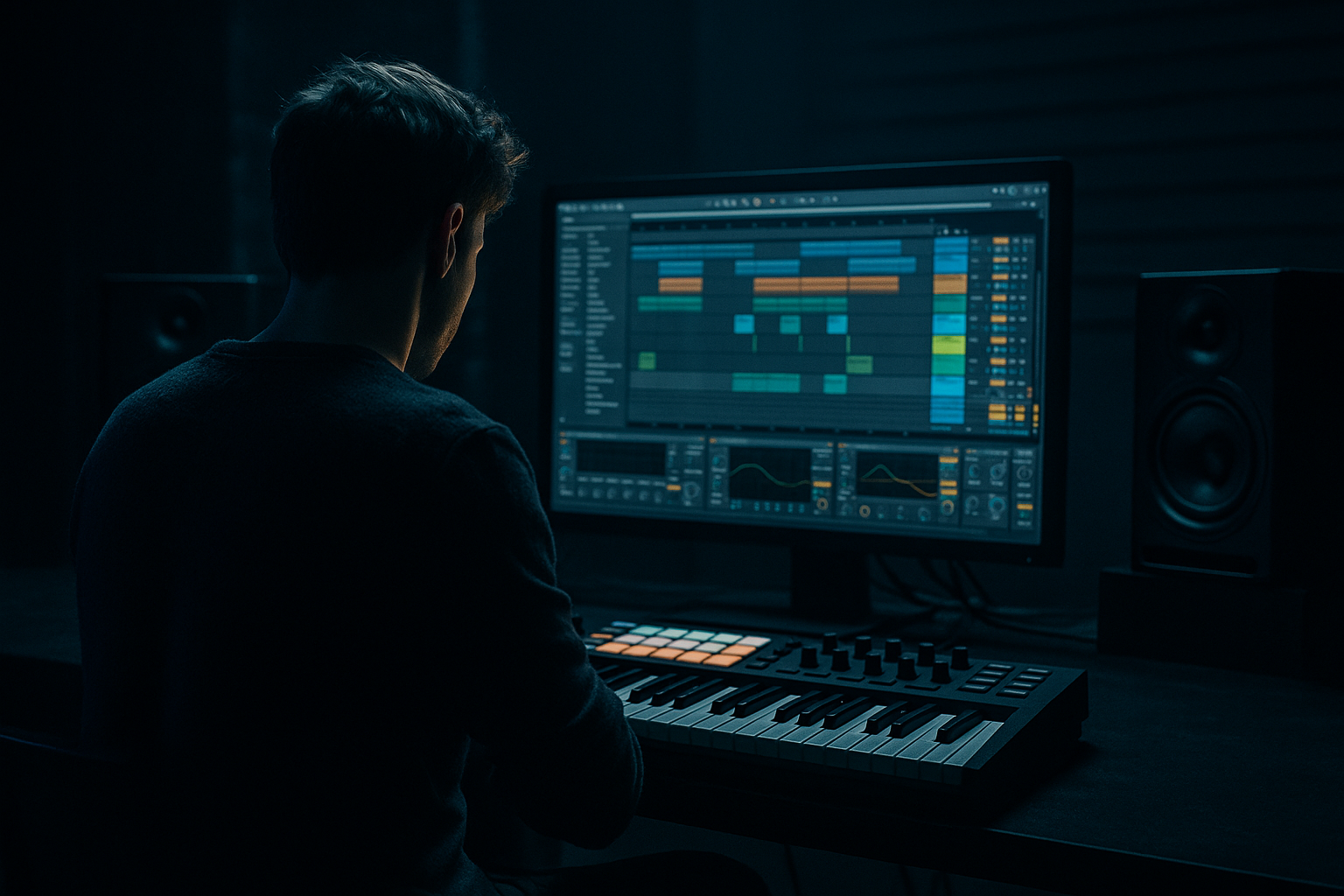
Micro-sampling drum ghosts from scratch without third-party plugins (Advanced) cover image

Narrated lesson audio

The voice track includes the tutorial plus extra teacher commentary.

Open audio file

Main tutorial

```markdown

Micro-sampling Drum Ghosts From Scratch (Ableton Live, Stock Only) 🥁⚡

Category: Sampling

Level: Advanced (DnB / jungle / rolling drum programming)

---

1. Lesson overview

Ghost notes are the “in-between” hits that create groove, speed illusion, and funk—especially in rolling drum & bass. In this lesson you’ll micro-sample your own ghost hits (not just turn velocity down) by resampling tiny slices of your drum bus, shaping them into new one-shots, and re-injecting them into the beat with surgical timing.

No third‑party plugins. Just Ableton stock devices and a disciplined workflow.

---

2. What you will build

You’ll end up with:

  • A full DnB drum loop (kick + snare + hats) that grooves hard.
  • A custom ghost-note rack made from your own drum audio (micro-sampled).
  • A “ghost layer return” that adds movement without cluttering the transient.
  • A repeatable method for turning any drum loop into a ghost-note library.
  • Think: tight modern rollers, with a touch of jungle swing—controlled, dark, and punchy. 🌑

    ---

    3. Step-by-step walkthrough

    A) Set up a proper DnB drum foundation (so the ghosts have something to “push”)

    1. Tempo: `172–176 BPM` (I’ll assume 174 BPM).

    2. Create a Drum Group with 3 MIDI tracks:

    - Kick

    - Snare

    - Hats/perc

    3. Program a simple roller skeleton (1 bar):

    - Kick: 1.1.1 and 1.3.1 (classic 2-step) or add a pickup kick at 1.4.3 for more drive.

    - Snare: 1.2.1 and 1.4.1 (backbeats)

    - Hats: 1/8 or 1/16 pattern with slight velocity variation.

    Stock device suggestion (per track):

  • Kick chain: `Saturator (Soft Clip ON, Drive 1–3 dB) → EQ Eight (HPF off, gentle low mid cleanup)`
  • Snare chain: `Drum Buss (Drive ~5–15%, Boom 0–10%) → EQ Eight (notch harsh ring if needed)`
  • Hats chain: `Auto Filter (HP 200–500 Hz) → Utility (Width 120–160% if appropriate)`
  • > Goal: a solid, punchy loop before ghosts. Ghosts enhance groove; they don’t fix weak drums.

    ---

    B) Make a resampling lane for ghost harvesting 🎯

    We’ll “print” your drum bus to audio, then carve micro-hits out of it.

    1. Create an Audio Track called: GHOST PRINT.

    2. In Audio From, choose your drum group (or your Drum Bus track if you have one).

    3. Set Monitor: `Off` (prevents doubling).

    4. Arm GHOST PRINT and record 4–8 bars of your drums.

    Why print?

    Because ghost notes sampled from the actual mix include subtle interactions: saturation smear, transient shaping, tiny phase offsets. That’s what makes them feel glued.

    ---

    C) Chop micro-ghost candidates (ultra short, intentional) ✂️

    1. Double-click your recorded audio to open the Clip View.

    2. Turn Warp OFF for this clip (important if you want clean transients).

    3. Find micro moments that feel “alive,” such as:

    - The tail of the snare + hat overlap

    - A quiet hat tick that happens right after the snare transient

    - A kick click portion (not the sub)

    4. Create slices:

    - Highlight a tiny region: typically 10–60 ms

    - `Cmd/Ctrl + E` to split

    - Consolidate each micro hit: `Cmd/Ctrl + J`

    Target ghost types to extract:

  • Snare ghost “tick”: 15–35 ms, more mid/high transient than body
  • Hat ghost: 10–25 ms, mostly top fizz
  • Rim/perc micro from snare edge: 20–50 ms, nasal mid snap
  • Pro editing moves:

  • Apply clip fades (drag fade handles) to avoid clicks.
  • Keep the start extremely tight (snap to transient), but fade the end quickly.
  • ---

    D) Turn your micro-slices into playable ghost instruments (Simpler in Slice/One-Shot)

    Now we’ll build a ghost rack that plays like a drum kit.

    1. Drag your micro slices into a new MIDI Track with Simpler.

    2. In Simpler:

    - Mode: One-Shot

    - Snap: ON

    - Fade In: 1–3 ms (prevents clicks)

    - Fade Out: 10–40 ms (tight control)

    3. Shape with Filter inside Simpler:

    - For snare-ish ghosts: HP 200–600 Hz, gentle resonance

    - For hat ghosts: HP 1–4 kHz

    4. Add Pitch envelope (subtle):

    - Enable Pitch Env

    - Amount: `-3 to -12 semitones`

    - Decay: `10–40 ms`

    - This adds “tick” and forward motion without needing extra layers.

    Better workflow: make a rack

  • Put each ghost Simpler on a separate pad in a Drum Rack
  • Name pads: `SG1`, `SG2`, `HG1`, `HG2`, `MG (mid ghost)`
  • ---

    E) Make ghosts feel played, not pasted (timing + velocity + groove pool) 🕺

    This is where advanced DnB groove happens.

    1. Create a MIDI clip for the Ghost Rack.

    2. Place ghosts in classic DnB pockets:

    - Before snare: 1.1.4–1.1.4.3 (tiny pickup)

    - After snare: 1.2.2–1.2.3.2 (shuffly response)

    - Between kicks: 1.3.2–1.3.4 (rolling motion)

    Timing tips (advanced):

  • Use nudge, not quantize:
  • - Move some ghosts -5 to -15 ms (ahead) for urgency

    - Move others +8 to +20 ms (behind) for swagger

  • In Ableton, adjust by:
  • - Turning grid to 1/64 or Off

    - Use `Alt/Option` drag for fine movement

    Velocity ranges (start here):

  • Snare ghosts: 12–45
  • Hat ghosts: 20–70 (varies more naturally)
  • One “accent ghost” per bar: 55–80 (still not a main hit)
  • Groove Pool (stock, powerful):

  • Add a groove like MPC 16 Swing 57–62 (or any shuffled 16th groove).
  • Set Timing 10–30%, Velocity 0–15%.
  • Commit only if needed; otherwise keep it flexible.
  • ---

    F) Create “Ghost Bus” processing (stock chain that keeps it tucked) 🔧

    Route all ghosts to a dedicated bus to control them as one instrument.

    1. Create a Ghost Group (or route to a return).

    2. Add this chain:

    Device chain (recommended):

    1. EQ Eight

    - HP filter: `250–800 Hz` (depends on your mix)

    - Dip harsh zone: `3–7 kHz` if it spits

    2. Drum Buss

    - Drive: `5–20%`

    - Transients: `-5 to -20` (soften attack so it doesn’t compete)

    - Damp: `5–30%` if too bright

    3. Saturator

    - Soft Clip: ON

    - Drive: `1–6 dB`

    4. Utility

    - Gain: adjust so ghosts are felt, not heard

    - Width: often narrower (80–110%) for darker rollers

    Optional: Return track for “ghost air”

  • Create Return G-AIR:
  • - Reverb: short (Decay `0.3–0.8s`, HiCut ~`6–10 kHz`)

    - EQ Eight after: high-pass `600 Hz+`

  • Send ghosts lightly: `-18 to -30 dB` send levels
  • > The trick: ghosts should add motion and texture, not obvious reverb tails.

    ---

    G) Resample again (advanced “ghost from ghost” iteration) 🔁

    This is where the magic becomes signature.

    1. Record a pass of your drums with ghosts active into a new audio track: GHOST PRINT 2.

    2. Chop again—now the micro-hits include your ghost bus tone.

    3. Replace 20–40% of your ghosts with these “second-gen” hits.

    This creates a recursive, cohesive groove that sounds engineered rather than layered.

    ---

    H) Arrangement ideas for rolling DnB using ghost micro-samples 🧠

    8-bar phrase approach:

  • Bars 1–2: minimal ghosts (only hat ticks)
  • Bars 3–4: add snare pickup ghosts
  • Bars 5–6: introduce a “call/response” ghost pattern (after snare)
  • Bars 7–8: pull ghosts back (energy dip) → makes the drop hit harder
  • Transition trick:

  • At the end of 8 or 16 bars, take one ghost hit and:
  • - Pitch it down `-5 to -12 st`

    - Add longer fade out

    - Place it as a tiny “pre-fill” before a crash/switch

    ---

    4. Common mistakes 🚫

    1. Ghosts too loud: If you clearly notice them as separate hits, they’re probably overcooked. Pull them down.

    2. Too much low-mid: Ghosts carrying 200–600 Hz can cloud the snare body and bass. High-pass aggressively.

    3. Over-quantizing: Perfect grid ghosts kill swing. Nudge by milliseconds and use groove subtly.

    4. Too many different samples: If every ghost is a different timbre, it becomes messy. Reuse a few core micro-hits.

    5. Sharp clicks: Not adding micro fades (1–3 ms) causes clicks and harshness—especially with tiny slices.

    ---

    5. Pro tips for darker/heavier DnB 🌑🔩

  • Make “dead” ghosts: Use Drum Buss Transients negative and short fades for a tight, suppressed vibe.
  • Mid-focused ghosts cut through fog: Build one ghost that lives around 1–3 kHz (HP higher, less top fizz). Works great under heavy reese.
  • Mono your ghost bus: Use Utility Width 0–60% to keep darkness centered and stable.
  • Sidechain ghosts to snare (stock):
  • Use Compressor on Ghost Bus:

    - Sidechain input: Snare track

    - Ratio: `2:1–4:1`

    - Attack: `1–10 ms`

    - Release: `40–120 ms`

    - Just 1–3 dB gain reduction

    This keeps the backbeat dominant.

  • Jungle-era “shuff” without breaks: Create a hat ghost from your snare tail, filter it bright, and place it on off-grid 16ths. It mimics break micro-dynamics.
  • ---

    6. Mini practice exercise 🎓

    Goal: Build a 4-bar rolling groove where ghosts create forward motion without increasing peak level.

    1. Start with a 2-step kick/snare pattern at 174 BPM.

    2. Record 8 bars to GHOST PRINT.

    3. Extract:

    - 2 snare-tail ticks (15–35 ms)

    - 2 hat/fizz ticks (10–25 ms)

    4. Build a Drum Rack with 4 ghost pads.

    5. Program ghosts:

    - Bar 1: only 2 hat ghosts

    - Bar 2: add 1 snare pickup

    - Bar 3: add 2 extra off-grid ghosts

    - Bar 4: simplify (drop 50% ghosts)

    6. Mix rule: When you bypass the ghost bus, the beat should feel less alive—but the main hits should not feel quieter.

    Deliverable: bounce a 4-bar loop and label it `GhostMicro_174bpm_v1`.

    ---

    7. Recap ✅

  • Print your drums, then micro-sample tiny transient/tail moments to create real ghost hits.
  • Load into Simpler/Drum Rack, shape with fades, filtering, pitch env, and tight envelopes.
  • Place ghosts with ms-level nudging, controlled velocity, and subtle groove.
  • Process as a Ghost Bus with EQ → Drum Buss → Saturator → Utility.
  • Iterate by resampling again to build cohesive, signature groove layers.

If you want, tell me your preferred subgenre (liquid roller, neuro roller, jungle, minimal halftime-ish DnB), and I’ll give you a specific 2-bar ghost MIDI pattern and a matching ghost bus chain tuned for that vibe.

```

Ask GPT about this lesson

Chat with the lesson tutor, get follow-up help, or use quick actions.

Bigup 👽 Ask me anything about this lesson and I’ll answer in context.

Narration script

Show spoken script
Micro-sampling Drum Ghosts From Scratch in Ableton Live, stock only. Advanced drum and bass workflow. Let’s go.

Today we’re not doing the basic “turn the velocity down and call it groove” thing. We’re going to create real ghost notes by harvesting micro-slices from your own drum mix, turning them into new one-shots, and then playing them back in the pockets where DnB actually gets that rolling, glued, fast-but-funky movement.

The payoff is huge: your ghosts inherit the exact tone, saturation smear, and tiny timing relationships already happening in your drum bus. So instead of sounding like extra random hits, they sound like your loop is breathing.

First, set the stage. Tempo: anywhere from 172 to 176 BPM. I’m going to assume 174.

Make a simple, solid drum foundation. Three MIDI tracks inside a drum group: Kick, Snare, and Hats or Perc.

Program a one-bar skeleton. Classic two-step works perfectly: kick on 1.1.1 and 1.3.1. Snare on 1.2.1 and 1.4.1. Hats doing eighths or sixteenths, with little velocity variation so it’s not a flat machine gun.

Before we even touch ghosts, do a quick stock-only cleanup so the loop has a clear transient hierarchy. On the kick, a Saturator with Soft Clip on, just a little drive, like 1 to 3 dB. Then EQ Eight, keep the low end intact, and just shave any low-mid cardboard if it’s fighting the snare.

On the snare, Drum Buss with some drive, but don’t go crazy. Boom low, like zero to ten percent. Then EQ Eight to notch any nasty ring.

On hats, high-pass them with Auto Filter somewhere around 200 to 500 Hz, then Utility to widen if it makes sense. Remember: ghosts enhance groove. They don’t rescue weak drums. If the base loop doesn’t already slap, ghosts will just create a more complicated problem.

Now the fun part: we’re going to print the drum bus so we can harvest ghosts from real audio.

Create an audio track called GHOST PRINT. Set its Audio From to your drum group, or your drum bus if you’ve already got everything routed. Set Monitor to Off. That’s important so you don’t double-monitor and think your drums got louder for no reason.

Arm GHOST PRINT and record four to eight bars of your drums.

Why are we printing? Because when you sample from the mixed result, you get those subtle interactions: the snare tail pushing into the hat, the saturation gluing transients, micro-phase stuff between layers. That’s literally the “this feels like a record” secret sauce, and we’re going to turn it into playable hits.

Once recorded, double-click the audio clip to open Clip View. Turn Warp off for this clip. For this harvesting stage, we want clean, unwarped transients.

Now you’re hunting for micro moments that feel alive. And I want you to be intentional here. Don’t just grab quiet sections. Grab interactions. For example: a hat transient that’s slightly masked by the snare body. A little snare wire buzz under a hat. A tiny kick beater click right after a hat. Those inter-modulations are exactly why printed ghosts feel like they belong.

Zoom in. Look for a transient or a tasty little tail moment. Highlight a tiny region, usually 10 to 60 milliseconds. Yes, milliseconds. Then split it. Then consolidate it into a new mini audio file.

As a guide, a snare ghost tick might be 15 to 35 ms, mostly mid and high transient, not the snare body. A hat ghost might be 10 to 25 ms, mostly top fizz. A rim or nasal mid ghost might be 20 to 50 ms.

Important: avoid clicks. Add micro fades. Tight start, quick end. You want surgical, intentional little flickers of rhythm, not accidental digital spikes.

Also, do this at a consistent monitoring loudness. Ghost balance is super level-dependent. If you keep turning your speakers up and down, you’ll overcook them and wonder why your loop sounds messy later.

Okay. Now we turn these slices into instruments.

Create a new MIDI track. Drag one of your micro slices into Simpler.

In Simpler, set it to One-Shot mode. Turn Snap on. Add a tiny fade in, like 1 to 3 milliseconds, to kill clicks. Then set a fade out, usually 10 to 40 milliseconds, depending on how tight you want it.

Then filter. For snare-ish ghosts, high-pass somewhere around 200 to 600 Hz. You’re removing weight so it doesn’t compete with the snare body and the bass. For hat ghosts, high-pass way higher, like 1 to 4 kHz, so it’s basically just air and tick.

Now a pro move: pitch envelope. Enable Pitch Env in Simpler. Try a subtle downward pitch amount, maybe minus 3 to minus 12 semitones, with a short decay like 10 to 40 ms. This creates a little “tick” and forward motion without adding volume. It’s like a psychoacoustic trick: more presence, same level.

Even better workflow: don’t stop at one Simpler. Build a Drum Rack for ghosts. Put each micro-slice on its own pad. Name them something like SG1, SG2 for snare ghosts, HG1, HG2 for hat ghosts, and maybe one mid-focused ghost that lives around 1 to 3 kHz.

Now we actually play the ghosts, and this is where it becomes advanced. Ghosts aren’t about being quiet. They’re about placement.

Create a MIDI clip for the ghost rack. Start placing ghosts in classic DnB pockets.

Put a tiny pickup before the snare. That could be just before 1.2.1, like a little nudge that pushes into it. Add some responses after the snare, like a shuffly tick that answers the backbeat. Then add a couple between the kicks to create that rolling conveyor-belt feel.

Here’s the key: don’t quantize these perfectly. Use nudging by milliseconds.

Some ghosts you nudge a bit ahead, like minus 5 to minus 15 ms, for urgency. Others you pull behind, like plus 8 to plus 20 ms, for swagger. In Ableton, you can set the grid to 1/64 or turn it off, and use Option-drag for fine movement.

Velocity ranges: snare ghosts, start around 12 to 45. Hat ghosts can vary more, like 20 to 70. And choose one accent ghost per bar, maybe 55 to 80, but still not a main hit. If it sounds like it starts the snare or replaces the hat transient, you crossed the line. Fix it by nudging it later a few ms, or shaving attack with Simpler fade-in or Drum Buss transient reduction. Not just turning it down.

Now add groove, but do it smart. Put swing on the ghost lane more than the main hits. That way your kick and snare stay punchy and DJ-friendly, but the groove still moves. Try something like an MPC 16 swing in the Groove Pool. Keep timing subtle, maybe 10 to 30 percent, and velocity influence minimal.

Next, route and process ghosts as a single instrument. This is where you keep them tucked, dark, and controlled.

Route your ghost tracks into a Ghost Bus, or group them.

On the Ghost Bus, start with EQ Eight. High-pass aggressively, anywhere from 250 up to 800 Hz depending on your loop. If the ghosts spit, dip a bit around 3 to 7 kHz.

Then Drum Buss. Drive around 5 to 20 percent. Transients negative, like minus 5 to minus 20, so ghosts don’t compete with your main transients. Damp if they’re too bright.

Then Saturator, Soft Clip on, 1 to 6 dB drive. Then Utility to set level and width. Often, darker rollers want ghosts narrower, like 80 to 110 percent width. Or even more mono if the center needs to feel solid under heavy bass.

Optional but powerful: create a return called G-AIR. Put a short reverb on it, 0.3 to 0.8 seconds decay, and hi-cut it around 6 to 10 k. Then EQ after the reverb, high-pass above 600 Hz. Send ghosts to it super lightly, very low send level. The goal is motion, not audible reverb tails.

Now, let’s add a coach trick that will save you from ruining your groove: a ghost audit control.

Put a Utility at the very end of your Ghost Bus. Map its Gain to a macro if you’re using a rack, or just automate it. Then do fast A/B checks: completely off, “just there,” and “too much.” That “too much” position is useful because it reveals what the ghosts are actually contributing. Then you pull it back to “just there.”

Also watch your meters. Ghosts should not be peaking above your hat channel. If they are, you’re not ghosting anymore.

Now the signature move: resample again. Ghost from ghost.

Record a pass of your drums with the ghosts active into a new audio track called GHOST PRINT 2. Now when you chop micro slices from this, the hits already contain your ghost bus processing and your new micro-dynamics. Replace maybe 20 to 40 percent of your ghosts with these second-gen hits.

This is where it starts sounding engineered rather than layered. It becomes your fingerprint.

Let’s talk arrangement, because ghosts are also an energy tool.

Try an 8-bar phrase. Bars 1 and 2, minimal ghosts, maybe just a couple hat ticks. Bars 3 and 4, add snare pickup ghosts. Bars 5 and 6, introduce a little call-and-response after the snare. Bars 7 and 8, pull ghosts back to create space, so the next section hits harder.

And here’s a slick transition trick: at the end of an 8 or 16, take one ghost hit, pitch it down 5 to 12 semitones, give it a longer fade-out, and place it as a tiny pre-fill before a crash or switch. It’s subtle, but it screams “pro arrangement” without doing an obvious drum fill.

Advanced variations you can use once the core system works.

Split ghosts into two lanes: Pre ghosts and Post ghosts. Pre is pickups that push into the snare, keep them dry and tight. Post is responses after the snare, soften them, maybe a touch more air send. That separation makes your groove read clearly.

Use probability for controlled evolution. Duplicate a ghost note layer: one low-velocity “bed” at 100 percent chance, and a slightly brighter “spark” at 15 to 35 percent chance. In Ableton’s MIDI editor, use Chance so it moves but doesn’t turn into chaos.

You can also do micro-flams with no extra samples: two hits on the same pad, first super low velocity, second 8 to 20 ms later a little louder. That mimics stick articulation without sounding like a full flam.

And if you want an ultra-consistent tick source, do the sidechain gate trick. Put a steady noise or hat texture on a track, like Operator noise or a quiet closed hat. Add Gate with sidechain from your hats so it opens only when hats hit. Resample those openings into your ghost rack. It gives you ticks that are perfectly mix-matched.

Before we wrap, quick common mistakes to avoid.

If you clearly notice ghosts as separate hits, they’re too loud or too transient-forward. Turn them down, shave attack, or nudge them later.

If ghosts have too much 200 to 600 Hz, you’ll cloud the snare and bass. High-pass harder than you think.

If you over-quantize, the groove dies. Nudge by milliseconds, and use groove subtly.

If every ghost is a totally different timbre, it gets messy fast. Reuse a small palette. Honestly, six to twelve great ghosts per tempo range is plenty. Save them as your personal Ghost Favorites rack and you’ll work twice as fast.

Now, your mini practice exercise.

Make a four-bar rolling groove at 174. Start with your two-step. Record eight bars into GHOST PRINT. Extract two snare-tail ticks and two hat fizz ticks. Build a four-pad ghost rack. Program: bar one, only two hat ghosts. Bar two, add one snare pickup. Bar three, add two extra off-grid ghosts. Bar four, simplify, drop about half.

Mix rule: when you bypass the ghost bus, the beat should feel less alive, but your main hits should not feel quieter. If the mains feel like they shrink when ghosts are off, the ghosts were doing too much.

Bounce it as GhostMicro_174bpm_v1.

That’s the method: print, micro-sample, shape in Simpler, place with millisecond nudges, bus-process to keep it tucked, and then iterate with second-gen resampling for cohesion.

If you tell me what vibe you’re aiming for, tight neuro rollers, looser jungle swing, liquid roller, minimal halftime-ish, I’ll give you a specific two-bar ghost MIDI pattern with exact placements and suggested millisecond offsets, plus a ghost bus chain tuned for that substyle.

mickeybeam

Go to drumbasscd.com for +100 drum and bass YouTube channels all in one place - tune in!

Generating PDF preview…
