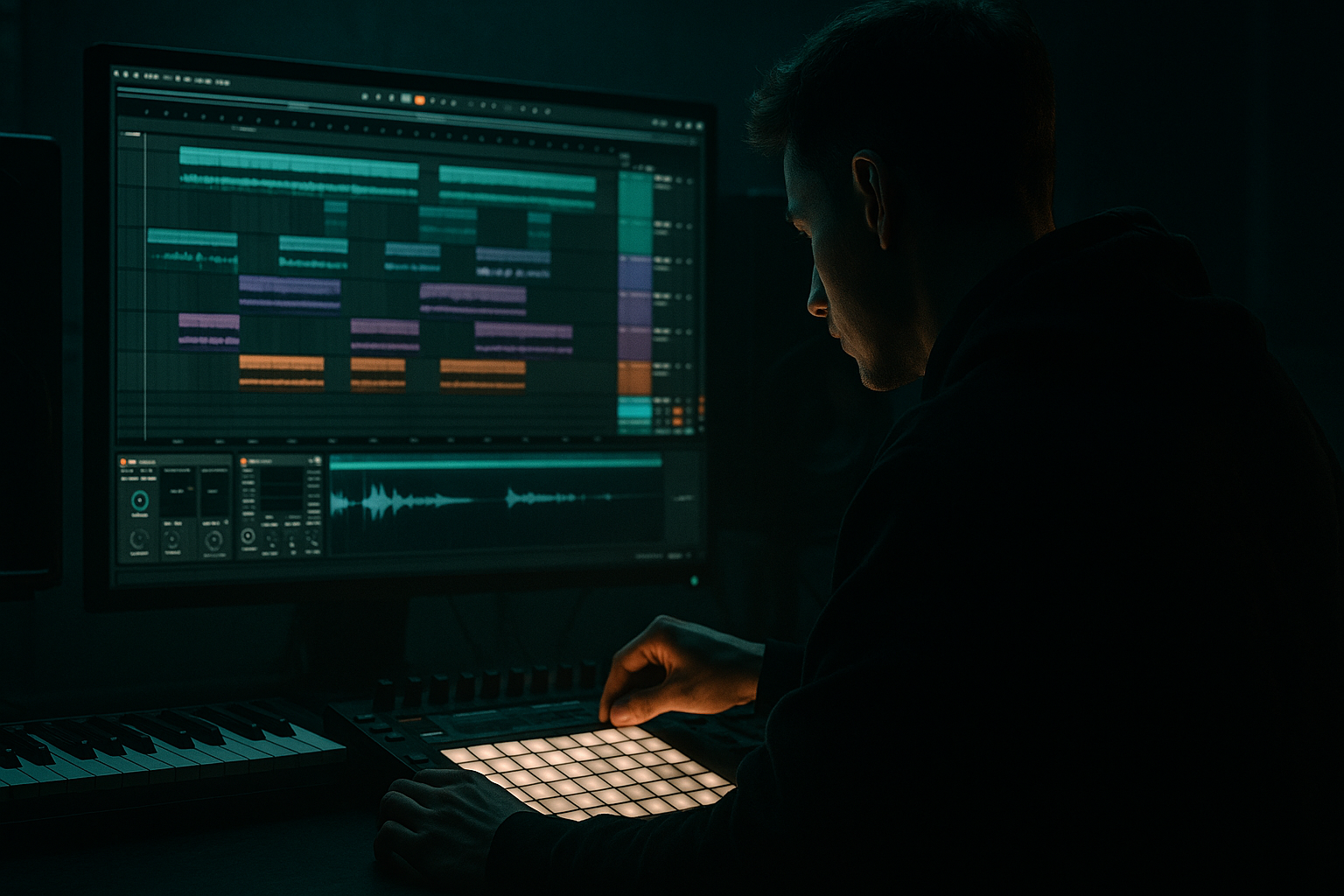
Main tutorial
Lesson Overview
A great jungle or oldskool DnB tune is not just “a drop and a break.” It needs a DJ-friendly structure that gives selectors room to mix, but still keeps tension, atmosphere, and movement alive. In Ableton Live 12, you can build this using stock devices, simple arrangement choices, and a few smart automation moves.
In this lesson, you’ll learn a beginner-friendly method for creating atmosphere with DJ-friendly structure for jungle / oldskool DnB vibes. The goal is to make a track that works in a set: clean intro for mixing, clear drop energy, useful breakdowns, and a controlled outro. This matters because DnB DJs need phrasing they can read quickly—usually 16, 32, or 64-bar sections—while listeners still want mood, grit, and variation. 🎛️
The technique also helps you avoid a common beginner mistake: making a loop that sounds cool on repeat, but doesn’t feel like a complete record. By the end, you’ll know how to use atmospheres, breaks, bass, and automation to create a tune that feels authentic to jungle and classic DnB while staying easy to mix.
What You Will Build
You’ll build a short DnB arrangement with:
- a DJ-friendly 16 or 32-bar intro
- a rolling breakbeat section
- a sub-and-reese bassline with call-and-response phrasing
- atmospheric pads, vinyl-style texture, and delay throws
- a simple breakdown and build
- a clean outro suitable for mixing into the next tune
- Too much atmosphere in the low mids
- Bass fighting the break
- Stereo low end
- No clear phrase structure
- Overdoing FX on every bar
- Drop is too busy
- Layer a very quiet noise texture under the intro
- Use Saturator on the drum bus
- Resample your own atmosphere
- Automate bass filter openings only on key notes
- Keep one element “imperfect”
- Use call-and-response between drums and bass
- Check the track in mono
- keep the sub mono and clean
- let the break and bass answer each other
- use atmosphere for tension, not clutter
- arrange in 16- and 32-bar phrases
- automate FX at section edges, not everywhere
- leave enough space for DJs to mix the track properly
Musically, think: dark pad haze, chopped break energy, a weighty bass riff, and enough space in the intro/outro for a DJ to beatmatch and blend. The vibe sits between oldskool jungle atmosphere and modern DnB clarity.
Step-by-Step Walkthrough
1. Set up a DJ-friendly project structure first
Start by setting your tempo between 170 and 174 BPM. For oldskool jungle vibes, 172 BPM is a strong default. Create a new Live Set and organize these tracks:
- Drums
- Bass
- Atmosphere
- FX / Transitions
- Reference or Utility
On the Master, keep a little headroom. Aim so your mix peaks around -6 dB while writing. This is important because DnB drops need punch, and you don’t want to over-compress too early.
In Arrangement View, plan your tune in blocks:
- 16 bars intro
- 16 bars groove build
- 32 bars main drop
- 16 bars breakdown
- 32 bars second drop
- 16 bars outro
Why this works in DnB: DJs rely on phrase structure. Clean 16/32-bar sections make it easier to blend tracks without clashing kicks, snares, or bass phrases.
2. Build the foundation with a breakbeat that breathes
Drag a classic break loop or chopped break into an audio track. If you don’t have a sample, use a basic drum loop and cut it up in Simpler or directly in Arrangement View. Focus on a break that has strong snare energy and some ghost-note movement.
Use stock Ableton tools:
- Simpler for chopping a break into slices
- Beat Repeat for occasional variations
- Drum Buss for punch and glue
- EQ Eight to clean the low end
Beginner-friendly settings:
- In EQ Eight, high-pass the break around 25–35 Hz to remove rumble.
- In Drum Buss, try:
- Drive: 5–15%
- Crunch: 0–10%
- Boom: very low or off at first
- Keep the snare clear; don’t over-hype the low mids.
If you’re chopping the break in Simpler, use Slice Mode and set slices by transient. Then mute and unmute hits to create a rolling pattern. Try leaving tiny gaps before snare hits to create that early jungle “bounce.”
3. Create a sub that locks to the break, not against it
Add a Wavetable, Operator, or Analog bass track for the sub. For a beginner, Operator is easiest and cleanest. Use a sine wave and write a simple 1- or 2-note bass pattern that supports the break rather than fighting it.
Suggested settings in Operator:
- Oscillator A: sine wave
- Envelope attack: 0–10 ms
- Decay: 150–300 ms if you want a little pluck
- Sustain: 0 to 50% depending on note length
- Release: 50–120 ms
Keep the sub mono. If you want to check this, use Utility and turn Width to 0% on the sub track.
Write bass notes in a call-and-response pattern:
- one short note under the snare
- a longer answer after the snare
- a small rest before the next phrase
This style feels very DnB because the bass leaves room for the break’s syncopation. You’re not filling every beat—you’re creating groove.
4. Layer a reese or mid-bass for atmosphere and motion
For oldskool and darker DnB, a reese layer gives your bass character without replacing the sub. Use Wavetable or Analog and make a detuned saw-based patch.
Beginner-friendly starting point:
- Two saw oscillators slightly detuned
- Low-pass filter around 120–300 Hz if you want it dark
- Add slight movement with an LFO to filter cutoff
- Keep the layer quieter than the sub
Add Saturator after the synth:
- Drive: 2–6 dB
- Soft Clip: On if needed
Then use EQ Eight:
- Cut some low end below 80–120 Hz so it doesn’t fight the sub
- Smooth harsh upper mids if it gets gritty
A useful DnB workflow is to split the bass into two parts:
- Sub track: pure and mono
- Reese track: wider, dirtier, higher in the spectrum
This keeps the low end solid while letting the track feel atmospheric and alive.
5. Make atmosphere with long tones, filtered noise, and sampled texture
This is the heart of the lesson. Atmosphere in jungle and oldskool DnB often comes from dark pads, vinyl-style noise, ghostly samples, and filtered movement, not huge cinematic chords.
Create an Atmosphere track and try one of these methods:
- Wavetable/Analog pad
- Simpler with a short sample looped and heavily filtered
- Sampler-style texture if you want a sustained sample feel
Easy pad setup:
- Low-pass filter around 1–4 kHz
- Attack: 300 ms to 1.5 s
- Release: 2–6 s
- Add a little Reverb with Decay 2–5 s
- Keep the dry level low so it feels like background mist
Add Auto Filter and automate it slowly:
- Intro: filter closed
- Approaching drop: open slightly
- Breakdown: open more, then pull back
You can also add Vinyl Distortion very lightly for texture:
- Drive: low
- Tracing Model / noise tastefully subtle
- Don’t destroy the mix—just create air and age
Arrangement tip: Put the atmosphere in the intro first, then let it disappear or thin out at the drop. That contrast makes the drop feel bigger.
6. Shape the intro for DJ mixing, not instant maximum impact
A DJ-friendly intro should give a selector enough information to mix the tune in. In oldskool DnB, this often means drums first, atmosphere second, bass later.
For a clean intro:
- Start with drums and texture only
- Bring in a filtered break at bar 9 or 17
- Add bass only after the listener has heard the groove
- Avoid too many big fills in the first 16 bars
Use volume automation and filter automation to create a gradual reveal:
- Atmosphere starts audible but low
- Break opens over 8–16 bars
- Bass enters with a clear phrase marker
A strong beginner structure:
- Bars 1–8: drums + ambience
- Bars 9–16: break variation + texture
- Bars 17–32: bass enters and groove locks in
This feels DJ-friendly because the intro is not cluttered. The mix-in point is easy to hear, and the tune still sounds intentional.
7. Build tension with simple transitions and automation
DnB atmosphere comes alive when sections move clearly. Use stock Ableton FX to guide energy without overcrowding the track.
Add an Audio Effect Rack or separate FX track with:
- Auto Filter
- Delay
- Reverb
- Utility
- Optional Beat Repeat on a return or effect track
Practical automation ideas:
- Raise reverb send on the last snare of a 16-bar phrase
- Automate a low-pass filter closing before the drop, then snap open
- Add a short delay throw on one vocal chop or rim hit
- Use Beat Repeat only on transition moments, not constantly
Suggested delay settings:
- Delay time synced to 1/8 or 1/4
- Feedback: 15–30%
- Filter the delay so it doesn’t cloud the low mids
Suggested reverb settings:
- Decay: 2–4 s for atmosphere
- Pre-delay: 10–30 ms
- High-cut the return so the top end stays controlled
Why this works in DnB: fast tempos can get messy quickly. Controlled automation adds drama while preserving the punch and clarity that DnB needs.
8. Design the drop so the bass and break answer each other
In the main drop, keep the energy strong but not chaotic. The bass should feel like it’s “talking” with the drums. A simple 2-bar or 4-bar phrase is enough for a beginner.
Try this structure:
- Bar 1: bass hits on the offbeat or after the snare
- Bar 2: bass replies with a shorter note
- Bar 3: small variation or rest
- Bar 4: fill or texture change
Use MIDI clips to vary note lengths. Shorter notes create more bounce. Longer notes create more weight.
Add a tiny amount of movement:
- Filter cutoff automation on the reese
- Slight volume swell on the answer notes
- Short stabs from a pad or chopped sample
If your drop feels flat, remove notes before adding more. In DnB, space is often what makes the groove hit harder.
9. Create a breakdown that resets the ear, then return with variation
A breakdown is not just “everything off.” It should be a moment where the atmosphere comes forward and the listener feels the next drop coming.
Use the breakdown to:
- remove the sub
- thin out the drums
- let a pad, vocal chop, or texture breathe
- introduce a rising filter or noise swell
Beginner-safe breakdown formula:
- mute sub bass
- keep a filtered break or ghost percussion
- add long reverb tail or delay throw
- bring in one hook element only
Then return with a variation:
- different drum fill
- slightly different bass rhythm
- extra atmosphere on the second drop
This keeps the arrangement moving like a real record, not a loop.
10. Make the outro clean and usable for mixing
A DJ-friendly outro should remove complexity gradually. This makes it easy for another tune to blend in without low-end collisions.
For the outro:
- drop the bass first
- keep drums and atmosphere
- reduce fills
- filter out extra layers over 8–16 bars
Good outro flow:
- first 8 bars: main groove continues
- next 8 bars: bass removed, drums stay
- final bars: only texture and a kick/snare hint
Use Utility on the bass and atmosphere to pull down width or level if needed. Keep the low end clean so a DJ can mix the next track’s intro safely.
A solid outro feels like the track is leaving the room naturally instead of stopping abruptly.
Common Mistakes
- Fix: use EQ Eight to cut muddiness around 200–500 Hz on pads and texture layers.
- Fix: simplify the bass rhythm. Leave more space around the snare.
- Fix: keep sub bass mono with Utility Width at 0% or by using a mono-friendly synth patch.
- Fix: build in 16- or 32-bar sections so the DJ can count the tune.
- Fix: save big automation moves for section ends and transitions.
- Fix: remove one layer at a time until the groove feels heavy and readable.
Pro Tips for Darker / Heavier DnB
- Use a filtered white noise or vinyl-style sample with a low-pass filter. This adds underground grit without clutter.
- Try Drive at 1–4 dB with Soft Clip on. This can make breaks feel harder without crushing them.
- Render a pad, reverse it, chop it, and re-import it. This creates movement that feels more organic than a static loop.
- A small filter move on the last note of a phrase can make the bass feel alive while staying dark.
- A slightly rough break edit, noisy reverb tail, or detuned reese can give your track character. Jungle and oldskool DnB often sound better when they’re not sterile.
- Let the bass answer the snare, not dominate it. This is a classic technique for rollers and darker tunes alike.
- If the atmosphere disappears in mono, that’s fine. If the bass loses power, fix it immediately.
Mini Practice Exercise
Spend 10–20 minutes building a rough 16-bar intro and 16-bar drop:
1. Set tempo to 172 BPM.
2. Add one breakbeat track and make a simple 4-bar loop.
3. Add a mono sub bass using Operator with a sine wave.
4. Add a reese layer with Wavetable or Analog and keep it quiet.
5. Add one atmospheric pad or noise texture with a slow filter.
6. Arrange:
- 8 bars drums + atmosphere
- 8 bars with break variation
- 8 bars with bass entering
- 8 bars with fuller drop energy
7. Automate one filter opening and one reverb throw.
8. Export a rough bounce and listen like a DJ: could you mix into it easily?
Focus on structure and vibe, not perfection.
Recap
The key idea is simple: build atmosphere around a clear DJ-friendly arrangement. In jungle and oldskool DnB, the intro, drop, breakdown, and outro need to feel countable, mixable, and musically intentional.
Remember these essentials:
If you get these parts right, your tune will feel more like a real DnB record and less like a loop.

