DNB COLLEGE

Drum & Bass Ableton Live 12 Tutorials

LESSON DETAIL

Long intro atmospheres for smoky late-night moods (Beginner)

An AI-generated beginner Ableton lesson focused on Long intro atmospheres for smoky late-night moods in the Arrangement area of drum and bass production.

Back to lessons
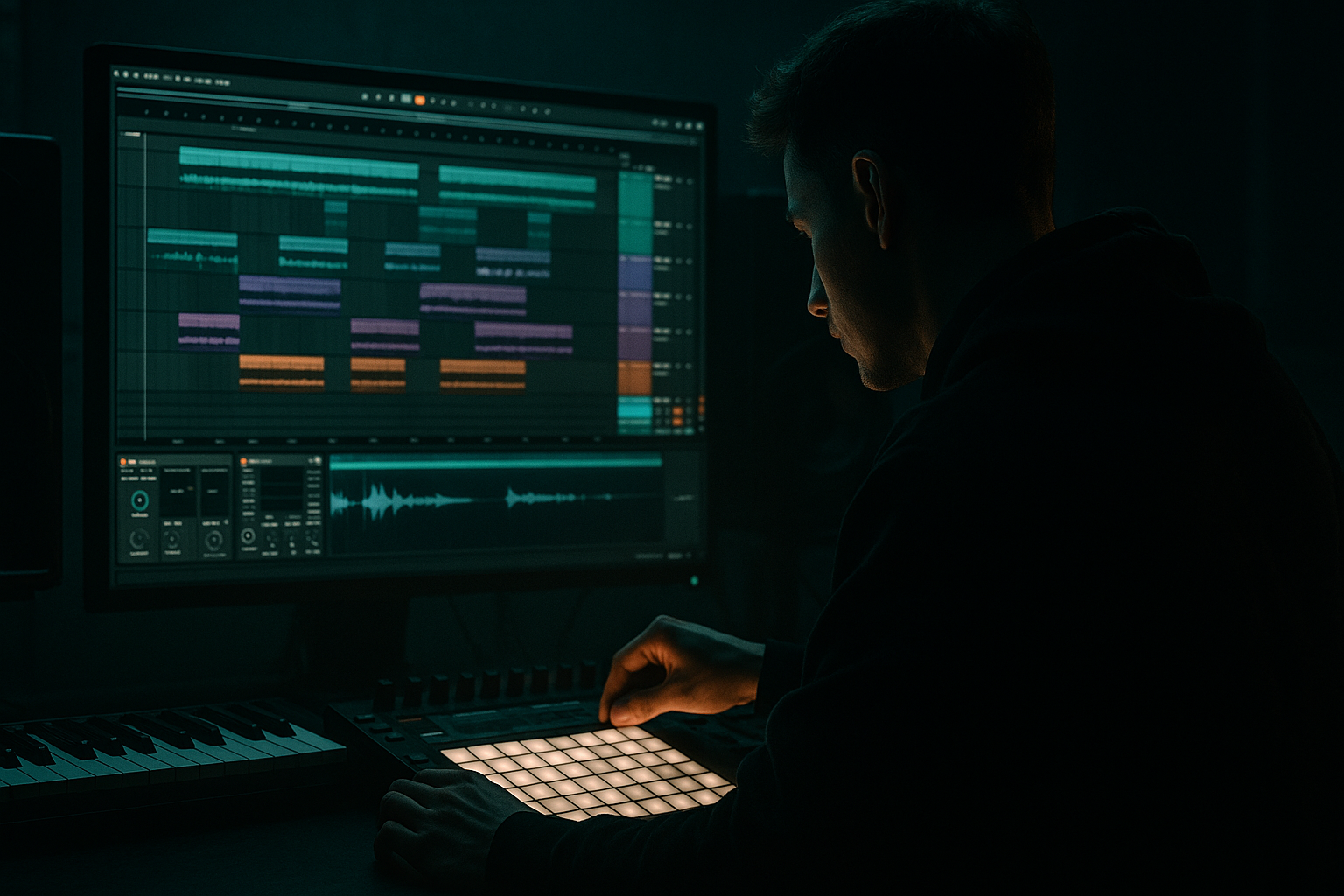
Long intro atmospheres for smoky late-night moods (Beginner) cover image

Narrated lesson audio

The voice track includes the tutorial plus extra teacher commentary.

Open audio file

Main tutorial

Long Intro Atmospheres for Smoky Late‑Night Moods (DnB in Ableton Live) 🌫️🌙

Category: Arrangement | Skill level: Beginner

---

1. Lesson overview

A great drum & bass track doesn’t start with drums—it starts with vibe. Long, smoky intros are about tension, space, and slow reveal, so when the drop hits, it feels inevitable.

In this lesson, you’ll learn a repeatable Ableton Live workflow to build a 16–64 bar atmospheric intro that feels late-night, cinematic, and rooted in rolling/jungle aesthetics—without getting lost in endless sound design.

---

2. What you will build

You’ll build a DnB intro that includes:

  • Atmospheric bed (noise/field recording + wide pads)
  • Harmonic mood layer (minor chords, dusty keys, or resampled pad)
  • Ear candy (vinyl crackle, distant shakers, reversed hits)
  • Tension risers (filters, automation, and subtle movement)
  • Arrangement map (clear progression into the drop)
  • Target vibe: smoky warehouse / 3AM drive / neon rain 🌧️

    ---

    3. Step-by-step walkthrough

    Step 0 — Set your session up (fast + organized)

    1. Set Tempo:

    - Rolling DnB: 172–175 BPM

    - Jungle: 165–172 BPM

    2. Set Global Key (optional but helpful): F minor or G minor (classic dark DnB keys).

    3. Create these tracks (color-code them):

    - ATMOS Bed (audio)

    - PAD (MIDI)

    - MUSIC/CHORDS (MIDI)

    - FX + Ear Candy (audio)

    - Sub Tease / Bass Hint (MIDI)

    - Drum Ghosts (MIDI) (optional)

    Workflow tip: put all intro elements into a Group called `INTRO` so you can process/automate together later.

    ---

    Step 1 — Build the smoky “air” layer (Atmos bed) 🌫️

    Goal: a consistent texture that fills space but stays out of the way.

    Option A: Use a field recording (best)

  • Drag in an audio clip: rain, room tone, train station, street ambience, vinyl room noise.
  • Warp mode: Complex (or Complex Pro if it sounds weird).
  • Option B: Make noise in Ableton (no samples needed)

  • Add Operator (MIDI track)
  • - Oscillator A: Noise (instead of a waveform)

    - Filter: ON

    - Filter type: Lowpass 12

    - Cutoff: 2–6 kHz

    - Resonance: low (0–10%)

  • Play a long note (C3) and freeze/flatten if needed.
  • Atmos device chain (stock devices):

    1. EQ Eight

    - High-pass around 120–250 Hz (remove rumble)

    - Gentle dip around 2–4 kHz if harsh

    2. Auto Filter

    - Lowpass 12, cutoff around 3–8 kHz

    - Add subtle movement: LFO Amount 5–15%, Rate 1/8–1/4 (try Sync)

    3. Reverb

    - Type: Large Room / Hall

    - Decay: 4–8s

    - Predelay: 20–40 ms

    - Dry/Wet: 15–30%

    4. Utility

    - Width: 130–170%

    - Gain: adjust so it sits quietly

    Arrangement note: Keep this layer present from bar 1 to the drop as your “fog”.

    ---

    Step 2 — Create a moody pad that evolves (PAD)

    Goal: slow harmonic movement + width + subtle modulation.

    1. Create a MIDI clip 16 bars long.

    2. Choose an instrument:

    - Wavetable (great modern pads)

    - Analog (warm)

    - Drift (organic wobble)

    Beginner-friendly pad with Wavetable:

  • Osc 1: Sine-ish / mellow wavetable
  • Unison: 2–4 voices
  • Detune: low (5–15%)
  • Filter: LP24, cutoff ~ 400–2kHz (automate later)
  • Amp envelope:
  • - Attack 200–800 ms

    - Release 2–6s

    Pad chain:

    1. Chorus-Ensemble

    - Mode: Chorus

    - Amount: 20–40%

    2. Reverb

    - Decay 5–10s

    - Dry/Wet 20–35%

    3. EQ Eight

    - High-pass 150–300 Hz

    4. Auto Pan (optional movement)

    - Rate: 1/4 or 1/8

    - Amount: 10–25%

    - Phase: 180° (wide)

    Write chord voicings (DnB friendly):

  • Keep it simple: 1–2 chords that feel ominous.
  • Examples in F minor:
  • - Fm → Dbmaj7 (dark but lush)

    - Fm → Eb (classic minor lift)

    - Fm(add9) held for tension

    Arrangement idea: hold one chord for 8 bars, then slightly change the top note to signal progression.

    ---

    Step 3 — Add a “dusty music” layer (keys/resample trick) 🎛️

    Goal: something melodic but restrained—like a memory in the haze.

    Option: Electric piano / keys

  • Instrument: Electric or Simpler (keys sample)
  • Write a 2-bar motif (repeat it sparsely).
  • Dusty chain:

    1. Redux

    - Downsample: 2–8 (subtle)

    - Bit Reduction: 0–2 (very light)

    2. Saturator

    - Drive: 1–4 dB

    - Soft Clip: ON

    3. EQ Eight

    - High-pass: 200–400 Hz

    - Low-pass: 6–10 kHz

    4. Delay (Echo works too)

    - Time: 1/4 or 1/8 dotted

    - Feedback: 15–35%

    - Dry/Wet: 10–25%

    Pro move: Resample this layer to audio, then reverse small bits for transitions.

    ---

    Step 4 — Ear candy: subtle jungle signals (FX + tiny percussion) ✨

    Goal: keep the intro engaging without “starting the track” too early.

    Add 2–4 ear candy elements:

  • Vinyl crackle (quiet)
  • Distant rimshots
  • Reversed cymbals
  • One-shot radio/vox chops (heavily processed)
  • Tiny shakers (super low in mix)
  • Quick shaker loop (super subtle):

  • Load Drum Rack
  • Add a closed hat/shaker sample
  • Pattern: 1/16 with velocity variation
  • Process:
  • - EQ Eight high-pass 500–800 Hz

    - Auto Filter low-pass ~ 6–9 kHz

    - Reverb 10–20% wet

    “Distance” trick (stock):

  • Put Reverb first, then EQ Eight after it.
  • After reverb, low-pass to 4–7 kHz so it feels far away.
  • ---

    Step 5 — Hint the bass without giving the drop away (Sub Tease) 🖤

    Goal: suggest weight and key center, but keep it restrained.

    1. Add Operator for a clean sub.

    - Osc A: Sine

    - Add a very short MIDI note every 2 bars (or one long held note).

    2. Chain:

    - EQ Eight (low-pass around 120–200 Hz)

    - Saturator (Drive 1–3 dB, Soft Clip ON)

    - Utility (Mono ON below 120 Hz via Bass Mono if available; otherwise keep width at 0–50%)

    Keep this quiet. It’s a shadow, not the main character.

    ---

    Step 6 — Arrange the long intro (16 / 32 / 64 bars) 🧭

    Here’s a reliable 32-bar smoky DnB intro blueprint:

    Bars 1–8: “Fog + tone”

  • Atmos bed + pad
  • No drums
  • Gentle filter movement only
  • Bars 9–16: “Signal emerges”

  • Add dusty keys motif (very sparse)
  • One reverse cymbal into bar 17
  • Slightly open pad filter
  • Bars 17–24: “Pulse appears”

  • Add tiny shaker loop (low level)
  • Add one distant snare hit every 2 bars (optional)
  • Add sub tease notes (quiet)
  • Bars 25–32: “Tension + pre-drop”

  • Introduce a short riser (noise swell)
  • Automate intro group to feel like it’s “coming into focus”
  • Add a 1-bar pause or tape-stop-style cut right before the drop (optional)
  • Automation checklist (this is the magic):

  • Auto Filter cutoff slowly rising on PAD
  • Reverb Dry/Wet slightly decreasing toward drop (makes drop feel “drier” and punchier)
  • Utility gain +1 to +2 dB in the last 8 bars (tiny lift)
  • Optional: Vinyl / noise fades down right before drop (clean impact)
  • Ableton tip: Press `A` to show automation lanes quickly.

    ---

    Step 7 — Glue the intro together (Intro Bus processing)

    Group all intro tracks into `INTRO` group and add:

    1. EQ Eight

    - High-pass 20–30 Hz (safety)

    - Gentle dip 200–400 Hz if muddy

    2. Glue Compressor

    - Attack: 10 ms

    - Release: Auto

    - Ratio: 2:1

    - Gain reduction: aim for 1–2 dB max

    3. Saturator (optional)

    - Drive: 0.5–2 dB for vibe

    Keep it subtle—intro should feel cohesive, not squashed.

    ---

    4. Common mistakes

  • Too much low end in the intro: pads + reverb + atmos can create hidden sub rumble. High-pass aggressively where needed.
  • Reverb everywhere, full volume: big reverbs are great, but stack them and you get cloudy mush. Choose 1–2 “big space” elements.
  • No arrangement movement: if nothing changes for 32 bars, it feels like a loop. Add a new element or automation every 4–8 bars.
  • Over-revealing the drums: don’t start with full breaks. Tease with ghosts, distant hits, or filtered hats.
  • Too bright: smoky moods usually mean controlled highs. Low-pass some elements and keep brilliance for later.
  • ---

    5. Pro tips for darker/heavier DnB 🏭

  • Use dissonance lightly: try adding a pad top note a semitone away (very quiet) to create unease.
  • Midrange “threat layer”: add a low-volume reese-like texture (Wavetable) but high-pass it around 150–250 Hz so it doesn’t step on the sub later.
  • Pre-drop contrast: slightly reduce reverb and wideness in the last bar, so the drop feels bigger when width returns.
  • Jungle nods: sprinkle tiny chopped-amen ghosts at -20 dB with heavy filtering—just enough to hint at breaks culture.
  • Automation > more tracks: one pad with smart cutoff + reverb automation often beats five competing layers.
  • ---

    6. Mini practice exercise (15 minutes) ⏱️

    1. Create a 16-bar intro using only:

    - 1 Atmos bed (audio)

    - 1 Pad (MIDI)

    - 1 Ear candy FX (reverse cymbal or vox)

    2. Requirements:

    - At least two automations (e.g., pad filter cutoff + reverb wet)

    - At least one transition moment at bar 9 or bar 13 (reverse, silence gap, or riser)

    3. Bounce a quick export and ask:

    - Does it feel like it’s going somewhere every 4–8 bars?

    - Is the low end clean?

    ---

    7. Recap

  • A smoky late-night DnB intro is built from texture + harmony + slow change.
  • Start with an atmos bed, add an evolving pad, then sprinkle dusty musical fragments and ear candy.
  • Use automation to create progression: filters opening, reverb shifting, subtle level lifts.
  • Keep the intro controlled in low end and highs so the drop hits harder.

If you want, tell me your tempo + subgenre (rolling, jungle, halftime, neuro) and I’ll suggest a specific 32-bar intro map and chord vibe to match.


Ask GPT about this lesson

Chat with the lesson tutor, get follow-up help, or use quick actions.

Bigup 👽 Ask me anything about this lesson and I’ll answer in context.

Narration script

Show spoken script
Welcome in. Today we’re building long intro atmospheres for smoky late-night moods in Ableton Live, and we’re doing it in a way that’s beginner-friendly, repeatable, and focused on arrangement, not endless sound design.

This is drum and bass, so yes, we’re heading to a big drop. But the whole point is: the drop hits harder when the intro earns it. Think neon rain, warehouse air, that 3AM drive feeling. Your job in the intro is to create tension, space, and a slow reveal.

Before we touch anything, here’s the big concept that will keep you from making a messy intro: foreground versus background. At any moment, pick one thing to be the focus. Maybe it’s the pad. Maybe it’s dusty keys. Maybe it’s a vocal texture. Everything else is set dressing. If your intro ever feels busy, it’s usually because you accidentally have three foreground elements fighting for attention.

Alright. Let’s set up the session.

Set your tempo depending on your flavor. If you’re going for rolling DnB, aim around 172 to 175 BPM. If you’re leaning jungle, 165 to 172 is a nice range. For key, you can choose something like F minor or G minor. You don’t have to set a global key, but it helps you stay in a coherent mood, especially when you’re writing pads and small motifs.

Now create a few tracks and color-code them so you stay organized. Make an audio track for your Atmos Bed. Make a MIDI track for a Pad. Make another MIDI track for Music or Chords. Make an audio track for FX and Ear Candy. Make a MIDI track for a Sub Tease or Bass Hint. And optionally, a MIDI track for Drum Ghosts, if you want tiny filtered hints later.

Then select all those intro tracks and group them. Name the group INTRO. This becomes your control center later, because you can automate and process the whole intro together.

Now we start building the fog.

Step one is your smoky air layer, the atmos bed. This is the texture that fills the space and makes everything feel like it’s happening in a place, not in a vacuum. Ideally, use a field recording. Rain, street ambience, room tone, train station, vinyl room noise. Drag it into the Atmos Bed audio track, and set Warp to Complex, or Complex Pro if it sounds weird.

If you don’t have samples, you can synthesize noise. Add Operator on a MIDI track, set Oscillator A to Noise, turn the filter on, choose a lowpass filter, and bring the cutoff down so it’s not harsh. Then hold a long note. You can even freeze and flatten later to commit it to audio.

Now put a simple device chain on your atmos. First, EQ Eight. High-pass somewhere around 120 to 250 hertz, because atmos layers love to hide rumble that will destroy your drop later. If the noise is spiky, dip a little around 2 to 4k.

Then add Auto Filter. Lowpass again, somewhere around 3 to 8k, and this is where you add subtle motion. Turn on the LFO, keep the amount small, like five to fifteen percent, and try a synced rate like one-eighth or one-quarter. You’re not trying to hear “wub wub.” You’re trying to feel the air slowly shifting.

Add Reverb next. Large Room or Hall, decay around four to eight seconds, predelay twenty to forty milliseconds, and keep the wet fairly modest, like fifteen to thirty percent. Finally, Utility to widen it a bit. Something like 130 to 170 percent width can feel great on atmos. Then set the gain so it’s quiet. This layer should be present, but not loud enough that you notice it as an instrument.

Teacher tip: set an intro ceiling. A simple rule is keep your INTRO group peaking roughly around minus ten to minus six dB, before any mastering. If your intro is already huge and loud, the drop has nowhere to go.

Cool. Step two is the moody evolving pad.

Create a 16-bar MIDI clip on your Pad track. Choose an instrument like Wavetable, Analog, or Drift. Wavetable is a great starting point. Pick a mellow wavetable, something sine-ish, not bright. Add a little unison, like two to four voices, and keep detune low. Put a lowpass filter on it, something like LP24, and set the cutoff somewhere in the ballpark of 400 hertz up to 2k, depending on how dark you want it. We’ll automate that later.

For the amp envelope, slow attack, like 200 to 800 milliseconds, and a long release, two to six seconds. This is how you get that pad that feels like it’s breathing in the background.

Now process it. Add Chorus-Ensemble, light to moderate amount. Add Reverb, long decay, maybe five to ten seconds, wet around twenty to thirty-five percent. Then EQ Eight with a high-pass around 150 to 300 hertz. Pads plus reverb equals mud unless you manage the low end. If you want extra movement, add Auto Pan with a slow rate like one-quarter or one-eighth, small amount, and set phase to 180 degrees for width.

Now write chords. Keep it simple. In F minor, you could hold F minor, then go to Db major seven for a lush dark feeling. Or F minor to Eb for that classic minor lift. You can also just hold an F minor add nine for tension. The arrangement trick: hold one chord for eight bars, then change one top note. That tiny change tells the listener, “we’re going somewhere,” without starting the drums.

And remember the reverb-as-camera-lens idea. Far away feels wetter and darker. Coming closer feels less wet and more direct. If you automate only one thing across the intro, automate your sense of distance.

Step three is your dusty music layer. This is the memory in the haze. Something melodic, but restrained.

Load Electric for an electric piano vibe, or use Simpler with a keys sample. Write a short two-bar motif. Keep it sparse. You’re not writing a full song here. You’re placing little signposts.

Then give it dust. Put Redux on it, very subtle downsample, maybe two to eight, and little to no bit reduction. Add Saturator with one to four dB of drive and Soft Clip on. Add EQ Eight: high-pass around 200 to 400 hertz, low-pass around six to ten kHz so it’s not too shiny. Then a delay, or Echo. Try one-quarter or one-eighth dotted timing, feedback fifteen to thirty-five percent, wet around ten to twenty-five.

Here’s a great pro move that’s still beginner-friendly: resample this keys layer to audio and reverse small bits to create transitions. Even one reversed note tail leading into a new section can make the intro feel intentional and cinematic.

Step four is ear candy. This is where we keep the intro engaging without “starting the track” too early.

Pick just two to four elements. Vinyl crackle very quiet. A reversed cymbal. A distant rimshot. A tiny shaker loop. Maybe a radio-style vocal texture, heavily processed.

Let’s do a quick shaker loop as an example. Load a Drum Rack, drop in a closed hat or shaker sample, and program a one-sixteenth pattern with velocity variation. Then high-pass it hard, like 500 to 800 hertz, because we want it to be air, not body. Low-pass it a bit too, around six to nine k, so it’s not crisp and modern. Add a small amount of reverb, like ten to twenty percent wet.

Distance trick: put reverb first, then EQ after the reverb. Then low-pass the reverb tail to around four to seven k. That makes it feel far away, like it’s happening down the hall.

Step five is the sub tease. This is where you hint at weight without giving away the drop.

Add Operator. Use a sine wave. Put a very short MIDI note every two bars, or a long held note if you want it more like a shadow. Then low-pass it around 120 to 200 hertz, add a touch of Saturator with soft clip on, and keep it mono. And keep it quiet. This is not the main character. This is the silhouette.

Now step six: arrangement. This is where the intro becomes a story instead of a loop.

We’ll use a reliable 32-bar blueprint.

Bars 1 through 8: fog and tone. Atmos bed is in. Pad is in. No drums. Minimal movement, just gentle filter motion.

Bars 9 through 16: signal emerges. Bring in that dusty keys motif, sparse. Open the pad filter slightly. Add a reversed cymbal leading into bar 17 as a transition marker. And a quick coach note: plan a negative moment. Maybe at bar 8, mute the pad for half a bar. Or pull the crackle out for a beat. Those little gaps read as tension.

Bars 17 through 24: pulse appears. Introduce the tiny shaker loop quietly. Optionally add one distant snare hit every two bars, super low level and heavily filtered. Add the sub tease notes if you haven’t already. The listener should start feeling like something is approaching, but you still haven’t “started” the track.

Bars 25 through 32: tension and pre-drop. Add a noise swell or riser. Automate the INTRO group to feel like it’s coming into focus. You can do a one-bar pause right before the drop, or a quick cut, even a tape-stop style moment if you like. But don’t overdo it. In dark DnB, the cleanest transitions often feel the heaviest.

Now let’s talk automation, because automation is the magic of long intros.

Press A to show automation lanes in Ableton. Start simple. Automate the pad’s filter cutoff so it slowly rises over the intro. Automate reverb wet amount slightly decreasing toward the drop, so it feels like the camera is moving closer and the drop will feel punchier and more direct. Automate the INTRO group gain up maybe one to two dB in the last eight bars. Tiny lift. And consider fading down vinyl noise right before the drop so the impact feels clean.

Here’s a slick arrangement upgrade: the focus funnel. Over the last eight bars, slightly narrow the stereo width on the INTRO group. Maybe drift toward ninety to one hundred ten percent width. Reduce reverb a touch. Then at the drop, restore width and reduce ambience, and suddenly the drums feel huge. That’s contrast doing the work for you.

Step seven: glue the intro together with intro bus processing.

On your INTRO group, add EQ Eight first. High-pass around 20 to 30 hertz just for safety. If it’s muddy, gently dip around 200 to 400 hertz. Then add Glue Compressor. Attack ten milliseconds, release on auto, ratio two to one. You’re aiming for one to two dB of gain reduction max. Subtle. Optionally add a Saturator after that with half a dB to two dB drive for vibe.

Now, quick common mistakes to avoid.

One: too much low end. Pads, reverb, atmos, and even vinyl samples can hide sub rumble. High-pass aggressively where needed.

Two: reverb on everything. Pick one or two big space elements. Otherwise it turns into cloudy mush.

Three: no movement. Use a four-bar rule. Every four bars, do one change: add or remove a layer, adjust brightness with a filter, adjust distance with reverb, or add a transition marker.

Four: over-revealing drums. Don’t start with full breaks. Tease with ghosts, distant hits, or filtered hats.

Five: too bright. Smoky moods usually mean controlled highs. Keep some brilliance for later.

Alright, mini practice exercise. Set a timer for fifteen minutes.

Make a 16-bar intro using only three things: one atmos bed, one pad, and one ear candy element like a reverse cymbal or a vocal texture. You must include at least two automations, for example pad filter cutoff and reverb wet. And include one transition moment at bar 9 or bar 13, like a reverse swell, a tiny silence gap, or a short riser.

When you’re done, export just the intro and listen at low volume. Turn it down until you can barely hear the details. If the mood still feels intentional, your balance is good. If everything disappears except hiss, the story isn’t clear enough.

Recap: long smoky DnB intros are texture plus harmony plus slow change. Start with the fog, add an evolving pad, sprinkle dusty musical fragments and ear candy, and let automation do the heavy lifting. Keep the low end clean, keep the highs controlled, and give the drop room to feel massive.

If you tell me your tempo, key, and whether you’re going rolling or jungle-leaning, I can map you a specific bar-by-bar intro storyboard to follow exactly.

mickeybeam

Go to drumbasscd.com for +100 drum and bass YouTube channels all in one place - tune in!

Generating PDF preview…