Main tutorial
Lesson Overview
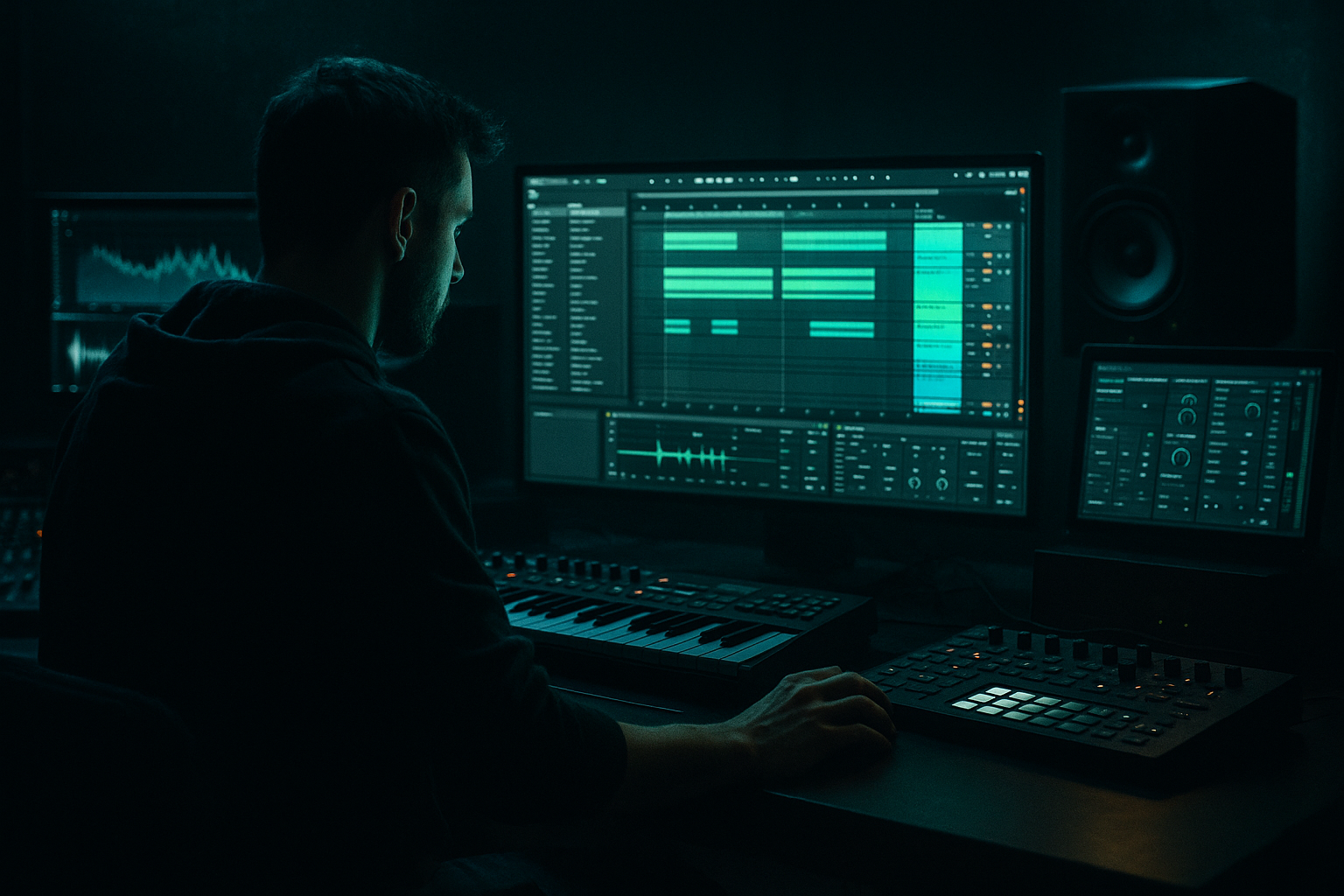
A junglist jungle switch-up is the moment in a DnB track where the groove flips from one feel to another without losing momentum. In practice, that might mean moving from a straight roller into a chopped break section, or from a clean intro into a grimy second-drop variation. In Ableton Live 12, this is especially powerful when you use sampling to reslice drum breaks, resample bass movement, and build arrangement contrast with simple but strong edits.
This lesson is about making your track feel like it has a proper story:
- a stable drum and bass balance
- a switch-up that feels intentional, not random
- enough tension and release to keep dancers locked in
- a clean, DJ-friendly arrangement that works in real DnB context
- a main DnB loop at around 170–174 BPM
- a sampled break chop that appears as a switch-up
- a sub bass foundation that stays solid through the transition
- a call-and-response bass phrase for contrast
- a drum fill and FX transition that signals the change
- a simple intro → main groove → jungle switch-up → return structure
- Bars 1–8: clean roller groove, full sub, simple drums
- Bars 9–12: break chop enters, hats and snare variation increase
- Bars 13–16: switch-up with chopped sample, bass call-and-response, extra tension
- Bars 17–24: return to main groove or a heavier variation
- Making the switch-up too busy
- Losing the sub during the transition
- Over-wide bass
- Snare and break sample fighting each other
- No clear arrangement contrast
- Transitions that feel random
- Darken the switch-up before the drop
- Use saturation as texture, not volume
- Let the snare own the downbeat
- Resample your own bass movement
- Use short gaps for pressure
- Keep the atmosphere low and murky
- Think in phrases
- Build the track around a solid drum and sub foundation
- Use sampling to chop a break and create the jungle switch-up
- Keep the sub mono, stable, and simple
- Use contrast: remove elements before adding the new groove
- Automate filters, volume, and sends to guide the transition
- Make the switch-up short, intentional, and dancefloor-ready
- In DnB, the best arrangements feel like controlled chaos 🔥
Why this matters: jungle and DnB rely heavily on variation inside repetition. If everything stays the same, the track feels flat. If everything changes too much, the energy collapses. The switch-up is the sweet spot. It gives the listener a new angle while keeping the sub, swing, and attitude intact.
You’ll use Ableton stock tools like Simpler, Drum Rack, Audio Effect Rack, Auto Filter, Saturator, Utility, EQ Eight, Compressor, Glue Compressor, and Reverb to create a section that feels like a real jungle turn inside a modern DnB arrangement.
What You Will Build
By the end of this lesson, you’ll have a short Ableton Live 12 arrangement idea with:
Musically, think of it like this:
This is not about making a full finished tune in one lesson. It’s about learning a reliable way to arrange a DnB switch-up that sounds like it belongs in a proper club mix.
Step-by-Step Walkthrough
1. Set the project up for a real DnB working tempo
Open a new Live set and set the tempo to 172 BPM as a solid middle-ground for modern DnB and jungle-influenced rollers. If you want a slightly heavier neuro edge, you can test 174 BPM later, but 172 is beginner-friendly and leaves room for swing.
Create these tracks:
- 1 MIDI track for Sub Bass
- 1 MIDI track for Main Bass / Reese
- 1 MIDI track for Drums
- 1 Audio track for Break Sample / Resample
- 1 Return track for Delay or Reverb if needed
Add a reference track if you have one. Keep it low in volume and compare your low end and switch-up energy against it. In DnB, arrangement decisions are much easier when you’re checking against a track that already works.
Why this works in DnB: the tempo and track layout set you up for speed. DnB is all about fast decisions. If your session is organized from the start, you’ll move faster and make better arrangement calls.
2. Build a simple drum foundation with space for the switch-up
Start with a basic 2-step or roller pattern in a MIDI clip. Use stock Drum Rack sounds:
- kick on beat 1 and a light kick variation later in the bar
- snare on beat 2 and 4
- closed hats on offbeats or light sixteenth patterns
- a few ghost notes or percussion hits for movement
Keep the kick and snare strong but not overpacked. A beginner mistake is loading too many fills before the main groove is even working. First make the core groove feel good.
Suggested processing:
- EQ Eight on the drum bus: high-pass very low rumble only if needed, and tame harsh hat spikes around 7–10 kHz if they get sharp
- Drum Buss or Glue Compressor lightly on the drum group: try a gentle setting with only 1–2 dB of gain reduction
- Utility on the drum group: keep it centered and mono-compatible in the low end
Leave a few empty spaces in the pattern. That space is what lets the jungle switch-up hit harder later.
3. Create a sub bass that stays stable through the arrangement
Add a MIDI track with Operator or Wavetable for your sub. Keep it simple and clean. For beginner DnB, the sub should usually do one job: hold the floor.
Good starting settings:
- sine wave or very smooth oscillator
- mono mode on
- short, controlled notes
- low-pass the top end if needed so it doesn’t click too much
- keep the sub centered with Utility
Write a bassline that follows the kick/snare tension:
- use long notes for roller sections
- use shorter notes or rests where the drum fill will land
- keep the bass phrasing simple so the drum switch-up remains the star
A good beginner rule: if the drums are busy, the sub should often be simpler. If the drums are sparse, the bass can speak more.
Put EQ Eight after the synth and cut unnecessary low mids if the sound gets cloudy. Aim to keep the sub strong, not bloated.
4. Add a main bass layer with movement, but keep stereo discipline
Create a second bass instrument using Wavetable, Operator, or even a resampled audio clip later. This layer is for character: reese movement, growl texture, or a dark mid bass that contrasts the sub.
Beginner-safe starting point:
- make a detuned saw-based sound or filtered wavetable patch
- add Auto Filter with a slow-moving cutoff
- use a small amount of Saturator or Overdrive for grit
- keep the track mostly mono below the low end
Practical settings to try:
- Auto Filter cutoff around 200–800 Hz for movement
- Saturator drive around 2–6 dB
- Utility width reduced if the sound spreads too wide in the low mids
Write a call-and-response phrase:
- bass answers the snare
- short phrase on bar 1
- space on bar 2
- variation on bar 3
- leave a gap for the switch-up entrance
This is a classic DnB device: the drums speak, the bass replies. It keeps the groove musical while leaving room for the jungle edit.
5. Find a break sample and turn it into a switch-up tool
Now bring in the sampling side. Choose a classic-style drum break, or any break with a strong snare and hat texture. Drag it into an audio track and then:
- right-click and choose Slice to New MIDI Track
- slice by transient or use warp markers if you want to manually chop the groove
- load the result into a Drum Rack or Simpler
For beginners, Slice to New MIDI Track is the easiest way to get started. It lets you trigger individual break hits like drum parts.
Build a 1- or 2-bar jungle phrase using:
- snare cuts
- hat stabs
- little break fills
- one or two ghost note edits
Keep it musical rather than overloaded. A good switch-up doesn’t need 32 chops. It needs a recognizable change in energy.
If the break sounds too thin:
- layer it softly with your main snare
- use EQ Eight to brighten or cut mud
- use Compressor very lightly for consistency
6. Arrange the switch-up so it feels like a proper reveal
Now place your sections in Arrangement View. A simple beginner arrangement could be:
- Bars 1–8: intro groove with main drums + sub
- Bars 9–16: full roller with bass movement
- Bars 17–20: switch-up break chop enters
- Bars 21–24: bass fills and return to main drop feel
For the switch-up, remove or reduce one of the following:
- the main sub for a bar
- the full kick pattern
- the main bass layer
- one hat layer
Then replace that space with:
- break chops
- a fill
- a reverse cymbal
- a filter sweep
Good switch-ups often work because of contrast:
- less low-end for a moment
- more rhythm in the mids
- a new drum accent pattern
- a quick feeling of “wait, what just happened?” before the groove returns
Keep the transition short. In DnB, switch-ups often work best over 1–4 bars. Too long and you lose dancefloor pressure.
7. Automate energy changes instead of adding too many new parts
Use automation to make the switch-up feel alive without cluttering the project.
Good automation ideas:
- Auto Filter cutoff on the bass to open into the switch
- Reverb send on one snare hit before the change
- Volume automation on the break sample to fade in and out
- Saturator drive slightly up during the switch-up for extra edge
Try this simple movement:
- open the bass filter gradually over 2 bars
- mute the sub for the final half-bar before the switch
- add one delayed snare hit or reversed break tail
- bring the full groove back with impact
Keep automation smooth and readable. Beginner arrangements often sound messy because too many things move at once. Choose 2–3 automation lanes and make them meaningful.
8. Balance the low end and the drums like a real DnB mix
This is where the section starts to feel finished. DnB lives or dies on drum/bass balance.
Mix checks:
- turn the sub down until the kick is still readable
- use Utility to keep bass centered
- check the mix in mono occasionally
- make sure the break sample doesn’t fight the snare transient
- avoid too much low-mid energy from 150–400 Hz
Useful stock-device chain for bass group:
- EQ Eight to clean mud
- Saturator for harmonics
- Compressor or Glue Compressor for gentle control
- Utility for mono/width discipline
Suggested low-end habit: if your bass sounds exciting but the kick disappears, reduce the bass layer before boosting the kick. In DnB, clarity wins over loudness at the arrangement stage.
Also, don’t let the break sample overpower the main snare. The switch-up should enhance the groove, not replace the track’s identity.
9. Use resampling to create a real jungle-style transition
Once the switch-up is playing, resample a short moment of the groove. In Ableton, record the output of your drum/bass group onto a new audio track. Then:
- chop the recording into tiny hits
- reverse one or two slices
- fade one slice into the next with automation
- use the chopped audio as a fill leading back into the drop
This is a classic jungle workflow: grab your own groove and turn it into new material.
If you want a heavier feel:
- send the resampled clip through Saturator
- add a little Erosion for grain
- use Auto Filter to make the transition darker before the drop
Don’t over-process it. The goal is to make the switch-up feel like it came from the track itself.
10. Finalize the section with a DJ-friendly return
End by making the return feel natural. After the switch-up, bring the track back with:
- full drums
- sub reinstated
- main bass phrase restored or slightly altered
- a short fill into the next 8-bar phrase
In DnB, the listener should feel momentum, not a hard reset. Even if the section changes style, the groove must keep forward drive.
A good final check:
- does the track still feel good after 16 bars?
- does the switch-up create contrast without killing the dancefloor energy?
- does the return hit harder because of the breakdown in texture?
If yes, you’ve got the structure working.
Common Mistakes
- Fix: reduce the number of chopped hits and let one strong break pattern carry the change.
- Fix: keep at least a small low-end anchor or bring the sub back quickly after the fill.
- Fix: use Utility and keep the low end mono. Stereo movement should live in the mids and highs.
- Fix: cut a little around the snare’s key transient area with EQ Eight and lower the break layer.
- Fix: remove something before adding the switch-up. Contrast is created by subtraction, not just more sounds.
- Fix: automate a filter, mute a layer, or add a reverse hit so the listener hears a clear movement into the switch.
Pro Tips for Darker / Heavier DnB
- Automate Auto Filter on the break sample to close down slightly before the full return. Darker = more tension.
- A small amount of Saturator on the bass or break can add density. Try 2–4 dB drive first.
- In darker DnB, the snare is often the anchor. Protect its transient with a bit of space in the bass phrase.
- Print a bassline, chop it, and use it as a one-bar answer in the switch-up. This makes the arrangement feel custom and rugged.
- A tiny silence before the break chop re-enters can feel heavier than adding another FX layer.
- Use a quiet ambience or filtered noise under the switch-up, but cut unnecessary top end so the groove stays focused.
- Dark DnB often works because the arrangement feels like conversation: drums say one thing, bass answers, then the break tears through briefly before the main groove returns.
Mini Practice Exercise
Spend 10–20 minutes making a single 8-bar switch-up idea:
1. Set Live to 172 BPM.
2. Program a basic 2-step drum groove in Drum Rack.
3. Add a simple sub bass with Operator or Wavetable.
4. Import one break sample and Slice to New MIDI Track.
5. Make a 2-bar chopped break fill.
6. Arrange it so bars 1–4 are the main groove and bars 5–8 are the switch-up.
7. Automate one Auto Filter cutoff on the bass and one volume fade on the break sample.
8. Add one resampled fill or reversed hit before the return.
Goal: finish with a loop that clearly feels like it changes style without losing the DnB pulse.
If you have time, bounce the section and listen away from the screen. Ask yourself: does the switch-up feel like a proper jungle turn, or just random edits?

